

Have you ever fallen asleep in the middle of a really… b-o-r-i-n-g… lecture?
(Same. Shh, I won’t tell.)
So now you’ve got 30 minutes, a room full of people, and somewhere around slide 7, you can practically hear their attention packing its bags and simultaneously unlocking their phones while that last-minute joiner makes intense eye contact with that glaring red “Leave Meeting” button.
And you’re thinking, “I know this stuff is useful. Why does nobody care?”
Because useful doesn’t automatically make a presentation interesting.
People remember the speaker who made them laugh, think, participate, or lean forward in their chair because “Did he really just say THAT?!”
That’s good news because how to make presentations fun has less to do with being naturally funny and more to do with knowing what to give your audience to do, feel, and remember.
Here’s how to make that happen.
What Is a Presentation?
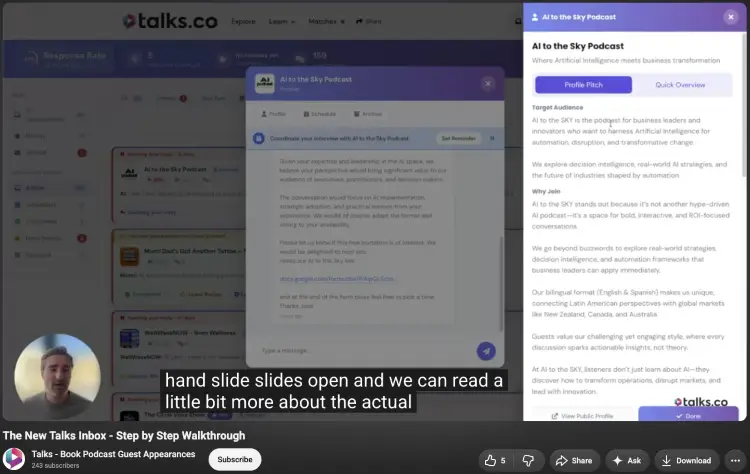
A presentation is a structured way of sharing information, ideas, stories, or recommendations with an audience.
You might be pitching an idea to a room of executives, teaching a workshop, speaking at an event, or presenting through Zoom from your kitchen table while praying nobody rings the doorbell.
The presentation structure changes, but the goal stays pretty consistent: get people to pay attention, understand your message, and remember enough of it to do something with it.
Do presentations need to be fun?
No. Your presentation doesn’t need a comedian, confetti cannon, or an audience doing the Macarena.
It does need to hold people’s attention.
“Fun” can mean making people laugh, but it can also mean giving them something interesting to think about, asking a question they actually want to answer, showing them something unexpected, or getting them involved in the conversation.
The trick is matching the type of fun to the topic and audience. A leadership keynote might use a funny personal story. A sales workshop might turn a concept into a quick challenge. A technical presentation might use a surprising demonstration.
You’re giving people a reason to stay with you instead of mentally wandering off to check Slack.
10 Benefits of a fun presentation
If people actually enjoy your interactive presentation skills, it’s way easier for them to remember you and for you to get your audience engaged that they feel comfortable asking questions.
Here’s what that happens when you engage your audience through your unique presentation style and public speaking tips and tricks, and interactive presentation ideas:
- Holds attention: Jokes, variety, quick polls in Zoom calls.
- Memory: Think Starbucks barista mixing up orders in Seattle.
- Participation: “Raise your hand if…” moments or a Mentimeter live poll.
- Complex Ideas: Figma demo or a Lego-style breakdown of systems.
- Connection: Your personality instead of a generic corporate slide deck.
- Relevance: “If you’re a Shopify PM in Toronto…” type examples.
- Energy: Switching from slides to whiteboard sketching mid-talk.
- Memorable: Funny story, unexpected question, or even an awkward silence moment.
- Confidence: Reading the room like a TEDx Vancouver speaker would.
- Repeat Invite: A useful talk people actually remember after an Airbnb HQ event.
How to Make Presentations Fun and Interactive
A presentation gets a lot more interesting when people can see the thing you’re talking about instead of watching you describe it for 40 minutes.
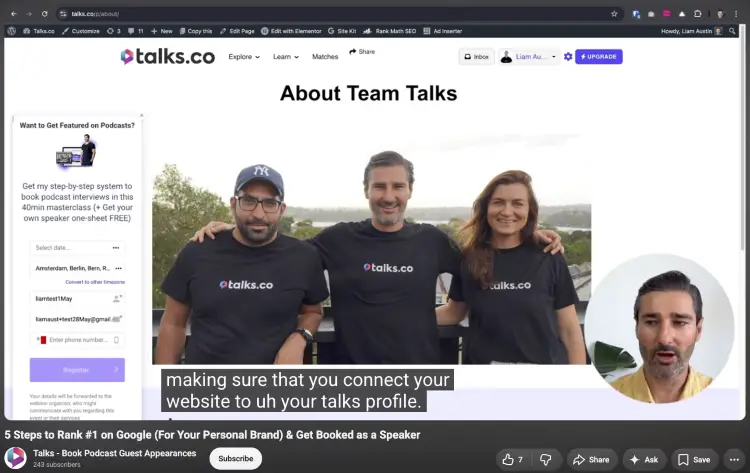
My Talks presentation shows you how to do this with live demos, specific examples, screen changes, and practical steps doing a lot of the heavy lifting even most popular podcasts use.
- Show instead of telling: The Talks demo walks through the actual platform on screen, so viewers can see how profiles, searches, filters, and connections work instead of hearing a long explanation.
- Give people something to follow: Breaking the Google presentation into 5 numbered steps gives the audience a simple structure to track from creating a Talks profile through adding it to a website.
- Use real examples: Showing actual Talks profiles and search results makes the presentation feel concrete. Someone can see what a finished profile looks like instead of imagining a vague “speaker page.”
- Keep the screen moving: Switching between the PowerPoint presentation, Talks, Google results, LinkedIn, email, and websites gives the audience a visual change before one screen starts feeling stale.
- Make every step practical: The Google presentation doesn’t stop at “build backlinks.” It shows specific places to add the profile link, including LinkedIn, email signatures, social profiles, and a website.
- Show the result: Showing how a Talks profile can appear when someone searches your name gives the audience something tangible to work toward.
- Use your own process: Walking through the exact actions you’re recommending makes your presentation feel like someone is sitting beside you saying, “Click here, then do this,” instead of a presenter reading instructions from a slide real-time.
Stuck on this? I’ve got more tips on how to engage an audience with the help of visual aids for presentations.
How to make a presentation creative and fun
You can make practical information feel creative and make a presentation interactive without the next presentation feeling all over the place.
My 9-Minute Talks.co Demo does this by taking a potentially dry topic, ranking on Google, and finding ways to make it into a visual walkthrough and engaging presentation active participants can actually follow.
- Turn the topic into a challenge: “5 Steps to Rank #1 on Google” gives the audience a clear target and creates a natural reason to stick around for all five steps.
- Use your own screen as the stage: Instead of filling slides with instructions, make your presentations interactive by opening Google, Talks, LinkedIn, and your website and let the audience watch the process happen.
- Show exact examples: Use an actual URL like talks.co/yourname, an actual LinkedIn profile section, or an email signature example so people can picture exactly what they need to change.
- Mix teaching with demonstration: Explain why a Talks profile matters, then immediately show where to create it, where to copy the link, and where to put it to get your message across and keep your audience engaged.
- Create little reveals: Build toward the Google search results so the audience gets to see what happens when all those small actions start working together.
- Give people copy they can steal: Showing phrases like “Book me as a speaker” and “Request an interview” saves the audience from having to invent their own wording later.
- Make the examples relevant to the viewer: A coach, author, or speaker can immediately picture replacing your example with their own name, topic, website, and profile.
- Finish with a visible outcome: The presentation ends with the audience knowing exactly what they can create and where they can put it, rather than leaving them with 47 ideas and no clue what to do first.
How to make a fun presentation
You don’t need confetti cannons or a magician hiding backstage to pull off a good presentation.
A few well-placed moments, a touch of interactive elements here and there can completely change the energy in the room and turn your entire presentation around.
- Open with a question people can answer: Ask, “Who here has spent more than $500 on a course they never finished?” and have the room raise their hands before you reveal your own $1,200 mistake.
- Turn your audience into the example: If you’re teaching sales, ask Sarah from Chicago to volunteer her current pitch, then rewrite the opening live using her actual offer to make it interactive and get your audience thinking.
- Use a prediction before the reveal: Interactive techniques like showing a chart from your 2025 client data and ask, “Which month do you think generated the most leads?” Let people vote before revealing October.
- Give them a tiny challenge: After explaining your 3-part content formula on how to grow a podcast, give everyone 90 seconds to write the opening sentence for their next LinkedIn post.
- Change the pace on purpose: Follow 5 minutes of teaching with a quick story, image, question, or audience interaction instead of delivering another 15 slides at the same speed.
- Make the audience choose: Ask, “Do you want the $10,000 case study or the $500 mistake first?” to make it more interesting. Then actually follow the option that gets the most hands.
- Bring a real object into the story: A fitness coach could hold up the $14 resistance band that started her first home workout business instead of putting another paragraph about it on a slide.
- Build in a laugh you actually earned: If you’re explaining terrible presentation design, show a fictional slide titled Our Integrated Growth Ecosystem packed with tiny text and let the audience roast it with you.
How to make a boring presentation fun
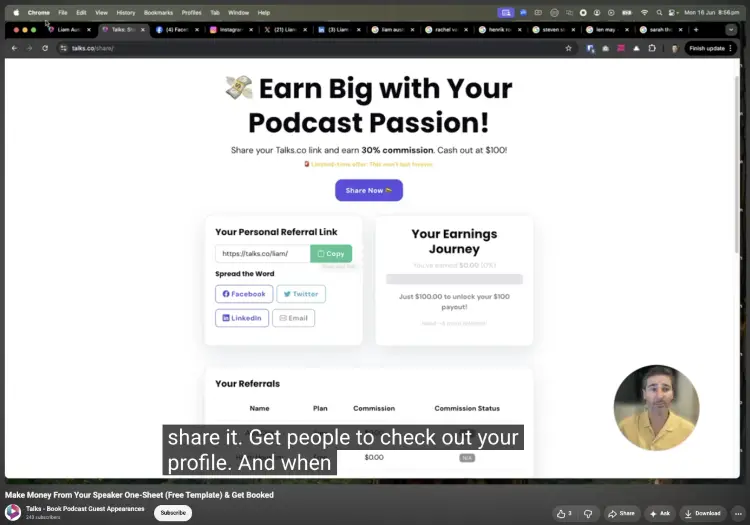
Got a deck that’s already giving quarterly meeting monologue slash TED Talks at 4:47 pm?
You can make it memorable and engaging without rebuilding every slide from scratch with a few helpful presentation techniques to keep your audience’s attention.
Start by changing what you do with the material to make your presentations more fun and get people to ask questions throughout the presentation.
- Cut the throat-clearing: Attention spans are shorter now. Replace 5 slides explaining why customer retention matters with one question: “How many customers did you lose last month without knowing why?”
- Turn statements into questions: Instead of trying to tell a story or announcing that 62% of customers abandon checkout, ask the room to guess the percentage before showing the number to creative interactive conversations with your audience.
- Stop reading your slides: Put the key figure on screen, then tell the story behind it using the example of Marcus, a Dallas-based coach who lost 11 sales from one broken checkout page.
- Add a live decision: Show 2 homepage designs for an imaginary coach called Nina and ask the audience which one they’d trust with their credit card.
- Replace generic stock photos: Swap the smiling “business team around laptop” image for a screenshot of the actual $3,847 invoice, customer email, or messy spreadsheet you’re talking about.
- Give people something to discuss: After explaining your pricing strategy, give pairs 2 minutes to decide what they’d charge for a hypothetical $2,500 coaching package.
- Move the Q&A earlier: Don’t save every audience question for minute 58; pause after a major idea and let people ask about the part they’re already thinking about.
- End with an action they can take today: Give the audience one specific task, such as rewriting their presentation opening before they leave the room, instead of ending with a vague “Thanks for listening.”
How to make a presentation more interesting
People can handle a lot of information when something keeps changing their reason to pay attention.
Look at the Talks presentations: the mix of screen demonstrations, specific examples, numbered steps, and real outcomes gives viewers something new to look at and think about.
- Open with a useful promise: Tell people exactly what they’ll be able to do by the end, like creating a speaker profile and getting it in front of potential hosts.
- Put the real website on screen: Show the Talks profile, Google results, LinkedIn, or email signature instead of explaining what those things supposedly look like.
- Give every section a job: In the five-step presentation, each step moves toward the same outcome, so the audience always knows why the next section matters.
- Use examples with names and URLs: “talks.co/yourname” is far easier to picture than “add your speaker profile URL somewhere online.”
- Let people watch the process: Clicking through the Talks profile setup or adding a link to an email signature makes the presentation feel like a live walkthrough rather than a lecture.
- Show the finished result: Pulling up Google results after explaining the profile and linking strategy gives people a visual payoff.
- Change what’s on screen: Move between your face, slides, websites, search results, and screenshots so the audience isn’t staring at the same presentation slide for 10 minutes.
- Give people an action: Tell them exactly what to change after the presentation, such as adding their Talks profile to their LinkedIn website section.
How to make speeches funny

Not the type to become the guy doing stand-up between every slide? A few well-timed observations, self-deprecating moments, and painfully relatable examples can make a speech feel much more human.
- Make fun of something everyone recognizes: A line about someone having 47 browser tabs open can make people laugh because half the room probably does.
- Laugh at your own mistakes: Tell the story of spending 20 minutes looking for a setting that was sitting directly in front of you.
- Use ridiculous specificity: “I spent my Saturday night comparing 14 nearly identical presentation templates” is funnier than “I spent too long choosing a podcast script template.”
- Create an unexpected comparison: Describe a complicated business process as “the digital equivalent of assembling IKEA furniture without the instructions.”
- Use a deliberately terrible example: Put a fictional slide titled “Our Integrated Growth Framework” on screen with microscopic text and 6 unnecessary arrows.
- Keep the joke connected to the point: If you’re teaching presentation design, roast your awful fictional slide, then immediately show how you’d fix it.
- Let the audience recognize themselves: Ask, “Who here has ever opened PowerPoint to make one tiny edit and looked up 3 hours later?” Then give the room a second to admit defeat.
- Don’t explain the joke: Deliver it, pause, let people react, then keep moving. The awkward extra explanation usually kills the moment.
How to Make an Online Presentation Interesting
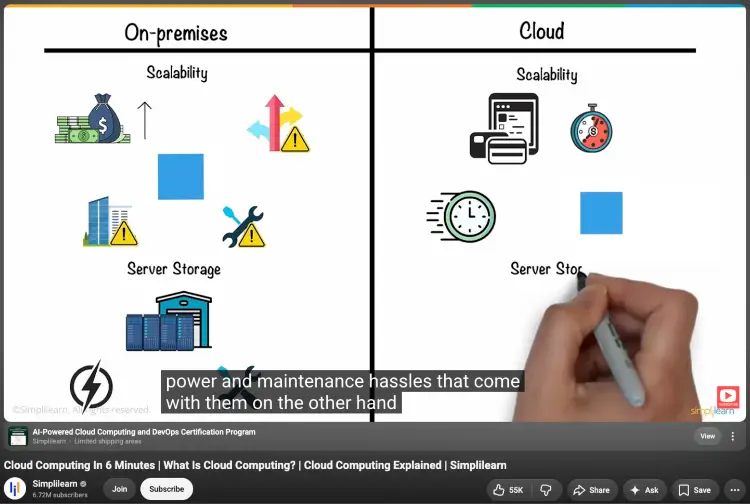
Online presentations have one particularly nasty enemy: the other 47 tabs your audience has open.
You’re competing with Slack, email, Instagram, lunch, the dog, and that one person who somehow thinks turning their camera off means you can’t tell they’re scrolling.
So you need to give people reasons to stay involved. Try these:
- Use the chat: Ask a question people can answer in 10 seconds instead of making them sit through another 5 slides.
- Run quick polls: Give people something to click on, then use the results to shape the conversation.
- Change what’s on screen: Switch between slides, your camera, a live demo, a whiteboard, or something you can show the audience.
- Call people in: Ask someone to share an example, opinion, or quick answer on how to start a podcast instead of leaving the whole audience on mute.
- Break up long explanations: After a few minutes of talking, give people something to do. A question, prediction, challenge, or quick discussion can wake up a very sleepy Zoom room.
- Use the audience’s answers: If someone gives you a funny or interesting response in the chat, use it. Now the presentation feels like a conversation instead of a recording they’re trapped inside.
- Keep activities simple: If explaining how to join the activity takes longer than the activity itself, bin it. Nobody wants a 5-minute tutorial on how to click a button.
- Use stories and examples: A real situation beats another slide full of bullet points. Give people something they can picture.
- Create little moments of surprise: Ask people to guess an answer before revealing it, show the result of a live experiment, or change the format when they least expect it.
- Give them a reason to come back: End with a question, challenge, takeaway, or next step they can actually use after the call finishes.
How to Make a Presentation Fun (Checklist)
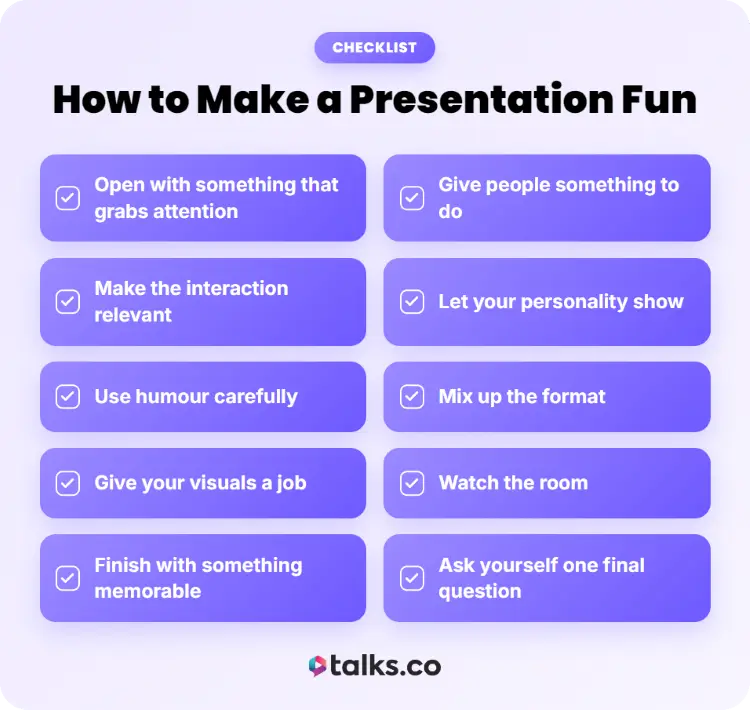
Before you hit “Present” and unleash 37 slides on an unsuspecting audience, run through this checklist:
☐ Open with something that grabs attention: Start with a question, story, surprising fact, bold statement, or situation your audience immediately recognizes.
☐ Give people something to do: Add a poll, question, discussion, challenge, demonstration, or quick exercise.
☐ Make the interaction relevant: Every activity should help people understand, practise, discuss, or remember something from your presentation.
☐ Let your personality show: You don’t need to turn into a different person when you get on stage. Talk like a human.
☐ Use humour carefully: A funny observation or self-deprecating story can work brilliantly. A joke that makes someone uncomfortable can kill the room just as quickly.
☐ Mix up the format: Move between speaking, visuals, stories, demonstrations, questions, and activities so people aren’t staring at the same thing for 30 minutes.
☐ Give your visuals a job: Use images, diagrams, screenshots, videos, or live demos when they help explain the point. Don’t throw a stock photo of someone laughing at their laptop onto a slide because it looks “fun.”
☐ Watch the room: If people look confused, quiet, distracted, or painfully polite, change something. Don’t stubbornly stick to the plan while your audience mentally books an Uber home.
☐ Finish with something memorable: Bring back your opening story, give them a challenge, ask a final question, or leave them with one idea they’ll actually remember tomorrow.
☐ Ask yourself one final question: If you were sitting in the audience, would you still be paying attention right now?
Go On, Give Them Something to Talk About
Knowing how to make presentations fun comes down to giving people something worth paying attention to even if it’s a data point in one of your static slides they didn’t even know they needed.
Show the real thing, tell better stories and bring your presentations to life, get them involved, and give them something useful to take away.
And if you’re looking for more chances to get in front of the right audiences, don’t leave that part to chance.
Want more podcast interviews without spending your week hunting for shows?
Create your free Talks profile, get matched with relevant hosts, and start putting your ideas in front of people who actually want to hear them.
Yes! Sign Me Up for Talks Now!


