

Want to stand out from the thousands of podcasts on listening platforms?
Your podcast show is more than just another title in a list. Give it its own home on the internet by creating your own podcast website.
Good news: You don’t have to be a designer to get started. There are ready-to-use podcast website templates available that you can try, even without coding or web design knowledge.
I’ve listed 17 of the go-to website templates for podcasts, their key features, costs, and where to find them.
Explore the options below and find what you need, from Wix, WordPress, to specific website builders.
17 Best Podcast Website Template (2027 Snapshot)
Here’s a quick overview of 17 top podcast website templates to consider as you build a podcast website with the right online presence.
- Talks: Best for quick AI-assisted speaker profile creation.
- Buzzcast: Best for podcasters building a complete podcast brand.
- Procyon Podcast Website Template: Best for independent hosts or podcast networks.
- Business Template: Best for professional podcasters who want a quick setup and minimal maintenance.
- Podcasters Template: Best for independent creators seeking flexibility and customization.
- Light Template: Best for minimalist designers who prefer clean, simple layouts.
- Megaphone: Best for podcasters on WordPress who want a sleek design with professional features.
- Waverly: Best for Squarespace users wanting a sleek landing page template.
- Design Blog and Podcast: Best for creators combining podcast and blog content in one space.
- Dixie: Best for podcast hosts wanting a modern WordPress podcast design.
- Podcall: Best for multi-platform creators who need responsive design and audience engagement tools.
- Podcast Webflow: Best for podcasters wanting professional customization and sleek aesthetics.
- TDT: Best for minimalist creators prioritizing clean layout and user experience.
- Astra: Best for WordPress users who need speed, responsive design, and SEO strength.
- Divi: Best for creators who want powerful customization and pre-built podcast layout packs.
- OceanWP: Best for fast-loading sites with strong mobile responsiveness and ecommerce potential.
- Tusant: Best for podcasters using WordPress wanting podcast-specific features out of the box.
What Are Podcast Website Templates?
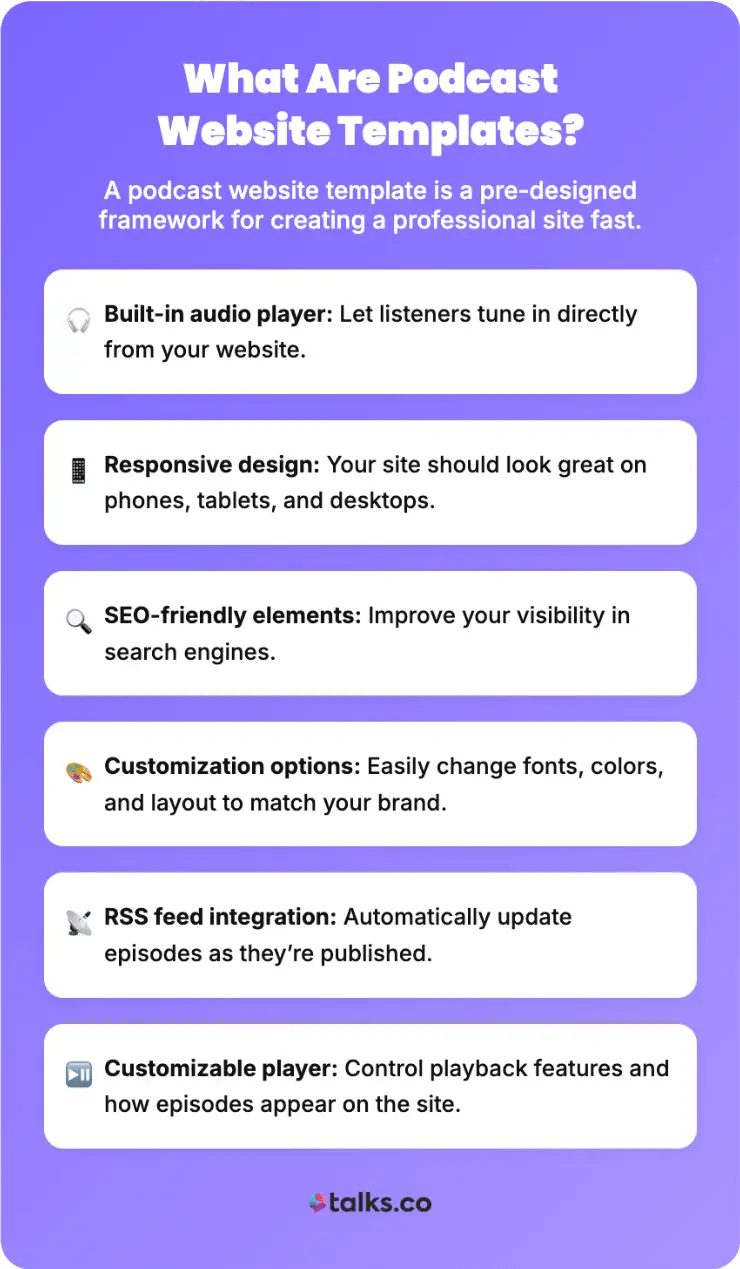
A podcast website template is a pre-designed framework for creating a professional website without starting from scratch.
These structures come with layouts and features built in, so you can customize them to match your brand.
When evaluating a podcast template, look for these key qualities:
- Built-in audio player so listeners can tune in directly from your site
- Responsive design that works on phones, tablets, and desktops
- SEO-friendly elements for search engine visibility
- Customization options for font, colors, and layout
- RSS feed integration for automatic episode updates
- Customizable podcast player with playback controls
What should be on a podcast website?
Your podcast website needs specific components to function as both a listener hub and a growth tool:
- Audio player: Embedded podcast episodes so listeners can press play without leaving.
- Archive of episodes: Preferably organized in a grid layout for easy browsing.
- About page: Tells your story and builds an emotional connection with audiences.
- Blog section: Contains valuable content or repurposed episodes that help with search engine ranking.
- Show notes: Providing links, timestamps, and context per episode.
- Email newsletter signup: Good for building a subscriber list.
- Subscribe buttons: Spotify, Apple Podcasts, iTunes links.
- Social media links: Connecting to Instagram, Twitter, LinkedIn.
- Contact form: For encouraging engagement and partnerships.
- Testimonials: Builds social proof using listener feedback.
Aside from these, I suggest you have a clear CTA (one that collects leads), so you can turn traffic into converting listeners.
17 Ready-to-Use Podcast Website Templates
Not every template works for every podcaster. Different creators have different needs and budgets.
Beginner podcasters prefer free or low-cost podcast templates, while experienced podcasters typically seek more advanced features like e-commerce to sell merchandise.
In terms of hosting platforms, WordPress works best for creators wanting long-term control. Meanwhile, visual designers like Wix, Squarespace, and Webflow better.
Compare these 17 reliable podcast website templates to discover which suits you.
1. Talks
Best for: Podcasters who want an interactive speaker website with guesting opportunities.
If you need a quick podcast speaker page up in minutes, go to Talks and set up your free profile using AI.
Easily upload your experiences and preferences, and you get a clean and modern landing page to share online.
- Key features: Playable media, sections for speaker bio and professional credentials, and a personalized link.
- Where to get this: Talks.co
- Price: Free profile creation
2. Buzzcast: Podcast template free
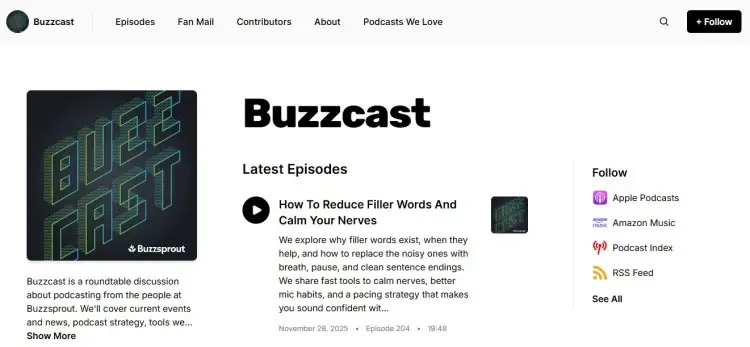
Best for: Coaches, consultants, and entrepreneurs building their podcast brand
Buzzcast is a free-to-use podcast website template included with Buzzsprout hosting. It creates a podcast website mirroring your show’s personality, making it easy to showcase episodes in one organized place.
- Key features: Customizable podcast player, subscribe buttons, show notes support, responsive design, RSS feed integration, newsletter forms, and SEO-friendly structure.
- Where to get this: Buzzsprout
- Price: Free with Buzzsprout hosting
3. Procyon Podcast Website Template
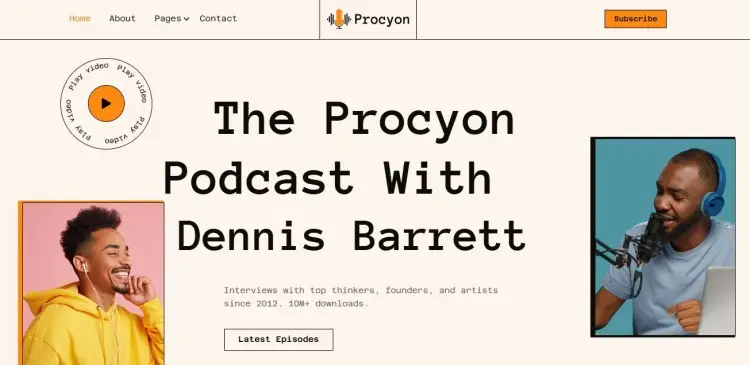
Best for: Solo podcasters or podcast networks who want a polished and easy-to-manage site.
Procyon is a user-friendly Webflow template built for launching podcast websites quickly. It includes episode pages, guest profiles, sponsor sections, and blog support.
- Key features: Fully mobile responsive, easy-to-customize podcast player integration via Webflow’s visual editor, built-in contact forms and sections, and blog integration.
- Where to get this: Webflow Template Marketplace
- Price: Free with Webflow hosting
4. Business Template: Podcast website template free download
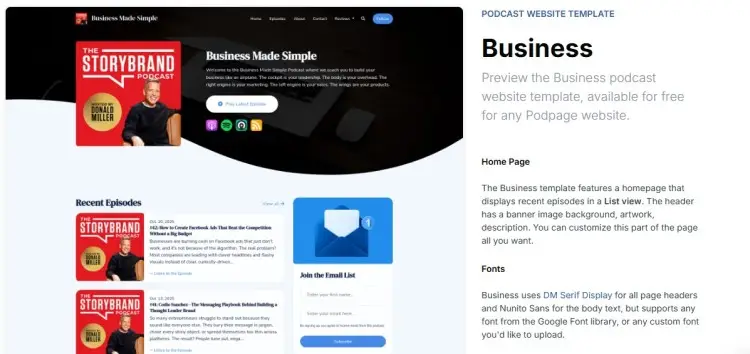
Best for: Professional podcasters wanting a fast setup with a modern design.
The Business podcast page template is a free option for business-focused shows. Podpage converts your RSS feed into a full website automatically.
- Key features: Responsive web design, customizable podcast player, social media links, recent episodes in list view, newsletter signup, and automatic updates.
- Where to get this: Podpage
- Price: Free with Podpage hosting
5. Podcasters Template
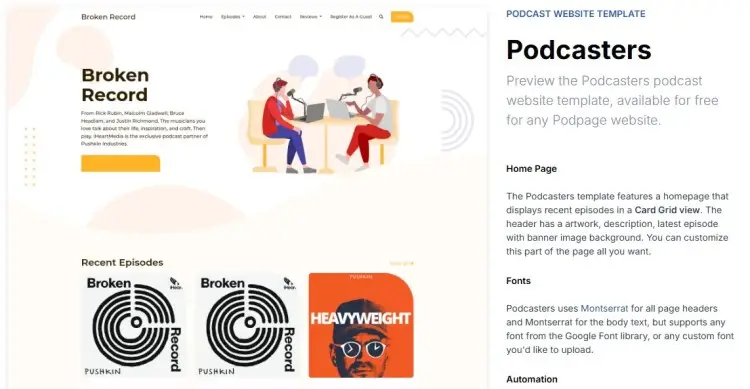
Best for: New and independent podcasters seeking design flexibility
This Podpage template option provides a balanced podcast website template with room for creativity, designed specifically with podcasters in mind.
- Key features: Recent episodes in card view, responsive design, social media integration, email capture, and testimonials support.
- Where to get this: Podpage
- Price: Free with Podpage hosting
6. Light Template from Podpage
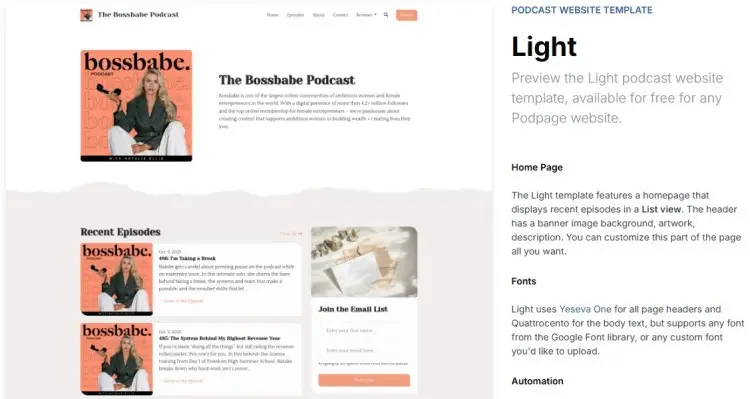
Best for: Minimalist podcasters who prefer a clean design
The Light podcast template from Podpage offers an option for creators who believe less is more. This sleek design lets your podcast content and audio player take center stage.
- Key features: Mobile-optimized layout, minimal font, contact forms, RSS feed integration, and social media linking.
- Where to get this: Podpage
- Price: Free with Podpage hosting
7. Megaphone Template
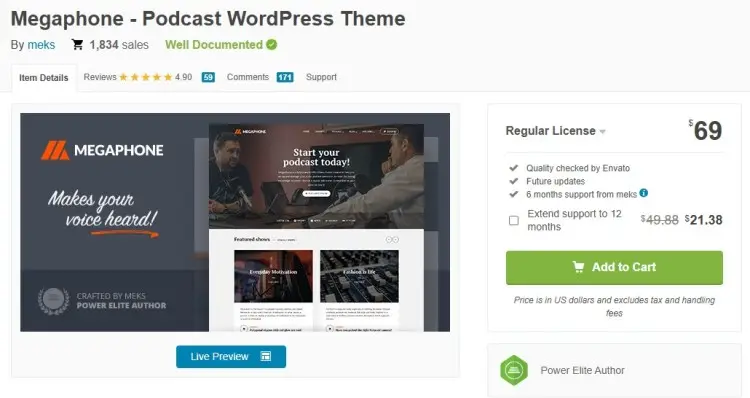
Best for: WordPress podcast creators wanting professional audio integration
Megaphone is a WordPress podcast template, giving your show a modern design across devices. It combines aesthetics with powerful podcast-specific functionality.
- Key features: Responsive design, dedicated podcast player, episode management, SEO optimization, social media links, contact forms, and plugin compatibility.
- Where to get this: ThemeForest templates
- Price: $69
8. Waverly Template: Podcast background template
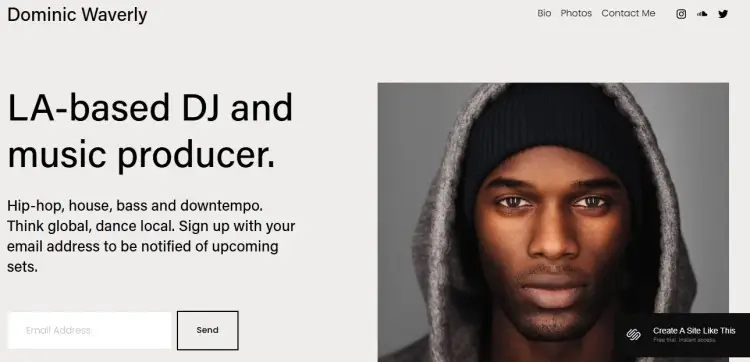
Best for: Podcasters wanting sleek and clean Squarespace website templates.
Waverly from Squarespace creates a modern and polished landing page. This responsive design lets you share information and direct listeners to platforms on one device-friendly page.
- Key features: Responsive design, clean grid layout, customizable podcast player, social media links, contact forms, ecommerce to sell merchandise, mobile-optimized user experience, and sleek branding.
- Where to get this: Squarespace
- Price: Free trial (paid starts at $16)
9. Design Blog and Podcast Template
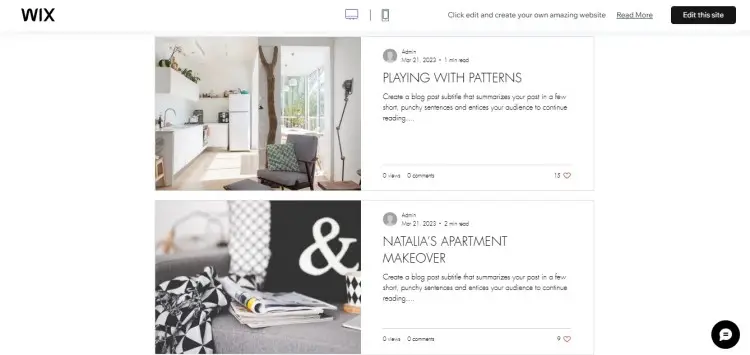
Best for: Creators combining blog content with podcast episodes
This Wix podcast website template lets you showcase both blog and podcast content in one place using a grid layout.
- Key features: Integrated audio player, blog management, podcast episode organization, social media links, email signup, contact forms, and customizable font.
- Where to get this: Wix
- Price: Wix paid plans start at $14
10. Dixie Template
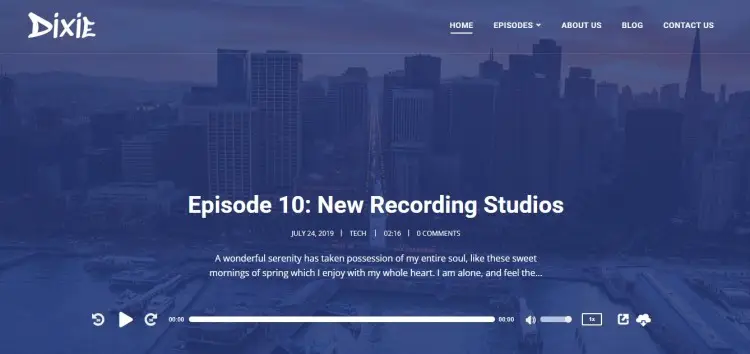
Best for: WordPress podcast hosts wanting an aesthetic design
Dixie prioritizes clean design, podcast-specific functionality, and user experience, making it easy for listeners to find and play episodes.
- Key features: Dedicated podcast player, episode grid layout, show hosts page, customizable color scheme, and multiple page builder settings.
- Where to get this: Second Line Themes
- Price: $69-$389 (tiered offers)
11. Podcall Template: Podcast page template
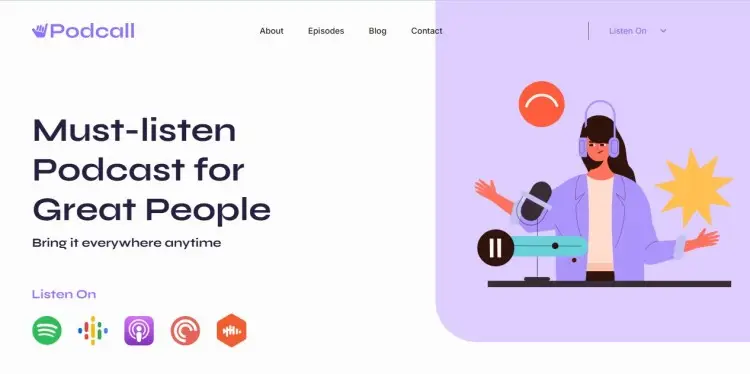
Best for: Content creators wanting to showcase podcasts and personal brands
Podcall is for creators managing multiple platforms, letting you organize podcast episodes, connect via newsletter, and attract sponsors while maintaining your branding.
- Key features: Content management, customizable podcast player, newsletter integration, sponsor showcase, audio player with playlists, retina-ready graphics, and interactive forms.
- Where to get this: Webflow
- Price: $49
12. Podcast Webflow Template (ThePods)
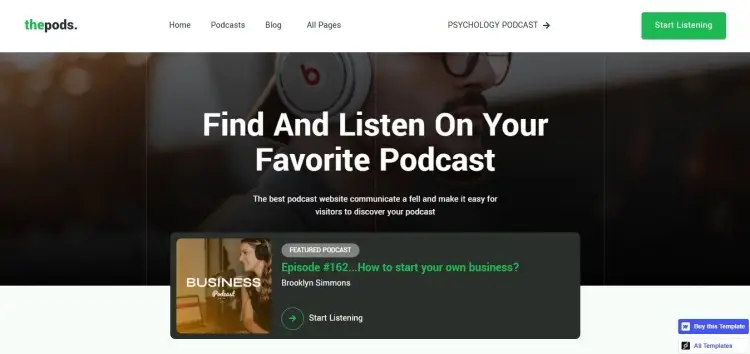
Best for: Professional podcasters wanting premium customization features.
ThePods is a Webflow podcast website template for audio and video creators wanting advanced features with visual elements. It supports multimedia to showcase complete content portfolios.
- Key features: Multimedia support, content management, customizable podcast player, ecommerce features, retina-ready graphics, responsive navigation, social media links, and advanced font styling.
- Where to get this: Webflow
- Price: $49
13. TDT Template
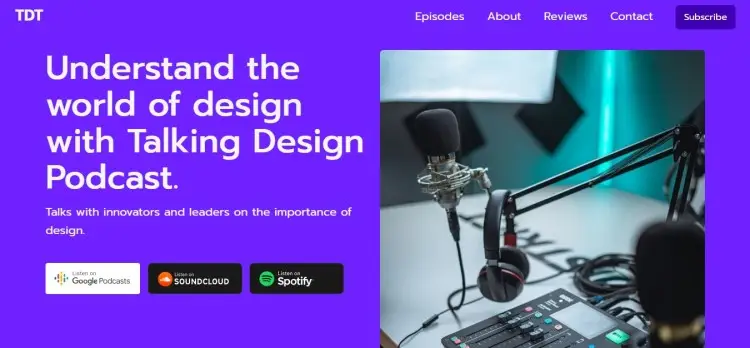
Best for: Minimalist podcasters prioritizing a simple layout and monotone color scheme.
TDT emphasizes simplicity and smooth interactions, where it’s easy for listeners to discover podcast episodes without distraction.
- Key features: Clean, minimalist layout, responsive design, interactive elements, content management, customizable podcast player, retina graphics, responsive navigation, and social media linking.
- Where to get this: Webflow
- Price: $49
14. Astra: Podcast website template WordPress
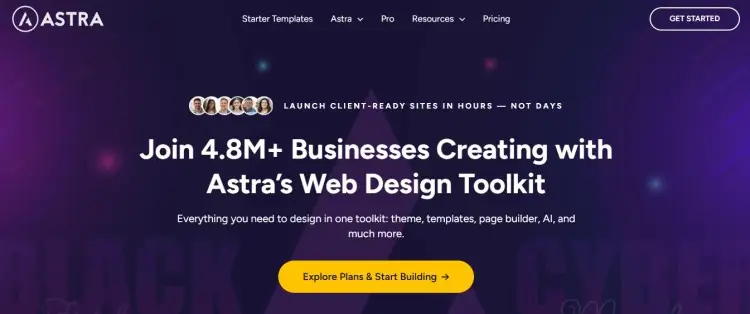
Best for: WordPress users needing speed and responsive design
Astra is a lightweight WordPress podcast theme prioritizing fast loading and search engine optimization. This responsive design includes dedicated podcast pages working with popular plugins.
- Key features: Fast loading, SEO-friendly code, newsletter signup, social media links, ecommerce support, and extensive customization.
- Where to get this: wpastra
- Price: $59-$159 per year
15. Divi
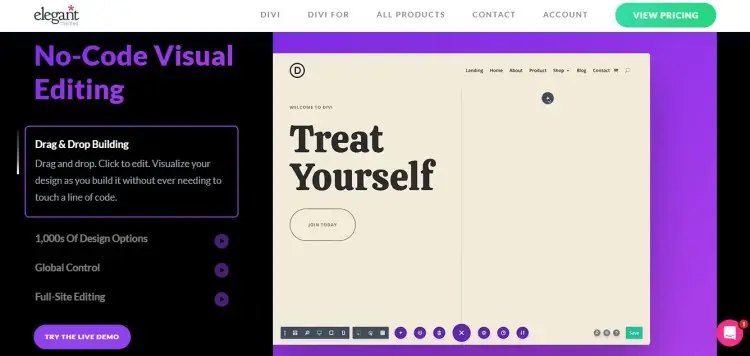
Best for: Creators wanting powerful customization and pre-built podcast layouts.
Divi is a WordPress podcast theme with unlimited design flexibility through the visual builder. It includes pre-built podcast website template packs for audio shows, letting you build a podcast website without coding.
- Key features: Drag-and-drop builder, pre-built podcast layouts, customizable podcast player integration, SEO tools, newsletter integration, and ecommerce.
- Where to get this: Elegant Themes
- Price: $89-$176 per year
16. OceanWP
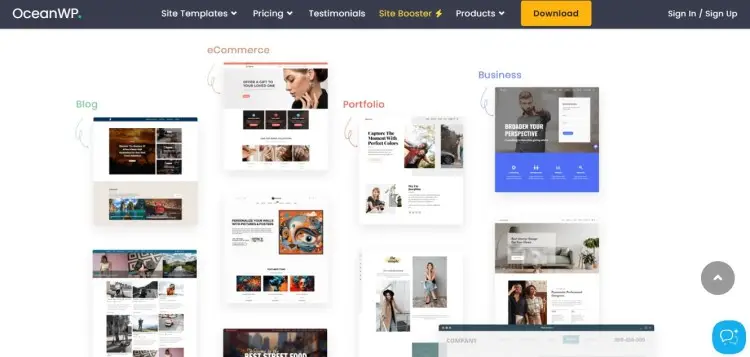
Best for: Hosts looking for fast-loading sites with mobile responsiveness and e-commerce.
OceanWP is a lightweight WordPress podcast theme optimized for speed and user experience, balancing performance with functionality.
- Key features: Lightweight code for search engine performance, responsive design for mobile listeners, customizable podcast player support, ecommerce, newsletter integration, and social media links.
- Where to get this: oceanwp
- Price: $34 yearly (Ecommerce Pro)
17. Tusant
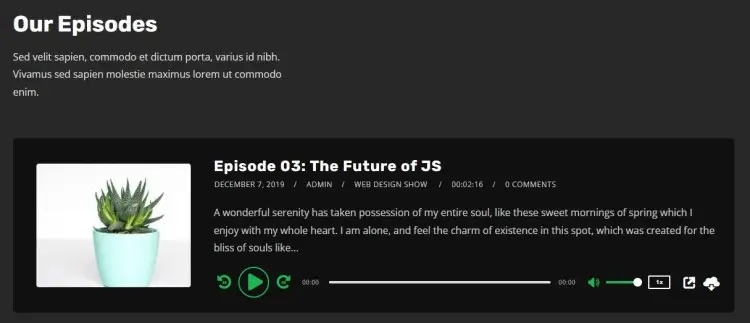
Best for: Podcasters using WordPress wanting podcast-specific features
Tusant is designed specifically for audio creators. This podcast website template comes pre-configured to build a podcast website that showcases episodes effectively.
- Key features: Built-in podcast player, episode grid layout, responsive design, one-click theme install, dedicated support, and translation plugin.
- Where to get this: Second Line Themes
- Price: $69-$389 (tiered offers)
Popular Podcast Website Examples
Creating a podcast website becomes your marketing headquarters and community hub.
While your podcast attracts listeners through Apple Podcasts, Spotify, or iTunes, those podcast platforms aren’t really communication channels to connect with listeners.
Here’s why creating a podcast website matters:
- Direct audience communication through email newsletter
- Improved search engine ranking for podcast topics
- Professional online presence attracting sponsors and guests
- Centralized hub to showcase podcast content
- E-commerce capability to sell merchandise
- SEO benefits from owned-domain content
Example of podcast website inspirations
Need inspiration? Here are some examples of the most popular podcasts you can take notes from:
- This American Life: Simple homepage with the latest episode featured prominently. Handles multiple functions without clutter.
- The Jordan Harbinger Show: Excels at audience engagement with featured guests and embedded testimonials, building credibility.
- Crime Junkie: The dark aesthetic fits true crime perfectly, giving audiences exactly what they expect.
How to Choose the Best Podcast Website Template (Checklist)
Picking the right podcast website template saves you time and energy for customization. Follow these steps to find your perfect match.
☐ Define your goals: Are you trying to showcase podcast episodes, build an email list, sell merchandise, or attract sponsorships?
☐ Choose your platform: Decide whether you want to use a website builder or templates. Consider options from Notion and Canva templates.
☐ Assess essential features: Consider helpful functions like built-in audio players, SEO tools, and RSS feed support.
☐ Check mobile experience: Preview the template on your smartphone or tablet, and check if the overall layout still works.
☐ Review customization options: Look for templates that let you easily change font, colors, and images to match your brand.
☐ Consider your budget: Factor in both the template cost and hosting fees. Some hosting platforms include podcast website templates for free. Others require separate
☐ Read reviews and see examples: Search for websites built with your chosen template. Read user reviews and tutorials.
☐ Do one final test: Preview and spend time exploring demos. Make sure the template serves your vision before committing.
If you’re also starting your podcast while building a site, check out these guides on podcasting names and podcast guesting to support your journey.
All By Design
These podcast website templates help you build pages confidently, maintaining your brand while providing all the features you need to engage audiences.
Build your visibility further by creating a FREE Talks Creator Profile. Once you register, you get access to a Speaker Page where you can:
- Add all your experiences, within and outside podcasting
- Embed your notable media (your own show and guest appearances)
- Generate a personalized URL to share publicly
Complete your profile and start matching with guests. (Or try hopping onto other shows to connect with fellow creatives and cross-promote!)
Register Today for a Free Talks Creators Profile While Slots are Open!


