
You have a message. You want it heard around the world. And you know that podcasting can make that happen.
If you want to start a podcast on the right foot, you need to record your podcast with clear and quality voice recording tools.
That starts with the right audio recorder for podcast recording to capture your voice with clarity and precision.
Think of choosing one as picking the right cleats for a soccer match. With good gear, you can perform better on the field.
With that, I listed the 11 top recorders you can use to start recording immediately.
Let’s look at the unique features and use cases, so you can find the best podcast creation and recording features that match your podcasting setup and record high-quality podcast sound ASAP.
Best Audio Recorder for Podcast Setups (Quick Summary)
Here’s a quick look at 11 great podcast recorders and who they’re best for, plus a bonus tool at the end to help you grow your audience once your episodes are recorded.
- Sony PCM-D10: Best for audiophiles seeking studio-grade audio quality in a handheld device.
- Philips DPM6000: Best for creators needing a compact digital voice recorder.
- Olympus WS-852: Best for budget-conscious creators who need long battery life.
- Micro-Speak Plus: Best for beginners who want a simple, accessible voice recorder.
- Tascam Portacapture X8: Best for professional podcasters needing multiple inputs and multitrack recording on the go.
- Zoom H1essential: Best for creators needing a compact digital recorder with modern features.
- Zoom H6essential: Best for multi-person podcasts with high-quality mixer capabilities.
- Zoom H4essential: Best for intermediate podcasters wanting both quality and portability.
- Zoom PodTrak P4: Best for recording interviews with remote guests.
- Zoom H6: Best for versatile multitrack recording in various environments.
- Tascam DR-05XP: Best for speech and live music recording with effects and filters.
- Talks (Bonus!): Best for creators who want to get their audio or video podcast and YouTube videos in front of new audiences.
What Is an Audio Podcast?
An audio podcast is a series of digital audio files available on the internet for downloading or streaming. Creators share stories, expert advice, and interviews with a global audience.
Over the years, podcasting has grown in popularity, especially as a way to create a community of engaged listeners and to build a personal brand. This led to an evolution of the format to include video for audiences who prefer watching over listening.
What Equipment Do I Need to Record a Podcast?
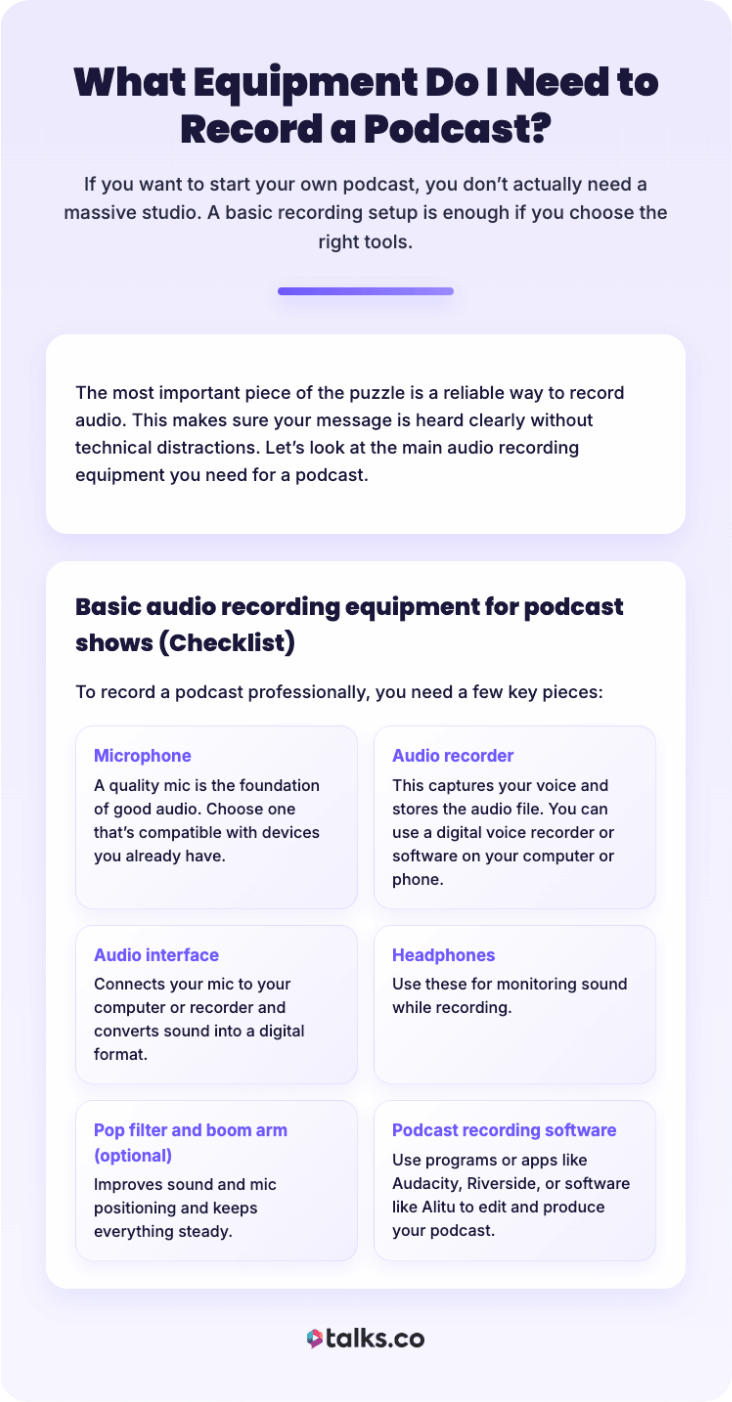
If you want to record video and audio to create the ultimate podcast, you don’t actually need a massive recording studio. A basic recording setup is enough if you choose the right tools to record a podcast remotely.
The most important piece of the puzzle is a reliable way to record your voice and mix audio. This makes sure your message is heard clearly without technical distractions.
Let’s look at the main audio recording equipment you need for a podcast.
Basic audio recording equipment for podcast shows (Checklist)
To record your first podcast professionally, you need a few key pieces:
☐ Microphone: A quality mic is the foundation of good audio. Choose the best podcast mic that’s compatible with the devices you already have.
☐ Audio recorder: Captures your voice and stores the existing audio file. You can use a digital voice recorder to record each person or use recording software like Riverside that allows you to record on your computer or phone.
☐ Audio interface: Connects your mic or preferred audio device to your computer or recorder and converts sound into a digital format.
☐ Headphones: Use these for monitoring sound while recording.
☐ Pop filter and boom arm (optional): Improves sound and mic positioning and keeps everything steady.
☐ Podcast recording software: Use programs or apps like Audacity, Riverside, or software like Alitu to edit and produce your podcast.
11 Best Audio Recorders for Podcasts
You’ll never run out of options with the different audio recorder models on the market. It’s just a matter of knowing what you need and what type of show you’ll make.
Here’s a breakdown of the 11 top options, looking at their key features, costs, and how helpful they can be for podcasting:
1. Sony PCM-D10: Best digital voice recorder for podcasts
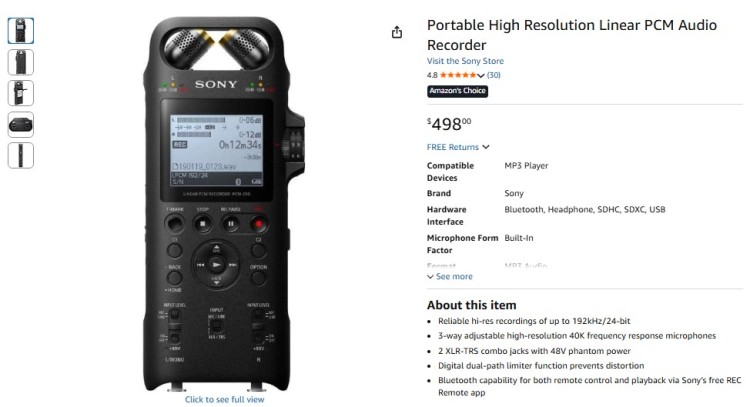
The Sony PCM-D10 is a powerhouse digital voice recorder designed for high-resolution capture. It feels like having a professional studio in your hand.
- Key features: Adjustable internal mics, smartphone monitoring, and dual XLR/TRS combo jacks.
- Cost: $498
2. Philips DPM6000
The Philips DPM6000 is perfect for capturing solo thoughts or dictations quickly. It’s built for efficiency and ease of use.
- Key features: Push-button operation, sturdy stainless steel build, and speech recognition software compatibility.
- Cost: $315
3. Olympus WS-852
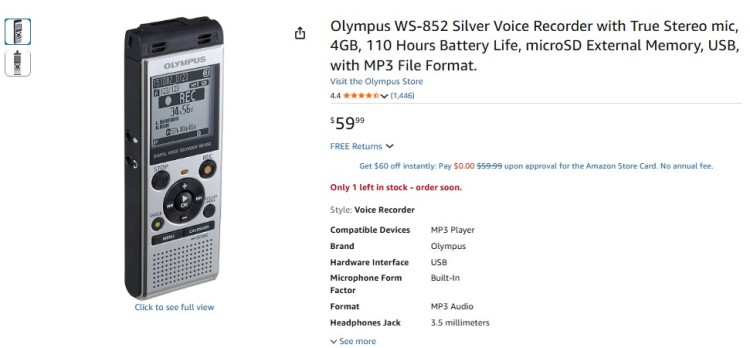
The Olympus WS-852 is an excellent entry-level voice recorder that’s simple to operate. Great for capturing lectures or simple voice notes.
- Key features: True stereo mic, simple mode for beginners, and built-in USB connector.
- Cost: $59.99
4. Micro-Speak Plus
The Micro-Speak Plus focuses on accessibility and simplicity. Ideal for those who want to hit record without managing complex menus.
- Key features: Spoken prompts, simple tactile buttons, and designed for low vision users.
- Cost: $74.99
5. Tascam Portacapture X8
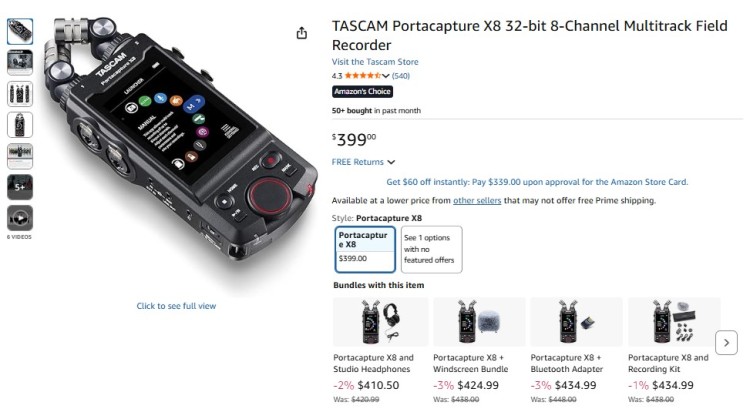
The Tascam Portacapture X8 offers a modern touchscreen interface similar to a mobile app. It makes advanced multi-track recording intuitive and visual.
- Key features: 3.5-inch color touch panel, 32-bit float recording, and eight-track capability.
- Cost: $385
6. Zoom H1essential: Audio recorder with noise cancellation
The Zoom H1essential is a compact recorder and features 32-bit float technology, meaning you never have to worry about setting gain levels. It captures high-quality audio without distortion.
- Key features: 32-bit float recording, built-in X/Y microphones, and accessibility features.
- Cost: $99.99
7. Zoom H6essential
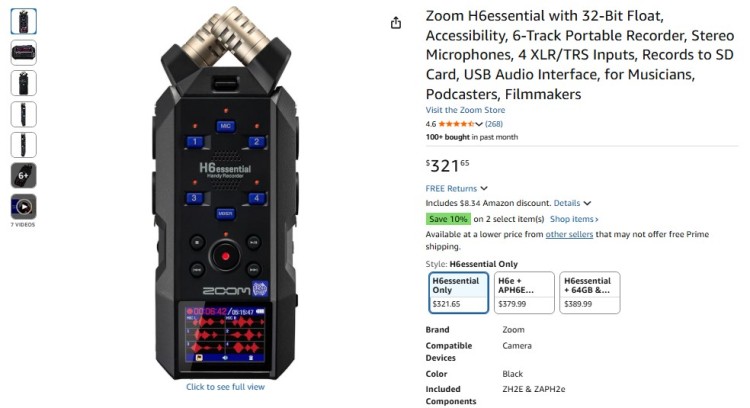
The Zoom H6essential is a reliable digital audio recorder for larger productions. It provides six tracks of 32-bit float recording for perfect levels every time.
- Key features: Six-track recording, hot-swappable mic capsule system (optional), and dual AD converters.
- Cost: $321.65
8. Zoom H4essential
The Zoom H4essential balances portability with professional features. It’s an audio recorder that handles external mics with ease.
- Key features: Four-track recording, 2 XLR/TRS combo inputs, and 32-bit float technology.
- Cost: $199.99
9. Zoom PodTrak P4: Podcast audio recorder
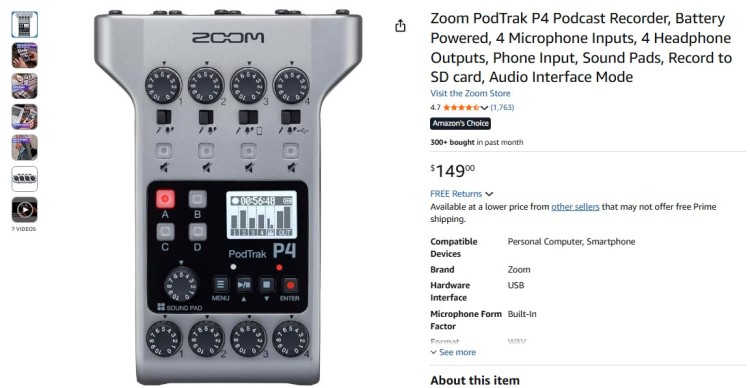
The Zoom PodTrak P4 is a dedicated audio recorder designed specifically for podcasters. It simplifies everything from recording phone calls to triggering sound effects.
- Key features: 4 XLR microphone inputs, 4 headphone outputs, and mix-minus for remote recording calls.
- Cost: $149
10. Zoom H6
The Zoom H6 is a legendary digital audio recorder known for its versatility. You can swap out microphone capsules like camera lenses.
- Key features: Interchangeable input capsules, six-track simultaneous recording, and large color display.
- Cost: $329.99
11. Tascam DR-05XP: Portable audio recorder for podcasting
The Tascam DR-05XP is a portable audio recorder for podcasting that’s compact and easy to handle. No need for external mics to capture two tracks of audio at 32-bit float high-resolution.
- Key features: Built-in tuner, EQ, and reverb, includes filters (e.g., auto-level, limiter, and low-cut), and onboard omni mics that handle up to 125 dB.
- Cost: $109
BONUS: Talks podcast guest matching
Once your episodes are recorded, this platform helps you get them in front of the right listeners.
Upload your episodes, create a free Talks Creator profile, and match with other hosts and guests to expand your reach fast.
- Key features: Creator profile, episode uploads, AI-powered matching with other hosts and creators, collaboration opportunities, and audience growth tools.
- Cost: Free to create your profile
What Is the Best Audio Recorder?
There are many types of recording devices out there. Choose the best one based on your podcast style, budget, and whether you record solo, with guests, or outdoors.
- For professional recording, the Sony PCM-D10 stands out and provides studio-quality sound
- For an affordable and reliable budget option, the Zoom H1essential is a strong pick.
- For outdoor or multi-guest podcasts, the Zoom H6 or Zoom PodTrak P4 offers flexibility and noise cancellation.
What to consider before buying an audio recorder
Before you buy, think about your priorities:
- Audio quality: What level of sound clarity do you need? Look for devices that can record at least 44.1kHz/16-bit, which is standard high-quality.
- Portability: Do you need to carry it around?
- Ease of use: Is a simple device better for you, or do you want advanced controls? Consider podcast equipment for beginners.
- Noise cancellation: Are you recording in noisy or outdoor places?
- Inputs and tracks: Do you need multiple microphones or guest channels?
- Compatibility: Does it work with your existing podcast software or hardware?
- Budget: How much are you willing to spend?
Where to buy an audio recorder
Ready to check out? These are reliable, creator-trusted places to buy an audio recorder, with clear warranties and legit return policies:
- Amazon: Biggest selection, fast shipping, and easy returns, but double-check you’re buying from the official brand store or an authorized seller.
- B&H Photo Video: Go-to retailer for audio gear with detailed specs, real reviews, and strong customer support.
- Best Buy: Good for quick local pickup and simple returns, especially for Zoom, Tascam, and Sony recorders.
- Sweetwater: Music-focused retailer known for product support, bundle deals, and hands-on customer service.
- Guitar Center: Solid option for podcasters who want to test gear in person or buy alongside mics and accessories.
- Sony (official store): Best place to buy Sony recorders directly with full warranty and official accessories.
- Zoom (official store): Ideal if you want the latest models, firmware support, and official bundles.
- Tascam (official store): Good for direct purchases, replacements, and accessories made for their recorders.
If you’re looking for a podcast equipment bundle, these retailers also have packages.
What Is the Best App for Recording Podcasts?
Sometimes the best recording program is the one you already have with you. A recording app on your computer or phone can be a powerful tool.
But if you’re looking for something else, something more professional, here are some of the best software for recording dedicated podcast audio formats:
1. Riverside: Best app to record audio for podcasts
Riverside is widely considered the best podcast recording software for remote podcast interviews. It records local audio and video from each guest.
- Pros: It captures 4K video and 48khz audio locally, independent of internet connection quality.
- Cons: The free plan has limitations on recording hours.
2. Audacity: Audio recorder for podcast free
Audacity is a classic audio recorder for anyone who needs to start recording podcasts, free of charge. It’s an open-source program that works on Windows, Mac, and Linux.
- Pros: Entirely free and offers powerful editing tools.
- Cons: The interface looks dated and doesn’t support remote call recording natively.
3. Spotify for Creators: Audio recording software for podcasts
Spotify for Creators (formerly Spotify for Podcasters) is a great all-in-one platform. It’s a great free app that allows you to create and host your podcast for free.
- Pros: Free app for podcast hosting and easy distribution.
- Cons: Editing features are basic compared to a pro-level digital workstation.
4. SquadCast: Podcast recorder app
SquadCast It records individual audio tracks for each guest, making editing easier. Offers mobile recording.
- Pros: It records individual audio tracks for each guest, making editing podcasts with multiple voices easier. Offers mobile recording too.
- Cons: It’s a paid subscription service.
5. GarageBand: Audio podcast editor
Apple offers a free audio podcast editor for Mac users called GarageBand. It comes pre-installed and offers strong mixing capabilities to get the best voice recordings.
- Pros: Free for Apple users and supports multitrack recording.
- Cons: Not available if you record your podcast using Windows or Android devices.
How to Record Audio for Podcast Episodes
Recording a podcast involves a few straightforward steps:
- Set up a quiet recording environment: Soft surfaces like curtains and rugs help reduce echo.
- Connect and test microphones and headphones: Use podcast audio mixers if needed.
- Open your podcast recording software or app: Always do a test recording to check the sound quality.
- Hit record and start speaking: Don’t worry about mistakes. You can edit them out later.
- Save the audio file: Make sure you also back it up to an external hard drive or the Cloud to be safe.
- Edit and mix your podcast: Remove background noise and add sound effects or music.
- Publish: Look for podcast hosting platforms and distribute to your audience.
Best way to record audio for podcast episodes
Here are some best practices for podcast recording to get good results:
- Podcast equipment: Use a good microphone and audio interface if possible.
- Studio setup: Record in a quiet, echo-free space.
- Multi-track recording: Record separate audio for each person to avoid overlapping issues.
- Monitor: Check sound with headphones.
- Practice: Test your equipment before starting the actual podcast.
Can I record a podcast on my phone?
Yes, you can record a podcast on your phone. Most smartphones have a built-in voice recorder that is surprisingly decent.
You can also download a dedicated mobile app like Riverside or Spotify for Podcasters. These apps offer better recording options than the default voice memo app.
For professional recording results, consider connecting an external microphone to your phone. The best budget microphone sounds better than your phone’s internal mic.
How Much Does It Cost to Record a Podcast?
The cost to create a podcast varies widely, depending on your setup:
- Entry-level recording (free to $150): Covers basic apps and a budget mic.
- Mid-range equipment: $200 to $700 for digital voice recorders, mics, and basic editing software
- Professional setup: $900+ for studio-quality digital recorders, mixers, and premium software
You don’t have to be perfect. Just start simple and upgrade over time as your show grows.
Audio Quality Your Podcast Deserves
Choosing the right audio recorder for podcast recording is the first step in your journey to visibility.
Whether you choose a simple voice recorder or an advanced audio interface, the goal is to get your message out there.
With your gear all set, it’s time to record. Invite interview guests or hop on other podcasts yourself.
Using Talks, you can do both in just one powerful podcast matching platform.
- Host-to-host connection: Collaborate with fellow hosts and cross-promote your show.
- Advanced filters: Find the exact expert you’re looking for with precise search features.
Making connections has never been this quick and easy.
Create a FREE Talks Creators profile and get matched in just 5 minutes!