

Did you just hit publish on a podcast episode and thought, “Okay… now please magically go viral”?
We all know recording is the easy part. But getting people to actually hear it? That’s where most coaches, consultants, and creators start questioning their life choices.
You pour time, energy, and possibly your last shred of sanity into making a great show… and then it just sits there.
Alone. Unloved. Collecting digital dust on your hosting platform.
But it doesn’t have to be that way.
A strong podcast content distribution strategy takes your episodes from “I hope someone finds this” to “Oh wow, people are actually listening.”
It’s how you show up across platforms, get discovered, stay discoverable, and turn your podcast into the visibility engine you thought it would be when you bought the fancy mic.
If you’re ready for your podcast to stop whispering into the void and start working harder for your business, this is the playbook for you.
Let’s make sure your best content doesn’t go unheard.
How to Get My Podcast on All Platforms (Quick List)
Not every listener uses the same app. Follow this step-by-step checklist to make sure your episodes reach the biggest, most active audiences.
- Apple Podcasts: Submit your RSS feed to Apple first. This is your distribution backbone.
- Spotify for Creators: Add or claim your show so new episodes auto-update quickly.
- YouTube/YouTube Music: Upload full episodes, clips, or playlists to tap into search and discovery.
- Amazon Music/Audible: Submit your RSS feed for long-form, educational listeners.
- iHeartRadio: Check auto-distribution or submit manually to expand reach easily.
- Simplecast Creator Connect: Claim or submit your show to get it on Pandora and Stitcher in one step.
- Pocket Casts: Add your RSS or Apple Podcasts link for bonus visibility with minimal effort.
- Overcast: Make sure your show is in Apple Podcasts, then add the feed manually if needed.
- Castbox: Claim ownership and upload your feed to boost search-driven discoverability.
- Goodpods: Submit your show to engage early listeners in a community-driven network.
What Is Podcast Content Distribution?
Podcast content distribution is how you take an episode from “uploaded and hoping for the best” to “circulating in all the places people actually discover content.”
It’s the process of promoting, repurposing, and sharing your traditional podcast episodes across the places your audience actually hangs out like social media platforms, YouTube, search, email, newsletters, and every podcast directory that matters.
Unlike a single Instagram Story, a well-distributed podcast episode has a long shelf life. One good conversation can keep getting discovered by a new listener base months (even years) after you hit publish.
Think of podcast content distribution as making sure your podcast isn’t playing hide-and-seek with your audience.
How are podcasts distributed?
Podcasts need a little push to get heard. Here’s how distribution actually happens:
- Syndication: Your hosting platform pushes new episodes automatically to connected podcast directories.
- Manual submission: Some podcast hosting services require a one-time setup to pull your episodes correctly.
- Repurposing: Break podcast episodes into clips, quotes, or blog posts for multiple content channels.
- Social sharing: Post highlights, audiograms, and short videos to meet listeners where they scroll.
- SEO optimization: Titles, descriptions, and transcripts make your content discoverable via search.
- Website embedding: Host podcast episodes on your podcast website so people can listen without leaving your ecosystem.
Podcast distribution is about getting your podcast out of your dashboard and into the places your podcast listeners already spends time.
Why is podcast distribution important?
Even the best podcast and their latest episode need a little push to get heard. Here’s how effective content distribution actually happens:
- More visibility: If your show isn’t everywhere your audience searches, they won’t find it. Distribution puts your content in front of the right people across directories, search engines, and social platforms.
- More authority: Showing up consistently across multiple channels builds trust. Guests, event organizers, and the media take you more seriously when your podcast actually looks alive and well-distributed.
- More engagement: People stay connected to what they see often. Repurposed clips, emails, reminders, and short-form content keep your podcast top of mind instead of forgotten.
- More monetization opportunities: Sponsorships, programs, memberships, affiliate income, visibility feeds all of it. The more your podcast circulates, the more revenue doors open.
More reach = more impact, more listeners, more opportunities.
A great podcast gets recorded once. A great podcast that’s distributed well keeps working for you indefinitely.
How to Distribute a Podcast
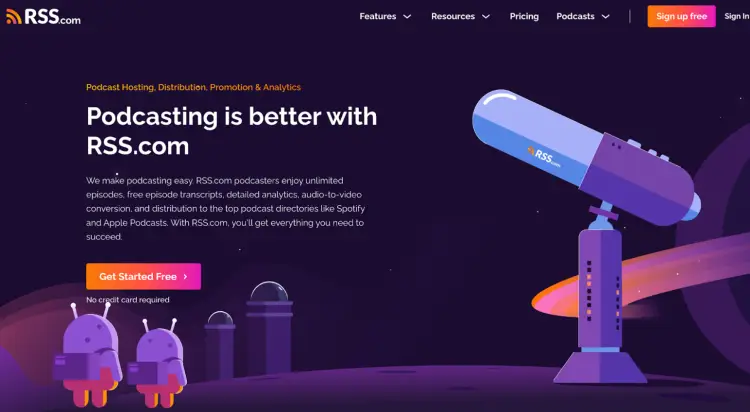
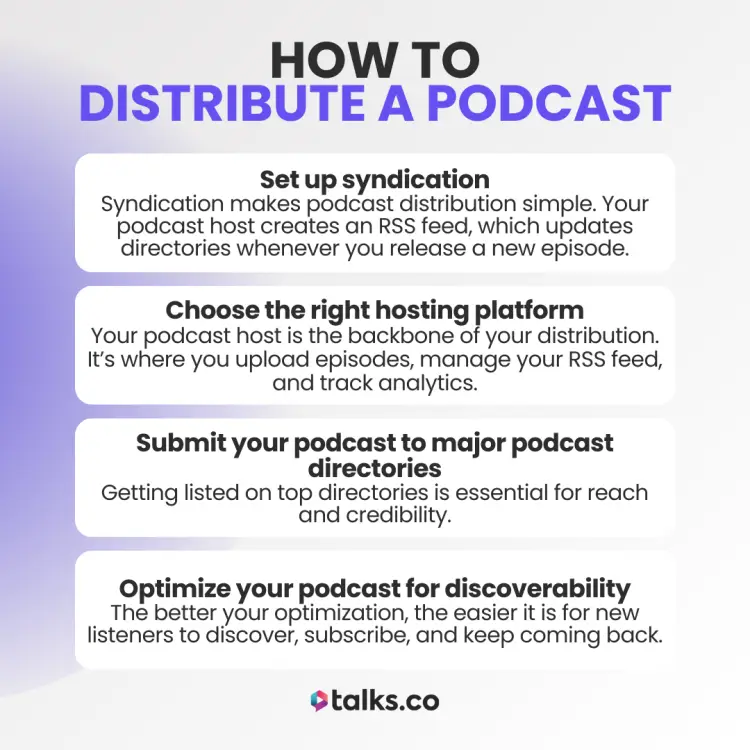
Recording a great episode is just the start. To grow your audience, you need to get it in front of the right people. Here’s how to make sure your podcast is available everywhere it needs to be.
- Choose a podcast host: Your host stores episodes, manages your RSS feed, and tracks analytics. Beginners can start with Buzzsprout or Spotify for Creators. Scaling and monetizing? Consider Libsyn, Megaphone, or Acast.
- Set up your RSS feed: Your RSS feed is the link between your host and podcast directories. Ensure it’s valid and public.
- Submit to Apple Podcasts and Spotify manually: New shows need to be added directly to directories to appear in search results.
- Enable auto-distribution: Let your host automatically update directories when new episodes are released.
- Optimize for discoverability: Use descriptive titles, keyword-rich descriptions, transcripts, and encourage ratings and reviews. Post audiograms, quotes, and clips on social media to reach more listeners and promote your podcast on social media.
- Upload video to YouTube: Video content can capture new audiences and improve discoverability outside podcast apps.
- Repurpose and promote your podcast: Share clips, highlight episodes, and syndicate your show across multiple platforms. Make sure your cover art, title, description, category, and first episode are ready before submitting.
(Bonus: Grab your podcast marketing plan template to double up your growth.)
How to Distribute a Podcast on All Platforms
This is your complete walkthrough to get your show on the top 10 podcast distribution platforms that matter.
Follow these podcasting 101 steps and your podcast won’t just sit in your hosting dashboard; it’ll be discoverable on every major app listeners actually use.
1. Apple Podcasts (Your #1 priority)
Best for: Every podcaster. Apple is the backbone of podcast distribution.
Apple Podcasts is still the top dog for credibility and discovery. If you want to be taken seriously, you show up here first.
How to submit to Apple Podcasts:
- Create or sign in with your Apple ID: Make sure two-factor authentication is turned on.
- Open Apple Podcasts Connect: Log into the dashboard where you manage your show.
- Click Add (+) > New Show: This is where you start the submission.
- Choose “Add a show with an RSS feed”: Apple will pull your show details from your feed.
- Paste your RSS feed URL: Use the feed from your hosting provider.
- Review your show details: Confirm categories, contact info, and content rights.
- Set availability: Choose countries, visibility, and transcript settings.
- Set your release timing: Publish immediately or schedule a release date.
- Fix validation issues: Artwork or formatting errors must be corrected before approval.
- Publish your show: Apple reviews it; your podcast won’t appear until at least one episode is live.
2. Spotify (Your fastest distribution win)
Best for: Coaches, experts, and creators who want to grow a podcast fast with strong search tools.
Spotify has become the “default” podcast player for casual listeners and they index fast.
How to submit to Spotify:
- Go to Spotify for Podcasters: Sign in using your Spotify account.
- Click Add or Claim Podcast: This starts the onboarding flow.
- Paste your RSS feed: Spotify reads your feed and shows your details.
- Verify ownership: Enter the code sent to the email tied to your RSS feed.
- Add show details: Confirm categories, language, and country.
- Review and submit: Spotify approves quickly in most cases.
- Let Spotify auto-update episodes: New episodes appear whenever your RSS feed updates.
3. YouTube/YouTube Music (Your biggest discoverability boost)
Best for: Visibility, search, and discoverability. YouTube’s algorithm does heavy lifting.
The second-largest search engine can’t be ignored. YouTube is now a major podcast platform and it favors video pods, clips, and long-form episodes.
Video podcast route:
- Go to YouTube Studio: Open your channel dashboard.
- Click Create > New podcast: Start a new show in YouTube’s native podcast setup.
- Add your show info: Enter the title, description, thumbnail, and visibility.
- Upload episodes as videos: Use full video, talking-head, or a static image.
Playlist route:
- Open YouTube Studio: Go to your Playlists tab.
- Set an existing playlist as a podcast: Use the menu option to convert it.
- Add a square thumbnail: YouTube requires podcast-formatted artwork.
- Confirm changes: Your playlist becomes an official podcast.
RSS route:
- Click Create > New podcast: Start a new show setup.
- Choose Submit RSS feed: Follow YouTube’s guided steps.
- Verify ownership: Confirm you own the RSS feed.
- Finish setup: YouTube pulls episodes directly from your feed.
4. Amazon Music and Audible
Best for: Reaching listeners who prefer long-form, educational episodes.
Amazon pushes podcasts aggressively, and Audible listeners are hungry for expert-driven shows.
How to submit to Amazon Music:
- Go to Amazon Music for Podcasters: Open the submission portal.
- Paste your RSS feed: Amazon reads the feed and shows your metadata.
- Review your show details: Check categories, title, and artwork.
- Confirm ownership via email: Amazon sends a verification link.
- Submit your show: Approval usually takes a short time.
- Let Amazon auto-update: New episodes appear automatically.
5. iHeartRadio
Best for: Expanding beyond the major players without extra work.
iHeartRadio is a recognized brand, and being listed adds professional weight.
How to submit to iHeartRadio:
- Check if your host auto-distributes: Many hosts already push to iHeartRadio.
- Submit manually if needed: Use the iHeartRadio Podcast Submission form.
- Verify ownership via email: Confirm you own the feed.
- Wait for approval: iHeart typically responds within 48-72 hours.
- Let RSS updates run: New episodes sync automatically once approved.
6. Simplecast Creator Connect
Best for: Shows that perform well through recommendation algorithms.
Pandora still uses human + algorithmic curation, so metadata matters.
How to submit to Simplecast Creator Connect:
- Go to Creator Connect: Open the Simplecast Creator Connect portal.
- Sign in or create an account: You don’t need to host on Simplecast to submit.
- Click Submit or Claim a Show: Start the process for Pandora + Stitcher at once.
- Paste your RSS feed: Creator Connect pulls your podcast details automatically.
- Sign the licensing agreement: Required before your show can be approved.
- Verify your owner email: Check your inbox for the confirmation link.
- Review your podcast info: Confirm artwork, show title, and feed details meet requirements.
- Submit your show: Your podcast appears on Pandora and Stitcher once approved.
- Access Pandora stats: Claiming your show unlocks listener analytics inside Creator Connect.
7. Pocket Casts
Best for: Bonus visibility to help hosts find podcast guests with zero extra effort.
Don’t sleep on these smaller platforms. It’ll build credibility, SEO juice, and reach niche listeners.
How to distribute to Pocket Casts:
- Go to the Pocket Casts Submission Form: This is where you add new podcasts.
- Paste your RSS feed or Apple Podcasts link: Only these two link types are accepted.
- Validate your feed: Pocket Casts will flag any RSS errors before submission.
- Choose public or private: Public feeds appear in search; private feeds stay hidden.
- Submit your podcast: Pocket Casts indexes new shows within several hours.
- Check search visibility later: Shows may take time to appear in search even after approval.
8. Overcast
Best for: Smaller shows that grow through recommendations.
Overcast pulls almost all podcasts directly from Apple Podcasts. You only need to submit something manually if your show isn’t showing up yet.
How to submit to Overcast:
- Check Apple Podcasts first: Overcast won’t list your show unless it already exists in the Apple Podcasts directory.
- Wait 1-2 days: New shows usually appear in Overcast search automatically shortly after showing up in Apple.
- Add your RSS feed manually: If your show isn’t appearing, paste your feed URL into Overcast’s “Add URL” field.
- Confirm your feed is public: Only public RSS feeds appear in Overcast search and recommendations.
- Use the iTunes ID for linking: Your Overcast URL mirrors your Apple Podcasts ID (e.g., overcast.fm/itunes123456789).
- Encourage Overcast recommendations: Ask listeners to hit the star button. It helps your show rank in category lists.
9. Castbox
Best for: SEO, search-driven listeners, and coaches with educational content.
Castbox’s search is strong and transcripts help you rank especially if you’re starting a podcast with no audience.
How to submit to Castbox:
- Create or sign in to your Castbox account: Use the desktop site to access Creator Studio.
- Go to Creator Studio > Claim Ownership: Start the submission process.
- Paste your RSS feed: Castbox scans your feed and pulls your details.
- Enter the email from your RSS feed: This must match the email in your itunes:email tag.
- Click Submit: Castbox sends you a verification email.
- Open the verification link: This confirms ownership and completes submission.
- Finish setup in Creator Studio: Your show is now added to the Castbox public directory.
10. Goodpods
Best for: Community-driven growth + early audience engagement.
Goodpods works like “Goodreads for podcasts” where listeners actively share favorites.
How to submit to Goodpods:
- Create or sign in to your Goodpods account: Use the web or app to access your profile.
- Go to Add a Podcast: Open the submission area from your creator dashboard.
- Paste your RSS feed: Goodpods imports your show details directly from the feed.
- Confirm your podcast info: Verify artwork, title, and category pulled correctly.
- Submit your podcast: Your show becomes available on Goodpods immediately.
- Share your Goodpods link: Each episode has a built-in share link you can use anywhere.
- Engage in episode comments: Responding in the comments boosts visibility inside the app.
How to Optimize Your Podcast for Different Platforms
Each platform has its own vibe and ways listeners find new shows. Here’s a quick snapshot of how to play to each audience without overthinking it:
- Apple Podcasts: Encourage ratings and reviews to boost visibility in search and charts.
- Spotify: Keep show notes clear and structured so listeners can quickly scan and find value.
- YouTube: Use engaging thumbnails and titles; short clips can grab attention if you’re audio-only.
- Amazon Music and Audible: Clear, compelling episode descriptions help long-form listeners decide to tune in.
- iHeartRadio: Strong calls-to-action in descriptions drive engagement and listener retention.
- Simplecast Creator Connect: Submit or claim your show once to appear on both Pandora and Stitcher.
- Pocket Casts: Consistent episodes with polished cover art make your show stand out in visual search results.
- Overcast: Ask listeners to “recommend” your show. This moves it up in their discovery feed.
- Castbox: Upload transcripts and keyword-rich descriptions to improve discoverability via AI-powered recommendations.
- Goodpods: Join discussions and engage with your listeners to grow community-driven buzz.
25 Largest Podcast Platforms for Distribution and Audience Growth
These are the big platforms where your show can land, be discovered, and start building an audience. Focus on the ones that align with your reach, format, or podcast business plan and goals.
| Platform | Best for | Quick note |
|---|---|---|
| 1. LibSyn | Universal reach | Distributes to all major directories with trusted reliability |
| 2. Buzzsprout | Beginners | Simple setup with easy-to-read analytics |
| 3. Simplecast | Analytics-focused creators | Clean interface with detailed listener insights |
| 4. Blubrry | WordPress users | Includes PowerPress plugin and strong stats |
| 5. PodBean | Monetization | Unlimited hosting with built-in monetization tools |
| 6. Megaphone | Ad-supported shows | Dynamic ad insertion and audience targeting |
| 7. Acast | Monetization and audience growth | Global reach with ad and sponsorship tools |
| 8. Audioboom | Monetization | Focus on premium content and sponsorships |
| 9. Captivate | Podcast marketing and growth | Built-in podcast marketing tools and audience insights |
| 10. Castos | WordPress integration | Seamless hosting and easy syndication |
| 11. Fireside | Indie creators | Customizable site and analytics for small teams |
| 12. Iono.fm | International | Hosts podcasts in multiple languages and formats |
| 13. Julep | Niche shows | Focused on smaller communities with engagement tools |
| 14. Omny Studio | Broadcasters | Professional tools for radio and media networks |
| 15. Pinecast | Simple hosting | Straightforward hosting with lightweight tools |
| 16. Podcaster.DE | European market | Localized hosting and distribution for EU creators |
| 17. Podigee | European market | Easy-to-use platform for EU-based podcasts |
| 18. Podomatic | Social and discovery | Combines hosting with social promotion features |
| 19. RedCircle | Monetization and growth | Ad marketplace and listener support options |
| 20. RSS.com | Beginners and simple hosting | Easy setup with unlimited storage and basic analytics |
| 21. Spreaker | Monetization and live audio | Live streaming, monetization, and syndication |
| 22. Transistor | Multi-show management | Manage multiple shows with detailed analytics |
| 23. Vodio | Video and audio podcasts | Supports both audio and video podcasting |
| 24. Castos Enterprise | Enterprise and analytics | Advanced stats and enterprise-level tools |
| 25. Audiomeans | Monetization and reach | Focus on revenue and audience growth |
What Does a Podcast Distributor Do?
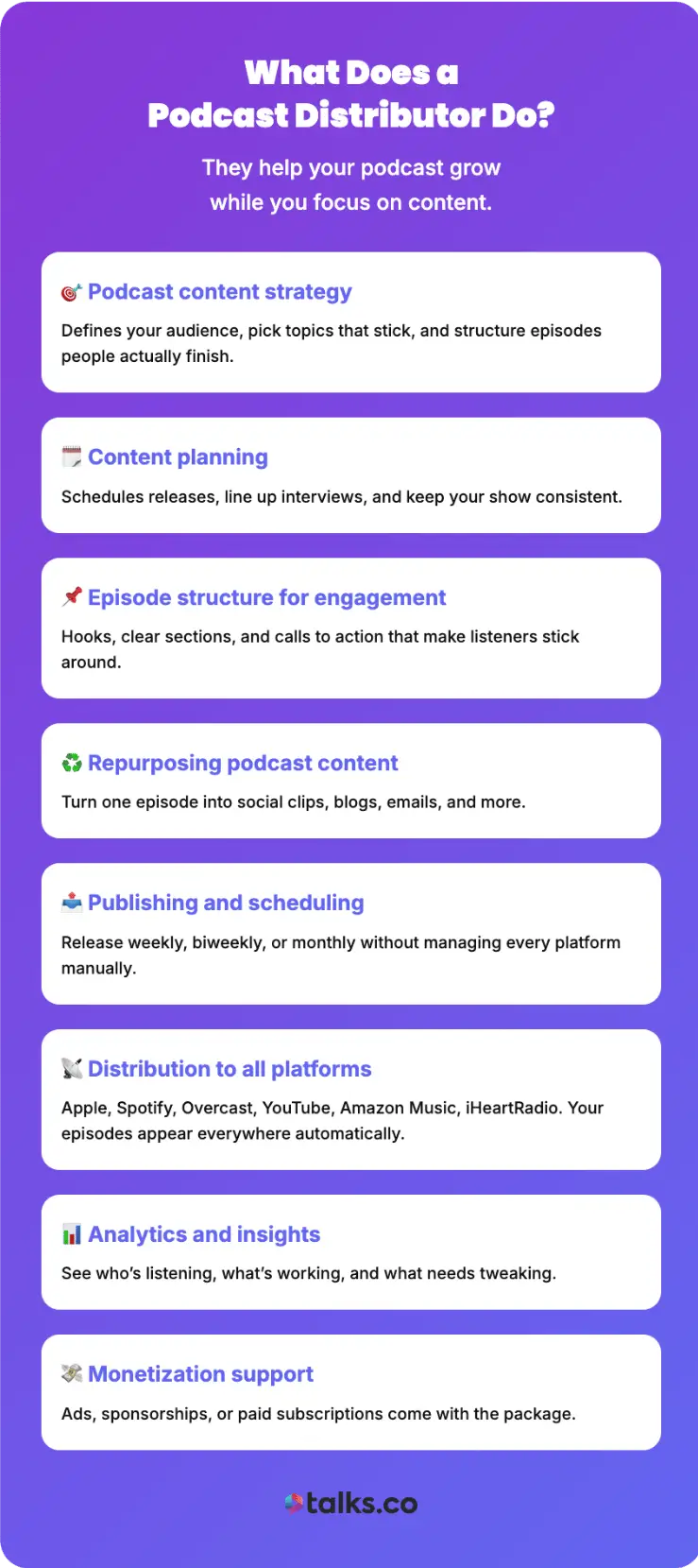
A podcast distributor keeps your podcast organized, discoverable, and growing while you focus on creating content your audience loves.
- Podcast content strategy: Defines your audience, pick topics that stick, and structure episodes people actually finish.
- Content planning: Schedules releases, line up interviews, and keep your show consistent.
- Episode structure for engagement: Hooks, clear sections, and calls to action that make listeners stick around.
- Repurposing podcast content: Turn one episode into social clips, blogs, emails, and more.
- Publishing and scheduling: Release weekly, biweekly, or monthly without managing every platform manually.
- Distribution to all platforms: Apple, Spotify, Overcast, YouTube, Amazon Music, iHeartRadio. Your episodes appear everywhere automatically.
- Analytics and insights: See who’s listening, what’s working, and what needs tweaking.
- Monetization support: Ads, sponsorships, or paid subscriptions come with the package.
Podcast Distribution Services Companies
These are the platforms that go beyond basic hosting. They also handle syndication, analytics, monetization, and visibility so you can focus on content creation.
| Service | Best for | Quick note |
|---|---|---|
| 1. Simplecast Creator Connect | Pandora and Stitcher | Submit once to reach both platforms and get listener analytics. |
| 2. Omny Studio (Syndication tools) | Broadcasters | Schedule, manage, and push episodes across multiple directories. |
| 3. Castos Enterprise | Enterprise podcasts | Advanced tracking and multi-show syndication. |
| 4. Acast Marketplace | Monetization | Helps podcasts connect with advertisers and sponsors. |
| 5. RedCircle (Automated monetization) | Growth-focused creators | Built-in ad insertion and listener support tools. |
Podcast Distribution Agreement Template
A podcast distribution agreement ensures both parties are clear on rights, distribution, and revenue-sharing terms. Whether you’re working with a podcast network, distributor, or another host, a written agreement protects your content and sets expectations.
Below is a simple Podcast Distribution Agreement Template you can copy and personalize.
This Agreement (“Agreement”) is entered into on [Date] between:
- Podcast Owner: [Your Name/Business Name]
- Distributor: [Company Name]
- Podcast Name: [Podcast Title]
1. Rights & Ownership
- The Podcast Owner retains full ownership of all content and branding.
- The Distributor has non-exclusive rights to distribute the podcast on [List platforms].
- Content cannot be altered or repurposed without written approval.
2. Distribution & Promotion
- The Distributor will make the podcast available on [List channels].
- Approved descriptions, artwork, and clips may be used for promotion.
- Analytics and performance reports will be provided [weekly/monthly].
3. Revenue & Monetization
- Ad Revenue: [Example: 70% Podcast Owner / 30% Distributor].
- Sponsorships: The Podcast Owner retains sponsorship rights.
- Subscriptions/Memberships: Revenue split as follows: [Details].
4. Term & Termination
- This Agreement is effective from [Start Date] for [Duration] unless terminated earlier.
- Either party may terminate with [30/60] days’ written notice.
- Upon termination, the Distributor must remove all hosted podcast content within [X days].
5. Compliance & Liability
- Both parties agree to comply with copyright and licensing laws.
- The Podcast Owner guarantees all content is original and infringement-free.
- The Distributor is not liable for legal claims related to podcast content.
6. General Terms
- This Agreement does not establish employment or partnership.
- Disputes will be resolved under the jurisdiction of [State/Country].
- This Agreement is the full understanding between both parties.
Signed & Agreed to by:
Podcast Owner:
[Name]
[Signature]
[Date]
Distributor:
[Name]
[Signature]
[Date]
Get Your Podcast Everywhere At Once
When your podcast shows up everywhere your audience listens, something shifts.
Your message travels further. More people find you. Your episodes stop living in one corner of the internet and start working for you across every platform.
And once you’re showing up everywhere, the next win is simple: get yourself in front of more audiences.
That’s where Talks comes in.
Your free creator profile gets you discovered by hosts, updates automatically with your latest interviews, and pairs you with shows that want your voice without you chasing anyone down.
If you’re ready to grow your podcast content distribution reach without stretching yourself thin, set up your free Talks creator profile and start connecting with hosts today.


