
I know you’re looking at your mic right now thinking about all those episodes you’ve recorded that are definitely worth hearing with podcast guests anyone would stop dead in their tracks for if they ran into them at the airport.
But then those people head over to your site and think… “Okay, but where in the world do I click?”
That’s the problem with choosing a WordPress website podcast theme based on looks alone when you start a podcast.
Pretty podcasting themes can still be confusing. Cheap but popular WordPress page templates can still cost you listeners. And that “podcast-ready” multipurpose WordPress theme can mean very different things depending on what you’re using the builder and its customization options for.
But the perfect theme for podcasting should make your show easier to discover, easier to listen to, and easier to take seriously.
If you’re already on page 36 of Google and still haven’t found “the one,” here are 23 of my favorite WordPress podcast templates worth looking at, including free and paid theme options.
What Are WordPress Podcast Themes?
WordPress podcast themes are pre-built website designs made for shows that need more than a generic blog layout. They can give you dedicated episode pages, audio players, guest sections, subscription buttons, and layouts that work properly on phones.
Think of them as the starting point for your podcast site, so you’re not staring at a blank WordPress screen wondering where to put Episode 47 with Dr. Sarah Jones.
Are WordPress podcast templates free?
Yes. You’ll find plenty of free WordPress themes for podcasters, plus paid options with more features and customization. Here’s what you can expect:
- Free templates: Solid starting points for a new show testing the waters.
- Paid templates: Usually offer deeper customization, support, and podcast-specific features.
- Premium upgrades: Some free themes charge for extras like advanced episode layouts or monetization tools.
8 Benefits of using WordPress podcast templates
A good template can save you a pile of time and help your podcast site do its actual job. Here are eight benefits worth caring about:
- Faster setup: Get a website for your weekly interview show live without designing every page from scratch.
- Built-in audio players: Let visitors hit play on your episode page without hunting for a Spotify link.
- Mobile-friendly layouts: Make sure someone listening from their iPhone on the train can actually use your website.
- Better episode pages: Give Episode 32 with your podcast guest from Austin its own page, description, links, and show notes.
- Podcast-focused navigation: Help visitors find episodes, guests, categories, and your latest release quickly.
- SEO-friendly structure: Give search engines clearer information about your episodes and podcast content.
- Monetization options: Add podcast sponsor placements, product offers, coaching links, or email opt-ins around your podcast episodes.
- Less design work: Spend Saturday recording Episode 18 instead of arguing with your homepage layout.
WordPress Podcast Templates (Free and Paid)
You’ve got 23 of the best WordPress themes for podcasters below, split into free and paid picks. I’d start with the use case first, then worry about colors, fonts, and whether the homepage gives you that little “yep, that’s the one” feeling.
WordPress podcast theme free
If you’re creating a website for your first podcast, free can be a perfectly sensible place to start. These are the best WordPress themes that give you enough to build a credible home for your show without whipping out your credit card before you’ve even joined Google Podcasts.
1. Talks (Best WordPress podcast template alternative)
Best for: Podcasters who want a plug-and-play podcast show profile.
Talks gives you a ready-to-use home for your podcast when you sign up. Add your show, tell people what you talk about, and share your profile with a simple Talks URL.
And because Talks is built around podcast connections, your profile can do a bit more work than a typical podcast homepage. You can use it to connect with relevant hosts and guests and start getting your show in front of people in your space.
Key features:
- Free profile
- Custom profile URL
- Podcast show profile
- Host and guest matching
- Connection requests
- Automated matching with Pro
- Automated responses with Pro
- Top search placement with Pro
- Video pitch with Pro
Where to get it: Talks
2. Audio Podcast
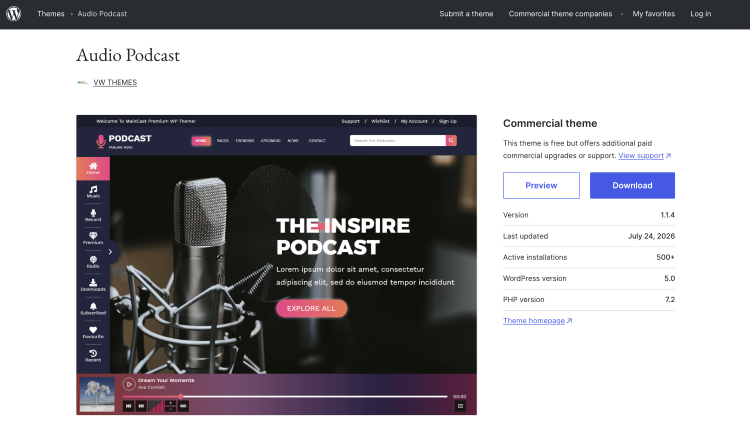
Best for: New podcasters who want types of WordPress themes that are easy to use and audio-focused without paying for a theme.
Audio Podcast is a popular WordPress theme that gives you a clean starting point to build a podcast website for showcasing episodes, audio content, Spotify embeds, and podcast-related content.
It’s responsive and SEO-focused, so it works well for a coach launching something like The Monday Mindset Podcast without needing a huge responsive WordPress theme immediately.
Key features:
- Responsive design
- Audio content support
- Custom logo
- Featured images
- Social media icons
- SEO-focused structure
- Multiple layout options
Where to get it: Audio Podcast
3. Podcast Streaming
Best for: Interview shows, storytelling podcasts, and creators publishing lots of audio content.
Podcast Streaming is built around podcast and audio content, with layouts for episodes, show notes, subscriptions, guests, and different types of media. It makes sense for a show like The Austin Founder Show that needs somewhere to organize a growing episode library.
Key features:
- Integrated podcast player
- Episode categorization
- Guest showcases
- Subscription support
- Responsive layouts
- SEO features
- Monetization tools
Where to get it: Podcast Streaming
4. Video Podcasting
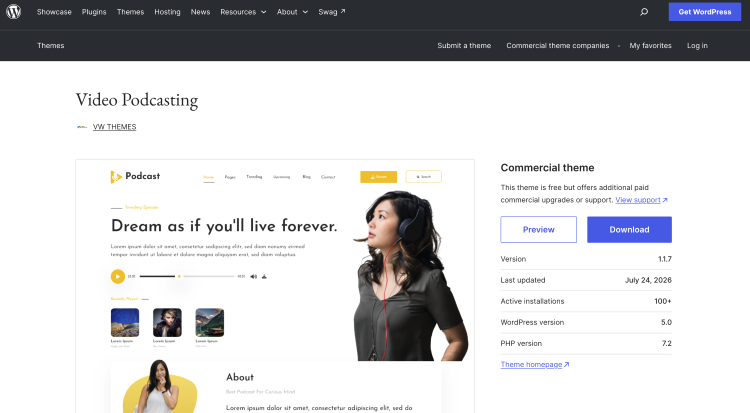
Best for: Podcasters publishing video episodes alongside their audio feed.
Video Podcasting is a free WordPress podcast theme designed for shows that live somewhere between podcast and video channel.
It’s one of the best WordPress themes for podcasters if your episodes also appear on YouTube and you want your WordPress site to showcase the video side of the show.
Key features:
- Video support
- Podcast layouts
- Responsive design
- Featured images
- Custom menus
- Bootstrap framework
- Performance-focused coding
Where to get it: Video Podcasting
5. Podcastin
Best for: Beginners who want a straightforward podcast site with a built-in audio player.
Podcastin keeps things fairly simple, which can be a blessing when you’re publishing your first few episodes and have enough on your plate already. You can showcase episodes, add audio content, and build out a basic podcast site without starting from a blank canvas.
Key features:
- Full-featured audio player
- Featured images
- Custom logo
- Podcast-focused layouts
- Comments
- Responsive design
Where to get it: Podcastin
6. Euphony
Best for: Music-heavy podcasts, culture shows, and creators who want a visual playlist experience.
Euphony was built for musicians and bands, but it also supports podcasts. Its sticky playlist makes it particularly interesting for shows where audio needs to stay front and center, like a weekly music interview series or artist-focused show.
Key features:
- Sticky playlist
- Featured content
- Featured slider
- Hero content
- Portfolio
- Testimonials
- Responsive design
- Podcast support
Where to get it: Euphony
7. Podcaster Radio
Best for: Talk shows, interview podcast masters, online radio-style programs, and media creators.
Podcaster Radio comes with a pre-built layout aimed at audio-first websites, so you can get a podcast site moving without designing every section yourself. It’s a good fit for something like a daily business news show with frequent episodes.
Key features:
- Podcast-focused layout
- Responsive design
- Audio content support
- Custom menus
- Featured images
- Layouts for interviews, storytelling, news, and talk shows
Where to get it: Podcaster Radio
Template WordPress podcast free
Free WordPress podcast templates can work surprisingly well when you know what your show actually needs. These picks are worth checking out if you want to get your site live, learn what works, and upgrade later if the podcast grows.
8. Tracks
Best for: Minimalist podcasts that want the episodes to do most of the talking.
Tracks is a WordPress theme designed with a dark, stripped-back that puts your written and audio content front and center. This is an excellent WordPress theme suitable for solo podcasters and vloggers who want a site that feels closer to an editorial publication than a flashy media portal.
Key features:
- Minimalist design and multipurpose theme
- Audio content support
- Social media accounts
- Search
- WordPress Customizer controls
- Multiple layout options
Where to get it: Tracks
9. Podcast Guru
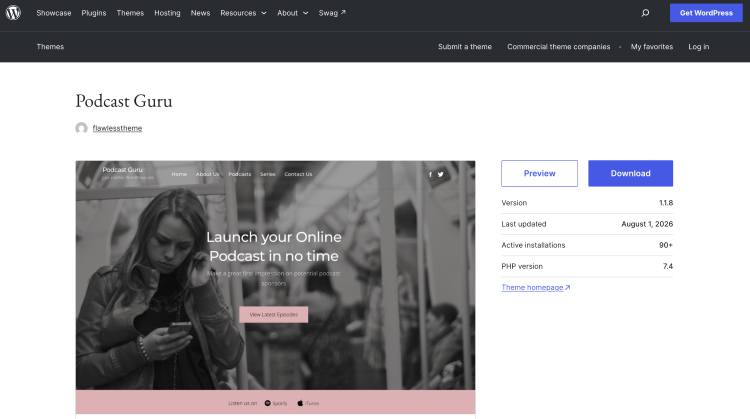
Best for: Shows with a growing episode library that need a dedicated podcast homepage.
Podcast Guru is designed specifically around creating a podcast, music, and video content. You can publish large episode libraries and give the homepage dedicated sections for recent episodes and series, which is handy once Episode 8 has turned into Episode 108.
Key features:
- Unlimited podcast episodes
- Latest episode sections
- Series organization
- Featured images
- Custom menus
- Podcast-focused layouts
Where to get it: Podcast Guru
10. VW Audio Podcast
Best for: Made specifically for podcasters who want featured episodes and playlists to take center stage.
VW Audio Podcast is a modern WordPress theme perfect for podcasters who want several ways to organize shows, playlists, and featured episodes. It’s worth considering for a creator running multiple audio series from one website rather than several multimedia websites separately.
Key features:
- Customizable audio players
- Featured episodes
- Playlists
- Latest-show sections
- Responsive layouts
- Multiple style variations
Where to get it: VW Audio Podcast
11. Voice Over Studio
Best for: Podcasters who also sell audio services, products, or memberships.
Voice Over Studio is designed for audio professionals, but it has a useful mix of podcast, portfolio, and ecommerce functionality. It could work nicely for an author, coach, or voice-based creator who wants their podcast sitting alongside services or digital products.
Key features:
- Seriously Simple Podcasting integration
- Audio playlists
- WooCommerce support
- Contact Form 7
- Responsive design
- Yoast SEO compatibility
Where to get it: Voice Over Studio
12. Radio Shows
Best for: Talk shows, radio-style podcasts, and creators publishing scheduled audio programs.
Radio Shows is built around broadcasts, podcasts, playlists, schedules, and on-demand archives. It’s a particularly good fit for a show that feels closer to a weekly radio program than a traditional interview podcast.
Key features:
- Podcast support
- Radio playlists
- Show schedules
- Live streaming
- On-demand archives
- Responsive layouts
- Multiple style variations
Where to get it: Radio Shows
13. Kalpa
Best for: Creators who want a podcast site that can also support a broader personal brand.
Kalpa is a flexible free theme with a contemporary studio-style design that works for podcast, artist, business, portfolio, and ecommerce websites. It’s worth considering if your podcast is one part of a bigger personal brand, rather than the entire website.
Key features:
- Compatible with Elementor
- WooCommerce support
- Contact Form 7
- Block-based template parts
- Customizer options
- Responsive layouts
Where to get it: Kalpa
Paid WordPress podcast templates
Paid themes make more sense when your podcast is already part of a bigger business or you want more control. The options below give you more podcast-specific features, customization, and room to build around your brand.
14. Tusant theme
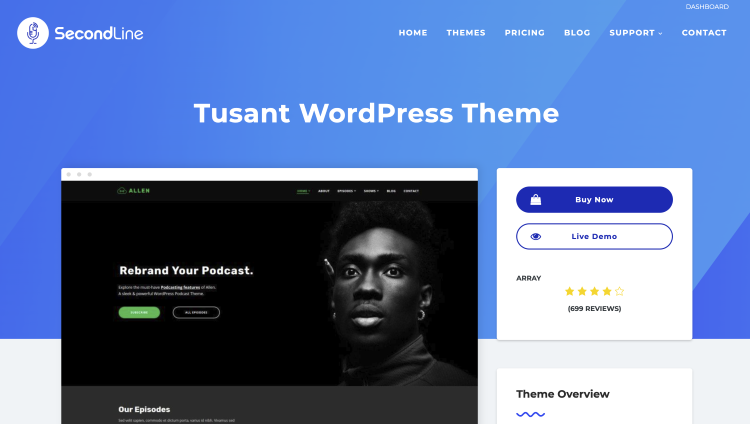
Best for: Serious podcasters who want a polished site for solo, interview, or multi-show content.
One of the best podcast WordPress themes, Tusant is built specifically for podcasts and audio creators, with layouts designed around episodes rather than forcing you to squeeze podcast content into a generic blog theme. It also supports major podcasting plugins and external audio sources.
Key features:
- Multiple episode layouts
- Podcast player options
- Audio and video support
- Elementor integration
- Podcast plugin compatibility
- Demo importing
Price: $69
Where to get it: Tusant WordPress Theme
15. Gumbo
Best for: Interview podcasts that want flexible episode layouts and multiple content sources.
Gumbo is one of the best WordPress themes for podcasts because it lets you display episodes in list, grid, or masonry layouts, so your site can look different from the standard “latest episode stacked underneath latest episode” setup.
It also works with popular podcast hosting platforms and WordPress plugins.
Key features:
- Multiple episode layouts
- Elementor integration
- External podcast embeds
- Episode categorization
- Downloadable episodes
- Flexible player placement
Price: $69
Where to get it: Gumbo WordPress Podcast Theme
16. Dixie
Best for: Coaches, authors, and interview hosts who want a branded podcast site with room to sell.
Dixie gives you a podcast-first layout with plenty of control over colors, fonts, episode presentation, and page design. WooCommerce support also makes it useful if your podcast sits alongside books, courses, coaching, or physical products.
Key features:
- Episode slider
- Video support
- WooCommerce integration
- Elementor
- Multiple podcast plugins
- External audio embeds
- SEO and speed optimization
Price: $69
Where to get it: Dixie WordPress Podcast Theme
17. Bolden
Best for: Podcast networks publishing several shows from one website with unlimited podcast episode archive pages.
Bolden is specifically positioned as a WordPress theme for podcasting, so it makes more sense for a company running The Founder Show, The Marketing Show, and The Leadership Show under one roof than for someone with a single weekly podcast.
Key features:
- Multi-show layouts
- Podcast plugin compatibility
- Episode presentation
- Elementor support
- Audio hosting options
- Network-friendly design
Price: $69
Where to get it: Bolden WordPress Theme
18. Satchmo
Best for: Podcasters who want a modern editorial-style website with strong episode presentation.
Satchmo is another podcast-specific theme from SecondLine, giving you a dedicated starting point for episodes, audio, and show content. It’s a good middle ground for creators who want something more designed than a basic WordPress blog.
Key features:
- Podcast layouts
- Audio players
- Elementor support
- Podcast plugin compatibility
- External audio support
- Demo importing
Price: $69
Where to get it: Satchmo WordPress Podcast Theme
19. Megaphone
Best for: Podcast networks, larger shows, and creators who want room for multiple hosts or programs.
Megaphone is built for everything from a personal podcast to a multi-show network or online radio station. It supports a long list of podcast and audio platforms, so you’re not boxed into one hosting setup.
Key features:
- Multiple podcast layouts
- Network support
- Audio streaming
- Platform integrations
- WooCommerce compatibility
- Responsive design
Price: $69
Where to get it: Megaphone WordPress Podcast Theme
20. Roogan
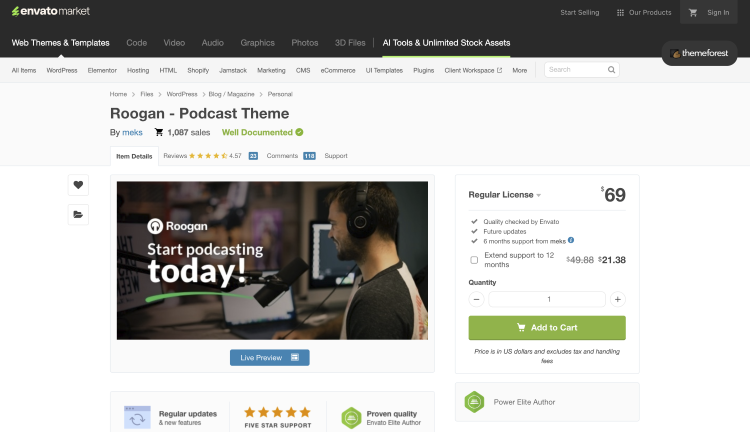
Best for: Designed for podcasters who want a website builder that has YouTube and audio content living together.
Roogan is designed specifically for podcasters and puts a strong focus on podcast content while supporting both audio and video shows. It’s particularly useful if your podcast has become a full media property with YouTube episodes, clips, and written content alongside the audio feed.
Key features:
- Audio and video podcast layouts
- YouTube podcasting layouts
- Podcast-focused homepage designs
- Responsive layouts
Price: $69
Where to get it: Roogan Podcast Theme
21. Episody
Best for: Podcasters who want a sticky player and multiple shows under one WordPress site.
Episody has a serious amount of podcast-specific functionality packed into it, including RSS importing, sticky audio playback, live episode search, playlists, and support for multiple shows. That makes it useful if your podcast operation is getting bigger than a single feed.
Key features:
- RSS import
- Sticky audio player
- Live episode search
- Playlists
- Multiple-show support
- Elementor
- WooCommerce
- Mobile-friendly layouts
Price: $69
Where to get it: Episody Podcast Audio WordPress Theme
22. Castilo
Best for: Creators who want WordPress to handle more of the podcast publishing setup itself.
Castilo is interesting if you want greater control over your website and podcast feed rather than simply using WordPress as a pretty front end. It can generate an RSS feed designed for submission to podcast directories.
Key features:
- Built-in RSS feed generation
- Audio and video support
- Podcast publishing tools
- Gutenberg optimization
- WooCommerce compatibility
- Responsive design
Price: $60
Where to get it: Castilo Audio Podcast WordPress Theme
23. Resonator
Best for: Podcast networks and audio creators who want a highly designed Elementor-based site.
Resonator is built around podcast publishing and includes features aimed at networks and creators running multiple types of audio content. Elementor support also gives you more control if you want to customize your website beyond the original demo.
Key features:
- Podcast network features
- Elementor compatibility
- Audio-focused layouts
- Responsive design
- Episode presentation
- Customizable page sections
Price: $85
Where to get it: Resonator WordPress Theme
What to Look for in Podcast Website Templates (Checklist)
Before you fall for a gorgeous homepage and discover the mobile version looks like it was designed for a calculator, run through this checklist. You’ll want a podcast website template that fits how your podcast actually works.
☐ Podcast-first layout: Episode listings, guest profiles, and show notes should feel native to the design.
☐ Fast performance: Pages should load quickly when someone clicks an episode from a Google search.
☐ Simple customization: You should be able to swap your logo, fonts, colors, and images without touching code.
☐ Plugin compatibility: Check that the theme plays nicely with the podcast, SEO, analytics, and email tools you plan to use.
☐ Room to grow: Leave space for sponsor pages, a newsletter, coaching offers, or other projects you add later.
And if building a whole website sounds like a weekend you’d rather spend recording, Talks can give your podcast a home you can set up in as quick as 5 minutes and find podcast guests even faster.
Top 5 must-have features for a podcast website
Your website has one job: help the right person discover the most popular podcasts on your website and give them an easy reason to stick around. These five features deserve priority when it comes to the looks of your website.
- Prominent play button: Put the latest episode within easy reach instead of making visitors dig through three menus.
- Episode search: Let someone find your conversation with a specific guest without scrolling through 200 episodes.
- Subscribe links: Give listeners direct paths to platforms like Apple Podcasts, Spotify, or YouTube.
- Guest information: Show who’s behind each conversation with useful bios, credentials, and links.
- Clear next step: Give visitors somewhere useful to go after listening, such as your email list, booking page, or latest offer.
(On the other side of the mic? Check out the full guide on how to get booked on podcasts and grab your free podcast one sheet.)
How to Add a Podcast in WordPress
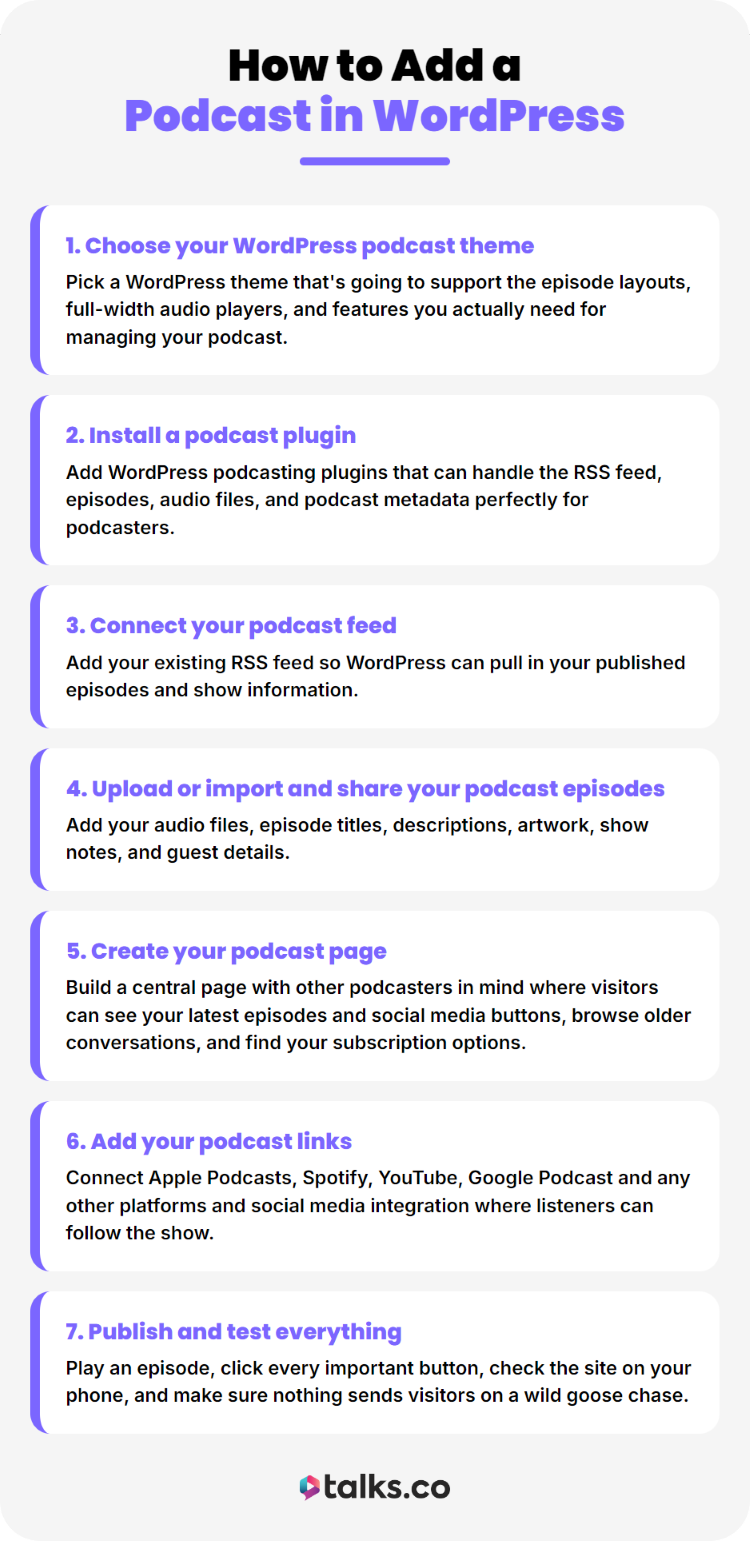
Getting a podcast onto WordPress is pretty straightforward once you’ve got the basic pieces ready. Here’s the order I’d follow for building a website so you can get your show live quickly.
- Choose your WordPress podcast theme: Pick a WordPress theme that’s going to support the episode layouts, full-width audio players, and features you actually need for managing your podcast.
- Install a podcast plugin: Add WordPress podcasting plugins that can handle the RSS feed, episodes, audio files, and podcast metadata perfectly for podcasters.
- Connect your podcast feed: Add your existing RSS feed so WordPress can pull in your published episodes and show information.
- Upload or import and share your podcast episodes: Add your audio files, episode titles, descriptions, artwork, show notes, and guest details.
- Create your podcast page: Build a central page with other podcasters in mind where visitors can see your latest episodes and social media buttons, browse older conversations, and find your subscription options.
- Add your podcast links: Connect Apple Podcasts, Spotify, YouTube, Google Podcast and any other platforms and social media integration where listeners can follow the show.
- Publish and test everything: Play an episode, click every important button, check the site on your phone, and make sure nothing sends visitors on a wild goose chase.
Your Podcast Site Is Ready. Are You?
You’ve picked the beautiful WordPress podcast template that best suits you and you’ve finally got your episodes live, plus your homepage looks sharp.
Now comes the part that can actually put your name in front of more people after you create your podcast website.
Talks matches you with podcast hosts and guests in your niche, so you can find relevant shows without spending every Tuesday night Googling “podcasts that interview coaches.”
Create your profile for free, check your matches, and start making connections.
Your next great podcast opportunity could already be waiting.