

You’ve written your speech, you know your topic inside out, and you’re ready to take the stage. But pitching to hosts is not exactly the easiest thing in the world to do.
If only there were a tool that could tell event organizers exactly who you are and why they need you…
That’s where a speaker one sheet comes in. Think of it as your menu for potential clients, a snapshot that sells your expertise before you even say a word.
If you’re just starting out and planning to make one, you don’t have to worry about starting from scratch.
I listed 11 top speaker one sheet template examples you can customize. Each one has its own unique design and components to help you emphasize your strengths.
Whether you’re pitching to a conference or a popular podcast show, these templates will help you get noticed and secure speaking engagements.
What Is a Speaker One Sheet?
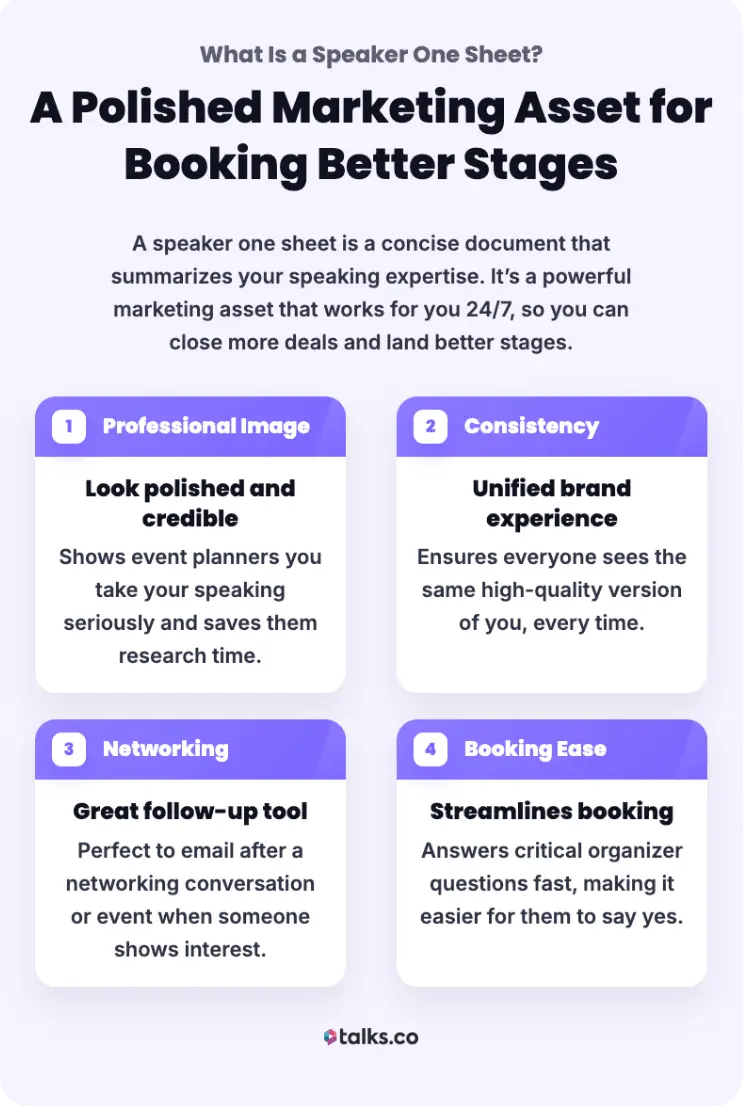
A speaker one sheet is a professional resume for speakers. It’s a single-page document (sometimes two) that summarizes your speaking topics, bio, and credentials in a visually appealing way.
Why do you need a speaker one sheet? Because event planners are busy. They don’t have time to scroll through your website or watch an hour-long video just to figure out what you talk about.
A well-designed speaker one sheet gives them everything they need to make a quick decision.
What is the purpose of a speaker one sheet?
The main goal of a speaker one sheet is to market your speaking services efficiently.
- Communicates your value: It establishes your credibility and makes it easy for an organizer to see if you’re a good fit for their audience.
- Serves as a powerful sales tool: You can email this to potential clients, hand it out a networking events, or upload it as part of your media kit.
- Answers key questions: Compiling important information into one piece of marketing collateral shows professionalism and respect for the planner’s time.
Simply, your speaker one sheet acts as your first impression and proves you are a pro who is easy to work with.
What is a guest speaker information sheet?
Another term you’d hear about is a guest speaker information sheet.
- A guest speaker information sheet is more administrative. It’s a form that an event planner asks you to fill out after you’ve been booked, collecting logistics like your AV requirements or dietary restrictions.
- Your speaker one sheet is a marketing asset to get booked. It focuses on pitching your speaking skills and expertise.
11 Speaker One Page Template Examples
Creating a speaker one sheet from scratch can feel overwhelming, especially if you don’t have a design background.
Good news is you don’t have to reinvent the wheel. Using a template can save you hours of frustration and make sure your final product looks sleek and professional.
Here’s a list of 11 excellent examples and templates to help you create a speaker one sheet that stands out.
Speaker one sheet template free
If you are just starting your speaking business and have a limited budget, these free options are a great starting point.
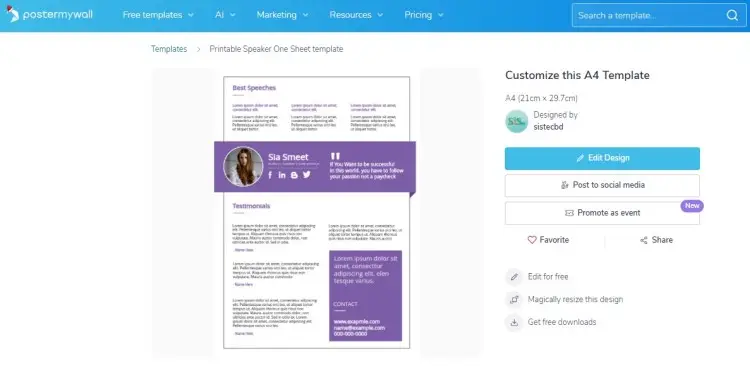
- Printable Speaker One Sheet (A4 Template): This template highlights your best speeches and client testimonials. Unlike traditional speaker sheets, it starts with your popular quotes, so organizers immediately get a sense of what you do.
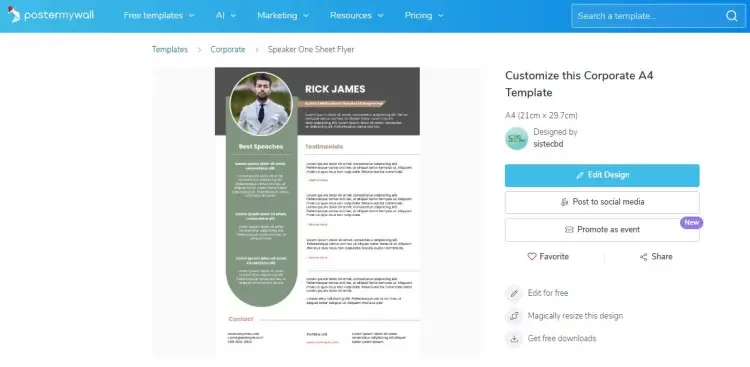
- Speaker One Sheet Flyer (Corporate A4 Template): Follows the familiar resume layout, including your headshot, name, title, and short bio on top. Also has a section for client testimonials and your contact details.
- Professional Services Flyer (US Letter) Template: Uses a three-color palette to capture attention while still looking professional. Includes logos to social media, which you can use as hyperlinks if you create an interactive PDF.
Speaker one sheet PDF
Customize and download these templates as PDF so you can easily email and share them.
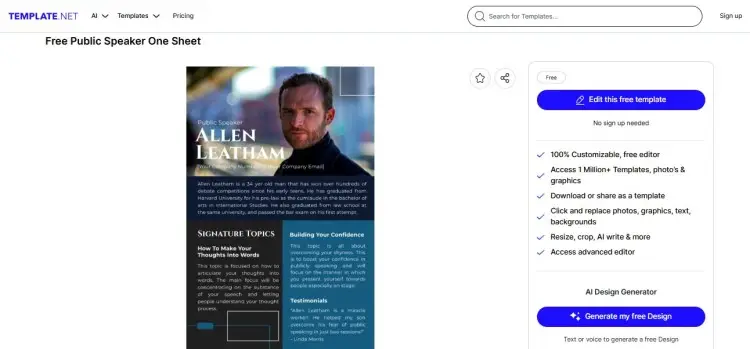
- Free Public Speaker One Sheet: This one-page full-color template captures attention with a professional headshot, immediate placement of the bio, and a section for signature topics.
- One-Page Professional Speaker Sheet: Provide extensive information on just one page. List your core competencies, speaking topics, rates, bio, previous appearances, and much more.
Speaker one sheet template Word document
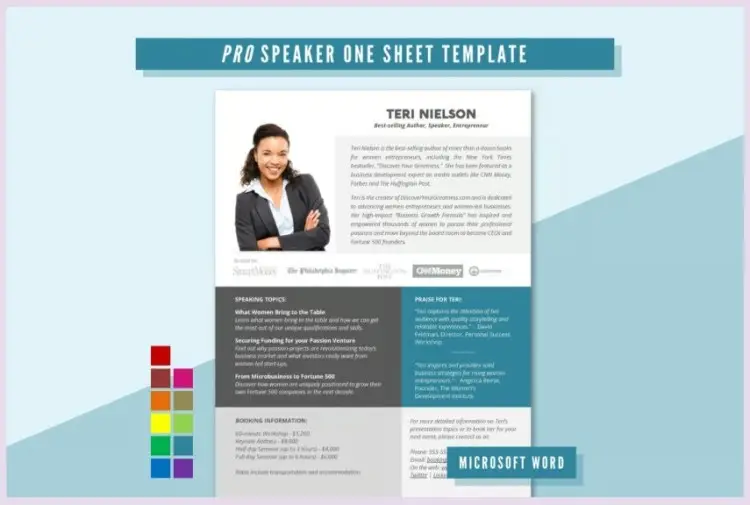
For those who prefer working in a familiar environment, a Word template is a solid choice.
- Marketecs speaker one sheet template: If you don’t have the resources to hire your own designer, you can download this template to highlight your credentials and reviews. It’s editable via Word or PDF. You need to share your email address to download the template.
- PRO Speaker One-Sheet Template: With a modern and professional polish, this template helps you highlight your professional bio, speaking topics with summaries, testimonials, rates, and contact info. If you want to customize this, it costs $28 per download.
Speaker one sheet template on Canva
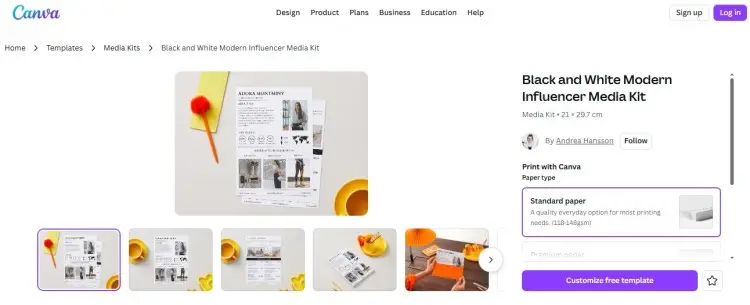
Canva is one of the best tools for creating a visually stunning speaker one sheet without needing a degree in graphic design.
Here are some good examples to simply but effectively represent your brand:
- Blush Modern Speaker Coach Press Media Kit: This template is perfect for coaches looking to get in front of new audiences. It doubles as a coaching media kit to showcase your signature topics, key metrics, and coaching services.
- Neutral Pink Speaker and Coach Media Kit: Customize this template to reflect your experience, results, client testimonials, and collaboration package. While you provide straightforward information, its warm design makes you seem approachable.
- Black and White Modern Influencer Media Kit: This minimalist design keeps things modern and clean while using photos and graphics to show your experience.
- Grey and Brown Minimalist Logline One-Pager Document: Use this one-page speaker sheet to pitch one possible episode angle or topic. You start with a strong logline and elaborate on the themes and uniqueness.
5 Best Speaker One sheet Examples
A good speaker knows that their one sheet is an extension of their brand. If you’re ready to dive in, here are good speaker one sheet examples to spark inspiration for your own design.
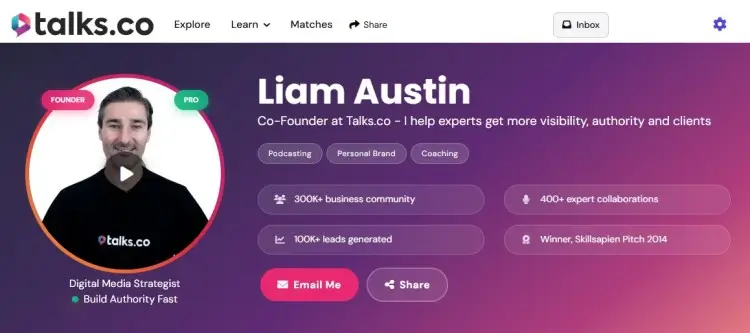
- Liam Austin: I designed my digital speaker one sheet for business and tech podcasts, highlighting my experience in digital media, entrepreneurship, and virtual events. This doubles as my Talks creator profile, so anyone who visits the link can listen to previous guest appearances and book me directly.
- Sarah Thorslund: Sarah’s speaker sheet positions her as a growth expert, helping hundreds of clients grow their businesses with virtual events and high-ticket coaching programs.
- Neen James: She prepared a multi-page speaker kit with professional photos, client testimonials, company logos, and contact details. She dives deep into her two signature topics, Attention Pays and Folding time.
- Chandler Bolt: His speaker kit features powerful action shots and quotes. He also starts with a clear and strong tagline that underscores his value: “Helping people go from blank page to published author in 90 days.”
- Lindsay Pinchuk: This simple one-page example shows the importance of giving information quickly. The design is simple because it focuses on the keynote proposal, abstract, learning objectives, and references.
The common trait of good one sheets? Clarity. They don’t make the reader guess. The contact information is easy to find, the value proposition is clear, and the design is professional.
How to Use a Speaker One Sheet Template
Picked out a template? Your next step is to use it for your speaking gigs. Here’s a practical guide to use and maximize your speaker one sheet templates:
- Customize it for the gig: Instead of a generic version, personalize your template for specific opportunities. If you’re pitching to a podcast, emphasize your conversational skills and specific interview topics.
- Send it as a PDF: If you’re emailing your sheet, save it as a finalized PDF. Sending a Word document or an open design file can look unprofessional and might result in formatting errors on the receiver’s end.
- Follow up: Sending a message is just the first step. Check in with the organizer or host to make sure they received it and ask if they need any other info.
- Integrate with your media kit: Your one sheet should be part of your marketing tools. Include it in your digital media kit with your high-res photos and podcast guesting requirements.
- Leverage digital platforms: You can use your one sheet to get booked on podcasts by attaching it to your emails or podcast guest application. Podcast hosts love seeing a concise summary of what you can bring to the table.
How to Create a Speaker One Sheet
Ready to book your next speaking gig? Start by building your own speaker one sheet to make it easier to pitch to even the most popular podcasts.
If you’re starting from scratch, follow this simple roadmap and produce your speaker kit without any fuss.
1. Start with a strong headshot
Your headshot is likely the first thing people will see. This helps them visualize you as part of their lineup and get to the person behind the credentials.
- Keep your photos high-quality and professional.
- Avoid selfies or cropped photos with messy backgrounds.
- If possible, include an action shot of you speaking to show your speaking experience.
2. Craft a compelling bio
Your bio shouldn’t just be a list of dates and job titles. It should tell a story about who you are and why you are the expert they need.
- Communicate your value immediately.
- Start with a one-sentence tagline to summarize what you offer.
- Highlight your best experiences (e.g., being an emcee for an international summit).
- Keep it concise, about one to three paragraphs max.
- Link it to a longer version on your website if needed.
3. List your speaking topics
This is the meat of your sheet. Let hosts and organizers know what signature topics you speak about.
- List three to five key topics or presentation titles.
- Add a brief one to two sentence description for each so the event planner understands the takeaway for the audience.
- Personalize your topics to your target audience (e.g., leadership for corporate executives).
4. Include social proof
Nothing builds trust like a testimonial or two. Include quotes from past clients or influential figures in your industry.
If you have logos of big companies you’ve worked with, add those too. This social proof validates your speaking skills and builds trust.
5. Make your contact info obvious
Don’t make them hunt for a way to hire you. Put your email address, phone number, and website in a prominent spot, usually the header or footer.
If you’re using a digital version, make these links clickable to make it easy for them to take action.
6. Use a platform like Talks.co
If design isn’t your forte, or you want to streamline the process, consider creating a profile on Talks.co.
- Simple way to professionalize your presence without wrestling with design software.
- Acts like a digital speaker one sheet that’s always up to date.
- List your speaking topics, upload your bio, and even get bookings directly.
- Creating a profile on Talks helps you gain visibility among podcast hosts and event organizers who are actively looking for guests.
Book Your Next Gig Easily
If you want to grow your public speaking career, using a speaker one sheet template helps you win over pitches and scale your practice.
Go digital and create your speaker one sheet on Talks.
Signing up for a free Creators profile creates a public landing page that hosts your experiences and gets you booked on podcasts.
- Personalized link: Get your own custom URL to share on social media and your website.
- Embedded media: Videos and audio of your previous guestings are playable on the platform.
- Direct booking: Interested hosts can message you via Talks so you can confirm and record quickly.
Yes! I Want to Sign Up and Create My Speaker Profile!


