

You have something worth saying. A podcast is how you say it to thousands of people at once without a publicist, a media deal, or a massive following to get started.
Whether you’re a coach, consultant, speaker, or entrepreneur, a podcast builds the kind of authority that no Instagram post ever will.
And the barrier to entry in 2026 is lower than it has ever been.
How to Start a Podcast for Beginners
Before you hit record, you need a clear picture of what the journey looks like from concept to published episode. That means knowing the steps, the gear, and the software so nothing catches you off guard halfway through.
What is the best way to start a podcast for beginners?
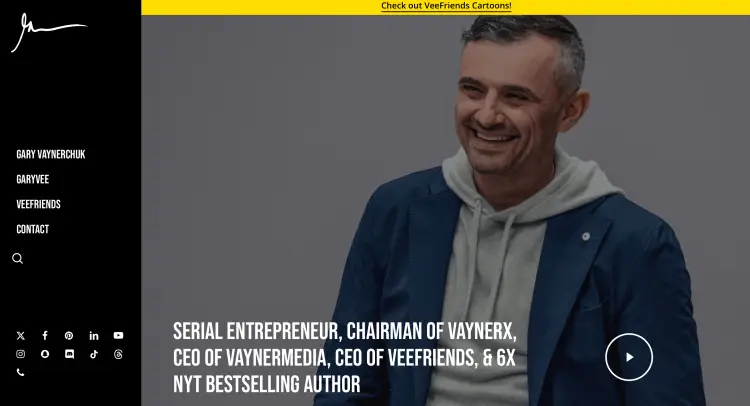
The best way to start a podcast is to play into your strengths. Be authentic and do what you do well, like talking about your expertise and frameworks.
Many top podcasters succeeded by focusing on what they do best:
- Gary Vaynerchuk discusses his passions for business and marketing.
- Brene Brown shared her vulnerability research.
- Joe Rogan interviewed with genuine curiosity.
What is the easiest way to start a podcast?
The easiest way to start a podcast is to use what you already have on hand. Going the simple route removes excuses and builds momentum.
- Use your gear: Start with your smartphone and computer.
- Try free apps: Record and edit basic audio and video with straightforward, easy-to-use software.
- Do a test run: Produce a few episodes first and see if you enjoy the process.
How to start a podcast step by step
Launching your first podcast moves through these seven phases:
- Define your concept: Lock in your topic, audience, format, and purpose. Pick a name worth remembering.
- Prepare your setup: Get a mic and headphones. Choose your recording and editing tools.
- Create your branding: Design cover art and write a description that makes someone stop scrolling.
- Record episodes: Sit down with a clear outline and start talking.
- Edit your audio: Clean up the noise, add music, and tighten the pacing.
- Upload and distribute: Choose a hosting platform and get listed on Apple Podcasts and Spotify.
- Market your show: Use social media, email, and every channel available to you.
How to start a podcast (Checklist)
Check off these essentials before you launch:
☐ Unique podcast name (available as a social media handle and domain)
☐ Podcast cover art (3000×3000 pixels)
☐ Microphone and headphones (plus a camera for video podcasts)
☐ Podcast studio or quiet home recording space
☐ Podcast recording programs
☐ Podcast editing software
☐ Royalty-free music
☐ Podcast hosting service
How to Get Started with a Podcast
Starting the planning phase correctly sets up your entire show for success.
During this stage, you brainstorm your idea, lock in your topic, name your show, and identify exactly who you’re talking to.
Let me walk you through the thinking work that comes before you even touch a microphone.
How to start a podcast guide
Brainstorming’s where your podcast idea takes shape. Use these tips to develop a strong concept that keeps you excited and attracts listeners.
- Research existing podcasts: Look at shows in your niche to see what gaps you can fill.
- Define your “why”: Know the main reason you want to start a podcast and what you hope to achieve.
- Think about your audience’s pain points: Define what problems your show could solve for them.
- Gain perspective: Ask friends, family, and colleagues what topics they want to hear you discuss.
- Look at trends: Check search terms related to your niche using Google Trends and Reddit.
Starting a podcast (Checklist)
Use this checklist during the brainstorming phase to organize your ideas and cover all bases.
☐ Main podcast theme and sub-topics
☐ Target listener profile (e.g., age, profession, interests, challenges)
☐ Unique hook
☐ Podcast description
☐ Production and posting schedule
☐ Guest or co-host candidates
☐ Tone of your show (e.g., professional, casual, educational, entertaining)
How to Start a Podcast Show
Once you have your concept locked in, it’s time to actually produce your episodes. Here’s how to structure individual episodes, write scripts, and record conversations with guests or solo.
The goal is to move from planning to execution and start creating good audio content.
How to start a podcast episode
Creating a strong podcast episode follows a specific structure that keeps listeners engaged. Here’s how you structure a podcast episode from start to finish:
- Hook: Start with an interesting question or a surprising fact.
- Introduction (30-60 seconds): Tell listeners what your show’s about and why it matters to them.
- Intro music: Play your signature track.
- Deliver your main content (20-40 minutes): Share value, tell stories, and discuss with your guest.
- Call to action: Ask listeners to subscribe, leave a review, share the episode, or visit your website.
- Outro music: Play your outro track to signal the episode is ending
- Thank listeners: End on a good note and announce the next episode.
How to start a podcast script using the Talks podcast script generator
Staring at a blank page before recording is how most people lose an hour before they’ve said a single word. The Talks Podcast Script Generator removes that entirely.
Drop in your episode topic, choose your format (solo, co-hosted, or guest interview), and it builds a ready-to-use script in seconds.
Type in something like “how to build your life coaching brand without social media marketing experience,” select your show format, and you get a fully structured episode complete with an intro, key talking points, and a closing that wraps the conversation naturally.
From there:
- Trim it down: Pull out the points that matter most and cut anything that doesn’t add value for your specific audience.
- Make it yours: Swap generic language for your own voice, examples, and client stories.
- Time it out loud: Read through it and make sure it fits your target episode length before you hit record.
Check out podcast script templates you can adapt for your own show for extra structure and support.
How to start a podcast conversation
Recording with a guest or co-host? Here’s how to structure and record your podcast with another person.
- Do a tech check: Connect a few minutes early to test audio and video.
- Ask questions: Follow your outline, but be flexible enough to follow interesting tangents.
- Listen actively: Pay attention to what your guest says and ask follow-up questions.
- Pause when needed: Don’t fill every quiet moment. Let your guest think and answer fully before you move on.
- Wrap it up: Thank your guest and ask them how listeners can find them.
How to Start a Podcast Equipment List
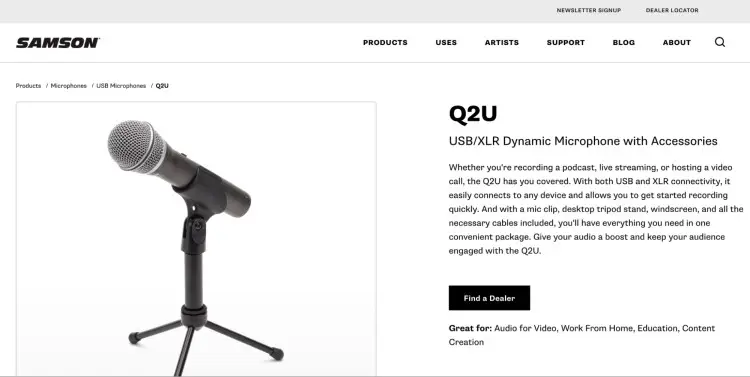
The right gear makes a real difference in audio quality and your listeners will notice within 30 seconds whether yours is worth staying for.
- Microphone: The Samson Q2U mic is an excellent beginner choice that plugs directly into your computer.
- Headphones: Use wired over-the-ear headphones like the Audio-Technica ATH-M20x to monitor your audio while recording.
- Audio interface: Using an XLR mic? A Focusrite Scarlett 2i2 connects it cleanly to your computer.
- Pop filter: A basic foam screen eliminates plosive sounds and costs almost nothing.
- Microphone stand or boom arm: The RODE PSA1 Boom Arm keeps your mic steady and your hands free. A tabletop stand works too.
How to start an audio podcast for beginners with the right microphone type
Choosing the right microphone type matters more than choosing the most expensive one.
- Dynamic: Rejects background noise and built for podcasting environments. The Shure SM7B is the industry standard.
- Condenser: Picks up a wider frequency range, best for treated recording spaces.
- USB: Plug-and-play simplicity, perfect for beginners. The Blue Yeti is a popular starting point.
- Lavalier: Clips to your collar and works well for video podcasts or when you need to move around.
- Headset: Mic and headphones in one, ideal for remote interviews.
How to Podcast for Beginners
Many people feel unsure about the idea of podcasting. That’s why addressing common misconceptions and pushing past them is a good place to start.
I’ll also show you strategies to grow your audience from the ground up and share the traits every podcaster needs to succeed.
How to start a podcast from the beginning
Let’s bust some common podcasting myths, so you can start confidently.
| Myth | Reality |
|---|---|
| You need expensive equipment to sound professional | A budget microphone and free editing software produce good-quality audio for less than $100. |
| You need thousands of listeners to make money | Some podcasters monetize with just a few hundred listeners through affiliate marketing or community support. |
| You need a big social media following to launch a podcast. | A podcast can be your first platform. Then go to social media later. |
| Podcasting takes too much time. | Many podcasters record four to eight episodes in a day and release them over weeks or months. |
| You need to sound like a professional radio host. | Listeners prefer authentic, conversational hosts. |
How to start a podcast from scratch
The podcasters who stick around long enough to build something real share these qualities:
- Consistency: A predictable publishing schedule gives your audience a reason to come back.
- Curiosity: Genuine enthusiasm for your topic comes through in every episode and keeps listeners engaged.
- Authenticity: People listen to podcasts because they want a real human voice, not a brand spokesperson.
- Patience: Most podcasts need 50-100 episodes before momentum becomes visible. Commit to the long game.
- Willingness to learn: Every episode makes you a better host than you were the one before.
How to start a podcast with no audience
Here’s how you can grow your podcast from zero and build an audience:
- Create social media clips: Extract 30-90 seconds from your episodes and share them on Instagram, TikTok, and YouTube.
- Invite guests: Guests share the episode with their audience, bringing you new listeners.
- Guest on other podcasts: Reach out to other shows and pitch yourself as a guest to get in front of other audiences.
- Ask for reviews: At the end of each episode, ask listeners to leave a review on Apple Podcasts or Spotify to increase your ranking in searches.
- Optimize your show notes: Use keywords and hashtags related to your topic, so search engines find you easily.
How to Set Up a Podcast for Free
If you’re not sure whether podcasting is right for you, or if you are on a tight budget, don’t fret. You can absolutely start a podcast for free.
Let’s talk about exactly how you can do it without spending any money.
How to start a podcast with no money
Here’s a step-by-step guide to get your podcast off the ground for zero cost:
- Record: Use the voice recorder app already on your smartphone.
- Edit: Download Audacity or GarageBand for free.
- Music: Source royalty-free tracks from Pixabay or Bensound at no cost.
- Cover art: Design it in minutes using Canva’s free templates.
- Host and distribute: Spotify for Creators is free and pushes your show to major directories automatically.
- Grow: Build your audience organically on Instagram, Facebook, TikTok, and X.
How to start a podcast without equipment
You can still produce a podcast without fancy equipment.
- Built-in recorder: A smartphone or laptop mic is enough to get your first episodes out.
- Soundproofing: Blankets, curtains, and towels hung over hard surfaces reduce echo better than most people expect.
- Recording space: A closet, bathroom, or carpeted bedroom absorbs sound naturally and costs nothing to set up.
- Mobile editing: Apps like Riverside and Podbean polish audio directly on your phone, no desktop required.
How to Start a Podcast with Video
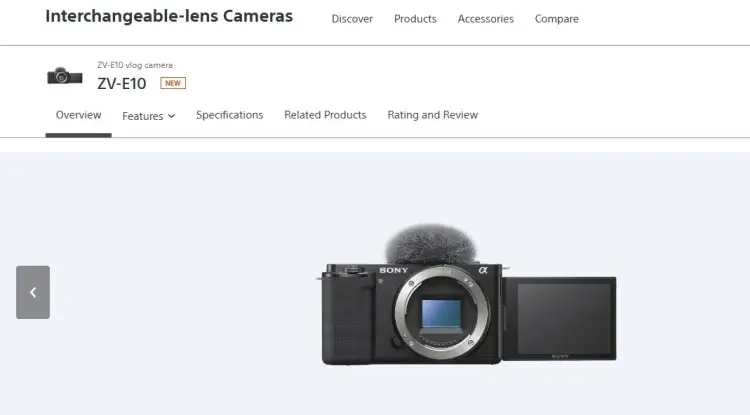
When you have video, people can watch your episodes instead of just listening. But that comes with extra gear:
- Camera: Start with a laptop webcam or go with pro options like Sony ZV-E10 and Canon EOS M50 Mark II.
- Lighting: Ring lights dramatically improve how you look on camera.
- Video editing tools: Use free tools like CapCut or iMovie, or professional options like Adobe Premiere Pro.
How to start a podcast video
Creating a video podcast from scratch follows a similar process to audio, but with extra steps for visuals.
- Set your background: Choose a clean, distraction-free space that fits your show’s vibe so viewers focus on you.
- Fix your lighting: Place a light in front of you to clearly light your face and avoid shadows that make the video look low quality.
- Position your camera: Keep it at eye level so it feels natural and direct, like a real conversation.
- Record with structure: Follow a simple outline so you stay on track and finish with a clear call to action.
- Edit the footage: Cut mistakes, tighten pacing, and add basic elements like captions or simple graphics.
- Export your video: Save it as an MP4 so it’s ready to upload across platforms.
How to make a podcast video
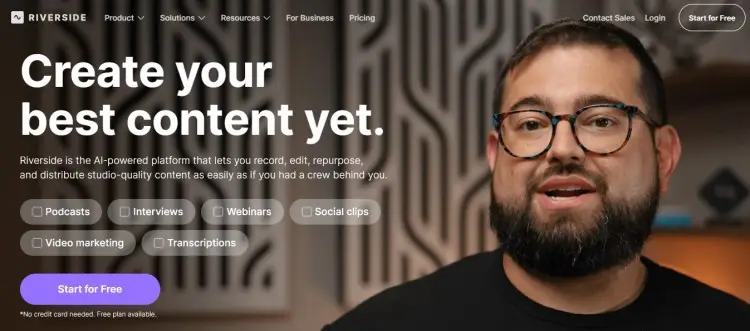
Follow these tips to turn your long episodes into viral podcast clips on social media:
- Find quotes: Mark any statements or stories that stand out as you edit.
- Add captions: Use tools like CapCut or Riverside to automatically generate captions so people can read what you’re saying.
- Brand your content: Include your show’s logo or name, so viewers remember you.
- Add sounds: Use background music at a low volume or effects to make the clip more engaging.
- Track what works: Note which clips get the most engagement and create more content like that.
How to Start a Podcast for Beginners on a Phone
Your smartphone is a complete mobile podcast studio in itself. You can record, edit, and publish entirely from your phone if you need to.
Let’s talk about everything you need to know about using just your mobile device to get started.
How to start a podcast with your phone
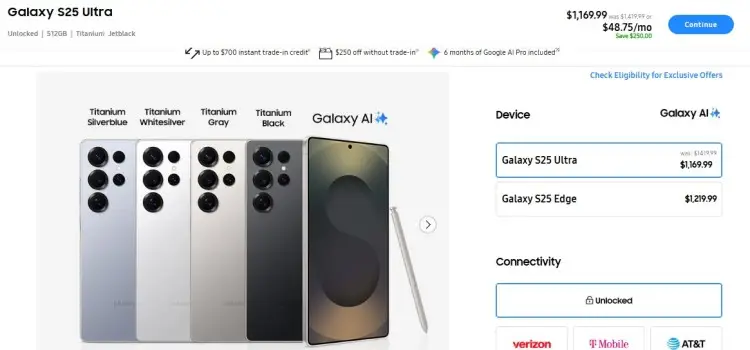
If you’re buying a phone specifically to record podcasts, explore these recommendations:
- iPhone 15 Pro Max: Excellent microphone, fast processor for editing, and native support for professional recording apps.
- Samsung Galaxy S24 Ultra: Outstanding audio recording and top-tier video quality.
- Google Pixel 9 Pro: Best-in-class audio processing and AI-powered noise reduction.
- OnePlus 13: Reliable performance for recording and editing at a mid-range price point.
How to start a podcast from your phone
These apps let you record, edit, and publish your podcast entirely from your mobile device.
- Riverside.fm: Excellent for high-quality remote interviews, local recording, and easy editing on mobile.
- Spreaker: Professional podcast creation and distribution app with free and paid plans.
- Podbean: Full-featured app for recording, editing, and publishing. Offers storage and analytics even on the free plan.
How to start a podcast using your phone
If you use an Android phone, follow these steps to record a quality podcast.
- Position your phone: Keep it 6-8 inches from your mouth so your voice comes through clearly without distortion.
- Test your audio: Record 30 seconds and play it back to catch any issues before committing to a full episode.
- Control your delivery: Speak clearly and keep your volume steady so listeners don’t have to adjust constantly.
- Pace your recording: Pause between thoughts to keep things natural and easier to edit later.
- Save your file properly: Use a clear filename with the episode number and title so you stay organized.
How to start a podcast with just an iPhone
Here’s how to record a quality show using an iPhone:
- Use Voice Memos: Open the built-in app for a quick, reliable way to record without extra setup.
- Set your phone position: Place it on a stand or prop it up about 6 inches from your mouth for stable audio.
- Watch your levels: Keep an eye on audio levels so they stay balanced and don’t peak or drop too low.
- Record in segments: Pause and resume within the same file to keep everything organized and easy to edit later.
How to Start a Podcast by Yourself
Running a solo podcast gives you full control over the direction, tone, and pace of your show. Every decision is yours, from the topics you cover to how each episode flows.
It also means you’re responsible for keeping things engaging on your own, so having a simple recording and production rhythm matters more than anything.
What do I need to start a podcast at home?
If you’re starting at home by yourself, the simplest setup already works:
- Microphone ($70-400 depending on quality)
- Headphones ($30-100)
- Mic desk stand
- Computer or laptop for editing
- Editing software (free plans)
How to start a podcast at home
Follow these tips to build a proper podcast home setup:
- Choose your recording space: Pick a room with soft furnishings like carpet and curtains to absorb sound, and check for background noise from traffic, neighbors, or appliances.
- Set up your equipment: Plug your microphone into your computer or recording device and confirm it’s picking up your voice clearly.
- Run a quick sound check: Record a short test, listen back, and adjust positioning or settings to reduce plosives and uneven audio.
- Control your environment: Turn off notifications, close extra tabs, and let people at home know you’re recording so you don’t get interrupted.
How to Start a Podcast with Friends
Starting a podcast with friends changes the dynamic straight away. Conversations feel more relaxed, ideas flow faster, and there’s built-in chemistry you can’t really fake.
The setup just needs to support that energy, whether you’re recording in the same room or dialing in from different places.
How to start a podcast with your friends
If you’re recording with multiple people in the same room, follow these tips:
- Pick a time when everyone can meet and commit at least two to three hours for recording.
- Each person should have their own microphone if possible, recording on separate tracks.
- Arrange seating in a circle or around a table so everyone can speak naturally and be heard.
- Make space for all voices and avoid one person dominating the conversation.
How to start a podcast with someone far away
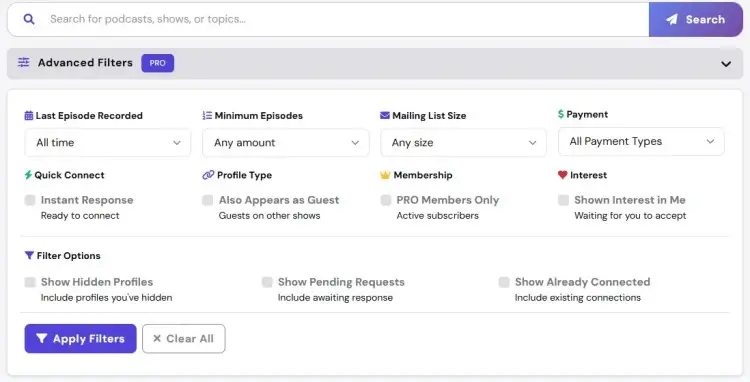
Recording a podcast with someone in a different location requires a different kind of prep:
- Find podcast guests through reliable guest matching platforms like Talks.co.
- Use a podcast recording program like SquadCast and Zencastr, or a familiar video conferencing tool like Zoom.
- Invite your guest to join your recording session with a guest link.
- Do a tech test to make sure audio and video are working for both of you.
- Chat for a minute before jumping into your prepared questions.
How to Start a Podcast on Apple and Spotify
Apple Podcasts and Spotify are the two biggest directories where people discover and listen to podcasts. Getting your show listed on both platforms can put you in front of millions of listeners.
Here are the exact steps for showing up on each one.
How to start a podcast on Apple
Upload your podcast to Apple Podcasts following these steps:
- Create a podcast hosting account using a service like Buzzsprout to host your audio files.
- Log in to your hosting platform and drag your audio files into the dashboard.
- Write your episode title, description, and show notes for each episode.
- Generate your RSS feed that contains all your podcast information.
- Go to Apple Podcasts Connect and log in with your Apple ID.
- Select the option to add a new podcast to your account.
- Copy your RSS feed URL from your hosting platform and paste it into Apple Podcasts Connect.
- Upload your podcast cover art if Apple didn’t automatically pull it from your feed.
- Review everything and click Submit. Apple typically approves new podcasts within 24-48 hours.
How to start a podcast for free on Apple
Getting your podcast on Apple Podcasts doesn’t cost anything. Here are tips to do it at no expense:
- Use a free podcast hosting service that automatically submits to Apple Podcasts.
- Apple Podcasts Connect, the tool for submitting to Apple, is completely free.
- Creating your podcast artwork can be done for free using Canva.
- Recording and editing software like Audacity and GarageBand are free.
How to start a podcast channel on Spotify
Follow these steps to set up your Spotify account as a podcaster:
- Go to Spotify for Creators and log in or create an account.
- Click Create a Podcast.
- Choose your distribution method (e.g., upload directly to Spotify or submit via your hosting platform’s RSS feed).
- Fill in your podcast name, description, artwork, and category.
- Provide your email and website so Spotify can contact you if needed.
- Review and agree to Spotify’s podcaster agreement.
- Verify your account via email address.
How to start a podcast on Spotify
Using Spotify’s dedicated podcaster tool makes uploading and managing new episodes easy.
- Click on your podcast on Spotify Creators.
- Click the Episodes tab to see all your released and scheduled episodes.
- Click Add Episode.
- Drag your MP3 or WAV file into the upload area.
- Write a clear title and description for your episode.
- Set your release date.
- Schedule or publish your episode.
- Review all information and submit your episode.
How to start a podcast with Spotify
If you use another podcast hosting platform, here’s how to upload your show to Spotify:
- Copy your podcast RSS feed URL from your hosting platform’s settings.
- Go to Spotify for Creators and log in.
- Click Submit Your Podcast.
- Paste your feed URL into the designated field.
- Spotify checks your feed’s format and that it contains at least one episode.
- Add your show’s artwork, description, and any other missing information.
- Read and agree to Spotify’s podcaster terms.
- Spotify usually approves new submissions within a few hours.
- Once approved, your new episodes will automatically appear on Spotify within 24 hours of publishing on your hosting platform.
How to start a podcast for free on Spotify
Uploading your podcast to Spotify costs nothing. Here are ways to keep your costs at zero:
- Spotify for Creators is completely free and includes distribution to Spotify and Apple Podcasts.
- Other free hosting options, like Podbean’s free plan, also include Spotify distribution.
- Recording with free software like Audacity or using your phone’s voice recorder costs nothing.
- Canva’s free plan lets you design podcast cover art at no cost.
- Uploading to Spotify itself is free. You only pay for the hosting service if you upgrade to premium features.
How to Start a YouTube Podcast for Beginners
YouTube is the second-largest search engine in the world and has become one of the main places people discover podcasts, especially when there’s a visual element to go with the conversation.
Adding video when you launch your YouTube podcast opens up more reach, but it also means thinking about lighting, framing, and how your content looks on screen, not just how it sounds.
How to start a podcast on YouTube
Here’s how to prepare for uploading your podcast to YouTube:
- Define your audience: Know exactly who will be watching your YouTube podcast and what they want to learn.
- Decide on your format: Will your YouTube show be just an audio file with static artwork, or will you record with a webcam showing your face?
- Create your channel’s branding: Design a channel banner, description and profile picture.
- Plan your schedule: Decide how often you will post new episodes (e.g., weekly, bi-weekly).
- Design your thumbnails: Plan simple, eye-catching designs for each episode.
- Create a content calendar: Map out your first 10-20 episodes so you have a clear roadmap.
How to start a podcast YouTube channel
Creating a YouTube channel for your podcast takes just a few minutes.
- Go to YouTube and log in to your Google account.
- Click the circular icon in the top-right corner of the screen.
- Select Create a Channel.
- Name your channel, preferably the same as your podcast name.
- Complete your profile with channel art and links to your website and social media.
- Review everything and save your channel.
How to start a podcast channel on YouTube
If you already have YouTube videos, you can organize them into a playlist that’s like a podcast channel.
- Go to your YouTube channel and click Create a Playlist.
- Name it after your podcast show and then write a description.
- Set the playlist to public so anyone can find and subscribe to it.
- Click Add Videos and select all your podcast episodes.
- Order your videos from newest to oldest so new viewers see the latest content first.
How to make a podcast for YouTube
Uploading new episodes from scratch? Follow these steps:
- Click the camera icon with a plus sign at the top of YouTube.
- Choose your video file (MP4) from your computer or phone.
- Write an intriguing title that includes your podcast name and the episode topic.
- Write show notes, guest bios, timestamps, and links to resources mentioned in the episode.
- Upload a custom thumbnail or choose one automatically generated by YouTube.
- Set the video to Public, Unlisted, or Private.
- Decide if you’ll schedule the video to go live at a specific time or publish it immediately.
- Include hashtags related to your podcast topic to improve discoverability.
- If you have already created a podcast playlist, add the episode to it.
- Click Publish to make the episode live on YouTube.
How to make a podcast on YouTube for beginners
Engaging on YouTube is what turns your beginner show into a crowd favorite.
- Respond to comments: Reply quickly and thoughtfully to build community.
- Ask questions: Encourage interaction by asking questions in your video.
- Pin the best comments: Highlight interesting comments by pinning them to the top.
- Create community posts: Use YouTube’s Community tab to share behind-the-scenes content and updates.
- Go live: Use YouTube Live to do Q&A sessions or preview upcoming episodes with your audience.
- Cross-promote: Tell viewers to follow you on Instagram, Twitter, and other platforms.
How to start a podcast for free on YouTube
Uploading videos to YouTube is completely free. Here’s what you need to know:
- YouTube is free to use. No subscription or fees required to upload podcasts.
- You only pay for the tools you use to create content (e.g., microphone, editing software, etc.).
- YouTube provides free hosting and unlimited storage for your videos.
- You can start monetizing once you hit 1,000 subscribers and 4,000 watch hours.
- Free video editing software like iMovie or CapCut works well for creating YouTube podcasts.
How to Create a Podcast for Beginners on Different Platforms
Not every listener is on the same platform, and where you publish can shape how your podcast grows. Some platforms lean more casual and social, while others are built for long-form listening.
Choosing where to show up depends on how you want people to find, consume, and interact with your content.
How to start a podcast on Discord
Discord is popular for building communities around your podcast. You can host voice channels where you do live sessions, discuss episodes, and connect with fans.
- Create a Discord server.
- Name your server as your podcast name.
- Set up different text and voice channels (e.g., one for podcast announcements, one for discussion, one for guest appearances).
- Share your Discord link on social media and in your podcast description to invite listeners.
- Use Discord’s voice channels to do live Q&A sessions or bonus content for your community.
- Post links to new episodes in your announcement channel when they launch.
- Moderate the community. Keep discussions respectful and on-topic.
- Give roles or badges to active members to encourage engagement.
How to start a podcast on Facebook
Facebook is great for community-building and encouraging loyalty.
- Create or log into your podcast’s Facebook page.
- Choose your video file and upload it to Facebook.
- Write your episode title, description, and guest information.
- Add your episode to a playlist for better listing.
- Post the episode to your Facebook feed so your followers see it.
- Create a private Facebook group for your listeners to discuss episodes and ask questions.
How to start a podcast on Instagram
You can use Instagram to promote your podcast by sharing clips, artwork, and behind-the-scenes content.
- Create an Instagram account using your podcast name and add a link to your show in the bio.
- Share your podcast cover art and episode artwork on your feed.
- Create daily Stories promoting new episodes or sharing snippets.
- Share 15-60 second Reels from your episodes to reach a wider audience.
- Share behind-the-scenes content (e.g., your recording setup, guests, or editing process).
- Engage and respond to DMs and comments from listeners.
How to start a podcast on TikTok
TikTok’s algorithm is excellent for helping new creators grow their audience.
- Create a TikTok account with your podcast name.
- Extract 30-90 second clips from your podcast episodes.
- Use TikTok’s built-in captions or overlay text so people can read what you’re saying.
- Add popular sounds and music from TikTok’s library to increase the chance your clips go viral.
- Post consistently, at least three to five posts per week.
- Include relevant hashtags like #podcast #[your topic] to improve discoverability.
- In your captions and bio, include a link or instruction for where to listen to the full episode.
How Much Do You Need to Start a Podcast?
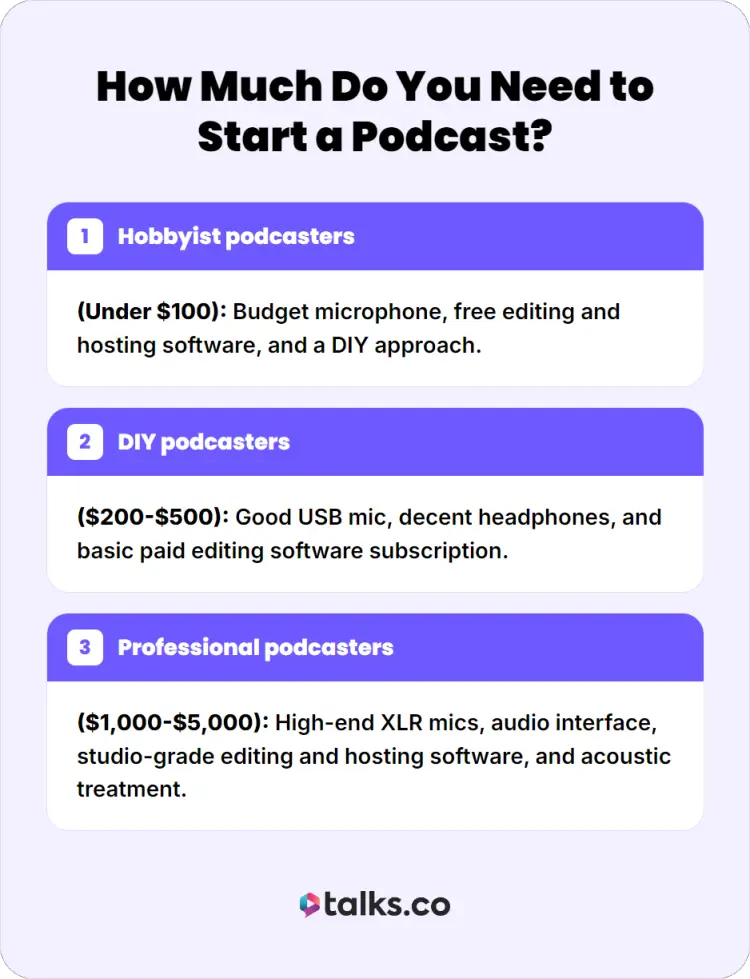
The cost of starting a podcast depends on your approach and goals. Here’s a breakdown for different types of podcasters:
- Hobbyist podcasters (under $100): Budget microphone, free editing and hosting software, and a DIY approach.
- DIY podcasters ($200-$500): Good USB mic, decent headphones, and basic paid editing software subscription.
- Professional podcasters ($1,000-$5,000): High-end XLR mics, audio interface, studio-grade editing and hosting software, and acoustic treatment.
The good news is you can start with a hobby budget and upgrade over time as your audience grows and revenue increases.
How to Start a Podcast and Earn Money
Once your podcast starts getting consistent listeners, it opens the door to turning attention into income.
The approach you take depends on your audience, your niche, and how you want to position your show, whether that’s through partnerships, offers, or community support.
How to start a podcast and get paid
Sponsorships and affiliate marketing are the most common ways podcasters earn money.
- Build your audience first: Most sponsors want to see at least 1,000 regular listeners before they work with you.
- Create a media kit: Make a one-page document with your show’s name, audience size, listener demographics, and engagement rates.
- Reach out: Pitch with your media kit via email.
- Negotiate rates: Sponsorships typically pay $15-50 per thousand downloads.
- Create an ad: Once they agree to collaborate, record a 30-60 second ad read for each episode that features a sponsor.
- Use affiliate links: Get a unique link from each company and include it in your show notes.
- Track your performance: Monitor how many downloads and clicks to show ROI.
You can find sponsors through platforms like Audacy and Gumball that connect podcasters with brands.
How to start a podcast for your business
Many entrepreneurs use podcasts for free as a lead generation tool. Here’s how you can do it too:
- Create attractive content: Make episodes that address the specific problems your ideal clients face.
- Invite ideal clients as guests: Feature customers or people in your target market as guests to attract similar people.
- Direct the next steps: At the end of each episode, direct listeners to a landing page where they can book a free consultation or buy your service.
- Capture email addresses: Add a link to a free lead magnet (e.g., free guide, checklist) in the show notes.
- Follow up with email: Send podcast episodes to your email list with a personalized message directing them to your offer.
- Track conversions: Use a unique URL or discount code for each episode so you know which podcast listeners convert to clients.
How to start a podcast club
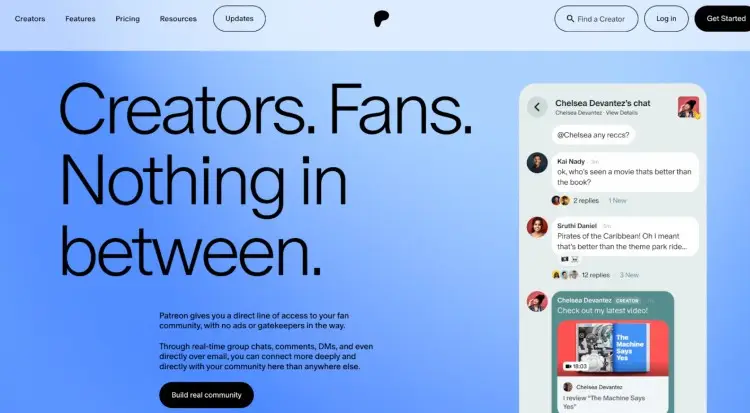
Another revenue model to explore is community building and asking for listener support.
- Create a private community: Use Patreon, Circle, or a private Facebook group for your most engaged listeners.
- Offer exclusive content: Provide bonus episodes, early access, or ad-free versions to paid members.
- Set up membership tiers: Offer different levels of membership at different price points.
- Give special perks: Offer member-only benefits like monthly calls with you, merchandise, or shout-outs on the show.
- Ask for support: Platforms like Buy Me a Coffee or Ko-fi make it easy for listeners to send a one-time or recurring donation.
How to start a podcast course
Using your podcast as a platform to sell courses or services is an effective monetization method.
- Create a course: Develop a structured course (e.g., online class, training program, coaching package) based on your expertise.
- Create a landing page: Build a webpage that explains your course and includes a button to purchase.
- Direct listeners to your offer: In your call to action, tell listeners they can get the course by clicking the link in your show notes.
- Offer a discount: Give podcast listeners a special discount code to increase conversions.
- Make it easy to buy: Use platforms like Kajabi or Teachable to handle course sales and delivery.
Is It Easy to Start a Podcast?
Yes, starting a podcast is easier now, with technology and low costs. But like any other creative project, there are challenges, like:
- Initial learning curve and discovering your voice
- Getting used to the technical side of podcasting
- Finding the right guests to make your show interesting
The good news is that you do not have to be perfect to launch your podcast. You just have to be consistent, genuine, and willing to improve.
Starting a podcast tips
To make your podcast launch successful, keep these practical tips in mind:
- Record multiple episodes before launching: Have at least three to five episodes ready before you submit to directories.
- Write better copies: Your podcast title and description are the first things potential listeners see. Make them compelling and keyword-rich.
- Join podcast communities: Get advice and support from other podcasters in Facebook groups, Reddit, or Discord communities.
- Be patient with growth: It typically takes 50-100 episodes before you see real momentum. Stick with it and trust the process.
- Monitor analytics: Check your hosting platform’s analytics to see which episodes get the most downloads and at what times people listen.
Start on the Right Foot
Learning how to start a podcast for beginners is one of the best decisions you can make to build authority in your field. Whether you’re a coach, consultant, author, speaker, or entrepreneur, your podcast format is a powerful platform for establishing yourself as a thought leader.
Ready to connect with guests and other podcasters? Join the Talks network and unlock:
- AI-powered guest matching: Find the perfect guest quickly, so you can record immediately.
- Host-to-host cross promotion: Collaborate with fellow hosts, appear on their show, and meet new audiences.
It all starts with a free Talks Creators Profile.
Sign up now and find the perfect expert guest for your podcast in 5 minutes or less!


