

Ever wanted to start your own podcast, but hesitated because of how insanely overwhelming all the tech and “insider language” seems?
Many aspiring podcasters feel discouraged by not knowing where to start. So if recording is your top concern, you’re exactly where you want to be.
One way to streamline your processes is by using podcast recording programs. With the right software, you can capture high-quality audio without any fuss or issues.
I listed the 22 best recording programs of 2027. Compare their key features and costs to know which one fits your needs.
You’ll also get practical tips on how to start recording and how long it takes for a recording session.
22 Best Podcast Recording Software Online (2027 Snapshot)
Here’s a quick overview of the top podcast recording programs to help you start a podcast:
- Riverside.FM: Best for high-quality remote interviews.
- Zencastr: Best for simple, powerful podcasting with flawless audio.
- Zoom: Best for creators conducting remote interviews over video conferences.
- Spotify for Creators: Best for hosts who want to manage and grow their podcast.
- Reaper: Best for podcasters looking for a low-cost digital audio workstation.
- Audacity: Best for podcasters on a tight budget.
- Descript: Best for text-based editing.
- Auphonic: Best for automatic audio editing.
- Spreaker: Best for all-in-one podcast creation and distribution.
- Iris: Best for recording multi-channel audio and video.
- GarageBand: Best for Mac users looking for free and easy-to-use software.
- Logic Pro: Best for experienced podcasters using an Apple device.
- iMovie: Best for beginner video editors on Apple devices.
- Cleanfeed: Best for high-quality live audio recording.
- StreamYard: Best for live streaming and recording professional-looking broadcasts.
- Podcastle: Best for AI-powered audio and video recording and editing.
- Squadcast: Best for remote recording with AI tools.
- Alitu: Best for podcasters looking for an all-in-one podcast maker app with a built-in call recorder.
- ProTools: Best for industry-standard audio production.
- Adobe Audition: Best for professional audio editing with advanced features.
- Hindenburg Pro: Best for journalists and storytellers.
- Boomcaster: Best for cloud-based recording and live streaming.
- Talks: Best podcast matching software to find podcast guests.
What Is a Podcast Recording Tool?
A podcast recording tool, or recording program, is software that records and sometimes even edits your audio and video.
This type of software helps you capture your voice, interviews, and any other sounds for your show. Both beginner and seasoned creators need this to get a head start on their podcast journey.
22 Top-Tier Podcast Recording Programs
Let’s take a closer look at the features and costs of the top podcast recording programs to help you find the best fit for your needs.
1. Riverside.FM: Best podcast recording software remote
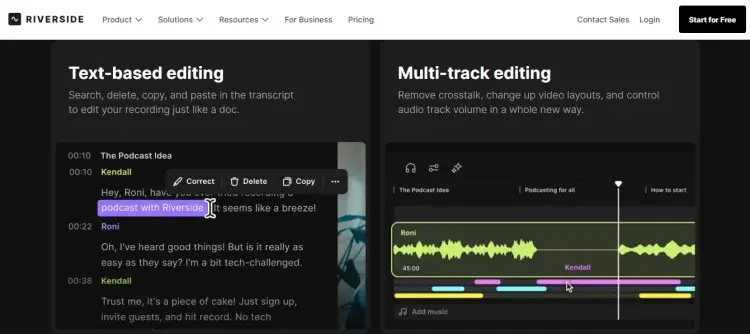
Riverside is an all-around platform for high-quality recording and editing. Popular among beginners and professionals for its intuitive interface.
- Key features: Up to 4K video recording, separate audio and video tracks, live streaming, AI-generated transcripts, and a built-in editor.
- Price: Free plan available, paid plans start from $24/month
2. Zencastr
Zencastr is a simple, powerful podcasting software, focusing on flawless audio quality and crystal-clear video.
- Key features: Local recording, audio and video hosting, accurate transcriptions, and team collaboration tools
- Price: Free plan available, paid plans start from $30/month
3. Zoom: Free podcast recording software with video
While primarily a video conferencing tool, Zoom is a popular choice for podcast recording since it’s well-known and widely used.
- Key features: Record webcam or screen alongside audio, live streaming capabilities, and cloud recording.
- Price: Free for up to 40-minute meetings; Paid plans start from $149.90/year.
4. Spotify for Creators: Podcast recording software for beginners
This platform offers powerful tools to manage and grow your audio or video podcast directly within the Spotify ecosystem.
- Key features: Direct export to Spotify, a library of music and sound effects, and access to audience analytics.
- Price: Free
5. Reaper: Podcast recording software download
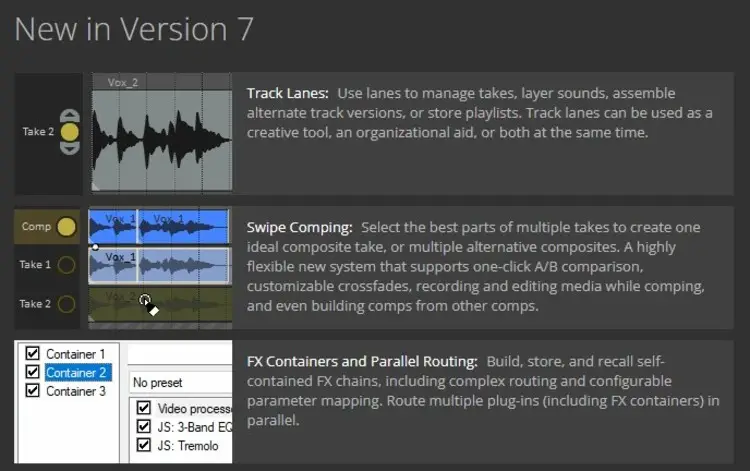
Reaper is a complete digital audio workstation (DAW) offering multitrack recording for audio and MIDI.
- Key features: Unlimited audio tracks, extensive customization with keyboard shortcuts, and low-cost licensing.
- Price: $60 (individual license), $225 (commercial license)
6. Audacity: Best podcast recording software PC
Audacity is a well-known free podcast recording and audio editing software that’s open-source and cross-platform. Great starting point if you need podcast recording capabilities on a budget.
- Key features: Record live audio, import audio files for editing, and a variety of built-in plug-ins and effects.
- Price: Free
7. Descript: Podcast recording software for PC
Descript is an AI-powered podcast recording and editing software that allows you to edit your podcast by editing a text transcript.
- Key features: Free recording software with editing capabilities, remote recording in 4K video, automatic transcription, and AI features like Studio Sound.
- Price: Free plan available, paid plans start from $16/month
8. Auphonic: Podcast recording software Android
Auphonic is a post-production tool that uses AI to clean up your audio file automatically.
- Key features: Smart audio leveling, noise reduction, transcription in over 80 languages, and automatic audio ducking.
- Price: Free plan available, paid plans start from $11/month
9. Spreaker
Spreaker is a reliable platform for creating, distributing, and monetizing your podcast.
- Key features: All-in-one solution with a recording studio, editing tools, and a distribution network.
- Price: Free plan available, paid plans start from $20/month
10. Iris: Podcast recording software Windows
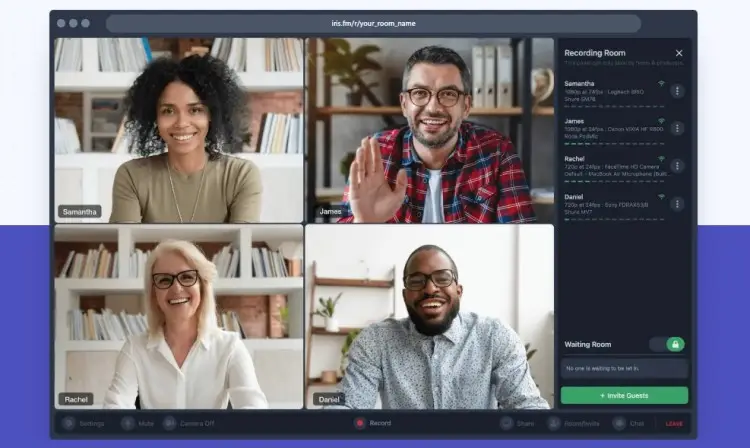
Iris is an up-and-coming call recorder that works on all browsers, allowing you to record multi-channel audio and video.
- Key features: Multi-channel audio and video recording, high-quality output, and browser-based access for guests.
- Price: Free plan available, paid plans start from $9/month
11. GarageBand: Podcast recording software Apple
GarageBand comes pre-installed on Apple devices and is a fantastic free podcast recording tool for beginners.
- Key features: Simple interface, sound effects library, and basic editing tools like equalization and compression.
- Price: Free
12. Logic Pro
Logic Pro is Apple’s professional audio editing software. Ideal for experienced sound engineers and podcasters.
- Key features: Unlimited audio tracks, Smart Tempo feature, Dolby Atmos file export, and a sleek, modern interface.
- Price: $199.99
13. iMovie: Podcast recording software Mac
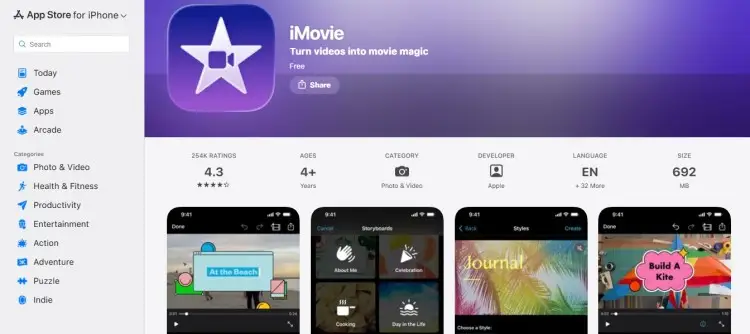
For those creating video podcasts on Apple devices, iMovie is a simple and free option for basic video editing.
- Key features: User-friendly interface, pre-made templates, and seamless integration with other Apple products.
- Price: Free
14. Cleanfeed
Cleanfeed is a web-based tool for multitrack recording and real-time collaboration, often used in radio and broadcasting for its high audio quality.
- Key features: High-quality live audio recording, real-time collaboration, and support for multiple guests.
- Price: Free unlimited use (for two guests), Pro plans start from $36/month
15. StreamYard: Podcast recording software for Chromebook
StreamYard is a user-friendly platform designed for live streaming and podcast recording, offering professional features without the complexity.
- Key features: Record with remote guests, studio-quality audio, local recordings, and integrated live streaming.
- Price: Free plan available, paid plans start from $25/month
16. Podcastle: Podcast recording software for iPhone
Podcastle is an AI-powered platform designed to make audio and video content creation simple and accessible for everyone. It’s a great app to record a podcast.
- Key features: Local 4K recording, multitrack editing, brand customization, and one-click enhancements.
- Price: Free plan available, paid plans start from $11.99/month
17. Squadcast: Podcast recording software Linux
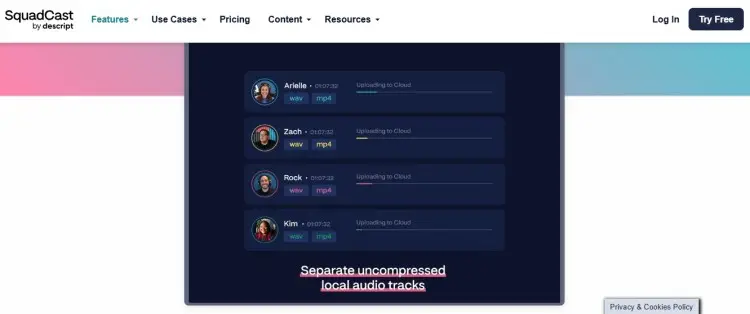
Squadcast is a cloud-based platform designed to simplify remote podcast recording for creators worldwide. It is now part of Descript.
- Key features: Progressive uploads for reliability, crystal clear audio and video, and a “Green Room” for preparation.
- Price: Free plan available, paid plans start from $16/month
18. Alitu: Podcast audio recorder
Alitu is an all-in-one podcast maker app designed to be as easy as possible, making it one of the best podcast software choices for beginners.
- Key features: Built-in call recorder, AI audio engineering, drag-and-drop editing, and direct publishing.
- Price: $38/month
19. ProTools: Podcast recording editing software
ProTools is an industry-standard digital audio workstation used by professionals for music and post-production.
- Key features: Advanced editing tools, robust mixing capabilities, and extensive plug-in support.
- Price: Starts at $9.99/month
20. Adobe Audition: Podcast editing tools
Adobe Audition is a professional-grade podcast recording and editing software with a comprehensive set of tools.
- Key features: Essential Sound panel, noise reduction tools, non-destructive multitrack recording, and batch processing.
- Price: $22.99/month
21. Hindenburg Pro: Podcast editor app
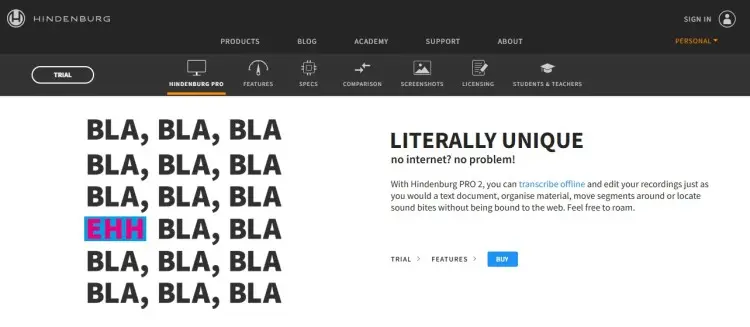
Hindenburg Pro offers a range of audio recording products geared toward different use cases, particularly for journalists and storytellers.
- Key features: Transcribe and edit recordings like a text document, automatic level setting, and direct upload capabilities.
- Price: Starts at $13.44/month
22. Boomcaster: Podcast recording software for all creators
Boomcaster is a cloud-based platform designed for high-quality remote podcast recording, editing, and live streaming.
Perfect for teams or solo creators, it balances simplicity with professional features.
- Key features: Multi-track audio and video recording, real-time collaboration, built-in editing suite, live streaming, automatic transcription, and brand customisation.
- Price: Free plan available, paid plans start from $20/month
BONUS: Talks to find podcast guests
Talks isn’t for recording, but it’s a powerful platform for connecting with industry experts, thought leaders, and other guests to feature on your podcast.
Perfect for growing your show and getting high-quality interviews.
- Key features: Talks Creator profile, AI-powered guest matching, instant booking, easy calendar integration, and profile discovery.
- Price: Free to create a profile; Paid plans start as low as $19/month.
What Software to Use for Podcast Recording
When thinking about what software you’ll use, it’s important to consider a lot of different factors.
Selecting the right program directly impacts your workflow and the final quality of your show. Your choice shapes your entire podcast creation process.
Here’s how you can make sure you land with the best option.
How to choose the best podcast recording program
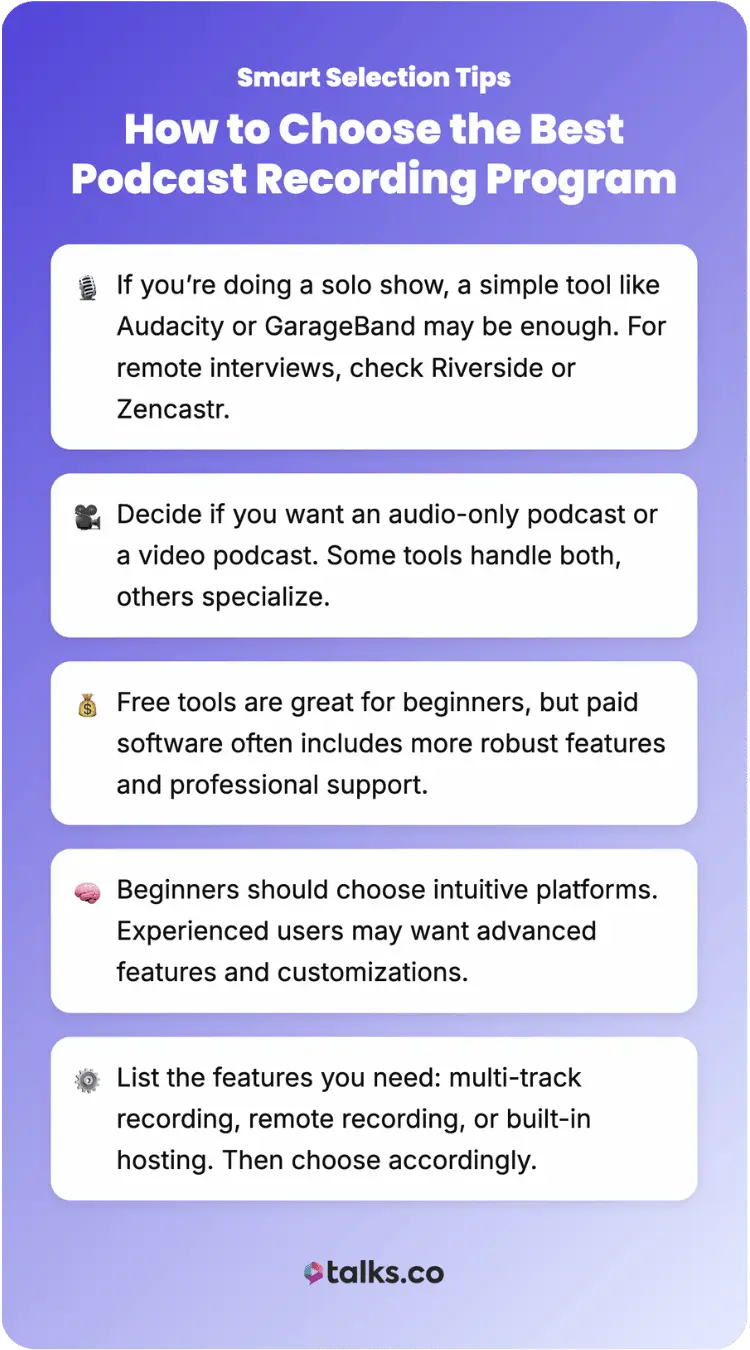
Consider these tips to select the right virtual podcast recording software for your needs.
- Podcast type: If you‘re doing a solo show, a simple digital audio workstation like Audacity or GarageBand might be enough. If you’re looking for the best software for podcast interviews, check Riverside or Zencastr with remote recording tools.
- Audio vs. video: Decide if you want to create a podcast that is audio-only or a video podcast.
- Budget: There are many great free podcast recording tools available so you can start your podcast for free. But paid software often provides more advanced features and support.
- Ease of use: If you are a beginner, look for software with an intuitive interface. Meanwhile, experienced creators prefer a program with more customization and advanced editing capabilities.
- Features: Consider what features are most important to you. Do you need multi-track recording, online podcasting recording tools, or an integrated podcast hosting platform?
What Can I Record a Podcast on?
You can record a podcast on a variety of devices. Start simple, just using what you have. It doesn’t have to be perfect right away.
The key is to choose the equipment that best fits your budget and the quality you want to achieve. You can always upgrade later.
What to record a podcast on
Here’s the essential podcast equipment for recording an audio-only podcast.
- Computer: A reliable Mac or PC is the heart of your setup.
- Microphone: A quality USB microphone is a great starting point (e.g., Blue Yeti or Audio-Technica AT2020).
- Headphones: Use over-ear headphones to monitor your audio and prevent feedback.
- Recording software: Choose from the list of podcast recording software options above.
What to record a podcast video clip on
Creating a video podcast adds a visual element that can be very engaging. For a video podcast, you will need some additional gear.
- Camera: A high-definition webcam or a DSLR camera will provide the best quality. Many smartphones also have excellent cameras.
- Lighting: You need good lighting for a professional-looking video. A simple three-point lighting setup (key, fill, and back light) works well.
- Video recording software: You’ll need the best video podcast software that can capture both video and audio.
Where Can You Record a Podcast?
Whether at home or at a professional studio, the environment where you record your podcast impacts your final audio quality.
Having a dedicated space and arranging it makes sure you are professional and consistent in what you produce.
Let’s dive into some best practices for your podcast equipment setup.
What is the setup for recording a podcast?
Here are some examples of how to set up your space for an audio-only podcast:
- Home studio: A quiet room with soft furnishings like carpets, curtains, and couches can help absorb sound and reduce echo. You can also use acoustic panels to treat the walls.
- Professional studio: Renting a professional recording studio provides access to high-end equipment and an acoustically treated environment for the best possible sound.
What is a video recording podcast setup?
For a video podcast, your setup needs to be visually appealing as well.
- Home studio: In addition to sound treatment, consider your background. A clean, branded background or a simple, uncluttered space works well. Make sure your lighting is set up to eliminate shadows.
- Professional studio: A professional studio will offer multiple camera angles, professional lighting rigs, and a variety of backdrops to make your video podcast look polished.
How Long Does It Take to Record a Podcast?
The time it takes to record a podcast episode varies greatly depending on the format and content of your show.
- Solo show: Just a little longer than the episode’s final length
- Interview: One to two hours for a 30-45 minute episode
- Narratives: Days or weeks, because of multiple takes and complex production
Podcast time limit
There is no strict podcast time limit. The ideal length of your podcast episode depends on your content and your audience’s preferences.
Some successful podcasts are just ten minutes long, while others can be over three hours. A good starting point is to aim for 20-30 minutes and adjust based on listener feedback.
How to Start Recording a Podcast
Here is a step-by-step guide to start your podcast and record
- Plan your episode: Outline the topics you want to cover. If you have a guest, prepare your questions in advance.
- Set up your equipment: Make sure your microphone, headphones, and camera are properly connected and configured.
- Test your audio: Do a quick sound check to make sure your levels are correct and there is no background noise.
- Start recording: Open your chosen podcast software and hit the record button.
- Edit your recording: After you finish recording, it is time to edit your podcast. Clean up mistakes, add music, and balance the audio levels.
Easiest way to record a podcast
The easiest way to record a podcast is to keep it simple. Follow these best practices:
- Use a simple recording setup: A USB microphone and free software like Audacity are all you need to get started.
- Don’t overthink it: Your first few episodes won’t be perfect, and that’s okay. The most important thing is to start creating content.
- Use a recording app: Many podcast recording apps make it easy to record on the go.
How to record a podcast with video
If you want to record a podcast with video, there are a few extra things to consider.
- Look for additional video capabilities: Use podcast recording and editing software that supports video, like Riverside.fm or Descript.
- Pay attention to your visuals: Make sure your background is clean, and your lighting is good.
- Engage with the camera: Look directly at the camera to connect with your viewers.
Hit the Record Button
The best podcast recording programs make your production process easier, so you can confidently record without worrying about tech.
Turn the volume up and spread your message. Expand your visibility beyond your show.
Join the strong network at Talks and make meaningful connections:
- Relevant guests: Meet experts and personalities perfect for your podcast.
- Host-to-host: Find fellow podcasters and join their show as a guest to cross-promote.
Deborah matched with 10 shows related to her. Elaine already recorded with guests, and more are in the works.
Sign Up for a FREE Talks Profile Today!


