

Video podcasts are growing in popularity, with YouTube becoming a go-to place for viewers.
If you’re looking for more exposure or just trying out video podcasting, starting a podcast on YouTube is one of the smartest moves you can make.
Podcasting is all about reach, so hopping on video platforms will give you more visibility.
Thinking of jumping in? You don’t have to be a tech guru to seize this chance.
What you need is clarity, a process, and consistency.
This guide will give you a clear step-by-step guide on how to start a podcast on YouTube in 2027.
You’ll learn everything from starting equipment to growing your channel and monetizing your content.
Can You Start a Podcast on YouTube?
Yes, you can create a podcast on YouTube. Generally, a YouTube podcast is a show in video format, uploaded to YouTube either as full episodes or clips.
More and more podcasters are moving to this platform because:
- YouTube is the second-largest search engine and a massive traffic source.
- You can connect with podcast listeners who prefer video.
- You can easily repurpose your podcast episodes for more video content.
- It helps you build a thriving community around your podcast.
Some successful podcasts on YouTube include shows like:
- The Joe Rogan Experience: Famous for long, in-depth conversations.
- The Diary of a CEO: Known for deep, personal interviews with Steven Bartlett.
- The School of Greatness: Popular among entrepreneurs and coaches.
- Call Her Daddy: A show that mixes humor, drama, and storytelling.
What Do I Need to Start a Podcast on YouTube?
Starting a podcast is a journey from idea to audience growth. There are a lot of moving parts, but having a checklist and guide helps keep you on track.
From gear, software, and plans, let’s dive into what will help you launch and make your podcast grow.
Starting a podcast checklist
Excited to start podcasting on YouTube? Here’s a checklist of everything you need to get started:
☐ Memorable podcast name and clear niche or theme
☐ Recording equipment
☐ Recording software
☐ Editing software
☐ YouTube channel
☐ Podcast artwork and branding materials
☐ Episode scripts or outlines
☐ Launch schedule and promotional plan
☐ Engagement plan for audience building
Starting a podcast guide
Let’s zoom out a bit. Here’s an overview of the process to start a YouTube podcast:
- Planning: Think of your podcast concept and format.
- Recording: Use good recording equipment to capture your first episodes.
- Editing: Polish your podcast and add visual elements.
- Uploading: Publish your podcast to YouTube via YouTube Studio.
- Engaging: Respond to your audience and build a community.
- Monitoring: Use YouTube podcast analytics to view key metrics.
- Monetizing: Earn from your podcast as the audience grows.
How to Start a Podcast on YouTube in 8 Steps
Tech-savvy or not, YouTube podcasting is a simple, straightforward process. With the right guide, you can launch many podcast episodes on YouTube in no time.
Here’s an eight-step guide that both beginners and seasoned podcasters looking to pivot can follow for successful podcast hosting on YouTube:
1. Choose your podcast concept
Start by deciding what your podcast is about and how it’ll be made:
- Select a niche that aligns with your expertise and interests.
- Decide the format. Will it be a solo show, interviews, or panel discussions?
Having a clear concept sets the foundation for your podcast’s identity.
2. Plan your branding
Choose a catchy, memorable podcast name that’s relevant to your topic and audience. Make sure it’s unique and easy to spell.
Next, design an eye-catching cover art that’ll appear on your YouTube channel and podcast playlists. This visually attracts viewers to click and give your podcast a chance.
3. Set up your YouTube channel
Create a dedicated YouTube channel for your podcast if you don’t have one. Customize it so anyone who clicks knows exactly what you’re about.
Verify your channel to unlock features like longer video uploads. Use YouTube Studio to manage your channel settings.
4. Prepare your podcast equipment
Invest in basic recording gear for both audio and video podcast setups. For beginners, start with what you have, even a smartphone camera and headset mic.
Make sure you also have a comfortable recording space with minimal background noise and good lighting for professional-looking videos.
5. Record your podcast episode
Use software like Riverside, OBS Studio, or Zoom to record a podcast episode. Make sure to capture both high-quality audio and video.
During recording, do your best to get the best footage by:
- Having a good studio setup and lighting
- Maintaining good posture
- Speaking clearly and conversationally
- Engaging with the camera and guests (if any)
6. Edit and upload your podcast episodes
After recording, edit your videos to polish sound and visuals. Use video editing tools like:
- Paid options: Adobe Premiere Pro and Final Cut Pro.
- Free options: DaVinci Resolve and WeVideo.
Once done, go to YouTube Studio to upload your edited episodes. Optimize your podcast by adding any metadata needed, and publish or schedule your podcast.
7. Promote your YouTube podcast
Launching your podcast with the right marketing strategies can grow your podcast audience:
- Social media and newsletters: Inform your audience about new episodes.
- Clips or highlights: Create YouTube Shorts to attract new listeners.
- Collaborations: Get in front of other people’s audiences through podcast guesting and cross-promotion.
8. Monetize your podcast on YouTube
Once your channel meets YouTube’s eligibility requirements, apply for monetization to earn ad revenue.
You can also find other ways to make money, like pursuing sponsorship deals relevant to your audience.
How to Create a Podcast in YouTube
Before you start recording, it’s important to understand the basics of podcast creation on YouTube. Step one is recording your podcast.
Let’s talk about what equipment you need to record a video podcast and how you plan for your topics and scripts.
How to make a podcast on YouTube
To create a video podcast on YouTube, you need the following podcast recording equipment and tools:
- Microphone: Choose a good-quality mic like the Shure SM7B or RODE PodMic to deliver clear audio.
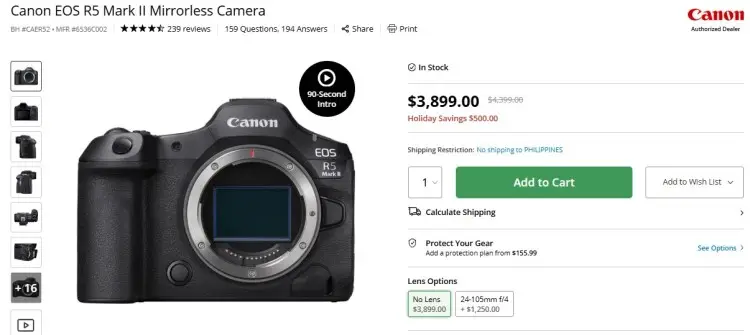
- Camera: Use a DSLR, mirrorless camera, or a good webcam for solid video quality.
- Audio interface: Connect microphones to your computer with devices like the Focusrite Scarlett.
- Lighting: Softbox or ring lights keep your video bright and professional.
- Headphones: Monitor your audio live to catch any background noise.
- Recording software: Tools like OBS Studio or Riverside let you record both audio and video easily.
- Editing software: Use apps to clean up both audio and video and create a publication-ready episode.
How to start a video podcast on YouTube
The heart of a good video podcast comes from your ideas. Here are some tips for brainstorming and planning your content:
- Look inward: Think of topics that you’re passionate about or that you’re most knowledgeable in.
- Create a content calendar: Plan out a video series with similar themes and map out your publishing schedule.
- Have dynamic formats: Mix solo episodes, interviews, and panel discussions for variety.
- Consider visual storytelling: Plan episodes so the visual element adds value (e.g., slides, show charts, demos).
How to start a podcast script
Having a script or outline helps keep your podcast focused. Follow these steps when writing your podcast script:
- Craft a compelling intro: Have a recognizable tagline, set the tone and explain the episode topic.
- Prepare an outline: Plan your main discussion points or questions using bullet points.
- Ensure smooth flow: Include transitions between segments.
- Direct the next step: Add a call to action (e.g., subscribing, commenting, or visiting your website) at the end.
- Use templates: Have a standard script template to follow to speed up the process and have a recognizable sound.
How to make a video podcast on YouTube
Recording is where your ideas come to life. Here’s how to nail your recording sessions:
- Set up your studio: Choose a quiet, well-lit space to reduce distractions and get quality video.
- Position your camera well: Frame yourself or your guests properly at eye level.
- Keep your audience engaged: Speak clearly and with energy throughout the session.
- Record separately: If you have multiple hosts or guests over, use different microphones for each person.
- Take your time: Record longer than needed to allow for cuts and edits.
- Capture both video and audio: Having separate files gives you better control during editing.
- Backup your recordings: In case of any mishap, you won’t lose any content.
How to get a podcast on YouTube
Editing polishes your video podcast for a professional finish. Here are things to keep in mind when editing your podcast episodes:
- Clean up your recording: Remove background noise and pauses.
- Make it engaging and memorable: Add intro and outro music to emphasize your branding.
- Use text: Include subtitles for people who watch with sound off.
- Manage your file size: Compress files without losing quality for smoother playback.
- Match sounds and visuals: Sync your audio and video perfectly before exporting.
How to Start Your Own Podcast on YouTube
Starting a podcast can feel overwhelming. Just thinking about the time and money you have to invest discourages a lot of creators.
The reality is, you can start simple with no upfront costs. The barriers to entry are low for podcasting, and anyone can host their own show.
How to start a podcast on YouTube for beginners
If you’re new to this, start small and don’t overthink it. Here’s what you can do:
- Keep it short and simple: Start with short episodes to get comfortable.
- Show up consistently: Focus on consistent scheduling rather than perfection.
- Stick with the essentials: Use basic equipment before upgrading.
- Develop your skills: Learn from podcasting resources and talk to fellow hosts.
- Engage with viewers: Respond to comments and take in feedback.
- Reach new audiences: Keep growing your podcast by appearing as a guest on other YouTube shows.
How to start a podcast on YouTube for free
You can absolutely start a podcast for free on YouTube when you follow this guide:
- Use what you have: Record on your smartphone or using a built-in webcam.
- Download free software: Use options like OBS Studio for recording and streaming. For editing, try DaVinci Resolve or Audacity.
- Create your YouTube channel: Anyone can open a channel at no cost and start uploading.
- Connect with your existing network: Let your current audience know that you’re on YouTube and drive them there.
- Publish for free: Upload your podcast to YouTube instead of a paid podcast hosting platform.
How to start a sports podcast on YouTube
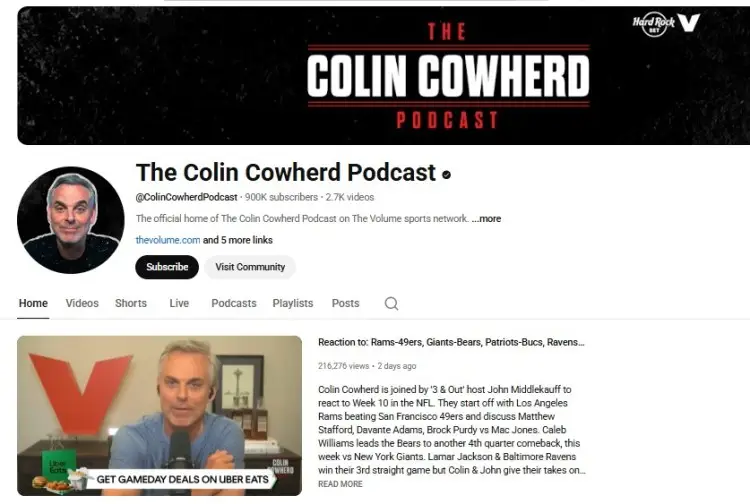
If you specifically want to start a sports podcast, here are some things to keep in mind:
- Focus on hot topics: Talk about the current games, player updates, or commentary.
- Involve the community: Invite guests like coaches, fans, or players for deeper insight.
- Host live streams: Discuss games with real-time fan interaction.
- Connect on social media: Promote your podcast in spaces where sports fans gather.
How to Set Up a Podcast on YouTube
Setting up your podcast channel properly lays the groundwork for growth. You don’t have to get too technical. Just know where you’re starting from, what you already have, and where you want to go.
Whether you already have content available or you’re starting from zero, this roadmap and best practices will help you get on YouTube.
How to open a podcast on YouTube
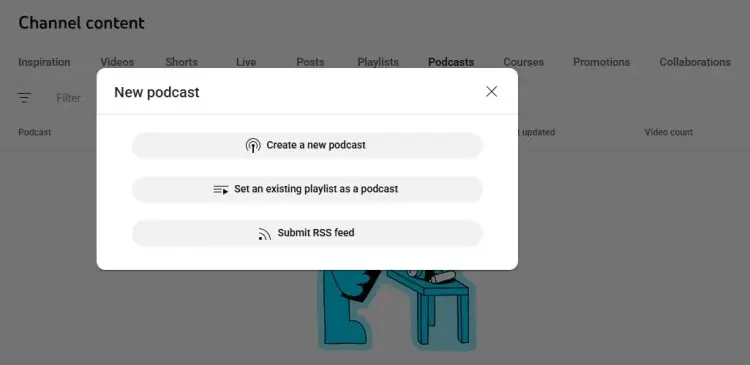
You can connect your existing podcast to YouTube by either repurposing your podcast episodes from other platforms, using an existing playlist, or submitting your RSS feed.
Follow these steps for an easy setup:
- Go to YouTube Studio, select Create, and then click New podcast.
- When a dialog pops up, choose your means of uploading content.
- If you want to repurpose, convert your previous audio episodes into video and upload them as your YouTube podcast.
- If you have an existing playlist of podcast episodes already uploaded to your YouTube channel, turn that playlist into a podcast.
- If you want to import a video podcast from another platform, copy and paste its RSS feed.
- Set your cover art and description.
How to post a podcast on YouTube
If you’re starting from scratch, follow these steps to put your podcast on YouTube:
- Create a YouTube channel and brand it with your podcast name.
- Sign in and go to YouTube Studio.
- Click “Upload Video.”
- Choose your podcast episode file.
- Fill in the title, tags, and description using keywords.
- Create a podcast playlist to organize your episodes.
- Optimize with timestamps, chapters, and thumbnails.
- Schedule releases consistently to grow your subscriber base.
How to start a live podcast on YouTube
–how-to-start-a-live-podcast-on-youtube–
Live shows help you connect directly to your podcast audience. Set up a live podcast following this guide:
- Before the podcast, promote your live event to attract viewers.
- Set up streaming software like OBS and connect it to YouTube Studio.
- Test your mic and camera setup.
- Enable “Go Live” in YouTube Studio when you’re ready.
- Choose a catchy podcast name and description for the live.
- Use live chat to engage viewers or take questions.
- Save the stream afterward as a new podcast episode.
Tips for setting up a podcast on YouTube
Setting up goes beyond just uploading. Here are some best practices to keep in mind:
- Apply SEO principles in your copy: Keep titles consistent and searchable.
- Design eye-catching visuals: Add custom thumbnails to stand out.
- Cross-promote: Include links to your social media or website.
- Use YouTube tools: Make sure every podcast video has chapters and timestamps.
- Measure your performance: Benchmark YouTube statistics and compare them against your performance in YouTube analytics. Use this data to refine your strategy.
Make better decisions by learning data from YouTube video statistics by channel, by subscribers, and by views.
How to Do a Podcast on YouTube
Done uploading your YouTube podcast? Great. Your next step is to maintain your presence and build your community.
Starting a podcast tips
Engagement is the lifeline of your YouTube podcast. It draws new audiences in and builds loyalty among your viewers. Here’s how you can keep your YouTube community engaged:
- Have a call-to-action: End each podcast episode with a question or challenge.
- Grow your following: Encourage viewers to subscribe and hit the notification bell.
- Try interactive features: Use polls or community posts to keep interest high.
- Create short-form videos: Use clips and podcast trailers on YouTube Shorts to tease longer episodes.
- Build a community: Give more premium and exclusive content for loyal fans.
- Drive traffic from other platforms: Use Spotify and Apple to cross-promote episodes outside YouTube.
- Keep improving: Use a YouTube statistics tracker and learn from insights.
How to Start a Podcast YouTube Channel
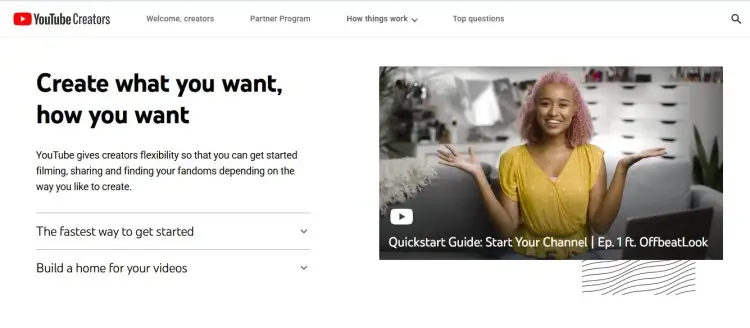
If you don’t already have one, it’s time to create a new podcast channel. Creating a dedicated channel keeps your content organized and easier to find.
- Sign in to YouTube with your Google account and click “Create Channel.”
- Name your channel after your podcast name.
- Customize your About information, channel art, and profile image.
- Add links to your social media and website.
- Create playlists for different podcast themes or seasons.
- Upload your first podcast episode and start sharing.
Should I start a podcast or YouTube channel?
That depends on your goals. If you love video content and want more exposure, use YouTube. If your focus is audio storytelling, platforms like Spotify and Apple Podcasts are great.
But you don’t have to choose. Many creators publish both. You can take your podcast from audio-only and turn it into a video podcast on YouTube, combining the best of both worlds.
How to Make Money with a Podcast on YouTube
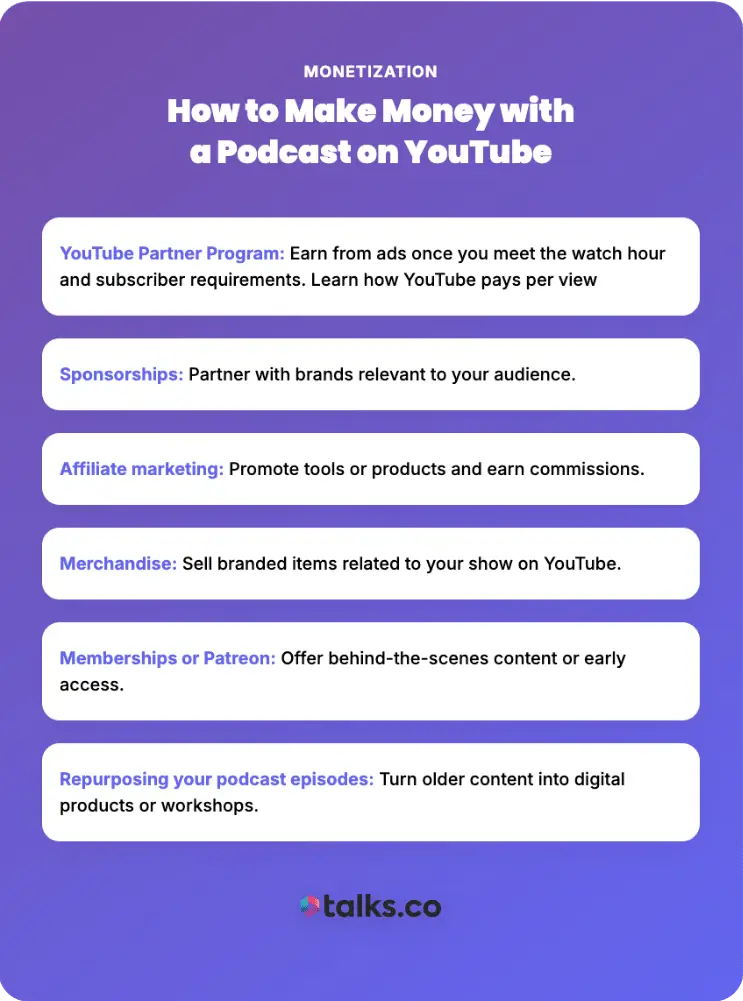
Once you build your audience, you can start earning from your YouTube podcast. Here are ways to monetize your podcast:
- YouTube Partner Program: Earn from ads once you meet the watch hour and subscriber requirements. Learn how YouTube pays per view
- Sponsorships: Partner with brands relevant to your audience.
- Affiliate marketing: Promote tools or products and earn commissions.
- Merchandise: Sell branded items related to your show on YouTube.
- Memberships or Patreon: Offer behind-the-scenes content or early access.
- Repurposing your podcast episodes: Turn older content into digital products or workshops.
Eyes on YouTube
Starting a podcast on YouTube is one of the best ways to expand your visibility and influence.
The best part? You don’t need to be a tech wizard to learn how to start a podcast on YouTube. With a simple setup, good content, and consistent effort, you’ll steadily see growth.
Want to come up with the next viral thing on YouTube podcasts? Interviews are a good place to start.
Don’t miss out on genuine connections and a strong network.
Join a community of creators on Talks, find podcast guests, or hop on other shows yourself.
Sign Up for a FREE Talks Creators Profile Today and Start Connecting.


