

Picking a creator platform shouldn’t feel harder than creating the thing you’re trying to sell.
Yet that’s where a lot of creators get stuck. You start with Ko-fi, then wonder if you’re leaving money, subscribers, or growth opportunities on the table.
Sounds way too close to home, doesn’t it?
The truth is, the best platform that helps creators depends on what you’re building. A membership community, coaching business, digital product store, newsletter, podcast, or creative side hustle all have different needs. What works brilliantly for one creator can be a frustrating transparency mismatch for another.
In this guide, we’ll compare the best Ko-fi alternatives, break down pricing, features, reviews, and security, and help you find the best alternative platform that fits your goals without spending weeks second-guessing the decision.
Which Ko-fi Alternative Is Best for You? (Quick List)
Here’s a simple way to narrow things down fast: each crowdfunding platform below is built for a different way of earning, so focus on the one that matches how you want to make money right now as a content creator.
- Best for steady recurring income from loyal supporters: Patreon
- Best for quick setup and easy tips or small digital sales: Buy Me a Coffee
- Best for selling digital products like ebooks and templates: Gumroad
- Best for all-in-one courses, products, memberships, and email: Podia
- Best for high-ticket courses, coaching, and funnels: Kajabi
- Best for selling directly from social media: Stan Store
- Best for simple digital storefronts and print-on-demand: Sellfy
- Best for branded merch stores with memberships: Fourthwall
- Best for paid memberships on your own website: Memberful
- Best for paid communities with courses and engagement: Mighty Networks
- Best for newsletters and paid subscriptions: Ghost
- Best for email list growth and simple digital sales: Kit
- Best for paid newsletters and audience-first publishing: Substack
- Best for sponsorships and brand collaborations: Passionfroot
- Best for podcast guesting and affiliate income: Talks
What Is Ko-fi?
Ko-fi is a creator monetization platform that lets you accept donations, sell digital products, offer memberships, and earn recurring income from your audience.
Every creator reaches a point where they ask the same question: “How do I make money from the content I’m already creating?”
That’s the exact problem platforms like Ko-fi come in to solve.
Is Ko-fi legit?
Yes, Kofi is legit. The platform has been around since 2012 and is used by millions of creators, from artists and writers to educators, podcasters, bloggers, and online entrepreneurs to share their content with an open collective.
If you’ve ever worried that a donation platform might disappear overnight with your earnings, that’s a fair concern. Thankfully, Ko-fi has built a solid reputation over the years and works with trusted payment method providers like PayPal and Stripe to process transactions for your “tip jar.”
Is Ko-fi safe?
Yes, Ko-fi uses well-known payment processors and security measures designed to protect both creators and supporters. That’s one reason it’s become such a popular option for people who want to a seamless way to earn suitable money online.
Best Ko-fi Alternatives & Competitors (Top Talks Picks)
Ko-fi works for quick tips and simple monetization, but it’s not the only option. Some tools focus on memberships, others on digital products, email growth, courses, or even getting booked on podcasts.
The “best” Ko-fi.com alternatives depend on how you actually plan to earn and grow your audience over time and these top 15 fundraising picks will help you decide fast.
1. Patreon
Best for: Creators who want steady recurring income through memberships and loyal paying supporters.
Patreon lets you earn through monthly subscriptions, tiered perks, and exclusive content. It’s widely used by podcasters, writers, artists, and educators who want predictable income from their audience.
- Cost: Free to start
- Fees: 10% platform fee + payment processing fees
- Income options: Memberships, tiered content, gated posts
Pros:
- Strong recurring revenue model
- Well-known platform with strong brand recognition
- Proven membership tools
Cons:
- Fees increase with plan tier
Looking for more? I break down more Patreon alternatives here.
2. Buy Me a Coffee
Best for: Creators who want a fast, simple way to accept tips, sell digital products, and run lightweight memberships.
Buy Me a Coffee keeps setup minimal. You can start earning in minutes with tips, memberships, or a small shop, and supporters can pay without creating an account.
Cost: Free to start
Fees: 5% transaction fee
Income options: Tips, memberships, digital products
Pros:
- Quick setup and easy to use
- No account needed for supporters
Cons:
- Not for complex memberships
Leaning towards this online platform to receive financial support and easily create top-rated content? I break down everything about Ko-fi vs Buy Me a Coffee here to help you find the best option.
3. Gumroad
Best for: Creators who want to sell digital products like ebooks, templates, courses, and downloads without building a full website.
Instead of memberships or tipping, it focuses on selling digital goods directly to your audience, making it popular with writers, designers, educators, and indie creators.
- Cost: Free version to start
- Fees: 10% + $0.50 per sale
- Income options: Digital products, subscriptions, memberships
Pros:
- Easy product setup
- Built-in checkout and delivery
- No monthly fee
Cons:
- Higher transaction fees than many competitors
- Marketplace sales have additional fees
4. Podia
Best for: Creators who want one platform for courses, digital products, memberships, and email.
Podia combines selling and marketing tools in one dashboard, so you don’t need separate monetization platforms for each part of your business.
- Cost: Plans from $49/month
- Fees: 5% transaction fee on Mover; 0% on higher plans
- Income options: Courses, digital products, memberships, coaching
Pros:
- All-in-one platform
- Built-in email marketing
- Strong course and membership tools
Cons:
- Higher starting price
- Email limits vary by plan
5. Kajabi
Best for: Coaches, consultants, and educators selling courses, memberships, and coaching programs.
Kajabi combines courses, email marketing, landing pages, funnels, and communities in one platform, making it popular with creators building a larger online business.
- Cost: Plans from $179/month
- Fees: No platform fee (payment processing fees apply)
- Income options: Courses, memberships, coaching, communities
Pros:
- All-in-one business platform
- Built-in email and funnels
- Strong automation tools
Cons:
- Expensive for newer creators
- Learning curve compared to simpler platforms
6. Stan Store
Best for: Creators who sell products, services, and coaching through social media.
Stan Store is designed for creators who want a simple link-in-bio storefront. You can sell digital products, coaching sessions, memberships, and bookings without building a full website.
- Cost: Plans from $29/month
- Fees: No platform fee (payment processing fees apply)
- Income options: Digital products, coaching, memberships, bookings
Pros:
- Built for social media creators
- Fast setup
- Easy coaching and booking tools
Cons:
- Limited customization
- Better for simple businesses than complex ones
7. Sellfy
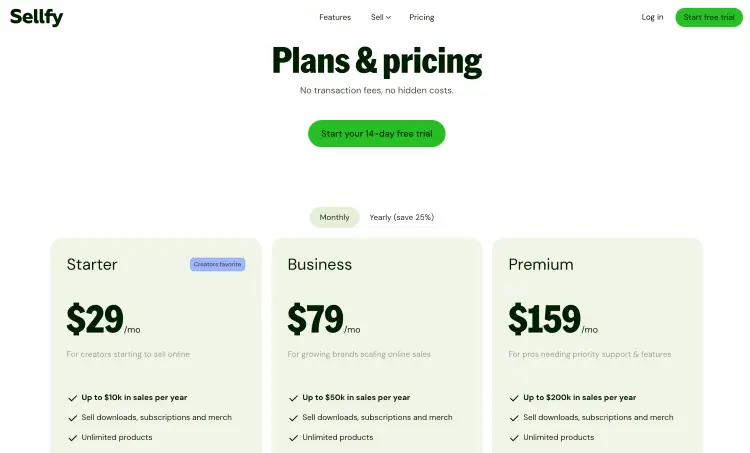
Best for: Creators who want a simple online store for digital products, subscriptions, print-on-demand products, and physical merchandise.
Sellfy is popular with designers, musicians, and creators who want a straightforward ecommerce platform without transaction fees eating into every sale.
- Cost: From $22/month (annual billing) or $29/month (monthly billing)
- Fees: 0% transaction fees (payment processing fees apply)
- Income options: Digital products, subscriptions, print-on-demand, physical products
Pros:
- No transaction fees on any plan
- Supports digital, subscription, and physical product sales
- Built-in email marketing and sales tools
Cons:
- Less suited to membership-heavy businesses
- Annual sales limits apply on lower-tier plans
8. Fourthwall
Best for: Creators who want a branded storefront for memberships, merchandise, and digital products.
Fourthwall gives creators full control over their storefront, memberships, and audience data. You can sell merchandise, digital products, and paid memberships from one branded site while using features like Discord integration, member analytics, and exclusive content.
- Cost: Free to start
- Fees: 5% on memberships, 3% on digital products, 0% platform fee on physical products (plus payment processing fees)
- Income options: Memberships, merchandise, digital products
Pros:
- Strong branding and customization options
- Built-in memberships, merch, and fulfillment
- Own your audience and customer data
Cons:
- Fee structure varies by product type
- Best features are geared toward audience-driven creators
9. Memberful
Best for: Creators who want paid memberships on their own website.
Memberful lets you sell memberships, subscriptions, newsletters, podcasts, and gated content directly from your own site. It’s popular with creators who want full control over branding, customer relationships, and member access without relying on a third-party marketplace.
- Cost: Free to try, paid plans from $49/month
- Fees: 4.9% transaction fee + payment processing fees
- Income options: Memberships, subscriptions, newsletters, podcasts, gated content
Pros:
- Full control over your website and branding
- Strong membership and subscription features
- Supports newsletters, podcasts, and communities
Cons:
- Requires an existing website
- Monthly fee plus transaction fees
10. Mighty Networks
Best for: Creators who want to build a paid community with courses, memberships, and group engagement in one place.
Mighty Networks lets you host discussions, run courses, create events, and sell memberships inside a dedicated community space where members interact with each other instead of only consuming content.
- Cost: Plans from $95/month (Launch plan)
- Fees: No platform fees (payment processing fees apply)
- Income options: Memberships, courses, communities, events, challenges
Pros:
- Strong community and engagement features
- Combines courses, events, and memberships
- Branded standalone community experience
Cons:
- Higher starting price than many alternatives
- May be more than small creators need initially
11. Ghost
Best for: Creators who want a blog, newsletter, and paid subscriptions in one platform.
Ghost lets you run a website, publish newsletters, accept paid subscriptions, and collect tips from supporters without paying platform fees on memberships.
- Cost: Plans from $18/month (Starter plan)
- Fees: 0% platform fee on memberships and subscriptions (payment processing fees apply)
- Income options: Paid newsletters, memberships, subscriptions, tips and donations
Pros:
- Full ownership of audience and content
- Built-in paid newsletters and memberships
- Open-source platform with strong customization options
Cons:
- Requires more setup than creator-focused platforms
- Advanced features require higher-tier plans
12. Kit
Best for: Creators who want to grow an email list and sell digital products, subscriptions, and newsletter sponsorships.
Kit combines email marketing, automation, landing pages, audience segmentation, and creator monetization tools in one platform, making it a popular choice for newsletter creators, coaches, authors, podcasters, and educators.
- Cost: Free plan available, paid plans from $39/month
- Fees: 0% platform fee (payment processing fees apply)
- Income options: Email newsletters, digital products, subscriptions, paid newsletters, sponsorships
Pros:
- Strong email automation and segmentation tools
- Built-in landing pages and subscriber growth features
- Supports digital product and subscription sales
Cons:
- Limited storefront and community features
- Pricing increases as your subscriber count grows
13. Substack
Best for: Writers, podcasters, and creators who want to publish newsletters and earn directly from paid subscribers.
Substack combines publishing, audience growth, and monetization in one platform. Creators can send free or paid newsletters, publish posts, build a subscriber community, and grow through Substack’s built-in discovery network without needing a separate website.
- Cost: Free to start
- Fees: 10% platform fee on paid subscriptions + Stripe payment processing fees
- Income options: Paid newsletters, subscriptions, memberships, reader support
Pros:
- Simple publishing and newsletter setup
- Built-in discovery and recommendation features
- Easy paid subscription monetization
Cons:
- 10% platform fee on paid subscriptions
- Limited customization compared to self-hosted platforms
14. Passionfroot
Best for: Creators who want to earn through sponsorships, brand deals, and paid collaborations.
Passionfroot allows you to list offers like newsletter placements, podcast sponsorships, content integrations, consulting calls, and other partnership opportunities, while brands can discover and book you directly through the platform.
- Cost: Free to join
- Fees: 15% fee on brand deals sourced through Passionfroot
- Income options: Sponsorships, brand deals, collaborations, consulting, creator services
Pros:
- Free to set up and use
- Built specifically for sponsorship management
- Brands can book and pay directly through the platform
Cons:
- Not designed for selling memberships, courses, or digital products
- Best suited to creators with an established audience
15. Talks

Best for: Coaches, authors, speakers, experts, and podcast hosts who want to grow through podcast collaborations and affiliate income.
Talks helps hosts find podcast guests without spending hours on outreach. It also offers affiliate commissions for users who promote the platform.
- Cost: Free to join
- Fees: No platform fee (affiliate commissions apply)
- Income options: Affiliate commissions, podcast collaborations, audience growth
Pros:
- Connects hosts with relevant guests
- Helps expand reach and visibility
- 20% recurring affiliate commission
Cons:
- Requires active promotion
Check out how podcasts make money with my full guide.
What to Look for In a Ko-fi Alternative
Before you switch, focus on the features that will have the biggest impact on your business and help you monetize your podcast.
For some creators, a strong mobile app is a major advantage because it makes it easier to manage supporters, products, and messages on the go.
- Membership tools: Create recurring revenue through subscriptions and member-only content.
- Digital product sales: Sell downloads, courses, templates, and other digital products.
- Email marketing features: Build your list and stay connected with your audience.
- Community features: Give members a place to engage and interact. Some creators also use private Discord communities alongside their membership platform.
- Custom branding: Make the experience feel like your brand, not the platform’s.
5 Key factors to consider when choosing a Ko-fi alternative
A platform can look great on paper and still be the wrong fit. Use these factors to narrow your options and choose a platform you’ll still be happy with a year from now.
- Pricing structure: Understand monthly fees, transaction fees, and upgrade costs.
- Scalability: Choose a platform that can grow with your audience and revenue.
- Income model compatibility: Match the platform to how you plan to earn money.
- Third-party integrations: Check compatibility with your existing business tools.
- User reviews and reputation: Look for positive feedback on support, insights on possible lack of payouts, preference, and reliability.
How to Choose the Best Ko-fi Alternative Platform for You (Checklist)
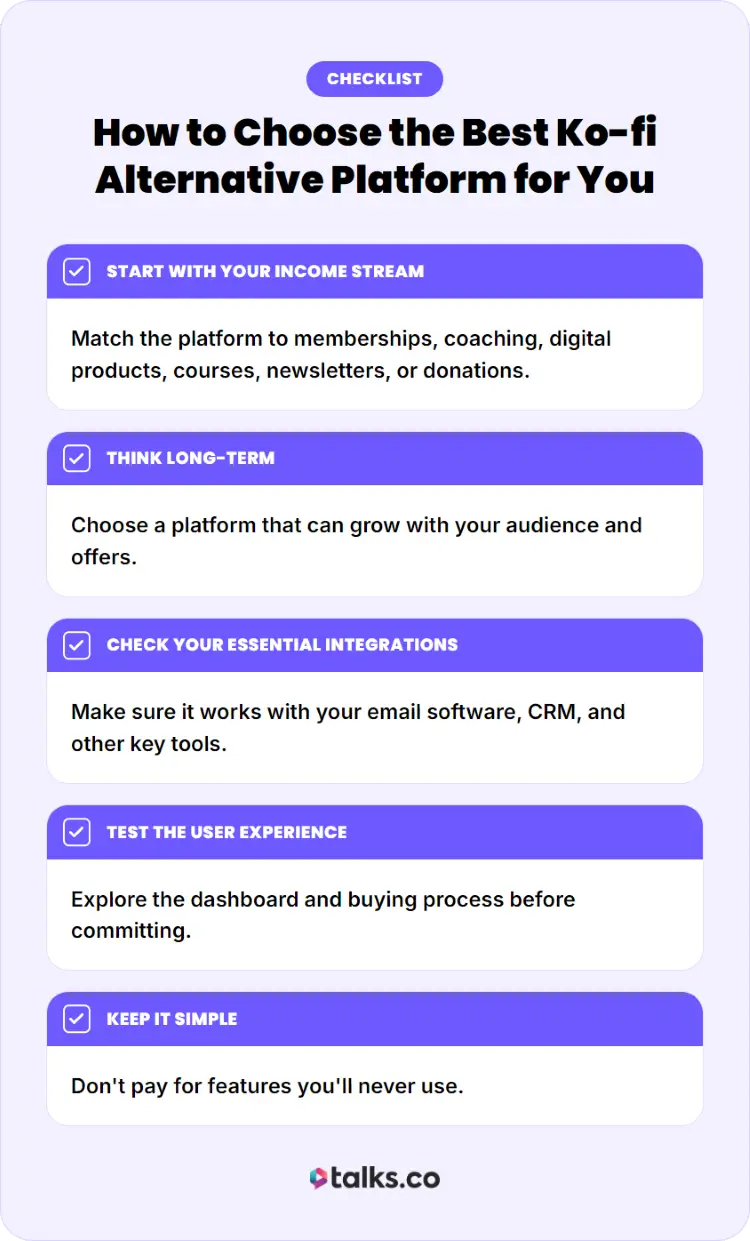
The best platform is the one that fits your business, your audience, and how you plan to make money over the next few years.
☐ Start with your income stream: Match the platform to memberships, coaching, digital products, courses, newsletters, or donations.
☐ Think long-term: Choose a platform that can grow with your audience and offers.
☐ Check your essential integrations: Make sure it works with your email software, CRM, and other key tools.
☐ Test the user experience: Explore the dashboard and buying process before committing.
☐ Keep it simple: Don’t pay for features you’ll never use.
What Are the Different Ko-fi Payment Options?
Ko-fi keeps things simple by connecting directly to Stripe and PayPal, making it easy for creators to get paid.
- One-time donations: Accept tips from supporters without requiring a subscription.
- Recurring memberships: Generate monthly income through paid membership tiers.
- Product and commission sales: Sell digital products or accept custom work requests directly through your page.
Check out my full guide on how Ko-fi works here.
What are the different Ko-fi pricing options?
One advantage many creators start with Ko-fi is the low barrier to entry and flexible pricing structure for using Ko-fi.
- Free plan: Start accepting payments without a monthly subscription.
- 0%-5% platform fees: Fees vary depending on the type of sale or support received.
- Ko-fi Gold: Upgrade for additional features and reduced platform fees.
How much does Ko-fi cost?
Your actual cost depends on what you’re selling and how much revenue you’re generating.
- Free to start: No monthly subscription is required.
- Processing fees apply: Stripe and PayPal charge separate transaction fees.
- Gold may save money: Higher-volume creators may benefit from upgrading to a paid plan.
Does Ko-fi Work?
For many creators, yes. Ko-fi can work well for collecting donations, selling digital products, and running memberships. The real question isn’t whether it works. It’s whether it has the features, flexibility, and growth tools you need for your business.
Ko-fi reviews to help you decide
Creator feedback on Ko-fi is generally positive, but not without some criticism.
What users like:
- Responsive support: Several reviewers praise Ko-fi’s helpful and timely customer support.
- Easy to use: Many creators find the platform simple to set up and manage.
Common complaints:
- Limited analytics: Some users want more data on visitors, conversions, and sales performance.
- Checkout and customization limitations: Others mention payment friction and fewer customization options than competitors.
- Scam concerns: A handful of creators report issues with impersonation accounts and fake creator pages.
Why consider an alternative to Ko-fi
Ko-fi does a lot well, but it won’t be the perfect fit for everyone.
- More detailed analytics: Allows users an easy way to gain deeper insight into customer behavior and sales performance with important features before you create content.
- Advanced features: Access stronger memberships, email marketing, and automation tools. For example, Buy Me a Coffee offers and encourages ease of use plus a slightly different supporter experience that some creators prefer over Ko-fi.
- Greater customization: Create a storefront and customer experience that better reflects your brand.
What is better than Ko-fi?
There’s no single platform that’s objectively better than Ko-fi for everyone. But generally speaking, go for software similar to Ko-fi like these to help you receive support online:
- Patreon: Often preferred by membership-focused creators.
- Gumroad: Popular with creators selling digital products.
- Podia or Kajabi: Strong options for coaches, consultants, and educators selling courses and memberships.
Your Next Move
Most creators spend hours comparing platforms, fees, and features, then wonder why revenue still feels stuck.
The truth? A payment button doesn’t create demand. An audience does.
The best Ko-fi alternatives can help you collect money, sell products, run memberships, or grow subscribers. But the creators pulling ahead are also finding ways to get in front of new audiences every single week.
If you host a podcast, great guests can do exactly that. One strong conversation can bring fresh listeners, new subscribers, referral traffic, and future opportunities long after the episode goes live.
Want a faster way to find guests worth featuring?
Create your free Talks profile and get matched with experts, authors, coaches, and speakers who can bring fresh ideas and new audiences to your show.
Start building a stronger guest pipeline today.


