

If you want people to hear your message and take you seriously, podcasting can make that happen.
I’ve seen its impact firsthand. I’ve guested on a lot of shows, and it’s been one of the best ways for me to share my story, showcase my expertise, and connect with people who want to hear what I want to say.
The best part? If you want to tap into its influence for yourself and start a podcast, it’s easy to get started.
All you need are reliable recording equipment and podcast software like Buzzsprout and Podbean to launch your show.
Ready to let the world hear your voice? Check out this Buzzsprout vs Podbean comparison guide, so that your first podcast hosting platform sets you up for success.
Let’s look at key features, pricing, and pros and cons to help you decide.
Comparison of Buzzsprout vs Podbean (Overview)
Before diving deep, let’s start by comparing Buzzsprout and Podbean side by side so you can quickly understand how these two podcast hosting platforms stack up.
| Feature | Buzzsprout | Podbean |
|---|---|---|
| Starting pricing | Free plan limited to 90 days, paid plan starts at $19 | Podbean offers a free tier with basic features, and paid plans start at $17 |
| Storage | Monthly upload limits based on plan | Podbean offers unlimited storage on paid tiers |
| Ease of use | Very beginner-friendly | Moderate learning curve |
| Podcast distribution | Automatically submit to major podcast directories | Automatically submit to major podcast directories |
| Monetization | Buzzsprout ads, listener support, premium content, and affiliate links | Podbean advertising marketplace, the Patron Program, and premium content |
| Device compatibility | Works on desktop and mobile (via app) | Works on desktop and mobile (via app) |
| Podcast website | Included with customizable options | Included with themes |
Both tools act as your podcast host, meaning they store your audio file, distribute it to podcast directories, and power your podcast player.
If you’re recording interviews after connecting with guests through Talks, both tools make it easy to upload your podcast episode and share your podcast across platforms. Once your guest interview is done, you simply export the audio file, upload it, and publish your podcast to reach new listeners.
Buzzsprout vs Podbean key features
Let’s break down the features of Buzzsprout and look at what Podbean offers, especially if your goal is visibility and consistent publishing.
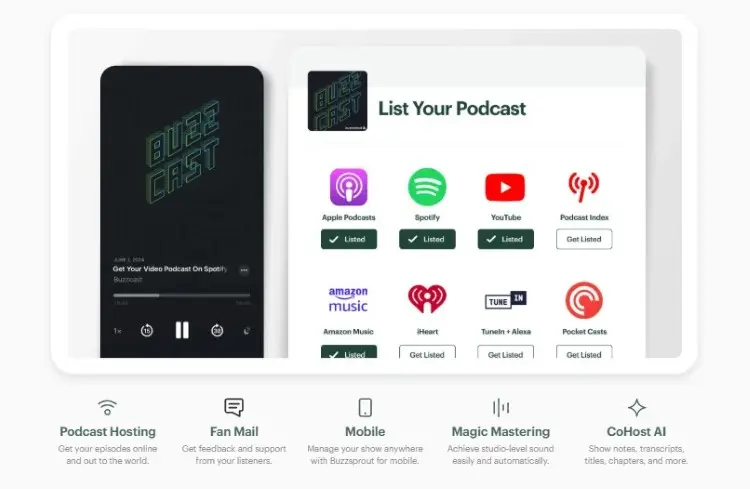
Buzzsprout focuses on simplicity and clean workflows, making it ideal for creators who want to launch fast without overthinking tech.
Key features:
- Buzzsprout allows easy episode uploads through an intuitive dashboard.
- Includes podcast distribution to Apple Podcasts, Spotify, and Google Podcasts.
- It offers advanced analytics to track listener behavior.
- You can apply automatic optimization of audio files via Magic Mastering.
- Transcription tools to make your podcast content accessible.
- Buzzsprout integrates with WordPress to extend your reach.
- You get a customizable podcast website and embeddable podcast player.
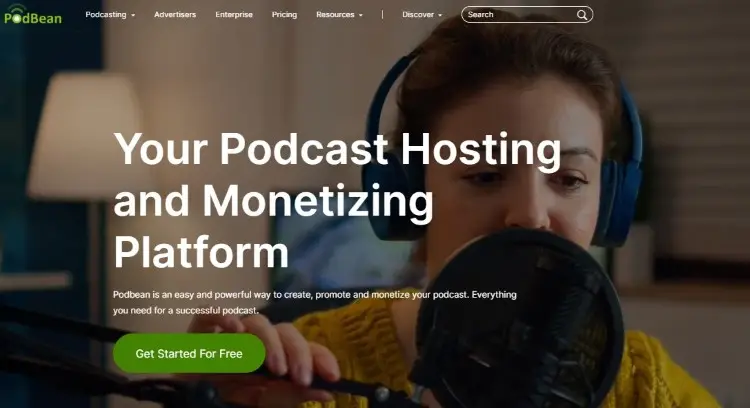
Podbean is a full-service podcast host that blends hosting with recording and money-making tools. It works well for creators who want everything under one roof.
Key features:
- Get a unique RSS feed for each podcast channel to distribute episodes everywhere.
- Unlimited hosting and unlimited audio hours on paid tiers.
- Podbean allows in-app recording, live streaming, and publishing.
- Podbean also provides monetization through subscriptions and ads.
- Offers unlimited storage, dynamic ads, and Podbean AI tools.
- Manage your podcast on the go with the Podbean mobile app.
Buzzsprout vs Podbean pricing
When it comes to pricing, both platforms offer flexible entry points, but their models differ in important ways.
Buzzsprout pricing:
- Free plan: Up to two hours of upload per cycle hosted for 90 days. Limited access to features (stats, dynamic content, chapter markers, visual soundbites, and Buzzsprout embed players).
- Paid plan per upload hours: 6 upload hours ($19/month), 15 upload hours ($39/month), 35 upload hours ($79/month). Plus access to all features, including Cohost AI and Magic Mastering.
- Impact: Buzzsprout pricing plans are based on how many hours you upload monthly, which means heavy podcasters may need to upgrade quickly.
Podbean pricing:
- Free plan: Limits on storage and bandwidth (five hours total storage, a maximum of three published episodes a day, 20 episodes displayed in RSS feed).
- Paid plans: Unlimited Audio ($17/month), Unlimited Plus ($39/month), Business ($99/month), Network ($129/month)
- Impact: Podbean offers unlimited storage space on paid tiers, which can be easier to manage for regular podcasters.
If you plan to scale content, Podbean vs Buzzsprout comes down to how much content you post.
No matter which podcast host you pick, you can fold Talks into your workflow by creating a free profile. Talks connects you with guests so your next podcast episode is always ready to launch.
Buzzsprout vs Podbean similarities and differences
When comparing Buzzsprout and Podbean, you’ll see a lot of the same core features, but they provide users with different experiences.
Similarities:
- Both are reliable hosting provider options.
- Both support major podcast directories like Spotify and Apple Podcasts.
- Both allow you to start a podcast quickly.
- Both include analytics and monetization options.
- Both let you migrate existing shows.
Differences:
- Buzzsprout has a simple interface, while Podbean provides more tools.
- Buzzsprout lacks built-in recording and livestreaming, while Podbean supports it.
- Podbean offers unlimited storage, while Buzzsprout limits uploads.
- Podbean also allows team collaboration on higher tiers.
If you just need a straightforward podcast host, go for Buzzsprout. But if you’re willing to pay for more podcast tools, explore Podbean.
Buzzsprout or Podbean pros and cons
Looking at the pros and cons of Podbean and Buzzsprout helps you decide faster.
| Platform | Pros | Cons |
|---|---|---|
| Buzzsprout | Easy to use Clean UI Strong beginner tools Great customer support | Upload limits Buzzsprout lacks built-in recording Higher cost for heavy uploaders |
| Podbean | Unlimited storage Recording and live-streaming tools Built-in monetization tools | Slightly more complex interface Some features require an upgrade Podbean branding is present on the free tier |
Your choice between Buzzsprout and Podbean comes down to whether you want a streamlined host or a full production house. If you want speed and accessibility, go with Buzzsprout, but if you want power and scalability, Podbean is better.
No matter your choice, Talks fills the gap by helping you find guests or get booked on shows.
It completes your toolkit so you can create podcast content that people actually want to listen to.
What Is Buzzsprout?
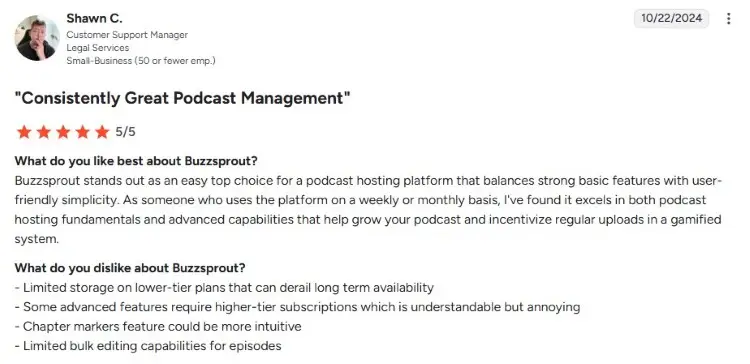
Buzzsprout is a beginner-friendly podcast hosting platform designed to help creators launch and manage a new podcast without technical overwhelm.
A typical Buzzsprout review highlights ease of use, fast setup, and helpful support.
Users often mention that Buzzsprout provides a smooth experience for uploading, editing, and distributing episodes.
- Shawn C. says, “Buzzsprout stands out as an easy top choice for a podcast hosting platform that balances strong basic features with user-friendly simplicity.”
- Mark B. shares, “Using Buzzsprout automates the distribution of your podcast to all the favorite platforms, and allows you to add intros, outros, and promotional content with ease.”
- Mary W. comments, “I’m absolutely blown away at the care and attention the entire support team has given our podcast.”
Is Buzzsprout good?
Yes, Buzzsprout is good for creators who want a straightforward path from idea to live show. It earns strong marks as one of the best podcast hosting options for both beginners and professionals.
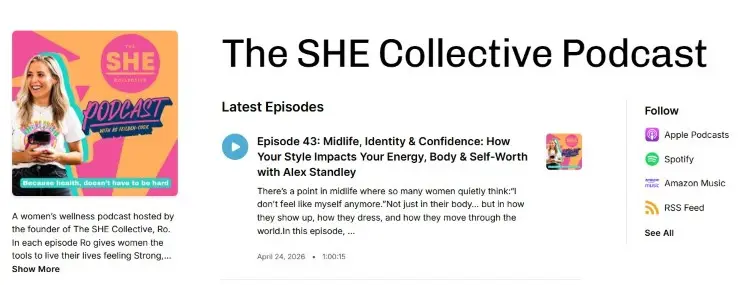
There are already over 116,000 shows on Buzzsprout, including popular podcasts like Engineering Conversations and The SHE Collective podcast.
Can you record a podcast on Buzzsprout?
No, Buzzsprout doesn’t have native recording functions. You’ll need to record your conversation elsewhere, then upload the finished audio file to your Buzzsprout account.
You need podcast recording tools or remote interview software to capture podcast interviews. After recording and editing, you then drag your file into Buzzsprout for publishing. You can then add ID3 tags, show notes, and chapter markers after upload.
What Is Podbean?
Podbean is an all-in-one podcast platform that combines hosting, recording, and monetization features in one place.
User feedback in a typical Podbean review highlights flexibility, especially for creators who want unlimited hosting and built-in tools. Many also appreciate its strong monetization options and mobile-friendly workflow.
- Ben S. shares, “I find the user interface, reporting, and customer support to be exceptional. The price point is also extremely competitive in the space.”
- Louis A. comments, “Podbean is a straightforward podcast hosting provider. I use it for video format podcasts on Apple and syndicate the audio-only version to the other podcast platforms.”
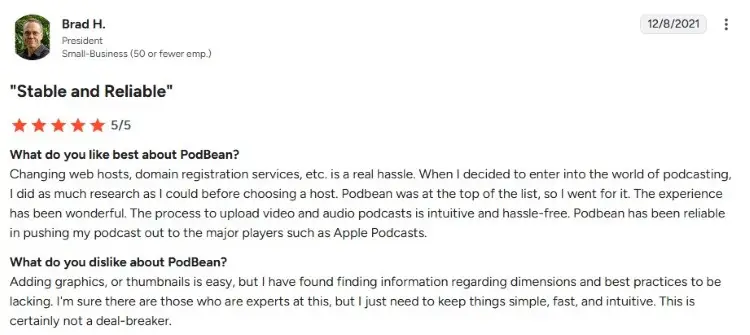
- Brad H. says, “The process to upload video and audio podcasts is intuitive and hassle-free. Podbean has been reliable in pushing my podcast out to the major players, such as Apple Podcasts.”
Is Podbean good?
Yes, Podbean works well for creators who want flexibility and growth potential. If you want a tool that can scale from hobby to full business, Podbean is better equipped for that journey than most competitors.
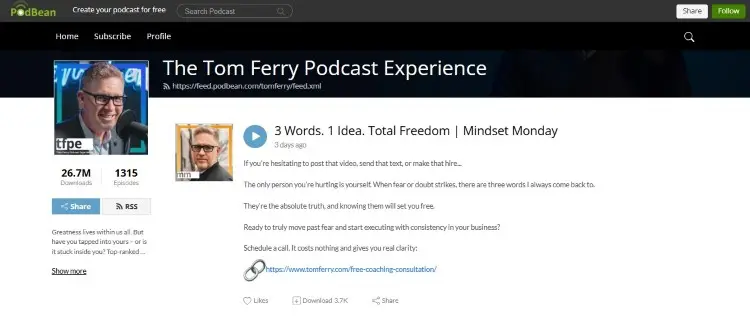
Over 136,000 podcasts across comedy, education, and business categories use Podbean as their home base. Some well-known shows there include The Secret Sauce podcast and The Tom Ferry Podcast Experience.
Which Is Better: Podbean or Buzzsprout?
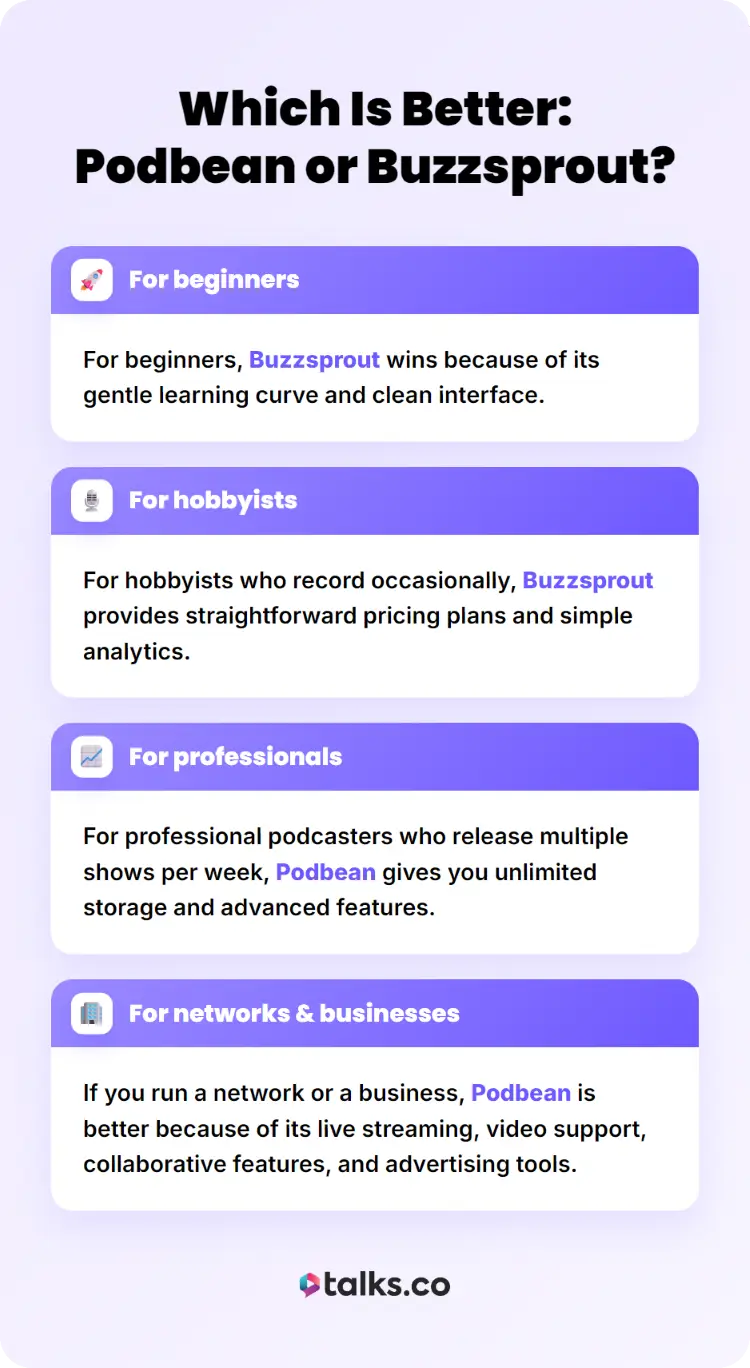
The answer depends on who is asking and what stage they are in. Comparing Buzzsprout and Podbean shows how these two podcast hosting platforms match different needs.
- For beginners, Buzzsprout wins because of its gentle learning curve and clean interface.
- For hobbyists who record occasionally, Buzzsprout provides straightforward pricing plans and simple analytics.
- For professional podcasters who release multiple shows per week, Podbean gives you unlimited storage and advanced features.
- If you run a network or a business, Podbean is better because of its live streaming, video support, collaborative features, and advertising tools.
Podcast Nut reviewed both platforms and noted that Buzzsprout excels at getting new creators listed quickly, while Podbean shines for creators who want to monetize and expand.
Buzzsprout and Podbean Alternatives
If neither option feels right, there are other tools worth exploring depending on your workflow.
Some focus more on recording quality, while others prioritize distribution or audience reach. Here are three alternatives to consider:
- Riverside: It’s one of the best podcast interview software for both audio and video, and it records locally for higher quality even if your internet drops. It also offers hosting, automatic transcription, and clip creation, making it a strong option if you want studio-quality interviews and faster content repurposing.
- Zencastr: A browser-based tool that lets you record interviews with guests without installing software. It includes built-in editing, soundboard features, and direct publishing, which makes it convenient if you want a simple workflow from recording to release.
- Soundcloud: A music and audio community that also supports podcasting and gives you access to an existing listener base. It works well if you want organic discovery, though its podcast-specific tools are more limited compared to a dedicated podcast hosting platform.
Buzzsprout vs Anchor vs Podbean
Spotify for Creators, formerly Anchor, is another major podcast platform that focuses on free access and easy publishing. You can record, edit, and publish for free, directly integrating with the Spotify ecosystem.
Here are some key features of Spotify for Creators:
- Free hosting: Lets you upload and distribute unlimited podcast episodes at no cost.
- Recording integration: Allows you to record and edit episodes via Riverside.
- Automatic distribution: Publishes your show to Spotify and other major podcast directories with one click.
- Monetization tools: Offers options like listener support and ad placements so you can earn from your podcast.
- Episode analytics: Provides insights into audience size, engagement, and listener behavior.
Compared to Buzzsprout and Podbean, Anchor stands out because it offers completely free hosting and analytics. But it lacks some advanced controls that both Buzzsprout and Podbean provide.
Find Out What All the Buzz Is About
Buzzsprout vs Podbean is a matter of which one matches your present needs and future goals.
Whichever platform ends up hosting your podcast, you need to make sure you create content first.
Try recording strong expert interviews that grab people’s attention. Talks can help you with that.
Talks modernized the way you do podcast matching. Through AI and mutual matching systems, you can find and invite experts with a few clicks.
That means goodbye cold pitching and email table tennis. Hello, confirmed schedules and recorded episodes.
Register for a free Talks Creator profile today and start filling up your calendar!


