

You recorded your interview. You polished the episode. Now, you’re ready to play it for the world.
But launching your podcast isn’t as easy as just uploading a file. Depending on what you need, you can look for extra features for social media promotions or video podcasting.
Podbean and Spotify for Creators can do that for you.
If you want more reach, better guests, and a smoother workflow, choosing between Podbean and Spotify for Creators can shape your entire podcasting experience.
This guide breaks down Podbean vs Spotify for Creators, so you can pick the right platform and start building an impactful and profitable show.
Comparison of Podbean vs Spotify for Creators (Overview)
Before diving into details, it helps to see how Podbean and Spotify stack up side by side in the podcast hosting and publishing category.
Here’s a clear comparison so you can quickly spot the difference between Podbean and Spotify for Creators.
| Feature | Podbean | Spotify for Creators |
|---|---|---|
| Core use | Full podcast hosting platform | Creation and distribution tool directly to Spotify |
| Pricing | Free and paid plans available | Free |
| Storage | Limited on the free plan, scalable on the paid plan | Unlimited hosting |
| Monetization | Ads, patron program, subscriptions | Ads, subscriptions, dynamic advertising system |
| Analytics | Advanced analytics dashboard | Built-in listener insight tools |
| Ease of use | Slight learning curve | Very intuitive |
| Distribution | Wide, including Apple Podcasts, Google Podcasts | Strong focus on Spotify, supports RSS feeds |
| Video podcasting | Limited | Integration with Riverside |
| Mobile app | Yes (Podbean podcast app) | Yes |
| Desktop | Yes | Yes |
Once you find a podcast guest via Talks and record together, your next move is getting it in front of people. Both services let you distribute to major directories so your show appears wherever your audience already listens.
Podbean vs Spotify for Creators: Key features
Every creator needs different tools. Let’s have a deeper look at what Podbean and Spotify for Creators have to offer.
Podbean is a full-service podcast hosting platform that’s been around for years in business. It gives creators everything they need to upload, edit, and promote shows from one dashboard.
Key features:
- Paid plans offer unlimited storage and unmetered bandwidth.
- The Podbean podcast app includes a built-in recorder and livestream function.
- You get a dynamic advertising system that inserts ads based on your listeners’ profiles.
- The Patron Program lets fans subscribe to bonus content.
- Their analytics give deep insight into downloads and trends.
Spotify for Creators, also known as Spotify for Podcasters and Anchor, gives you a free way to launch a show. In the first place, Anchor by Spotify stands out with its direct integration with Spotify.
Key features:
- You can upload video episodes.
- The interface is highly accessible and designed to upload shows quickly.
- Distribution to Spotify and partner networks happens automatically.
- Allows integration with Riverside for recording.
- You get basic analytics to track how each episode performs.
- Monetization tools include listener support and ad insertion for monetizing your podcast.
Podbean vs Spotify for Creators pricing
One factor to consider before saying yes to any podcast software is your budget and growth plans. Let’s look at whether Podbean and Spotify for Creators are worth it.
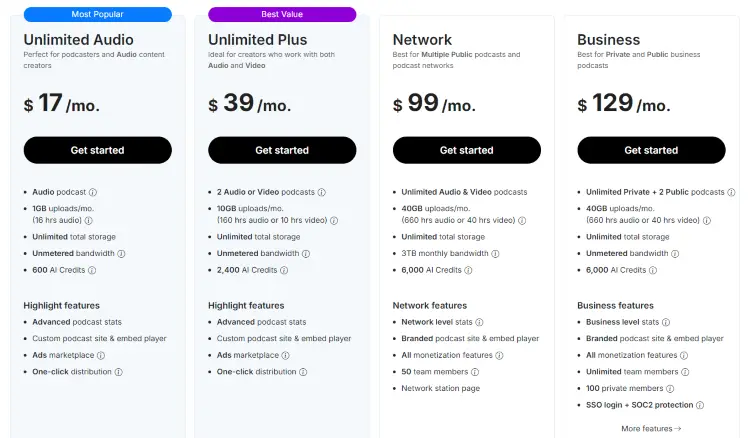
Podbean pricing:
- Free plan: Limited storage and bandwidth (five hours total storage, a maximum of three published episodes a day, 20 episodes display in RSS feed).
- Paid plans: Unlimited Audio ($17/month), Unlimited Plus ($39/month), Business ($99/month), Network ($129/month)
- Impact: Podbean has free and paid tiers unlocking more storage, advanced analytics, and premium podcast service features.
Spotify for Creators pricing:
- Free: Free to use for hosting, distributing, and creating podcasts.
- Limitations: The free plan is great for getting started, but the trade-off is clear. Fewer built-in tools, limited monetization access, and less control compared to paid podcast hosting platforms.
Podbean’s paid plans scale with your needs, while Spotify focuses on accessibility and ease of entry. Both tools offer some level of trial offers, making it easier to test before committing.
Whichever you choose, you can improve your workflow by creating a free profile on Talks. You can test podcast matching features immediately and get results.
Podbean vs Spotify for Creators: Similarities and differences
Both tools help you launch, promote, and manage your podcasts, but they approach it differently.
Similarities
- Both support audio hosting and distribution.
- Both provide analytics and insight into your audience.
- Both allow you to monetize and grow revenue.
- Both help you distribute shows across directories.
Differences
- Podbean is a more complete hosting platform with deeper monetization options.
- Podbean offers stronger website and branding tools.
- Spotify for Creators focuses on simplicity and discoverability.
- Spotify for Creators appeals to beginners, while Podbean can meet the needs of growing creators.
Podbean or Spotify for Creators pros and cons
Here’s a quick breakdown of strengths and trade-offs for these two podcast hosting tools.
| Software | Pros | Cons |
|---|---|---|
| Podbean | Robust hosting features Dynamic ad marketplace Great analytics Unlimited storage on paid plans | Limited free tier Moderate learning curve for advanced tools |
| Spotify for Creators | Forever free Connection to Spotify audiences Simple app and workflow | Conditional monetization options No built-in recording and editing |
So, what does that mean for you?
- Podbean is better if you want control and multiple monetization strategies.
- Spotify for Creators is better if you want an accessible entry into podcasting.
No matter your choice, Talks completes your toolkit by helping you find experts to interview or even get featured as a podcast guest on another show.
What Is Podbean?
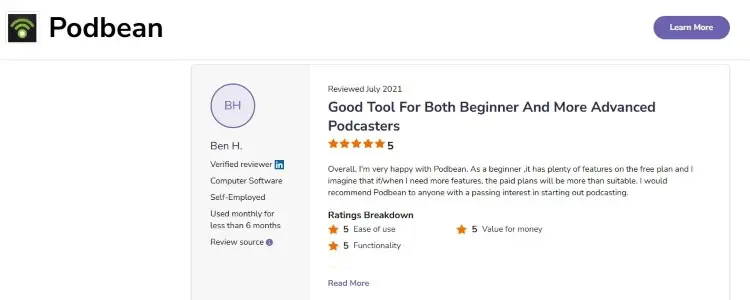
Podbean is a full-service podcast hosting platform that helps creators upload, manage, and promote their content. It has been around for many years in business, making it a trusted option in the industry.
Users generally praise the Podbean podcast app for its simple navigation and efficient distribution.
- Riccardo L. says, “Podbean is one of the few media hosts that really seems to give podcasters pretty much everything they need from start to finish.”
- Ben H. comments, “You can also connect to your social media accounts and get your own podcast home page. [Finally,] it has excellent stats for you to browse through, such as number of downloads by time of day, user retention, audience location, etc.”
- Louis A. shares, “I use it for video format podcasts on Apple and syndicate the audio-only version to the other podcast platforms.”
Podbean vs Podcast Addict
Podcast Addict is a popular mobile podcast app used by millions of listeners worldwide. It’s primarily a player and aggregator, not a host.
Comparing the two, here’s how they differ:
- Podbean gives you a back-end platform to host and distribute your episodes.
- Podcast Addict lets fans subscribe and browse thousands of shows, including yours, but doesn’t host your files.
If you want to launch a show, you need a host like Podbean first. The Addict app is great for discovery, while Podbean is great for creation and analytics.
Podbean vs Soundcloud
SoundCloud is an audio platform for songs and podcasts alike. It hosts millions of music clips and gives creators a direct line to fans.
Side-by-side, here’s how they compare:
- SoundCloud is more of a social network for music or podcast clips.
- While SoundCloud has millions of tracks and episodes, Podbean focuses on the full podcasting experience from recording to monetization.
The verdict? If your goal is a professional show with dynamic growth tools, Podbean is the stronger podcast hosting platform.
Explore this Libsyn vs Podbean comparison to see how it fares against alternatives.
How to connect Podbean to Spotify
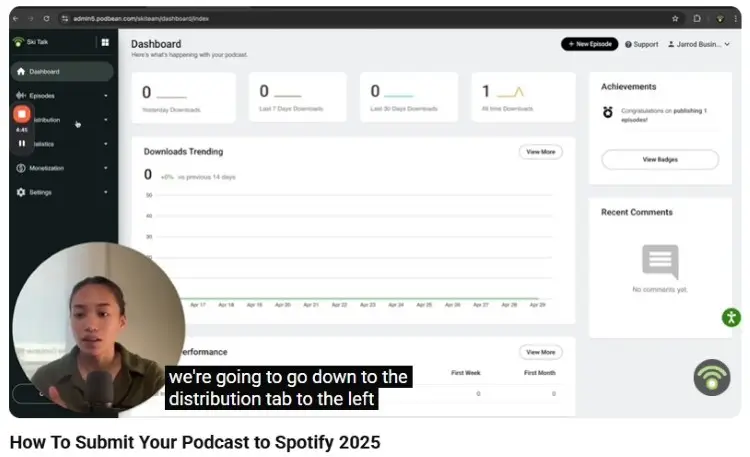
Getting your show heard everywhere matters. Here’s how you push your Podbean feed directly to Spotify.
- Login: Sign in to your Podbean account and open the Settings area.
- Find Spotify: Locate the distribution or social sharing tab inside the dashboard.
- Copy RSS: Grab your unique RSS feed link from the provided field.
- Submit: Paste that link into the Spotify for Podcasters portal and verify ownership.
- Wait: Approval usually happens within a few days.
If you want to discover other options to upload a podcast to Spotify, check this guide.
What Is Spotify for Creators?
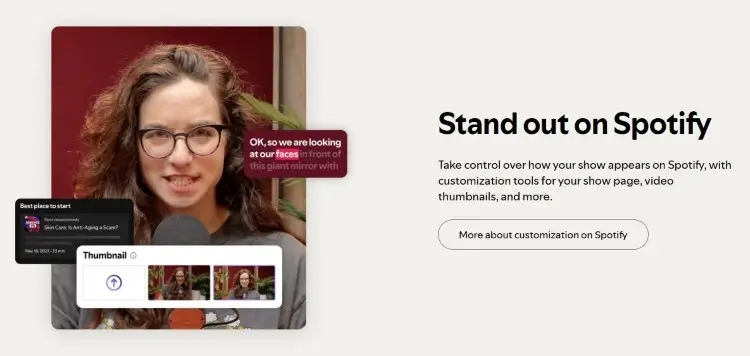
Spotify for Creators is Spotify’s all-in-one podcasting tool that helps you create, edit, and publish content. It’s a free podcast hosting tool that lets anyone upload and edit shows from a phone or laptop.
User feedback highlights how accessible the app feels for beginners. Reviewers love that there’s no monthly subscription fee and that distribution is nearly instant.
- Emelda D. says, “I love that it gives me tips on how best to publish the podcast, and the analytics help me to keep creating relevant content.”
- Philasande N. shares, “What I like about the software is that you can also access it on your phone without always having to record your podcast on your computer.”
- Pascal A. notes, “It is user-friendly, free to use, and allows for easy distribution across multiple platforms. However, more experienced podcast creators may find the limited customization and sound quality to be a drawback.”
Spotify vs Apple podcasts
People think Spotify for Creators only distributes to Spotify. In reality, it doesn’t actually lock you in.
You still get an RSS feed that you can use to get listed in Apple Podcasts, Google Podcasts, and other directories. But the workflow is heavily optimized for Spotify.
So if you want to produce audio content primarily for Spotify, this works for you. But the difference isn’t that big, even if you want to prioritize other listening platforms.
How to play a video podcast on Spotify
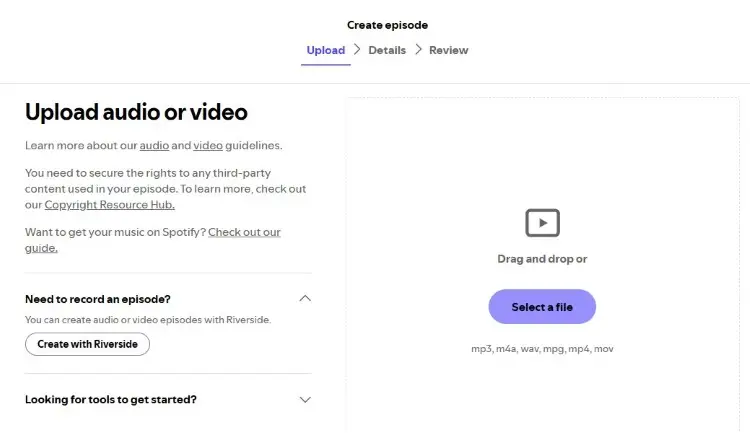
Video podcasts are now the norm. Spotify for Creators makes it easy for you to publish video episodes.
- Prepare file: Create a video file that meets the current format guidelines.
- Open dashboard: Log in to Spotify for Podcasters and start a new episode.
- Upload: Select the video option instead of standard audio.
- Add details: Write a title, description, and tags so listeners can find your content.
- Publish: Hit publish and check once it goes live. Once on Spotify, your audience will get a different experience from the usual audio episodes.
Videos typically need a strong host, so understanding what an emcee is can improve your on-camera presence.
Which Is Better: Podbean vs Spotify for Podcasters?
Starting a podcast? The best choice for your podcast hosting platform depends on your goals, budget, and skill level.
- For beginners, Spotify for Podcasters wins because it’s free and requires no setup.
- For professional podcasters, Podbean offers deeper analytics, monetization options, and brand control.
- If monetization is your top priority, Podbean has more options (Ads Marketplace, premium sales, listener support, and live streaming).
Your recording setup matters as much as your host, so exploring this Zencastr vs Riverside breakdown can help you pick the right remote studio.
Podbean and Spotify for Creators Alternatives
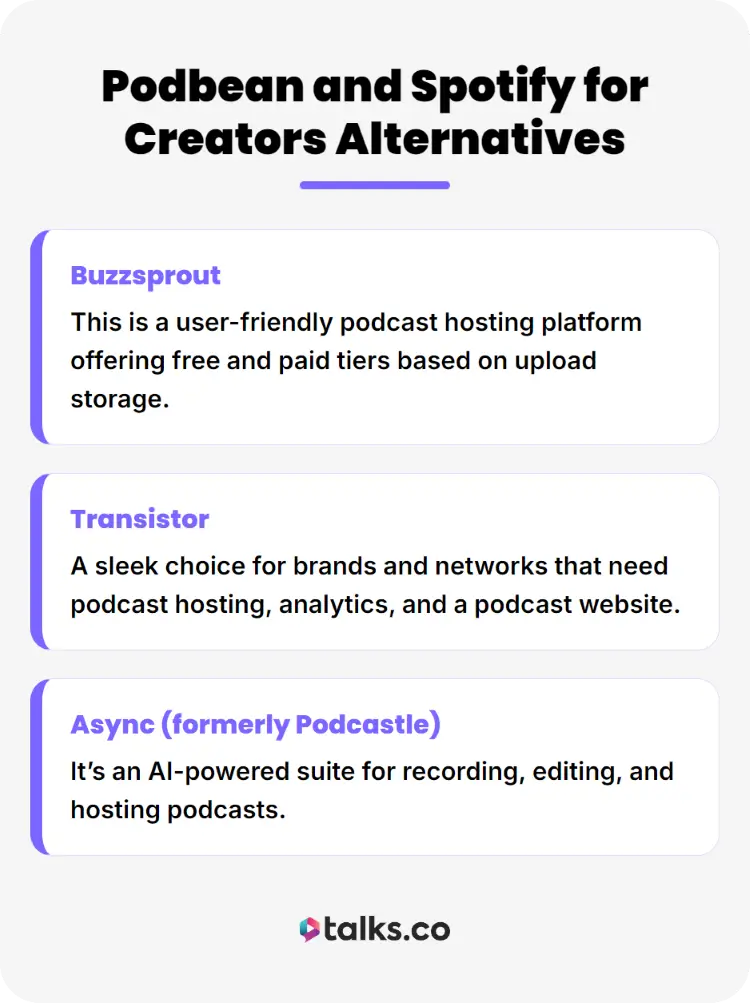
Here are three other players in the podcast hosting space.
- Buzzsprout: This is a user-friendly podcast hosting platform offering free and paid tiers based on upload storage.
- Transistor: A sleek choice for brands and networks that need podcast hosting, analytics, and a podcast website.
- Async (formerly Podcastle): It’s an AI-powered suite for recording, editing, and hosting podcasts.
Check out how the most popular podcasts do it with this guide.
Made for Creators
Choosing between Podbean vs Spotify for Creators widens your reach. Your polished episodes won’t just be sitting on a corner of the internet. They will be listened to and supported.
To complete your toolkit, explore Talks and record engaging interviews that people will keep listening to. It’s made for creators, coaches, and entrepreneurs who believe in authority through visibility.
Get direct connections with experts and podcast hosts. Find opportunities to appear in front of loyal fans. All with the support of AI smart recommendations and a modern matching workflow.
Deborah secured 10 matches. Sanjai completely maxed out his calendar.
Create a free Talks profile and get started in just five minutes!


