

Think about all the podcasts you’ve ever listened to. Chances are, your favorites have good sound quality on top of covering really good topics.
That’s the thing about great podcasts.
Quality = trust.
It’s what makes you memorable, so listeners keep tuning in.
To get to that professional sound and look, you need the best podcast editing tools to clean up and enhance your audio files and video recordings.
This article lists 14 of the top podcast editing software and programs, their key features, customer feedback, and costs.
Whether you’re new to the world of podcasting or you’re looking to upgrade your setup, this list covers everything from free podcast software to professional-grade programs.
Let’s dive into the best tools to edit your podcast in 2026, so you can focus on creating great content that gets heard.
14 Top Podcast Editing Programs (2026 Snapshot)
Need a quick glimpse of the top podcast recording and editing platforms? Here are the 14 podcast editing tools covered in this article and what each is best for:
- Riverside: Best for podcasters creating high-quality audio and video content remotely.
- Audacity: Best for beginners looking for free podcast recording software with editing tools.
- Podcastle: Best for podcasters wanting cloud-based, easy-to-use editing.
- Alitu: Best for an all-in-one podcast editing and recording software.
- WavePad: Best for affordable and straightforward audio editing.
- Ocenaudio: Best for beginner-friendly and fast audio editing.
- Adobe Audition: Best editing software for professionals.
- Pro Tools: Best for professional and advanced audio production.
- Logic Pro: Best for Mac users wanting advanced tools for audio and video podcasts.
- GarageBand: Best for Mac users looking for built-in podcast editing software.
- Hindenburg Pro: Best for interview and storytelling podcasters.
- WeVideo: Best for easy cloud-based audio and video editing.
- Acoustica: Best for studio-quality audio restoration and mastering.
- We Edit Podcasts: Best for podcasters wanting professional editing services.
Are Podcasts Edited?
Yes, podcasts are edited as part of podcast production. To get a polished and professional podcast episode, you need to:
- Remove background noise and distractions
- Splice clips to eliminate awkward silences
- Add background music and sound effects
Editing podcasts, whether it’s audio editing or video editing, makes sure you produce consistent episodes that are recognizable and easy to listen to.
14 Best Podcast Editing Tools
Want to edit your own podcast but don’t know where to get started? Your first step is choosing the right podcast recording and editing tool for your needs.
For podcasters who want to grow their audience, these tools cover a broad range of situations, from beginner-friendly editing tools to professional-grade software.
Let’s break down the best options for different user needs in 2026.
1. Riverside
Riverside is a reliable software for producing video podcasts with remote guests using AI-powered editing tools. This browser-based platform combines recording and editing, streamlining your whole workflow.
- Key features: Text-based editing, multitrack support, AI tools, and video enhancements
- Price: Free plan available, paid plans start from $24/month
- User experience: “Riverside makes it incredibly easy to create high-quality content right from your browser.” -Ali Abdaal
2. Audacity: Best podcast editing software free
Audacity is the go-to free podcast editing software offering powerful audio editing for beginners and pros alike. Its open-source nature allows a wide range of plugins and manual editing.
- Key features: Multitrack editing, audio effects, noise reduction, and plugin support
- Price: Free
- User experience: “It is software that is easy to obtain, simple to install, and offers a myriad of functions that are not even provided by others at a cost.” – Alberto G.
3. Podcastle: Best podcast editing apps
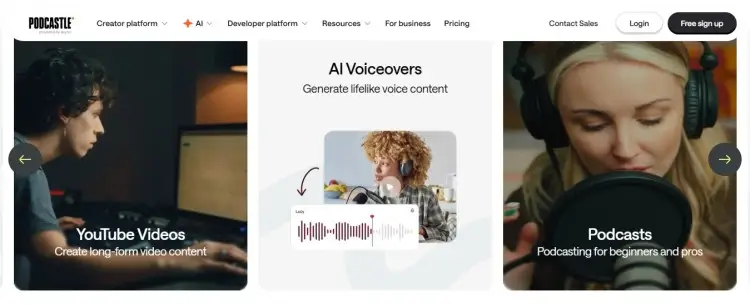
Podcastle is a cloud-based app that lets you record and edit your podcast easily, whether you’re working with audio or video. Perfect for podcasters who want a smooth, modern interface without installing software.
- Key features: AI-powered noise cancellation, cloud storage, text-based editing, multi-track editing, and audio transcription
- Price: Starting at $11.99/month
- User experience: “Podcastle’s user-friendly interface and AI-powered creativity make podcasting fun and accessible for everyone.” – Frederico Tomas P.
4. Alitu: Best podcast editing software for beginners
Alitu is designed for beginner podcasters to easily record and edit with automated levels, noise removal, and easy addition of music. Great for those just starting who want a simple yet effective tool.
- Key features: Automatic audio cleanup, drag-and-drop interface, publishing integration, and music library
- Price: $38/month
- User experience: “The audio editing is so simple and really edits out background noise. Their customer support is quick to respond and very helpful.” – Chris
5. WavePad: Podcast editing for beginners
WavePad is a professional recording and editing software compatible with both Windows and Mac. It’s user-friendly, caters to over 50 file formats, and is good for drag-and-drop editing.
- Key features: Batch audio editing, audio and music effects, spectral analysis, and audio restoration.
- Price: Free for non-commercial use (paid starts at $4.44/month)
- User experience: “It’s incredibly easy to use and comes with special effects built in, no need to purchase plug-ins.” – Roger T.
6. Ocenaudio: Easiest podcast editing software
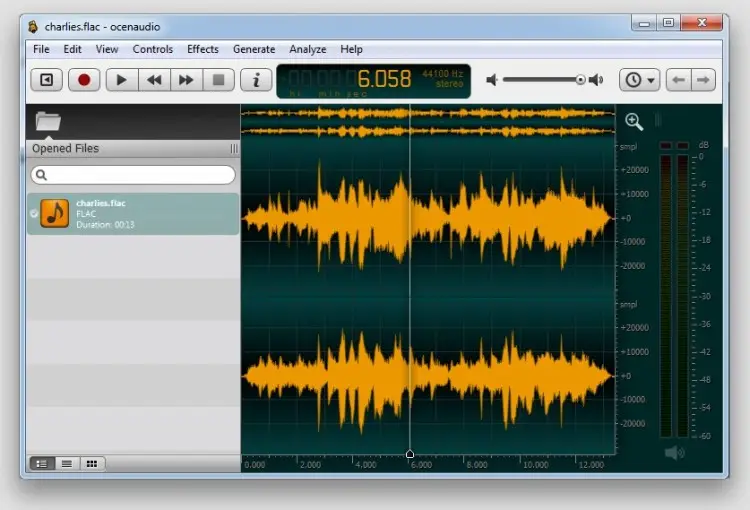
Ocenaudio is an easy-to-use and functional podcast audio editor with basic features. It focuses on usability, removing unnecessary frills that you won’t need when you’re starting out.
- Key features: Multiple file format support, spectral analysis, and audio signal generation.
- Price: Free
- User experience: “It is very intuitive and easy to edit your audio when you don’t have much time. It is very fast.” – Alejandra D.
7. Adobe Audition: Podcast editing workflow
Adobe Audition is an industry-standard for audio editing, mixing, and restoration. It offers an array of advanced editing tools and seamless integration with Creative Cloud. Perfect for podcasters building a professional workflow.
- Key features: Spectral frequency display, noise reduction, multi-track mixing, advanced effects and integration with other Adobe products.
- Price: $22.99/month
- User experience: “I appreciate its flexibility, advanced functionality, and the ability to work seamlessly with other Adobe products.” – Mark
8. Pro Tools: Podcast editing tool
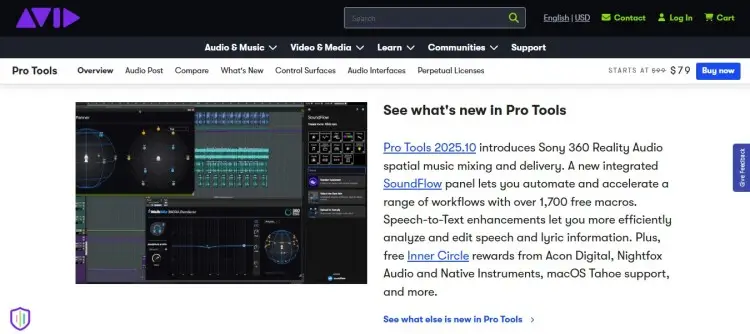
Pro Tools is a leading digital audio workstation used widely in professional audio production, including podcasting. It allows fine control over multi-track audio and is used by podcasters who want top-tier audio editing software.
- Key features: Industry-standard mixing, multitrack editing, advanced plugins, and seamless hardware integration.
- Price: $79/year
- User experience: “I enjoy editing, mixing and mastering in Pro Tools and top-notch access to high-quality audio plug-ins.” – Fabio
9. Logic Pro: Best podcast editing software Mac
Logic Pro excels at audio with spatial audio and advanced effects. Perfect for Mac users looking for a pro-level tool that’s compatible with their device.
- Key features: Extensive sound library, multitrack editing, loops, and plug-ins.
- Price: $199.99
- User experience: “Logic has become my favorite and most used recording software for producing, mixing, and more.” – Andy S.
10. GarageBand: Free podcast editing software Mac
GarageBand is Apple’s free and beginner-friendly audio editor that comes with macOS. Reliable for basic podcast editing with a plug-and-play setup.
- Key features: Multi-track editing, preset audio effects, and a user-friendly interface.
- Price: Free (Mac only)
- User experience: “I like the way in which Garage Band breaks down the complex world of audio production into easy-to-use elements.” – Joel O
11. Hindenburg Pro: Podcast editing Mac
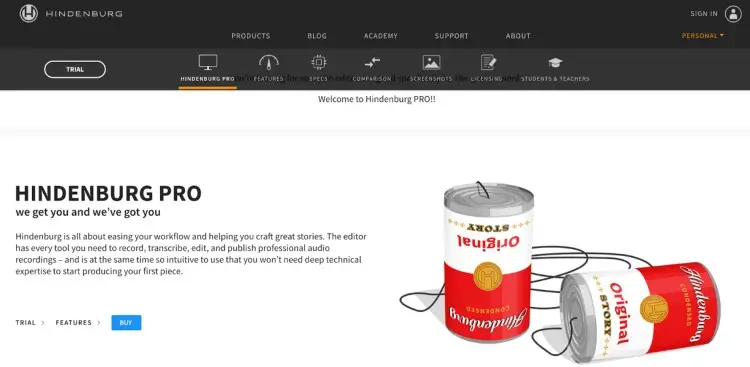
Hindenburg Pro is great for Mac users focused on storytelling, interviews and booking guests on podcasts. It offers simple navigation with advanced editing features custom-made for podcasters.
- Key features: Text-based editing, automatic leveling, multi-track editing, and voice profiler.
- Price: $20/month plus tax
- User experience: “The time I saved in mixing and mastering thanks to HB’s one-click Voice Profiler.” – Patrick
12. WeVideo: Podcast editing software Chromebook
For Chromebook users, WeVideo offers cloud-based video editing tools that also support audio editing. Ideal for video podcast creators or podcasters on the go.
- Key features: Cloud storage, multi-track editing, video and audio effects, and real-time collaboration.
- Price: $20/month
- User experience: “I have tried numerous video editing tools, but none have come close to the versatility, user-friendliness, and features-richness that WeVideo offers.” – Zita Joyce
13. Acoustica: Free podcast editing software Windows
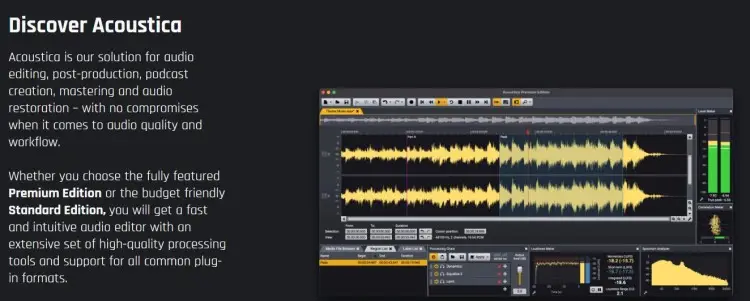
Acoustica is a powerhouse for podcast post-production, offering audio restoration and analysis tools to create polished episodes. Perfect for Windows users looking for precise editing features.
- Key features: Mix and mastering workspace, equalizer, plug-ins, and dialogue noise reduction.
- Price: Free 30-day trial ($99 for full version)
- User experience: “Acoustica’s dialogue-focused feature set also makes it a suitable choice for podcast production.” – Luke Goddard
14. We Edit Podcasts: Best podcast editing services
If editing isn’t your thing, We Edit Podcasts offers a professional service that handles cleaning up audio, adding music, and perfecting pacing. Ideal for podcasters who want to focus on content without technical trouble.
- Key features: Noise removal, pacing adjustments, and intro or outro music integration
- Price: $800/month (audio), $1800/month (video)
- User experience: “They are quick to turn around edits, and their work is to a high standard.” – Clara Melia
How to Choose the Best Podcast Recording and Editing Tools
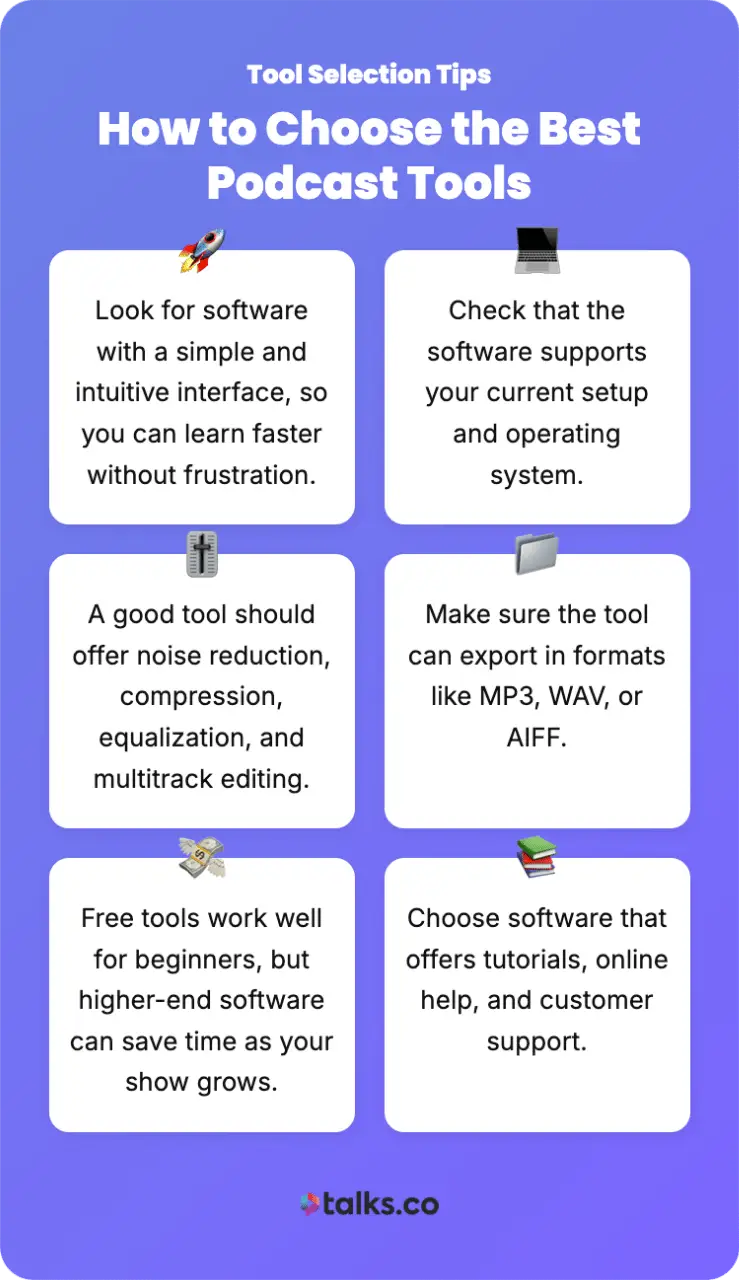
Choosing the right software tool depends on your podcast format, your technical skills, the device you use, and your budget. Here are key factors to help you make the best choice:
- Ease of use: Look for software with a simple and intuitive interface, so you can learn faster without feeling frustrated.
- Compatibility: Check that the software supports your current setup and operating system.
- Editing capabilities: A good tool should offer core features like noise reduction, compression, equalization, and multitrack editing.
- Export formats: Make sure the tool can export your audio in various formats like MP3, WAV, or AIFF.
- Budget: Consider how much you’re willing to invest. While free tools can work well for beginners, investing in higher-quality software might save time and deliver better results as your podcast grows.
- Support and learning resources: Choose software that offers tutorials, online help, and good customer support.
Continue growing your podcast and check out resources on other platforms like Boomcaster.
How to choose the best video podcast editing tools
Expanding to video means updating the podcast recording and editing software you use. Here’s what to consider to find the right video editing software for your video podcast:
- Separate tracks: Look for software that allows you to edit audio and video independently.
- Multi-camera support: If you use multiple cameras or record guests remotely, your software should let you manage different camera angles and sync them effortlessly with audio.
- Editing features: Essential video editing features include trimming clips, adding transitions, overlaying text or logos, and color correction.
- Export options: Make sure you can export to common video formats suitable for platforms like YouTube, Vimeo, or social media.
- Integration with audio tools: Video podcasts need good sound, so choose software that supports importing and syncing high-quality audio tracks or includes decent audio editing options within the video editor.
Aside from software, podcast equipment like budget microphones is essential to getting started.
How to Edit a Podcast for Free
With free podcast editing software and basic editing skills, it’s totally possible to edit a podcast without spending money. Here’s a simple roadmap of what you can do:
- Choose the right free software: Free tools like Audacity and GarageBand feature multitrack editing and noise reduction can help you achieve a clean sound.
- Learn basic editing skills: Focus on mastering key tasks like cutting out silences, removing background noise, adjusting volume levels, and trimming mistakes.
- Watch online tutorials: Learn from accessible resources that walk you through the editing process step-by-step.
- Use royalty-free music and effects: Add copyright-free or Creative Commons tracks to enhance your podcast without any issues.
How to edit a video podcast
Unlike an audio podcast, you have more elements to polish when video is involved. Here are simple steps to edit a video podcast:
- Import media files: Gather all your video footage, audio tracks, graphics, and any background music or sound effects, and import them into your editing software.
- Synchronize audio and video: If you recorded audio and video separately, sync them using visual cues like a clap or audio waveform.
- Trim and cut: Remove long pauses, mistakes, off-topic sections, and unnecessary footage to keep your podcast concise and engaging.
- Add titles and graphics: Include overlays such as guest names, episode titles, and social media handles.
- Apply transitions and effects: Use simple transitions like fades or cuts between segments to create a smooth viewing experience.
- Add captions: Include captions for accessibility and to engage viewers who watch without sound.
- Export your video: Choose the right export settings and save your file in common formats such as MP4 with appropriate resolution and bitrate.
- Create clips: Edit further and take portions of the full video to make episode highlights and podcast trailers.
5 Podcast editing tips
Ready to start your own podcast? A good podcast has great audio and video quality achieved by proper editing during post-production. Here are five simple tips to do that:
- Remove unnecessary elements: Keep episodes tight by trimming dead air and filler words.
- Manage your volume: Balance audio levels between speakers and music.
- Listen closely: Use headphones to catch noises or echoes missed by speakers.
- Back up your progress: Save project files regularly to avoid mishaps.
- Get more experience: Practice using editing software tools to build confidence and speed.
How Much Does a Podcast Editor Cost?
To hire or not to hire? That depends on your goal. You can edit yourself and keep it natural and authentic with little edits. Or you can hire someone to polish your episodes.
Podcast editing costs vary widely depending on the type of project and editor experience. Here’s a quick rundown of fees:
- Basic single-episode editing: $45-$100 per episode
- Professional multi-track editing with sound design: $100-$300 per episode
- Full production services (editing, mixing, publishing): $300+ per episode
- Monthly subscriptions for editing services: $30-$150 monthly, depending on episode volume
3 Podcast editing companies
If you don’t have the time to edit podcast episodes on your own, you can always hire someone externally. Here are some popular podcast editing companies:
- Resonate Recordings: A premium podcast editing company with experience in broadcast, film, and audiobook production.
- Podcast FastTrack: Offers more than editing with services including cover art, voiceovers, launch plans, and bespoke music production.
- Podcast Engineers: Known for high-quality audio polishing and fast turnaround, their service includes leveling, filler word removal, and audio repair.
Make the Final Cut
Behind every great podcast are even greater podcast editing tools that create high-quality episodes. Polished episodes boost your credibility and keep listeners coming back for more.
Want to transform your podcast from a passion project to a professional venture? The right podcasting software and tools can make that come true.
Take Talks, for example. Easy and quick podcast guest matching, so you can keep recording impactful interviews and grow your audience.
How? This AI-powered platform suggests relevant matches based on your profile and strengths, so you never have to struggle with cold outreach ever again.
Create Your Free Talks Creators Profile and Find Guests Now.


