

If YouTube is part of your visibility strategy, guessing is the most expensive mistake you can make.
The platform already tells you what your audience watches, where they drop off, which topics travel, and which videos pull in the right people from the right countries. You just need the right tools to see it clearly.
That’s where a reliable YouTube statistics tracker comes in.
In this list, you’ll find the best YouTube analytics and stats tools for 2026. Some focus on real-time performance. Some on competitors. Some on trends, keywords, YouTube search results, and audience behavior.
Together, they help you understand what your channel is really doing, not what you hope it’s doing
11 Top YouTube Statistics and Data Tracker (2026 Snapshot)
The right third-party YouTube analytics tools can transform your approach to YouTube content and change the direction of your channel growth.
Here’s a quick look at the top options to track video performance and YouTube traffic sources:
- VidIQ: Best for optimizing organic reach and keyword research.
- SocialBlade: Best for tracking subscriber growth and public projections.
- Sprout Social: Best for all-in-one social media management.
- Tubular Intelligence: Best for enterprise-level video intelligence.
- Brandwatch: Best for deep consumer listening and sentiment analysis.
- Facelift Data Studio: Best for customizable video analytics data reports.
- Unbox Social: Best for tracking your social media analytics.
- Morning Fame: Best for competitor or niche analysis.
- Social Insider Free YouTube Analytics Tool: Best for quick benchmarking.
- Views4U YouTube Video Report and Analytics Tool: Best for instant video audits.
- Views4U YouTube Subscriber Count: Best for live subscriber count tracking.
What Is a YouTube Statistics Tracker?
A YouTube statistics tracker is a software tool that monitors your YouTube data and channel statistics. When you use it right, you can:
- Track all your metrics like views, subscribers, and engagement rates.
- See patterns in your data to help improve your content marketing strategy.
- Peel back and discover what your audience cares about that makes them stick around.
You use these actionable insights to build your brand confidently and get more views.
YouTube analytics checker vs YouTube statistics tracker
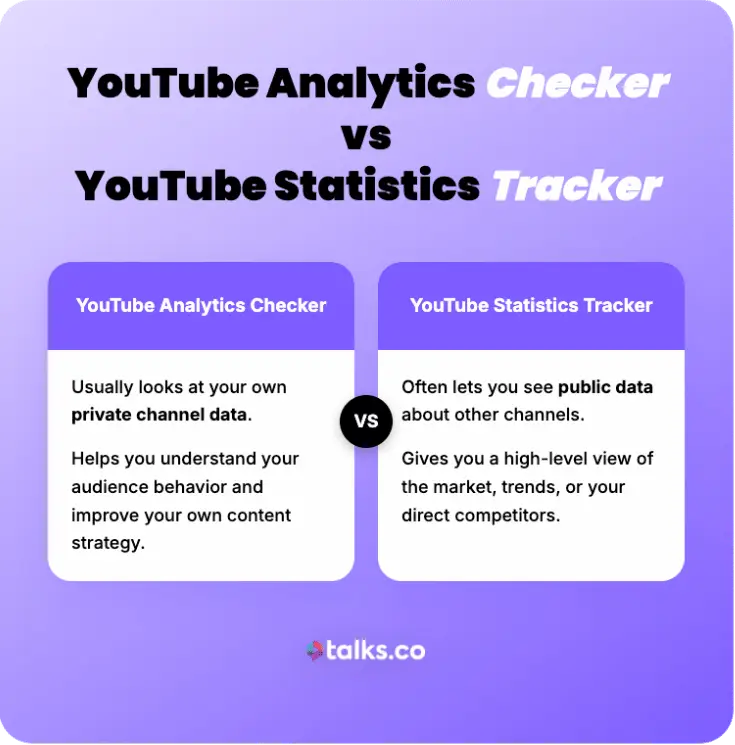
You need both a YouTube analytics checker and a statistics tracker to build your brand and drive strong YouTube video engagement.
- An analytics checker usually looks at your own private channel data and helps you improve your own content.
- A statistics tracker often lets you see public data about others. It gives you a view of the market or your competitors.
11 Best YouTube Statistics Tracker Examples
These tools offer powerful ways to analyze video content data and grow your visibility. You can find options here for every budget and goal.
1. VidIQ
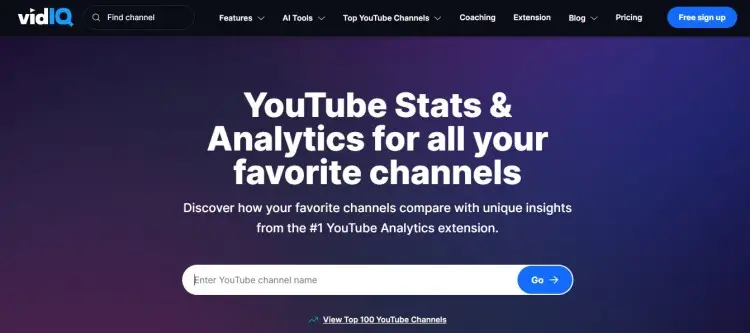
VidIQ is a third-party tool that shows subscriber count, video views, and estimated earnings of any competitor YouTube channel you search for. You can also get the Google Chrome extension to show real-time data in your browser.
Key features:
- Has other features for keyword research and competitor tracking.
- Includes AI tools to generate channel names, video titles, and key YouTube tags.
- Has the rankings of the top 100 YouTube channels.
Price: Free basic plan. Paid plan starts at $16.58/month
Best for: Keeping tabs on high-ranking channels in your niche and relevant keywords you should use.
2. SocialBlade: YouTube statistics website
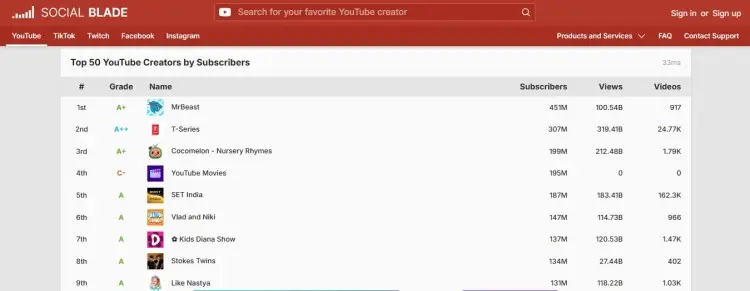
SocialBlade displays user statistics for many social media platforms, like YouTube, TikTok, and Instagram. You can also use this as a rank tracker for creators.
Key features:
- Straightforward format and direct access to available data.
- Provides a grade for overall channel performance.
Price: Free to use the site. Membership fee starts at $4.5/month.
Best for: Checking if a potential guest has a real and growing audience. You can spot sudden spikes in their subscriber count.
3. Sprout Social
Sprout Social helps businesses manage their entire social presence in one place. It’s more than just a data tracking tool.
Key features:
- Offers deep cross-channel reporting and social listening.
- Provides advanced YouTube channel analytics to measure ROI.
- Use to schedule posts and track engagement metrics easily.
- Has a smart inbox for messages from all platforms.
Price: Starts at $199/month
Best for: Monitoring your social campaigns easily. Use your insights to cross-promote your YouTube channel.
4. Tubular Intelligence
Tubular Intelligence is an enterprise-grade solution for serious data analysis. It reports on viewer and engagement behaviors across platforms.
Key features:
- Video intelligence that spans beyond just YouTube.
- Ability to compare creators with deep demographic data.
- Offers predictive insights on video trends.
- Competitor analysis.
Price: Available upon request
Best for: Spotting global trends before they peak and understanding why your audience is watching YouTube content from other creators and suggested videos.
5. Brandwatch
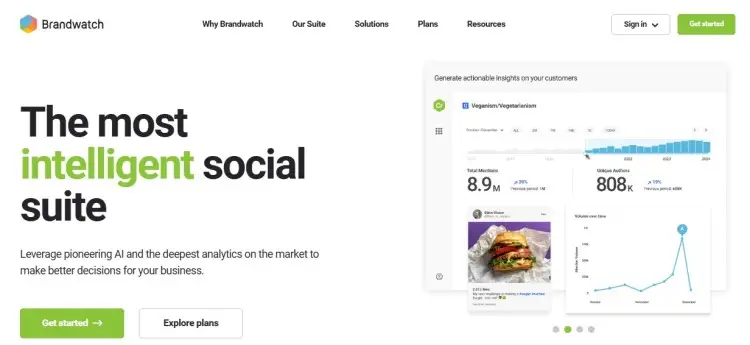
Try Brandwatch, a consumer intelligence suite for market research. It tracks conversations across the web to gauge sentiment.
Key features:
- Uses AI to detect trends and threats.
- Monitors audience engagement and feelings toward your brand.
- Customizable visual dashboards.
Price: Free demo. Paid plan pricing is available upon request.
Best for: Monitoring how people feel about your brand or a specific topic. It helps you manage your reputation during a crisis.
6. Facelift Data Studio
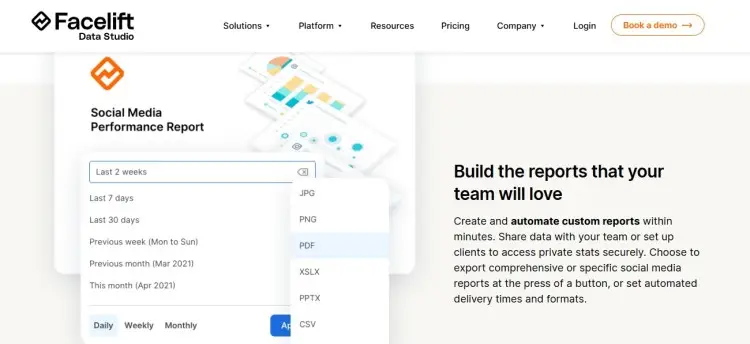
Facelift Data Studio is a tool that focuses on advanced analytics and benchmarking. Highly customizable for agencies and large teams.
Key features:
- Automated report creation for stakeholders.
- Benchmark your performance against any competitor.
- Supports data integration from many analytics tools.
Price: Available upon request
Best for: Creating specific reports for clients or internal stakeholders, saving you time and helping you visualize growth.
7. Unbox Social
Unbox Social is a tool that tracks campaign performance, competitor data, and audience quality easily. You can even look for data on influencers you want to collaborate with.
Key features:
- Strong database of influencers across niches.
- Post-level performance and engagement analysis.
- Social media scheduling and publishing tools.
Price: 14-day free trial. Paid plan starts at $9/month.
Best for: Finding YouTube influencers to collaborate with for visibility. It makes sure you partner with creators who have an impact.
8. Morning Fame
Morning Fame simplifies complex data into actionable advice, so you can optimize your videos for search.
Key features:
- Provides specific strategy recommendations based on your stats.
- Tracks your growth compared to similar channels.
- Interface is designed for creators, not data scientists.
Price: Starts at $4.9/month
Best for: Looking at data specific to your niche, so you can grow your channel with strategies that work in your context.
9. Social Insider Free YouTube Analytics Tool
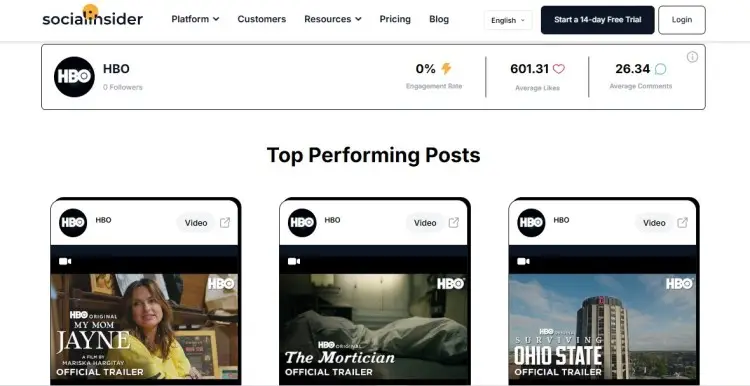
Social Insider is a free tool that lets you analyze any public channel instantly for quick insights.
Key features:
- Calculates the engagement rate for any channel.
- View of the top-performing videos at a glance.
- Shows data on video duration and upload frequency.
Price: Free tool. Full service plan starts at $83/month.
Best for: Quickly benchmarking a competitor without logging in. You can see their best content strategy in seconds.
10. Views4U YouTube Video Report and Analytics Tool
Views4U’s YouTube Video Report and Analytics Tool offers instant analysis of specific video details, breaking down the value and likes for individual uploads.
Key features:
- Offers a quick views analysis for any link you enter .
- Instant report generation.
Price: Free
Best for: Checking the performance of a potential guest’s video.
11. Views4U YouTube Subscriber Count
Views4U also has the YouTube Subscriber Count tool that tracks subscriber numbers in real time. It updates live as you watch the numbers climb.
Key features:
- Offers a live count for any YouTube Channel.
- Straightforward and clean interface.
Price: Free
Best for: Monitoring growth for live events, launches, milestones, and collaborations.
If you’re ready to go beyond tracking and start recording your podcast, check this list of the best podcast interview software.
How to Check YouTube Stats Step-by-Step
You can’t improve what you don’t measure. Learning how to check your stats is important to grow from a hobbyist into a successful YouTube professional.
Let’s look at how you can analyze competitor data and read your own analytics numbers. Both perspectives can help you understand your channel’s performance.
How to check YouTube video statistics
“Spying” on the competition’s YouTube video stats gives you a strategic advantage. It helps you find gaps in their YouTube marketing and content strategy.
- Pick a competitor channel: Choose a channel in your niche that’s already getting the views you want.
- Open a stats tool: Use a platform like SocialBlade or VidIQ to access public YouTube data.
- Search the channel name: Paste it into the tool’s search bar to pull up their profile.
- Scan the dashboard: Review views, subscribers, uploads, and recent performance at a glance.
- Spot performance spikes: Look for sudden jumps in views to identify topics and video ideas that caught attention.
- Study titles and video thumbnails: Notice patterns in wording and visuals that drive clicks and views on YouTube.
- Check upload frequency: Use their posting schedule as a benchmark for your own cadence and marketing on YouTube.
- Review engagement metrics on your analytics dashboard: Note likes, comments, and interaction levels to set realistic targets for your brand on YouTube.
Looking for the latest data on YouTuber salaries? Check out the latest figures to find out how much a YouTuber makes.
How to check your YouTube stats
You don’t have to look too far for your own data. YouTube Studio Analytics is your source of truth.
- Log into your account: Click your profile picture in the top right corner of YouTube.
- Open YouTube Studio: Select it from the dropdown menu to access your dashboard.
- Go to Analytics: Click “Analytics” in the left-hand sidebar to open your stats.
- Check the Overview tab: Get a quick snapshot of views, watch time, and recent performance.
- Open the Content tab: Drill into individual videos to see how each one is performing.
- Use the Audience tab: Review demographics, returning viewers, and viewing habits.
- Explore the Trends tab: Find topic ideas based on what people are searching for.
How to track YouTube analytics
There are dozens of YouTube video analytics metrics you could track, but focus on these five essentials:
- Watch time: The total amount of time viewers spend watching your content.
- Audience retention: The percentage of the video people watch before leaving.
- Click-through rate (CTR): How often people click your thumbnail after seeing it.
- Subscriber growth: The rate at which you’re gaining or losing fans.
- Revenue per mille (RPM): How much you earn per 1,000 views if you’re eligible for YouTube ads.
If you’re wondering how much YouTube pays per subscriber, remember that revenue is based on views and ads, not just subscriber count.
YouTube statistics tutorial videos
Still wondering how you can use your YouTube analytics data well? These video tutorials walk you through the process:
- Analytics in YouTube Studio: This video from the official YouTube Creators channel breaks down how to use the entire studio. It explains how to use YouTube Analytics for YouTube creators who want to make smarter decisions.
- YouTube Analytics Explained: This guide helps you identify the YouTube metrics that actually matter. Perfect for those who want to know how to become a content creator.
- 3 Ridiculously Useful YouTube Analytics: Nate Black focuses on actionable tips for smaller channels. He shows you what numbers matter most for growth.
How Many Active Users On YouTube Are There?
Knowing the scale of the platform helps you understand your potential. Here’s a glimpse of the demographics of YouTube viewers:
- Global reach: YouTube has 2.53 billion monthly active users (DataReportal, 2025).
- YouTube advertising: YouTube ad revenue crossed 36 billion dollars (Statista, 2024).
- User engagement: It’s the third most popular social network (Sprout Social, 2025).
- Mobile usage: The mobile app drives significant traffic globally (Statista, 2025).
- Indian audience: India has the largest YouTube audience with 491 million users (Statista, 2025).
- US reach: The US has 253 million active YouTube users (Statista, 2025).
YouTube trends worldwide
Whether you’re an emcee, podcaster, or professional speaker, you can boost your reach and credibility by posting videos on YouTube. Take your YouTube strategy and apply these trends:
- Shorts dominance: There are different types of YouTube videos, but Shorts get 70 billion views per day (YouTube, 2024). Post short clips from full episodes to bring in new audiences.
- Gen Z: YouTube has become a go-to app for 84% of Gen Z users (Sprout Social, 2025). Tap into their pop culture to catch their attention.
- Influencer marketing: Over half of marketers plan to work with YouTube influencers (eMarketer, 2025).
Check out more YouTube statistics about videos, channels, and subscribers.
YouTube watch statistics to drive your content strategy and growth
Having a growing presence on YouTube gives you leverage as a podcaster. An active channel represents an engaged community, attractive to sponsors and deals.
Looking for quick numbers to prove YouTube’s impact? Dig into the latest YouTube statistics that show why it has risen as a go-to platform for podcasts.
Fast-track to Success
The right YouTube statistics tracker will show you exactly what’s working, what’s getting watched, and what’s quietly building momentum. Read those YouTube insights and video strategies, and growth stops being a guessing game.
Now put that visibility to work. Getting featured on the right podcasts is one of the fastest ways to reach new audiences without building from scratch.
With a free Talks Creator profile, you can:
- Appear in front of hosts already looking for guests like you.
- Get matched by show size, format, and topic fit.
- Skip cold outreach and start booking conversations that actually make sense.
Create your free Talks Creator profile and start getting matched with the right shows in as quick as 5 minutes.
Yes! Set Up My Talks Account Right Now!


