

When assembling your podcast setup, you need strong tools behind you.
For instance, the digital audio workstation you select shapes your production. You want a workflow that feels natural and moves fast.
The logical first step is to look for the best of the best. That’s where software like Reaper and Pro Tools get mentioned.
If you want more people to hear your voice, you need audio production software that matches your goals. These well-known podcast recording and editing software are worth exploring.
Let’s break down Reaper vs Pro Tools so you can decide with confidence.
Comparison of Reaper vs Pro Tools (Overview)
Pro Tools vs Reaper is a common debate among podcasters and musicians. One carries the industry-standard label, while the other wins fans through flexibility. Your workflow depends on which digital audio workstation fits your style.
Here’s a simple table to compare them side by side:
| Feature | Reaper | Pro Tools |
|---|---|---|
| Sound quality | Clean, transparent digital audio engine with strong real-time processing | Industry-trusted professional-grade sound engine used in film production and studios |
| Workflow efficiency | Highly customizable interface with custom actions and shortcuts | Structured, streamlined workflow designed for studio environments |
| Plugin support | Supports VST, JS, and many 3rd party formats | Uses AAX format with strong integration into the Avid Pro Tools ecosystem |
| Compatibility | Available on Mac, Linux and Windows with lightweight performance | Works on Mac and Windows, but heavier system requirements |
| Learning curve | Flexible but can feel complex due to setup | Steeper learning curve for beginners |
Both Reaper and Pro Tools work well when you need clean sound for interviews. You can record your tracks, clean them up, and export them for your podcast appearance.
When you book guests through Talks, both DAws let you capture conversations in high quality. You can trust either digital audio workstation to handle your recording and editing with care.
Reaper vs Pro Tools sound quality and features
The real differences between the two start to show up when you look at their key features. Both are powerful, but they approach audio editing and sound design differently.
Reaper is a digital audio workstation where you can build your perfect setup. It runs light and fast on almost any computer.
Key features:
- Reaper allows users to customize every button, shortcut, and menu.
- You get unlimited tracks for any audio projects.
- It supports MIDI and audio recording and editing without limits.
- It handles video playback so you can sync sound to picture.
- It loads VST and JS plugins freely.
- You can edit waveforms with precision.
- It offers real-time effects processing.
- Reaper is available on Mac, Windows, and Linux.
Avid Pro Tools is an industry standard for studios worldwide. You get a complete workstation built for serious music production and commercial use.
Key features:
- You get features like elastic audio that fix timing issues without affecting pitch.
- It includes advanced mixing tools and sound libraries.
- It’s compatible with AAX plugins.
- The analog emulation plugins add warmth.
- You can perform non-destructive changes.
- You can perform seamless playback even during heavy sessions.
- It supports video editing sync for film production.
Reaper vs Pro Tools pricing options
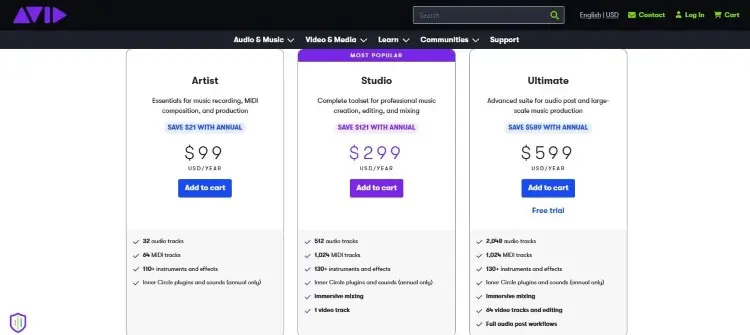
Before making a choice, factor in how much upfront and long-term costs you’ll incur with either Reaper or Pro Tools.
Reaper pricing:
- Free trial: 60 days free (no payment info needed)
- Licensing costs: $60 (personal), $225 (commercial)
- Long-term costs: One-time purchase fee only for perpetual license.
Pro Tools pricing:
- Free trial: 30 days free for the Ultimate plan
- Monthly subscription costs: $9.99 (Artist), $34.99 (Studio), $99 (Ultimate)
- Perpetual licence: You can purchase a perpetual license upgrade for Studio and Ultimate plans.
- Long-term costs: If you plan to use Pro Tools for a long time, costs add up fast.
Whichever you choose, you can still integrate Talks into your process for free. Once your audio software is ready, you can use platforms like Talks to find guests and scale your reach without adding extra costs to your podcast projects.
Reaper vs Pro Tools similarities and differences
At a high level, Pro Tools and Reaper are two powerful platforms built for serious audio production. They both handle audio files, MISI, and multi-track recording and editing with ease.
Their similarities include:
- Both support advanced mixing and real-time processing.
- Both can handle video editing and film production workflows.
- Both allow the use of third-party plugins.
The differences between Reaper and Pro Tools come down to structure and flexibility.
- Reaper’s workspace is more customizable than Pro Tools.
- Pro Tools offers elastic audio and built-in sound libraries that Reaper lacks out of the box.
- Reaper handles video playback smoothly for film production.
- Pro Tools is more widely recognized if you’re collaborating across studios.
When you want to learn how to start a podcast, either tool can polish your voice recordings for shows. Both let you export files that meet standards for most popular podcasts.
Reaper vs Pro Tools pros and cons
Choosing the best DAW depends on how you work and what your specific needs are. Here’s a quick breakdown.
| Software | Pros | Cons |
|---|---|---|
| Reaper | Low price tag with lifetime updates Deep level of customization for power users Runs on older computers with efficient design Offers routing flexibility that rivals expensive desks | Steeper learning curve for beginners Only includes a limited sample of sounds Requires time to customize before it feels right |
| Pro Tools | Industry-standard used widely by studios Elastic audio and advanced mixing included Seamless integration with AVID hardware Professional-grade sound design tools ready immediately | Subscription model costs more over years Higher computer specs required for smooth playback Less freedom to customize the layout to specific needs |
Comparing the two podcast editing tools, it becomes a matter of “which is better for you” instead of “which is better”:
- Reaper fits beginners who want to grow slowly without spending much. It also serves Pros who need to switch between audio projects fast.
- Pro Tools suits users who’re looking for podcast editing software used by professionals everywhere. If you plan to hire a sound designer, they likely know Pro Tools already.
Once you make your choice between Pro Tools or Reaper, head to Talks to book podcast interviews. It takes less than five minutes to create a profile and start matching, so you can be ready with your trusty budget microphone and podcast interview software.
What Is Reaper?
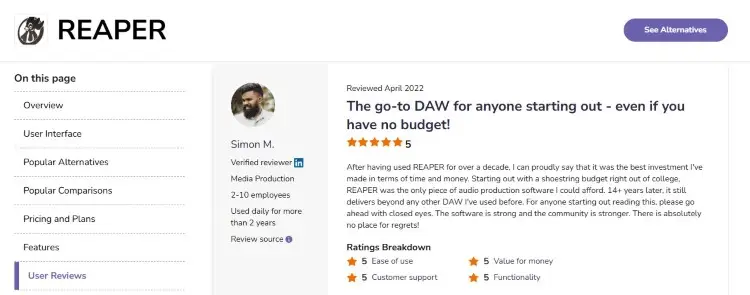
Reaper is a flexible digital audio workstation designed for creators who want control over their workflow. It’s widely used as a podcast editing software or for music production and sound design.
Many users appreciate its deep customization, fast performance, and value for money. But some mention the learning curve and the need to manually set things up as a struggle.
- Jon G. shares, “Reaper is so easy to use and learn with lots of customizability for how you want your layout to look.”
- Flavio V. says, “Reaper made this much more fun and easier than using traditional heavy software such as Sonar and Cubase.”
- Simon M. comments, “The relatively inexpensive start-up costs are what helped with choosing Reaper.”
What Is Pro Tools?
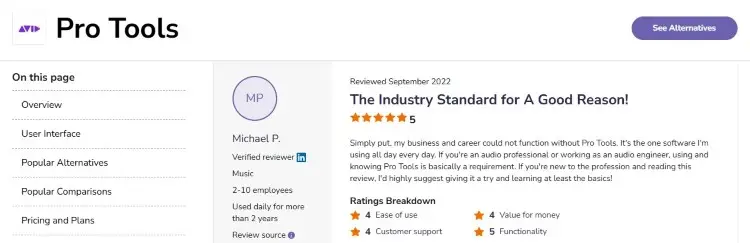
Pro Tools, developed by Avid Technology, is considered the best digital audio workstation in professional studio environments. It’s widely used for film production, music, and high-end post-production.
Many sound designer professionals rely on it because of its precision and advanced editing tools. You get broadcast-quality output, but at the cost of a high price tag and a steeper learning curve.
- Michael P. says, “Simply put, my business and career could not function without Pro Tools. If you’re an audio professional or working as an audio engineer, using and knowing Pro Tools is basically a requirement.”
- Alejandro V. comments, “It shines in audio quality, and works pretty well with any audio interface in the market.”
- Andy S. shares, “It’s the industry standard for tracking and mixing, so you’ll find that most people are familiar with it, which makes collaboration easy.”
How to Choose Between Reaper or Pro Tools
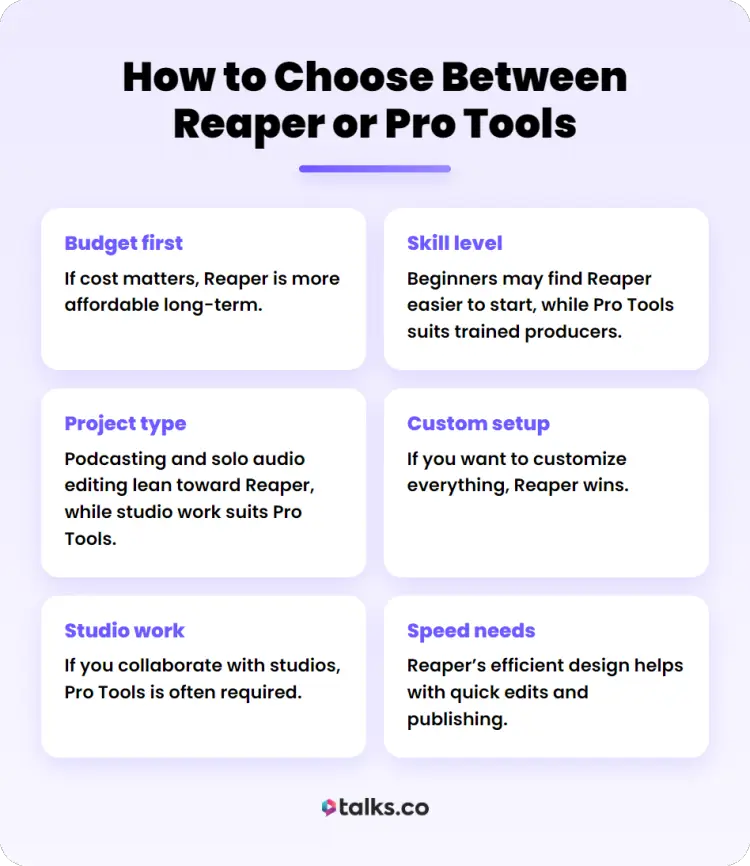
Choosing between Pro Tools and Reaper depends on how you work, not just what the software can do. Here are simple ways to decide.
- Budget first: If cost matters, Reaper is more affordable long-term.
- Skill level: Beginners may find Reaper easier to start, while Pro Tools suits trained producers.
- Project type: Podcasting and solo audio editing lean toward Reaper, while studio work suits Pro Tools better.
- Custom setup: If you want to customize everything, Reaper wins.
- Studio work: If you collaborate with studios, Pro Tools is often required.
- Speed needs: Reaper’s efficient design helps with quick edits and publishing.
If your goal is to start a podcast and grow visibility, your DAW should support fast publishing and consistent quality.
Is Reaper better than Pro Tools?
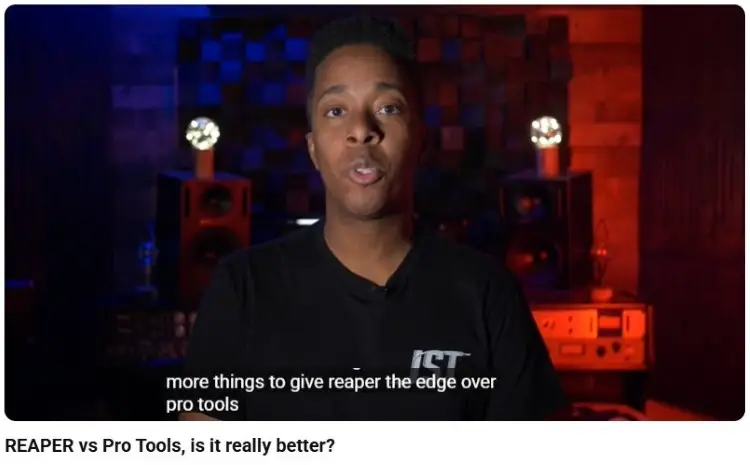
There’s no single winner in Reaper vs Pro Tools, because it depends on what you’re trying to do. Each tool fits different levels and use cases.
- For beginners, Reaper wins on price tag and lower barrier to entry despite the steeper learning curve. It’s great for podcasting, voice cleanup, removing background noise, and quick audio recording and editing.
- For professionals, Pro Tools stands out in post-production, film production, and studio work.
- For podcasters and entrepreneurs, both work. Reaper lets you customize your editing tools for speed. Pro Tools gives you professional-grade cleanup without extra setup.
Pro Tools and Reaper Alternative Options
If neither tool fits your specific needs, there are other popular DAWs worth exploring. Each one has a different balance of simplicity and power.
- Audacity: This free open-source editor handles basic audio editing and recording tasks for free, though it lacks the advanced mixing found in modern DAWs.
- Logic Pro: Apple built this digital audio workstation exclusively for Mac users who want professional-grade tools and MIDI sequencing that rivals Pro Tools.
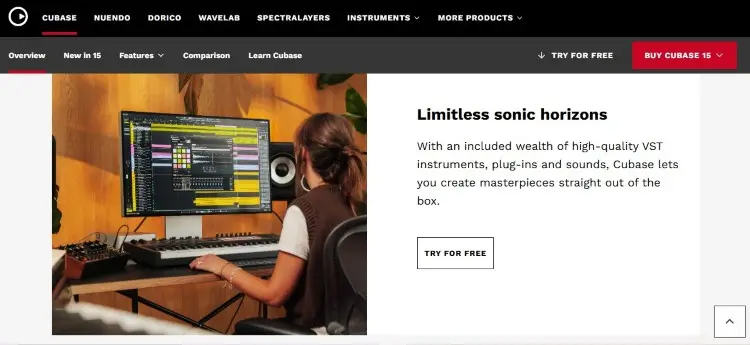
- Cubase: This digital audio workstation offers advanced MIDI features and video editing sync that competes with both Reaper and Avid Pro Tools in professional post-production.
- Ableton Live: Ableton Live focuses on live performances and real-time looping, ideal for music production artists.
Become a Pro Podcaster
Picking between Reaper vs Pro Tools comes down to how you work and what you can spend. Both DAWs deliver excellent sound when you learn their strengths.
No matter which digital audio workstation you download, your next step is clear. Create your free Talks profile today and start booking shows that grow your reach.
If your goal is to grow through visibility, Talks gets you impactful connections fast.
- Smart recommendations: AI brings your profile in front of professionals already looking for someone like you.
- Mutual matching: Confirmed interest is as good as a recording schedule.
- Lead generation: Inbox and scheduling are designed to get you responses and confirmations.
Laura booked a top 1.5% show on her first click. Deborah secured 10 matches that are right on the money.
Yes! I Want to Book Podcast Interviews Now!


