

If there’s one piece of advice I’ll give to podcasters who want to be taken seriously, it’s this: Always aim for good quality audio.
It shows respect, builds trust, and makes your show professional, even if you’re just recording from home.
With so many easy tools out there now, there’s really no reason not to clean it up. It’s just a matter of choosing which one to add to your toolkit.
That’s what this Reaper vs Audacity guide is for. Let me walk you through the key features, pricing, and pros and cons of each tool, so you can find the best fit for your recording and editing needs.
Whether you’re hosting a solo show or looking to produce music on the side, you’ll find the best podcast software that gets you where you want to be.
Comparison of Reaper vs Audacity (Overview)
Before we dive into the details, let’s look at the big picture. Reaper and Audacity are two DAWs that serve very different crowds. Here’s how they stack up side by side:
| Feature | Audacity | Reaper |
|---|---|---|
| Price | Completely free to use | $60 discounted license, $250 commercial license |
| OS compatibility | Windows, Mac, Linux | Windows, Mac, Linux |
| Learning curve | Gentle, beginner-friendly | Steep learning curve, but rewarding |
| Multitrack editing | Basic multi-track editing | Advanced unlimited tracks |
| Plugins | Limited native, third-party support | Extensive VST and third-party audio support |
| MIDI support | Basic | Full MIDI editing capabilities |
| Audio effects | Built-in audio effects | Highly customizable effect chains |
| Audio file support | Common audio formats | Extensive audio file formats |
| Export options | Standard | Professional-grade |
| Updates | Community-driven | Frequent, developer-driven |
| Supportcommunity | Large free community forums | Active forums plus video tutorials |
| Best for | Quick recording, simple edits | Complex music production, professional audio production |
The verdict?
- Audacity wins on simplicity and zero cost. It’s perfect for quick recording and basic audio editing.
- Reaper stands out for flexibility, customizable workflows, and professional features. It grows with you as your skills advance.
The best part is that both DAW options work seamlessly with Talks when you’re booking guests or scheduling interviews. Use Talks to connect with the right people for your show and hop right to recording using the software of your choice.
Reaper vs Audacity features
Let us unpack what each software product actually gives you.
Audacity is a free, open-source audio editor that has been around since the early 2000s. It handles the basics without demanding much from your computer or your wallet.
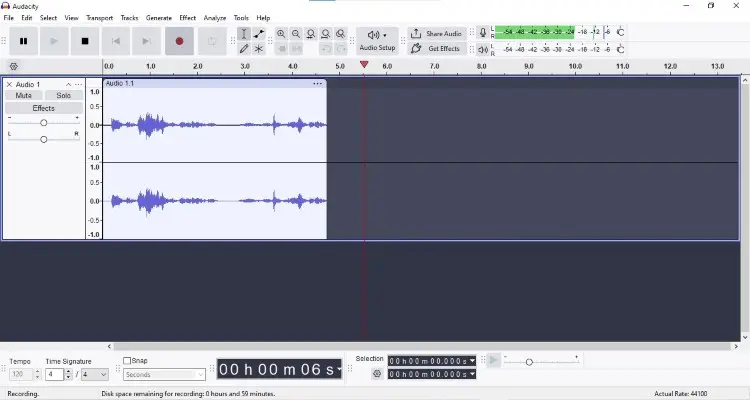
Key features:
- Completely free with no hidden costs or subscriptions.
- Open-source code that anyone can inspect or modify.
- Simple audio recording and playback controls.
- Basic built-in audio effects like noise reduction, compression, and equalization.
- Support for WAV, MP3, and other audio formats.
- Cross-platform compatibility for Windows, Mac, and Linux.
- Spectral editing for visual audio cleanup.
- Extensive documentation and community support.
Reaper by Cockos is a full-featured digital audio workstation that punches way above its price point. It’s designed for professionals but priced for everyone.
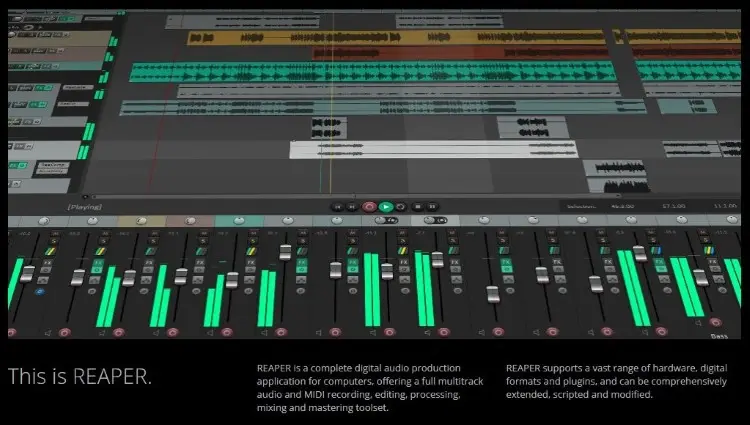
Key features:
- Highly customizable interface that adapts to your workflow.
- Unlimited audio tracks and multitrack capabilities.
- Full audio and MIDI integration.
- Support for thousands of plugins, including VST, AU, and JS.
- Reascript for automation and custom scripting.
- Advanced routing and bussing capabilities.
- Non-destructive edit audio capabilities.
- Lightweight installation that runs efficiently even on older machines.
- Keyboard shortcuts that speed up your audio project work.
Both tools offer many features, but Reaper gives you a professional toolkit, while Audacity keeps audio recording and editing accessible.
Reaper vs Audacity for voice over
Different creators have different audio production needs. This is how these two solutions fare for varying uses.
- Voiceover: Reaper allows finer control over compression, noise gates, and EQ chains. Audacity also handles voice recording well, but lacks the customizable routing options that professionals prefer.
- Music production: Musicians will find Audacity limiting for music production since it lacks strong MIDI sequencing and virtual instrument support. Reaper shines here with full MIDI editing, drum programming, and integration with instruments.
- Podcasting: For podcasters, both tools work. Audacity is great for beginners who need to edit audio quickly without learning technical skills. Reaper also suits hosts who want to produce podcast audio with music beds, multiple guests, and audio effects.
Reaper vs Audacity pricing options
If you want to start a podcast, budget is one of the first things to consider. Should you choose to pay for recording and editing software, explore the options available and how much they cost.
- Audacity (forever free): You can download it, install it, and start recording without spending a cent. Perfect for hobbyists and beginners who just want to test the waters.
- Reaper ($60 for a discounted license, $250 for a commercial license): Compared to other DAWs like Ableton Live and Logic Pro, this value is a bargain. You can also explore the 60-day free trial before committing.
If you’re earning money from your audio production, the Reaper license pays for itself quickly. The time saved through keyboard shortcuts, batch processing, and customizable templates justifies the cost. But if you’re just experimenting or doing occasional voice recording, Audacity is enough to suit your needs.
Whatever your budget, you can integrate Talks into your workflow for free. Browse guest opportunities, schedule interviews, and grow your visibility without adding another line item to your expenses.
Reaper vs Audacity pros and cons
Here’s a complete breakdown of the advantages and disadvantages of using these two software:
| Software | Pros | Cons |
|---|---|---|
| Reaper | Professional-grade features Advanced non-destructive editing capabilities Massive plugin compatibility Completely customizable workflow Handles large projects well | Steep learning curve UI can feel dated or cluttered Requires upfront payment to enjoy beyond the free trial No built-in instruments, requires a plugin |
| Audacity | Completely free and open-source Lightweight and fast for simple tasks Solid built-in basic effects | Limited features Changes permanently alter the audio once saved Limited plugin ecosystem No automation or advanced mixing tools |
For podcasting, use Audacity if you’re just starting a podcast and simply want to remove background noise. Upgrade to Reaper if you plan to scale your show, level up production, or transition into music production.
Once you have picked your software, head to Talks to book podcast appearances or find guests. Your audio editor handles the sound, and Talks handles the connections.
What Is Audacity?
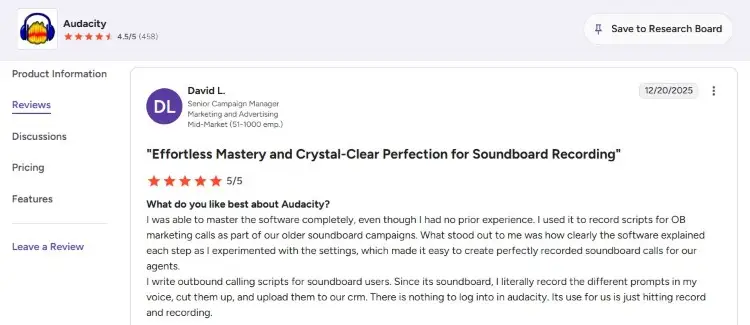
Audacity is the veteran of free audio editing software, founded in 2000 as an open-source project. It’s the tool you recommend when someone says they want to try recording and editing.
User feedback generally praises Audacity for being accessible and reliable.
- David L. shares, “I was able to master the software completely, even though I had no prior experience.”
- Hans A. comments, “Despite being free, Audacity delivers professional-quality results. It handles multiple audio formats flawlessly, something I’ve seen expensive software struggle with.”
Is Audacity still good?
Yes, Audacity remains one of the best podcast interview software despite newer competitors. Just connect it with a good budget microphone, and it gets the job done. The software also receives regular updates from its community, making sure it works with modern operating systems.
A common misconception about Audacity is that since it’s free software, it’s not as helpful. Free doesn’t mean weak. In fact, Audacity supports professional-grade audio file formats, offers solid built-in audio effects, and handles multitrack projects reasonably well.
Do professionals use Audacity?
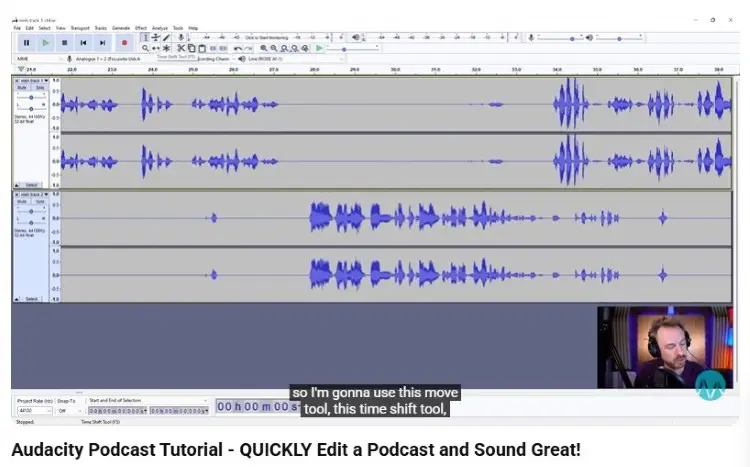
Yes, professionals use Audacity, though often alongside other tools. It’s not the primary DAW in high-end studios, but it serves specific purposes well.
- Mike Russell from Music Radio Creative has demonstrated Audacity techniques for years on YouTube, showing how to achieve broadcast-quality results with the free software.
- Pat Flynn of Smart Passive Income has also endorsed Audacity for podcasters starting out. He emphasizes that you can create quality content without overly complicating post-production.
These examples show that Audacity can produce professional results in the right hands.
What Is Reaper?
Reaper is a digital audio workstation developed by Cockos, a company founded by Justin Frankel, who previously created Winamp. Launched in 2006, Reaper has built a following among music producers and audio engineers.
Users consistently praise Reaper for its efficiency and value. It loads fast and stays stable even with large audio projects.
- Jon G. says, “Reaper is so easy to use and learn, with lots of customizability for how you want your layout to look.”
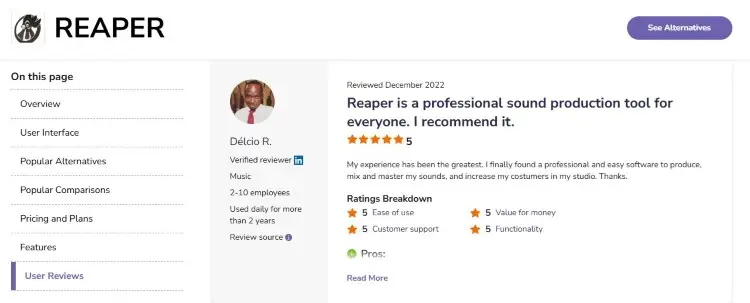
- Délcio R. shares, “I finally found a professional and easy software to produce, mix, and master my sounds, and increase my customers in my studio.”
Why Reaper is the best DAW?

The “best” solution depends on how much it can address your needs, but Reaper makes a strong case.
For podcasters serious about growth, Reaper provides room to expand your skills without switching platforms later.
- This podcast editing software offers highly customizable workflows that adapt to how you work, rather than forcing you into a preset mold.
- You can produce a simple voice recording or a full music production album in the same environment.
- The reascript functionality lets you automate repetitive tasks, and the range of plugins supported means you are never limited by built-in options.
The Podcast Consultant recommends Reaper specifically for podcasters who want professional results without spending professional budgets.
Is Reaper a good DAW for beginners?
Yes, Reaper can be used by beginners, though it requires patience.
People often mistake Reaper as a pro’s tool only because of its dense interface. New users see menus within menus and assume it’s not for them.
But you can simplify Reaper based on how you want to use it. You can hide features you don’t need, create custom templates for simple recording, and learn using video tutorials at your own pace.
Is Reaper better than Audacity?
It depends on your situation. Consider these factors when choosing between Audacity vs Reaper.
- Budget check: If purchasing software just isn’t in your budget yet, go for Audacity.
- Project complexity: A simple podcast interview recording suits Audacity. Multi-layered productions need Reaper.
- Growth plans: If you plan to expand into music production, Reaper prevents future migration headaches.
- Time availability: If you need to get started quickly, choose Audacity.
- Professional goals: Client work and commercial audio production justify Reaper’s license cost.
Explore how the most popular podcasts do it and gain inspiration to succeed.
Is Reaper better than GarageBand?
GarageBand is another top competitor running in this space. It comes free with every Mac device and offers a polished, beginner-friendly experience for audio and music production.
Here’s how it fares:
- Reaper surpasses GarageBand in flexibility and cross-platform support.
- GarageBand works only on Apple devices, while Reaper is available for Windows, Mac, and Linux.
- Reaper also supports deeper MIDI editing, more third-party plugins, and complex routing that GarageBand locks behind simplicity.
- GarageBand wins for absolute beginners who want to start immediately.
Which Is Better: Reaper vs Audacity?
The answer depends on who’s asking.
- For beginners with no budget and simple needs, Audacity is better. It lets you focus on your content immediately.
- For creators building a business around audio production, Reaper is better. It scales with your ambitions and professionalizes your workflow.
- For podcasters, Audacity works if you prioritize speed and simplicity. Reaper works if you want to create highly produced shows with music and sound design.
Your skill level and workflow determine the winner. Match the tool to what you really need.
Audacity and Reaper Alternative Options
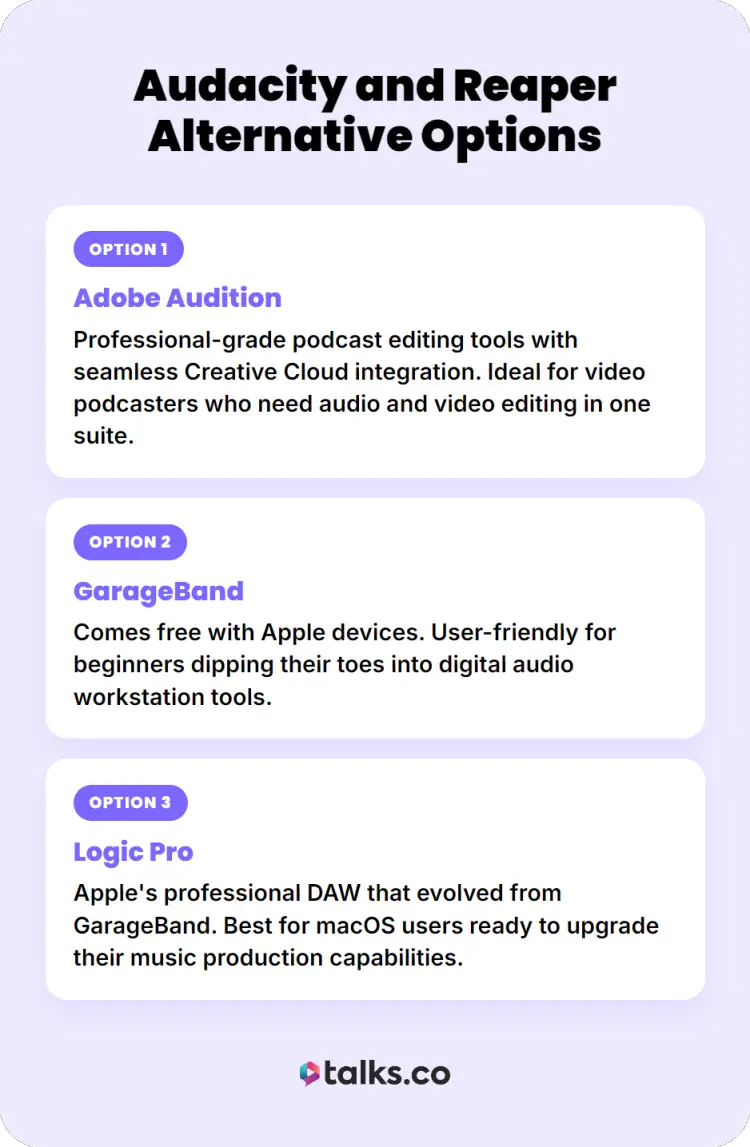
If neither Reaper nor Audacity fits your needs, consider these alternatives:
- Adobe Audition: Professional-grade podcast editing tools with seamless Creative Cloud integration. Ideal for video podcasters who need audio and video editing in one suite.
- GarageBand: Comes free with Apple devices. User-friendly for beginners dipping their toes into digital audio workstation tools.
- Logic Pro: Apple’s professional DAW that evolved from GarageBand. Best for macOS users ready to upgrade their music production capabilities.
Explore this Audacity vs Pro Tools comparison guide for more options.
Reap What You Sow
Picking between Reaper vs Audacity becomes a simple choice when you understand what you want out of podcasting. Where are you today? And where do you want to be tomorrow?
Make decisions today that your future self will thank you for. For instance, sign up for a free Talks profile and begin boosting your reach and authority.
Before you even step into the recording studio, Talks already gets your message out there. It connects you with guest experts and shows that can bring in new listeners. All while establishing you as an expert in your field.
Just five minutes. That’s how long it takes to set up and start seeing results.
Sanjai completely filled up his calendar. Deborah matched with 10 podcasts she could relate to.
Create a free Talks profile now and find the perfect match for your podcast!


