

It’s time to record an interview.
You have your mic ready. Your studio’s prepped. All that’s left is to hit record on your podcast software.
But then the ball drops. Your computer gets overloaded. The internet connection disconnects. Suddenly, all that prep goes to waste.
You need a strong teammate to make sure your podcasting setup never misses. That’s why you need a reliable podcast streaming and recording tool by your side.
Explore this Restream vs OBS comparison guide to find what best fits your needs. Let’s look at key features, pricing, similarities, and differences, and answer some FAQs about both platforms.
Comparison of Restream vs OBS (Overview)
Before diving into the details, let us look at how these two platform options stack up. Both tools help you stream your content to audiences, but they take a different approach to getting you there.
| Feature | Restream | OBS |
|---|---|---|
| CPU usage | Moderate, cloud-based processing | Higher, local processing depends on your hardware |
| Performance | Stable with less local resource drain | High performance is possible with powerful hardware |
| Ease of use | Very intuitive, browser-based | Steeper learning curve, more technical |
| Multi-platform streaming | Native multi-streaming to 30+ platforms | Requires setup or a third-party plugin |
| Recording | Built-in recording feature with cloud storage | Local recording with full control |
| Customization | Templates and overlay options | Unlimited customization |
| Pricing | Freemium model with subscription tiers | Completely free, open source |
| Support | Customer support via chat and email | Community forums |
For different podcasting scenarios, each software works a little bit differently:
- Solo shows: OBS works well if you want full control over your layout and audio mixer settings.
- Interviews with multiple guests: Restream’s browser-based interface makes it easier to bring in guests without technical headaches.
- Live streaming to social media: Restream natively connects to YouTube, Twitch, and LinkedIn without extra setup.
- Recording for later editing: OBS Studio supports unlimited high-quality local video recording.
Whether you choose OBS Studio or Restream, you can integrate both tools with Talks when looking for podcast guests to interview. Simply, create a profile, match with a guest expert, and record using the best podcast interview software of your choice.
Restream vs OBS feature comparison
Let’s break down what each software actually brings to the table. This side-by-side comparison will help you see which features for live production matter most to your workflow.
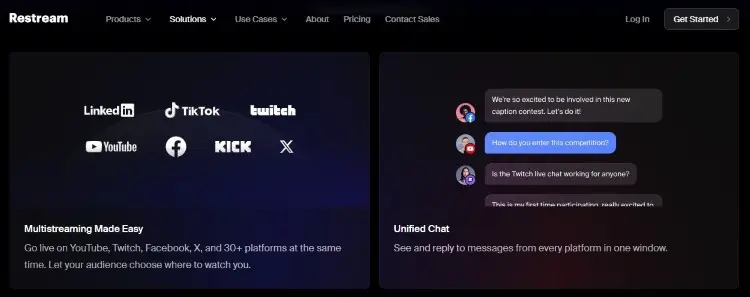
Restream is a cloud-based platform that simplifies broadcasting to multiple destinations simultaneously. It handles the heavy lifting on their servers, so your computer breathes easier.
Key features:
- Multi-streaming to over 30 platforms at once
- Video quality stays at 2160p for multi-streaming
- Has RTMP streaming for integration with OBS, Zoom, and more
- Built-in analytics dashboard to track viewer engagement
- Real-time chat management tools help you connect with viewers across all platforms
- Stream overlays, scenes, QR codes, and graphics without complex design work
- Runs in your browser so guests can join without downloading anything
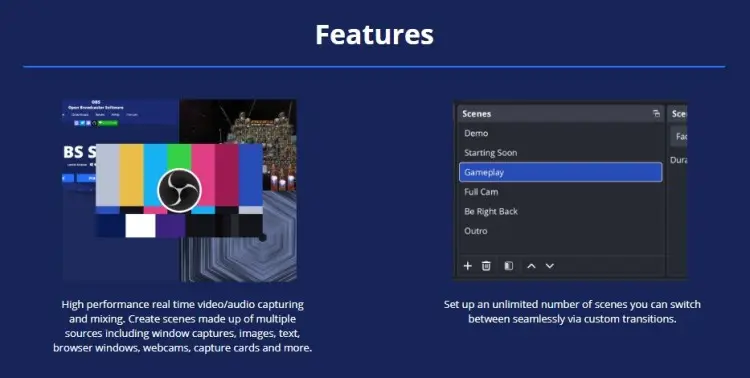
OBS is an open-source software that gives you complete control over your production. It runs locally on your device and turns your computer into a professional broadcast station.
Key features:
- Capture screen, webcams, game footage, and multiple sources simultaneously
- Powerful tools for scene transitions, filtering, and audio mixing
- Plugin ecosystem with third-party extensions for added functionality
- Customizable layouts and stream overlays, limited only by your creativity
- Adjust every aspect of your stream from bitrates to audio levels
- Local recording in multiple formats with high performance quality
- No subscription fees or hidden costs
Restream vs OBS pricing comparison
Budget is always a key factor to consider when you’re starting a podcast. Here’s a comparison of Restream and OBS pricing so you know which one fits the bill:
Restream pricing:
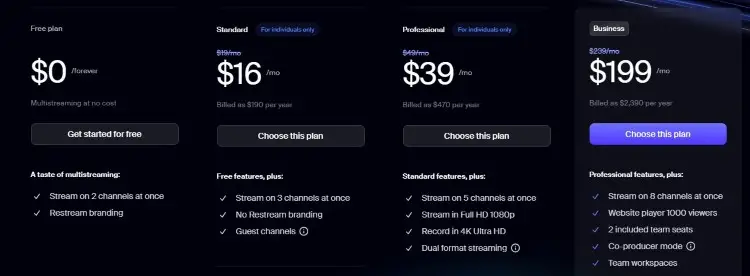
- Free forever: Limited access to features (one seat, six guests, two channels, and HD quality only).
- Standard ($16/month): Includes three channels, ten guests, unlimited cloud recording, and six hours of local recording.
- Professional ($39/month): Includes two seats, five channels, workspaces, and split-feed downloads.
- Business ($199/month): Access to better workspaces with more control functions. Use RTMP as a source and stream directly on your website.
OBS pricing:
- Free: OBS Studio offers everything for free.
- No additional expense: As open source software, there is no subscription, no hidden fees, and no premium tiers.
- Trade-off: Instead of money, you’ll be spending more time learning and setting up the software.
Given these factors, when does one tool become more worth it than the other?
- Restream is the winning option if you run regular live shows and want to eventually monetize your content. It becomes worth the upgrade then.
- OBS is better if you have the time to customize and set up, and are running a show by yourself.
Aside from a podcast recording and streaming software, you still have other expenses to factor in.
- Microphone and audio equipment for professional sound quality
- Headphones to monitor your stream in real time
- Lighting to look professional on webcams
- Editing software for post-production polish
- Podcast hosting platforms to distribute recorded episodes
Talks fits in with your budget perfectly. It’s free forever to start, so you can find podcast guests and speaking opportunities while you’re still starting out.
Restream vs OBS pros and cons
Every tool has strengths and weaknesses. Here’s an honest breakdown to help you compare OBS and Restream fairly.
| Software | Pros | Cons |
|---|---|---|
| Restream | Extremely easy to use, no technical knowledge required Built-in multi-streaming without complex setup Cloud recording saves local storage space Chat feature simplifies engagement Schedule streams in advance | Higher subscription costs for advanced features Less customizable than local software Dependent on the internet connection stability Limited audio routing options Can’t adjust deep technical settings |
| OBS | Completely free and open source Unlimited customization possibilities Robust plugin ecosystem High performance with proper hardware Complete control over stream quality | Steeper learning curve for beginners Higher CPU usage on your local device No native multi-streaming without setup No built-in analytics or monetization Requires manual configuration for each channel |
Restream works best when you prioritize simplicity and reaching audiences across similar platforms quickly. It is well-suited for coaches and consultants who want to engage audiences regularly on their social media platforms.
OBS fits creators who need powerful tools and don’t mind investing time in learning. It’s ideal for those who want high-performance production value and have the hardware to support it.
Once you’ve made your choice, it’s time to head to Talks to book podcast guests or interviews and put your chosen software to the test.
Restream vs OBS similarities and differences
Content creators widely use both tools for video recording and live streaming, and both support major platforms like YouTube and Twitch.
Their key differences lie in their approaches:
- Restream streams in real time from the cloud, while OBS runs locally.
- OBS offers deeper customization, while Restream focuses on simplicity.
- Restream includes built-in analytics, while OBS relies on external tools.
In short, Restream is about ease and reach, while OBS is about power and flexibility.
What Is Restream?
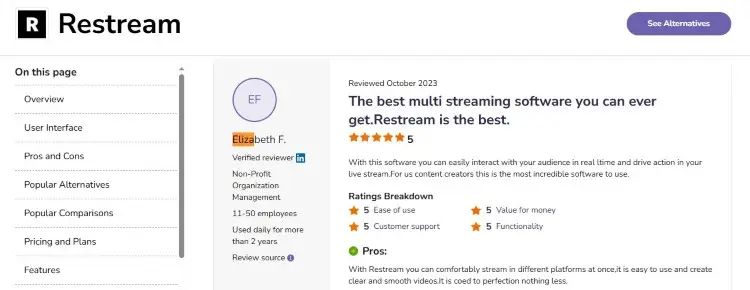
Restream is a live streaming solution that lets you share your video content across the digital space. Users appreciate how easy it is to distribute and connect through a unified dashboard. Support is also readily available for any issues you may encounter.
- Elizabeth F. shares, “With this software, you can easily interact with your audience in real-time and drive action in your live stream.”
- Jonathan B also adds, “They have one-of-a-kind, very rare technical services. I honestly haven’t seen a chat support that helpful elsewhere.”
What Is OBS Studio?
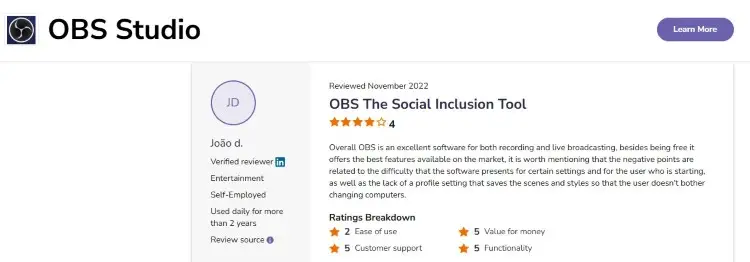
OBS is widely recognized as a strong streaming and recording software for both personal and professional content creation. Many users note having to adjust to technicalities when starting out, but always note that learning is worth it in the end.
- João D. shares, “Overall, OBS is an excellent software for both recording and live broadcasting. Besides being free, it offers the best features available on the market.”
- Roya R. says, “It may require some messing around with the settings to optimize certain projects, but the end result will always pay off far better than anticipated.”
Is OBS good for streaming?
Yes, OBS Studio is excellent for streaming when you set it up correctly. It’s widely used by professional streamers on Twitch, YouTube, and corporate broadcasts for good reason.
The software offers high-performance streaming that rivals expensive professional setups. You get real-time encoding, audio mixing with precision control, and powerful tools for creating polished content.
The catch is that OBS requires more technical knowledge than Restream. You need to understand streaming protocol, bitrates, and configuration settings. But once you learn it, you have professional-grade tools forever for free.
Is Streamlabs OBS better than OBS?
Streamlabs OBS is a modified version of OBS Studio with additional features like built-in monetization tools, donation tracking, and a simpler interface design. It’s for streamers who want extra engagement features without complexity.
Still, many experienced creators prefer OBS Studio because it’s lighter on CPU usage and offers more flexibility. The answer depends on whether you prioritize convenience or performance.
Read more about this in the Streamlabs vs OBS guide for a deeper comparison.
How to Choose Between Restream and OBS
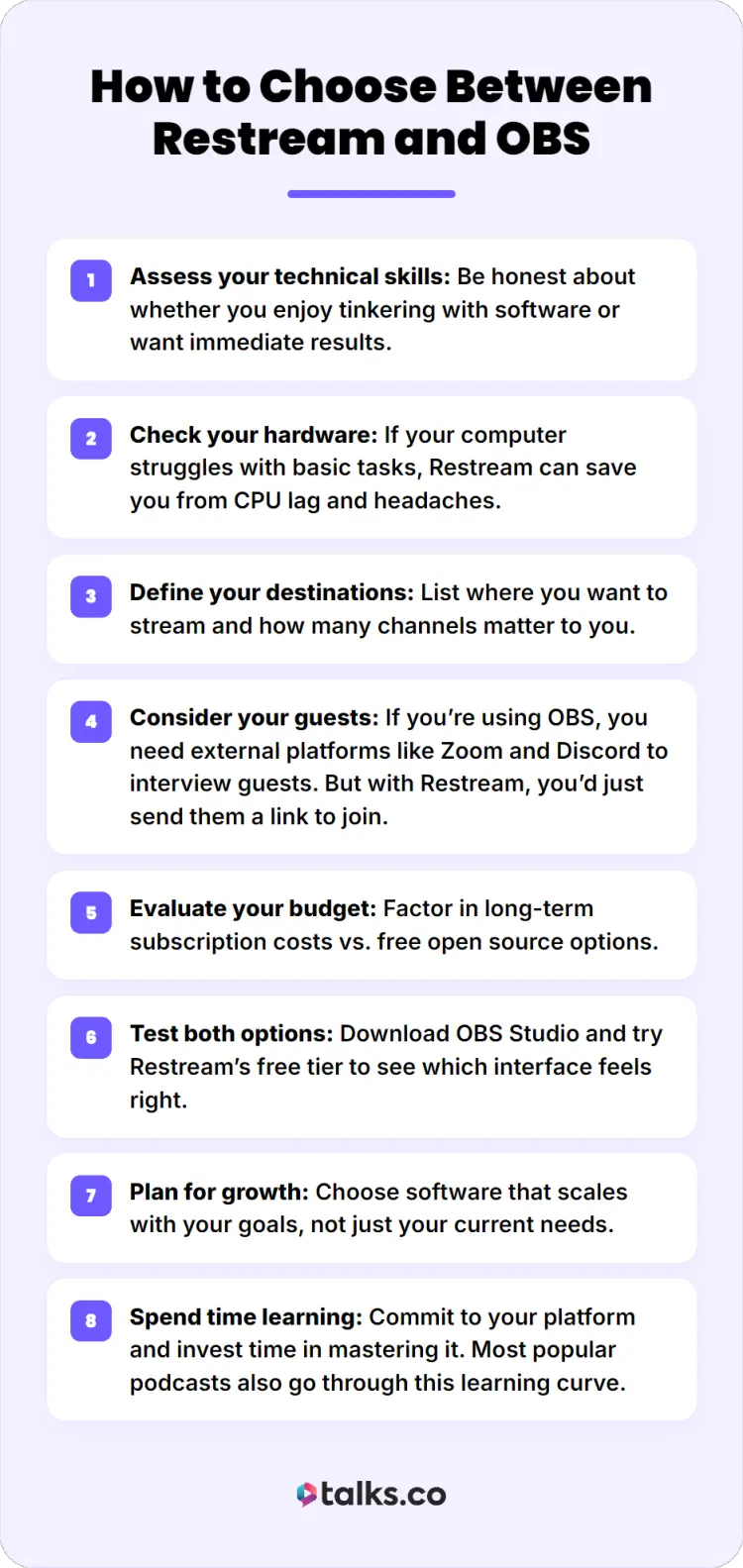
Still on the fence? This step-by-step guide will help you make the best choice when starting your podcast:
- Assess your technical skills: Be honest about whether you enjoy tinkering with software or want immediate results.
- Check your hardware: If your computer struggles with basic tasks, Restream can save you from CPU lag and headaches.
- Define your destinations: List where you want to stream and how many channels matter to you.
- Consider your guests: If you’re using OBS, you need external platforms like Zoom and Discord to interview guests. But with Restream, you’d just send them a link to join.
- Evaluate your budget: Factor in long-term subscription costs vs. free open source options.
- Test both options: Download OBS Studio and try Restream’s free tier to see which interface feels right.
- Plan for growth: Choose software that scales with your goals, not just your current needs.
- Spend time learning: Commit to your platform and invest time in mastering it. Most popular podcasts also go through this learning curve.
Explore other comparison guides like Zencastr vs Riverside, Streamlabs vs OBS, and StreamYard vs Restream to check alternatives.
How to use Restream with OBS
Here’s a pro secret: You don’t have to choose just one. These tools work together beautifully.
- Create accounts: Sign up to Restream and download OBS Studio to get started.
- Get stream key: Copy your Restream channel key from your dashboard.
- Configure OBS: Open OBS settings and paste the Restream key into the stream settings.
- Set up scenes: Create your layout in OBS with multiple sources, webcams, and overlay graphics.
- Connect audio: Route your audio through the OBS audio mixer for professional sound control.
- Add platforms: In Restream, select all destinations like YouTube, Twitch, and LinkedIn.
- Start streaming: Click stream in OBS, and Restream handles the multi-platform broadcast.
- Monitor engagement: Use Restream chat functions to manage viewer interaction across all platforms.
This setup lets you enjoy the best of both worlds. You can personalize as much as you want on OBS while accessing Restream’s simple multi-streaming dashboard.
Once you’re ready with your podcast recording, learn how to upload it online with this best podcast hosting guide.
Restream vs OBS Alternatives
If both these tools don’t feel exactly right, you don’t have to settle. Here are other similar platforms worth considering.
- Streamyard: A browser-based platform similar to Restream with excellent guest management and a simpler interface than OBS.
- Castr: A cloud-based platform offering multi-streaming and analytics with competitive pricing plans.
- Riverside: A recording-focused platform that captures audio and video locally for each guest, making sure you get high-quality files.
For all these alternatives, Talks is a good partner to complete your podcasting tool kit. It handles the human side of podcasting, bringing you the connections that actually nurture and grow your podcasting business.
- Dynamic profile: Create a speaker profile where you can boast about your previous guest appearances and credentials.
- Industry connections: Message other podcast hosts and guest experts directly and build a relationship on your own terms.
- Smart matching: AI and advanced search filters bring you in front of individuals already looking for you.
- Intuitive booking system: Inbox and scheduling features make sure you get responses and get booked.
- Forever free to start: Test out how Talks can impact your business yourself. See how it can get you results, risk-free.
Power Up Your Studio
Restream vs OBS Studio isn’t just a question of “Which is better?”. It’s about which is better for your unique situation.
No matter which solution you choose, it works perfectly with Talks in securing podcast guests for interviews.
Create a free profile, match with industry experts, and set up a recording schedule. All within this modern matching platform.
Lynn prefers Talks over other tools like PodMatch. Laura booked a spot at a top 1.5% podcast on her first click.
Sign up for Talks for free now and boost your visibility today!


