

Your first podcast recording can feel like a tiny panic attack with a budget-friendly microphone attached.
I still remember preparing talking points before my first guest appearance, having already hosted more than a dozen interviews.
I had a glass of water beside me, checked my podcasting setup repeatedly, and still felt nervous when the recording started. Then the conversation began, and it felt… natural.
That’s why Adobe Audition vs Reaper matters more than most audio editing software comparison charts suggest.
The right DAW helps you focus on the conversation. The wrong one can leave you fixing clicks, chasing settings meant for extremely professional environments, or fighting a comprehensive workflow that never feels comfortable or flexible enough.
If you’ve been bouncing between YouTube tutorials or reviews, Reddit threads, and capability and features tables, this guide will help you compare Adobe Audition and Reaper side by side so you can choose the powerful audio setup that fits the way you actually create.
What Is Adobe Audition?
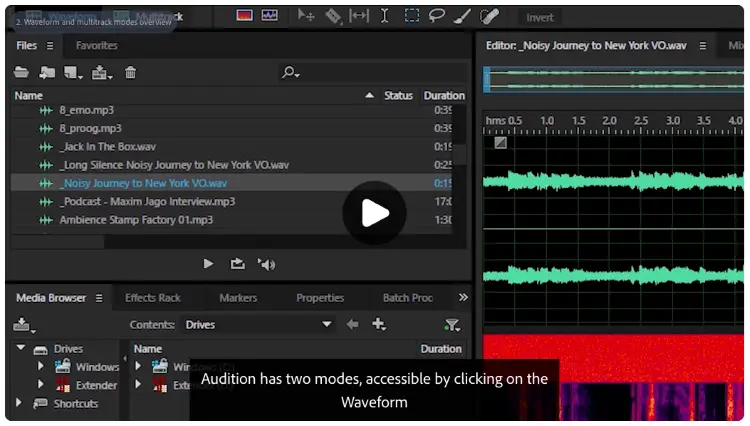
Adobe Audition is a digital audio workstation (DAW) developed by Adobe for recording, editing, mixing, restoring, and mastering audio.
It’s part of the Adobe Creative Cloud suite and is widely used by podcasters, voice-over artists, video creators, broadcasters, and audio professionals who need polished, high-quality sound.
Unlike DAWs that prioritize MIDI composition and virtual instruments, Adobe Audition focuses on audio editing, restoration, podcast production, and post-production workflows.
Its multitrack, waveform, and spectral editing tools make it a popular choice for cleaning up recordings, removing background noise, repairing audio, and producing broadcast-ready sound.
What is Adobe Audition used for?
Adobe Audition supports a wide range of audio projects, including:
- Podcast recording, editing, mixing, and mastering
- Voice-over recording for commercials, audiobooks, and online courses
- Cleaning up interviews and remote recordings
- Audio restoration by removing hiss, hum, clicks, and background noise
- Editing audio for YouTube videos, webinars, and online content
- Mixing dialogue, music, and sound effects for video production
- Creating radio shows and broadcast audio
For creators who already use Adobe Premiere Pro, After Effects, or other Creative Cloud apps, Adobe Audition also fits neatly into an existing editing workflow.
After recording more than 400 interviews, one thing I’ve learned is that listeners forgive average video much faster than poor audio. Clean sound builds trust straight away, and if people struggle to hear you, many won’t stick around long enough to hear your best ideas.
Is Adobe Audition a DAW?
Yes. Adobe Audition is a professional digital audio workstation (DAW) built primarily for recording, editing, mixing, and restoring audio.
Here’s what it lets you do:
- Record audio: Capture podcasts, interviews, and voice overs.
- Edit recordings: Trim mistakes, tighten conversations, and remove filler words.
- Mix tracks: Balance multiple speakers, music, and sound effects.
- Restore audio: Clean recordings using professional repair tools.
- Export projects: Save audio in multiple formats for podcasts, video, and broadcasting.
While you can edit music in Adobe Audition, it’s best known for spoken-word editing, audio restoration, podcast production, and video post-production rather than MIDI-based music creation.
Is Adobe Audition a good DAW?
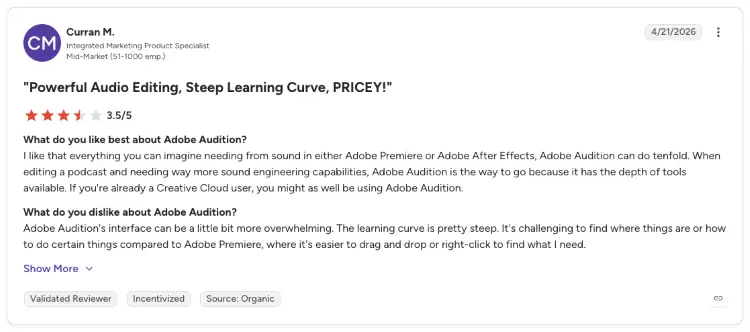
For podcasters and content creators, absolutely.
Here’s where Adobe Audition performs best:
- Podcast editing: One of the quickest workflows for spoken-word content.
- Noise removal: Excellent built-in restoration tools save time during editing.
- Voice-over production: Precise waveform editing makes small corrections easy.
- Video creators: Works particularly well alongside Premiere Pro.
- Existing Adobe users: A natural fit if you already work in Premiere Pro or other Creative Cloud apps.
Adobe Audition becomes a less obvious choice if your priority is composing music with MIDI instruments or building complex production sessions.
That’s where Reaper has the advantage (but more on that below).
From my own experience, I’d spend less time worrying about finding the “perfect” editing software and more time recording consistently.
My first webcam was a Logitech C920, I used a Blue Yeti microphone for years, and I’ve now recorded tons of interviews. Sure, the gear has improved over time, but clear audio and getting the reps in have always mattered more than having every advanced editing feature.
What Is Reaper?
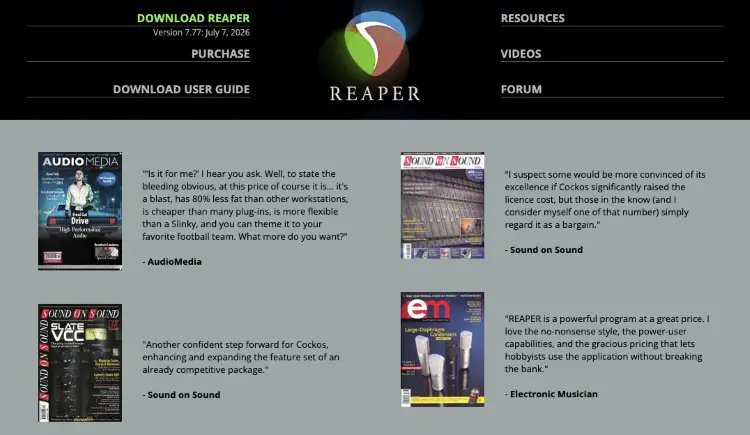
Reaper is a digital audio workstation (DAW) developed by Cockos for recording, editing, mixing, and producing audio.
Unlike Adobe Audition, Reaper is designed as an all-purpose DAW that supports everything from podcast editing and voice-over work to full-scale music production.
One of Reaper’s biggest strengths is its flexibility. The software is lightweight, highly customizable, and supports thousands of third-party plug-in effects and virtual instruments, including VST, VST3, AU, LV2, CLAP, DX, and JS plugins.
You can tailor the interface, create custom shortcuts, automate repetitive tasks, and build a workflow that fits the way you like to work.
Reaper is also known for its affordable one-time license, frequent updates, and active community.
The interface prioritizes function over appearance, so it can feel overwhelming for new users. Once you’re familiar with it, though, many experienced creators appreciate just how much control it offers.
What is Reaper used for?
Reaper adapts well to almost any type of audio project.
- Podcast editing: Record and edit interviews, solo episodes, and remote conversations.
- Music production: Record instruments, edit MIDI, and mix complete songs.
- Voice overs: Produce narration, commercials, and audiobook recordings.
- Professional audio production: Mix, master, and process professional audio projects.
- Sound design: Create audio for games, films, and videos.
- Live recording: Capture bands, events, and multitrack performances.
- Custom workflows: Build shortcuts, macros, and editing templates that match how you work.
Like Reaper, the easier your setup is, the more often you’ll actually hit record. I keep my equipment ready to go because if I have to spend 20 minutes setting everything up, I’m far less likely to say yes to another interview.
Is Reaper a DAW?
Yes. Reaper is a complete digital audio workstation (DAW) that supports recording, editing, mixing, mastering, MIDI production, automation, sound design, and multitrack audio projects.
- Record audio: Podcasts, voice overs, music, interviews, and live performances.
- Edit recordings: Trim, split, arrange, and process audio clips.
- Mix projects: Combine multiple tracks using professional routing and effects.
- Produce music: Record instruments, edit MIDI, and use virtual instruments.
- Customize workflows: Create shortcuts, scripts, macros, and layouts that speed up repetitive tasks.
- Export projects: Render audio in a wide range of formats for podcasts, video, music, and broadcasting.
Adobe Audition vs Reaper Similarities and Differences
400+ podcast interviews eventually teaches you that while Adobe Audition and Reaper can both record, edit, mix, and export professional-quality audio. And if your goal is to launch a podcast, record voice overs, edit interviews, or produce music, either DAW can get you there.
But the difference is how they get you there.
Adobe Audition focuses on speed, simplicity, and post-production. It’s designed for creators who spend most of their time polishing spoken audio and want tools that work well right out of the box.
Reaper takes the opposite approach. It gives you a blank canvas with extensive customization, advanced routing, and support for complex audio workflows.
That flexibility comes with a steeper learning curve, but many experienced creators consider it worth the extra setup.
For me, editing has never been the goal. Publishing the interview is. The faster you can clean up your audio and get the episode live, the sooner you’re building authority, relationships, and opportunities from every conversation using your Talks Creator profile.
Adobe Audition vs Reaper features
If you’re deciding between Adobe Audition vs Reaper, here’s how they compare where it matters most.
| Feature | Adobe Audition | Reaper |
|---|---|---|
| Best for | Podcasts, voice overs, video audio | Music production, podcasts, voice overs, audio engineering |
| Learning curve | Beginner to intermediate | Intermediate to advanced |
| Audio restoration | Excellent built-in tools | Strong with plugins and customization |
| Multitrack editing | Yes | Yes |
| Waveform editing | Excellent | Excellent |
| MIDI support | Limited | Extensive |
| Virtual instruments | Minimal | Broad third-party support |
| Plugin support | VST, AU (macOS), Adobe effects | VST, VST3, AU, JSFX and more |
| Interface customization | Limited | Extensive |
| Operating systems | Windows, macOS | Windows, macOS, Linux |
| Export formats | Wide range of audio formats | Wide range of audio formats |
One thing I’ve become pickier about over the years is audio quality. My first interviews used a Blue Yeti and a Logitech C920, which served me well for years.
Today I’d recommend pairing good audio with good video because clips from podcast interviews often end up on YouTube, LinkedIn, and social media. Better sound and sharper video help those interviews keep working long after the recording ends.
(Check out my full guide on how to do a podcast interview, how to pick the best podcast editing tools, and tips on how to use the podcast editing software you choose effectively.)
Adobe Audition vs Reaper pricing options
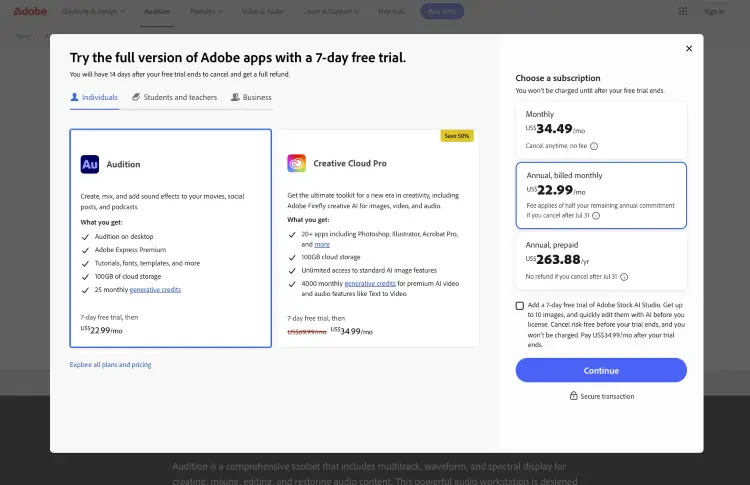
Cost matters, but so does how often you’ll actually use the software. If you’re editing every week, the difference between a subscription and a one-time purchase becomes much easier to justify.
| Adobe Audition | Reaper |
|---|---|
| Subscription | One-time license |
| Available through Adobe Creative Cloud | Individual discounted and commercial licenses |
| Ongoing monthly or annual payments | Pay once, then receive updates throughout your license period |
| Best value if you already subscribe to Adobe Creative Cloud | Best value if you want to avoid recurring costs |
Adobe Audition is included with Adobe Creative Cloud. If you already use Premiere Pro, Photoshop, Illustrator, or After Effects, adding Audition can make sense because everything works within the same ecosystem.
Reaper uses a one-time licensing model with a generous free evaluation period. For creators who don’t want another monthly subscription, it’s one of the strongest values among professional DAWs.
Adobe Audition vs Reaper pros and cons
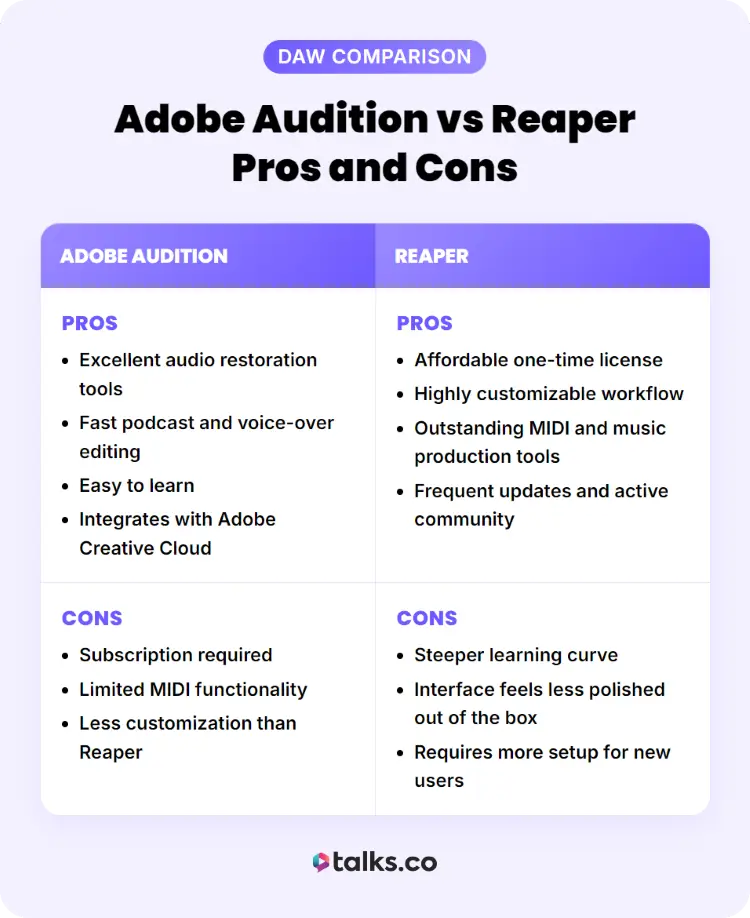
Every creator has different priorities so these trade-offs matter far more than trying to find a single “best” DAW.
| Adobe Audition | Reaper |
|---|---|
| Pros: Excellent audio restoration tools | Pros: Affordable one-time license |
| Fast podcast and voice-over editing | Highly customizable workflow |
| Easy to learn | Outstanding MIDI and music production tools |
| Integrates with Adobe Creative Cloud | Frequent updates and active community |
| Cons: Subscription required | Cons: Steeper learning curve |
| Limited MIDI functionality | Interface feels less polished out of the box |
| Less customization than Reaper | Requires more setup for new users |
One lesson I’ve learned after years of interviewing experts is that listeners rarely notice which DAW you edited in. They notice distracting background noise, uneven volume, awkward cuts, and poor audio quality. Whichever software helps you avoid those problems consistently is usually the right choice.
Is Adobe Audition Worth It?
The easiest way to decide is to match the best software for podcast interviews to the type of work you do most often.
| Adobe Audition is worth it if you… | Reaper may be a better fit if you… |
|---|---|
| Edit podcasts every week | Produce music as often as spoken content |
| Record voice overs for clients or courses | Want extensive MIDI and virtual instrument support |
| Already subscribe to Adobe Creative Cloud | Prefer a one-time license |
| Want built-in audio cleanup tools | Enjoy customizing your workflow |
| Need a fast editing workflow | Don’t mind a steeper learning curve |
Is Adobe Audition good?
Yes. Adobe Audition has earned its reputation as one of the best DAWs for spoken-word production.
Its biggest strengths are audio restoration, precise waveform editing, multitrack mixing, and seamless integration with Adobe Premiere Pro. For podcasters, YouTubers, coaches, speakers, and video creators, these tools can noticeably reduce editing time while producing clean, professional audio.
It also handles larger projects well. Whether you’re editing a five-minute podcast trailer or a multi-hour interview with several speakers, Adobe Audition remains stable and responsive on modern hardware.
Its biggest weakness is music production. While you can record instruments and mix songs, creators who rely heavily on MIDI, virtual instruments, and advanced composition tools will usually find Reaper or another music-focused DAW a stronger fit.
Is Adobe Audition easy to use?
Compared to many professional DAWs, yes.
Adobe Audition has a clean interface that’s easy to understand, especially if you’ve used other Adobe products. Most beginners can start a podcast recording and editing after learning a handful of core tools, and common tasks like trimming clips, reducing background noise, and exporting finished audio are straightforward.
There is still a learning curve. Features like spectral editing, multitrack mixing, and mastering become easier with practice, but you don’t need to master every tool before creating polished audio.
Reaper offers greater flexibility, but Adobe Audition generally gets new users up and running faster.
What is the best Adobe Audition version?
For most creators, the latest version of Adobe Audition is the best choice.
Adobe updates Audition regularly with performance improvements, bug fixes, compatibility updates, and new features. Using the latest release also gives you the best compatibility with current operating systems and other Creative Cloud applications.
Older versions may still work well if you’re using older hardware or maintaining legacy projects, but they’re less likely to receive security updates or support.
If you’re paying for Adobe Creative Cloud, you’ll automatically have access to the latest version, making it the recommended option for nearly every creator.
Which Is Better: Audacity or Adobe Audition?
It depends on your budget, experience, and the type of audio you create.
If you want a free audio editor for simple recordings, Audacity is hard to beat. It’s lightweight, open source, and capable of handling basic recording, trimming, and editing tasks. Many creators use it to launch their first podcast or clean up occasional voice recordings.
Adobe Audition, however, is built for creators who need more than the basics. It offers advanced multitrack editing, professional audio restoration, batch processing, loudness matching, and a smoother workflow for larger projects. If you’re producing content consistently, those features can save a significant amount of time.
Here’s a quick comparison.
| Feature | Audacity | Adobe Audition |
|---|---|---|
| Price | Free | Adobe Creative Cloud subscription |
| Best for | Beginners and occasional editing | Professional podcast, voice-over, and video audio production |
| Multitrack editing | Basic | Advanced |
| Audio restoration | Good | Excellent |
| Batch processing | Limited | Yes |
| Learning curve | Beginner-friendly | Beginner to intermediate |
| Adobe integration | No | Yes |
Choose Audacity if you:
- Need a free audio editor.
- Record occasionally.
- Want simple recording and editing tools.
Choose Adobe Audition if you:
- Publish podcasts or videos regularly.
- Work with clients.
- Need advanced editing and restoration tools.
- Already use Adobe Creative Cloud.
If you’re building a personal brand through podcast guest appearances, webinars, or online courses, Adobe Audition’s faster editing workflow can make producing consistent, high-quality content much easier.
Adobe Audition vs Reaper Alternatives
Adobe Audition and Reaper aren’t your only options. Depending on your workflow, budget, and experience level, one of these platforms may be a better fit.
| Tool | Best for |
|---|---|
| Audacity | Beginners who want a free audio editor |
| Logic Pro | Mac users producing music and podcasts |
| GarageBand | Apple users starting their first audio projects |
| Pro Tools | Professional recording studios and post-production |
| Ableton Live | Electronic music production and live performance |
| FL Studio | Beat making and electronic music |
| Studio One | Recording, mixing, and music production |
| Descript | Podcast editing with text-based transcription |
Your editing software is only one piece of your content strategy.
If your goal is to grow your authority, land more clients, or reach new audiences, you also need opportunities for people to hear your voice.
That’s where Talks comes in.
Talks helps speakers, coaches, authors, consultants, and entrepreneurs connect with podcast hosts and virtual event organizers looking for expert guests. Instead of relying solely on social media or paid ads, you can get in front of audiences that are already interested in your expertise.
The best setup looks something like this:
- Use Adobe Audition, Reaper, or another DAW to create professional-quality audio.
- Appear on podcasts and virtual events to build credibility and expand your reach.
- Create a free Talks profile so hosts can discover and book you for guest interviews.
Great audio helps people enjoy your message. Getting featured on the right shows helps more people hear it. Combining both can have a much bigger impact than focusing on either one alone.
One Decision = 100’s of Future Recordings
When it comes to Adobe Audition vs Reaper, there’s no universal winner. Adobe Audition excels at podcasts and voice overs, while Reaper rewards creators who want maximum flexibility.
Pick the DAW that fits your workflow, then put it to work. Now get your content in front of more people.
Want podcast interviews landing in your inbox instead of hunting for them yourself?
Create your free Talks profile and use instant matching plus new automation tools to connect with the right podcast hosts faster.
Claim My Free Talks Creator Profile


