

How many hours are you willing to waste before you finally hit “Publish”?
One comparison becomes 5. 5 become 15. And somehow, every podcast host promises to make your life easier, so you keep opening tabs, reading reviews, and second-guessing every decision.
Meanwhile, your podcast is still sitting on your hard drive instead of the top podcast charts.
I’ve been on more than 400 podcast interviews over the years, and I’ve watched the recording tools evolve from basic Zoom recordings and endless free trials to dedicated podcast platforms that work so smoothly remotely.
Buzzsprout vs Spotify both have plenty to offer, but they’re built for different types of podcasters.
This guide will compare Buzzsprout vs Spotify and help you figure out which one belongs in your setup so you can upload your audio file and target millions of potential listeners (finally) the moment you publish your episodes.
Buzzsprout vs Spotify: Which Is Better?
If you only compare features, you’ll probably end up with a tie. Compare the way you’ll actually use your podcast, and the answer becomes much clearer.
A coach growing a business, a creator testing a new idea, and a company producing multiple shows won’t all choose the same platform.
Here’s the quick answer before we get into the details.
- Choose Buzzsprout if: You want a dedicated podcast hosting platform with more customization, stronger management tools, advanced publishing features, and room to grow alongside your podcast.
- Choose Spotify if: You want to launch your podcast for free, keep the setup simple, and start publishing episodes as quickly as possible.
- Choose Talks alongside either platform if: You want to grow your audience by getting featured on podcasts, connecting with podcast hosts, finding quality guests, and turning every episode into more visibility for your business.
The right host gets your podcast online. The right growth strategy helps people discover it. Together, they’ll give your podcast the best chance of building an audience that keeps coming back.
What Is Spotify?
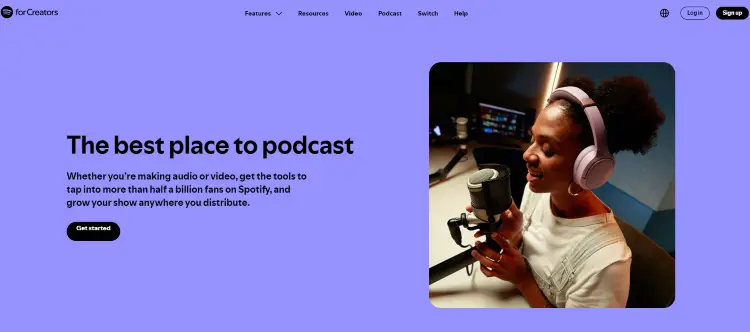
Spotify has become one of the biggest podcast platforms in the world. Alongside listening to podcasts, you can also host, publish, distribute, and grow your show using Spotify for Creators.
It gives you one place to upload episodes, send them to major podcast apps, track your audience, and, if you’re eligible, earn money from your content.
That simplicity is a big reason so many first-time podcasters choose it.
You don’t need to pull out your credit card before you’ve even recorded Episode 1. Create an account, upload your podcast, and you’re off.
Will you still be using it two years from now?
Maybe.
That depends on how serious you become about podcasting. Plenty of creators stick with Spotify for years. Others eventually want more customization, stronger marketing tools, or extra features that come with dedicated podcast hosts.
We’ll compare those trade-offs later in this guide.
Spotify pricing
Spotify for Creators costs $0. Hosting your podcast is completely free, including your RSS feed, distribution to major podcast apps, analytics, and podcast management tools.
If you qualify, you can also earn money through features such as:
- Spotify Partner Program
- Podcast subscriptions
- Sponsorship opportunities
Availability depends on your country and whether your podcast meets Spotify’s eligibility requirements.
Free is hard to argue with.
The bigger question is whether free gives you everything you’ll want 6 months from now.
Hosting your podcast might cost nothing, but growing it usually involves investing your time, your marketing, or tools that help you reach more listeners.
Many podcasters add Talks to their toolkit for exactly that reason.
Is Spotify worth it?
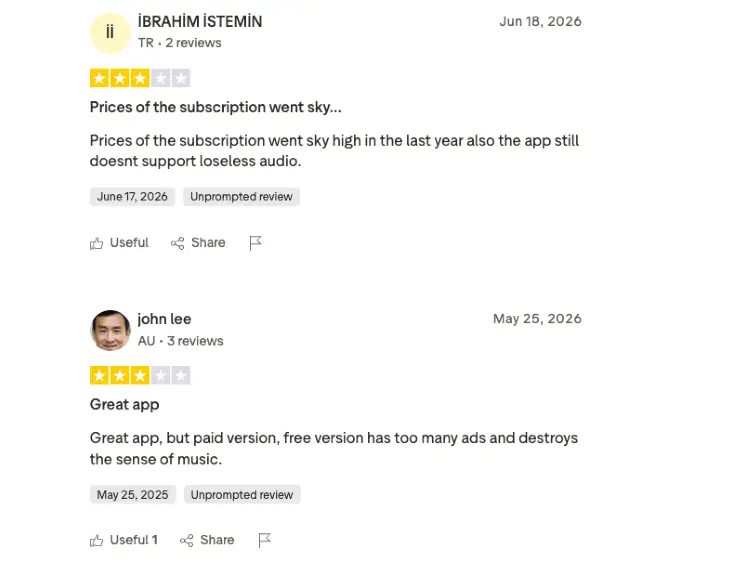
Based on user reviews, Spotify for Creators earns the most praise for making podcasting feel approachable. If you’ve never published an episode before, that’s exactly what you want.
Here’s what users consistently like:
- Free hosting: You can launch a podcast without paying monthly hosting fees.
- Simple setup: Getting your show online is quick, even if it’s your first podcast.
- Easy distribution: Publish once and distribute to Spotify, Apple Podcasts, and other major directories.
- Clean interface: Most reviewers found the dashboard easy to learn and navigate.
- Built-in Spotify audience: Publishing directly to one of the world’s largest podcast platforms is a big plus.
- Mobile-friendly: The mobile app makes it easy to manage episodes on the go.
- Supports video podcasts: A feature many reviewers appreciated because not every free host offers it.
That said, the same reviews highlighted a few areas where Spotify could improve.
The most common complaints were:
- Basic analytics: Several reviewers wanted deeper audience insights and reporting.
- Limited monetization tools: Advertising and monetization options aren’t as developed as some competitors.
- Editing tools need work: Some found the built-in editing features harder to use than dedicated editing software.
- Organization could be better: Managing seasons and larger podcast libraries can become frustrating.
- Fewer advanced controls: Experienced podcasters may miss customization options available on dedicated hosting platforms.
If your goal is to record your first episode and get it into listeners’ ears quickly, Spotify is hard to argue against.
As your podcast grows, your focus usually shifts from publishing episodes to finding more listeners.
Guest appearances on other podcasts can play a big part in that, which is why many creators use Talks alongside their hosting platform to connect with podcast hosts, book interviews, and find quality guests for their own show.
What Is Buzzsprout?
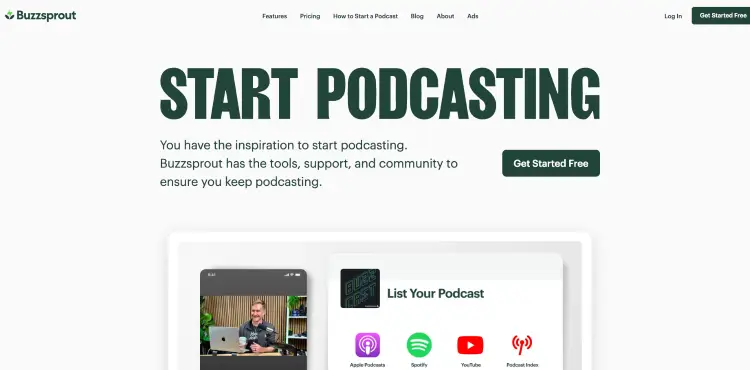
Buzzsprout is a podcast hosting platform built for creators who want to spend less time figuring out the technical side of podcasting and more time recording episodes.
Since launching in 2009, it’s grown to more than 115,000 podcasters. You can:
- Host your podcast
- Distribute episodes
- Track performance
- Build a podcast website
- Manage your RSS feed
- Monetize your show
- Invite team members from one dashboard
Buzzsprout pricing
Buzzsprout offers a free plan, so you can upload episodes, explore the platform, and see if it’s a good fit before paying for a subscription.
Paid plans include:
| Plan | Monthly price | Best for |
|---|---|---|
| Audio | $18/month | Audio podcasts with up to 6 upload hours per month |
| Audio + Video | $30/month | Audio and video podcasts with up to 6 upload hours per month |
| Multi-Podcast | From $60/month | Up to 5 or 10 podcasts with 15 shared upload hours per month |
Every paid plan includes podcast distribution, advanced statistics, unlimited episodes, a podcast website, listener support, subscriptions, Buzzsprout Ads, unlimited team members, custom embed players, dynamic content, and high-quality transcripts.
Optional add-ons include Magic Mastering and Cohost.
Does Buzzsprout upload to Spotify?
Yes.
Buzzsprout distributes your podcast to Spotify, Apple Podcasts, Amazon Music, Pocket Casts, and many other podcast directories.
After connecting your podcast, new episodes are sent automatically, so you don’t have to upload each one separately. That frees up time for the work that actually grows a podcast. Publishing consistently matters, but so does getting your show in front of new listeners.
Many Buzzsprout users combine automatic distribution with Talks to book podcast interviews, reach new audiences, and bring fresh guests onto their own show.
You can also check out my full guide on how to upload a podcast to Spotify.
Is Buzzsprout worth it?
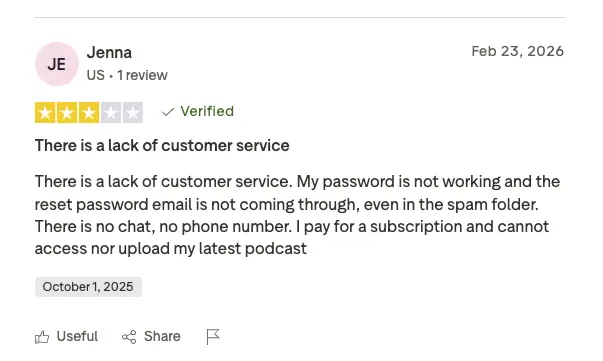
Recent user reviews suggest Buzzsprout gets the fundamentals right, but it isn’t without its frustrations.
Here’s what users commonly praise:
- Easy podcast hosting and publishing.
- Reliable platform for long-term use.
- Plenty of built-in tools in one dashboard.
The most common complaints include:
- Customer support can be difficult to reach.
- Pricing changes have confused some long-time users.
- Analytics aren’t always as detailed or accurate as expected.
- Account access and transcription tools occasionally cause headaches.
If you’re looking for a dedicated podcast host, Buzzsprout is a strong option with a long track record and a beginner-friendly experience.
Publishing your podcast is only the first milestone, though. The podcasts that keep growing usually have another thing in common: they’re consistently reaching new audiences.
Guest appearances, collaborations, and inviting interesting guests onto your own show all help build momentum.
Talks complements Buzzsprout well because it focuses on that side of podcasting, making it easier to connect with podcast hosts and guests while Buzzsprout handles the hosting and distribution.
Buzzsprout vs Spotify Pricing, Features & Pros/Cons
On the surface, Buzzsprout and Spotify seem to do the same thing. They both let you start and host a podcast, distribute episodes, and track your performance.
Spend a little longer comparing them, though, and the differences start to matter. Pricing, customization, analytics, monetization, and long-term flexibility can all influence which platform feels like the better fit.
Let’s break it down.
Buzzsprout vs Spotify pricing
If price is your biggest deciding factor, Spotify has the obvious advantage.
Spotify for Creators is completely free, while Buzzsprout offers a free plan alongside paid plans that unlock more upload hours and premium features.
| Feature | Buzzsprout | Spotify |
|---|---|---|
| Free plan | Yes | Yes |
| Starting paid plan | $18/month | Free |
| Audio + video plan | $30/month | Included |
| Multi-podcast plan | From $60/month | Not available |
| Upload limits | Based on your plan | No hosting fee |
| Podcast website | Included | Basic podcast page |
| Advanced analytics | Included on paid plans | Included |
| Team management | Included | Limited |
| Premium support | Yes | Help center and email support |
- Spotify is hard to beat if you’re trying to keep costs as low as possible.
- Buzzsprout earns its price by offering more room to grow, especially if you want advanced podcast management tools, team collaboration, a dedicated podcast website, and premium features in one platform.
Remember that podcast hosting is only one investment. If your goal is growing your audience, you’ll also want a plan for getting discovered.
Many podcasters pair either platform with Talks to book guest interviews, connect with podcast hosts, and bring new listeners back to their own show.
Buzzsprout vs Spotify features
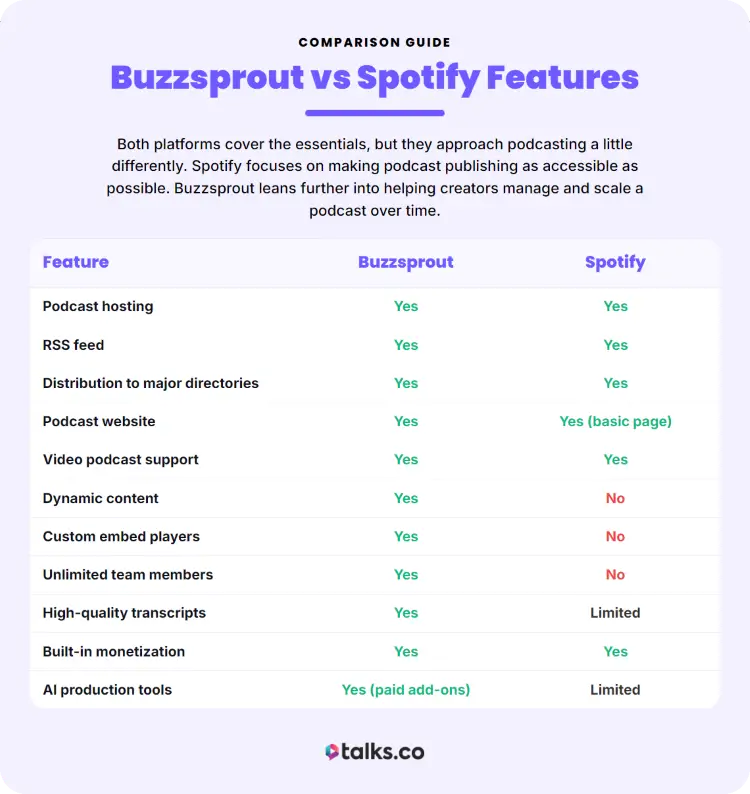
Both platforms cover the essentials, but they approach podcasting a little differently.
Spotify focuses on making podcast publishing as accessible as possible. Buzzsprout leans further into helping creators manage and scale a podcast over time.
| Feature | Buzzsprout | Spotify |
|---|---|---|
| Podcast hosting | Yes | Yes |
| RSS feed | Yes | Yes |
| Distribution to major directories | Yes | Yes |
| Podcast website | Yes | Yes (basic page) |
| Video podcast support | Yes | Yes |
| Dynamic content | Yes | No |
| Custom embed players | Yes | No |
| Unlimited team members | Yes | No |
| High-quality transcripts | Yes | Limited |
| Built-in monetization | Yes | Yes |
| AI production tools | Yes (paid add-ons) | Limited |
Buzzsprout vs Spotify pros/cons
Both platforms have their strengths. The better choice comes down to what matters most to you.
| Buzzsprout Pros | Buzzsprout Cons |
|---|---|
| Easy to use, even for beginners | Paid plans start at $18/month |
| Dedicated podcast hosting platform | Monthly upload limits on paid plans |
| Includes a podcast website | Some users report confusing pricing changes |
| Advanced podcast management tools | Occasional complaints about customer support |
| Unlimited team members | Some premium features cost extra |
| Spotify Pros | Spotify Cons |
|---|---|
| Completely free podcast hosting | Fewer advanced customization options |
| Quick and simple setup | Limited team collaboration features |
| Built-in access to Spotify’s podcast ecosystem | Basic analytics compared to dedicated hosts |
| Supports audio and video podcasts | Fewer tools for managing and growing larger podcasts |
| Easy distribution to major podcast directories | Less flexibility as your podcast scales |
Buzzsprout vs Spotify similarities and differences
It’s easy to think Buzzsprout and Spotify are direct competitors because they both host podcasts. In reality, they take slightly different approaches.
Similarities:
- Podcast hosting: Both let you host and publish podcast episodes.
- Podcast distribution: Both distribute your show to major podcast directories.
- Analytics: Both provide listener data to help you track performance.
- Monetization: Both include opportunities to earn money from your podcast if you meet the eligibility requirements.
- Video podcasts: Both support video podcast publishing.
Differences:
- Pricing: Spotify is free, while Buzzsprout offers free and paid plans.
- Podcast management: Buzzsprout includes more advanced publishing and management features.
- Customization: Buzzsprout offers greater control over your podcast website, embed players, and dynamic content.
- Team collaboration: Buzzsprout supports unlimited team members, while Spotify offers fewer collaboration features.
- Growth focus: Buzzsprout focuses on podcast hosting and management, while Spotify combines hosting with its own listening platform.
Neither platform helps you book interviews or find podcast guests, which is why many creators also use Talks to expand their reach and attract new listeners.
Buzzsprout vs Spotify for podcasters
Not every podcaster has the same goal. Some want to publish their first episode this weekend. Others are building a podcast that supports their coaching business, attracts clients, or opens the door to speaking opportunities.
Choose Buzzsprout if you:
- Want room to grow: You’re building a podcast for the long term and expect your needs to evolve.
- Need more control: Features like custom embed players, dynamic content, and a dedicated podcast website matter to you.
- Work with a team: Multiple people help produce, edit, or manage your podcast.
- Prefer a dedicated hosting platform: Podcasting is your priority, not one feature inside a larger ecosystem.
Choose Spotify if you:
- Want to keep costs low: Free hosting makes it easy to launch without another monthly expense.
- Are publishing your first podcast: The setup is straightforward and beginner-friendly.
- Need the basics: Hosting, distribution, and analytics cover everything you need right now.
- Plan to upgrade later if needed: You’d rather start simple and reassess as your audience grows.
Buzzsprout vs Spotify for creators
For many creators, your podcast isn’t the end goal. It’s one piece of a bigger business.
Maybe you’re selling coaching programs. Maybe you’re promoting a book, filling webinars, growing an email list, or building your reputation in your industry. Your podcast host should support those goals, not become another thing you have to manage.
Buzzsprout is a better fit if you:
- Treat your podcast as a business asset: You want tools that can grow alongside your brand.
- Value customization: A dedicated website, custom players, and advanced publishing features are important.
- Publish consistently: Weekly or ongoing content benefits from stronger podcast management tools.
Spotify is a better fit if you:
- Are testing a new idea: You want to validate your podcast before paying for hosting.
- Prefer simplicity: You don’t need advanced features on day one.
- Want a free way to start creating: Publishing quickly matters more than customization.
Top Buzzsprout vs Spotify Alternatives
Whether you want stronger marketing tools, better analytics, more customization, or help growing your audience, these Spotify and Buzzsprout alternatives are worth a look.
- Talks: Best for finding podcast guests or getting booked on more podcasts to grow your audience and reach.
- Captivate: Best for creators and businesses that want advanced marketing features and unlimited podcasts.
- Transistor: Best for managing multiple podcasts from one account with detailed analytics and private podcast support.
- RSS.com: Best for budget-conscious podcasters who want unlimited episodes and straightforward pricing.
- Podbean: Best for creators looking for built-in monetization options, live streaming, and podcast hosting in one platform.
- Libsyn: Best for established podcasters who want a long-standing hosting platform with extensive distribution options.
- Blubrry: Best for WordPress users who want tighter integration with their website through the PowerPress plugin.
- Castos: Best for businesses, educators, and membership sites that want private podcasting alongside public episodes.
You can also read up on Zencastr vs Riverside for more podcast hosting platform alternatives and options.
How to choose the best alternative platform (Checklist)
Every podcast host promises to make publishing easy. The better question is whether it fits the way you plan to create, grow, and monetize your podcast. Use this checklist before you decide.
☐ Choose your budget first: Decide how much you’re comfortable paying each month before comparing features.
☐ Estimate your upload needs: Longer or more frequent episodes may require higher upload limits.
☐ Check distribution options: Make sure your podcast can be published to Spotify, Apple Podcasts, YouTube, and the directories that matter to your audience.
☐ Compare analytics: Look for listener insights that help you understand what’s working and where your audience comes from.
☐ Review monetization tools: Compare ads, subscriptions, listener support, and sponsorship options if earning revenue is a goal.
☐ Consider future growth: Pick a podcast hosting platform that can support your podcast a year from now, not just your first podcast episode.
☐ Think beyond hosting: Publishing is only part of growing a podcast. If reaching new listeners is one of your goals, use a platform like Talks to connect with podcast hosts, book guest appearances, and find quality guests for your own show.
Pick Your Platform. Then Get Heard.
It doesn’t matter what you pick between Buzzsprout vs Spotify because the truth is your podcast only grows when new people hear it.
So, pick the platform that fits your budget, workflow, and long-term goals, then put your energy into reaching audiences beyond your own.
Want to book more podcast interviews without spending hours searching for hosts or sending cold pitches?
Create your free Talks profile and let automatic matching connect you with podcasts looking for guests in your niche.
Some members are already landing interviews on major shows, high-ticket clients, and speaking opportunities.
Your next interview could already be waiting.
Yes! Sign Me Up for Talks ASAP!


