

You booked a great interview through Talks. Charming conversations. Witty banter. That’s the kind of vibe you’d gladly publish on your podcast.
But you can’t upload a two-hour recording as is. You need to edit your episodes so you get the exact effect you want to achieve.
You need the right video editing software to support you. It dictates your production workflow and how often you can publish.
Let’s break down this Descript vs CapCut to help you make the right choice. I’ll show you what these video editing tools can do for you, so you can pick the one that works for your unique needs.
Comparison of Descript vs CapCut (Overview)
Both Descript and CapCut are popular names in the video editing game, but they serve different types of creators. Let’s compare them side by side so you can find a reliable video editing tool that matches your workflow preferences.
| Feature | Descript | Riverside |
|---|---|---|
| Best for | Editing-heavy workflows | High-quality remote recording |
| Main focus | AI-powered editing | Studio-quality recording |
| Recording quality | Good quality remote recording | Local 4K and WAV recording |
| Video resolution | Up to HD and 4K exports | Up to 4K video |
| Editing style | Text-based editing | Timeline and clip editing |
| AI features | Filler word removal, overdub, summaries | AI clips, transcription, magic editor |
| Ease of use | Beginner-friendly | Slightly more advanced |
| Podcast hosting | Limited | Offers hosting tools |
| Live streaming | Basic | Built-in live stream support |
| Collaboration | Team editing and comments | Producer mode and guest management |
| Transcription | Advanced editable transcript | Accurate transcription |
Creators who publish on video-first channels lean toward CapCut, while podcasters handling spoken content usually prefer Descript’s transcript workflow.
Both tools are compatible for editing interviews recorded through Talks. If you’re learning how to start a podcast or exploring the best software for podcast interviews, you can easily move your recorded files into either editor.
Descript vs CapCut feature comparison
The biggest difference between Descript and CapCut is how they approach editing. One focuses heavily on speech and transcripts, while the other focuses on visuals and social content.
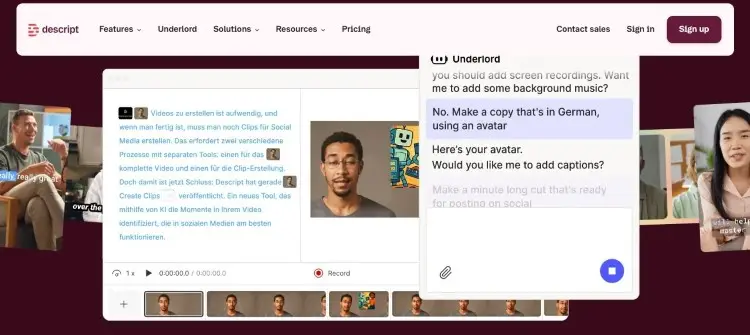
Descript is an AI-powered editor built around transcription and text-based editing. Instead of cutting clips on a traditional timeline, you edit media by deleting or moving words in the transcript.
Key features:
- You get automatic and fast transcriptions.
- You can remove filler words directly from the words in the transcript.
- It has voiceovers and background noise reduction tools.
- The editing workflow supports long-form podcasts and interviews.
- It offers background removal for video creators who need clean visuals.
- It gives you advanced features like Overdub for quick corrections.
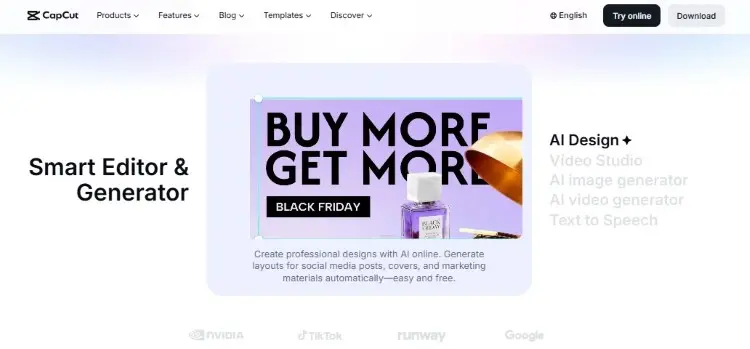
CapCut is a visual-first video editor built for short-form content and social publishing. It combines traditional video editing with AI effects and trendy templates.
Key features:
- It’s beginner-friendly with a drag-and-drop timeline.
- CapCut uses a familiar layer system similar to other mobile editor tools.
- It has templates built for TikTok and Instagram Reels.
- You get auto-captions and trendy transition effects.
- It runs smoothly on mobile devices, so you can edit video anywhere.
- Its AI features include auto-reframe and filters.
- It handles basic editing and color adjustments with ease.
- Primarily made for mobile, but also has a web version, allowing users to edit on their desktops.
Descript vs CapCut pricing comparison
Pricing matters, especially if you’re publishing content consistently every week. Both tools offer free plans, but the limitations are different.
Descript runs on a subscription model with a free tier that includes watermarked exports. The paid plans unlock more transcription hours and AI tools and remove the watermark.
- Free plan: Limited media minutes, AI tools, recording minutes, and layout functions.
- Paid tiers: Hobbyist ($24/month), Creator ($35/month), Business ($65/month), Enterprise (custom).
CapCut has a free version with reliable tools, though some advanced features and effects sit behind CapCut Pro.
- Free plan: Limited access to the library, 1 GB on cloud storage, basic AI tools, and standard customer support.
- Paid tiers: $19.99/month or $179.99/year
Whichever editor you choose, you can integrate Talks into your content strategy by creating a free profile and getting featured on podcasts or finding guests for your own show.
Descript vs CapCut similarities and differences
Although CapCut and Descript feel very different, they still share several useful features. Both aim to help creators produce professional-looking content faster.
Similarities:
- Both support video and audio editing.
- Both include AI-assisted captions.
- Both offer cloud-based workflows.
- Both are available on desktop.
- Both support social content creation.
- Both help streamline editing tasks.
- Both include free plans.
- Both can export high-quality video content.
Differences:
- Descript focuses on editing spoken dialogue through transcripts.
- Descript excels at podcasts and webinars.
- Descript uses transcript-based editing.
- Descript offers more collaboration and audio tools.
- CapCut offers more visual templates and transitions.
- CapCut excels at TikTok-style edits.
- CapCut uses a traditional timeline.
- CapCut provides stronger mobile editing functionality.
If your content revolves around interviews, webinars, or coaching sessions, Descript fits your workflow preferences better. If you mainly publish short clips on TikTok or Instagram, CapCut can feel more intuitive.
Descript vs CapCut pros and cons
Every editor has strengths and tradeoffs. When choosing the right video editor between CapCut vs Descript, the best option fits right into your workflow.
| Platform | Pros | Cons |
|---|---|---|
| Descript | Excellent transcription Easy podcast editing AI voice tools Collaborative workflow Strong audio cleanup | Smaller template library Less advanced visual effects Weaker mobile experience |
| CapCut | Easy social editing Trendy templates Mobile-friendly Visual effects Beginner-friendly interface | Limited collaboration Weaker long-form podcast workflow |
Descript is a good podcast editing software for podcasters and educators working with dialogue-heavy content. Meanwhile, CapCut is usually better for creators focused on short-form social growth and visual storytelling.
Whichever tool you pick, Talks can complete your podcasting toolkit. After securing a speaking gig or finding a guest, you can polish your raw recording with either Descript or CapCut.
What Is Descript?
Descript is one of the best podcast interview software, with a different approach from traditional video editors. Instead of cutting waveforms or timelines, you rearrange, delete, or type words to edit video and audio segments.
Many reviewers say the intuitive interface cuts their editing process time in half, especially for podcast episodes. Specifically, creators love how automatic transcription makes it ideal for speech-heavy content.
- Zaiba S. notes, “I was astounded to discover how simple it was to effectively cut and paste words while simultaneously moving the audio waveforms.”
- Lance W. says, “The ability to automatically delete filler words and audio gaps has been a major timesaver, and the software keeps evolving.”
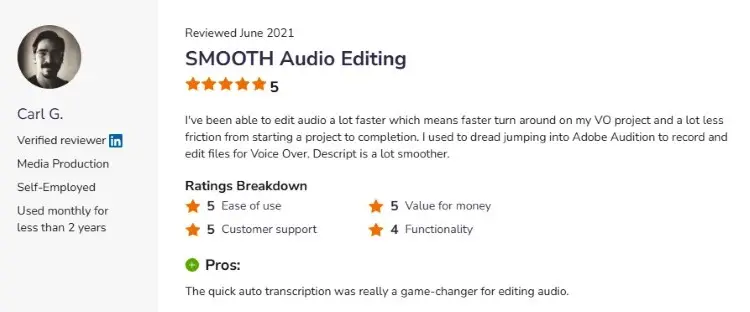
- Carl G. shares, “I used to dread jumping into Adobe Audition to record and edit files for voice-over. Descript is a lot smoother.”
What Is CapCut?
CapCut is a free-to-start video editing tool created by ByteDance, the same company behind TikTok. It gives you a colorful timeline, filters, effects, and music to build video content quickly.
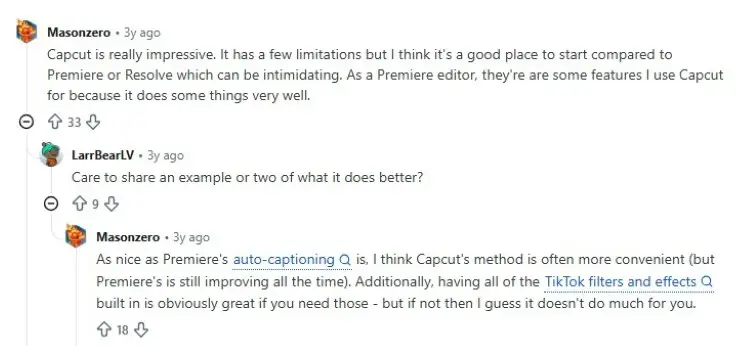
Reddit users note that Capcut is surprisingly powerful for a tool that costs nothing to start. They praise its beginner-friendly layout and the volume of creative assets they can use.
- User Masonzero says, “Capcut is really impressive. It has a few limitations, but I think it’s a good place to start compared to Premiere or Resolve, which can be intimidating.”
- User Anonymograph shares, “For short-format video slanted toward social media, CapCut is pretty good, especially if you want to shoot and edit all on your iPhone.”
- Mathew Harwich comments, “Capcut has some strengths for sure. Its layouts are better for making quick things, and it’s streamlined for social media.”
What does CapCut do?
CapCut supports several common content creation workflows. It’s especially useful for creators who want to edit social clips quickly.
Here are the common use cases of CapCut:
- Social media clips, like TikTok videos, Instagram reels, and YouTube Shorts
- Video content, like product videos, educational clips, and marketing hooks.
- Branded content, like webinar highlights and podcast snippets.
CapCut also supports voiceovers, transitions, motion graphics, and visual polish that help creators produce engaging short-form content without advanced editing skills.
Is CapCut good?
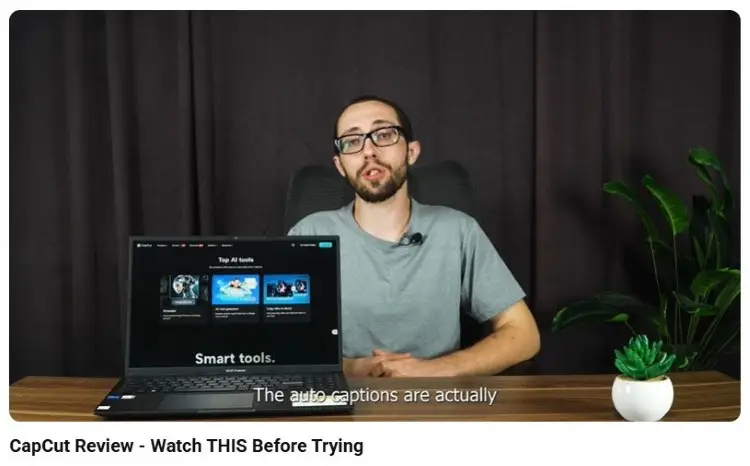
Yes, CapCut is considered a strong option for beginners and casual creators.
- Its intuitive design makes editing feel less intimidating compared to traditional desktop editors.
- Best for creators focused on social media platform growth because the workflow is optimized for short-form publishing.
The YouTube review from WEBWISE shares how the tool helps him cut down 70% of his editing time. He highlights the auto-caption feature, which does the transcribing for him.
Is CapCut good for editing?
CapCut performs well for most everyday editing tasks. It combines visual editing with AI support, making it flexible for different creator needs.
Top editing features include:
- AI-generated captions
- Motion tracking
- Speed controls
- Audio syncing
- Visual effects
- Green screen support
- Background removal
- Filters and transitions
- Template-based editing
- Voice enhancement
For basic editing and fast publishing, CapCut can handle most creator workflows without requiring technical knowledge.
Is CapCut good for editing videos?
CapCut works especially well for short-form social videos, podcast clips, and YouTube content. It helps creators turn long-form interviews into shorter promotional clips quickly.
- For podcasts, CapCut can add captions, transitions, and social-friendly formatting that improve engagement. This is useful for creators repurposing interviews from Talks into TikTok clips or YouTube shorts.
- For YouTube creators, CapCut provides enough editing functionality for intros, transitions, overlays, and subtitles. Still, advanced filmmakers may prefer more professional desktop editors for complex productions.
Is CapCut safe to use?
CapCut is generally safe for most users. It’s a legitimate app you can install without infecting your device with malware.
But many users have raised privacy concerns:
- Privacy and data collection: The app collects extensive user data, including photos, videos, and potential access to device storage, camera, and microphone.
- Content usage: Updated terms indicate that the platform can have broad, irrevocable, and perpetual rights to content you upload.
If you plan to use Capcut, review permissions carefully, especially when syncing cloud content or connecting social accounts. When handling sensitive client interviews, keep backups local before uploading.
Which One Is Better: Descript or CapCut?
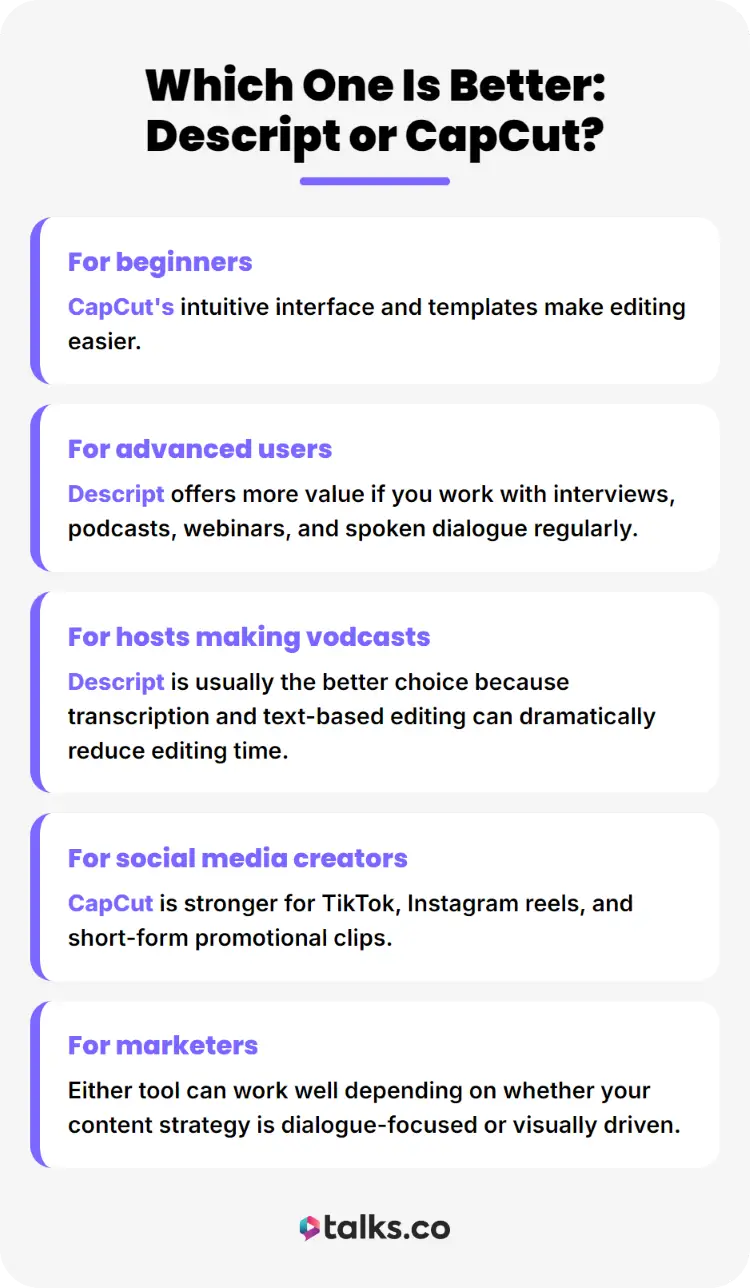
If you’re starting a podcast, the answer depends on the video and audio content you produce and your editing goals. Both are strong tools, but they serve different creators.
- For beginners, CapCut’s intuitive interface and templates make editing easier.
- For advanced users, Descript offers more value if you work with interviews, podcasts, webinars, and spoken dialogue regularly.
- For hosts making vodcasts, Descript is usually the better choice because transcription and text-based editing can dramatically reduce editing time.
- For social media creators, CapCut is stronger for TikTok, Instagram reels, and short-form promotional clips.
- For marketers, either tool can work well depending on whether your content strategy is dialogue-focused or visually driven.
What to look for when choosing a video editing tool (Checklist)
Before you click download, run through this quick checklist. Consider these factors for choosing a podcast editing tool:
☐ Ease of use: The interface should feel natural so you actually finish projects.
☐ Pricing: Check if it fits your budget and if it’ll be worth it in the long run.
☐ Transcription: If you edit video podcasts or interviews, automatic transcription saves you time.
☐ AI tools: Look for AI features that remove filler words or suggest cuts.
☐ Collaboration: Look for features that let you work with your team, like comment threads and shared timelines.
☐ Mobile access: If you travel often, support for mobile devices matters.
☐ Audio control: Clean audio quality is non-negotiable for professional-looking work.
☐ Export options: Make sure you can export to your desired format.
What are the best Descript and CapCut alternatives?
If you’re still on the fence, consider these three alternatives:
- Riverside: This browser-based studio records remote interviews in high resolution and offers solid editing tools for post-production.
- InShot: A mobile-first editor popular for quick Instagram Reels and TikTok clips when you’re on the move.
- Async (formerly Podcastle): An AI-powered platform for improving audio quality and transcription that suits solo podcasters.
You can also explore the most popular podcasts to see what they do.
Make the Cut
Choosing between Descript vs CapCut comes down to your content style, editing workflow, and publishing goals. The key is choosing the tool that matches how you naturally work.
Once your editing setup is ready, create a free Talks profile to connect with podcast hosts, discover guests, and grow your audience through interviews and collaborations.
Talks is a fast-emerging platform designed to make relevant connections quickly.
- Auto-accept makes mutual matches as good as a confirmed recording.
- Auto-messaging removes the barriers and delay to starting a conversation.
Deborah found 10 connections right on the money. Sanjai maxed out his calendar.
Register for a free Talks profile today and start matching in less than five minutes!


