
Most people think filming a podcast means a crew, lights, and a Hollywood budget. That’s nonsense. You don’t need all that to get attention.
You need one thing: video.
Adding a camera changes everything. Suddenly, your words hit harder, your ideas stick, and people start remembering you.
You don’t just exist online. You show up, full presence, in front of screens that matter.
For coaches, consultants, and entrepreneurs, podcast filming is no gimmick. It’s leverage. Every clip, every replay, every moment you put yourself on screen builds authority and reach that audio alone can’t touch.
This guide shows you the exact equipment, setup, and workflow to film a podcast that actually gets noticed, grows your audience, and turns all that new attention into paying opportunities.
What Is a Podcast vs Vodcast?
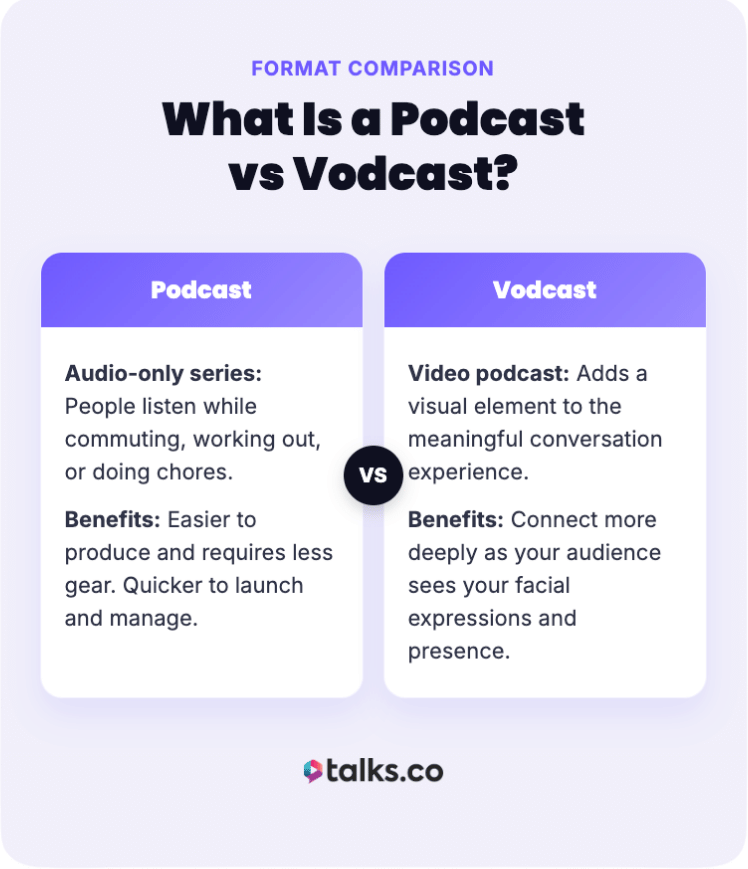
Podcasting has evolved. It’s still about meaningful conversations, but it’s not limited to audio anymore.
- A podcast is an audio-only series that people listen to while commuting, working out, or doing chores.
- A vodcast or video podcast adds a visual element to the experience.
Many aspiring podcasters wonder if they should stick to audio or jump into video. Consider these before you decide:
- Benefits of podcasting: Audio is easier to produce and requires less gear. Quicker to launch.
- Benefits of vodcasting: These days, audiences expect video. You can connect more deeply because your audience sees your facial expressions and body language.
How a podcast works
A podcast is essentially an on-demand radio show that you can create yourself.
- Creating valuable content: For entrepreneurs and consultants, it’s a way to demonstrate expertise at scale. You teach, share stories, or interview a guest, and listeners can tune in whenever it suits them.
- Adapting to video: You can film the recording session to get both video and audio. This gives you two formats in one session.
- Launching your show: You edit your recording, upload the file to a platform, and it gets distributed to apps like Spotify and Apple Podcasts.
How to Start Podcast Filming (Step-by-Step Guide)
Starting your journey into podcast filming doesn’t have to be overwhelming if you break it down into manageable steps.
The key is to focus on getting the basics right first, like lighting and framing, before worrying about expensive gear.
How to plan a podcast style video
Viewers can tell whether you spent time planning or not. It makes your video podcasts look intentional and polished instead of chaotic.
- Define your format: Decide if it’s a solo show, interview, or panel.
- Define your goal: Decide what action you want the viewer to take after watching.
- Create a storyboard for your shots: Sketch out where you and your guest will sit and what the camera angles will look like.
- Plan your B-roll: List any extra footage or visual elements you need to overlay to keep the viewer engaged.
- Scout a location: Find a quiet spot with controlled lighting.
- Schedule: Block out uninterrupted time on your calendar.
How to create a podcast film review
Reviewing films on a podcast is a popular niche that’s perfect for video. Just like the CRWN Cinema Podcast, you can show clips and overlay your reactions while watching.
- Do a bit of research: Learn just enough about the film to share fun facts and react appropriately. But don’t spoil yourself too much, so you capture your natural reactions on cam.
- Discuss, not just react: Make sure to discuss the plot, acting, and production values without giving too many spoilers. Your goal is to help the viewer decide if it’s worth their time.
- Use a split-screen format (multi-host): Let the viewers see both reactions simultaneously.
What Can I Record a Podcast On?
You don’t need expensive cameras to get the ball rolling. You can start simple with the very smartphone you already own.
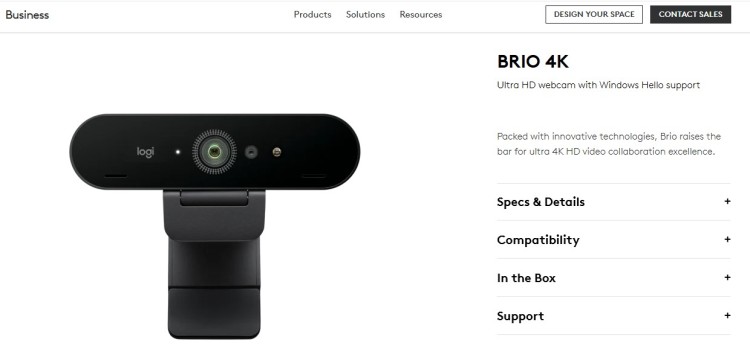
I started with a simple webcam, the Logitech C920, way back in 2015 but now I go with the Logitech Brio or any 4K camera available. And when I’m on the go, I bring my Macbook Pro with me.
If you do decide to upgrade, here are podcast filming equipment recommendations at different price points.
Whether you’re just looking for a basic setup or need something more premium, you’ll find a setup that matches your needs.
Basic podcast filming equipment you’ll need to start
The right gear makes a big difference in your overall quality. Here’s what you need to build a solid kit.
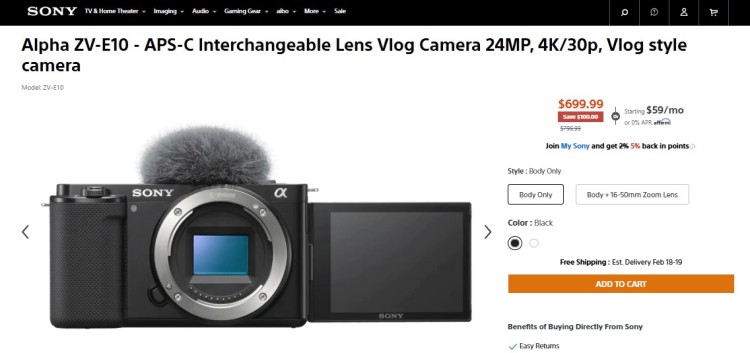
- Camera: You can use a DSLR, a mirrorless camera, or a high-end webcam. Consider the Sony ZV-E10 or the Elgato Facecam.
- Microphone: Use a dynamic mic like the Shure SM7B or a USB budget microphone like the Samson Q2U.
- Headphones: You need closed-back headphones to monitor audio without bleed.
- Lighting: Softbox lights or LED panels help you look your best.
- Tripod: This keeps your shot steady and professional.
- Mixer: If you use an XLR mic, you need an audio interface or mixer.
- Computer: You need a reliable laptop or desktop for recording software.
Price ranges for a podcast filming setup
You don’t need a lot of money to build a functional podcast video equipment setup that looks and sounds great.
- Budget setup (under $200): For a beginner equipment setup, use your smartphone (4K usually available) and a lapel mic or affordable USB mic. Use natural light from a window and a cheap tripod.
- Mid-tier setup ($500-$1,000): Upgrade to a decent webcam or entry-level mirrorless camera. Add a dynamic USB microphone, a ring light or small LED panel, and a boom arm for your mic.
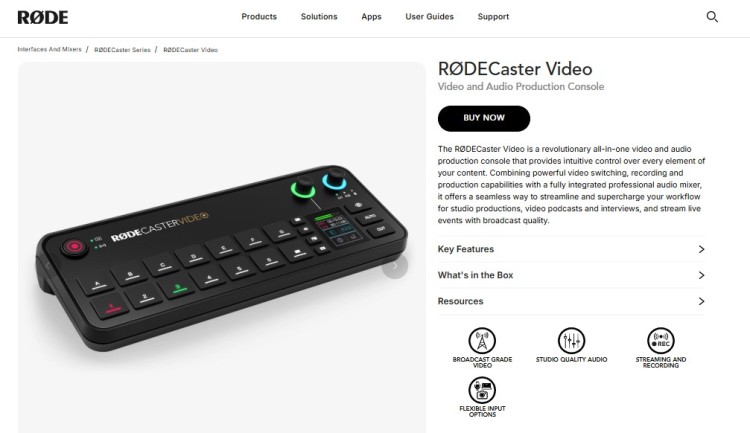
- Premium setup ($2,000+): This involves a multi-camera setup with DSLRs, professional XLR microphones, an audio mixer like the RODECaster Video, and a professional podcast studio three-point lighting kit.
Podcast shooting setup angles and techniques
How you frame your shot tells a story about your authority. Set up a flattering angle so you look professional and engaging.
- Eye level: Place the camera lens at or slightly above your eye line.
- Rule of thirds: Position your eyes along the top third line of the frame.
- Headroom: Leave a little space between your head and the top of the frame.
- Look room: Leave space in front of your face if looking off-camera.
- Clean background: Make sure nothing distracting is in the background.
- Depth: Sit a few feet away from the wall to create depth.
Tips to maximize your podcast filming studio
Your recording studio needs distinct zones to function well. A professional podcast studio is organized for efficiency.
- Performance area: This is where the magic happens. It houses your microphone, podcasting video camera, and seating that’s comfortable for you and any remote guests.
- Control area: This is where your computer and mixer live. It allows you to monitor levels and check the feed. If you’re a solo creator, this can be on your desk in front of you.
- Acoustic treatment area: This involves the walls and corners of your room. You need soft materials to absorb echo and eliminate background noise. Foam panels or heavy blankets work wonders here.
If you want to know more about the ideal environment, learn how to record a podcast properly.
How to Film a Podcast Video
Filming adds a layer of complexity, but avoiding common pitfalls will keep your production running smoothly.
- Pay attention to the detail: Think beyond the audio-only format. Fix what you’re wearing or the clutter in your background.
- Check your focus: Make sure your camera’s autofocus is tracking your face, or set it manually so you don’t go blurry.
- Watch your lighting: Avoid mixing color temperatures (like yellow lamps with blue daylight), which can look unnatural.
- Sync your audio: Always clap at the start of the recording to make it easy to sync your audio and video in post-production.
- Monitor audio: Keep an eye on your levels to make sure you aren’t clipping (too loud) or too quiet.
- Look at the lens: Connect with your viewer by looking into the camera lens, not at yourself on the monitor.
How to film a podcast on your phone
Not everyone can afford a full studio setup. Starting with your phone is a decent option, but is the difference too obvious?
Let’s compare a full studio to a phone setup to find out:
- Studio recording: A studio offers total control over lighting and sound. It delivers the highest audio quality, and video podcasts look pristine. But it’s expensive and not portable.
- Phone recording: A smartphone is incredibly convenient and capable of 4K video recording. It lets you film anywhere, which is great for travel. The downside is often audio, but external mics solve that.
The verdict: If you’re just starting, a phone is enough to start a podcast. As you grow, you can invest in a dedicated recording space.
6 Steps for filming a podcast with iPhone
If you decided to use your iPhone, here’s how you can get the best results:
- Use the rear camera: The back lenses have better quality than the selfie cam.
- Lock exposure: Tap and hold the screen to lock focus and light.
- Grid lines: Use grid lines to frame yourself using the rule of thirds.
- External mic: Plug in a mic to get the best audio possible.
- Stable mount: Use a tripod to prevent shaky footage.
- Test shot: Record a short clip to check audio and video.
How to Define Your Podcast Editing Style (Checklist)
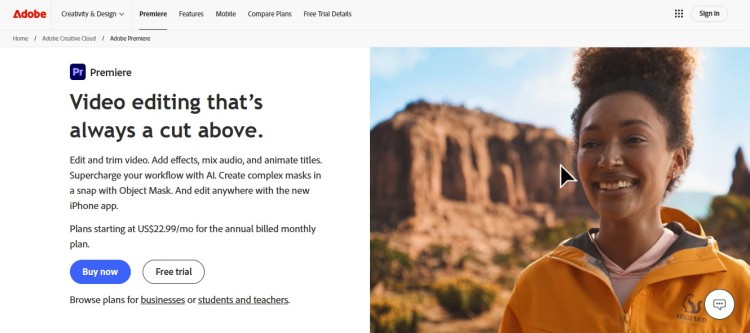
Editing is where you shape the final story. Your style determines how the audience feels about your show.
☐ Select software: Choose a tool like Adobe Premiere or Descript.
☐ Sync audio: Match your high-quality audio with the video file.
☐ Multi-cam cut: Switch angles to keep visual interest.
☐ Color correct: Adjust the image to look natural or stylized.
☐ Add graphics: Overlay names, titles, and social handles.
☐ Cut silence: Remove long pauses to keep the pace moving.
☐ Mix audio: Balance voice levels and background music.
☐ Export file: Save in a high-quality format for your platform.
For more details on software, check out my list of the best software for podcast interviews.
How to publish a podcast video
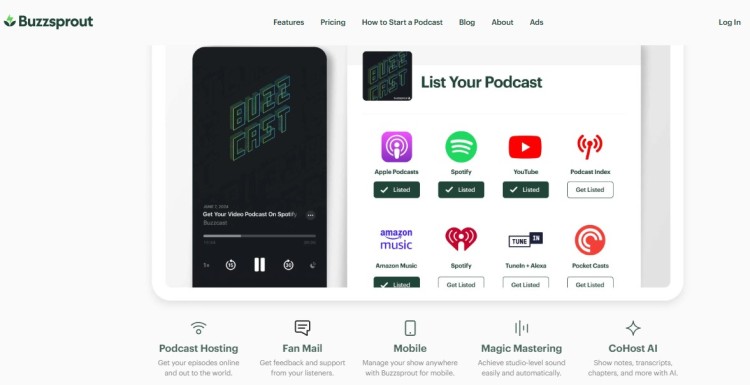
Once you edit your podcast, you need to get it out to the world. Distribution is key to visibility.
- Choose host: Pick a platform that supports video like Buzzsprout or YouTube.
- Write title: Create a catchy title with relevant keywords.
- Design thumbnail: Make a custom image that stops viewers from scrolling.
- Write description: Include show notes and links for the listener.
- Add tags: Use relevant tags to help search engines find you.
- Upload file: Upload your video and wait for processing.
- Schedule post: Pick the best time for your audience to watch.
- Share links: Post the link on all your social media channels.
- Add to Talks: Upload episodes to your Talks Creator profile or Talks Show profile so people can listen while checking out your feed.
Is a Podcast a Video?
Yes, a podcast is an audio file (RSS feed), but the definition has evolved significantly.
Today, when people say “podcast,” they mean a show that can be consumed as either audio or video. Platforms like Spotify and YouTube have blurred the lines, making vodcasts a standard format instead of an exception.
Is a podcast a show?
Yes, a podcast is absolutely a show, just distributed differently than traditional TV or radio.
It follows similar structures (hosts, guests, segments, and seasons).
Treating your podcast like a show means planning content, maintaining consistency, and respecting your audience’s time, which builds a loyal fanbase.
Are podcasts scripted?
This depends entirely on your format, but most successful podcasts find a balance between the two.
- Scripted: Great for storytelling, true crime, or highly educational solo episodes where every word counts. It makes sure you don’t ramble, but it can sound robotic if you don’t read it well.
- Unscripted: Ideal for podcast interviews where chemistry and spontaneity are the highlights. It feels more natural, but this requires a skilled host to keep the conversation on track.
For most business podcasts, a bullet-point outline is the sweet spot. It keeps you focused without killing the natural flow.
Keep It Rolling
Beginning your podcast filming journey is one of the smartest moves you can make to increase your visibility and authority.
If you’re looking for a reason to start, how about the chance to record with your dream guest?
Talks can make that a reality. With a strong network of experts and built-in automations, you get a workflow designed to get you leads and confirmed recordings.
Brian found better quality guests vs. those on social platforms. Mila got the results she’s looking for that other agencies couldn’t give.
Create a FREE Talks Profile and find your perfect match today!