

If you’re looking to grow your brand, video podcasts are a fantastic way to boost your visibility and reach a wider audience.
Adding a visual element makes your content more engaging and shareable.
But before you hit record, you need the right podcast equipment video setup. Whether you’re recording multi-host shows or live streaming, each podcast will have different needs.
No need to worry. You don’t have to search every corner of the internet just to find good gear. I’ve listed 25 video podcasting equipment recommendations for every kind of podcast setup.
I’ll also walk you through everything you need to know when choosing your tech and starting your own show.
What Is a Podcast with Video?
A video podcast is exactly what it sounds like: a podcast that includes a visual component. Instead of just an audio-only podcast, your audience can watch you and your guests.
This format is great because it combines the personal feel of traditional podcasting with the visual appeal of video content. It also opens you up to new platforms like YouTube and makes it easier to create clips for social media.
8 Video podcast example shows
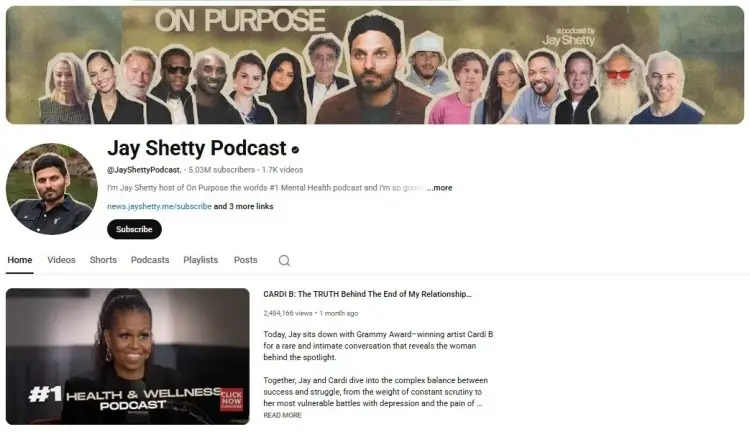
Here are some popular shows that do an excellent job with their video podcast setup.
- The Joe Rogan Experience: A prime example of a multi-camera podcast setup, this show uses different angles to keep viewers engaged during long-form interviews.
- The Diary of a CEO with Steven Bartlett: This show features a polished, professional podcast studio with excellent lighting and audio, creating an intimate feel.
- Call Her Daddy: Alex Cooper’s show has a visually distinct and stylish set that reflects her brand, showing how the background can be a key part of the experience.
- Armchair Expert with Dax Shepard: This podcast recording often takes place in a cozy studio, giving it a relaxed and informal vibe that matches the conversational style.
- On Purpose with Jay Shetty: Known for its clean and minimalist aesthetic, this video podcast uses soft lighting and a simple background to keep the focus on the deep conversations.
- The School of Greatness: Lewis Howes uses a professional podcast studio with multiple cameras and crisp audio and video to create a high-energy, motivational feel.
- Hotboxin’ with Mike Tyson: This show uses a plain and effective setup with close-up shots that capture the raw and unfiltered nature of its conversations.
- Lex Fridman Podcast: With a dark, minimalist set, this video podcast creates a focused environment that complements its deep, intellectual discussions on AI and science.
What Equipment Is Needed for a Video Podcast?
Several factors will influence what video podcast equipment you need:
- Your budget: Think about how much you’re willing to spend before you start shopping. You can start a video podcast with just a smartphone, or you can invest in a professional podcast studio.
- Your podcast format: A solo show has different needs than an interview-style podcast with multiple guests. Consider whether you’ll be recording in person or remotely.
- Think about your technical skills: If you’re a beginner, you should start with user-friendly gear. If you have more experience, you can explore more advanced options.
Talks tip: I’d encourage everyone to start with video now. It’s a must. If you’re using a phone, just make sure your audio is high quality with a good microphone.
Video podcast equipment list
After clarifying your needs, your next step is to know what gear is essential to produce a quality video podcast. Here’s a list of the basic equipment you need for your show.
- Camera: This is the most important piece of equipment for a video podcast. You can use a smartphone, a webcam, or a DSLR camera.
- Microphone: Good audio quality is non-negotiable. Viewers will forgive so-so video quality, but they won’t stick around for bad audio.
- Lighting: Proper lighting equipment makes a huge difference in how professional your video looks.
- Headphones: These allow you to monitor your audio in real time to catch any issues.
- Tripod: A tripod keeps your camera steady and ensures you get smooth, professional-looking footage.
- Video recording software and video editing software: You’ll need software to capture your video and audio and then edit it into a polished final product.
- Audio Interface: If you use an XLR podcast microphone, you’ll need an audio interface to connect it to your computer.
25 Podcast Equipment Video Recommendations
Investing in video podcast equipment is a big step. Whether you’re just starting or looking to upgrade to a professional setup, the best equipment and tools prepare you to launch your podcast show.
Less technical trouble means less time and hassle during recording and post-production. You can keep producing episodes and consistently show up for your loyal listeners.
Here are some specific recommendations to help you find the right gear.
Must-have podcast video and audio equipment
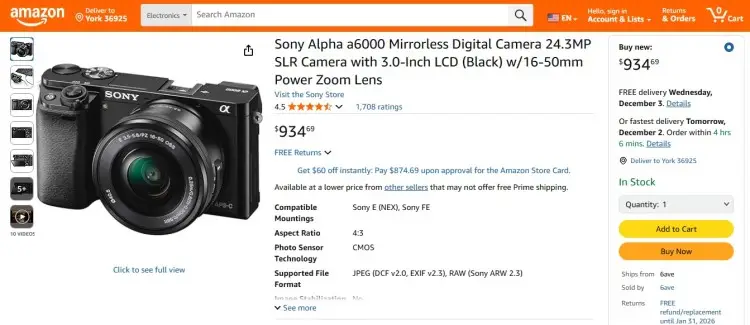
If we’re talking about essentials, you need the best camera and microphone to start a video podcast.
- Sony Alpha a6000: This mirrorless camera is a great choice for video podcasting. It’s affordable and produces high-quality video, making it a popular option for content creators.
- Audio-Technica ATR2100x-USB: This is a versatile podcast microphone that offers both USB and XLR connections. It delivers clear audio quality and is great for beginners and pros alike.
Video podcast equipment for beginners
If you’re new to video podcasting, you’ll want equipment that’s easy to use and won’t send your wallet down the deep end.
Here are some recommendations for beginner video podcast equipment:
- Logitech C920 HD Pro Webcam: This webcam is a step up from your computer’s built-in camera and offers crisp 1080p FHD video recording. It’s easy to set up and provides excellent video quality for its price.
- Blue Yeti USB Microphone: The Blue Yeti is a popular USB microphone for a reason. It’s plug-and-play, offers multiple recording patterns, and delivers solid audio quality.
- Neewer Ring Light Kit: This 18-inch ring light comes with a stand and provides even, flattering light. It’s a simple way to improve your video quality without a complex lighting setup.
Professional video podcast equipment
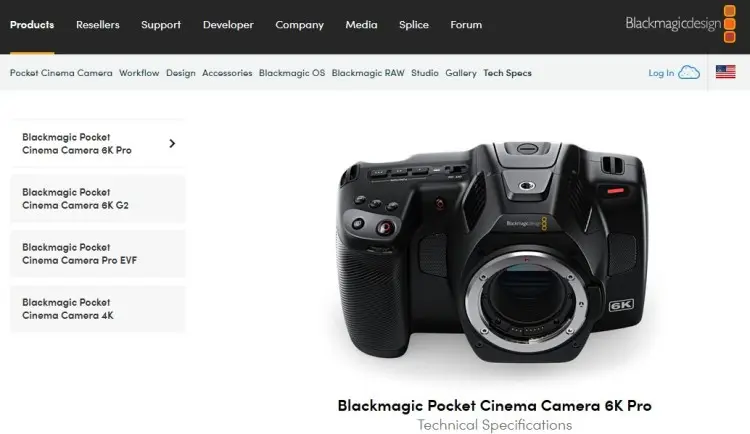
If you want to create a professional podcast, consider upgrading your gear. Here are some equipment that’ll give your show a polished look and sound.
- Blackmagic Pocket Cinema Camera 6K Pro: This camera is designed specifically for video production and offers 6K video resolution. It provides incredible image quality and professional features to achieve a cinematic feel.
- Shure SM7B: This is the industry standard for podcast microphones. It’s a dynamic mic that delivers rich, warm vocals and excellent noise rejection, ensuring you get good audio.
- Elgato Key Light: This LED panel provides soft, even lighting that’s easy to control via a Wi-Fi-enabled app. It helps create a professional-looking video without harsh shadows.
Budget-friendly video podcast equipment kit
You don’t need to spend a fortune to get started. You can build a solid setup while keeping things friendly with your ideal budget.
Here’s a budget-friendly kit that delivers great value:
- GoPro HERO12: This action camera is surprisingly versatile for video podcasting. It’s compact, offers live streaming capabilities, and provides great video quality.
- Samson Q2U: This dynamic microphone is a fan favorite because it offers both USB and XLR connections. It provides clear audio and is perfect for those on a budget.
- Microsoft LifeCam HD-3000: If you’re on a tight budget, this webcam is a solid choice. It delivers decent video quality and is incredibly easy to use.
Learn more by knowing how much podcast equipment costs.
Premium podcast video recording equipment
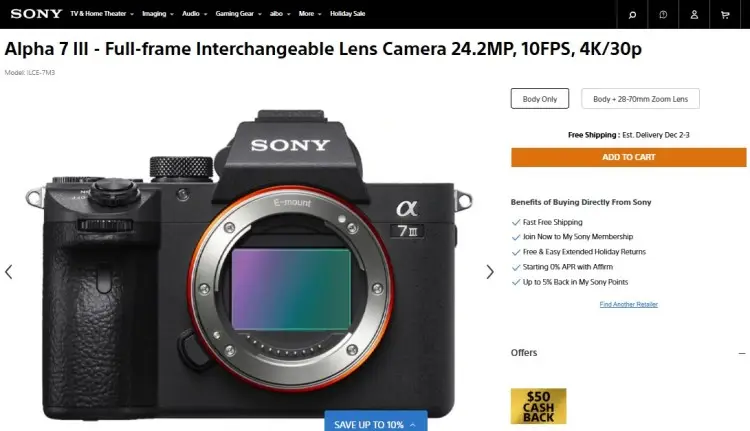
If you’re ready to invest in the best quality gear in the world of video podcasting, here are some premium options.
- Sony A7 III: This full-frame mirrorless camera is known for its excellent video quality and amazing low-light performance. It’s a versatile camera that can handle any video recording situation.
- Electro-Voice RE20: This is another top-tier dynamic podcast microphone, favored by professional broadcasters for its smooth, natural sound.
- Aputure Infinibar: This lighting kit allows for creative and professional lighting setups. You can change the color and intensity to perfectly match the mood of your show.
Live video podcast equipment
If you plan to stream your video podcast live, you’ll need gear that can handle the demands of a live broadcast. Here’s some equipment designed for live streaming:
- Logitech StreamCam: This webcam is built for live streaming. It offers 1080p FHD video recording at 60 fps and connects via USB-C for a stable connection.
- RODECaster Pro II: This is an all-in-one podcast production studio. It’s a mixer that can handle multiple microphones and audio sources, making it perfect for live shows with guests.
- OBS Studio: This free, open-source software is popular for video podcasting and live streaming. It lets you mix different video and audio sources to create a professional broadcast.
Best video podcast equipment bundle
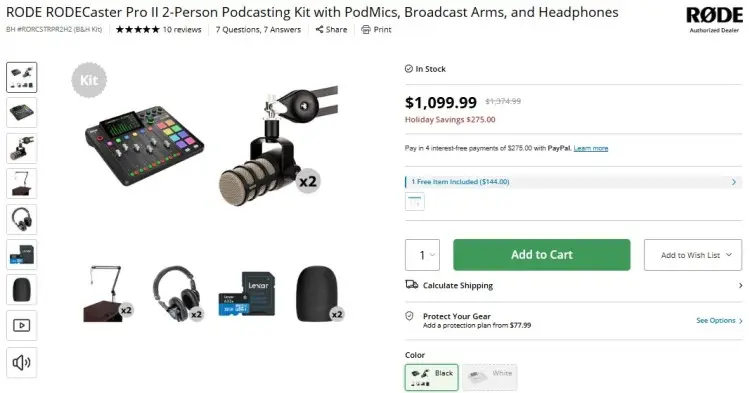
Buying a bundle can be a cost-effective way to get everything you need. A podcast equipment bundle can save you time and money.
Here are a few bundle recommendations:
- Rode RODECaster Pro II Podcasting Bundle: For a more advanced setup with multiple hosts, this bundle pairs the RODECaster Pro II with microphones, boom arms, and headphones.
- Movo Complete Podcast Equipment Bundle: This is a fantastic podcast equipment bundle with microphones, accessories, and a mixer.
Check out other recommendations with our guide on podcast equipment bundles with cameras.
Equipment for YouTube podcast
If you’re a YouTube video podcaster, you’ll want equipment that produces visually appealing video content. Here are some recommendations for a YouTube podcast setup.
- Sony ZV-E10: It has a flip-out screen, great autofocus, and a high-quality built-in microphone, making it perfect for vlogging and video podcasting. It even offers 4K video recording at 24 fps.
- Rode VideoMic Pro+: This shotgun microphone mounts directly to your podcasting video camera and captures high-quality directional audio, which is great for reducing background noise.
- Neewer 660 LED Video Light Kit: This kit includes two LED panels with stands, allowing you to create a professional three-point lighting setup.
Short video podcast equipment
For short-form content like TikTok or Instagram Reels, you need equipment that is portable and easy to use. Here’s what you need for your video podcast if you’re focusing on short videos:
- Apple iPhone 11 Pro or newer: The camera on modern smartphones is incredibly powerful. The iPhone 11 Pro and later models offer 4K video recording at 24, 30, or 60 fps, which is more than enough for short-form content.
- Samsung Galaxy S20 or newer: Similarly, newer Samsung phones provide amazing video capabilities, with some models offering 8K video recording at 24 fps and 4K UHD video recording at 60 fps.
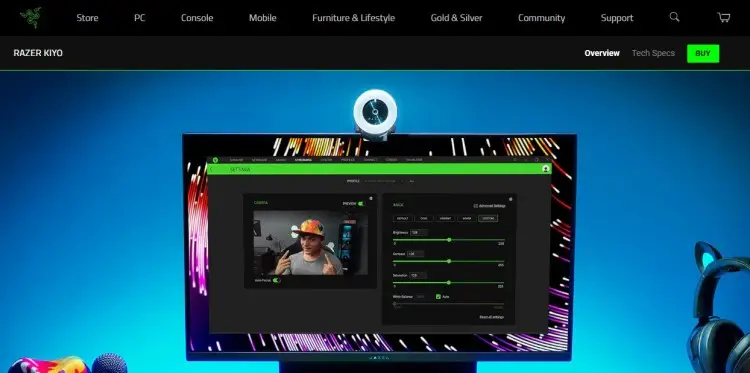
- Razer Kiyo: This webcam has a built-in ring light, making it a convenient all-in-one solution for recording quick videos at your desk.
Video Podcast Equipment Setup
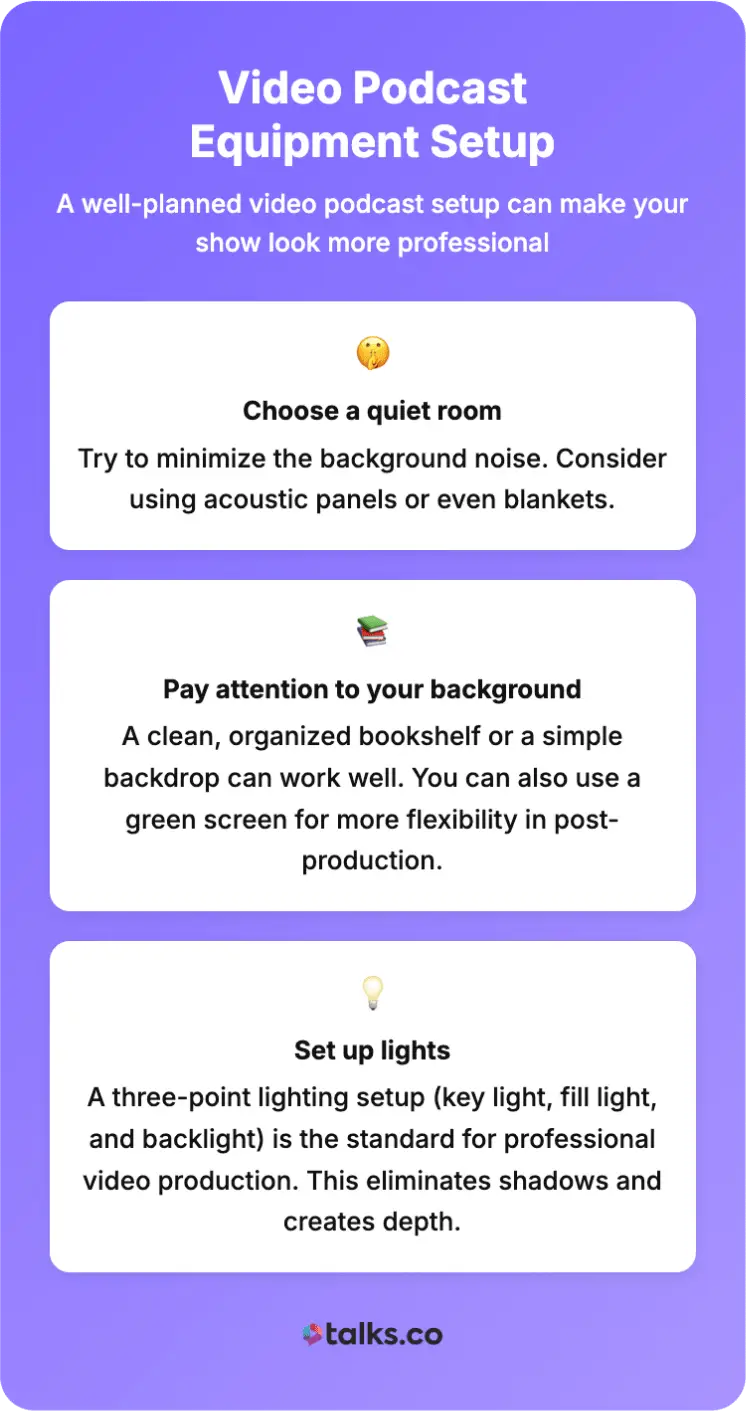
Optimizing your space boosts the visual quality of your podcast. A well-planned video podcast setup can make your show look more professional.
Here are some tips for setting up your video podcast studio:
- Choose a quiet room: Try to minimize the background noise. Consider using acoustic panels or even blankets.
- Pay attention to your background: A clean, organized bookshelf or a simple backdrop can work well. You can also use a green screen for more flexibility in post-production.
- Set up lights: A three-point lighting setup (key light, fill light, and backlight) is the standard for professional video production. This eliminates shadows and creates depth.
Solo to 4 person video podcast setup
Your equipment needs will change based on how many people are on your show. For example, you need to be able to record separate audio and video tracks for multiple guests.
Here’s a breakdown of what you’ll need, depending on your setup.
Solo setup:
- Camera: A single high-quality camera, like the Sony FDR-AX43 works for single hosts.
- Microphone: A USB microphone, like the Shure MV7+ works well.
- Lighting: A single ring light or key light, like the NEEWER Ring Light 18 Inch, provides enough brightness.
Two-person setup:
- Camera: You can use a single camera with a wider lens, or two separate cameras for more dynamic shots. The Canon EOS R50 is a great user-friendly choice.
- Microphones: Each person should have their own microphone. The RODE Procaster is an excellent option for clear speech.
- Audio Interface: You’ll need an audio interface like the Scarlett Solo to manage both microphones.
- Lighting: A two-light setup will ensure both hosts are well-lit. The Elgato Key Light MK.2 is a great choice.
Four-person setup:
- Cameras: A multi-camera setup is ideal here. You might use one wide shot and individual cameras for each speaker. Camcorders like the Canon XA11 offer great quality and controls.
- Microphones: Every guest needs a microphone. The Shure SM58 is a durable and reliable choice for multiple speakers.
- Mixer: A mixer like the RODECaster Pro II is essential for managing four or more audio inputs.
- Lighting: You’ll need a more extensive lighting setup to ensure everyone is properly lit. The NEEWER PL60C offers full-color RGB panels that can be used to create a professional podcast studio look.
Behind the Lenses
Creating a video podcast means having more ways to reach and engage your loyal audience. Produce quality episodes with the best podcast equipment video tools.
Don’t let the technical details hold you back. The most important thing is to create valuable content that connects with your audience.
Ready to increase your visibility? Create a FREE Talks profile to get featured on shows or find the perfect guests for your own podcast.
Making connections has never been this simple and fast.
- Auto-Match: Finding guests or shows that align with your strengths and criteria.
- Auto-Connect: Send instant personalized messages to let people know you’re in.
Get your show in the spotlight.
Create a FREE Talks Creator Profile Now!


