
The idea of producing a podcast is stressful, isn’t it?
Don’t get me wrong. Podcasting can definitely be a fun, creative project.
But it does come with a lot of moving parts (and requires more than just a great voice and a microphone).
You need the right podcast manager tools to streamline your workflow and make sure your podcast stands out in a crowded market.
From booking guests to scheduling promotions, these tools ensure you manage every episode and meet your goals.
Whether you’re a beginner host or a seasoned podcaster looking for a career upgrade, this guide covers the essential software you need.
20 Manager Tools to Start a Podcast (2026 Snapshot)
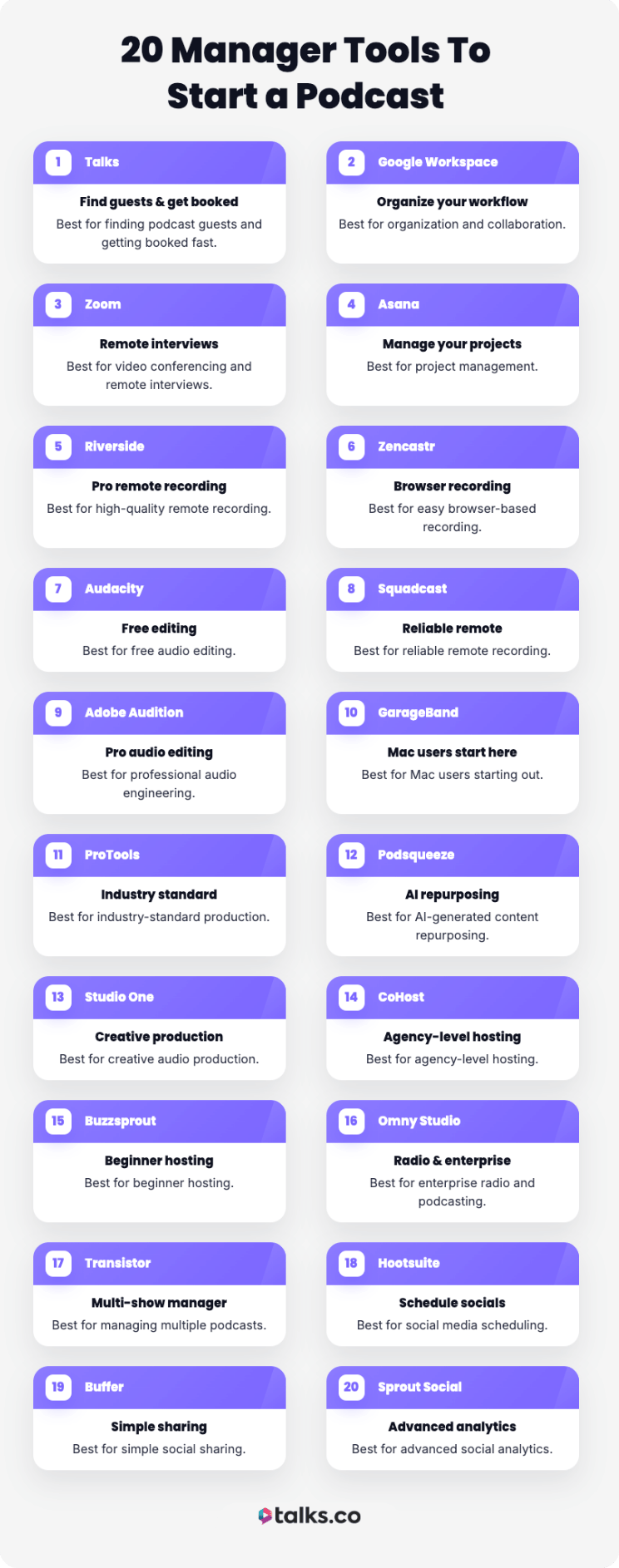
Choosing the right stack of software can determine the future success of your show. Here’s a quick snapshot of the best tools for every type of podcaster.
- Talks: Best for finding guests and getting booked fast.
- Google Workspace: Best for organization and collaboration.
- Zoom: Best for video conferencing and remote interviews.
- Asana: Best for project management.
- Riverside: Best for high-quality remote recording.
- Zencastr: Best for easy browser-based recording.
- Audacity: Best for free audio editing.
- Squadcast: Best for reliable remote recording.
- Adobe Audition: Best for professional audio engineering.
- GarageBand: Best for Mac users starting out.
- ProTools: Best for industry-standard production.
- Podsqueeze: Best for AI-generated content repurposing.
- Studio One: Best for creative audio production.
- CoHost: Best for agency-level hosting.
- Buzzsprout: Best for beginner hosting.
- Omny Studio: Best for enterprise radio and podcasting.
- Transistor: Best for managing multiple podcasts.
- Hootsuite: Best for social media scheduling.
- Buffer: Best for simple social sharing.
- Sprout Social: Best for advanced social analytics.
What Podcast Manager Tools Do You Need to Start a Podcast?
Starting a podcast requires both hardware and software, but you don’t need a fortune to get started.
The key is understanding which equipment and tools will directly improve your audio quality and your ability to manage the production process efficiently.
By combining the right equipment with effective management tools, you’ll be ready to launch a professional-sounding show that keeps listeners coming back.
Podcast equipment list
Here’s a list of the basic equipment you need to start a podcast:
- Microphone: This is the most important piece of gear for any podcaster. It makes sure your voice sounds professional and clear during recording.
- Headphones: Important for monitoring audio levels while you speak. You need to hear exactly what is being recorded to avoid surprises during editing.
- Pop filter: It prevents plosive sounds from distorting your recording, which makes a big difference in audio quality.
3 Common podcast tools examples
Depending on your podcast workflow, these are the basic types of software you need to record, distribute, and manage your podcast:
- Recording software: Use this to capture your audio or video (e.g., Audacity or Riverside).
- Hosting platforms: These push your content to directories like Apple Podcasts and Spotify. This is how shows like the Manager Tools Podcast on Spotify end up being available to listeners on top podcast platforms. They also provide analytics to help you improve your performance.
- Scheduling tools: They help you coordinate interviews and organize your content calendar, e.g., tools the Manager Tools Podcast One on One series breaks down weekly.
20 Top Podcast Manager Tools
The right software can act as an effective manager for your workflow, automating tasks that used to take hours. From pre-production, recording, to post-production, podcast manager tools help you every step of the way.
Let’s look at the details of each tool to help you choose the best ones for your needs.
1. Talks
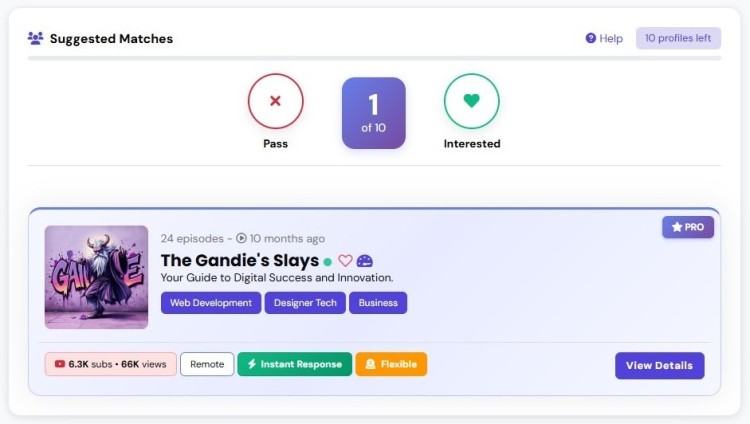
Talks is the only podcast matchmaker you need to make quick and relevant connections. You can find experts to interview or get booked as guests using their AI tools and intuitive search functions.
- Key features: Auto-Match, Auto-Message, AI matching, and advanced search filters.
- Pros: Saves time finding relevant shows and having a direct connection to hosts.
- Cons: Unlock advanced features with a subscription.
- Price: Free to create a profile, paid plans start at just $19/month
2. Google Workspace
Google Workspace offers a suite of collaboration tools for any team working remotely. It helps you manage deliverables basics like scripts, guest lists, and schedules in real-time.
- Key features: Apps like Gmail, Docs, Drive, Calendar, and Meet.
- Pros: Real-time collaboration, cloud storage, and a familiar interface.
- Cons: Can become costly as you add more users.
- Price: Free basic features, paid plans start at $6/user/month
3. Zoom
Zoom is a staple for conducting interviews and meetings with reliable video quality. Its AI Companion can now summarize discussions, making it easier to review feedback and action items.
- Key features: HD video and audio, recording transcripts, and AI summaries.
- Pros: Widely used, reliable connection, and integrates with many apps.
- Cons: Audio quality is compressed compared to dedicated podcast tools.
- Price: Free for 40 mins, but Pro starts at $15.99/month
4. Asana
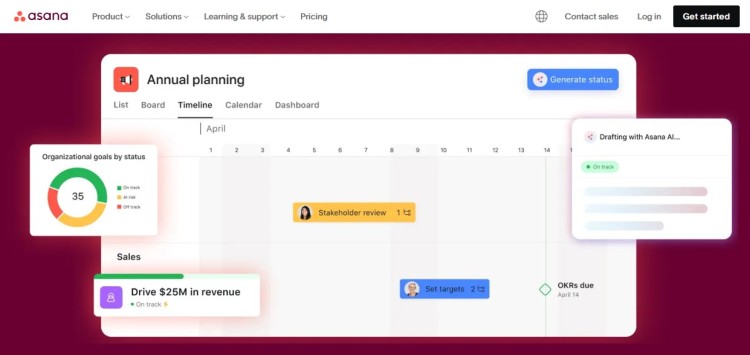
Asana is a powerful project management tool that helps you track every stage of your production process. You can delegate tasks to your team and make sure nothing slips and no one misses.
- Key features: Task assignment, timelines, and workflow automation.
- Pros: Visual project tracking and clear responsibility assignment.
- Cons: Slight steep learning curve for new users.
- Price: Free basic plan, starter starts at $10.99/user/month.
5. Riverside: Manager tools for podcast basics
Riverside lets you capture studio-quality audio and 4K video from anywhere. It records locally on each device, which helps you do a podcast interview without worrying about internet dropouts.
- Key features: Local recording, AI editing tools, and social clip generation.
- Pros: High-quality output, separate tracks, and easy to use.
- Cons: Requires a stable computer for best performance.
- Price: Free plan available, paid plans start from $24/month
6. Zencastr
Zencastr is a browser-based recorder that simplifies the technical side of recording. It helps you prevent the trouble of complex setups for guests.
- Key features: HD video recording, built-in post-production, and separate tracks.
- Pros: No download required for guests and easy link sharing.
- Cons: Relies heavily on browser performance.
- Price: Free plan available, paid plans start from $30/month
7. Audacity
Audacity is a free, open-source audio editor that has been in the hall of fame for indie podcasters. It provides all the essential tools you need to edit and mix your episode.
- Key features: Multi-track editing, noise reduction, and wide format support.
- Pros: Completely free and huge community support.
- Cons: Outdated interface.
- Price: Free
8. Squadcast
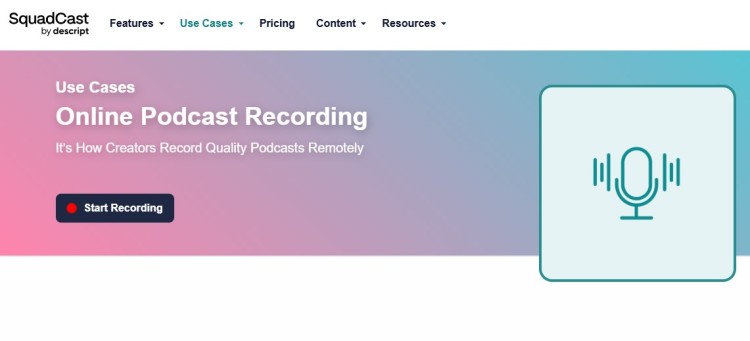
Squadcast is known for its reliability and cloud backup features that save your recordings progressively. It focuses on providing a professional experience for both the host and the guest.
- Key features: Progressive upload, Green Room for guests, and high-quality audio.
- Pros: Very reliable and eliminates data loss risk.
- Cons: Video recording features are on higher tiers.
- Price: Free plan available, paid plans start from $16/month
9. Adobe Audition
Adobe Audition is a professional digital audio workstation (DAW) used by engineers to produce broadcast-quality sound. It offers advanced features to improve audio performance and remove background noise.
- Key features: Multitrack editing, spectral frequency display, and advanced restoration.
- Pros: Powerful editing capabilities and known as the industry standard.
- Cons: Expensive monthly subscription and steep learning curve.
- Price: $22.99/month
10. GarageBand
GarageBand comes free with every Mac and is a fantastic entry-level DAW for beginners. It provides a user-friendly interface to record and edit your show faster.
- Key features: Audio recording, virtual instruments, and sound library.
- Pros: Free for Mac users and has aintuitive interface.
- Cons: For Mac users only and has limited advanced features.
- Price: Free
11. Pro Tools
ProTools is the industry standard for professional audio production and music recording. If you want to take your sound editing to a professional level, this is the tool to learn.
- Key features: Advanced mixing, automation, and high-end plugin support.
- Pros: Unmatched editing power and widely used in studios.
- Cons: Expensive and complex interface.
- Price: $79 (artist tier), $239 (studio tier), $474 (ultimate tier)
12. Podsqueeze
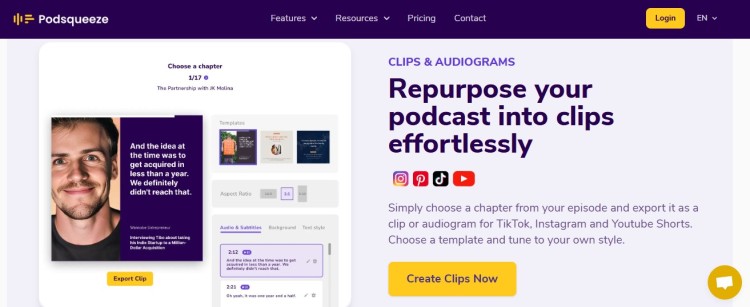
Podsqueeze uses AI to generate show notes, timestamps, and social content from your audio. It helps you deliver more value to your listeners without extra work.
- Key features: AI show notes, newsletters, and social posts.
- Pros: Saves hours of writing time and repurposes content easily.
- Cons: AI generation may need manual review.
- Price: Free plan available, paid plan starts at $5.99
13. Studio One
Studio One is a modern DAW that offers a drag-and-drop workflow for fast editing. Great for podcasters who want a tight editing workflow without the clutter of older DAWs.
- Key features: Drag-and-drop interface and Project Page for mastering.
- Pros: Fast workflow and intuitive design.
- Cons: Can be overkill for simple edits.
- Price: $199.99
14. CoHost
CoHost provides agency-grade hosting with advanced analytics and demographic data. It gives you deep insight into who’s listening to your show.
- Key features: B2B analytics, prefix analytics, and dynamic ad insertion.
- Pros: Provides detailed data and great for brands and agencies.
- Cons: Higher price point for hobbyist hosts.
- Price: Paid plan starts at $31
15. Buzzsprout
Buzzsprout is one of the most popular hosting platforms because it’s so easy to use. It offers guidance and features like Magic Mastering to help you sound your best.
- Key features: Magic Mastering, transcription, and an affiliate marketplace.
- Pros: Very easy to use and great educational resources.
- Cons: Advanced analytics are limited on lower tiers.
- Price: Free plan available, paid plan starts at $19/month
16. Omny Studio
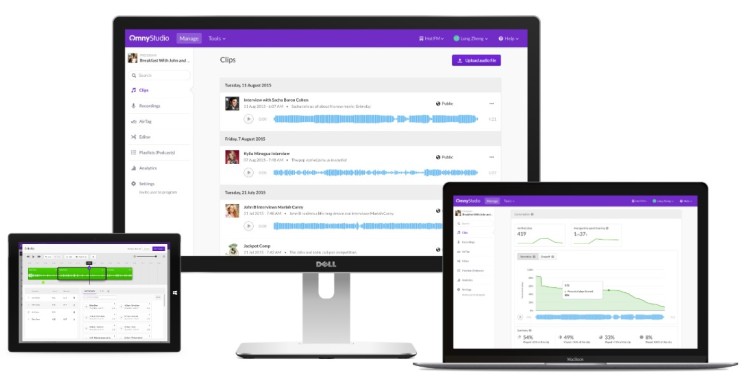
Omny Studio is an enterprise solution designed for radio stations and large podcast networks. It helps you manage and monetize your podcast at scale.
- Key features: Broadcast capture, secure archives, and monetization tools.
- Pros: Powerful enterprise features and unlimited storage.
- Cons: Not designed for individual indie podcasters.
- Price: Contact for pricing
17. Transistor
Transistor allows you to host multiple podcasts for one price, making it ideal for networks. You can distribute your show to platforms like Spotify and Apple with ease.
- Key features: Multiple show hosting, private podcasts, and a website builder.
- Pros: Great value for multiple shows and a modern interface.
- Cons: Download limits on lower tiers.
- Price: Starts at $19/month
18. Hootsuite
Hootsuite helps you schedule and manage social media posts to promote your episodes. Consistent promotion helps you increase your reach and engagement.
- Key features: Post scheduling, analytics, and social listening.
- Pros: Manages multiple accounts and has a good analytics system.
- Cons: Can be expensive for small teams.
- Price: Starts at $99/user/month.
19. Buffer
Buffer is a streamlined social media tool that focuses on simple scheduling and publishing. It helps you keep your social feeds active with minimal effort.
- Key features: Visual calendar, engagement tools, and landing page builder.
- Pros: Simple interface and affordable entry price.
- Cons: Analytics are separate on some plans.
- Price: Free plan available, paid plans start at $5/month
20. Sprout Social
Sprout Social offers deep social listening and analytics for brands that want to understand their audience. It provides the information you need to adjust your strategy and goal-setting.
- Key features: Social listening, unified inbox, and employee advocacy.
- Pros: Powerful data insights and excellent reporting.
- Cons: High cost for small businesses.
- Price: Starts at $199
What Does a Podcast Manager Do?
If you want to hire a podcast manager, let’s discuss what they do.
A successful podcast manager oversees the production, distribution, and promotion of a show. They take responsibility for the operational side, allowing the host to focus on creating content.
Their duties often include:
- Editing audio
- Finding podcast guests
- Managing guest bookings
- Prepare for podcast interviews
- Writing show notes
- Analyzing metrics to progress and solve issues
If you become a podcast manager, you need to wear many hats, like being a content strategist, project coordinator, technical expert, and marketing professional.
How to become a podcast manager
Becoming a podcast manager means providing support from start to finish. It takes a lot of skill, but here’s a simple roadmap if you want to get started:
- Build foundational skills: Learn how to record a podcast or assist other content creators with production tasks.
- Learn the core software tools: Explore recording platforms (e.g., Riverside, Zencastr), editing software (e.g., Adobe Audition, Audacity), and hosting systems (e.g., Buzzsprout, Transistor).
- Study podcast management: Learn about guest coordination, scheduling systems, analytics interpretation, and content distribution across platforms.
- Take on small projects: Work with clients, starting with one to three specific services to build your portfolio.
- Grow your network: Join industry groups and online communities to meet other podcasters and even find potential clients.
- Seek formal training: Enroll in podcast management courses or certifications that teach both business skills and production techniques.
- Collect social proof: Document your results, showing how you improved production quality and audience engagement.
- Stay current: Keep updated on new tools and techniques to have a competitive advantage.
If you want to get experience on the other end of the mic, you can also get booked as a podcast guest and learn how to be a good guest.
Strengthen Your Toolkit
Using the right podcast manager tools can streamline your workflow significantly. From recording to promotion, there’s a solution to help you every step of the way.
For example, if you need a quick and straightforward way to make connections, Talks is a go-to podcast matching tool. With AI-powered matches and advanced search filters, you can:
- Gain host-to-host connections: Directly find fellow hosts to collaborate with.
- Find relevant guests: Match with and interview experts who align with your niche.
No need to constantly pitch and be left hanging. No more back and forths via email that don’t get you results.
Sign Up for a FREE Talks Profile and Start Matching.