

Looking for ways to share your expertise and grow your influence? Podcasting is a popular strategy for most coaches, consultants, and entrepreneurs.
But before you can hold the mic, you need the right tools to capture your message clearly.
Whether you’re interviewing experts across the globe or recording with a co-host next door, the quality of your audio matters.
With the best podcast recording software, you sound professional every time.
I listed the 17 top virtual podcast recording software, their key features, and costs. Let’s compare pros and cons to find what matches your podcasting needs.
17 Best Virtual Podcast Recording Software (2027 Snapshot)
Choosing the right tool can feel overwhelming with so many options available. Here’s a quick snapshot of the best podcast software options, both free and paid, to help you decide.
- Riverside: Best for high-quality video and audio recording.
- Alitu: Best for an all-in-one podcast workflow.
- SquadCast: Best for remote recording reliability.
- Zencastr: Best for easy remote podcast recording.
- Spreaker: Best for mobile recording and audio hosting.
- Podcastle: Best for AI-powered audio editing software.
- Boomcaster: Best for live streaming and recording.
- Ringr: Best for mobile interview recording.
- Cleanfeed: Best for browser-based audio.
- Iris: Best for encrypted remote recording sessions.
- Cast: Best for simple recording and editing tools.
- Clearcast.io: Best for reliability on slow connections.
- StreamYard: Best for live video shows.
- Soundtrap for Storytellers: Best for creative audio production.
- HubSpot: Best for integrating podcasts with marketing.
- Zoom: Best for guests familiar with video conferencing.
- BONUS: Talks: Best for finding guests to record a podcast with.
What Is a Virtual Podcast Recording Software?
Virtual podcast recording software is a digital tool that helps you capture audio and video from multiple participants over the internet.
These platforms often record locally on each person’s device to make sure you get high-quality audio regardless of internet speed. Thanks to technology, you can conduct an interview even without being in the same room.
What software to use for podcast recording for beginners and pros
There are a few different categories of tools you will encounter in your podcast production journey:
- Recording software: Focuses on capturing the raw audio and video recording.
- Editing software: Use this to cut, mix, and polish your podcast episode.
- Podcast hosting platform: You can upload your final files here for distribution.
17 Best Online Podcast Recording Software
Many aspiring podcast hosts hesitate to launch a show because they’re intimidated by tech. But you don’t have to start only when you already have it figured out.
Choosing the best podcast recording and editing software can be as simple as going with what you really need.
That said, here are the best remote podcast recording software, comparing features, pros, and cons of each platform. Take a look at each paid and free podcast recording software option to suit your budget.
1. Riverside (Best software to record video podcast)
Riverside is a powerful platform that allows you to record studio-quality content from anywhere. It’s widely used because it captures separate audio and video tracks for flexibility in post-production.
Key features:
- Up to 4K video resolution
- Local recording for high-quality audio and video
- Magic Clips feature for social media
Pros:
- High-quality audio unaffected by internet drops.
- Great video recording capabilities.
Cons:
- It can be resource-heavy on older computers.
- The free plan has watermarks on video.
Price: Free plan available, paid plans start from $24/month
2. Alitu (Top online podcast recording platform)
Alitu is designed to make podcast creation as simple as possible. It’s an all-in-one podcast maker that handles recording, editing, and hosting.
Key features:
- Automated audio recording cleanup
- Built-in podcast hosting
- Simple drag-and-drop editing software
Pros:
- Great for beginners who want to record easily.
- Combines recording and editing software in one.
- Automates technical tasks and noise reduction.
Cons:
- Less control for advanced sound engineers.
- Video features are more limited than others.
Price: $38/month
3. SquadCast (Top software for recording a podcast virtually)
SquadCast is known for its reliability and commitment to recording quality. It uses a progressive upload feature so you never lose data during a recording session.
Key features:
- Multi-track recording for easy editing
- Backstage area for managing remote guests
Pros:
- SquadCast is a remote tool trusted by professionals.
- Very intuitive recording platform.
- High-quality WAV and MP4 files.
Cons:
- Demands a fast, modern computer and solid internet.
Price: Free plan available, paid plans start from $16/month
See how it compares with my SquadCast vs. Riverside guide.
4. Zencastr: Virtual video podcast recording
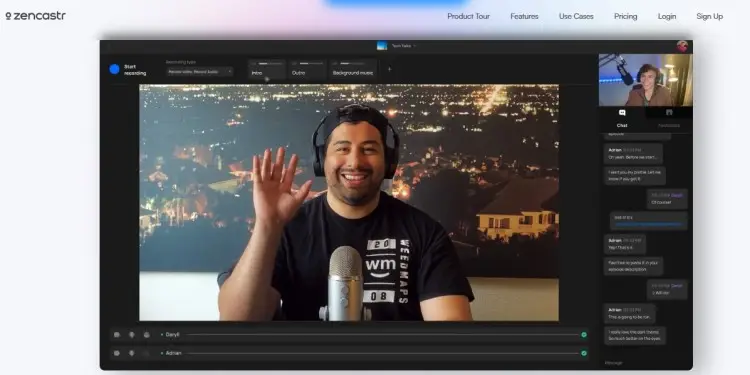
Zencastr was one of the first to popularize remote podcast recording software, often compared to Riverside. It’s a web-based tool that makes it easy to invite guests and press record.
Key features:
- High-quality audio and 4K video recording
- Post-production tools included
- Ad marketplace for monetization
Pros:
- Generous free version for hobbyists.
- Easy for guests to join a recording session.
- Supports video and audio mixing.
Cons:
- The free plan has limits on post-production.
- Interface changes can sometimes be confusing.
Price: Free plan available. Paid plans start around $18/month
5. Spreaker
Spreaker is unique because it combines podcast hosting with a recording app. Great for podcasters who want to broadcast live or record on the go.
Key features:
- Mobile app for recording anywhere
- Live broadcasting capabilities
- Integrated monetization and podcast ads
Pros:
- Easy to record and edit on mobile.
- One-stop shop for podcast production.
- Good distribution to directories.
Cons:
- Editing software is fairly basic.
- Not focused on high-end video recording.
Price: Free plan available, paid plans start from $20/month
6. Podcastle
This is an AI-powered platform that simplifies podcast recording and editing. It converts your audio recording to text for easy text-based editing.
Key features:
- Magic Dust noise removal
- Text-to-speech voice skins
- Remote recording with separate audio tracks
Pros:
- Very user-friendly editing software.
- Good free plan to get started.
- High-quality local recording.
Cons:
- AI features are locked behind paywalls.
- Video editing is basic compared to dedicated tools.
Price: Free plan available, paid plans start at $11.99/month
7. Boomcaster
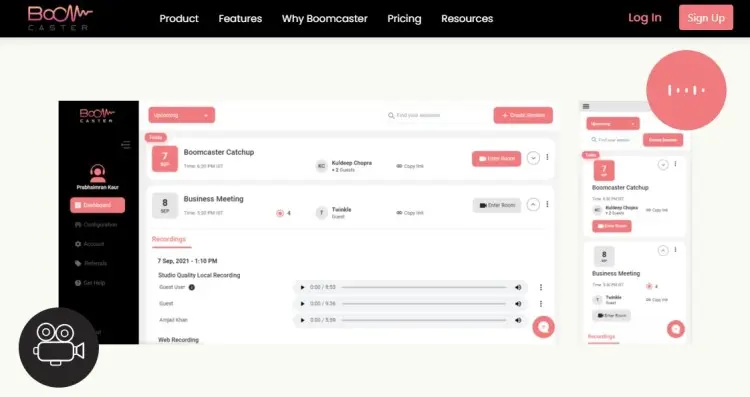
Boomcaster focuses on providing high-fidelity audio and video recording. It’s designed for podcasters who want a simple, reliable recording tool.
Key features:
- Local 4K video and WAV audio
- Live streaming to social platforms
- Custom branding for your studio
Pros:
- Clean and simple interface.
- Separate tracks for every guest.
- Good for both audio and video.
Cons:
- Fewer integrated editing features.
- Smaller user base than major competitors.
Price: Starts at $20/month
8. Ringr (Classic podcast recorder app)
Ringr is a veteran in the remote recording space. It focuses purely on connecting two people for a conversation with no lag.
Key features:
- Mobile app support for iOS and Android
- Enterprise solutions for broadcasters
- Unlimited recording time on paid plans
Pros:
- Simple for non-technical guests.
- Merges tracks automatically if desired.
Cons:
- Interface feels a bit dated.
Price: Starts at around $706 per month
9. Cleanfeed
Cleanfeed is often used by radio professionals for live audio, providing clean audio quality right in your browser.
Key features:
- Live audio mixing
- Multi-track recording
- Advanced audio repair tools
Pros:
- Excellent audio quality for pros.
- Reliable free version for basic use.
- No account required for guests.
Cons:
- No video recording capability.
- The interface is technical for beginners.
Price: Free unlimited use (for two guests), Pro plans start from $36/month
10. Iris
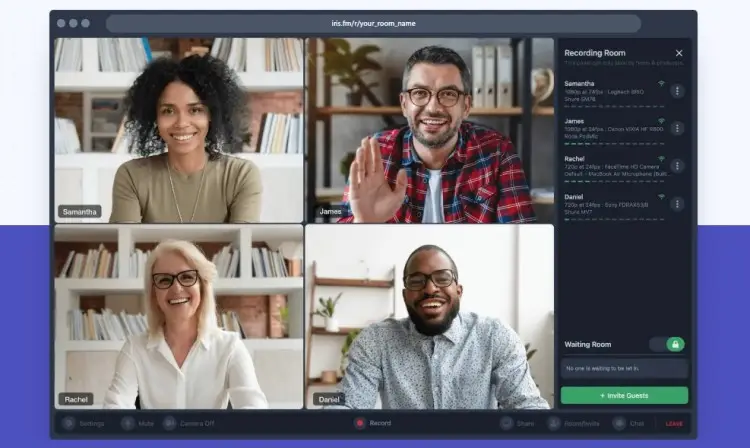
Iris is a newer tool that’s easy to use and has good privacy features (encrypted sessions for sensitive interviews).
Key features:
- High-quality audio and video
- Custom waiting rooms
Pros:
- Very modern and sleek design.
- Records separate audio tracks recording locally.
- Helpful “luminous” dark mode.
Cons:
- Fewer built-in editing features.
Price: Free plan available, paid plans start from $9/month
11. Cast
Cast is a browser-based studio that lets you record, edit, and publish. Great for hobbyists who want a simple workflow.
Key features:
- Cloud storage for recordings
- Basic editing software in the browser
- Podcast hosting included
Pros:
- Simple monthly subscription.
- Easy syncing of tracks.
Cons:
- No video capability.
- Editing tools are limited.
Price: Starts at $10/month
12. Clearcast.io
Clearcast.io was built by podcasters to solve the drift issue. It makes sure that everyone’s audio track stays perfectly in sync.
Key features:
- MP3 local recording
- Reliable upload engine
- Simple guest invite links
Pros:
- Very stable for long recordings.
- Easy for guests to use.
Cons:
- No video features.
- No integrated editing or hosting.
Price: Starts around $25/month
13. StreamYard (Top streaming and video podcast online tool)
While primarily a live streaming tool, StreamYard is excellent for video podcasts. It allows you to record locally while broadcasting live and engaging with a live audience.
Key features:
- On-screen branding and comments
- Local video and audio recording
Pros:
- Easy to create professional visuals.
- Free plan has reliable functions.
Cons:
- No audio editing features.
- Recording quality depends on the plan tier.
Price: Free plan available, paid plans start at $25/month
14. Soundtrap for Storytellers
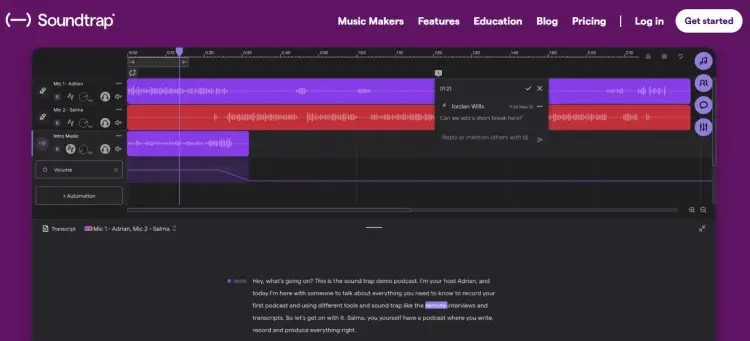
Owned by Spotify, Soundtrap is a cloud-based DAW (Digital Audio Workstation). Perfect for creative podcast production with music and sound effects.
Key features:
- Interactive transcript editing
- Huge library of loops and sound effects
- Collaborative podcast editing software
Pros:
- Great for narrative storytelling.
- Remote recording with video chat.
- Direct upload to Spotify.
Cons:
- Can be complex for simple interview shows.
- Subscription required for full features.
Price: $11.99/month
15. HubSpot
HubSpot offers podcasting tools as part of its marketing hub. Designed for businesses that use podcasts for lead generation.
Key features:
- Hosting and analytics
- Integration with CRM data
- Podcast recording tools via integration
Pros:
- Great for business tracking.
- Connects listeners to your sales funnel.
- Professional infrastructure.
Cons:
- Too much for hobbyist podcasters.
- Not a dedicated recording tool.
Price: Part of HubSpot’s larger pricing tiers.
16. Zoom
Zoom is the most common video conferencing tool in the world. Many people use it to record a podcast because everyone knows how to use it.
Key features:
- Familiar interface for guests
- Video and audio recording
Pros:
- Little to zero learning curve for guests.
Cons:
- Audio quality is compressed and lower than others.
- Audio drift can occur on long calls.
Price: Free (40 min limit), paid plans start at $15.99
17. BONUS: Talks
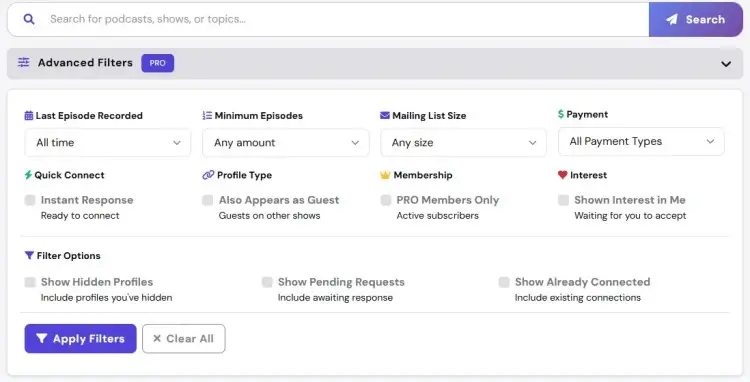
Though it’s not a virtual recording software, Talks is what lands you an interview in the first place. It connects you with the right people to interview or helps you get booked on other shows quickly so you can launch your podcast.
Key features:
- Direct guest booking on the platform
- Personalized profile creation for visibility
- Networking with fellow hosts
Pros:
- Solves the “who to interview” problem.
- Helps you grow your show’s reach.
- Streamlines the booking process.
Cons:
- Not a technical recording app itself.
Price: Free profile creation, but you need to pay for pro features.
What Is the Best Virtual Podcast Recording Software?
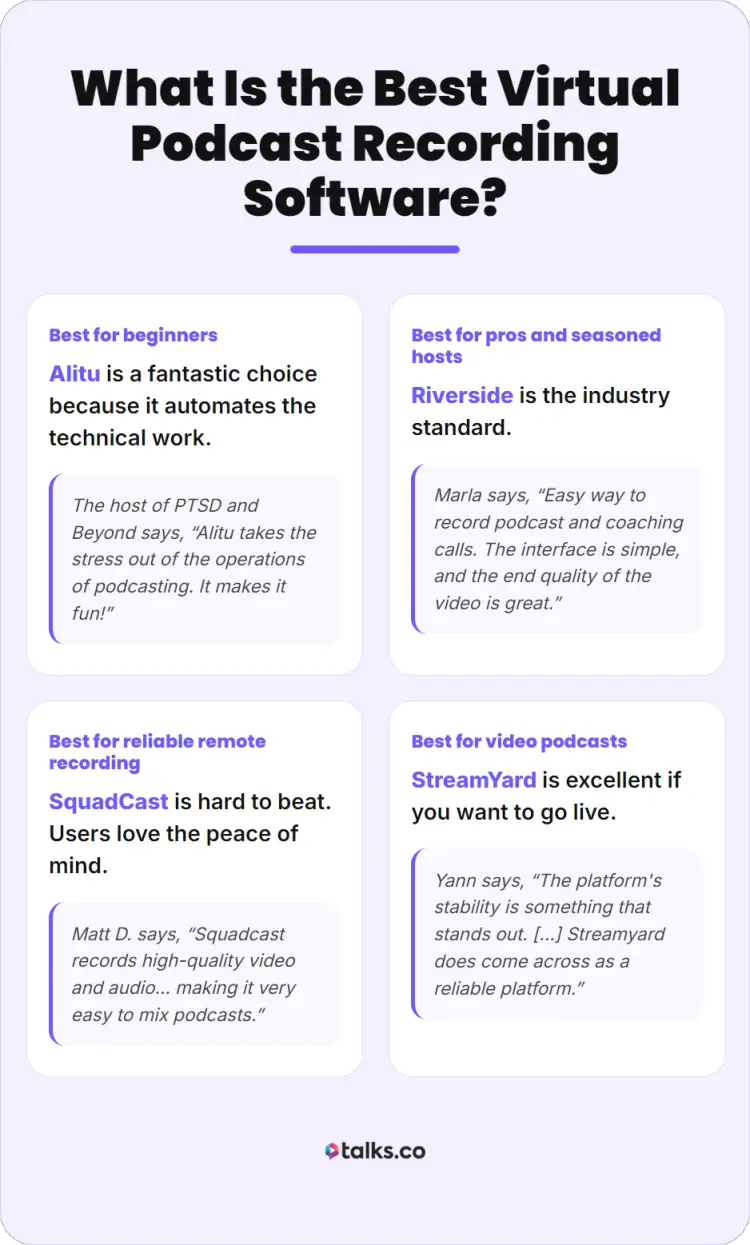
Finding the best podcast interview software depends on your specific goals. Here’s a breakdown of the top contenders for different needs.
- Best for beginners: Alitu is a fantastic choice because it automates the technical work. The host of PTSD and Beyond says, “Alitu takes the stress out of the operations of podcasting. It makes it fun!”
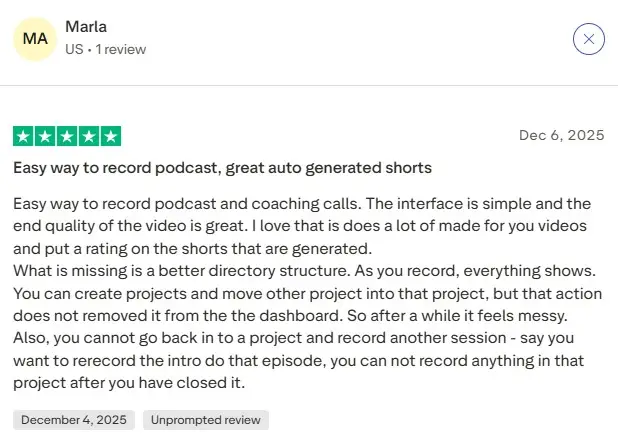
- Best for pros and seasoned hosts: Riverside is the industry standard. Marla says, “Easy way to record podcast and coaching calls. The interface is simple, and the end quality of the video is great.”
- Best for reliable remote recording: SquadCast is hard to beat. Users love the peace of mind, with Matt D. saying, “Squadcast records high-quality video and audio for each participant on their end, making it very easy to mix podcasts, publish them, and take high-quality video clips to make social media videos.”
- Best for video podcasts: StreamYard is excellent if you want to go live. Yann says, “The platform’s stability is something that stands out. […] Streamyard does come across as a reliable platform for all kinds of live streams on different social media platforms.”
How to Choose Podcast Recording Software (Checklist)
You want a tool that matches your technical skills and your show’s format. Here’s a step-by-step guide to help you select the right podcast recording program and produce a high-quality podcast:
☐ Define your format: Are you doing audio-only, or do you need software for a video podcast?
☐ Assess your budget: Can you afford a monthly fee, or do you need free podcasting software for simple projects?
☐ Check your gear: Make sure the software works with your microphone and camera setup.
☐ Test the workflow: Sign up for a trial to see if the interface makes sense to you.
☐ Consider your guests: Choose a platform that’s easy for remote guests to join without having to download.
What to look for in remote podcast recording software
There are specific features to look for in software for podcast interviews:
☐ Audio and video quality: Look for local recording capabilities that preserve the quality of your files.
☐ Separate tracks: You need separate audio and video tracks so you’re more in control when editing.
☐ Ease of use: The recording platform should be simple for you and your guest.
☐ Reliability: Look for features like progressive uploading or cloud backups.
☐ Price: Your tools should give value for money. No matter how much you invest, it should have benefits that make the cost worth it.
How to Record a Virtual Podcast
Once you have your software, it’s time to grab the mic and record. Start a podcast following these steps:
- Prepare your environment and gear: Even the best podcasting tools cannot fix a very noisy room, so find a quiet space to record.
- Invite your guest and send them instructions: A technical checklist for setting up software and gear goes a long way to avoid rerecording and possible issues.
- Perform a test recording: Check your levels and make sure the software for podcast recording is capturing the correct input.
- Start your recording session: Hit record on your remote recording platform and double-check that it’s running.
- After you finish, download your files: Get each separate audio track recording file for better editing control.
Where to upload a podcast for free
After you record and edit your episode, you need a place to host it. There are several podcast hosting platforms to explore:
- Buzzsprout: An established option for both beginners and seasoned podcasters.
- Spotify for Creators: A completely free podcast hosting platform that gives you direct access to the Spotify ecosystem.
- Acast: Offers a basic free plan for starters.
- Podbean: Has a limited free tier to test the waters.
What’s Your Next Move?
Choosing the right virtual podcast recording software is just the first step in your journey. Once you have the tech and tools, it’s time to make a good podcast.
But even great software is useless without great guests to interview. That’s where Talks comes in.
Want to find and connect with experts for your show, but you just don’t have the time? Talks streamlines your search, so you book relevant guests quickly.
Marie’s already recorded with those who reached out to her. Brian’s easily connected with other podcast hosts thanks to the auto-accept feature.
All it takes is to say YES and sign up.
Create your free Talks Profile and record your dream interview with top expert guests today!


