

Ever wondered what it would be like to start your own podcast?
Podcasting for beginners is one of the best ways to connect with your target audience and share your story. But if you’re new to this world, it can feel overwhelming.
The good news is, you have all the help you need. There are a ton of guides out there, including this one.
I’ll walk you through the simple steps to confidently launch your podcast show. No need to be a tech wizard or have expensive gear. Just the right info and motivation to commit.
In this guide, we’ll cover everything from how podcasting works, tool and software recommendations and tips to keep your upfront costs budget-friendly if not free.
How Podcast Works
A podcast is simply a series of audio episodes people can listen to anytime.
Think of it as a radio show you control, but on demand. People subscribe to your show via apps or podcast directories like Apple Podcasts or Spotify.
Behind the scenes, you record your audio, edit it, and then upload it to a podcast hosting platform. The hosting platform then creates an RSS feed, which lets directories find and distribute your show automatically.
Hosting your own podcast show has its benefits:
- Boosts your credibility and authority in your niche.
- Builds a loyal community of engaged podcast listeners.
- Boosts your exposure aside from blogs or social media.
- Helps you grow your audience organically.
- Can be monetized through sponsorships, ads, or selling merch.
Best podcasts for beginners
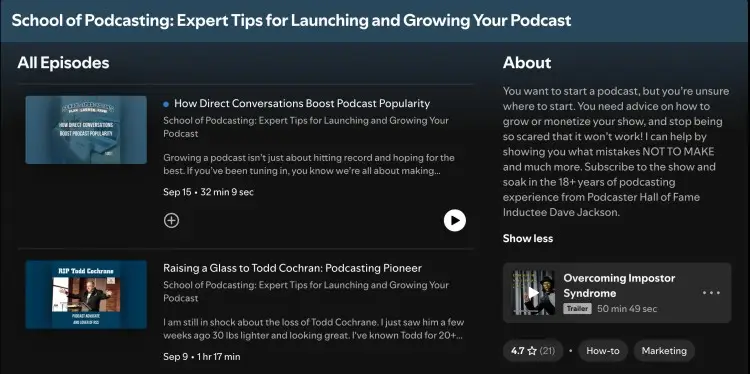
The best way to learn is by knowing about what works. Understand different types of podcasts, formats, and technical requirements from experts who’ve launched a successful podcast.
Here are some popular podcast examples great for beginners:
- “Podcasting Step-by-Step” by Sarah Mikutel: Breaks down the process of creating and launching a show, motivating you to start.
- “School of Podcasting” by Dave Jackson: Covers the business and technical sides of podcasting, including choosing a podcast microphone and building an audience.
- “The Feed” by Libsyn: Focuses on podcast hosting platforms and promotion strategies to grow your podcast reach.
- “The Audacity to Podcast” by Daniel J. Lewis: Offers practical tips on everything from podcast recording to podcast editing software. Perfect for beginners who want to learn to podcast like a pro.
Podcasting for Beginners
Before you jump straight into recording, it’s important to learn the basics of podcasting. Mastering these will make your whole experience smoother and your show better.
Many beginners rush through choosing a podcast topic or skip planning their first episodes. That often leads to frustration or quick burnout.
The truth is, understanding how to set up your podcast show properly and knowing what your listeners want is key to a great podcast.
Start with the fundamentals, and you’ll save time and energy down the line while creating content your audience will love.
Podcasting 101 for beginners
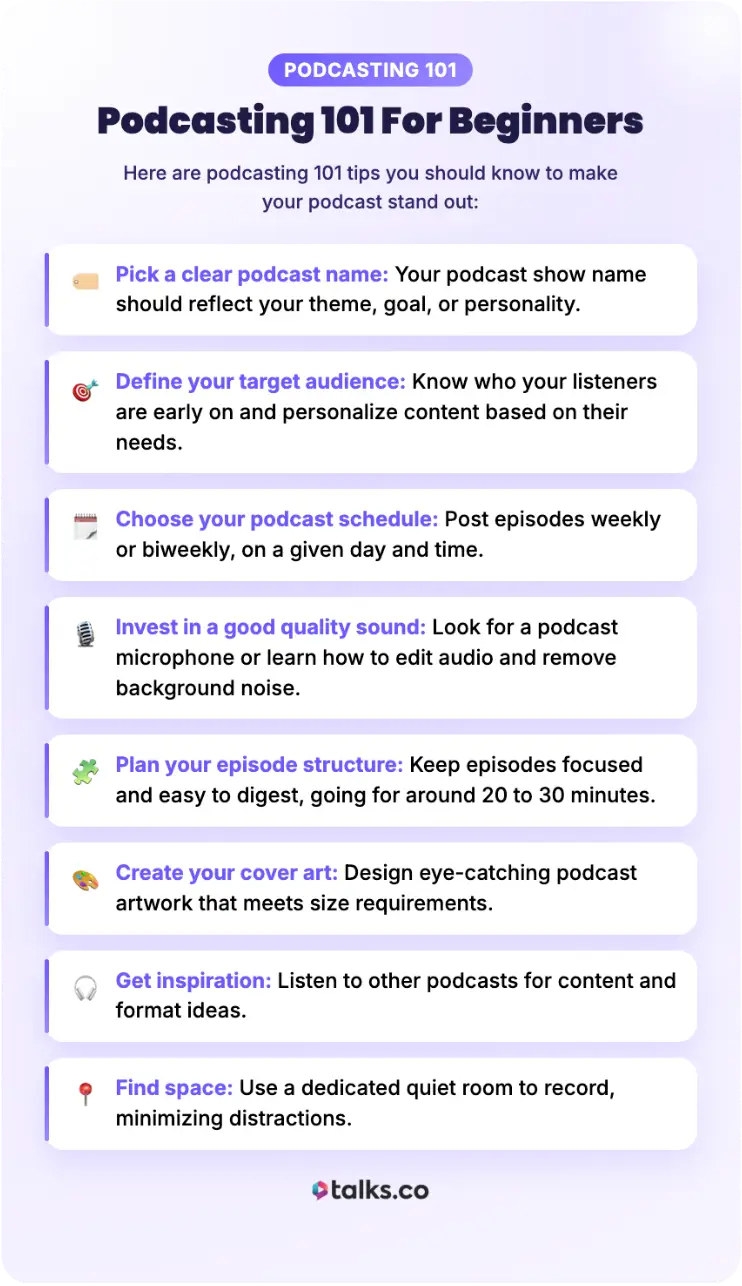
Here are podcasting 101 tips you should know to make your podcast stand out:
- Pick a clear podcast name: Your podcast show name should reflect your theme, goal, or personality.
- Define your target audience: Know who your listeners are early on and personalize content based on their needs.
- Choose your podcast schedule: Post episodes weekly or biweekly, on a given day and time.
- Invest in a good quality sound: Look for a podcast microphone or learn how to edit audio and remove background noise.
- Plan your episode structure: Keep episodes focused and easy to digest, going for around 20 to 30 minutes.
- Create your cover art: Design eye-catching podcast artwork that meets size requirements.
- Get inspiration: Listen to other podcasts for content and format ideas.
- Find space: Use a dedicated quiet room to record, minimizing distractions.
Blogging and podcasting for beginners
If you’re new to blogging and podcasting, here’s how to combine both effectively:
- Repurpose content: Turn blog into podcast scripts and vice versa.
- Direct listeners to your blog: Use your blog as an extension of your show notes or to share your transcripts.
- Cross-promote: Post about your podcast on your blog and newsletters to drive listens.
- Match your topics: Keep your podcast content aligned with blog topics to maintain focus.
- Improve your content: Use blog feedback and comments to inspire future podcast conversations.
- Make it easy to access: Embed your episodes directly into blog posts.
Video podcasting for beginners
Thinking about a video podcast? Take your show from good to great by giving visual elements for the audience to watch. Here’s how to get started:
- Get basic video equipment: Start with good lighting and a decent camera or webcam. Use a stable tripod or mount to keep your frames steady.
- Find a dedicated space: Record in a clutter-free, quiet environment. Design a set to make your show visually interesting.
- Keep videos simple: Start with a talking format. You can also insert occasional slides or visual effects if needed.
- Use an all-in-one program: Look for software that records both video and audio.
- Learn how to edit videos: Polish the video to enhance the viewer experience, but keep it natural.
- Upload the finished product: Share your videos on YouTube plus traditional podcast platforms.
- Market your episode: Promote your episodes across social media to gain traction.
What Equipment Is Needed to Start a Podcast?
If you want to launch your podcast, here’s the core podcast equipment you’ll need:
- Microphone: A quality podcast USB or XLR mic for clear audio.
- Headphones: Use these to monitor your audio while recording.
- Computer or laptop: For recording, editing, and uploading shows.
- Audio interface: To manage your sounds, if you choose an XLR mic (not USB).
- Noise reduction equipment: A pop filter to reduce popping sounds.
- Mic stand or boom arm: To keep your mic steady and reduce unnecessary sounds made by moving too much.
Beginner podcasting equipment and platforms
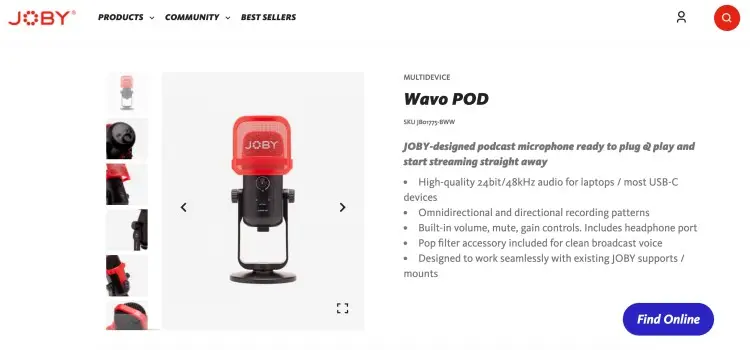
Here are specific picks that work well for beginners:
- Microphone: JOBY Wavo POD is a good USB large-diaphragm mic option for beginners on a budget. It already includes a pop filter and headphone jack.
- Laptop: Check out the HP Spectre x360 14, which delivers high-quality audio feedback through its Bang & Olufsen speakers. Other options are MacBook Pro, Dell XPS and Lenovo ThinkPad, which keep workflow efficient for podcast recording and editing.
- Recording and editing software: Audacity is a free and beginner-friendly option.
- Podcast hosting platform: Spotify for Creators lets you host your show for free (unlimited storage) and is easy to distribute on major platforms (Spotify and Apple Podcasts). Buzzsprout and Podbean are also decent options.
Podcasting kit for beginners
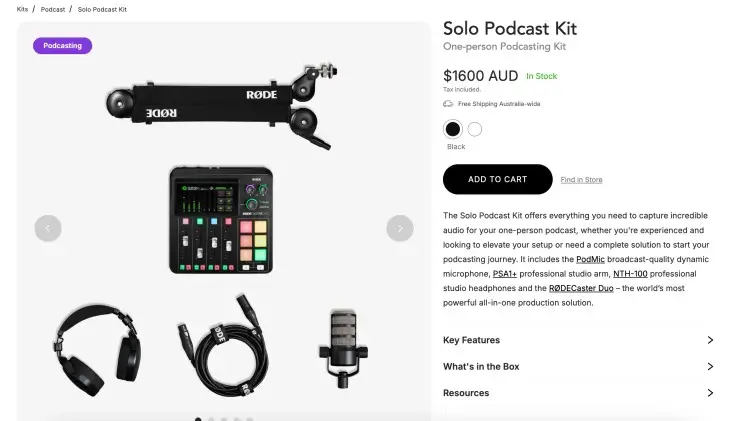
A podcast starter kit packages all the gear you need in one bundle. It often includes a microphone, headphones, a pop filter, and cables.
- RODE Solo Podcast Kit: Comes with the PodMic dynamic microphone, PSA1+ professional studio arm, NTH-100 studio headphones and the RODECaster Duo. Great all-in-one beginner set.
- ALPOWL Audio Interface Bundle for 2: If your show is for two people, this kit comes with BM-800 condenser microphones, V8 live sound card, arm stands, shock mounts, pop filters and earphones for monitoring.
- MOVO iPhone Podcasting Bundle: Perfect for hosts recording podcasts on their phone. Includes carotid condenser microphone, audio interface that connects directly to iPhone, pop filter and table mic stand.
How to Get Started With a Podcast
Starting your first podcast can feel like a big project, especially with no audience yet. But it’s easy to start.
It doesn’t have to be perfect right away. Just be open to grow and improve as you grow.
People are drawn to authenticity, so be yourself. No need to present a polished version right away.
And don’t think too much about shelling out too much money. There are a lot of free options for beginners. Whether you’re planning to host an audio or video podcast, you can do it within your budget.
How to start a podcast for beginners
Picking the right niche is the first and most important step. Here’s a step-by-step guide to help you:
- Identify your passions and expertise: What topics excite you and make you feel like you can go on for hours?
- Research your audience: Who would want to listen? What problems or interests do they have?
- Check out existing shows in your area: Look for what’s missing or could be done better.
- Decide your podcast format: Will you do interviews, solo, or panel shows?
- Name your podcast: Choose a catchy and clear podcast title that shows what your show is about.
- Apply SEO principles: Write a compelling, keyword-rich podcast description for directories.
- Brainstorm early: Plan your first three to five episodes and ride the momentum.
How to start a podcast for free
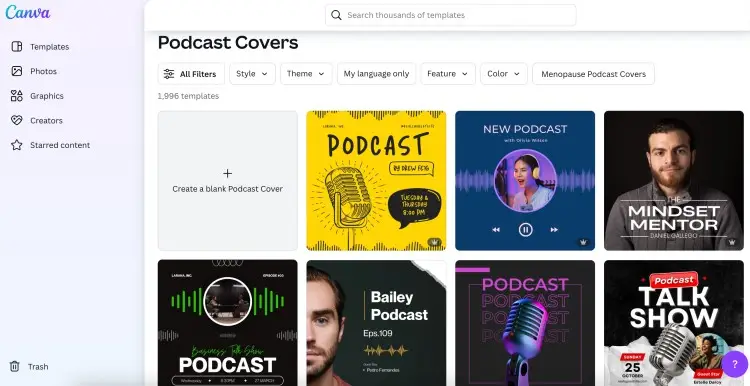
If you’re on a budget, it’s better to look for free options when it comes to equipment and software. When you’re ready to upgrade, you can always revisit these later on.
- Use equipment you already have: Record using your laptop’s built-in microphone or your phone.
- Choose free software: There are recording and editing tools without subscriptions like Audacity.
- Upgrade your skills: Learn editing basics to do your own lightweight podcast editing.
- Upload on free hosting sites: Host your episodes on a free podcast hosting service like Spotify for Creators.
- Use free design templates: Create your podcast cover art using free tools like Canva.
How to start a video podcast
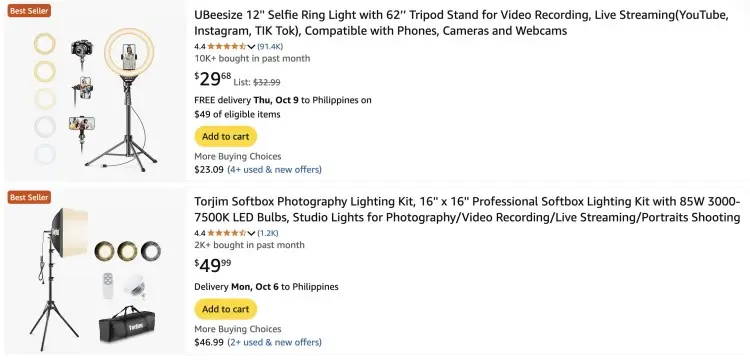
Launching a video version of your podcast can make your show more interesting. Here are some tips when you start your own video podcast:
- Set up good lighting: Improve the quality of your videos by using a simple ring light or softboxes.
- Create a storyboard: Plan your video podcast script and visuals so they match.
- Frame yourself well in the camera: Include your head and shoulders. If you’re using multiple cameras, set up one for close-ups and another for a wide shot.
- Add captions or subtitles: Many people watch videos muted, and captions increase accessibility and SEO reach.
- Manage episode duration: Keep episodes between 20 to 40 minutes, perfect for a commute or an activity.
How to Start a Podcast Script
Writing a podcast script helps you make a good podcast, structured and smooth. You don’t have to jot down everything word-for-word, but write down enough that you can clearly deliver your message.
Here are six steps to help you craft your podcast script:
- Define your episode goal: Get clear on what you want listeners to take away. Are you educating, inspiring, or entertaining?
- Outline your main points: List three to five topics you want to cover. They help you stay focused and avoid rambling.
- Create a hook: Grab your audience’s attention within the first 30 seconds with a question or surprising fact. Then introduce yourself and your show.
- Fill in the gaps: Expand each main point with examples, stories or research to back them up. At this point, you’re just gathering references.
- Include transitions: You can plan your segues ahead of time to make sure you move on to other ideas smoothly.
- Prepare your outro: Wrap up with a call-to-action, a closing statement and a teaser of the next episode.
Podcasting Script Example Generator
If writing a script feels intimidating, try using the Talks Podcast Script Generator. You can use the results you get as a starting point and then expand them further with personal stories or follow-up questions.
For example, when you generate a script about “self-confidence” and select the “guest interview” format, here’s an excerpt of what you get:
Host: Welcome to the show! Today, we are joined by a remarkable individual who has a wealth of experience in the field of personal development and self-confidence. Let’s welcome our guest to the podcast.
Guest: Thank you for having me. I’m excited to be here and share my journey towards building self-confidence with your audience.
Host: Self-confidence is a topic that resonates with so many people. Could you share with us what self-confidence means to you and why it is important in today’s world?
Guest: Self-confidence, to me, is the belief in oneself and one’s abilities. It is about trusting your own judgment, being comfortable in your own skin, and having the courage to take on new challenges.
This continues until you get to your podcast episode outro.
5 Topics for podcast for beginners
At the heart of your podcast is the topic you want to talk about. Here are some helpful tips for you to come up with a good podcast topic worth listening to:
- Consider your listeners: Think about questions your clients or audience often ask.
- Draw from experience: Share personal stories or lessons learned.
- Look at current events: Interview experts or peers about trending topics.
- Talk about pain points: Address common challenges in your industry.
- Do some research: Review books, tools, or resources your listeners would value.
Can You Start a Podcast for Free?
Yes, you can start a podcast for free if you have the right tools. You don’t need a big budget to launch your project.
By combining free recording software, free hosting platforms, and DIY editing skills, you can produce quality episodes. You can always upgrade gear and services as your show grows.
Free options allow beginners to dive in without financial pressure, making podcasting accessible for everyone.
How can I start a podcast for free?
Here’s how you can get support and use strategies to start for free:
- Record remotely for free: No need to rent a studio or a set. Use free remote recording tools like Zoom when conducting interviews.
- Use free RSS feed generators: If you want to DIY your podcast hosting, free RSS feed generators help distribute your show to directories without paying.
- Leverage free tutorials: Pick up essential podcasting skills by going through courses online.
- Collaborate with guests: Interview personalities with their own audiences to expand your reach.
- Work with editors building their portfolio: Connect with editors looking for projects and agree on the terms of your project.
Is it easy to start a podcast?
Starting a podcast is easier than it may seem. Basic tech is accessible, and step-by-step beginner guides show you the path.
The key challenge is actually consistency and content planning, not the setup. Equipment and tools can be learned, but committing to the grind can be tough.
But if you commit to learning a bit every day, you’ll find yourself improving quickly. The more you record and edit, the more natural it becomes.
How Much Do You Need to Start a Podcast?
Some people do a double-take when they see the price tag that comes with podcasting equipment. But it’s not just about the tech.
If you want to know how much you need to get started, outline your goals and think about what you need from pre-production to editing.
Knowing your upfront costs helps plan your podcast journey. Podcasting doesn’t have to be expensive, but budget matters.
How much does it cost to start a podcast?
Many podcasters start under $100 and invest more as they grow. If you’re starting out, typical expenses include:
- Podcast microphone: $50 to $150 for solid beginner USB mics.
- Headphones: $30 to $100 for basic monitoring.
- Podcast hosting service: Free to $20 a month, depending on storage size and monetization features.
- Podcast recording and editing software: Free options like Audacity or paid tools like Descript (starts at $16 a month).
- Podcast cover artwork: Free if you DIY or $50 to $150 for a professional design.
If you want to add in more equipment like mixers, pop filters or mic stands, you need to budget around $50 to $200 more.
The Mic Is Waiting
Podcasting for beginners is a simple and accessible way to get your voice out there. It’s another way of giving value to your audience while building your skills.
With all the gear and platforms available, anyone can become a podcast host.
But one of the things new hosts worry about is finding good guests for their show. That’s where Talks can help you.
No need to have a big network or a lot of experience to match with a fellow creator who wants to collaborate. All you need is your Talks creator profile.
Find experts to share their insights about your topic. Interview personalities with valuable stories to share.
Register on Talks with a Free Creators Profile Now.


