

Stop fighting your software.
Audio recording, editing, exporting, troubleshooting all those audio files to be more “professional-grade.” Creating content is hard enough without wondering if your audio editor is slowing you down.
Maybe you’ve heard that Pro Tools is the only serious industry standard option. Maybe everyone keeps recommending Audacity because it’s free. Maybe you’ve opened comparison after comparison and somehow finished with even more tabs than answers.
Sound familiar?
Good. That means you’re in the right place.
I’ve recorded interviews with people using everything from simple USB microphones to full studio setups. Great conversations rarely depend on expensive software.
This Pro Tools vs Audacity guide compares both tools where it counts: features, pricing, recording, editing, sound quality, and the projects they’re actually built for.
By the end, you’ll know which one fits your audio editing tasks and workflow, your experience level, and your goals, so you can spend less time researching and more time creating.
Audacity vs Pro Tools Comparison Table
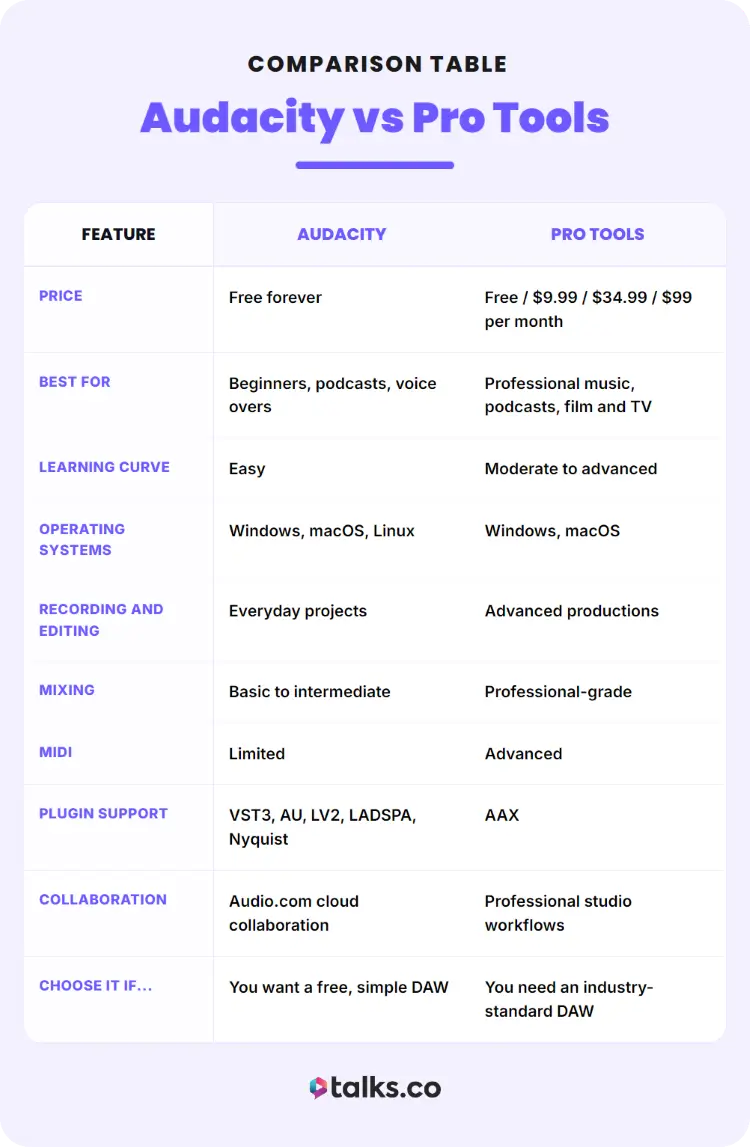
If you’re trying to compare Audacity vs Pro Tools but only have a hot minute, check out the table below to see where Pro Tools excels in audio production plus ease of use and where Audacity wins when it comes to professional audio projects.
| Feature | Audacity | Pro Tools |
|---|---|---|
| Price | Free forever | Free / $9.99 / $34.99 / $99 per month |
| Best for | Beginners, podcasts, voice overs | Professional music, podcasts, film and TV |
| Learning curve | Easy | Moderate to advanced |
| Operating systems | Windows, macOS, Linux | Windows, macOS |
| Recording and editing | Everyday projects | Advanced productions |
| Mixing | Basic to intermediate | Professional-grade |
| MIDI | Limited | Advanced |
| Plugin support | VST3, AU, LV2, LADSPA, Nyquist | AAX |
| Collaboration | Audio.com cloud collaboration | Professional studio workflows |
| Choose it if… | You want a free, simple DAW | You need an industry-standard DAW |
What Is Pro Tools?
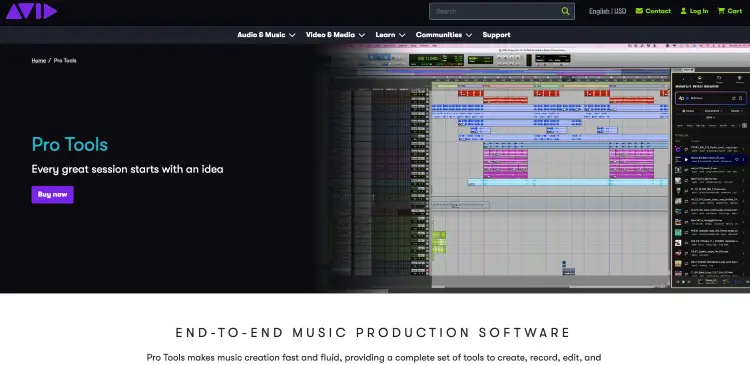
Pro Tools is Avid’s professional digital audio workstation (DAW) for creating, recording, editing, mixing, and producing audio.
It’s trusted by recording studios, film and TV production teams, podcast producers, and musicians who need a DAW that can handle everything from weekly episodes to large commercial productions.
How does Pro Tools work?
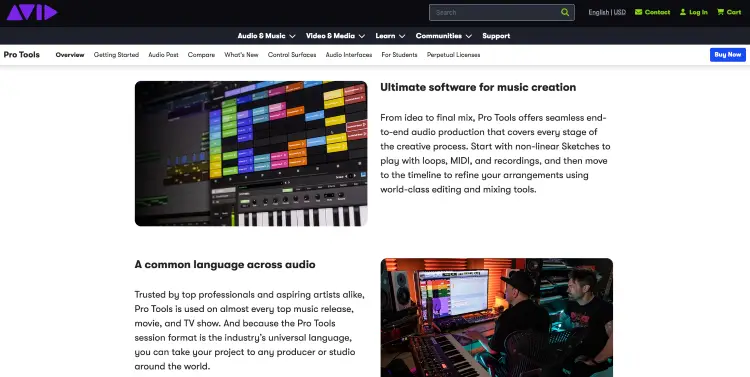
Pro Tools is known for records audio onto separate tracks, giving you full control over every voice, instrument, or sound effect. Once recorded, you can edit, mix, enhance, and export everything from a solo podcast episode to a weekly interview podcast, an audiobook, or a full studio album.
Here’s what a typical Pro Tools workflow looks like:
- Create a session: Set your sample rate, bit depth, and project settings before recording.
- Record each source: Capture microphones, instruments, or remote podcast guests on separate tracks for easier editing.
- Edit your recordings: Remove mistakes, tighten awkward pauses, clean background noise, and arrange clips without changing the original recording.
- Mix your project: Balance volume levels, pan tracks, add EQ, compression, reverb, and over 110+ built-in instruments and effects.
- Export your finished file: Save your project as WAV, MP3, AIFF, or other formats depending on where it’ll be published.
What are Pro Tools approved audio interfaces?
Pro Tools works with most Core Audio (Mac) and ASIO (Windows) audio interfaces, giving you plenty of flexibility when building your recording setup.
While Avid offers its own hardware, many podcasters, musicians, and creators use third-party interfaces every day.
Common choices that Pro Tools supports include:
- Focusrite Scarlett 2i2: Great for solo podcasters, voice-over artists, and beginner musicians.
- Universal Audio Apollo Twin X: Ideal if you want premium microphone preamps and real-time plugin processing while recording.
- MOTU M2: A solid mid-range option with clean preamps and excellent value for creators.
- RME Babyface Pro FS: Built for professional audio production that needs exceptional driver stability for long recording sessions.
- PreSonus Studio 24c: User reviews will tell you this is a practical choice for creators recording podcasts, interviews, or online courses on a budget.
For example:
- A coach booking podcast interviews through Talks: A Scarlett 2i2 and a quality XLR microphone are enough to produce guest interviews that sound polished.
- A musician recording vocals, guitar, and keyboard separately: A MOTU M2 or Apollo Twin offers room to grow.
- A commercial recording studio: An RME interface provides the stability needed for all-day recording sessions.
What is the best Pro Tools version?
The right version depends on how complex your projects are.
- Pro Tools Intro: Best for beginners testing the software before upgrading.
- Pro Tools Artist: Best for solo creators, podcasters, musicians, and voice-over artists.
- Pro Tools Studio: Best for professionals producing popular podcasts, music, or client projects every week.
- Pro Tools Ultimate: Best for film, television, post-production, Dolby Atmos, and enterprise studios.
As a rule of thumb:
- Recording one podcast every week? Artist is usually enough.
- Editing multiple client shows every month? Studio is the better long-term investment.
- Working on television, film, or Dolby Atmos projects? Ultimate is built for that level of production.
What Is Audacity?
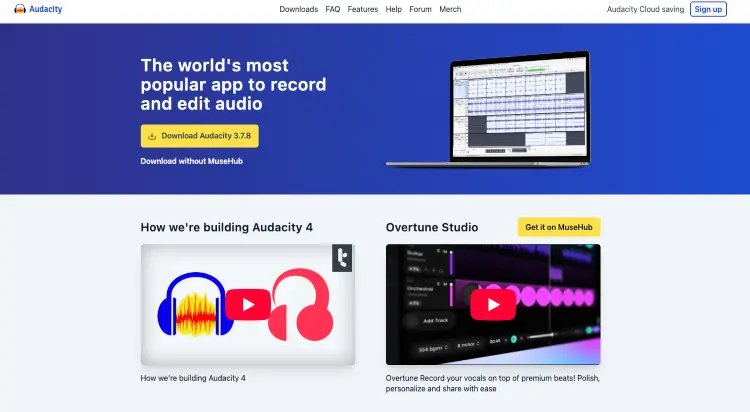
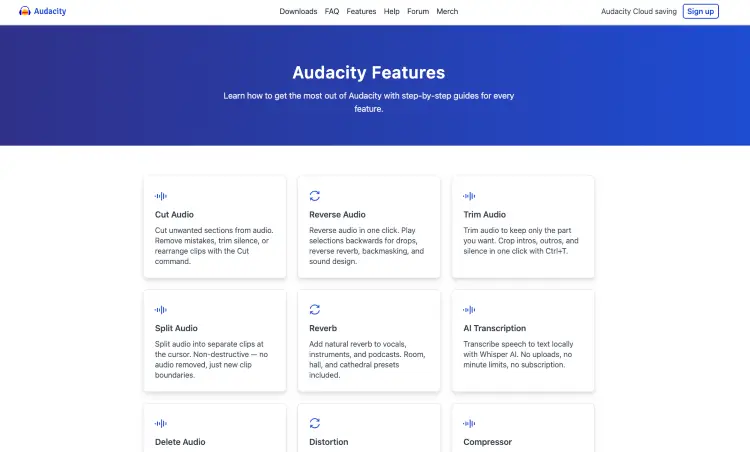
Audacity is a free, open-source digital audio workstation (DAW) designed for recording and editing audio.
While it doesn’t have every advanced feature found in Pro Tools, Audacity offers a simple recording and editing experience that’s well-suited to podcasters, voice-over artists, educators, students, and creators who want solid podcast editing tools without a monthly subscription.
It’s also backed by a large, free and open-source audio user community that continues to improve the software.
How does Audacity work?
Audacity is a 100% free software that lets you record audio directly into your computer, edit waveforms, apply effects, and export finished files in just a few steps.
A typical Audacity workflow looks like this:
- Record your audio: Connect a USB or XLR microphone and record directly onto a track.
- Edit your recording: Cut mistakes, remove long pauses, reduce background noise, and rearrange clips.
- Improve your sound: Apply EQ, compression, normalization, or other built-in effects to create a cleaner recording.
- Export your project: Save your finished audio as MP3, WAV, FLAC, OGG, or another supported format.
Audacity also includes unlimited undo, so you can experiment with edits knowing you can easily roll back changes if something doesn’t sound right.
What the Audacity software offers work particularly well for projects with audio editing needs like:
- Weekly podcasts: Record, edit, and export a solo or interview episode without needing advanced production tools.
- Voice-over work: Clean up narration for YouTube videos, audiobooks, explainer videos, or online courses.
- Music demos: Record vocals, acoustic guitar, or simple instrument tracks before moving to a larger DAW if needed for a wide range of audio file formats.
- School or business projects: Edit presentations, webinars, interviews, or training materials without buying paid software.
When I started recording podcast interviews years ago, I wasn’t using a huge studio setup that was feature-rich.
Like most creators, I focused on getting a clear recording first with a software that was as user-friendly as they came because, to me, the software matters far less than consistently publishing great conversations.
Do professionals use Audacity?
Yes, although it depends on what “professional” means in your workflow.
Many professionals use Audacity every day because it does exactly what they need without unnecessary complexity.
For example:
- Podcast hosts: Record weekly interviews, tighten conversations, and publish episodes without paying for podcast editing software.
- Voice-over artists: Remove breaths, normalize audio, and export client-ready voice recordings.
- YouTubers: Clean up narration before importing it into video editing software.
- Coaches and course creators: Record masterclasses, webinars, and paid training content from a home office.
- Authors and speakers: Clean up podcast interviews before repurposing them into YouTube clips, audiobooks, or lead magnets.
That said, larger recording studios, film post-production teams, and commercial music producers usually choose Pro Tools because it offers deeper routing, advanced collaboration tools, larger project support, extensive MIDI capabilities, and an ecosystem built for complex productions.
Pro Tools vs Audacity Similarities and Differences
Both Audacity and Pro Tools can record, edit, and export high-quality audio. The difference comes down to how much control, flexibility, and scalability you need as your projects become more demanding.
Pro Tools vs Audacity features
Here’s how the two DAWs compare across the features creators care about most.
| Feature | Pro Tools | Audacity |
|---|---|---|
| Price | Paid subscription | Free and open source |
| Best for | Professional production, music, podcasts, post-production | Podcasts, voice overs, simple music projects |
| Learning curve | Moderate to steep | Beginner-friendly |
| Multitrack recording | Excellent for large sessions | Good for smaller projects |
| Non-destructive editing | Yes | Limited compared to Pro Tools |
| Plugin support | Extensive (AAX plugins) | Audacity supports VST, AU, LADSPA, LV2 and Nyquist plugins |
| MIDI support | Advanced | Very limited |
| Video editing support | Yes | No |
| Collaboration tools | Built for team workflows | Basic cloud collaboration through Audio.com |
| Operating systems | Windows and macOS | Windows, macOS, and Linux |
Here’s what those differences look like in practice:
- Recording a weekly podcast: Both tools handle the job well, but Pro Tools offers faster editing once your show grows to multiple hosts, guests, music beds, and sound effects.
- Producing an album: Pro Tools easily manages large recording sessions with dozens of tracks, while Audacity works better for simpler recordings or demos.
- Editing voice overs: Both can clean audio, remove noise, and export broadcast-ready files. Audacity simply gets there with fewer tools.
- Producing client podcasts: Pro Tools makes it easier when editors, producers, and clients all need to review the same project.
Pro Tools vs Audacity pricing options
One of the biggest differences between these DAWs is how you pay for their basic to intermediate collection of built-in features and customization options.
| Plan | Pro Tools | Audacity |
|---|---|---|
| Free version | Pro Tools Intro (Free Forever) | Free Forever |
| Entry-level paid | Artist: $9.99/month | None |
| Professional | Studio: $34.99/month | None |
| Enterprise/Post-production | Ultimate: $99/month | None |
| Updates | Included with subscription | Free |
| Long-term cost | Monthly subscription | Free forever |
Think about your budget alongside your workload.
- New podcaster testing the waters: Audacity lets you publish episodes without spending anything on software for noise reduction capabilities or a robust feature set you might never use.
- Coach appearing on podcasts every week: Pro Tools Artist is one of the best software for podcast interviews that can quickly pay for itself if it helps you edit interviews faster.
- Agency producing podcasts for multiple clients: Pro Tools Studio often pays for itself through workflow improvements.
- Professional recording studio: Pro Tools Ultimate provides features like advanced production that smaller creators rarely need.
Pro Tools vs Audacity pros and cons
Every creator values different things. Here’s where each DAW shines and where it falls short.
| Pro Tools | Audacity | |
|---|---|---|
| Pros | Industry-standard workflow Excellent multitrack editing Advanced mixing and plugin support | Free forever and accessible to users Easy to learn Runs well on modest computers and various operating systems |
| Cons | Subscription cost Steeper learning curve Requires more powerful hardware | Limited advanced production tools Basic MIDI capabilities Not built for large collaborative projects |
A simple way to think about it:
- Choose Pro Tools if: You produce podcasts for clients, record music professionally, or expect your editing workflow to become more complex.
- Choose Audacity if: You want a free, dependable audio editor for podcasts, voice overs, interviews, or online courses.
Pro Tools vs Audacity: Which Is Better?
The better DAW depends on what you’re creating, how often you create it, and how much flexibility you’ll need six months from now.
Some DAW like Pro Tools are particularly well-suited for podcasters just starting out while a different tool is designed for professional content typically used in film and television.
Choose Pro Tools if you:
- Produce podcasts for clients: Advanced editing tools and shortcuts help you move through multi-track episodes faster.
- Record music professionally: Built for large sessions with dozens of instruments, vocals, and effects.
- Need advanced mixing: Greater control over routing, automation, plugins, and mastering.
- Collaborate with other professionals: A common choice across commercial studios and production teams.
- Expect your workflow to grow: Easier to scale from solo projects to commercial productions.
Choose the Audacity tool for audio if you:
- Want a free DAW: Start recording immediately without paying for software.
- Create solo podcasts or voice overs: Everything you need for clean recordings and basic editing.
- Prefer simplicity: Less time learning menus and more time publishing content.
- Have an older computer: Runs well on hardware, including Windows laptops and desktops that may struggle with larger DAWs.
- Only need the essentials: Record, edit, export, and you’re done.
If your business depends on producing polished audio every week, Pro Tools is usually worth the investment.
If you’re launching your first podcast or creating content as a solo creator, Audacity gives you plenty of capability without increasing your expenses.
Does Pro Tools sound better?
Not by itself.
Both Pro Tools and Audacity can produce excellent audio quality when recording the same microphone at the same sample rate and bit depth. Your microphone, audio interface, recording environment, and editing skills have a much bigger impact on how your recordings sound.
Where Pro Tools gains an advantage is during production.
- Advanced mixing tools: More precise control over EQ, compression, automation, and effects.
- Larger plugin ecosystem: Access to professional processing tools for music, podcasts, and post-production.
- Better workflow: Faster editing means you can spend more time improving the final mix.
- Complex projects: Handles large sessions with many tracks more efficiently than Audacity.
Think of it this way:
- Recording a solo podcast in a quiet office: Most listeners won’t hear a difference.
- Mixing a commercial album with 60 tracks: Pro Tools gives you significantly more control.
Audacity best vocal settings (Checklist)
Great vocals start with a good recording, but Audacity includes several built-in tools that can help polish your sound.
A simple starting point looks like this:
☐ Sample rate: 44.1 kHz or 48 kHz.
☐ Bit depth: 24-bit if your audio interface supports it.
☐ Noise Reduction: Apply lightly to remove consistent background noise.
☐ Compressor: Smooth out loud and quiet sections for a more even recording.
☐ EQ: Roll off low-end rumble below around 80 Hz and add a slight presence boost if your voice sounds dull.
☐ Limiter or Normalize: Bring overall volume to a consistent level before exporting.
How to use Audacity to record a song
These settings work well for podcasts, YouTube narration, online courses, and most voice-over projects, although you’ll likely tweak them based on your microphone and recording space.
- Connect your microphone or audio interface: Make sure Audacity detects the correct input before you begin recording.
- Choose your recording device: Select the correct microphone and audio interface from Audacity’s device settings.
- Create a new project: Open a new project and prepare your audio track for recording.
- Set your recording level: Aim for strong audio without clipping or distortion.
- Record one track at a time: Capture each vocal or instrument separately for easier editing and mixing later.
- Save your project: Save your work before editing or exporting to avoid losing your recordings.
How to use Audacity to edit music
After recording, clean up your tracks before adding effects.
- Trim unwanted silence: Remove empty sections at the beginning and end of your recording.
- Cut recording mistakes: Delete errors and tighten timing for a smoother performance.
- Reduce background noise: Clean up hums, fans, or other distractions if your recording space wasn’t ideal.
- Balance your levels: Adjust the volume so vocals and instruments sit well together.
- Apply EQ and compression: Improve clarity, tone, and consistency without overprocessing your mix.
- Export your finished project: Save as WAV for mastering or MP3 if you’re ready to publish or share it.
How to record Audacity professional vocals
Professional-sounding vocals begin long before you press Record.
- Use an XLR microphone and audio interface: They generally produce cleaner recordings than entry-level USB microphones.
- Record in a quiet room: Soft furnishings, curtains, rugs, or acoustic panels help reduce echoes.
- Position the microphone correctly: Stay about 6 to 8 inches away and use a pop filter to reduce plosives.
- Monitor your recording level: Aim for peaks around -12 dB to -6 dB to leave headroom.
- Record multiple takes: It’s usually quicker to choose the best performance than to fix every mistake in editing.
- Apply light processing afterward: A small amount of EQ, compression, and normalization often sounds more natural than heavy effects.
Pro Tools vs Audacity Alternatives
Pro Tools and Audacity are great, but they’re hardly your only options. Depending on what you’re creating, one of these tools might suit your workflow even better.
| Alternative | Best for | Why choose it? |
|---|---|---|
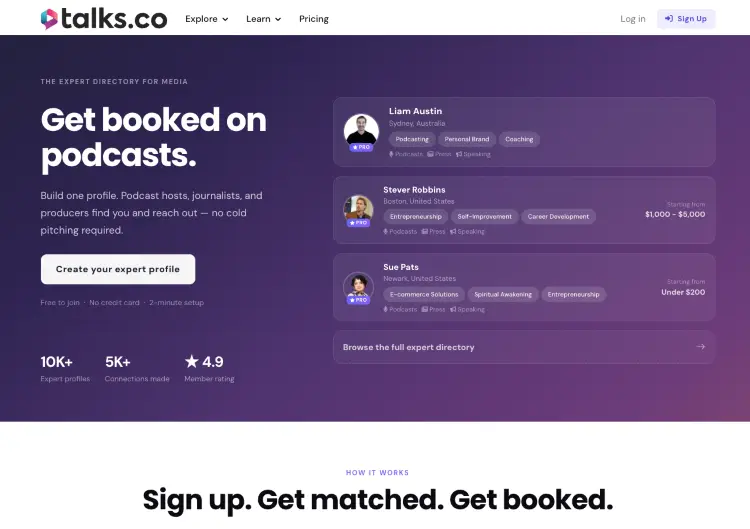
| Talks | Coaches, consultants, authors, speakers, and entrepreneurs | Your DAW helps you create great audio. Talks helps people actually hear it by matching you with podcast hosts looking for guests in your niche. |
| Adobe Audition | Podcasters, voice-over artists, and Adobe users | Excellent speech cleanup, multitrack editing, and tight integration with Adobe Creative Cloud. |
| Reaper | Budget-conscious creators | Affordable, highly customizable, and packed with professional recording and editing features. |
| Logic Pro | Mac users producing music | One-time purchase with advanced MIDI tools, virtual instruments, and professional music production features. |
| GarageBand | Mac beginners | Easy to learn and capable enough for podcasts, demos, and simple music projects. |
| Ocenaudio | Quick audio edits | Lightweight, beginner-friendly, and ideal for basic recording and waveform editing. |
| WaveLab | Audio mastering | Built for mastering, restoration, and preparing commercial releases. |
One last thought before you pick your software.
You can spend weeks comparing DAWs, microphones, and plugins. Plenty of creators do. But nobody discovers your podcast because you chose Pro Tools over Audacity.
They discover you because you showed up on a podcast they already love. That’s why I look at Talks as the tool that comes after you’ve pressed Record.
Your editing software helps you create the episode. Talks helps you get your voice in front of the people who need to hear it.
Great Audio Doesn’t Grow Your Business. Great Conversations Do.
The difference between Pro Tools vs Audacity might save you a few minutes editing.
But one podcast interview can introduce you to thousands of listeners, new referral partners, speaking invitations, and clients who would’ve never found you otherwise.
That’s why the experts building authority don’t stop after pressing Export. They make sure people actually hear what they created.
Create your free Talks profile, get matched with podcast hosts in your niche, and let the platform help you book interviews while you’re busy running your business.
Yes! I Want More Podcast Interviews


