

Ever spent hours comparing software and system requirements, only to feel even less sure than when you started?
Welcome to the club.
Every platform promises smoother streams, sharper recordings, and professional results even with just their free trial alone. Then you open another pros and cons article, another pricing page, and another opinion on video editing functionality and system resources that completely contradicts the last one.
If you’re weighing vMix and Wirecast, let’s put an end to the tab overload.
I’ve learned the hard way that spending days comparing software is time you’re not creating content, serving clients, or growing your audience.
This Wirecast vs vMix guide compares how each live streaming software performs, what they cost, how much CPU they use, and who each platform is actually built for.
By the end, you’ll know which one between vMix vs Wirecast deserves a spot in your workflow and which one is better left on someone else’s computer to handle their live video streaming.
What Is Wirecast?
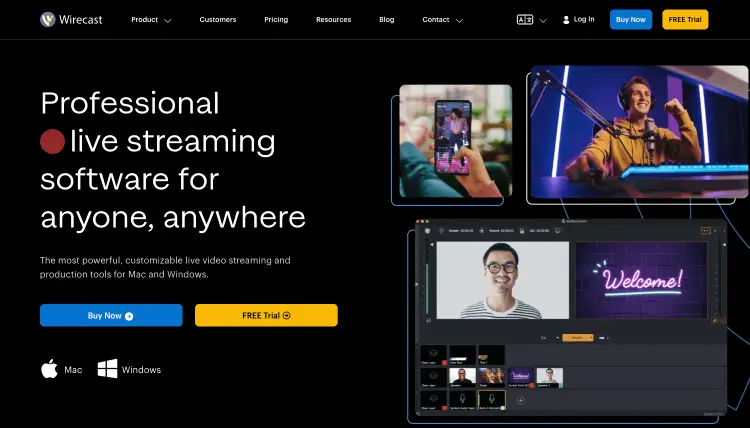
If your goal is to create polished livestreams without piecing together a dozen different tools for streaming videos, Wirecast was built for that. It’s the software package that has all your high-quality live streaming needs from production to streaming and recording in one platform.
Best for: Businesses, educators, podcasters, coaches, live event producers and hosts, and creators producing professional livestreams.
| Feature | Wirecast |
|---|---|
| Primary purpose | Live streaming and video production |
| Works on | Windows and macOS |
| Starting price | Paid plans (Wirecast Studio and Wirecast Pro) |
| Supports multiple cameras | Yes |
| Remote guests | Yes |
| Local recording | Yes |
| Best known for | Professional broadcasts with an approachable interface |
How does Wirecast work?
Wirecast is a comprehensive software that acts as your live production hub making it ideal if your workflow has specific needs. You connect your reliable live streaming video and audio sources, build your show, then stream and record from one place.
- Connect your sources: Cameras, microphones, screen shares, guests, and media files.
- Build your production: Arrange scenes, graphics, overlays, transition effects, and branding.
- Go live: High-definition streaming to one or multiple destinations while recording a local copy.
- Repurpose your content: Turn your livestream into clips, podcasts, or on-demand videos.
What Is vMix?
If Wirecast focuses on simplicity, vMix includes more control over your production. It’s built for creators who want advanced live production tools, extensive customization, and the flexibility to handle everything from basic HD video quality and 4K streaming to broadcast-scale events.
Best for: Production teams, broadcasters, experienced streamers, conferences, sports, and large virtual events.
| Feature | vMix |
|---|---|
| Primary purpose | Live production and streaming |
| Works on | Windows |
| Starting price | Free and paid editions |
| Supports multiple cameras | Yes |
| Remote guests | Yes |
| Local recording | Yes |
| Best known for | Advanced video production and live streaming software features |
How does vMix work?
Like a television control room, vMix brings every part of professional live streaming and production into one intuitive interface to broadcast high-quality streams with 4K resolution.
- Import your sources: Cameras, microphones, graphics, videos, PowerPoint presentations, and remote guests.
- Create your show: Build scenes, switch cameras, mix audio, and add graphics in real time.
- Broadcast anywhere: Stream to your preferred platforms while recording a high-quality backup.
- Scale as you grow: Start with simple productions or build broadcasts with dozens of video inputs and advanced production workflows.
Wirecast vs vMix Similarities and Differences
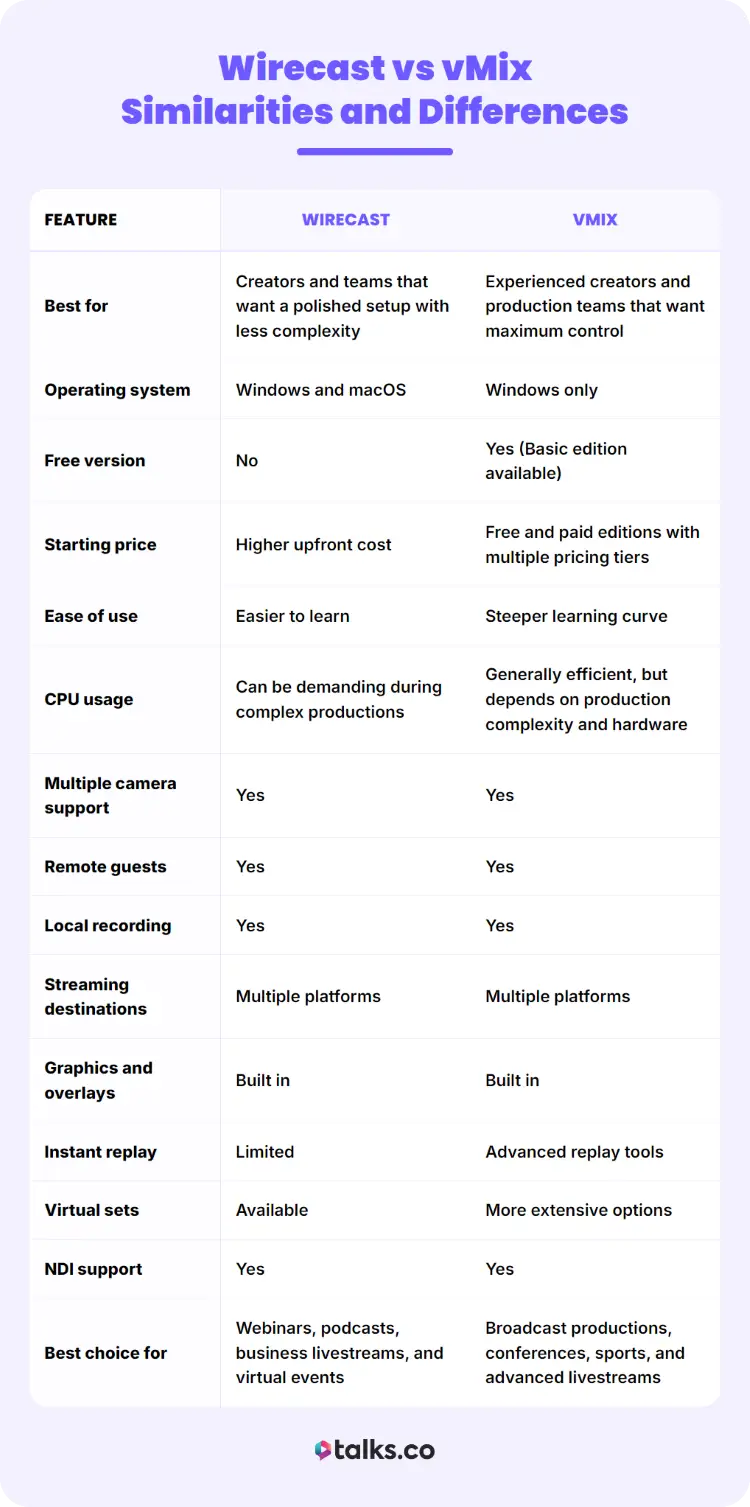
At first glance, Wirecast and vMix solve the same problem. Look closer, though, and they take different approaches. One prioritizes simplicity, while the other gives you more control. Which matters more depends on how you stream, record, and create content.
Wirecast vs vMix pricing, features & pros/cons
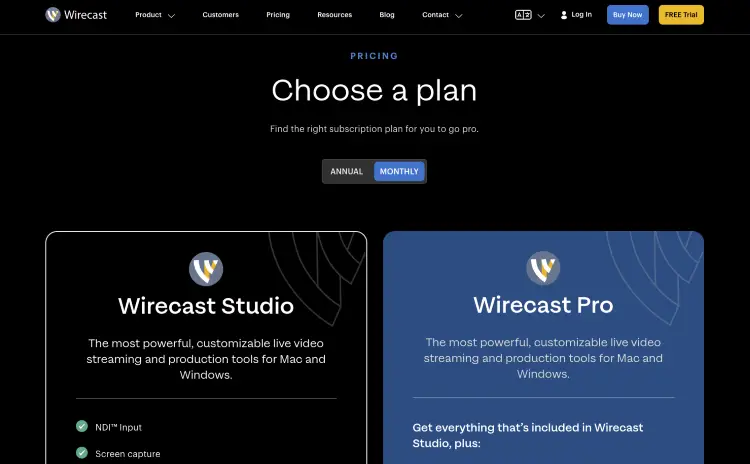
Both software solutions can produce professional broadcasts, but they take different paths to get there. Compare pricing, live replay, performance, streaming requirements and capabilities, and production features before choosing the right software for podcast interviews for your setup.
| Feature | Wirecast | vMix |
|---|---|---|
| Best for | Creators and teams that want a polished setup with less complexity | Experienced creators and production teams that want maximum control |
| Operating system | Windows and macOS | Windows only |
| Free version | No | Yes (Basic edition available) |
| Starting price | Higher upfront cost | Free and paid editions with multiple pricing tiers |
| Ease of use | Easier to learn | Steeper learning curve |
| CPU usage | Can be demanding during complex productions | Generally efficient, but depends on production complexity and hardware |
| Multiple camera support | Yes | Yes |
| Remote guests | Yes | Yes |
| Local recording | Yes | Yes |
| Streaming destinations | Multiple platforms | Multiple platforms |
| Graphics and overlays | Built in | Built in |
| Instant replay | Limited | Advanced replay tools |
| Virtual sets | Available | More extensive options |
| NDI support | Yes | Yes |
| Best choice for | Webinars, podcasts, business livestreams, and virtual events | Broadcast productions, conferences, sports, and advanced livestreams |
Wirecast pros
- Easier learning curve: Wirecast allows you to spend less time figuring out the software and more time creating.
- Works on Mac and Windows: A strong option in the video streaming industry if you’re part of the Apple ecosystem.
- Professional production tools: Includes everything most creators need for polished broadcasts.
- Clean interface: Wirecast offers an easier way to find comprehensive video production features without digging through menus while you’re live streaming.
Wirecast cons
- No free version: You’ll need a paid license to start streaming.
- Fewer advanced production tools: Large-scale productions may outgrow its capabilities after you start a podcast.
- Can become expensive: Higher editions add to the overall investment.
vMix pros
- Flexible pricing: Start a podcast for free, then upgrade as your production grows.
- Advanced production features: Excellent for multi-camera broadcasts, replay, and complex live events.
- Highly customizable: Fine-tune nearly every part of your production workflow.
- Strong performance: Handles demanding productions well on capable hardware.
vMix cons
- Windows only: Mac users need Boot Camp, virtualization, or another solution.
- Longer learning curve: Expect to spend time learning the interface.
- Feature depth can feel intimidating: New users may only use a fraction of what vMix offers at first.
Wirecast vs vMix: Which Is Better?
There isn’t a universal winner. The better podcasting hosting platform is the one that fits the way you create.
A solo coach hosting weekly webinars doesn’t need the same setup as a production team streaming a live sporting event.
Instead of crowning one winner, let’s match each platform to the job it’s best at.
Best for beginners
Winner: Wirecast
There’s a difference between learning to stream and learning streaming software. Wirecast keeps those two things separate. Its cleaner interface and gentler learning curve mean you can spend less time watching tutorials and more time creating.
Choose Wirecast if you:
- Want to get live quickly: The interface is easier to understand immediately.
- Prefer less technical setup: Most features are straightforward to find and use.
- Create webinars, podcasts, or business livestreams: It has the tools most creators need without feeling excessive.
- Use a Mac: Wirecast supports both macOS and Windows.
Choose vMix if you:
- Don’t mind a learning curve: You’re happy investing time upfront for greater flexibility later.
- Plan to build more advanced productions: You’ll appreciate the extra control as your broadcasts become more complex.
There’s a reason I usually recommend removing unnecessary complexity wherever possible. Every extra setting you have to learn is time you’re not publishing your next livestream or interview.
Best for professional live production
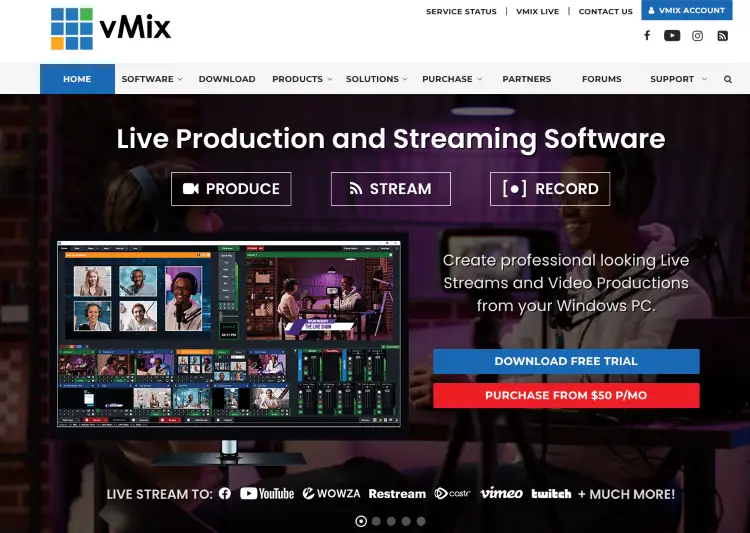
Winner: vMix
When your production includes multiple cameras, instant replay, remote guests, advanced graphics, and dozens of moving parts, vMix starts to pull ahead. It’s built for productions where flexibility matters as much as reliability.
Choose vMix if you:
- Produce complex live events: Conferences, sporting events, concerts, and large virtual productions are where it shines.
- Need advanced production tools: Features like instant replay and extensive production controls are a major advantage.
- Want room to grow: You can start small and build increasingly sophisticated productions over time.
- Have a capable Windows PC: More demanding productions benefit from stronger hardware.
Choose Wirecast if you:
- Need professional quality without unnecessary complexity: It’s easier to manage while still delivering polished broadcasts.
- Work with a smaller team: Simplicity can reduce mistakes during live events.
Best for low CPU usage
Winner: vMix (on the right hardware)
Streaming software can only do so much with the computer it’s running on. While both platforms become more demanding as you add cameras, graphics, guests, and high-resolution video, vMix is widely regarded as the more efficient option for complex productions when paired with a capable Windows machine.
Choose vMix if you:
- Run demanding productions: Multiple inputs, graphics, and live effects place less strain on well-equipped systems.
- Want greater control over performance: Advanced settings let experienced users fine-tune their production.
- Already have a powerful Windows PC: That’s where you’ll see the biggest performance advantage.
Choose Wirecast if you:
- Value simplicity over optimization: Most creators won’t notice a meaningful difference during everyday livestreams.
- Use macOS: Wirecast remains one of the strongest professional streaming options available for Mac users.
Bottom line: If CPU efficiency is your highest priority, vMix has the edge. If ease of use matters more than squeezing every ounce of performance from your hardware, Wirecast remains an excellent choice.
Best for streaming
Winner: Tie
If your only goal is getting a livestream online, both platforms can do it well. The better choice comes down to how simple or sophisticated you want your production to be.
Choose Wirecast if you:
- Host webinars or business events: It has everything you need as an emcee without adding unnecessary complexity.
- Want a faster setup: You’ll spend less time configuring your stream before going live.
- Stream from a Mac: Wirecast is one of the strongest professional options available.
Choose vMix if you:
- Run large-scale productions: Multiple cameras, live graphics, replay, and remote guests are where it excels.
- Need greater production flexibility: You’ll have more tools to customize every broadcast.
Best for recording
Winner: Tie
A great recording isn’t only about resolution. It’s about producing footage that’s easy to edit, repurpose, and publish later. Both Wirecast and vMix can record high-quality local files while you stream, making either platform a solid choice for creators building a content library.
Choose Wirecast if you:
- Record podcasts, interviews, webinars, or presentations: It keeps the workflow simple from start to finish.
- Want fewer production headaches: Less time troubleshooting means more time creating.
Choose vMix if you:
- Record complex productions: Multiple camera angles and advanced production tools offer greater flexibility.
- Need broadcast-level control: Ideal for events that require more than a standard recording setup.
Check out my full guide on how to be a good podcast host so you always stay ready.
Best value for money
Winner: vMix
You don’t always need the most expensive software to create professional content. For many creators, the best value comes from paying only for the features they’ll actually use.
Choose vMix if you:
- Want to start small: The free edition lets you learn the platform before committing.
- Prefer flexible pricing: Multiple editions make it easier to upgrade as your production grows.
- Need advanced features without paying for an enterprise solution: It delivers a lot for the price.
Choose Wirecast if you:
- Value simplicity over savings: Paying more can make sense if it saves you time every week.
- Need macOS support: For Apple users, that alone may justify the investment.
Best for coaches, speakers, and content creators
One thing I’ve noticed after interviewing hundreds of experts and helping thousands of coaches grow their visibility is this: the creators who stay consistent almost always choose the setup they’ll actually use every week. Fancy features don’t help if the software slows you down.
Winner: Wirecast
Most coaches, consultants, authors, speakers, and course creators aren’t producing live sports broadcasts. They’re hosting webinars, interviewing guests, teaching workshops, recording podcasts, or running virtual events. In those situations, simple often wins.
Choose Wirecast if you:
- Host webinars or online workshops: Launch professional broadcasts without a steep learning curve.
- Interview podcast guests: Keep your production polished without juggling multiple podcast hosting tools.
- Teach courses or live training: Spend your time serving your audience instead of troubleshooting software.
- Want to focus on your message: The easier your workflow, the easier it is to stay consistent.
Choose vMix if you:
- Produce larger virtual events: Its advanced feature set becomes more valuable as productions grow.
- Need broadcast-level production: Ideal if your business operates more like a media company than a solo creator.
Bottom line: For most readers, Wirecast is likely the better fit.
It gives you the professional features you need without adding a learning curve that steals time from creating content, serving clients, or growing your business.
If your productions eventually outgrow it, vMix is a natural next step.
Wirecast vs vMix Alternatives
Choosing streaming software is only one piece of the puzzle. The best setup depends on what you’re creating, who you’re trying to reach, and how you plan to grow your audience. If Wirecast or vMix doesn’t feel like the right fit, these alternatives are worth a look.
- Talks: Perfect for coaches, speakers, authors, consultants, and entrepreneurs who want more visibility through podcast guesting. Create your free profile, get matched with podcast hosts in your niche, and let Talks help you book interviews while you focus on creating great content.
- OBS Studio: A popular free alternative for creators who want powerful streaming software and don’t mind a steeper learning curve.
- StreamYard: A browser-based platform that’s ideal for webinars, interviews, and simple livestreams without installing software.
- Riverside: A strong choice if your priority is recording high-quality remote podcasts and video interviews instead of live production.
- Ecamm Live: A Mac-only solution that combines livestreaming with an easy-to-use interface for solo creators and small businesses.
Is vMix better than OBS?
It depends on what you need.
If you’re happy spending time learning your software and adding plugins to expand its capabilities, OBS Studio is hard to beat, especially since it’s free. But if you want built-in professional production tools without relying on third-party add-ons, vMix has the advantage.
Choose vMix if you:
- Need advanced production features: Instant replay, remote guests, virtual sets, and professional graphics are built in.
- Want dedicated support: Paid software typically comes with more structured customer support.
- Produce large live events: Better suited to demanding broadcasts with multiple moving parts.
Choose OBS Studio if you:
- Want a free solution: It’s one of the most capable free streaming platforms available.
- Have a simple streaming setup: Perfect for solo creators, gamers, and smaller productions.
- Don’t mind customization: Plugins let you expand OBS as your needs grow.
Bottom line: OBS offers outstanding value for creators on a budget. If your productions become more advanced or you need professional features out of the box, vMix is the stronger long-term choice.
Is Wirecast better than OBS?
For many business creators, yes.
OBS Studio is an excellent free platform, but free software often asks for more of your time. Wirecast focuses on delivering a smoother production experience with professional tools built in, making it a strong choice for coaches, consultants, speakers, educators, and businesses that livestream regularly.
Choose Wirecast if you:
- Value simplicity: Spend less time configuring software and more time creating content.
- Need professional production tools: Graphics, guest interviews, recording, and streaming are available on one platform.
- Use a Mac: Wirecast is one of the leading professional livestreaming solutions for macOS.
Choose OBS Studio if you:
- Have a limited budget: You can build a capable streaming setup without paying for software.
- Enjoy learning new tools: OBS rewards creators willing to customize their workflow.
- Don’t need enterprise-level production features: It covers the essentials for many livestreams.
Bottom line: If you’re streaming to grow your business, save time, and present a polished brand, Wirecast is usually worth the investment. If your priority is keeping costs as low as possible, OBS remains one of the best free alternatives available.
Which One Gets the Green Light?
The best Wirecast vs vMix choice comes down to the way you create.
Pick the platform that fits your workflow, learn it well, and start publishing consistently. Great content reaches more people when you actually hit “Go Live.”
Ready for the next step?
Create your free Talks profile and start getting matched with podcast hosts in your niche.
Build your profile once, let our automation handle the outreach, and spend more time showing up on podcasts that grow your authority, audience, and business.
Yes! Build My Talks Profile Now!


