

Believe it or not, you can interview guests from miles away just as easily as you can record on your own.
That’s all thanks to online podcast recording technologies.
With the right equipment, software and process, you can easily record a podcast remotely, wherever you are in the world.
If you’re excited to get into online podcasting but don’t know where to start, this guide is for you.
I’ll give you podcast equipment and software recommendations, plus a step-by-step guide for recording audio and video.
What Do You Need for an Online Podcast Setup?
A good podcast setup is essential for creating a professional sound.
You don’t need a professional studio, but investing in a good microphone, quality headphones, and the right podcast recording software can make a huge difference in your final output.
This initial investment makes sure your listeners have a great experience from your very first podcast episode.
Equipment for podcast audio only
For an audio-only podcast, you need to focus on capturing clear, crisp sound. This means choosing reliable gear for your recording setup.
Here is the basic equipment you’ll need:
- Microphone: Choose one of the best podcast microphones out there, like the Samson Q2U. It’s a great entry-level podcast mic that delivers excellent sound quality and has both USB and XLR connections.
- Headphones: A good pair of headphones lets you monitor your audio and catch any issues while you’re recording. The Audio-Technica ATH-M20x is a solid, budget-friendly choice.
- Recording software: Your software is where the magic happens. A platform like Riverside.FM will capture your audio in high quality.
Equipment for online video podcast
Unlike an audio podcast, a video podcast or vodcast adds another dimension to your show. It also lets you connect with audiences on visual platforms like YouTube.
But pivoting to video podcasts requires additional equipment compared to a sound-only setup:
- Camera: While you can start with a high-quality webcam like the Logitech C920, a dedicated camera like the Sony ZV-E10 can record high-quality video.
- Microphone: Good audio is important for video. You can use the same Samson Q2U or explore other budget microphones that fit your needs.
- Lighting: Proper lighting makes you look more professional. A simple ring light or a three-point lighting kit can improve your video recording.
- Video recording software: Choose a platform to help you record video and audio, preferably on separate tracks for better post-production control.
What Is the Best App for Recording Podcasts?
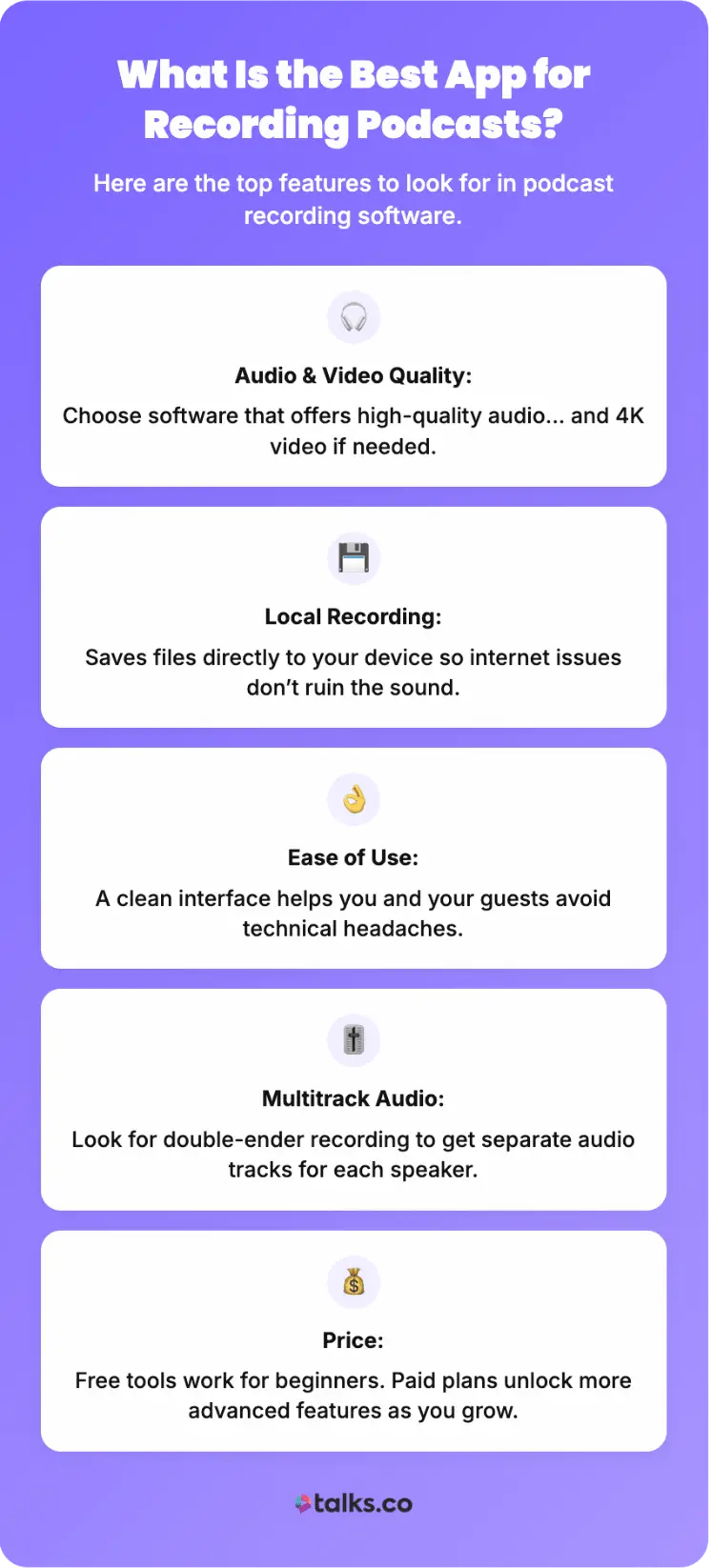
The best podcast recording software really depends on your needs.
Are you recording solo or with podcast guests? Do you need advanced editing tools, or is a simple recording tool enough?
Here are some factors to consider when choosing from the many podcast recording softwares available:
- Audio and video quality: Look for software that can record in high-quality, and if needed, 4K video.
- Local recording: Platforms that offer local recording save audio and video files directly to each participant’s computer. This prevents internet issues from affecting your sound quality.
- Ease of use: You want software that is intuitive for both you and your guests. A simple interface means less time troubleshooting and more time creating.
- Multitrack recording or double-ender recording: Software that provides a separate audio track for each speaker gives you more flexibility during podcast editing. This is often called a “double-ender.”
- Price: Your budget will play a big role. Many platforms offer free plans with basic features, while paid plans unlock more advanced capabilities.
5 Best Online Podcast Recording Software
Launching an online podcast is easy when you have the right tools. Whether you’re video conferencing over the internet or interviewing remotely, there are many great options for your remote recording software.
Let’s explore some podcast recording software to streamline your process and compare key features and costs.
1. Riverside.FM
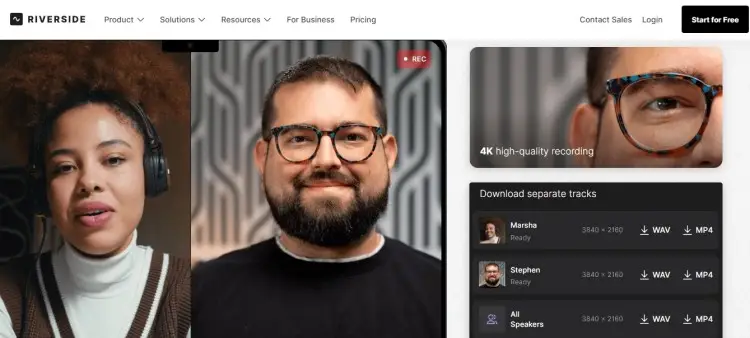
Riverside.FM allows you to record a remote podcast, capturing high-quality audio and video. It’s a top choice for podcasters who want professional results without a complex setup.
- Key features: Local recording, separate audio and video tracks, up to 4K video quality, text-based editor, and live streaming capabilities.
- Price: Free plan available, paid plans start at $24/month
2. Audacity: Free online podcast recording software
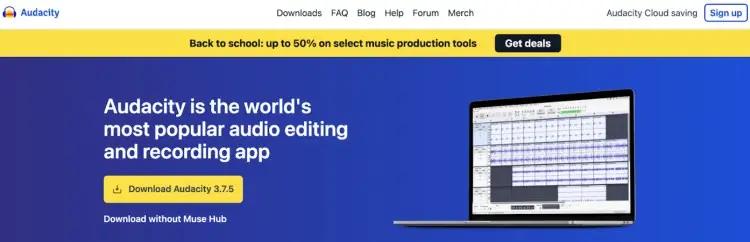
Audacity is a popular open-source audio recording and editing software. It’s a fantastic starting point for new podcasters who want to record and edit on the same platform.
- Key features: Multi-track recording and editing, noise reduction effects, and compatibility with multiple file formats.
- Price: Free
3. Zencastr: Online podcast recording platforms
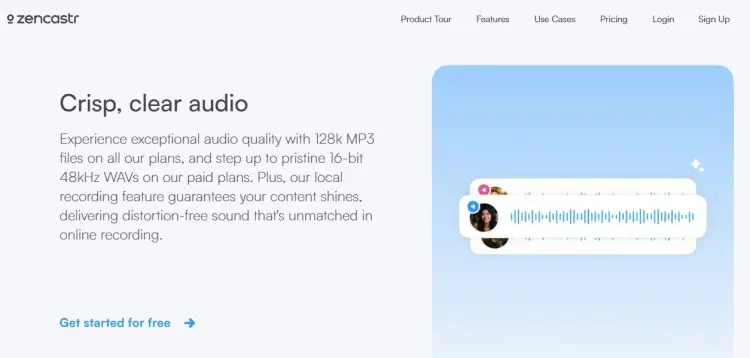
Zencastr is another excellent web-based remote recording platform designed for podcasters. You can record your podcast, as if you’re just taking a video call. No physical studio needed.
- Key features: High-quality local recording for audio and video, live editing soundboard, and secure cloud backup.
- Price: Free plan available, paid plans start at $30/month
4. Spotify for Creators: Online podcast recording free
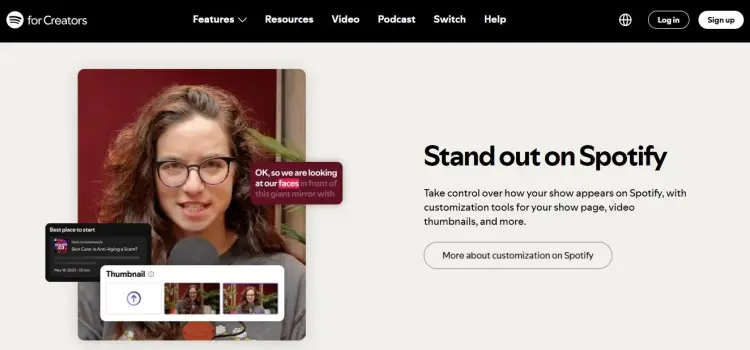
Spotify for Creators is an all-in-one platform that lets you record and edit your podcast, host your files, and distribute your show to major listening apps. It also includes tools like analytics tracking so you know exactly how you perform.
- Key features: Unlimited hosting, easy distribution, built-in monetization tools, and simple analytics.
- Price: Free
5. SquadCast: Online video podcast recording
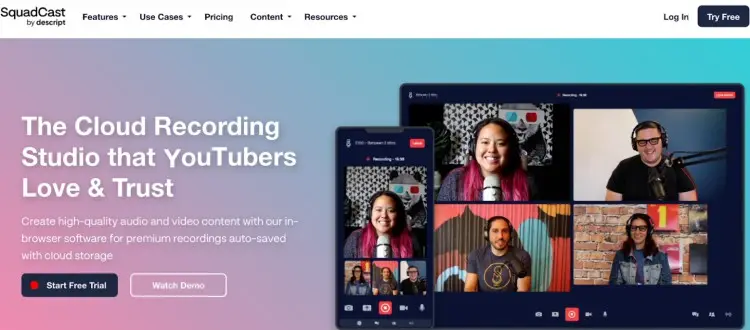
SquadCast is a good in-browser software designed to be simple for both the podcast host and guests.
- Key features: Progressive uploads, cloud backups, separate tracks for audio and video, and up to ten participants.
- Price: Plans start at $24/month
How to Start Recording a Podcast
Before you hit record, a little preparation goes a long way. Proper planning equals a smooth recording session and a more polished final episode.
When you’re comfortable and confident being yourself, your recordings sound better and feel more natural to listeners.
Here is a simple guide to follow:
- Plan your content: Decide on the topic for your podcast episode. Create an outline or script to keep your conversation on track.
- Set up your space: Choose a quiet room with minimal background noise. Soft furnishings like carpets, curtains, and sofas can help absorb sound and reduce echo.
- Prepare your equipment: Set up your microphone, headphones, and camera if you’re recording video. Make sure everything is plugged in and recognized by your computer.
- Test everything: Do a quick test on your recording program to check your audio levels and video framing. Catch any issues before the actual session begins.
- Warm up: Just like an athlete, warming up your voice can make a difference. Read a few paragraphs out loud to get your voice ready.
Explore these guides on how to start a podcast for free and how to get on podcasts for the full picture.
How to Record a Podcast Online
Preparation comes in handy to successfully record a podcast online with a remote guest. Here’s what you need to do before recording:
- Choose your remote podcast recording software: Select one of the best podcast recording software options that fits your needs, like Riverside.FM or Zencastr.
- Invite your guest: Send your guest a link to join the recording session. Most platforms are browser-based, so your guest won’t need to download anything.
- Check connections: Before you start, make sure both you and your guest have a stable internet connection and are using headphones to prevent echo.
- Start recording: Once everyone is ready, press the record button. Focus on having a natural conversation.
- Save your files: After the interview, save your audio file and video files from your podcast interview software. Prepare for editing.
How to record a video podcast
When recording a video podcast, there are a few extra steps to make sure your visuals are as good as your audio.
- Set the scene: Pay attention to your background and keep it clean and uncluttered.
- Use lights: A three-point lighting setup gives you a professional look.
- Frame your shot: Position your camera at eye level. A medium shot, from the chest up, usually works best.
- Engage with the camera: Remember to look at the camera, especially when you’re speaking. Build a direct connection with your viewers.
- Record and download: Follow the same steps as an audio podcast for recording and saving your files.
Tips for better podcast recordings
Even with the best equipment, small adjustments can improve your sound quality. Common challenges like syncing audio and video can be easily managed.
Here are some tips for a great recording session:
- Use headphones: This is non-negotiable. Headphones prevent your microphone from picking up the audio from your speakers, which causes echo.
- Plan your mic placement: Position your microphone about a fist’s distance from your mouth. This helps capture your voice clearly without picking up breathing sounds.
- Stay hydrated: Keep a glass of water nearby. A dry mouth can cause clicks and other unwanted noises.
- Record separately: Avoid syncing issues by recording each person’s audio and video locally.
- Do a countdown: Before you start, do a “3, 2, 1, clap” with your guest. The clap creates a sharp spike in the audio waveform, making it easy to match tracks manually.
Aside from these tech tips, I realized that the most important thing is to be yourself. When I’m authentic, that’s when I feel most comfortable and confident. A great recording just happens naturally.
How Long Does It Take to Record a Podcast?
The actual recording time for a podcast episode is usually a bit longer than the final episode length. For a 30-minute episode, you might plan for 45 to 60 minutes of recording.
Keep these tips in mind:
- Plan for extra time: Doing this gives you a buffer for pre-show chat, retakes, and any unexpected interruptions.
- Consider your format: Solo podcasts can be recorded quickly, while interview-style shows might take longer, depending on the conversation’s flow.
What is the podcast time limit for recording?
There is no official time limit for a podcast recording. Sessions can range from a few minutes to several hours.
The ideal length depends on your content and your audience’s preferences.
- Instead of focusing on a specific time, focus on creating valuable and engaging content.
- Stop recording when you have covered your topic thoroughly and feel you have delivered what you promised to your listeners.
What Can I Record a Podcast on?
You can record a podcast on a lot of devices.
The most common is a computer, either a laptop or a desktop, combined with a USB microphone and recording software. This setup offers the most control and flexibility.
But you’re not limited to a computer. You can even use your phone to capture sound and video.
Can I record a podcast on my phone?
Yes, you can record a podcast on your phone. Modern smartphones have surprisingly good microphones, and with a podcast recording app, you can capture decent audio.
For even better quality, you can connect an external microphone to your phone.
What helps is finding a great app to record studio-quality audio and video directly from your phone. It’s a perfect solution for recording on the go or if you do not have access to a computer.
Grab the Mic and Hit Record
Online podcast recording is your key to expanding your podcast show.
Now that you have a solid plan and reliable gear, all that’s left is to put it to good use. Invite guests over for interviews. Record with other hosts to cross-promote.
If you want to streamline the whole process even further, Talks has your back.
- Auto-match: Collaborate with experts who meet your criteria quickly.
- Auto-connect: Send personalized messages as soon as someone relevant connects.
With a strong community of fellow creators and AI tools, finding guests or even joining other shows is quick and easy.
Sign Up for a FREE Talks Profile and Start Interviewing!


