

Your voice isn’t meant to just be heard in the shower or in front of the mirror. An expert like you… Your message should be heard worldwide.
But if you want people to listen, it’s going to take so much more than your charm and wit.
First impressions matter, and for podcasting, sound is the first thing. Good quality audio and clean sound build trust and make your show feel more professional.
With so many podcast editing tools, there’s really no reason to leave your episodes unpolished.
Convinced? Start your podcast on the right foot with this Adobe Audition vs Pro Tools comparison guide.
I’ll walk you through the key features of these DAWs and the best applications of each one, so you can produce quality shows with ease.
Comparison of Adobe Audition vs Pro Tools (Overview)
Let us kick things off with a bird’s-eye view of these top tools. Here’s a side-by-side comparison of Adobe Audition vs Pro Tools to understand how these two digital audio workstation options stack up against each other.
| Feature | Adobe Audition | Pro Tools |
|---|---|---|
| Editing speed | Fast for quick edits and voice cleanup | Reliable for complex multitrack sessions |
| Plugin support | Wide range of VST and Adobe native plugins | Extensive AAX plugins, industry-standard compatibility |
| Export options | Multiple formats, including direct Premiere integration | Professional delivery formats, OMF and AAF support |
| Pricing | Subscription via Adobe Creative Cloud | Subscription or perpetual license options |
| Updates | Regular updates as part of the Creative Cloud suite | Regular updates with Avid support |
| Support and community | Large user base, Adobe tutorials, forums | Professional community, certified training centers |
Many users prefer Adobe Audition if you’re aiming for a quick turnaround of episodes. But if you’re looking for advanced audio capabilities for complex productions, Pro Tools has your back.
The good news? Both Adobe Audition and Pro Tools can work smoothly with Talks when you’re looking for podcast guests to interview. Once you find the perfect guest through Talks, you can record and edit your conversation using either software.
Adobe Audition vs Pro Tools features
Understanding what each DAW brings to the table is important. Let’s break down the key functionality that makes each software unique.
Adobe Audition is a comprehensive audio editing and mixing software that’s part of the Adobe Creative Cloud ecosystem. It’s designed for podcasters, video editors, and content creators who need professional results without a steeper learning curve.
Key features:
- Multitrack recording and editing for complex audio production workflows
- Spectral frequency display for precise noise reduction and cleaning up audio
- Essential Sound panel for quick audio effects and enhancement
- Batch processing for handling multiple files efficiently
- Direct integration with Premiere Pro, Premiere, and After Effects
- AI-powered noise reduction and restoring audio tools
- Keyboard shortcuts for faster workflow
Pro Tools is the industry standard for professional music and audio production.
It has been the go-to choice for professional music producers and engineers for two decades.
Key features:
- Advanced MIDI sequencing and virtual instruments for music producers
- Dolby Atmos support for immersive 3D sound design
- Cloud collaboration tools for remote sessions
- Ultimate hardware integration with Avid interfaces
- Advanced automation for exact audio mixing
- Comprehensive sample libraries and instrument bundles
Adobe Audition vs Pro Tools pricing options
Budget matters when you’re just building your studio. Here’s how these two editing software options cost.
Adobe Audition pricing:
- Free trial: Seven days free for new users. Discount available for educators and students ($19.99).
- Standalone app: $29.99/month for just this app.
- Adobe Suite: Access Audition and 20+ Adobe apps for a monthly subscription of $69.99.
- Long-term costs: There’s no perpetual license option, which means you keep paying as long as you want to use it.
Pro Tools pricing:
- Free trial: 30 days free for the Ultimate plan
- Flexible tiers: $9.99 (Artist), $34.99 (Studio), $99 (Ultimate) for a monthly subscription
- Perpetual licence: Unlike Adobe, Avid also offers perpetual licenses where you pay once and own the software forever.
- Long-term costs: If you plan to use Pro Tools for a long time, getting a perpetual license can be more cost-efficient.
Whichever you choose, you can integrate Talks in your workflow, starting with a free Creators profile. In just five minutes, you can set up and find podcast guests to interview. Your chosen DAW handles the audio production while Talks handles your connections.
Adobe Audition vs Pro Tools similarities and differences
Adobe Audition and Pro Tools are both well-known solutions, but they handle audio production demands uniquely.
Similarities:
- Both are professional-grade digital audio workstation software.
- Both support third-party plugins and extensions.
- Both offer noise reduction and audio effects processing.
- Both can handle multitrack recording and live recording.
- Both support high-quality export formats.
Differences:
- Pro Tools is built primarily for music production and professional studio environments.
- Adobe Audition has a more user-friendly, intuitive interface, which makes it a good entry point for beginners upgrading.
- Pro Tools has dedicated hardware you can link up, unlike Adobe Audition.
- Pro Tools boasts a massive library of sounds and plugins, while Audition focuses more on compressors, EQ, and noise reduction.
- Adobe Audition lets you work across platforms through the Adobe ecosystem, but Pro Tools doesn’t have this function.
Adobe Audition vs Pro Tools pros and cons
Every tool has its strengths and weaknesses. Here’s a breakdown to help you decide between the two.
| Software | Pros | Cons |
|---|---|---|
| Adobe Audition | Good stepping stone for your first upgrade Seamless integration with Adobe apps Excellent noise reduction and cleaning up audio tool Fast and efficient for podcast and voice | Limited music production features compared to fuller DAWs Less popular among professional music producers No MIDI sequencing or virtual instruments |
| Pro Tools | Industry standard for professional music production Superior MIDI and virtual instruments support Advanced features for complex audio mixing Cloud collaboration for professional teams | Steeper learning curve for new users More expensive, especially for the Ultimate tier Hardware requirements can be demanding |
Adobe Audition shines as one of the best software for podcast interviews, streamlining the workflow for video and audio editing. Meanwhile, Pro Tools is the industry standard for a reason. If you’re producing your own music for your show, it’s a top choice.
Once you’ve made your choice, head over to Talks to book podcast guests or interviews for yourself. Talks’ extensive network, combined with the right podcast editing tool, gets you quality content, enough to go viral.
What Is Adobe Audition?
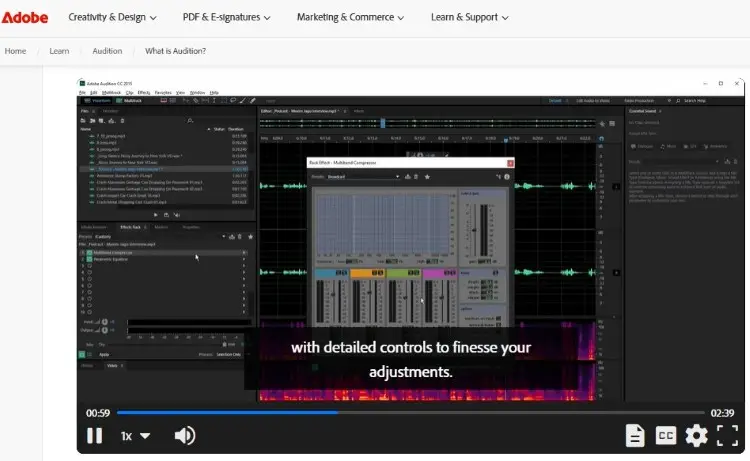
Adobe Audition is a professional audio editing software for audio production, sound design, and post-production.
Users praise Adobe Audition for its intuitive interface and powerful noise reduction. Many also appreciate how quickly they can learn the basics and start producing high-quality audio.
- Thomas M. shares, “It has a clean and attractive interface. It has powerful audio features and effects, and is compatible with most popular plug-ins.”
- Stephen K. comments, “There are a lot of features packed into a reasonably simple-looking design. I love how everything is laid out and how easily it integrates with other Adobe Products.”
- Ross P. says, “The detailed microphone compression settings are without a doubt the best function of Adobe Audition. It’s also great when you need a clean-up of audio hisses and pops, which can be removed easily.”
What is Adobe Audition used for?
Adobe Audition serves multiple purposes across different creative fields. Here are the top three features that make it appealing to creators:
- Spectral frequency display: This allows you to visually identify and remove unwanted noise by literally painting over it in the frequency spectrum, making cleaning up audio incredibly precise.
- Essential sound panel: This beginner-friendly feature provides one-click audio effects for dialogue, music, and sound effects, so you can achieve professional results quickly.
- Batch processing: You can apply the same effects and edits to multiple files simultaneously, saving time when working with large collections of audio files.
Is Adobe Audition a DAW?
Yes, Adobe Audition is a digital audio workstation (DAW). It supports multitrack recording, audio mixing, editing capabilities, and audio effects processing.
But unlike Pro Tools, Audition was primarily designed as an audio editing and post-production tool instead of a full music creation platform. While you can record live recording sessions and mix multiple tracks, it lacks MIDI sequencing and virtual instruments.
Simply, that means:
- For podcasters and voice-over artists, it functions perfectly as a DAW.
- For musicians, it may feel limited if you’re looking to compose and produce song tracks.
Is Adobe Audition worth it?
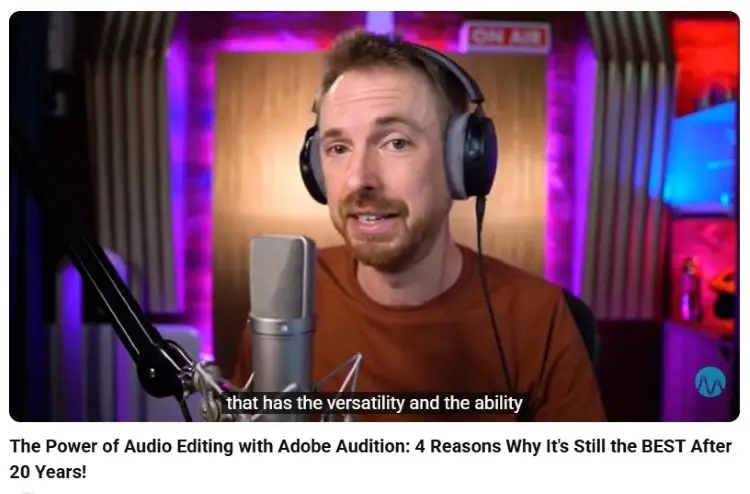
The value of Adobe Audition depends entirely on your needs. For podcasters, video editors, and voice-over professionals, it’s absolutely worth the investment.
With the Adobe Creative Cloud Suite at your fingertips, you can easily move from one app to another and produce good episodes fast.
Mike Russell, a well-known podcast production expert, praises Adobe Audition for its powerful restoration audio tools and noise reduction features. If your work involves cleaning up audio recorded from Talks interviews, it delivers exceptional value.
Is Adobe Audition easy to use?
Adobe Audition is considered one of the more beginner-friendly professional podcast editing tools available. Here are characteristics that make it easy to use:
- Workspace presets: Adobe Audition comes with pre-configured layouts for different tasks like editing capabilities, multitrack mixing, and spectral editing, so you don’t have to set up your interface from scratch.
- Contextual tooltips: The software provides helpful explanations and best practices directly within the interface, guiding novice users through complex processes without leaving the app.
Is Adobe Audition good?
Yes, Adobe Audition is a good podcast production software.
Some think it’s not a strong contender for major broadcasters and professional podcast networks worldwide. But it actually supports high-quality recording with up to 32-bit depth and handles complex multitrack sessions with ease.
If you want to record and create a high-quality podcast, just plug in your trusted budget microphone and let it handle the cleanup and voice enhancements.
Does Adobe Audition have instruments?
No, Adobe Audition doesn’t include virtual instruments or MIDI functionality for creating music.
Unlike Pro Tools or Apple’s Logic Pro, Adobe Audition isn’t designed for music producers. You can’t compose using software synthesizers or drum machines.
It’s strictly an audio editing and mixing software for working with recorded audio files.
If you need to add music to your podcast, you’d either record external instruments or import pre-recorded tracks into your multitrack session.
What Is Pro Tools?
Pro Tools is a digital audio workstation developed and manufactured by Avid Technology. It’s the gold standard used by major recording studios for professional music-making.
Many sound engineers praise its reliability and advanced features like playlist editing and comping takes. Some users also mention that the steeper learning curve is significant, but they agree that the investment pays off.
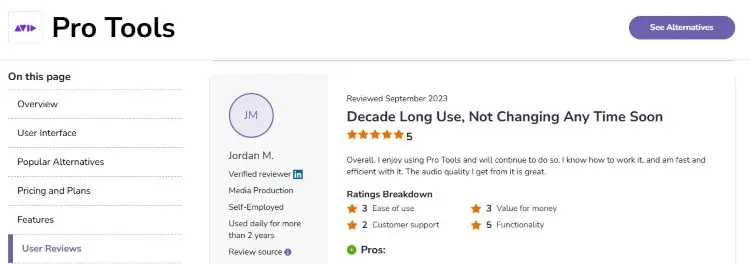
- Jordan M. shares, “I’ve been using Pro Tools for over 10 years. Firstly, to record, edit, and mix music and band. Now I use it primarily to edit, mix, and normalize podcasts.”
- Michael P. says, “It continues to be the go-to software for audio recording, editing, and mixing in recording studios across the globe.”
- Alejandro V. comments, “It shines in audio quality, and works pretty well with any audio interface in the market.”
What is Pro Tools used for?
Pro Tools is a solid podcast editing tool if you want to record and polish episodes. But it goes beyond that, giving you the capacity to produce your own theme or background music.
Here are the top three Pro Tools features that appeal to creators:
- Playlist editing: This allows you to record multiple takes of a performance and quickly compile the best parts.
- Advanced MIDI editing: Pro Tools offers comprehensive MIDI sequencing and manipulation tools that let music producers create creative arrangements with virtual instruments.
- Cloud collaboration: The platform allows multiple users to work on the same session simultaneously from different locations, streamlining remote production workflows.
How to shift from Premiere to Pro Tools
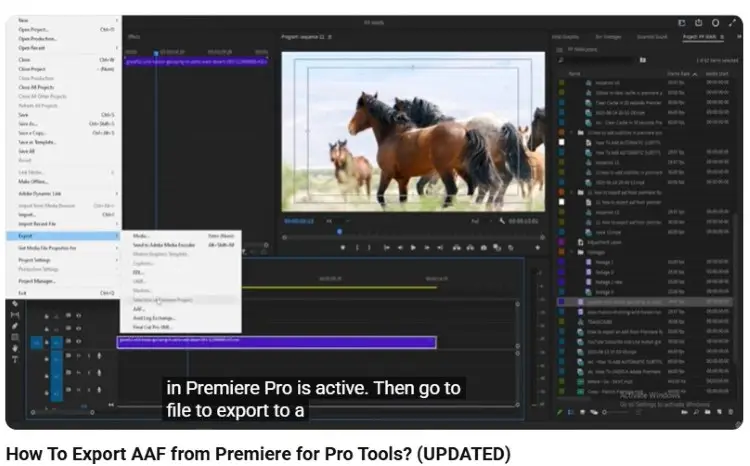
Many popular podcasts start in Adobe Premiere Pro for video editing and then later move their audio to Pro Tools for professional post-production.
Here’s a step-by-step guide to exporting AAF from Premiere to Pro Tools:
- Prepare your timeline: Make sure your Premiere timeline is organized with properly named tracks and remove any unnecessary clips before exporting.
- Export AAF: Go to File > Export > AAF, and then choose the option to embed audio and include all audio data in the export dialog.
- Import to Pro Tools: Open Pro Tools and create a new session with a matching sample rate. Then go to File > Import > Session Data, and select your AAF file.
Simply Solved provides a clear walkthrough of this process, so you maintain sync when moving between platforms.
Which Is Better: Adobe Audition or Pro Tools?
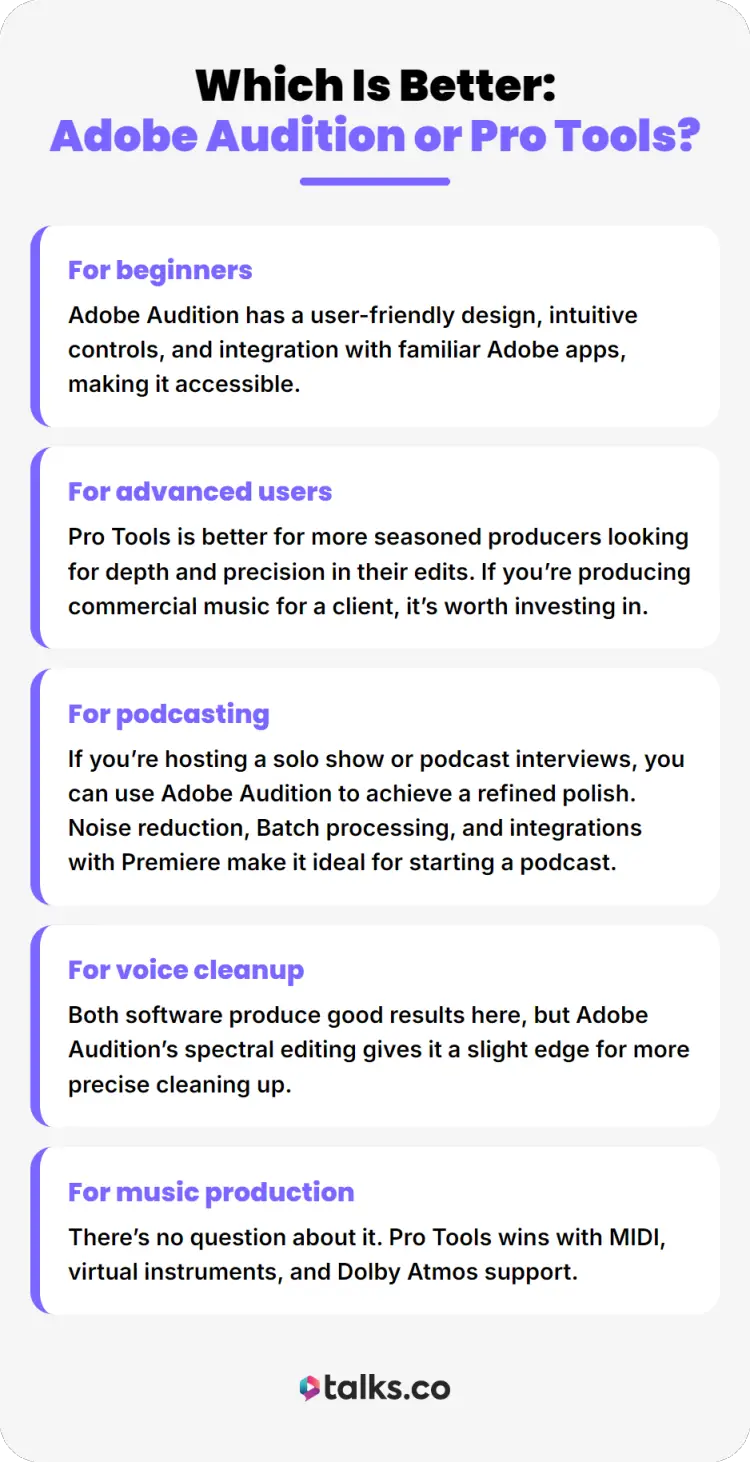
The answer depends on what type of creator you are and what you need.
- For beginners: Adobe Audition has a user-friendly design, intuitive controls, and integration with familiar Adobe apps, making it accessible.
- For advanced users: Pro Tools is better for more seasoned producers looking for depth and precision in their edits. If you’re producing commercial music for a client, it’s worth investing in.
- For podcasting: If you’re hosting a solo show or podcast interviews, you can use Adobe Audition to achieve a refined polish. Noise reduction, Batch processing, and integrations with Premiere make it ideal for starting a podcast.
- For voice cleanup: Both software produce good results here, but Adobe Audition’s spectral editing gives it a slight edge for more precise cleaning up.
- For music production: There’s no question about it. Pro Tools wins with MIDI, virtual instruments, and Dolby Atmos support.
Adobe Audition and Pro Tools Alternatives
If Adobe Audition and Pro Tools don’t fit quite right, consider these three popular alternatives:
- Audacity: This free, open-source audio editing software allows basic editing and removing background noise for users who need simple tools without spending.
- GarageBand: Apple’s free DAW offers surprising depth for beginner music producers. Has virtual instruments and an intuitive interface perfect for learning.
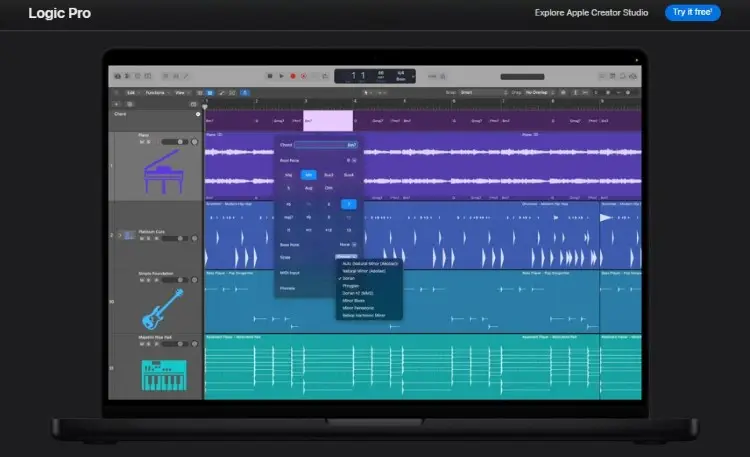
- Logic Pro: This professional digital audio workstation from Apple combines pro-level music production tools. It’s GarageBand’s upgraded (and paid) version.
A Professional’s Touch
Choosing between Adobe Audition vs Pro Tools comes down to how you create and what you want to achieve.
Pick your tool, refine your best practices, and start publishing consistently.
Put your chosen podcast software to work. Warm up your editor with guest interviews booked fresh out of Talks.
Talks modernized the way you do podcast matching, using AI and automations to give you quick and relevant connections. No cold outreach or endless emails needed.
Deborah booked 10 speaking gigs. Sanjai completely filled up his calendar.
Yes! I Want to Create a Talks Profile Now!


