
If you’re still struggling with getting quality podcasts out there, you might be doing something wrong.
There are so many podcast editing tools available in 2026 that work really well for different creators’ needs. Especially with AI, it’s so much easier to get it done and produce professional episodes.
So, if you’re still hesitating or overwhelmed with your choices, you’re in the right place. I’ll walk you through two of the best podcast production tools out there.
No more worrying about your tech stack. This practical guide compares Descript vs Riverside side-by-side so you can explore their key features, pricing plans, and pros and cons yourself.
Comparison of Descript vs Riverside (Overview)
Both Descript and Riverside are popular with modern creators because they simplify content production. Instead of juggling several apps, they combine recording, editing, publishing, and collaboration into one experience.
| Feature | Descript | Riverside |
| Best for | Editing-heavy workflows | High-quality remote recording |
| Main focus | AI-powered editing | Studio-quality recording |
| Recording quality | Good quality remote recording | Local 4K and WAV recording |
| Video resolution | Up to HD and 4K exports | Up to 4K video |
| Editing style | Text-based editing | Timeline and clip editing |
| AI features | Filler word removal, overdub, summaries | AI clips, transcription, magic editor |
| Ease of use | Beginner-friendly | Slightly more advanced |
| Podcast hosting | Limited | Offers hosting tools |
| Live streaming | Basic | Built-in live stream support |
| Collaboration | Team editing and comments | Producer mode and guest management |
| Transcription | Advanced editable transcript | Accurate transcription |
| Target users | Editors, marketers, repurposing creators | Interview podcasters and remote shows |
One reason creators compare Riverside vs Descript so often is that they work well together. Many podcasters use Riverside to capture high-quality interviews, then switch to Descript for editing and repurposing clips.
That setup works especially well if you book guests through Talks. After recording interviews, creators can polish episodes with either platform before turning them into clips and promotional content.
Descript vs Riverside feature comparison
Descript is an all-in-one editing software platform built around text-based editing. Instead of dragging clips across a timeline, you can simply edit text in the transcript, and the media changes automatically.
Key features:
- Automatic transcription with speaker labels
- An AI editing suite that removes filler words and pauses with one click
- An intuitive overdub feature that clones your voice to fix mistakes
- Automatic show notes and captions generator
- Descript rooms for recording interviews
- Screen recording and collaborative editing
- Multi-track recording gives you separate audio and video tracks for complex productions
Riverside is designed primarily for remote recording and professional interview production. The platform focuses on preserving recording quality even if someone’s internet connection drops during a session.
Key features:
- Local recording for up to 4K video
- Uncompressed audio and video on every guest’s device
- Live stream options that send your session straight to platforms like YouTube or LinkedIn
- An AI tool that creates short clips from long-form content and generates transcripts
- Eye contact correction that makes guests look at the camera
- Simple layout for podcast interviews and inviting guests via a link
- Browser-based experience, so guests don’t need to download anything.
Descript vs Riverside pricing comparison
Both platforms offer tiered plans that scale with your ambition.
Descript pricing includes a free tier with limited transcription minutes and watermarked exports. Higher tiers add team collaboration and more overdub hours.
- Free plan: Limited media minutes, AI tools, recording minutes, and layout functions.
- Paid tiers: Hobbyist ($24/month), Creator ($35/month), Business ($65/month), Enterprise (custom).
Riverside pricing starts with a free plan that offers two hours of recording per month and standard video quality. Paid plans add more team seats and advanced branding options.
- Free plan: Limited media minutes, AI tools, recording minutes, and layout functions.
- Paid tiers: Pro ($29/month), Live ($39/month), Webinar ($99/month), Business (custom).
Whichever option you choose, you can connect it to a broader workflow by setting up a completely free profile on Talks to find and book guests. It’s free forever to start so you can get results before committing.
Descript vs Riverside similarities and differences
Although Riverside and Descript solve different problems, they still overlap in several ways. Both help creators produce professional podcasts without needing a large production team.
Similarities:
- Both offer remote recording with cloud backup.
- Both provide automatic transcription to speed up your editing workflow.
- Both support audio and video content for modern podcasters.
- Both run in the browser, so no need for installs.
- Both use AI to speed up repetitive tasks like removing silences.
Differences:
- Descript focuses on text-based editing while Riverside focuses on capture quality.
- Descript rooms allow collaborative recording, though they’re newer than Riverside’s established studio.
- Descript has stronger video editing features for rearranging clips and adding visuals.
- Descript’s overdub and AI voice tools go deeper into post-production magic.
- Riverside prioritizes local recording so your recording quality stays high even on weak WiFi.
- Riverside is built for live streaming to external platforms during the session.
- Riverside creates separate audio and video tracks for every guest automatically.
Descript vs Riverside pros and cons
Every creator has different priorities, so understanding the tradeoffs matters. One platform saves more time, while another improves your final production quality.
| Platform | Pros | Cons |
| Descript | Strong AI feature set for automatic cleanup Intuitive layout Overdub fixes script mistakes without re-recording Excellent for podcast editing and repurposing | Not primarily a remote recording tool A bit of a learning curve if you come from traditional editing software |
| Riverside | Excellent remote recording Live stream while you record Up to 4K video quality from every guest Includes podcast hosting | Less powerful for detailed video editing Text-based editing is not the core experience Team plans cost more at scale |
For many creators, the ideal setup isn’t choosing one over the other. Some use Riverside for recording and then switch to Descript as a podcast editing software.
Whichever choice readers make, Talks completes their podcasting toolkit by helping them find the right people to interview. Think of your visibility strategy like this: Find guests via Taks, record via Riverside, and edit via Descript.
What Is Descript?
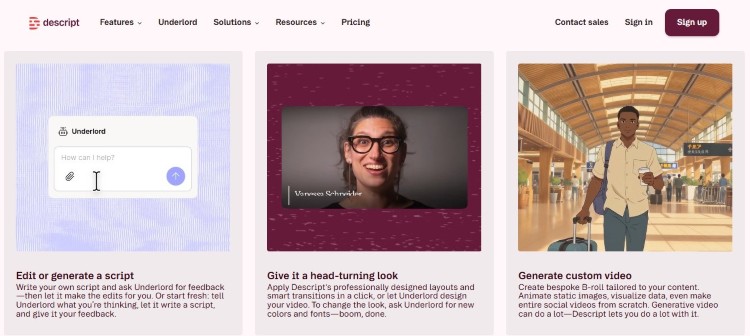
Descript is an audio editing software and video editing platform designed to make editing easier for non-technical editors. Instead of relying heavily on traditional timelines, you can modify media simply by editing text.
Descript is best for:
- Coaches who repurpose webinar recordings into short social clips.
- Authors who turn book readings into podcast episodes.
- Consultants who record YouTube videos for training.
- Podcasters who edit interview shows and need episode summaries.
Descript review statements and testimonials from actual users
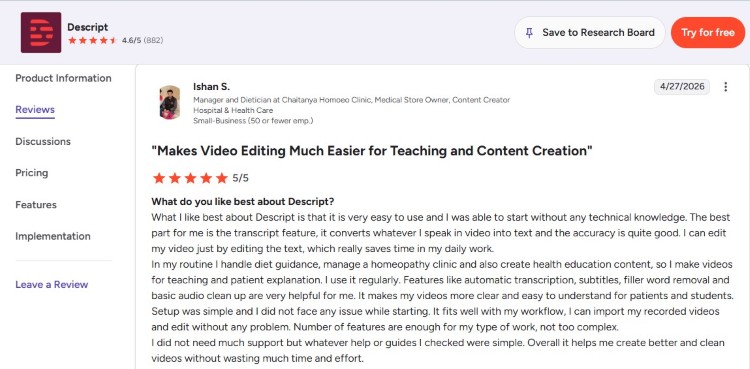
Descript’s platform review is generally positive, especially because it cuts down turnaround time significantly. But some reviewers mention that the platform occasionally slows down with larger projects or long-form video files.
- Ishan S. says, “What I like best about Descript is that it is very easy to use, and I was able to start without any technical knowledge. The best part for me is the transcript feature, which converts whatever I speak in video into text, and the accuracy is quite good.”
- Ayesha N. notes, “Being able to edit audio or video just by deleting words in a transcript makes the whole process feel like working in a Google Doc rather than wrestling with a complex timeline.”
- Abdelaziz A. shares, “It’s really time-saving, especially if you have a podcast or talking videos. I also like the features that use AI, such as removing filler words and enhancing the quality of the audio.”
If you want a simpler comparison focused on CapCut instead, you can also read Descript vs CapCut.
What Is Riverside?
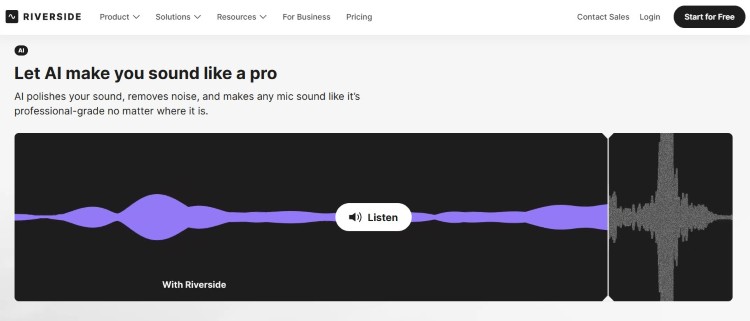
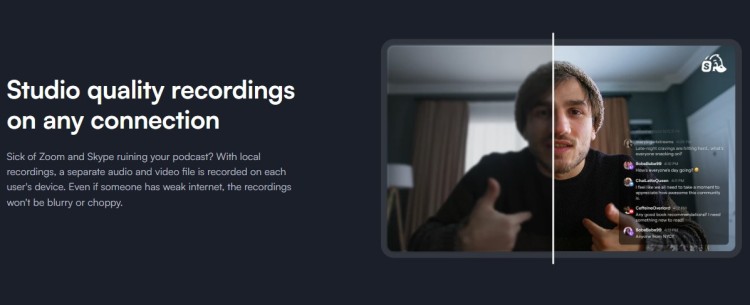
Riverside FM is a browser-based podcast recording program designed for creators who prioritize studio-quality remote interviews. Unlike standard video meeting tools, Riverside records media locally on each participant’s device before uploading the files.
Riverside is best for:
- Hosts who run remote podcast interview sessions with three or four guests at once.
- Creators who live stream and capture high-quality video and audio for YouTube shows.
- Coaches who run webinars, virtual summits, and online panel discussions.
- Podcasters who want an all-in-one suite for recording, basic editing, and podcast hosting.
Riverside review statements and testimonials from actual users
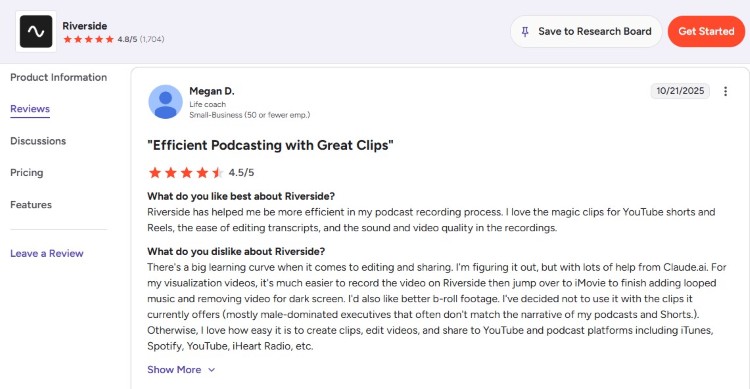
Riverside reviews prove that it’s one of the best podcast interview software out there, specifically for remote recording. Many appreciate the stability of local recording and having separate tracks.
- Megan D. says, “Riverside has helped me be more efficient in my podcast recording process. I love the magic clips for YouTube shorts and Reels, the ease of editing transcripts, and the sound and video quality in the recordings.”
- Riley G. shares, “The production tools are very handy, including the AI tool that allows you to dub over misspoken words.”
- Sinisa G. comments, “Magic Audio stands out in particular because it balances sound really well, boosting quieter speakers and smoothing out overly loud ones. I also appreciate that subtitles are generated automatically and that I can edit videos directly on the platform, which saves a lot of time.”
Which One Is Better: Riverside or Descript?
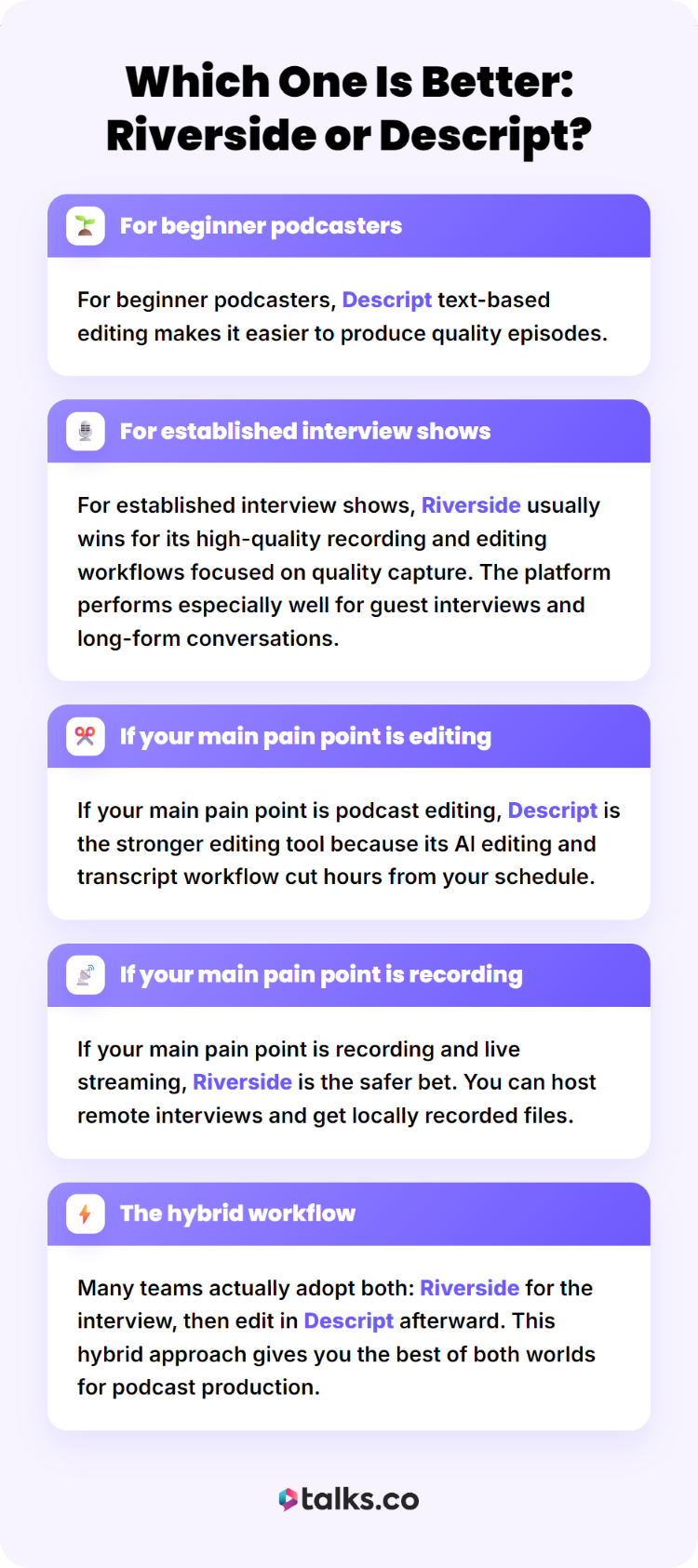
This depends on where you are in your podcasting journey and what tasks eat up your time.
- For beginner podcasters, Descript text-based editing makes it easier to produce quality episodes.
- For established interview shows, Riverside usually wins for its high-quality recording and editing workflows focused on quality capture. The platform performs especially well for guest interviews and long-form conversations.
- If your main pain point is podcast editing, Descript is the stronger editing tool because its AI editing and transcript workflow cut hours from your schedule.
- If your main pain point is recording and live streaming, Riverside is the safer bet. You can host remote interviews and get locally recorded files.
- Many teams actually adopt both: Riverside for the interview, then edit in Descript afterward. This hybrid approach gives you the best of both worlds for podcast production.
What are the best Descript and Riverside alternatives?
If neither platform fully matches your needs, there are several strong alternatives worth exploring. These tools focus on different areas of recording, streaming, and editing.
- Capcut: A browser-based video editing app with templates and effects that works well for short social clips.
- Zencastr: A remote recording and audio editing software that also offers local recording and hosting.
- StreamYard: A browser-based live stream studio that prioritizes audience interaction and multistreaming.
From Script to Launch
You’ve seen Descript vs Riverside and how both platforms can help you reach your goals. Complete your tech stack with Talks.
Talks is the smartest choice for podcasters building their authority through visibility.
- Connect directly with industry experts already looking for podcasts like yours.
- Match with other podcast hosts and cross-promote your show.
The Transition Bridge Podcast interviewed Dr. Andre and had a fantastic experience.
“Dr. Andre Walton was a delightful guest and shared incredible knowledge and insight on creativity and the impact it has on our lives and our business. Highly recommend!”
Yes! Set Me Up on a Free Talks Profile Today!