
Your big interview’s coming up. Mic plugged in. Earphones on.
But then your podcast software bugs out just as you’re about to hit record. That’s every podcaster’s worst nightmare.
Make sure you have a strong team player in your podcasting setup. You want something that captures your voice reliably without breaking your budget or requiring a sound engineering degree.
Let me show you the top solutions with this Audacity vs Adobe Audition comparison guide. I’ll walk you through key features, pricing, and pros and cons, so you can make the best decision for your needs.
Comparison of Audacity vs Adobe Audition (Overview)
Before diving deep, it helps to see the differences between Audacity and Adobe Audition at a glance. Here’s a side-by-side comparison of these podcast editing tools:
| Feature | Audacity | Adobe Audition |
| Price | Free and open-source | Part of the Creative Cloud subscription |
| Learning curve | Best for beginners | Steeper but intuitive for pros |
| Multitrack editing | Basic multitrack features | Advanced multitrack capabilities |
| Noise reduction | Basic noise reduction tools | Professional non-destructive background noise removal |
| Export options | Common formats like MP3, WAV | High-quality export options and formats |
| Plugins | Supports VST, LADSPA | Extensive plugin ecosystem |
| Integration | None | Seamlessly with other Adobe tools |
| Best for | Simple audio recording and editing | Professional complex audio workflows |
In short, Audacity and Adobe Audition are two very different tools built for different users. Audacity remains the go-to free software, while Adobe Audition comes packed with advanced features for serious creators.
Both programs work beautifully when you need to edit and record podcast interviews you booked through Talks. Find speaking opportunities through Talks and then process recordings in your chosen digital audio workstation.
Audacity vs Adobe Audition features
Let’s break down what each platform actually brings to the table.
Audacity is a free and open-source audio editing solution that runs on multiple operating systems. It provides essential editing tools for creators who need to edit audio quickly without spending money.
Key features:
- Audacity supports recording live audio through microphones or mixer inputs.
- It offers basic multitrack functionality for layering sounds.
- The program includes built-in noise reduction effects to clean up background noise.
- Users can export files in various formats, including MP3 and WAV.
- Audacity also allows you to cut, copy, and splice audio track segments with precision.
- Audacity projects save as an Audacity project file that preserves your work.
Adobe Audition is a premium digital audio workstation developed by Adobe Systems. It delivers professional-grade audio recording and editing capabilities for serious producers.
Key features:
- Adobe Audition offers non-destructive editing tools that preserve original files for editing.
- It includes an advanced spectral frequency display for complex audio repair.
- Adobe Audition supports multitrack sessions with unlimited tracks.
- Audition provides automatic noise reduction and background noise removal.
- Adobe Audition’s integration with other Adobe applications lets you move audio file assets between Premiere Pro and After Effects seamlessly.
- Adobe Audition includes batch processing for multiple audio file conversions.
- The Adobe Audition session file system organizes sessions efficiently.
Audacity vs Adobe Audition pricing options
Pricing is where the difference becomes obvious for most users.
Audacity is free, making it one of the best free and open source tools available today.
- Free forever to start
- No hidden fees attached
- Accessible to anyone with a computer
- Relies on community donations
For solo or simple podcast episodes, Audacity gets the job done without all the extra fluff. Just connect your mic, hit record, apply basic edits, and export. Edit polished episodes for free.
Meanwhile, Adobe Audition requires a monthly or annual subscription through Adobe Creative Cloud
- Individual app plan starts at $22/month
- Seven-day trial available
- Can bundle with other Adobe apps
- Includes Cloud storage and regular updates
Adobe offers real value when you need advanced workflows or already use other Adobe products like Premiere Pro. The cost becomes worth it when you’re handling audio track layering, multitrack sessions, or doing professional audio editing work.
Speaking of budgets, your podcast editing software isn’t the only item to consider. Other podcasting expenses include microphones, headphones, acoustic treatments, and hosting platforms. Consider them when preparing for upfront costs.
Regardless of how you complete your podcasting setup, Talks can fit right in. Creating a profile is forever free to start, so you can quickly find guests and focus on recording.
Audacity vs Adobe Audition pros and cons
Every tool has trade-offs, and Audacity and Adobe Audition are no exception.
| Software | Pros | Cons |
| Audacity | Free and open-source forever Easy-to-use for beginners Lightweight on computer resources Easy learning curve Supports plugins | Limited advanced features No non-destructive editing workflow Less suitable for complex audio production |
| Adobe Audition | Professional editing capabilities Integrates with other Adobe tools Excellent background noise removal Matches industry standard Excellent background noise removal | Requires a paid subscription Steeper learning curve Requires more computer power Overkill for simple edits |
Audacity remains the champion for beginners and hobbyists who need basic editing functions. Adobe Audition suits professionals who need broadcast-standard editing capabilities and advanced features for client work.
Once you’ve picked your tool, the next step is visibility. You can start booking interviews or finding guests using Talks while refining your production with your chosen audio software.
What Is Audacity?
Audacity is a podcast editing software available at zero cost to users worldwide. It comes equipped with basic audio editing tools suitable for podcasters and musicians.
Users praise its simplicity in online reviews, handling basic editing tasks without overwhelming beginners. Testimonials also highlight reliable export functions and stable performance across operating systems.
- Armando R. shares, “Audacity is a free and open source audio recording and editing software, available for Windows, Mac, and Linux. It is a very useful and popular tool for audio editing, especially in the field of music production and podcast creation.”
- Angela P. says, “[The interface] It’s very intuitive and easy to use, even if you don’t have any experience with audio editing software, like me.”
- Trevor O. comments, “I used Audacity personally when I was just beginning, and it certainly ‘wet my appetite’ for the creative avenues digital music recording allows. Because it’s FREE, there’s no loss to take a dive into the features.”
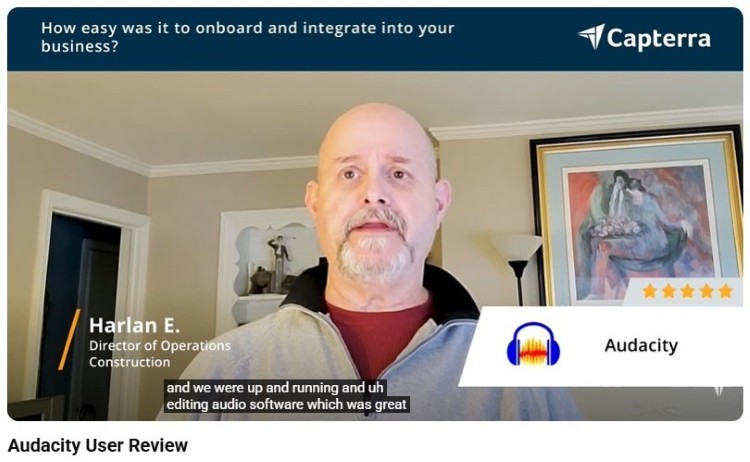
Harlan E. also shared in an interview with Capterra that it took them only 20 minutes to start recording and editing using Audacity.
What Is Adobe Audition?
Adobe Audition comes from Adobe Systems as part of their professional media suite. It comes with advanced features like spectral analysis tools and non-destructive editing workflows.
Customers, especially seasoned Adobe users, appreciate the familiar interface and the depth of edits they can make. But aspiring audio producers find some features difficult to master at first.
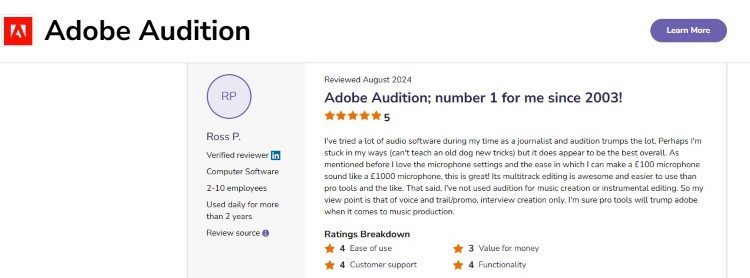
- Ross P. comments, “The detailed microphone compression settings are without a doubt the best function of Adobe Audition. It’s also great when you need a clean-up of audio hisses and pops, which can be removed easily.”
- Timothy M. says, “I use Adobe Audition for all of my voiceover and podcast recording, mixing, and editing. It’s always been a top-notch professional audio software that delivers the goods every time.”
- Thomas M. shares, “It has a clean and attractive interface. It has powerful audio features and effects, and is compatible with most popular plug-ins.”
Learn about how it stacks against competitors with this comparison to Pro Tools.
Is Adobe Audition worth it?
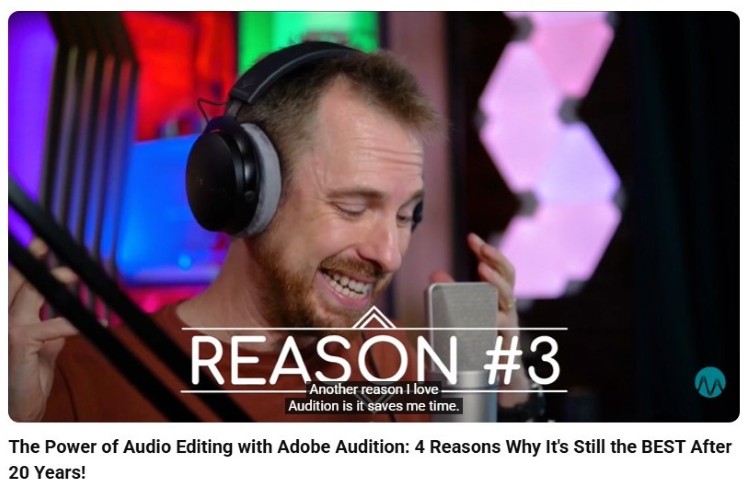
Yes, Adobe Audition is one of the best podcast interview software programs that’s worth the investment if you produce content professionally.
When you use Adobe Audition, you access industry-standard editing tools that make your workflows more efficient. It’s especially valuable when you produce podcasts or interviews at scale.
Mike Russell appreciates how much time Adobe Audition has saved him by being able to drag and drop multiple audio files and create templates.
Is Adobe Audition easy to use?
That depends on your skill level.
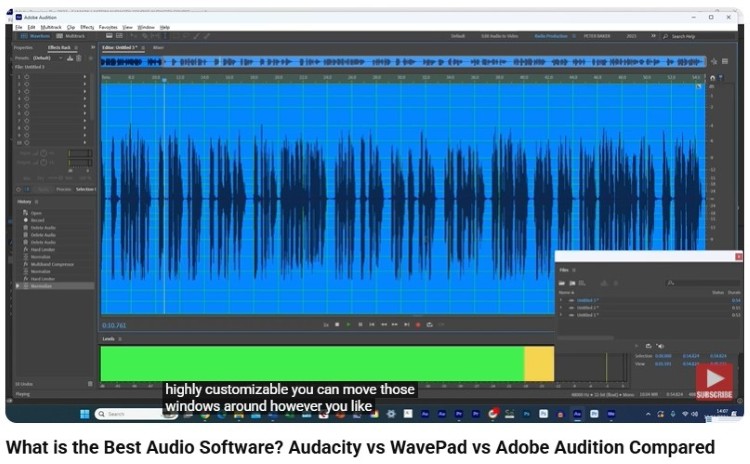
When comparing Adobe Audition vs simpler alternatives, the interface is definitely denser unless you’re used to Adobe Creative Cloud tools. With practice, it becomes easier to navigate, which then allows you to access deeper controls and create polished outputs.
Voiceover Masterclass also points out that you can customize your workspace however you like, so you can hide windows initially to not be overwhelmed.
What is the best Adobe Audition version?
The latest version within Adobe Creative Cloud is usually the best choice.
- New updates improve performance, add AI tools, and refine editing capabilities.
- The current Creative Cloud release also offers the most stable experience for managing files in your multitrack sessions.
Earlier standalone versions lacked modern integration with other Adobe applications.
Which Is Better: Audacity or Adobe Audition?
Most popular podcasts choose their tools based on their current skills and future goals.
- For aspiring podcasters, Audacity makes it easy to start a podcast without friction. You can record, edit, and publish interviews without worrying about cost.
- For seasoned creators or those working with clients, Adobe Audition becomes a stronger option.
- Once you’re monetizing or handling multiple projects, it offers deeper control, faster workflows, and advanced features that justify the subscription.
Here’s how each tool performs by use case, along with the exact editing tools and effects you can use.
For simple podcast production
Audacity provides enough tools for podcast interviews, especially if you’re just learning the basics of audio recording and editing.
- Noise Reduction: Remove background noise from raw recordings.
- Normalize: Balance volume across your audio track.
- Compressor: Smooth out voice levels.
- Fade in and out: Clean up starts and endings.
- Basic EQ: Adjust tone to enhance your audio.
By contrast, Adobe Audition can also work for beginners, but you’ll deal with more panels and settings, which can slow you down early on.
For podcast editing and voice cleanup
For podcasters focused on clarity and consistency, both tools can work, but their approaches differ.
With Audacity, you can:
- Use Noise Reduction + Noise Gate for voice isolation
- Apply EQ to improve vocal presence
- Normalize and compress for consistent loudness
- Manually cut filler words in the waveform
This is ideal for solo creators who want fast results using free software.
Meanwhile, Adobe Audition supports you with more advanced cleanup tools:
- DeNoise and DeReverb (effects rack) for cleaner recordings
- Parametric Equalizer for precise tone shaping
- Dynamics Processing for better compression control
- Auto Heal and Spot Healing for removing clicks and breaths
These tools help when dealing with less-than-perfect recordings or multiple guest tracks.
Music editing and multitrack mixing
This is where the gap between Audacity vs Adobe Audition becomes obvious. Audacity supports basic layering, but it’s limited when handling complex audio or multiple tracks.
In Audacity, you can:
- Import multiple tracks.
- Adjust gain and pan.
- Apply effects individually.
- Mix down to a final audio file.
It works, but it can feel manual and less flexible.
With Adobe Audition’s multitrack editor, you get a full digital audio workstation experience:
- Multitrack timeline: Arrange files in your multitrack session easily.
- Track effects rack: Apply effects per track or globally.
- Bus routing: Control multiple tracks at once.
- Automation: Adjust volume and effects over time.
- Real-time playback: Hear edits instantly without rendering.
Adobe Audition takes a clear win for music, layered intros, and branded podcast production.
The verdict? If you’re just starting, stick with Audacity. If you’re scaling your podcast or brand, leaping to Audition makes sense.
How to Use Audacity to Edit Music
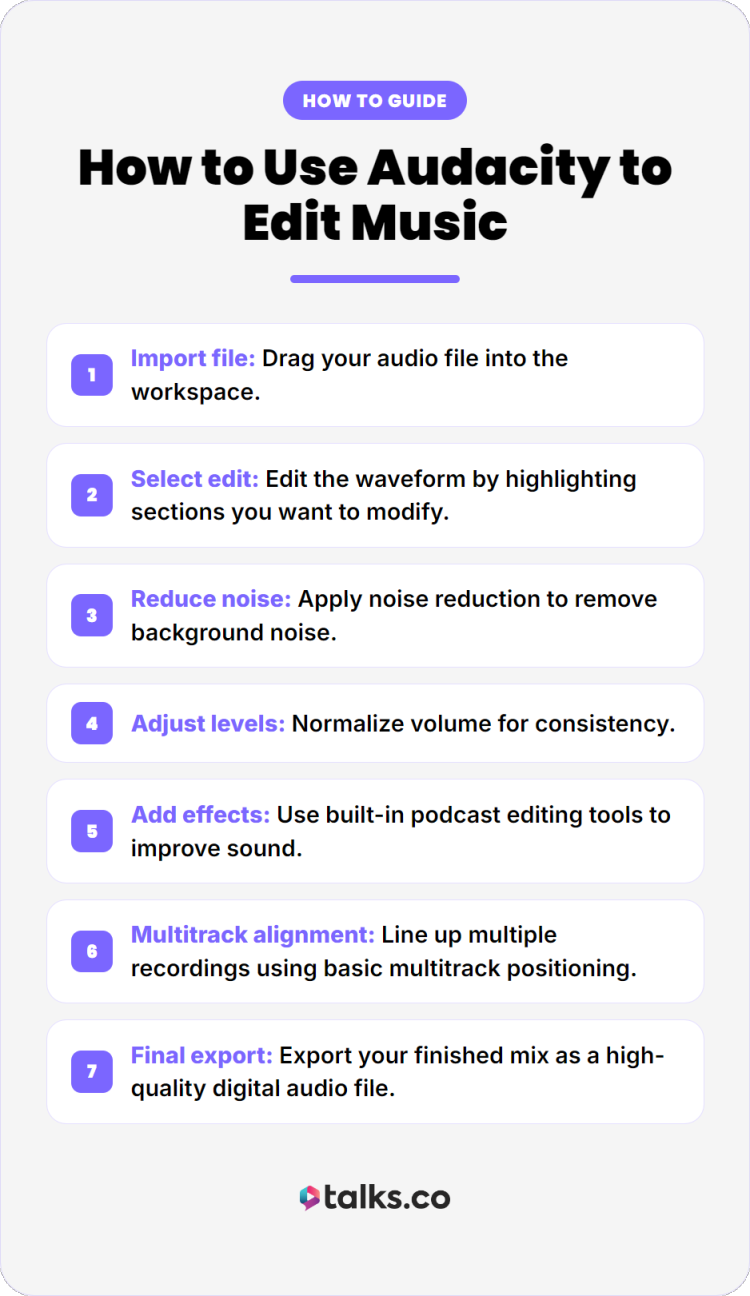
If you’re using Audacity, the workflow is simple and beginner-friendly. Here’s a quick step-by-step guide:
- Import file: Drag your audio file into the workspace.
- Select edit: Edit the waveform by highlighting sections you want to modify.
- Reduce noise: Apply noise reduction to remove background noise.
- Adjust levels: Normalize volume for consistency.
- Add effects: Use built-in podcast editing tools to improve sound.
- Multitrack alignment: Line up multiple recordings using basic multitrack positioning.
- Final export: Export your finished mix as a high-quality digital audio file.
How to achieve Audacity studio quality
Even with free software, you can get clean, studio-like results if you follow a simple process. Here’s a tighter, more effective workflow:
- Clean noise: Apply light noise reduction to remove room tone while keeping your voice natural.
- EQ first: Shape your sound by cutting harsh frequencies and boosting clarity to enhance your audio.
- Compress audio: Even out volume spikes so your voice stays consistent throughout the audio track.
- Normalize levels: Bring overall volume to a balanced level before final processing.
- Final check: Listen for any remaining background noise or uneven sections and fix them.
- High-quality export: Save your audio file in WAV or a high-bitrate MP3 for the best results.
Audacity and Adobe Audition Alternatives
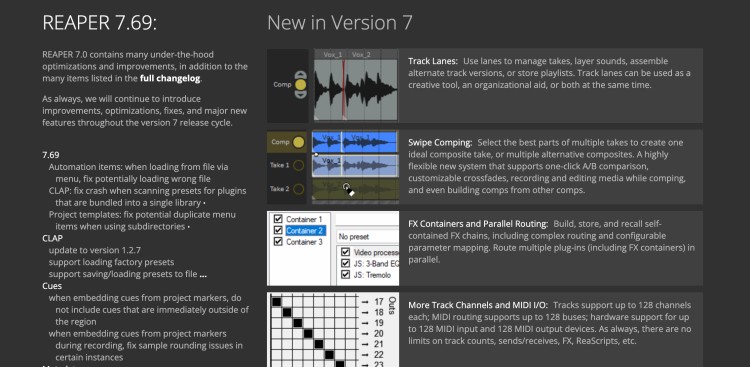
Explore beyond Audacity and Audition to find your perfect workflow.
- Reaper: This affordable digital audio workstation offers professional multitrack capabilities for voice and music production.
- GarageBand: This free Apple audio recording tool serves as a stepping stone between basic apps and professional studios.
- Logic Pro: Apple’s comprehensive podcast editing tool provides advanced features for Mac users seeking non-destructive editing. Check for more details.
Have the Audacity to Succeed
Audacity vs Adobe Audition boils down to which one is better for your unique podcasting needs. Once you’ve made your decision, keep the momentum going and work to expand your visibility.
Start by joining the Talks network. Connect directly with other podcast hosts and expert guests and build your authority and audience.
It’s podcast matching made modern. That means no cold pitches and endless email back-and-forths. Just AI smart matches and a directory of industry players at your fingertips.
Brain booked 12 spots in just four weeks. Mila got the results she couldn’t get with podcast agencies.
Create a free Talks profile today, start booking interviews, and let your voice reach the right audience!