

If there’s one thing I know about podcasting, it’s how to build trust.
The most certain way to do that is by producing clear, high-quality sound. It makes your podcast feel more professional, even from your home studio.
You don’t need a professional recording studio setup, just the right tools. And with all the options available, there isn’t an excuse not to polish.
Start with the best podcast recording and editing tools, Audacity and Logic Pro. Both are go-tos of many podcast hosts and music producers.
That said, let’s dive into this Audacity vs Logic Pro comparison guide. I’ll walk you through their top features, pricing, and pros and cons, so you see the complete picture.
By the end of this, you’ll find the best software for your unique podcasting workflow.
Comparison of Audacity vs Logic Pro (Overview)
Audacity and Logic Pro both claim their fair share of fans in the podcast recording and editing realm. Here’s a side-by-side overview of the strengths of these audio workstations:
| Factor | Audacity | Logic Pro |
|---|---|---|
| Editing | Destructive editing, can’t recover the original once you add effects | Non-destructive editing, recoverable edits |
| Plugin support | VST plugins that expand the base build experience | Built-in plugins (effects and instruments) that rival third-party offers |
| Export options | Exports to most common file types like WAV and MP3 | WAV and MP3 |
| Pricing | Open-source, free software for anyone | One-time payment for perpetual license ($199.99) |
| Support and community | Community forums, video tutorials online, phone and email tickets | Official Apple customer support, live support available anytime |
| Accessibility and compatibility | Downloaded on deviceWindows, Mac, Linux | Cloud-basedMac |
| Sound quality | 32-bit floating-pointMultiple edits affect sound quality | 64-bit floating-pointSharper and higher quality mixes |
This snapshot shows a clear difference between Audacity vs Logic Pro:
- Audacity is enough for basic audio editing, especially if you’re just starting your podcast and need quick edits.
- Logic Pro manages more demanding projects and sound design using its built-in effects and sound library.
For both options, Talks guarantees workflow efficiency. Find guest experts or podcast speaking opportunities quickly, even before your recording tools warm up. Combine Talks with the reliable software of your choice and you get one quality interview after another.
Audacity vs Logic Pro features
Let’s look at a detailed comparison of Audacity vs Logic Pro X features.
Audacity is a free, open-source software typically used by beginner podcasters and producers. It already covers essential audio production tools found in other paid solutions.
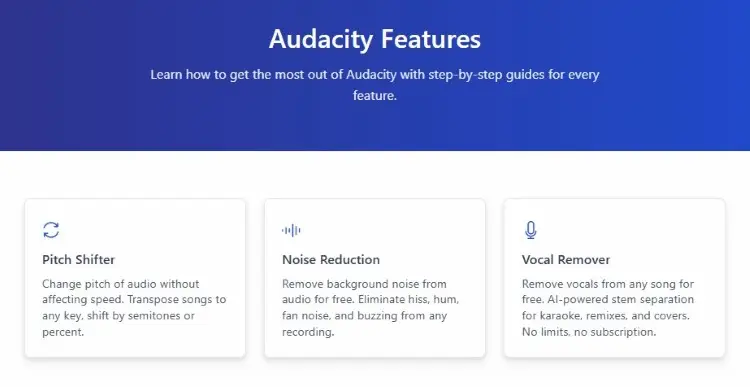
Key features:
- Allows live audio recording with a simple setup
- Multi-track editing function lets you manipulate separate tracks
- Reduce background noise using Noise Removal effect
- Quick import and export of different audio tracks
- Easy vocal cleanup (Compressor, Normalize, EQ)
- VST plugin support to enhance workflow
- Pitch and tempo correction
- Works for many operating systems (Windows, macOS, and Linux)
Logic Pro transforms your Apple device into a professional audio workstation that produces industry-quality output. It’s best for heavy Apple users who value a connected ecosystem and excellent tools for music making.
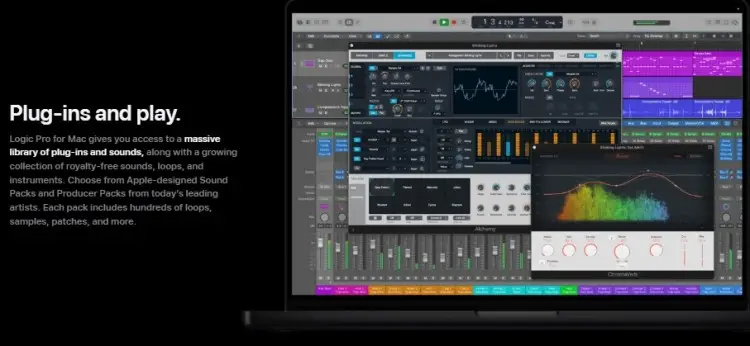
Key features:
- Step sequencing to create looping musical patterns
- Quick sampler controls to load audio as playable instruments
- Built-in library of live loops, drums, effects, and sounds
- Multi-track editing to add the same effects to multiple tracks
- Remote control via iPhone and iPad (Touch Instrument)
- Flex Time for more accurate audio edits
Audacity vs Logic Pro pricing options
When building your podcast setup, budget is always a key factor to consider. Plan for your expenses with this pricing comparison for both DAWs.
Audacity pricing:
- Free: Accessible for anyone with a desktop, leaving you with more room for podcast equipment (e.g., Blue Yeti microphone).
- Trade-offs: Limited features (you may hit a ceiling).
- Long-term costs: More time spent, trying to get professional results for bigger-scale projects.
Logic Pro pricing:
- Free trial: 30 days under Apple Creative Suite.
- Standalone app: $199.99. One-time payment (perpetual license).
- Part of Apple Creative Suite: $12.99/month. Access alongside creative apps like Final Cut Pro, Pixelmator Pro and more.
- Long-term costs: Worth the investment if you’ll produce commercial content or you want to monetize your podcast.
If you’re just a podcast hobbyist, Audacity is enough to get you through noise removal and putting audio together. Only invest in Logic Pro if music is a big part of your show or you want to build an audio production business.
Whichever you fit into your budget, Talks works right beside it. Your digital audio workstation takes care of post-production. But Talks drives everything that comes before that, like finding podcast interview guests or connecting with fellow hosts for cross-promotion.
Audacity vs Logic Pro similarities and differences
Although user experience varies, Audacity and Logic Pro have common core functions.
Similarities:
- Both have recording and editing capabilities.
- Both export to the most common audio file formats (WAV and MP3).
- Both can be used for podcast production.
- Both are widely known by producers and editors in the industry.
Differences:
- Logic Pro has an extensive sound library, while Audacity doesn’t.
- Audacity is community-driven and can be expanded by plugins, while Logic is a proprietary Apple product.
- Logic Pro has a more modern and intuitive software, familiar to Apple users. Audacity’s workspace is more dated.
- Audacity works with more operating systems, while Logic is exclusive to MacOS.
- Logic has a MIDI studio, while Audacity doesn’t support MIDI tracks.
Simply, choose Audacity if your workflow includes the basics. But if you need to dive deeper and achieve precise edits, go for Logic Pro.
Audacity vs Logic Pro pros and cons
Let’s see how Audacity and Logic Pro X fare based on their key features and functionalities.
| Software | Pros | Cons |
|---|---|---|
| Audacity | Appealing to beginners, educators, and hobbyists Free forever, no hidden fees Straight-forward user interface Light resource usage | Limited to basic editing tasks Dated aesthetic No music samples and effects out of the box Destructive editing |
| Logic Pro | Modern and sleek design Accessible across Apple devices More natural-sounding outputs | Limited to Mac Steeper learning curve, may overwhelm beginners Heavier on your device |
Looking simply at editing capabilities, Logic Pro presents a clear edge. You get more advanced tools to let you polish down to the second. But Audacity remains a staple if you’d like something more direct for drag-and-drop, cut-and-paste.
Both podcast audio software streamline your workflow, just as Talks greatly improves your guest matching process.
Using AI-powered suggestions and automations, the platform gives you results that booking agencies can’t. That means high response rates and confirmed recording schedules for you when looking for guests and getting booked on podcasts.
What Is Audacity?
Audacity offers simplicity as one of the earliest podcast editing software programs out there. You can splice and combine audio without the technical fuss.
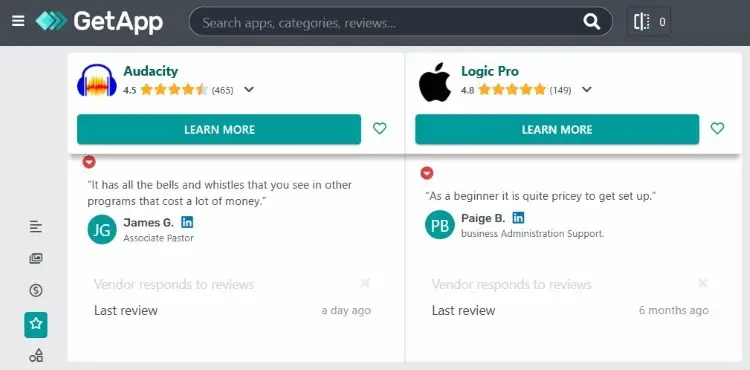
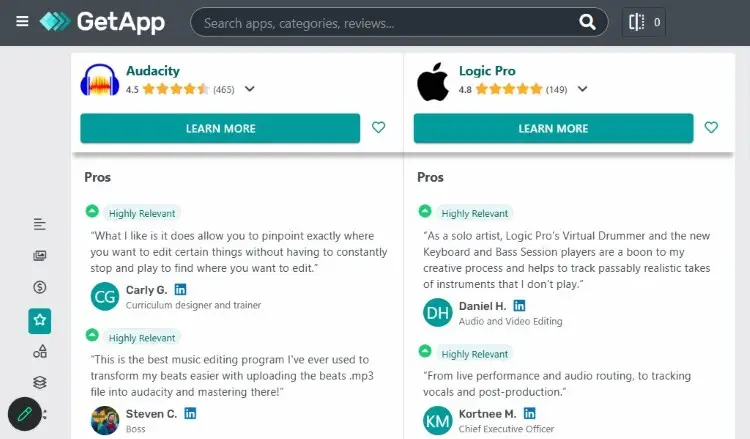
Users appreciate Audacity for getting the job done, resulting in an overall user rating of 4.6 on Tech Jockey and 4.5 on Get App.
- James G. says, “It has all the bells and whistles that you see in other programs that cost a lot of money.”
- Peter R. comments, “The vocal isolation tools are limited, and there is no included media library.”
Is Audacity a DAW?
Yes, Audacity is a DAW used by many podcasters and editors.
It’s one of the best software for podcast interviews, typically used for:
- Basic tasks: You can record audio and then directly cut, combine, and remove noise within this single tool.
- Simple noise reduction: You can select your noise profile and choose to isolate or remove it.
- Cross-platform use: You can edit Audacity projects across multiple devices, making it easy to use for collaborations.
Is Audacity a good DAW?
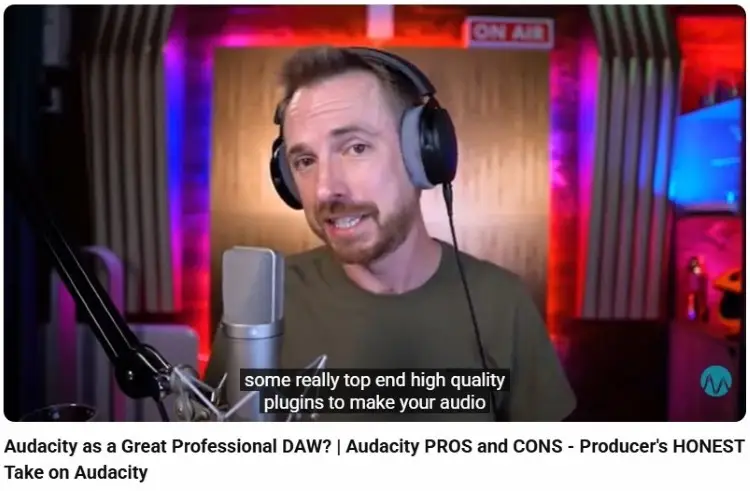
Yes, many professional producers still default to Audacity, even with more recent releases.
Joe, Founder of Claricast, has been using Audacity for over 15 years. He uses it to accomplish quick edits without getting overwhelmed by bloated modern DAWs.
Mike Russell also points out that you can use Audacity as a professional DAW already, thanks to all the high-quality plugins you can add to the base.
Is using Audacity for live streaming good?
No, Audacity doesn’t have live streaming features.
What it offers is live recording. If you’re doing a solo show in your home studio, all you need is to plug in your mic and hit record. It captures your voice, and then you can directly edit and add effects in the workspace afterward.
If you want to live-stream your podcast, look into streaming solutions like StreamYard or Riverside.
What Is Logic Pro?
Logic Pro is a well-known audio editing software that handles professional recording and editing needs. It does the heavy lifting for anyone producing high-quality audio projects.
With a rating of 4.2 on Tech Jockey and 4.8 on Get App, musicians leave positive user reviews for Logic Pro.
- Nishan shares, “Logic Pro X is an amazing tool for making music. It has everything you could possibly need. Tons of virtual instruments, powerful effects, and a really intuitive interface.”
- Daniel H. comments, “The sheer array of tools at your disposal and especially the depth and complexity of some of the plugins, can be intimidating to a new user. ”
Do professionals use Logic Pro?
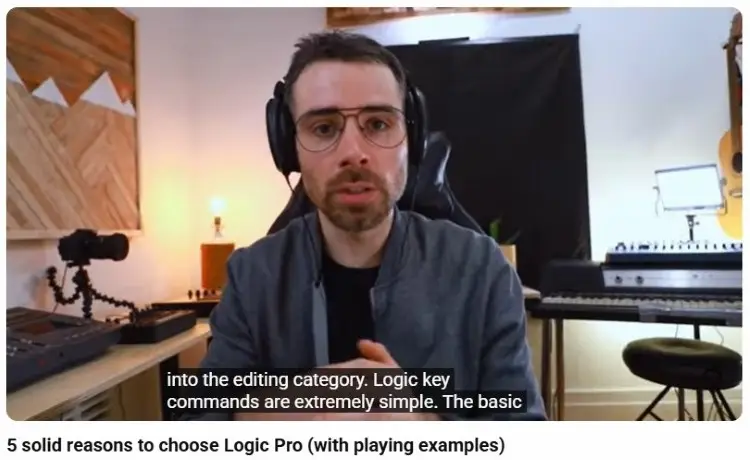
Yes, many recognized industry creators are on Logic Pro.
Liam Killen prefers Logic for the ease of use, giving you everything you need to produce a full track. Having keyboard shortcuts also makes editing faster.
Another producer, Arthur Fox, appreciates how Logic Pro quantizes audio and also creates a musical score sheet.
Is Logic Pro the best DAW?
Logic Pro is a solid choice for seasoned producers, looking for more. Here are some of the top reasons why it’s a go-to for so many users:
- Non-destructive editing: You don’t lose the original recordings. That means unlimited experiments without worrying about lost progress,
- Audio and MIDI sequencing: Create complex musical arrangements within just one platform. No additional installations of plugins needed.
- Apple compatibility: You can easily plug into studios that also use Apple devices.
Why Logic Pro is the best DAW
Logic Pro lets you edit precisely, so you get the exact effect you want to achieve. That makes it a favorite of musicians and filmmakers.
- Flex Time: Get the effect of elastic audio, so you can trim, move, nudge, and face more accurately.
- Flex Pitch: This detects the audio’s pitch, adds it to a pitch curve, and allows you to naturally edit the pitch of the material.
Just for these two functions alone, it already stands out among other professional DAWs.
Which Is Better: Audacity vs Logic Pro?
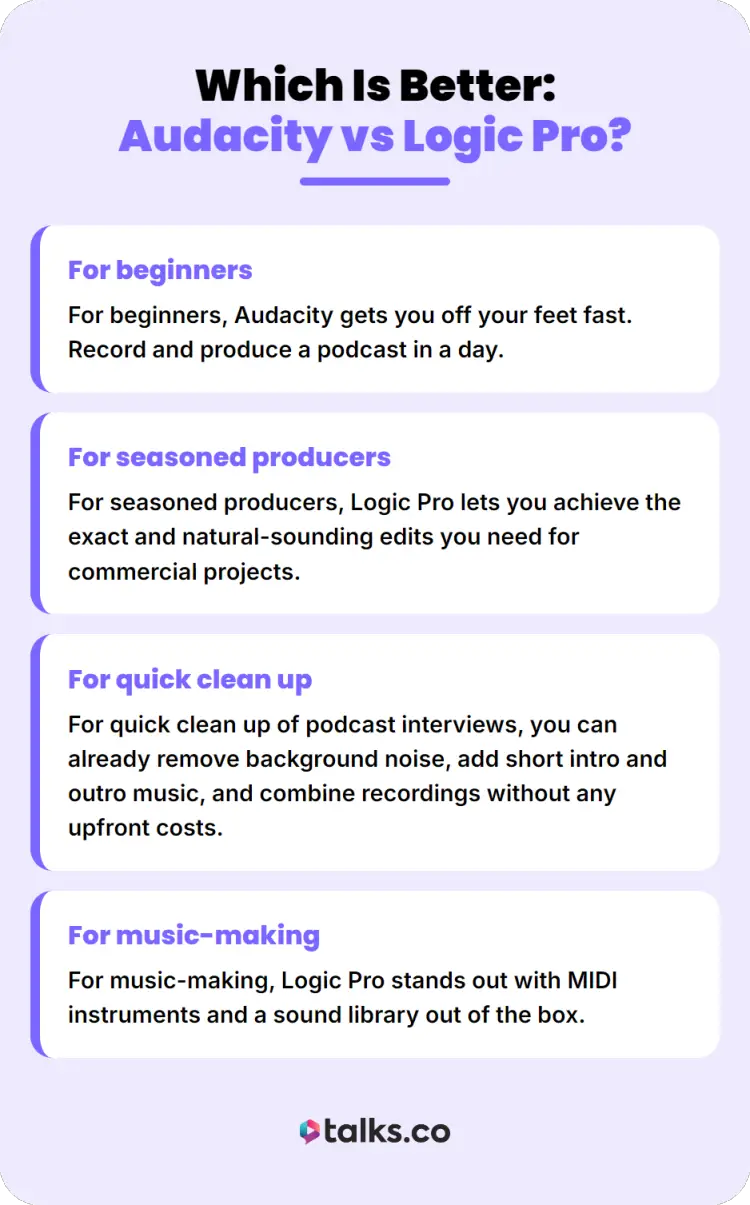
Your final choice for what software to use when starting a podcast depends on your goals and how you work. Let’s compare Audacity vs Logic Pro and see how they fare in different situations.
- For beginners, Audacity gets you off your feet fast. Record and produce a podcast in a day.
- For seasoned producers, Logic Pro lets you achieve the exact and natural-sounding edits you need for commercial projects.
- For quick clean up of podcast interviews, you can already remove background noise, add short intro and outro music, and combine recordings without any upfront costs.
- For music-making, Logic Pro stands out with MIDI instruments and a sound library out of the box.
No matter how you create your podcast, Talks is there to support you. Beyond gear and tech, the real way to grow your podcast is through visibility and authority. Talks takes care of that by positioning you as the go-to expert of your target audience.
Audacity and Logic Pro Alternatives
When neither Audacity nor Logic fits, explore these alternatives to find what matches your unique podcasting needs.
- Adobe Audition: Part of the Adobe Creative Cloud monthly subscription. It’s a professional production toolset for creating, mixing, editing, and restoring audio.
- Garageband: This is Logic Pro’s predecessor in terms of Apple music production. It’s a free software that comes with the device.
- Pro Tools: Another industry-standard solution used by experienced producers who need a library of instruments, sounds, and plug-ins.
Alternatives to Logic Pro for Windows
Many Windows users are looking for software similar to Logic. Here are the top picks you can test out:
- Cubase: Another trusted DAW for music production by filmmakers and producers in the field. Covers advanced MIDI editing and various songwriting tools.
- Ableton Live: Non-linear workflow allows you to turn loops on and off real time, which is best for live musical performances.
- Reaper: An accessible professional DAW built for MIDI editing, mastering, and mixing used by students, educators, and producers.
Pros Make the Right Choice
Audacity vs Logic Pro comes down to what works best for you and how deep you want to dive with your podcast.
Whether you’re just starting out or are on the road to monetizing your show, Talks helps you achieve your goals. It brings you in front of the right audience and sets your stage for impactful opportunities.
Create a free Talks profile if you’re:
- Stuck at a few listens and downloads
- Looking for relevant podcast guests and speaking gigs
- Scaling your reach by positioning yourself as an expert
Mila got results that agencies couldn’t give her. Sanjai maxed out his calendar already.
Yes! Set me up on Talks right now!


