
Every top podcast has an iconic sound. When the first few seconds of an episode play, the intro music instantly puts you in the mood to listen.
And if you want to create your own podcast tunes to customize your show’s audio quality? This is your sign to explore podcast music production software.
Let’s compare the top options you’ll want to choose from: Logic Pro vs GarageBand.
I’ll walk you through their key features, pros, and cons, so you can compare and decide if they’re worth the upgrade.
Whether you’re a beginner podcaster or seasoned content creator, I’ll help you find exactly what you need.
Which Is Better: Logic Pro or GarageBand?
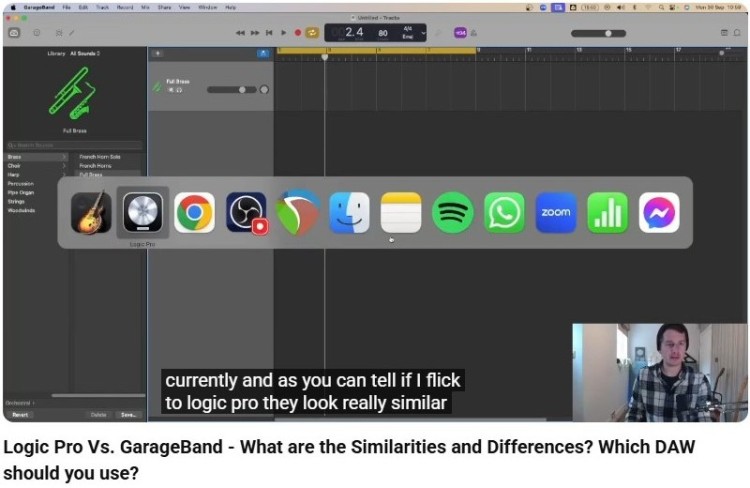
Deciding between Logic Pro and GarageBand comes down to your budget and your long-term goals.
Here’s a quick comparison table to help you understand GarageBand vs Logic Pro:
| Features | Logic Pro | GarageBand |
| Price | $199.99 (one-time fee) | Free (pre-installed) |
| Target audience | Professionals, serious creators | Beginners, hobbyists |
| Learning curve | Moderate/steep | Low/easy |
| Audio tracks | Unlimited | 255 tracks (limited) |
| Mixing console | Full professional mixer | Basic volume/pan |
| MIDI features | Advanced MIDI sequences | Basic editing |
| Plugins | Massive library | Limited |
Both Logic Pro and GarageBand are great digital audio workstations (DAWS) depending on where you are in your journey.
- If you’re looking for something simple but effective, GarageBand can be enough for now.
- But, if you want professional music production capabilities, Logic Pro is the clear winner.
Once you’ve made your choice, you can focus on your recording content for your podcast. If you’re going for an interview format, you can easily book guests via Talks.
Logic Pro vs GarageBand Mac (Key Features and Plugins)
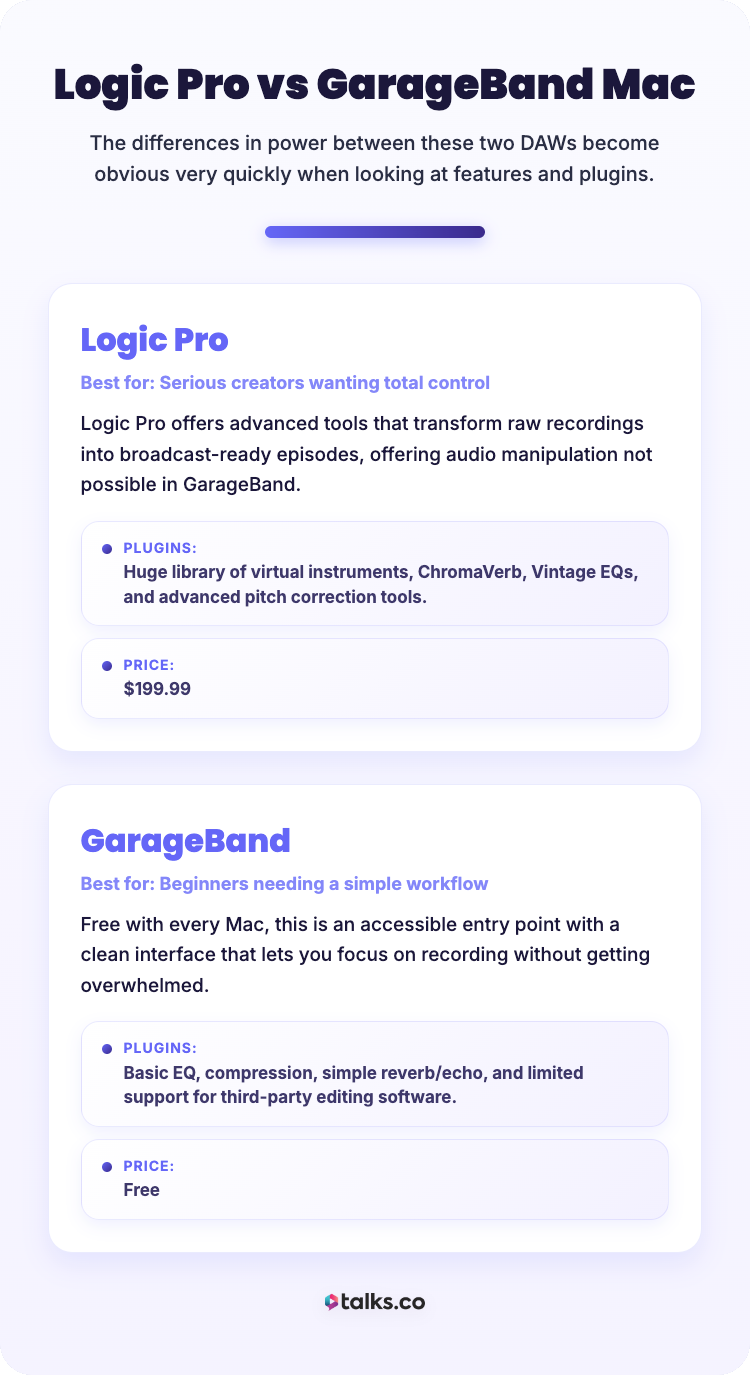
When you look at Logic Pro vs GarageBand for Mac, the differences in power become obvious very quickly.
Logic Pro
Best for: Serious creators who want total control over their sound.
Logic Pro offers an extensive suite of advanced tools that can transform a raw recording into a broadcast-ready episode. It gives you the power to manipulate audio in ways that simply aren’t possible within GarageBand.
Key features:
- Professional mixing and mastering tools
- Advanced MIDI editing and automation
- Flex Time and Flex Pitch for perfect timing and tuning
Plugins:
- Huge library of virtual instruments and effects
- ChromaVerb and Vintage EQs
- Advanced pitch correction tools
Price: $199.99
GarageBand
Best for: Beginners and podcasters who need a simple, no-fuss workflow.
This DAW comes free with every Mac computer, making it an accessible entry point.
Its clean interface makes it easy for you to focus on recording without getting overwhelmed.
Key features:
- User-friendly interface perfect for a new Mac user
- Built-in sound library with loops and presets
- Basic audio editing and recording capabilities
Plugins:
- Basic EQ and compression
- Simple reverb and echo effects
- Limited support for third-party podcast editing software
Price: Free.
Logic Pro vs GarageBand iPad (Compatibility and devices)
Both software are part of the Apple ecosystem, which means they work well across Apple devices. Let’s look closer at their compatibility features.
Apple Logic Pro is available on Mac and has recently entered the iPad space, bringing pro-level features to a touch interface.
- Touch interface: This means you can mix and master with your fingers, making the experience more tactile and engaging.
- iPad use: You can only access it via subscription. It also requires a newer iPad model with an A12 Bionic chip or later.
- Workflow: You can move projects to Logic on your Mac seamlessly from the iPad.
GarageBand is available on both iOS and iPadOS for free.
- Mobile flexibility: It’s fantastic for sketching ideas or recording on the go. The interface is simplified for touch, making it easy to use GarageBand anywhere.
- Device: It works on almost all older and newer iPads.
- Workflow: You can start a podcast on your iPhone and finish it on your home studio Mac.
Apple Logic Pro vs GarageBand (Productivity and revenue impact)
Time is your most valuable asset as an entrepreneur or coach. Using the right tool can significantly impact your productivity and potential revenue.
Logic Pro (formerly Logic Pro X) is designed for speed and efficiency, key priorities for starting a podcast.
- Track stack and screensets: Use these features to manage large projects faster.
- Templates: Save hours of setup time for each episode.
- Better mixing tools: Your final product sounds more professional, attracting higher-paying clients.
- Better outcomes: High-quality audio can lead to more sponsorships and better audience retention.
GarageBand is one of the best beginner podcast-making apps. But you can hit a ceiling where simple tasks take longer due to limited features.
- Affordable: If you’re learning how to become a content creator, starting here saves money upfront.
- Skill differences: Good for hobbyists, but serious music producers often outgrow it.
- Editing limitations: Making GarageBand work for complex edits can sometimes be frustrating.
Pairing GarageBand with Talks is a great combo for podcast interviewers who want to launch quickly.
Having a free recording and editing tool, and an AI-powered guest matching platform streamlines your workflow, saving you time and money.
What Does Logic Pro Have that GarageBand Doesn’t?
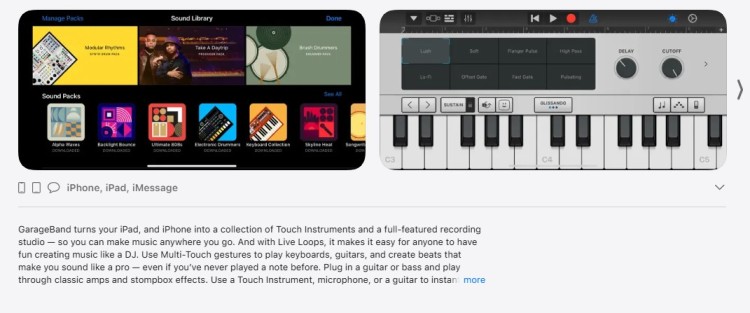
There’s a reason why professional studios rely on Logic Pro instead of GarageBand.
- More control: Advanced features like Smart Tempo, signal routing, and deep automations help you make micro-adjustments as needed. The mixer also mimics a real studio console.
- Massive library: You can access a big collection of virtual instruments and loops that sound realistic. Great for creating your own custom intro and outro music.
- Integrations: Video podcasters can use it with Final Cut Pro.
Logic X vs GarageBand
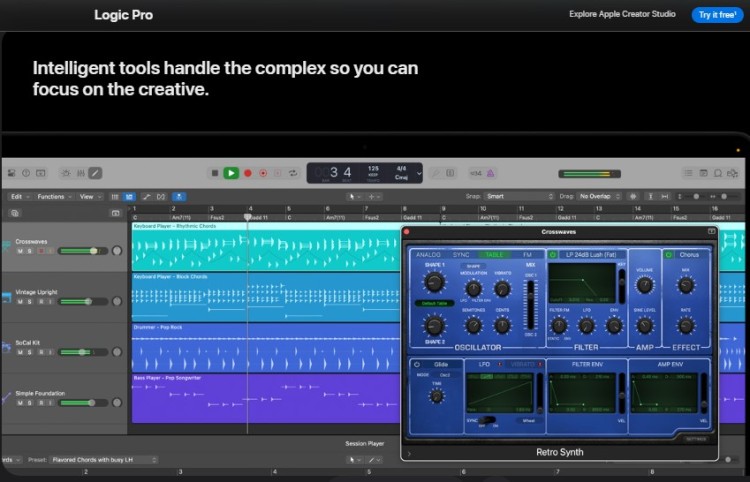
Choosing the right software depends heavily on your current experience.
GarageBand is free and designed for beginners and casual users.
- If you’ve never used a DAW before, GarageBand is less intimidating.
- It teaches you the basic concepts of audio and MIDI without confusing menus.
- You can get a project running in minutes.
Logic Pro is the best choice for intermediate to advanced users.
- Transitioning from GarageBand to Logic Pro is actually a natural path for many.
- The steep learning curve pays off with incredible power and flexibility. Once you learn the workflow, you’ll never want to go back.
- It’s designed for those serious about producing music or high-end audio.
- Logic Pro offers a “Simplified Mode” that looks and feels a lot like GarageBand.
Logic Pro X vs GarageBand
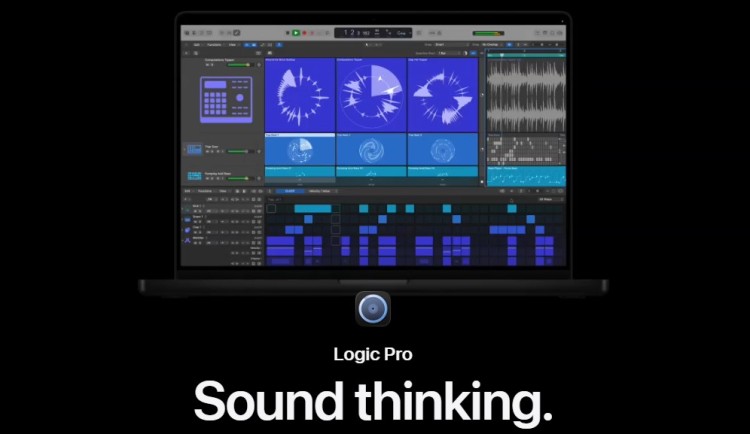
Are you recording a simple voiceover, or are you looking to create music that tops charts?
If your goal is purely to get booked on podcasts as a guest, you may not need a DAW at all. But if you’re producing the show, your software matters.
GarageBand is excellent for sketching ideas and simple recording.
- You can easily and quickly compose and create a short intro or outro clip.
- Songwriters can laydown chores and lyrics without technical setbacks.
- You can record and edit a simple podcast episode.
Logic Pro is the standard for professional music production and high-end broadcasting. You can sound like you’re recording in a dedicated studio, and compete with big names in the industry.
- If you want to release music on Spotify or Apple Music, you need Logic Pro.
- Using this professional podcast editing software makes sure your content meets industry standards.
- This also works better for playing live backtracks in performances.
Apple Logic Pro X vs GarageBand
Different projects have different production needs.
- Best for speed and simplicity: If you need to edit a simple interview quickly, GarageBand works well. Great for quick content creation that gets the job done for simple tasks.
- Best for complex sound design: If you’re doing sound design for a game or film, you need Logic Pro. The Alchemy synth alone is worth the price for creating textures. It also offers modulation options that GarageBand lacks.
- Best for multi-track recording: Logic Pro works better for recording a multi-person panel interview (especially with guests you find on Talks). You can view and edit multiple automation lanes simultaneously, which matters when balancing levels between a quiet guest and a loud emcee.
- Best for electronic music production: If you’re making beats, Logic Pro has an incredible sequencer and powerful drum programming. It competes well with Ableton Live for electronic genres.
For remote recording, you can pair your DAW with a tool like Zencastr or Riverside for the best results.
Is Logic Pro Better than GarageBand?
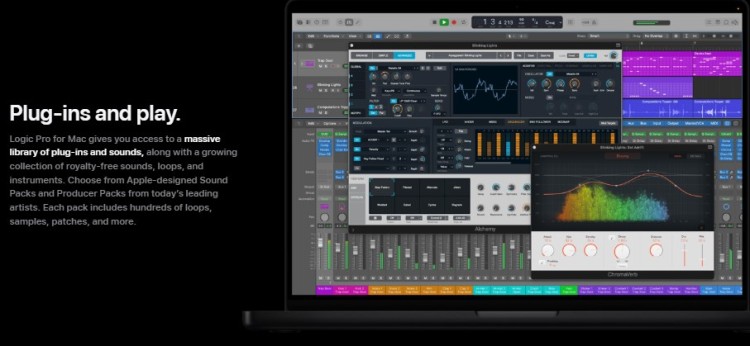
It isn’t just about “better”; it’s about what you need right now. Here’s a look at the pros and cons of Logic Pro vs GarageBand.
GarageBand pros:
- Completely free and available for Mac users instantly
- Very low learning curve
- Projects upgrade seamlessly to Logic Pro
GarageBand cons:
- No true mixing console
- Limited mastering capabilities
- Lacks advanced editing and creating music features
Logic Pro pros:
- Industry-standard audio and MIDI editing
- Massive sound library, instruments and effects
- One-time purchase (no subscription)
Logic Pro cons:
- Can be overwhelming for beginners
- Higher upfront cost
- Mac user exclusive (no Windows version)
The verdict: If you need advanced music production features, the upgrade is worth it. If you’re just cutting simple audio, stick with GarageBand for now.
What are the similarities between Logic Pro and GarageBand?
Despite the differences, these two programs share a similar DNA of features and workflow.
- Shared core design: Both are made by Apple and share the same basic code base, navigation, and keyboard shortcuts. The interface layout is very similar, with the Apple Loop library on the left.
- Virtual instruments: Many of the stock sounds in GarageBand are simplified versions of Logic sounds. They also share the Drummer feature and similar synths and piano.
- Mac integration: Both are optimized perfectly for Mac computer hardware. Both also integrate with the media browser and other Apple apps.
What is the difference between Logic Pro and GarageBand?
The main difference lies in the depth of control you have.
- Depth of features: Logic Pro lets you tweak every single parameter of a sound. While GarageBand keeps things simple.
- Mixing capabilities: Logic Pro includes a dedicated mixer view that resembles a studio console. While GarageBand handles mixing in the track header area.
- Editing power: Wth Logic Pro, you can fade, crossfade, and slice audio with precision. Meanwhile, GarageBand has very basic cut-and-move tools.
- Price model: GarageBand is free forever. Logic Pro costs a one-time fee.
Upgrade with Intention
Choosing between Logic Pro vs GarageBand depends on where you want your podcast production to go. If you want more broadcast-quality sound, the upgrade’s worth it.
Ready to take your podcasting more seriously? Become a professional podcaster and record engaging interviews with experts worldwide.
Create your Talks profile and find your next podcast guest.
No cold outreach. No messages left on read. Just strong matches and almost instant connections with Auto-Message and Auto-Accept functions.
Yes! Set me up on Talks today!