Running a podcast sounds fun until the problems hit.
Guests change their minds. Episodes go missing. Someone doesn’t like an edit. Suddenly, that carefree “record and publish” vibe turns into a headache you didn’t sign up for.
I learned this the hard way when I started and decided to skip podcast guest release forms altogether. I firmly believed relationships and verbal agreements mattered more than paperwork. If a podcast guest wanted their episode removed, I’d keep things friendly and roll with it.
Unfortunately, that only works until it doesn’t. Now? I never hit record without a podcast release form.
A podcast guest release form protects your show, your content, your reputation, and your peace of mind, and it keeps every interview professional, clear, and stress-free.
Grab the free copy-and-paste template right below, then use the clause checklist and the send-before-recording steps to get every guest’s signature on file.
Podcast Guest Release Form Template
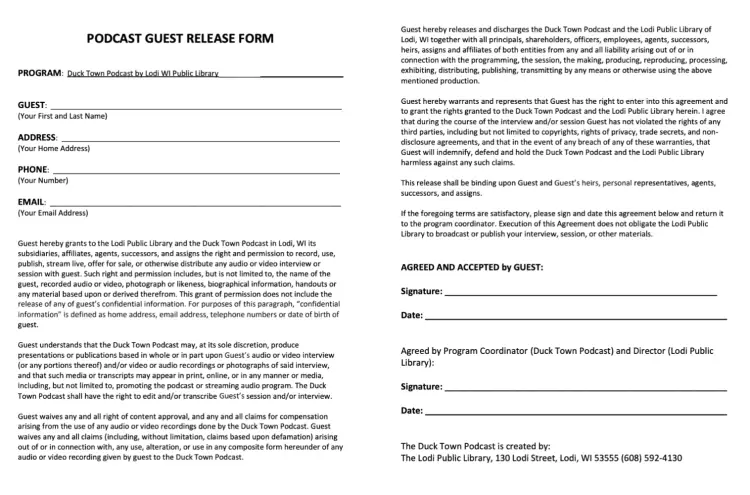
The podcast guest release form template below covers what a typical interview needs, so all you do is fill in the brackets and send it to your guest.
This podcast guest release form template shares general information and is not legal advice, so check the final wording with a lawyer if the episode involves sponsors, sensitive topics, or a guest in another country.
Copy-and-paste release form template
Replace each [bracket] with your show’s details and keep every line your episode needs.
[Your Show Name] Podcast Guest Release Form
Guest name: ____________________
Guest email: ____________________
Guest phone: ____________________
Show title: [Your Show Name]
Episode title or number: ____________________
Recording date: ____________________
By signing below, I (“Guest”) agree to the following terms for my appearance on [Your Show Name] (“the Show”).
1. Recording consent. I agree to be recorded in audio and video for the Show.
2. Permission to use content. I grant the Show the right to use the recordings, images, quotes, and other materials from my interview, including audio, video, social media clips, and other promotional materials.
3. Name and likeness. I allow the Show to use my name, photo, bio, and likeness to promote the episode.
4. Rights and usage. The Show has the right to edit, distribute, and promote the content as deemed appropriate for the Show’s objectives.
5. Distribution and clips. The episode and clips from it may be published on the Show’s website, podcast apps, YouTube, and social channels.
6. Ads and sponsors. The episode may include ads, sponsor mentions, and paid promotions.
7. Compensation. [If applicable] My appearance is [paid/voluntary]. [If paid: I will receive $______ by ____________.]
8. Removal requests. I may ask for the episode or a clip to be removed by emailing [email]. The Show will respond within [X] days.
9. Cancellations and disputes. Cancellations or rescheduling requests may be submitted at least [X] days in advance. Any disputes will be governed by [Your Location] law.
Questions about this form go to [host name and email].
Guest signature: ____________________ Date: ____________
Host signature: ____________________ Date: ____________
Free podcast guest release form PDF and editable options
You can save the template above as a free podcast guest release form PDF or edit it in Google Docs or Word, and every other form in this guide is one click away:
- Basic template: The copy-and-paste form above, ready for any interview.
- Business coaches and consultants: A form that protects proprietary strategies and client stories.
- Health and fitness podcasts: A simple talent release covering likeness, voice, and performance.
- Storytelling shows: A tailored form for guests sharing personal narratives.
- SquadCast: A clean, straightforward form that keeps things simple.
- JotForm: A sleek, user-friendly form guests can fill in online.
- Gordon Firemark: A thorough form from a podcast lawyer.
- Lodi Public Library: A no-nonsense option for educational or non-commercial shows.
- Legal Foundations: An airtight agreement for business podcasts.
What Is a Podcast Guest Release Form?
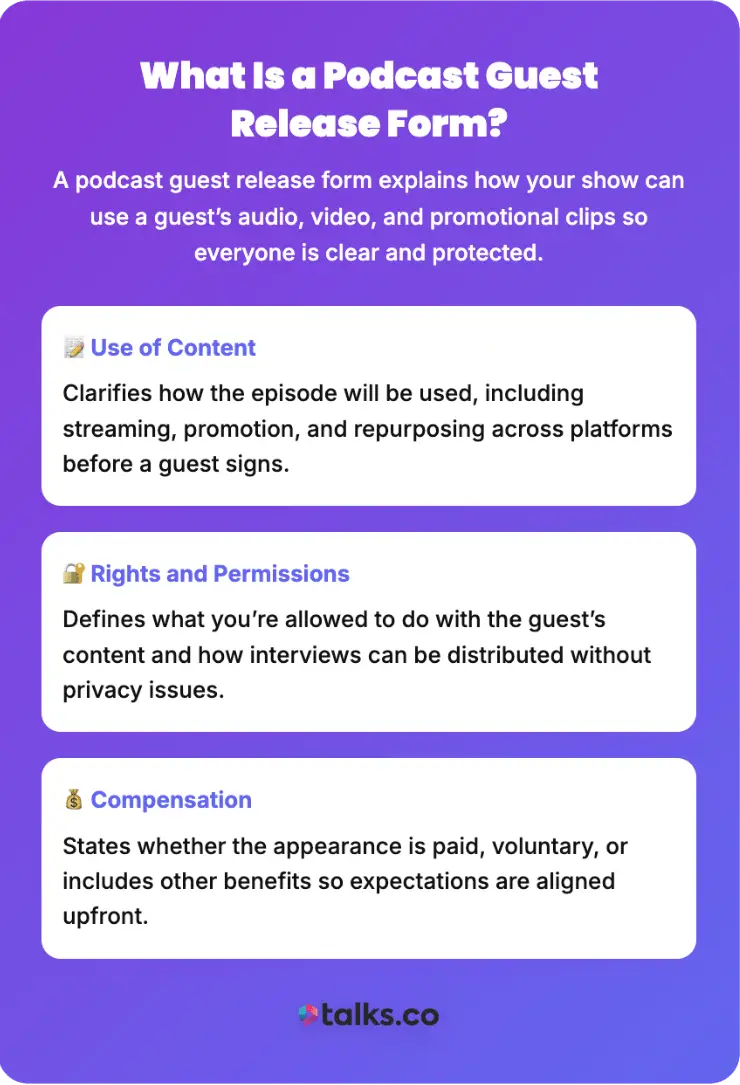
A podcast guest release form is a signed agreement where your guest gives you permission to record, edit, publish, and promote their interview. Think of it as a handshake with legal backup. You’ll also see it called a podcast release form or a guest release form, and the idea stays the same when you do any podcast interview.
A podcast guest release form spells out how you can use the audio, video, photos, and clips from the conversation, so you and your guest agree on the details before anything goes live.
A coach who shares a client story on your interview podcast, for example, can see in writing that you’ll cut it into a LinkedIn clip and a newsletter quote.
Do You Need a Guest Release Form for Every Podcast Interview?
Yes, get a guest release form for every podcast interview you plan to publish, even if the version you use is short. A signed form turns “sure, go ahead” into something you can point to later.
When a release form is non-negotiable
Even the nicest guests can change their minds, so these situations call for a signed form every time:
- Recording for public distribution: If the episode goes live on Spotify, Apple Podcasts, or YouTube, a signed form shows you have permission to publish your guest’s words and image.
- Sensitive or controversial topics: Digging into a heated topic? A signed form protects you from disputes if the guest has second thoughts after the recording.
- Sponsored or monetized episodes: Brands and sponsors often ask for clear agreements before they put money behind an episode, and a written agreement spells out how the guest’s contribution will be used for ads, merchandise, or repurposed content, now and later.
- Editing and creative control: Edits happen, like trimming a 90-minute chat down to a tight 40. A signed form confirms you can rework the episode as needed, so you won’t get stuck in rounds of approval requests on the final cut.
When a lightweight release is enough
A lightweight release is a short agreement, like a one-paragraph note or a required checkbox, and it works for casual, low-risk episodes.
For example, add a checkbox to your Calendly booking form that reads “I agree my interview can be recorded, edited, published, and clipped.”
- Casual chats with past guests: A checkbox or short email reply usually covers a friendly episode.
- Short audio-only Q&As: A one-paragraph agreement fits a quick episode with no sponsors and no sensitive topics.
- Private or internal recordings: A team podcast that never goes public usually doesn’t need a formal release.
Anything on the non-negotiable list above gets the full form.
What happens if you skip the guest release form?
Skipping the paperwork might feel casual and easy, but it’s like stepping onto the soccer field with your shin guards left in the car. You’re leaving yourself exposed to problems like these:
- Guest regrets: If a guest has second thoughts after the episode goes live, all you have is their word and yours. They can ask you to pull the episode, and if they feel misrepresented, the conversation can turn legal.
- Content ownership confusion: Who owns the content? When nothing is signed, you’re in murky waters, especially if the guest claims they didn’t agree to its distribution.
- Editing complaints: A guest might argue that your edits changed their message or how they come across. A release form spells out your right to edit as needed.
- Copyright concerns: Did your guest mention a book, song, or idea? A signed form clarifies what you can publish and gives you something to point to if they later ask for the episode to come down.
- Platform rules: Many podcast hosting platforms ask you to confirm you own or have permission to use everything you upload. A release form helps you tick that box.
What to Include in a Podcast Guest Release Form
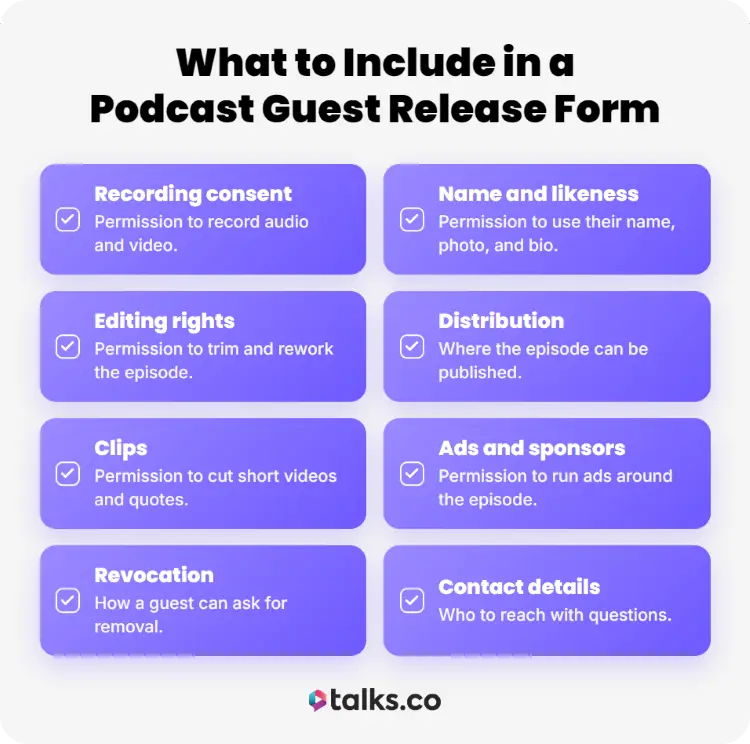
A podcast guest release form should cover eight things. Use this as your checklist:
☐ Recording consent: Permission to record audio and video.
☐ Name and likeness: Permission to use their name, photo, and bio.
☐ Editing rights: Permission to trim and rework the episode.
☐ Distribution: Where the episode can be published.
☐ Clips: Permission to cut short videos and quotes.
☐ Ads and sponsors: Permission to run ads around the episode.
☐ Revocation: How a guest can ask for removal.
☐ Contact details: Who to reach with questions.
Recording and publishing consent
Recording and publishing consent is your guest’s clear yes to being recorded and to having the interview released to the public. Some US states and countries require everyone on a call to agree to being recorded, so a line in the form settles that before you hit record.
- Recording tools: Name the platform you record on, like Zoom or Riverside, so the guest knows what they’re agreeing to.
- Formats: List whether you’re capturing audio, video, or both.
- Publishing platforms: Note where the episode will live, like your hosting platform, YouTube channel, and newsletter.
Name, image, and likeness rights
Name, image, and likeness rights give you permission to use your guest’s name, photo, bio, and voice in the episode and in the marketing around it.
- Episode graphics: A headshot on the episode art and their name in the YouTube title are the most common uses, so the form should say so.
- Headshot and bio: Ask guests to send both along with the signed form.
Editing, clips, and promotional usage
Editing, clips, and promotional usage tell your guest that you can trim the recording, cut it into short clips, and share it across your channels.
- Channels: List where clips will run, like Instagram Reels, TikTok, YouTube Shorts, and your newsletter.
- Edit types: Mention the cuts you make, like trimming for length and removing filler words and background noise.
- Clip approval: If a guest wants to approve clips first, put that in writing with a turnaround time like 48 hours.
Monetization and sponsor usage
Monetization and sponsor usage tell your guest that the episode may carry ads, sponsor reads, and paid promotion.
- Sponsor reads: A guest who appears on an episode with a mid-roll read from a software sponsor should have seen that possibility on the form.
- Revenue share: State plainly whether the guest receives any share of ad or sponsor revenue.
Compensation, revocation, and contact details
Compensation, revocation, and contact details close the loop on who gets what and who to reach when something changes.
- Compensation: Paid, voluntary, or somewhere in between, like a free ad slot in your newsletter. Specify what, if any, compensation is provided so expectations are met.
- Revocation: Say how a guest can ask for the episode or a clip to come down, who receives the request, and how fast you’ll respond, such as within 7 days.
- Contact details: List the host’s name and email, plus a backup contact if you work with a producer or VA.
Podcast Release Form vs Guest Contract vs Guest Questionnaire
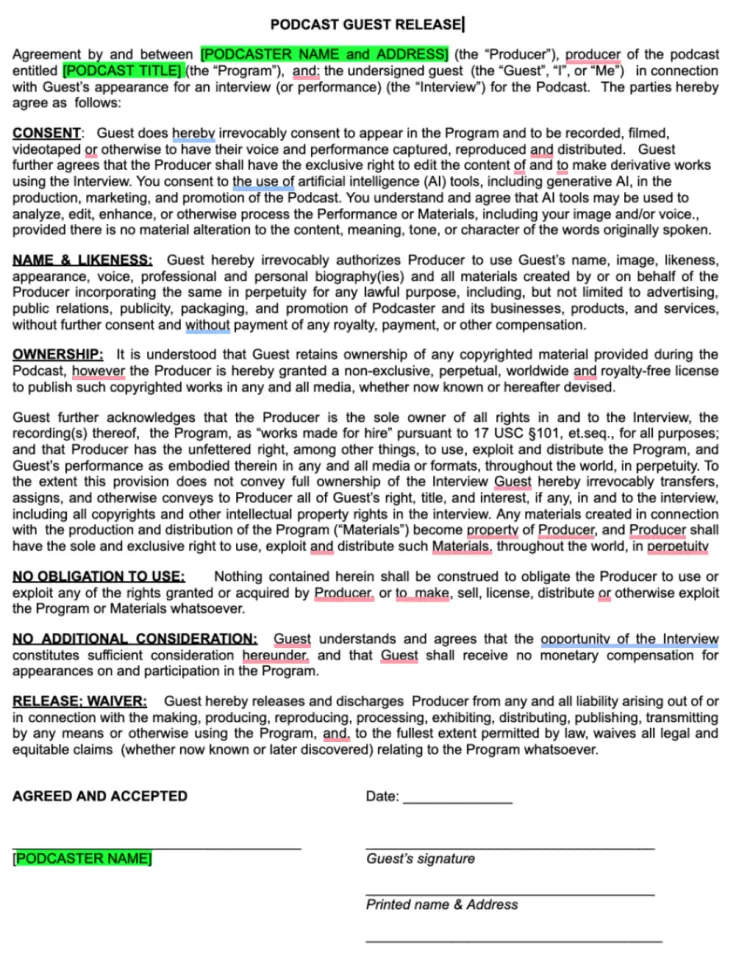
A podcast release form gives you permission to use the interview, a guest contract sets the business terms of the appearance, and a guest questionnaire collects the details you need to run a smooth episode.
- Podcast release form: A short document where the guest agrees to how you can record, edit, publish, and promote the interview. It fits any episode you plan to publish, from a casual 30-minute chat with a past client to a full sponsored interview.
- Podcast guest contract: A longer agreement that adds business terms like payment, exclusivity, deadlines, and cancellation rules. It fits paid appearances, like a keynote speaker joining your summit podcast on an exclusive window, and the podcast guest contract guide walks through what to include.
- Guest questionnaire: A pre-interview form that gathers the guest’s bio, headshot, links, topics, and how to pronounce a name like Siobhan. A solid podcast guest questionnaire template keeps prep short for you and the guest, and it works for every episode.
For most interview shows, the release form and the questionnaire are the only two you need.
When to Send the Release Form to Your Guest
Send your podcast guest release form right after your guest confirms their spot, and collect the signature before you record. These three options cover most shows:
- Right after booking: This is the sweet spot for most podcasters. Your guest is already excited about the show after sending in their podcast guest application, so sending the release form feels like part of the guest onboarding process.
- After recording: Some guests feel more comfortable signing once they know what was captured. The catch is that a guest who declines to sign after the recording leaves you with an episode you may not be able to publish.
- Before booking (rare): Sensitive topics sometimes call for a signed release before you agree to record at all.
A simple send-before-recording process
Five quick steps keep the form from slipping through the cracks:
- At booking: Put the release form and the guest questionnaire in the same confirmation email.
- Two days out: Check for the signature when you send the calendar reminder.
- Day of recording: Confirm it’s signed before you start recording, and send a friendly nudge if it isn’t.
- After signing: Save the signed copy in a “Guest Paperwork” folder in Google Drive, named like “Show-Name_Guest-Name_Episode-12.pdf,” and keep a clean master copy to duplicate for each new episode.
- After publishing: Send the guest the episode link with a quick thank-you.
Pair these steps with a podcast guesting checklist to keep prep and paperwork in one place.
How to Make the Release Process Easy for Guests
The easiest way to get a podcast guest release form signed is to make it a one-click step inside the confirmation email you already send.
Software options for collecting signatures
Pick one tool and send the same link every time, so your guest can sign from a phone and you get a notification when it’s done.
- DocuSign: A widely used e-signature tool that notifies you once the form is signed.
- Google Forms: A free option with a typed-signature field, “Short Answer” for names and emails, and “Checkboxes” for permissions.
Add the form to your guest invite email
A podcast guest invite template with the release form built in saves you a round of emails. Use a podcast guest pitch template to open the conversation, then drop the form into the confirmation once they say yes.
- Subject line: Name the show and the ask, like “You’re booked on [Show Name]! Two quick things before we record.”
- Two links: Put the questionnaire and the release form side by side so the guest handles both in one sitting.
- Deadline: Give a date, like two days before the recording.
- Guest one-sheet: Ask for their podcast guest one-sheet with a bio, headshot, and links, so the questionnaire stays short.
Here’s a guest email version you can copy:
Subject: You’re booked on [Show Name]! Two quick things before we record
Hi [Guest Name],
You’re on [Show Name] on [date] at [time]. Please complete these by [date]:
- Guest questionnaire: [link]
- Guest release form: [link]
Looking forward to the conversation!
[Host Name]
Podcast Guest Release Form Examples
A podcast guest release form works best when you adjust a few clauses for your niche. These examples show what to add for business coaches, health and fitness shows, and storytelling shows.
Release form for business coaches and consultants
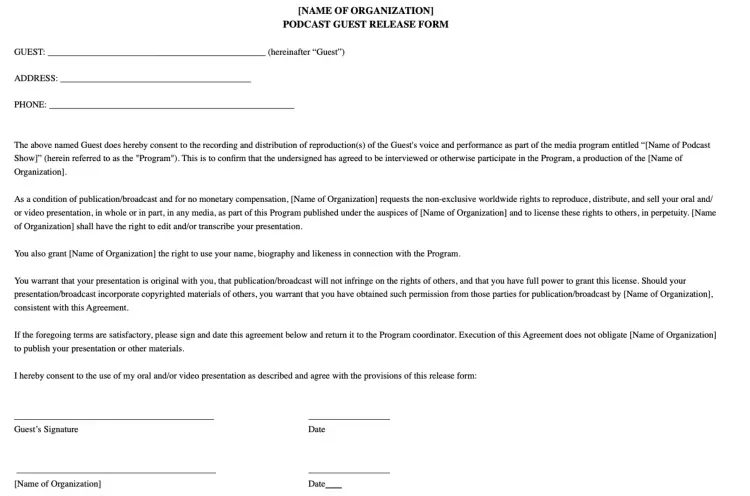
A release form for business coaches and consultants should protect the frameworks, client stories, and results they share on air. The Preserve This Podcast template is a solid starting point to adapt.
- Client permission: Ask the guest to confirm they have their client’s okay to share any story or result.
- Framework credit: Agree on how you’ll name their method in titles and show notes, like “the 5-Step Revenue Rhythm.”
- Promotional links: Confirm you can include their website and booking link in the show notes.
Release form for health and fitness podcasts
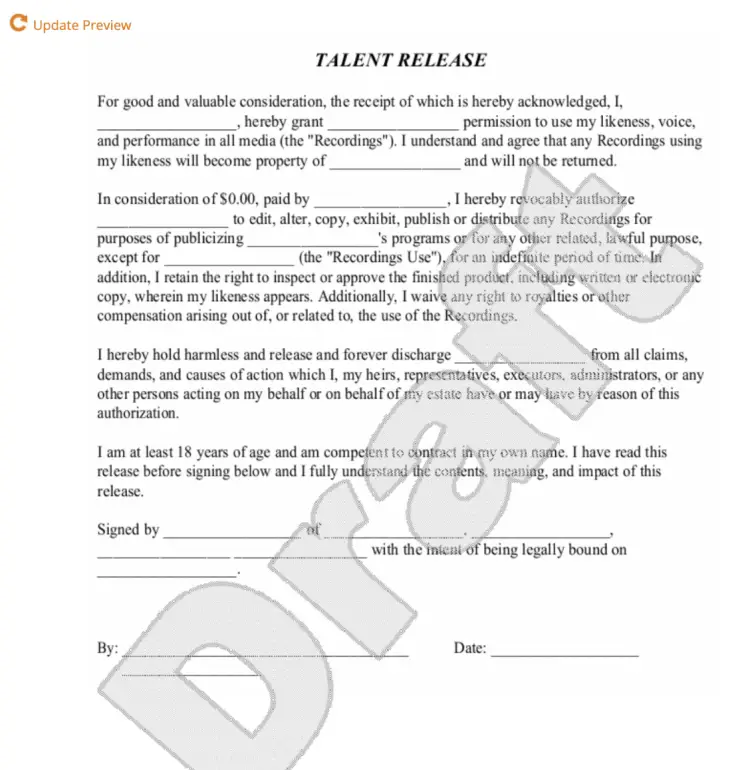
A release form for health and fitness podcasts should cover likeness, voice, and the health advice a guest gives on air. The Rocket Lawyer Talent Release Form covers likeness, voice, and performance and works as a base to build on.
- Health information: Add a line stating the episode shares general information and listeners should check with their own doctor.
- Demonstrations: Cover video of exercises, like a kettlebell swing demo, since likeness matters most on camera.
- Client details: Ask the guest to confirm they have permission before sharing identifiable client health stories.
Release form for storytelling shows
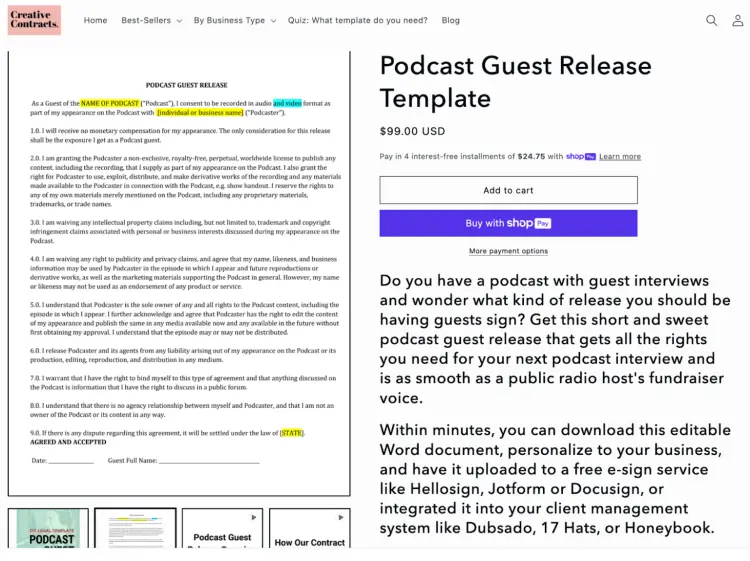
A release form for storytelling shows should protect the guest’s personal story and spell out how you can adapt it. Creative Contracts offers a template tailored to storytelling podcasts.
- Story ownership: Say who holds the rights to the story and how you may adapt it for clips and episodes.
- Other people in the story: Ask the guest to confirm they’re comfortable naming family, ex-partners, or coworkers, or to change the names.
- Sensitive moments: Let the guest flag parts they want trimmed within a set window, like 3 days after they review the cut.
Other Podcast Release Form Templates Worth Comparing
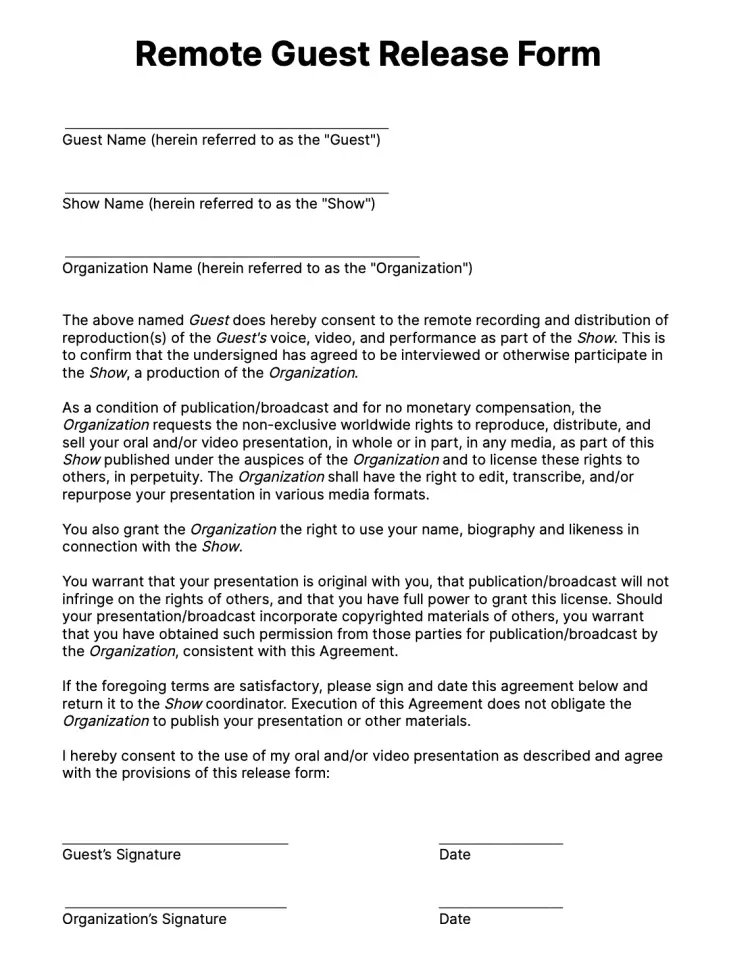
Three ready-made podcast release form templates are worth comparing against ours: SquadCast, Gordon Firemark, and Legal Foundations. Whichever you pick, check it against the clause checklist above and add anything missing.
- SquadCast: A short, clean release for remote guests that covers recording consent, name and likeness, editing, and worldwide distribution. It doesn’t mention sponsors or removal requests, so add those lines from the template above.
- Gordon Firemark: A free, lawyer-drafted release from a podcast lawyer. It’s written for producers and gives you control over editing, distribution, and monetization, which suits hosts who want a thorough form.
- Legal Foundations: A free generator that emails you a customized Word document. It’s written for England and Wales, so it fits UK-based shows best, and US hosts should have a lawyer review it.
How to Find Podcast Guests
You can find podcast guests on Talks by creating a free profile, filtering for podcast guests who fit your show, and matching with the ones who are interested. Here’s how it works, step by step:
- Create your free Talks Creator profile: Sign up for Talks and set up your Talks Creator profile so you can start exploring top podcast guest speakers.
- Browse guest profiles: Each guest profile works like a media kit, with a bio, topics, media links, and professional photos, so you can vet someone before you reach out.
- Filter for your fit: Narrow by topic, keyword, industry, and location, then add filters like format, payment, and language. A show for first-time founders might filter for “fundraising” and remote guests.
- Match with guests: Tap Interested on the guests you like. When they’re interested too, you’re matched and can message each other in your inbox to lock in a date.
- Turn on autopilot: Let Talks match you with right-fit guests, then approve or decline each one in a single click, with no manual outreach.
- Send the release form: Once a guest and a date are set, send your podcast guest release form with the confirmation email.
Want to meet more experts? Join Talks Connect and post with #FindaGuest.
Comparing other directories? See these PodcastGuests.com alternatives or check out the podcast guest masterclass for a deeper look at the whole guesting process.
Podcast Guest Release Form FAQs
Quick answers to the questions hosts ask most before they send a podcast guest release form.
Can I use podcast clips on social media after a guest signs?
Yes, as long as the signed release mentions clips and the channels you plan to post them on. Tag your podcast guest when you share each one, so they can repost it to their own audience.
Can a guest take back their permission after signing?
A podcast guest can ask, but whether you have to comply depends on what your form says and the laws where you live. Follow the removal steps in your form, respond kindly, and always check with a lawyer first if the episode is sponsored or sensitive.
Do podcast guests need to be paid to sign?
No, a guest doesn’t need to be paid to sign. Payment is something you agree on and put in the compensation line, whether the appearance is free, paid, or somewhere in between, like a promoted link to their book. Learn more about whether podcast guests get paid.
Can a guest sign a release form electronically?
Yes, in the US, electronic signatures are generally accepted for agreements like this, though the rules vary by country. A guest can sign through an e-signature tool or a form with a typed name and date, and the signed copy reaches your inbox the moment they finish.
Put Your Podcast Guest Release Form to Work
A podcast guest release form isn’t the sexiest part of your podcast setup, but it’s absolutely essential.
By using one of the templates above or creating your own, you ensure that both you and your guest are clear on your rights, responsibilities, and what happens with the content once it’s recorded.
So don’t skip this part. It’s just part of playing the game right.
Don’t let opportunities pass you by. Find the perfect guests for your show and start getting booked today.
Sign up for your free Talks account!