

You’ve met your guest and recorded an episode. Great! What’s next?
You can’t air your podcast show unfiltered. Even the most casual talk shows have to do a bit of editing to remove awkward pauses.
Editing is an important step you can’t miss, and the right podcast editing software can give you a professional finish that would captivate audiences.
There are many options out there to get you started.
I’ve listed the top 19 podcast editing programs for podcasters and shared my top picks for your different needs.
Whether you’re looking for free software or high-powered apps, you’ll find the right fit for your experience, budget, and device.
Top Podcast Editing Software: 2026 Snapshot
Here’s a quick look at the 19 top podcast editing tools and who they’re best suited for:
- Audacity: Best free software for beginners.
- Alitu: Best for podcasters looking for automations.
- GarageBand: Best for Mac users wanting easy, free recording and editing.
- Ocenaudio: Best for easy, no-frills editing with solid effects and filters.
- Adobe Audition: Best for advanced audio editing with multitrack.
- Reaper: Best for powerful and customizable features at a low cost.
- WavePad: Best for an intuitive editor compatible with Windows.
- DaVinci Resolve: Best for free audio and video editing software.
- Avid Pro Tools: Best for top-notch, studio-level audio tools.
- Descript: Best for text-based editing and integrated AI tools.
- Spreaker Studio: Best for casual podcasters who want to record and edit.
- Hindenburg Journalist: Best for storytellers and interview-focused podcasts.
- Acoustica: Best for creators looking for easy-to-use editing and cleanup features.
- TwistedWave: Best for Chromebook users wanting quick browser-based edits.
- Logic Pro: Best for Mac-based DAW for music and podcast production.
- Camtasia: Best for video podcast editing beginners and creators.
- Zencastr: Best for podcast interviewers with built-in recording and editing tools.
- Auphonic: Best for users needing automatic audio leveling and mastering.
- Adobe Premiere Pro: Best for an all-in-one video and audio editing tool.
What Is the Best Podcast Editing Software?
Podcast editing software is a tool used to cut, clean, enhance, and polish your audio before releasing it. Choosing the best one? That depends on what you need.
Generally, good software can help you reduce background noise, level audio, add effects, and smoothly splice segments together. Some software also supports video podcasts, combining audio with video editing.
Podcast production software vs audio editing software
When you’re looking into software, the terms “podcast production software” and “audio editing software” come up. These two terms often get mixed up but they mean slightly different things:
- Podcast production software: Tools that help with the entire podcast creation process. This includes recording, editing, adding music, mixing, and sometimes even hosting or publishing.
- Audio editing software: Focuses mainly on editing sound files. These programs give you the controls to cut, mix, and polish audio but may not include recording or publishing features.
While many podcast editing software options cover both, knowing this difference helps you pick software based on your goals.
19 Best Podcast Editing Software
This is your ultimate guide to podcast editing software. No matter where you are in your podcasting journey, you’ll find tools for your specific podcast needs.
Here are the 19 most-trusted podcast editing software for podcasters everywhere:
1. Audacity: Podcast editing software for beginners
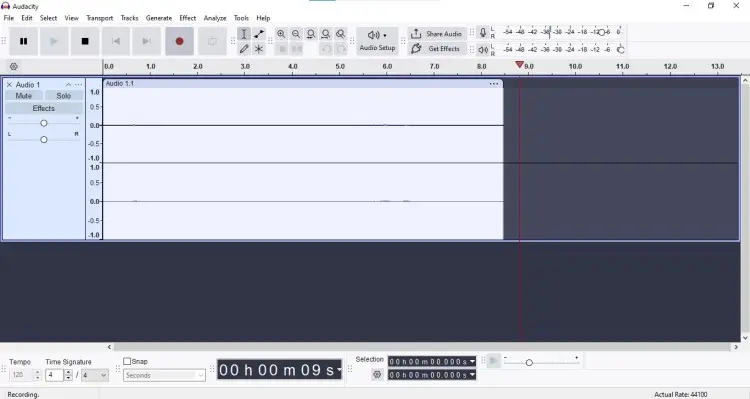
Best for: Beginners wanting a free podcast editing software with solid basics.
Audacity is a classic, powerful, and free podcast editing software for beginners with a wide range of tools for recording and editing audio. It is open source and works on Windows, Mac, and Linux.
- Price: Free
- Key features: Multitrack editing, noise reduction, audio effects, unlimited undo, and open-source community support.
2. Alitu: Easiest podcast editing software
Best for: Podcasters who want to speed up the editing process.
Alitu automates tasks like noise removal, leveling, and adding music. Ideal if you want to focus on just content.
- Price: $38
- Key features: Automatic audio cleanup, simple drag-and-drop episode builder, campaign management, and integration with podcast hosts.
3. GarageBand: Easy podcast editing software
Best for: Mac users who want beginner-friendly editing software.
GarageBand is the go-to for many Mac users starting with podcasting. It’s easy to use and offers decent audio editing alongside music production features.
- Price: Free
- Key features: Multitrack recording, built-in sound effects, preset filters, simple user interface.
4. Ocenaudio: Simple podcast editing software
Best for: Podcasters needing a lightweight editor for quick edits.
Ocenaudio is a straightforward audio editor that works well for quick cuts, fades, and noise filtering. It’s great if you want simple audio editing software without overwhelming features.
- Price: Free
- Key features: Real-time preview, built-in effects, VST plugin support, and cross-platform compatibility.
5. Adobe Audition: Advanced podcast audio editing software
Best for: Experienced podcasters needing professional-grade audio editing tools.
Adobe Audition provides advanced audio editing with features like spectral frequency display, noise reduction, and multitrack mixing. Perfect if you want to get very precise with sound quality.
- Price: $22.99 per month
- Key features: Multitrack session support, noise reduction, batch processing, advanced effects, and integration with other Adobe apps.
6. Reaper: Advanced podcast editor app
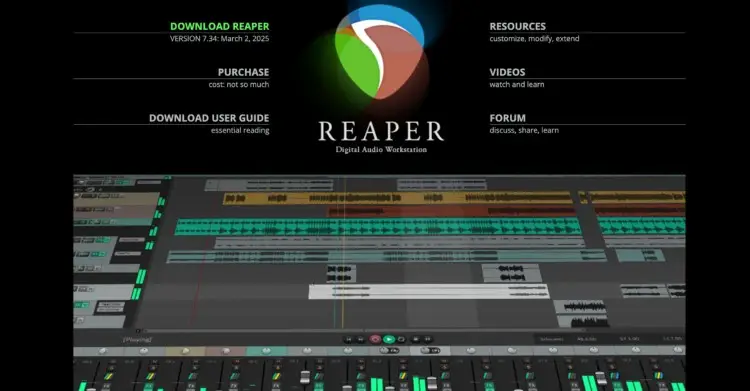
Best for: Power users wanting a customizable and affordable DAW for podcasts.
Reaper offers deep control over editing, mixing, and automation. It’s flexible and fast, making it a favorite among technically skilled podcasters.
- Price: $60 (discounted license), $255 (commercial use)
- Key features: Extensive plugin support, multitrack MIDI or audio editing, customizable interface, and low CPU usage.
7. WavePad: Free podcast editing software Windows
Best for: Windows users looking for free software with professional editing tools.
WavePad’s free version lets you record and edit audio with many effects. It’s beginner-friendly but also offers advanced features for better sound control.
- Price: Free for non-commercial use (paid starts at $4.44 a month)
- Key features: Audio effects, batch processing, noise reduction, and support for many audio formats.
8. DaVinci Resolve: Free video podcast editing software
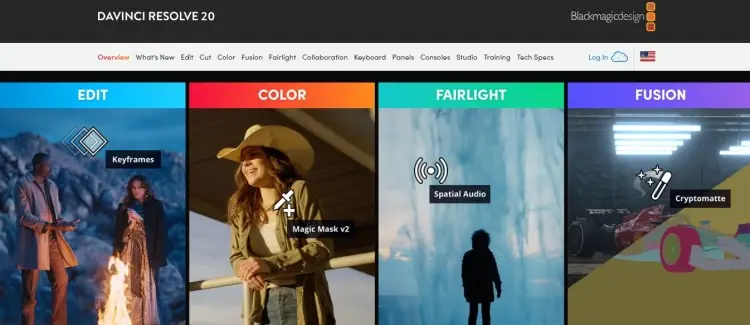
Best for: Podcasters who need a strong free video podcast editing software.
DaVinci Resolve is a professional editor with powerful video and audio capabilities. Its free version is perfect for video podcasts that need tight editing.
- Price: Free (studio version is $295)
- Key features: Multitrack video and audio editing, color correction, Fairlight audio suite, and collaborative tools.
9. Pro Tools: Paid podcast sound editing software
Best for: Professional sound engineers and podcasters working in studios.
Pro Tools is an industry-standard audio production platform used for music, podcasts, and film. It offers advanced features for recording, mixing, and mastering.
- Price: $79 (artist tier), $239 (studio tier), $474 (ultimate tier)
- Key features: Advanced mixing, virtual instruments, high-quality plugins, and Dolby Atmos support.
10. Descript: Paid podcast editing software online
Best for: Podcasters wanting AI-powered podcast editing tools with text-based editing.
Descript transcribes your audio, then lets you edit by simply deleting or moving text. It’s one of the best options for fast, intuitive editing.
- Price: Free (paid plans start at $16)
- Key features: AI transcription, text editor for audio, filler word removal, multitrack editing, and overdub voice cloning.
11. Spreaker Studio: Paid apps for podcast editing
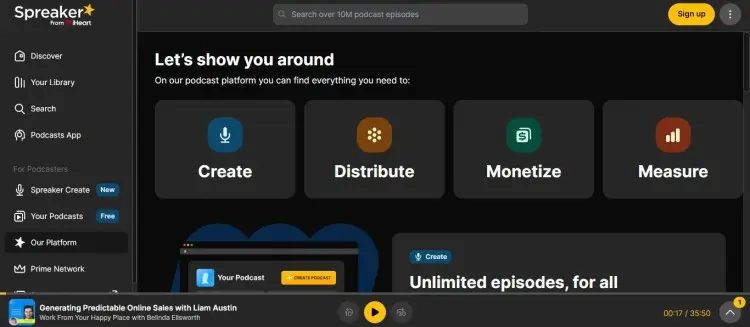
Best for: Podcasters who want an all-in-one app for recording, editing, and publishing.
Spreaker Studio is a mobile and desktop app that allows users to record, edit, and publish their podcasts directly to major platforms.
- Price: Free (paid plans up to $250)
- Key features: Live broadcasting, background music, sound effects, and direct distribution.
12. Hindenburg Pro: Good podcast editing software
Best for: Podcasters who want a balance of simplicity and professional tools.
Hindenburg Pro is an audio editor designed for spoken-word productions like podcasts and interviews. It combines easy-to-use features with high-quality sound optimization.
- Price: Free 30-day trial (paid plan starts at $12, plus tax)
- Key features: Automatic sound leveling, voice profiler, one-click publishing, and intuitive editing interface.
13. Acoustica: Podcast editing software for Windows
Best for: Podcasters who want a clean interface with strong audio restoration tools.
Acoustica offers both free and premium editions, giving Windows podcasters access to precise editing features. The Basic Edition is free and includes essential tools for recording and editing podcasts.
- Price: Free 30-day trial ($99 for full version)
- Key features: Real-time effects, multi-track editing (in premium), audio restoration, and support for high-quality audio formats.
14. TwistedWave: Podcast editing software for Chromebook
Best for: Chromebook users and those who want an easy browser-based paid app.
TwistedWave offers a clean, web-based audio editor that can handle large files and supports various plugins. You can also download the software for Mac, Windows, iPad and iPhone.
- Price: Free 30-day trial ($11.19 monthly for licensed version)
- Key features: Browser-based editing, audio effects, batch processing, and integration with cloud services.
15. Logic Pro: Podcast editing software for Mac
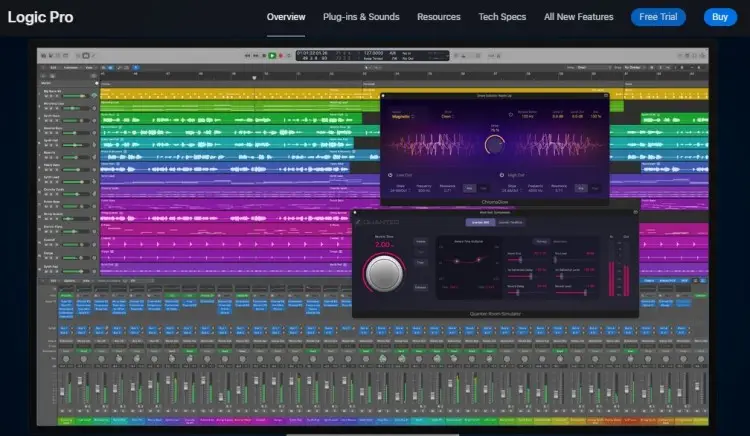
Best for: Mac users wanting a comprehensive pro-level option for podcasts and music.
Logic Pro provides deep audio editing and mixing tools with a friendly Apple ecosystem. It’s perfect for podcasters who want full control and professional results.
- Price: Free 90-day trial ($199.99 one-time purchase)
- Key features: Multitrack editing, Flex Time, Flex Pitch, hundreds of plug-ins and loops, and an excellent sound library.
16. Camtasia: Video podcast editing software
Best for: Podcasters new to video editing who want an easy-to-use app.
Camtasia combines screen recording with video editing features tailored for beginners. Ideal for video podcasts and tutorial creators.
- Price: Free trial (paid plans start at $179.88)
- Key features: Screen capture, drag-and-drop editing, built-in animations, and audio editing.
17. Zencastr: Podcast recording and editing software
Best for: Remote interview podcasters who need integrated recording and editing.
Zencastr records separate audio tracks for each guest, improving sound clarity and allowing easy post-editing.
- Price: Free basic plan (paid plan starts at $18 a month)
- Key features: Separate track recording, automatic post-production, remote recording for interviews, and cloud storage.
18. Auphonic: Best AI podcast editing software
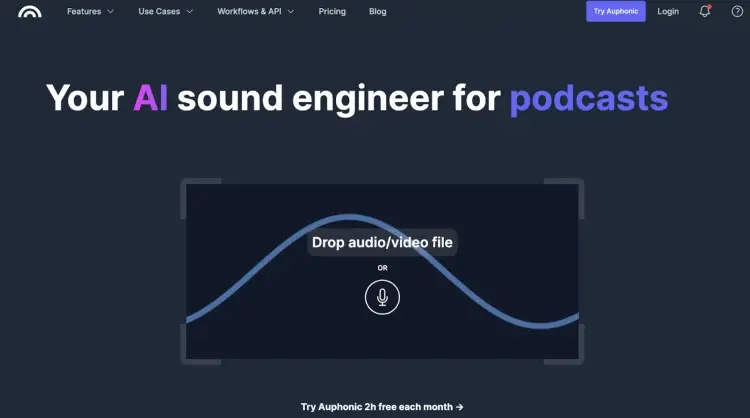
Best for: Podcasters who want AI-driven audio cleanup and mastering.
Auphonic uses AI to automatically enhance podcast audio, balance levels, and remove noise. Ideal for creators who want professional-quality sound without deep technical knowledge.
- Price: Free 2 hours a month (paid plan starts at $11 monthly)
- Key features: AI audio leveling, noise reduction, metadata tagging, and automatic publishing.
19. Adobe Premiere Pro: Best video podcast editing software
Best for: Professional video podcasters and YouTubers.
Adobe Premiere Pro is a leading video editing tool widely used in film, TV, and podcast production. Excellent for editing video podcasts with professional precision.
- Price: $22.99/month
- Key features: Multi-track video and audio editing, color grading, motion graphics, and seamless integration with other Adobe software.
What Is the Best Audio Editing Software for Podcasts?
The best podcasting software meets you where you’re at. Think about your comfort level, expertise, budget and the devices you’re using.
Here are my top recommendations for different kinds of podcasters:
| Category | Software | Key features |
|---|---|---|
| Best for beginners | Audacity | Free, multi-track editing, basic effects, widely supported. |
| Best paid | Avid Pro Tools | Deep Mac DAW, advanced plugins, music and podcast production. |
| Best for Mac | Logic Pro | Mac-native, deep feature set for audio production at a one-time price. Best for podcasters who want advanced editing, plugins and music production. |
| Best for Windows | Adobe Audition | Strong Windows support. Advanced restoration tools and multi-track workflow suited to pro Windows users. |
| Best for video podcasts | DaVinci Resolve | Full video NLE + Fairlight audio suite. Has the best combined video and audio workflow. |
Best podcast editing software for beginners vs. pros
Podcast editing tools make it easy to create quality content. No matter what your skill level is, choose a program that gets the job done, but is also easy to navigate.
Here are my top picks for beginner and advanced podcast editing software:
- Best beginner pick: Audacity is free, capable, and backed by plenty of tutorials. (Honorable mention: Alitu for easy automation.)
- Best pro pick: Adobe Audition has advanced tools, clean UI, and Adobe integration. (Honorable mention: Avid Pro Tools for complex sessions.)
Best podcast editing software free vs. paid
Do you really have to spend a ton of money to get good software? The list shows that it’s not the case. There are lots of free options for podcasters out there.
But when it comes to the best of the best, here are my top picks for free and paid options:
- Best free option: Audacity (audio) and DaVinci Resolve (video and audio) are solid choices. Both their free versions have complete basic tools and workspaces that help you edit quality podcasts.
- Best paid option: Adobe Audition (audio) is a clear pick with professional editing features and regular updates. Avid Pro Tools is also a top studio standard if you need high-end mixing or mastering that can justify the cost.
Best podcast editing software Mac vs. Windows
You don’t always have to buy new equipment to start a podcast. Work with what you have and go for software compatible with your OS and device.
Here’s what I recommend for Mac and Windows users:
- Best Mac option: Logic Pro provides professional features and Apple ecosystem optimization for macOS podcasters.
- Best Windows option: Adobe Audition has advanced audio restoration tools and can be integrated with Adobe video tools. It’s a top choice for Windows-based podcasters.
What Key Features to Look for in Your Editing Software (Checklist)
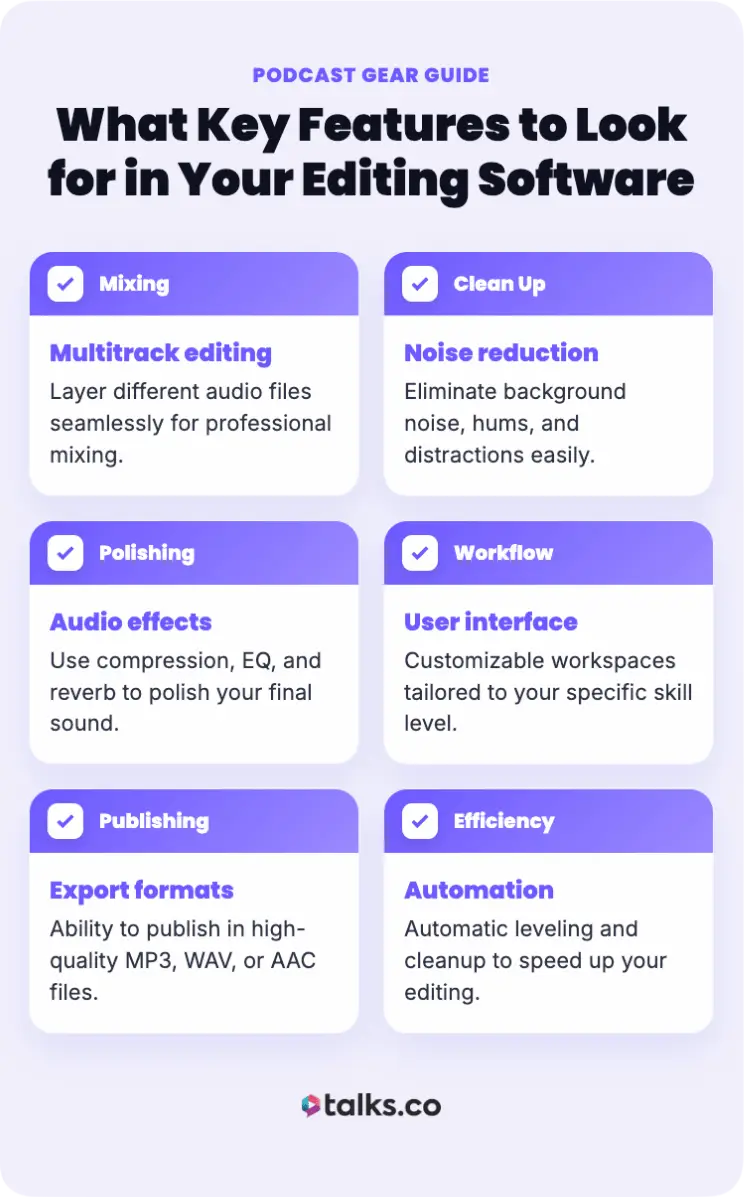
Look for these key features before you commit to editing software:
☐ Multitrack editing: Lets you layer different audio files for mixing.
☐ Noise reduction: Tools to eliminate background noise and hums.
☐ Audio effects: Compression, EQ, and reverb to polish your sound.
☐ User interface: Easy-to-use or customizable workspaces for your skill level.
☐ Export formats: Publish in MP3, WAV, or AAC.
☐ Integration: Compatible with your podcast recording software and hosting platform.
☐ Automation: Automatic leveling and cleanup to speed up editing.
☐ Support and tutorials: Access to helpful resources (e.g., guides, how-tos) and customer support.
7 Factors to consider when choosing your podcast editing software
Think about the following before locking in the podcast editing app of your choice:
- Experience level: Are you looking for beginner-friendly or pro audio editing tools?
- Budget: How much are you willing to spend on this tech upgrade? Do you want to pay one-time or monthly?
- Type of podcast: What type of podcast show are you creating (e.g., solo talk show, interviews, or video podcasts)?
- Hardware: What device will you use, and what software will be compatible?
- Scope: Are you looking for an all-in-one software to handle recording, editing, and hosting, or would you like to focus on just editing?
- Required features: What are your non-negotiable tools (e.g., AI automations, multitrack mixing)?
- Workflow: Do you want a web-based or desktop software?
Podcast editing tools reviews to help you decide
Here’s what other people had to say about different podcast editing software and apps:
- Audacity, premium quality without the cost: “It is software that is easy to obtain, simple to install, and offers a myriad of functions that are not even provided by others at a cost.” – Alberto G.
- Alitu, helpful and easy to jump in: “For first-time podcasters, it is a seamless experience editing, adding music and sound clips, and streaming to platforms.” – Laura Gable
- GarageBand, meets your audio creation needs: “I like the way in which GarageBand breaks down the complex world of audio production into easy-to-use elements.” – Joel O.
- Adobe Audition, professional sound editing solution: “I appreciate its flexibility, advanced functionality, and the ability to work seamlessly with other Adobe products.” – Mark
- DaVinci Resolve, professional-grade video editing: “The software supports advanced features like AI-powered color matching, Magic Mask for object selection, multicam editing, and a wide range of export options.” – Benjamin W.
How Much Does a Podcast Editor Cost?
If you’re managing a podcast on your own, your time is precious. Consider hiring an editor to take care of the final product while you focus on writing shows and inviting guests.
The cost of hiring a podcast editor varies, depending on the pricing model:
- Hourly rates: $30-$100 per hour (depending on experience)
- Per-episode rates: $50 (basic edits) to $300+ (advanced editing)
- Monthly retainer options: Some editors offer ongoing packages for regular shows.
Podcast editing software vs hiring a podcast editor
Debating whether it’s better to edit on your own or hire a pro editor? Here’s a quick run-down of pros and cons:
| Aspect | Software + DIY | Hire an editor |
|---|---|---|
| Cost | Low upfront or monthly fees | Higher cost per podcast episode |
| Control | Full control over every edit | Depends on your coordination with the editor |
| Learning curve | Requires time to learn | Editor handles all the technical details |
| Flexibility | Edit anytime | Needs scheduling and agreement on turnaround time |
| Quality | Varies with skill | Professional polish |
How to Edit a Video Podcast
Editing video podcasts includes a few extra steps beyond audio:
- Set up your workspace: Import video and separate audio tracks into your video editing software.
- Improve audio: Clean audio with noise reduction and volume leveling tools.
- Trim clips: Cut unnecessary footage to manage how long your podcast is and sync audio with video clips.
- Apply effects: Add transitions, titles, and branding elements.
- Color grade: Color correct your video for a consistent look.
- Save the file: Export optimized file formats for podcast platforms or YouTube.
Podcast editing tutorial videos you can study
If you’re looking for specific tutorial videos for editing a good podcast, here are some you can explore:
- How To Record and Edit A Podcast For Beginners (For FREE!): Hands-on intro to podcasting which covers recording, editing and polishing audio without paid tools.
- Podcast Editing Videos: A series of short videos showing techniques and scenarios about podcast editing.
- How To Edit a Podcast: Gives you advice on hosting and software for newbies.
If you’re looking for other tutorials, explore this guide on how to record a podcast on your phone.
4 Podcast editing style options
If you’re drawing a blank on how to edit your podcast, start by sticking to a style or format. Here are the most common editing styles for different types of podcasts:
- Light edit: Simple cleaning and smoothing. You remove glaring mistakes and long pauses but generally preserve the natural flow.
- Narrative edit: Involves rearranging clips, scripting narration, and adding music. Kind of like radio storytelling.
- Creative edit: Goes beyond polishing by doing sound design, music scoring, dramatic pauses and creative transitions. The way you edit becomes an entertainment factor of the show.
- Broadcast edit: Mimics traditional radio with tight pacing, clear audio and consistent music beds.
This Is How You Produce Professional Podcasts
The right podcast editing software cleans up your sound. It sharpens your voice. It keeps listeners from clicking away.
That matters.
But production alone won’t carry a show.
What keeps people coming back are the conversations. The insight. The guests who bring stories, experience, and perspective your audience can’t get anywhere else.
That’s where Talks comes in.
Create your free Creator Profile and get matched with guests who fit your topic and your standards. Instead of chasing people across social platforms, you can focus on recording episodes worth hearing.
Great audio earns attention. Great guests build reputation.
Get your free Talks profile and start booking interviews that make your show impossible to ignore.


