

Looking to launch a podcast but don’t know where to begin?
Start with what actually matters. The truth is, listeners can tell pro from amateur shows immediately just with the audio quality.
As someone who listens to podcasts daily, I build a relationship with the people I listen to. But I can’t do that with distracting static or noise. I need to actually be able to hear what you’re saying before you convince me to listen to you.
In short, when you sound professional, you build your authority and keep listeners coming back for more.
These 17 top podcast interview software help you achieve the production quality you’re aiming for. I reviewed each platform to help you pick the one that fits your podcasting needs, including pro and free options.
17 Podcast Interview Software (2027 Snapshot)
Here’s a quick look at the best remote podcast software to record interviews and make connections:
- Talks: Best for finding and booking podcast guests.
- Riverside: Best for high-quality remote audio and video recording.
- Alitu: Best all-in-one recording and editing tool.
- HubSpot: Best for integrating with marketing tools.
- SquadCast: Best for professional remote recording.
- Zencastr: Best for browser-based remote podcast interviews.
- Spreaker: Best for live broadcasting and mobile recording.
- Cleanfeed: Best for straightforward live audio recording.
- Iris: Best for Simple remote video recording.
- Cast: Best for recording, editing, and hosting in one.
- Clearcast.io: Best for high-fidelity audio for remote guests.
- Soundtrap: Best for music and storytelling production.
- Zoom: Best for general call recording on familiar software.
- Hindenburg Pro: Best for journalist-style audio editing.
- Podcastle: Best for AI-powered audio recording and editing.
- Descript: Best for editing audio by editing text.
- Boomcaster: Best for live streaming and recording.
What Is a Podcast Interview Software?
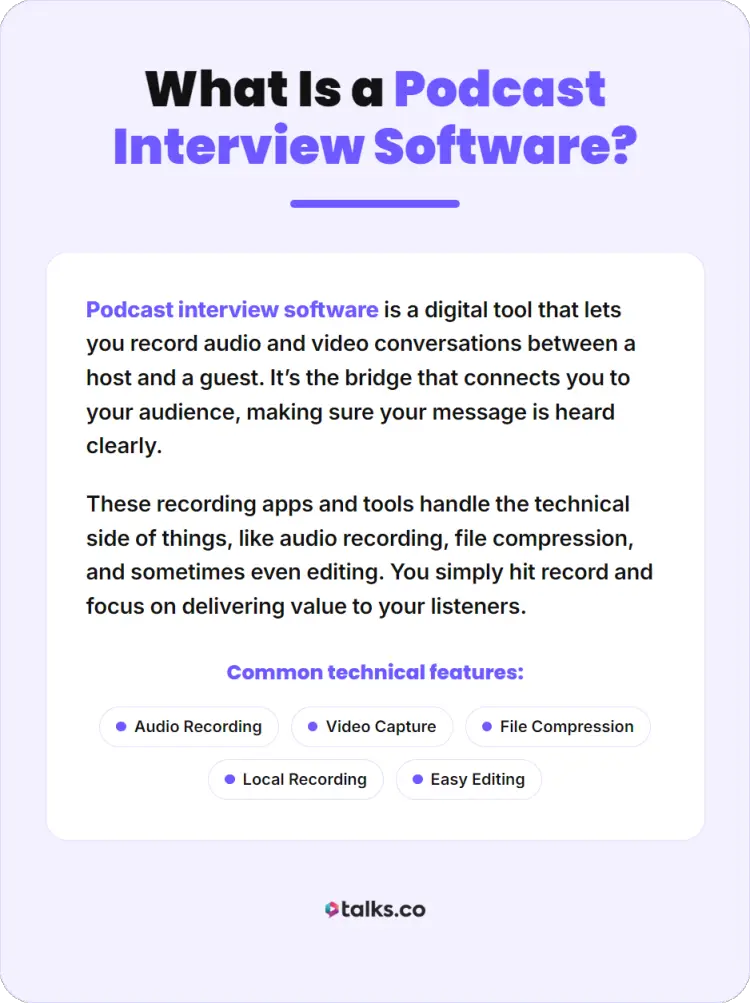
Podcast interview software is a digital tool that lets you record audio and video conversations between a host and a guest. It’s the bridge that connects you to your audience, making sure your message is heard clearly.
These recording apps and tools handle the technical side of things, like audio recording, file compression, and sometimes even editing. You simply hit record and focus on delivering value to your listeners.
What is a podcast interview online?
An online podcast interview happens when you and your guest are in different physical locations, connected via the internet. Despite the distance, a podcast interview software records both sides of the conversation seamlessly.
Most modern tools use local recording, which means the audio is saved directly on your device instead of over the internet. You get a high-quality podcast recording even if your Wi-Fi connection is unstable.
17 Top Podcast Interview Recording Software
Before you get to the interview, you need the right software to make sure your conversations don’t go to waste. If you don’t have the tools, eureka moments can be lost in between glitches and low-quality captures.
Here are the top 17 recommendations to support your podcast interview sessions. Compare key features and costs to see what fits your podcasting needs:
1. Talks (Best for podcast guest matching)
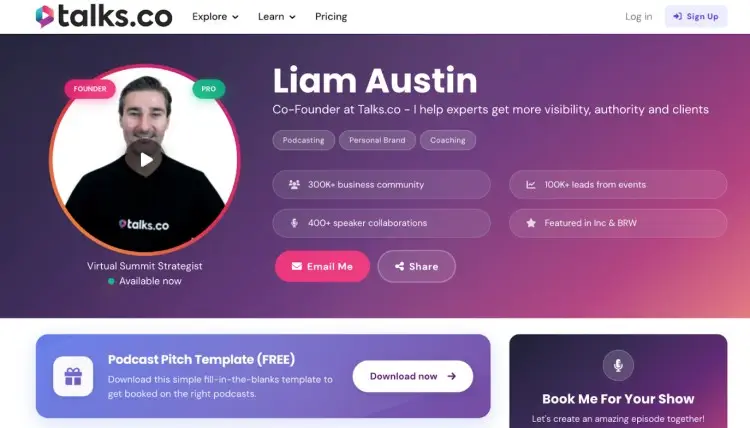
Best for: Finding podcast interview guests and making connections quickly.
Before you can even record that dream interview, you need to find your dream guests. Talks makes that a reality, an AI-powered podcast guest matching platform that connects speakers, coaches, consultants, and authors with shows actively looking for guests.
- Key features: AI-powered guest-host matching, advanced search filters, direct messaging, and personalized speaker profiles.
- Price: Forever free to create a profile; pro plans start at $19/month to unlock more features
2. Riverside (Best overall podcast interview software)
Best for: Podcasters producing professional-grade video podcasts.
Riverside is one of the best podcast recording software options for creators who want broadcast-quality results. It also includes AI-powered editing tools, making it perfect if you want to record and edit in one seamless workflow.
- Key features: 4K video recording, separate audio and video tracks per guest, local recording, automatic transcription, and live streaming.
- Price: Free plan available, paid plans start from $24/month
Here’s a guide you can check out for a more detailed Riverside vs. StreamYard comparison.
3. Alitu
Best for: All-in-one podcast maker for creators who want a simple process.
If you’re new to podcast production or want to streamline your workflow from recording to publishing, Alitu handles it all. Its drag-and-drop interface removes the complexity, and automatic filters clean up your audio without technical knowledge.
- Key features: Call recording and solo recording, AI noise reduction and voice leveling, text-based editing, episode builder, and hosting included (up to 1000 downloads free).
- Price: $38/month
4. HubSpot
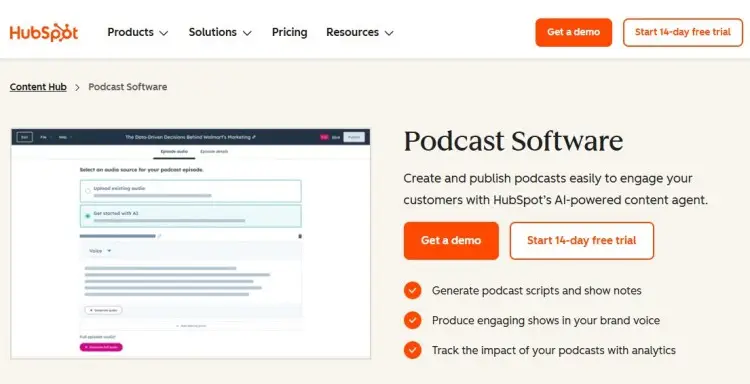
Best for: Marketing teams managing multiple content initiatives.
HubSpot’s podcast tools integrate with its broader content management suite. It’s the best podcast software if you need to record and edit while also managing promotion and analytics across integrated channels.
- Key features: AI-powered brainstorming and script generation, publishing across multiple platforms, built-in analytics, audience engagement tracking, and email list integration.
- Price: Part of Content Hub (Free tools available, premium tiers vary)
5. SquadCast (Best for remote recording)
Best for: Studio-quality audio for your interview podcast.
SquadCast has built a reputation for delivering the cleanest, most professional audio among podcast recording platforms. This is your choice if audio quality is your primary concern when you record a podcast remotely.
- Key features: Local recording with separate tracks, Green Room feature, automatic backup uploads, progressive upload capability, and scheduling tool.
- Price: Free plan available, paid plans start from $16/month
Check comparisons in this SquadCast vs. Riverside guide.
6. Zencastr (Best for multi-guest recording)
Best for: Affordable and intuitive remote interviews.
Zencastr pioneered multitrack local recording and remains one of the most user-friendly podcast recording options. With a generous free plan, it’s perfect if you want to test the waters before committing financially.
- Key features: Local multitrack recording in WAV format, built-in soundboard, automatic syncing, easy guest invitations, and Dropbox integration.
- Price: Free plan available, paid plans start from $30/month
Check Zencastr vs. Riverside comparisons in this guide.
7. Spreaker (Best for recording on-the-go)
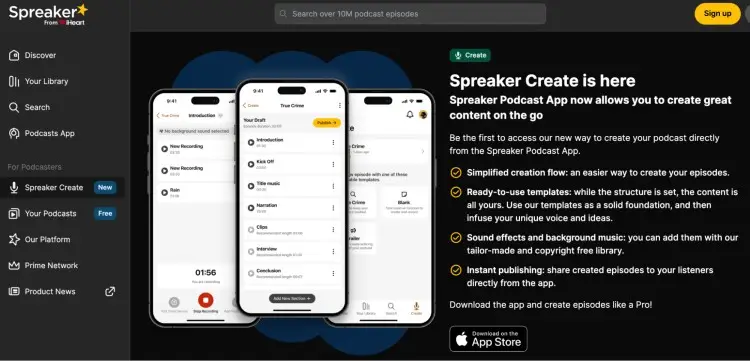
Best for: Mobile podcast recording and distribution.
Spreaker shines if you want to record a podcast on your phone without sacrificing quality. The mobile app is intuitive, and one-click distribution spreads your episode across major platforms.
- Key features: Mobile and desktop recording, hosting included, one-click distribution, live streaming, monetization options, and built-in analytics.
- Price: Free plan available, paid plans start from $20/month
8. Cleanfeed
Best for: Live streaming and free or budget-conscious recording
Cleanfeed offers unlimited recording on its free tier for up to two guests, making it the most budget-friendly podcast software option available. The platform specializes in live-quality audio, recording in real-time without latency issues.
- Key features: Web-based, no downloads required, multiple input devices, volume control, audio repair tools, and live streaming.
- Price: Free unlimited use (for two guests), Pro plans start from $36/month
9. Iris
Best for: Exploring a new platform with HD video and modern features.
Iris brings fresh features and competitive pricing to the market. It captures HD video and separate audio tracks, includes team member access, and offers dark mode and automatic uploads.
- Key features: HD video recording, separate audio tracks, team member access, dark mode, automatic uploads, multiple download options, and chat functionality.
- Price: Free plan available, paid plans start from $9/month
10. Cast
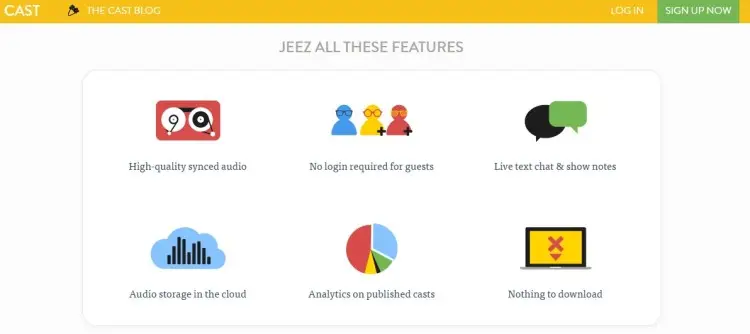
Best for: All-in-one recording, editing, and publishing.
Cast eliminates the need for multiple subscriptions by bundling podcast software with recording and editing software plus hosting. Record your interview, edit it within the platform, and publish directly to your hosting with no file downloads needed.
- Key features: Recording studio, powerful editing tools, hosting and RSS feeds, analytics, Dropbox sync, no file exports needed, and professional templates.
- Price: Starts at $10/month
11. Clearcast.io
Best for: High-quality MP3 recording without connection concerns.
Clearcast focuses on delivering clear 320kbps MP3 files, no matter your internet quality. Use this if recording audio with maximum fidelity is your main goal when you record a podcast remotely.
- Key features: Local recording, no connection dependency, clean interface, and automatic backups.
- Price: Free trial (20 mins), paid plan starts at $25/month
12. Soundtrap for Storytellers
Best for: Spotify integration and built-in podcast editing.
Soundtrap for Storytellers is Spotify’s dedicated podcasting software, combining recording with integrated editing and publishing. If you’re already in the Spotify ecosystem and want the best podcast software that feels native, Soundtrap is a top choice.
- Key features: Interactive transcripts with audio sync, AI-powered music and sound effects, up to eight hours of transcription monthly, and a built-in music library.
- Price: $11.99/month
13. Zoom
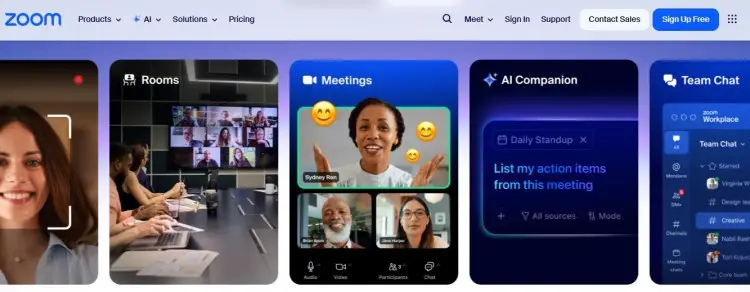
Best for: Familiar video conferencing with recording capability.
Zoom isn’t built for podcast production, but this popular video conferencing platform is a crowd favorite. Nearly everyone has Zoom installed, so guest onboarding is simple.
- Key features: Easy video conference and recording, screen sharing, large participant capacity, and widespread accessibility.
- Price: Free (40 min limit), paid plans start at $15.99
I’ve got a full Zoom vs. Riverside comparisons guide you can check out to help you decide.
14. Hindenburg Pro
Best for: Professional podcast journalists and audio storytellers.
Hindenburg Pro is built specifically for speaking professionals, not just as an afterthought to music software. Great option if you’re producing narrative-driven or journalistic content where audio editing quality matters.
- Key features: Voice profiler for automatic leveling, clipboard for organization, multitrack editing, sound library, and professional effects.
- Price: Free 30-day trial (paid plan starts at $12, plus tax)
15. Podcastle
Best for: User-friendly recording with a collaborative workspace.
Podcastle combines podcast recording and editing software in an interface designed for non-technical creators. Your team doesn’t need audio engineering degrees to master this podcast production tool.
- Key features: Local recording for separate guest tracks, collaborative workspace, AI-powered noise cancellation, music and sound effects library, and user-friendly interface.
- Price: Free plan available, paid plans start at $11.99/month
16. Descript
Best for: Text-based editing for easier polishing of episodes.
Descript lets you edit audio like editing a Word document. Delete words from the transcript and the audio follows. You can record a podcast interview, transcribe it automatically, and edit without ever seeing a waveform.
- Key features: Multitrack recording, AI voices for corrections, captions and clips generation, and studio sound effects.
- Price: Free plan available, starts at $16
17. Boomcaster (Top video podcast interview software)
Best for: Studio-quality recording with livestreaming
Boomcaster delivers 4K video recording and local recording on each participant’s device, combined with built-in livestreaming to YouTube, Facebook, and LinkedIn. The platform includes producer mode, so a team member can manage recording while you host.
- Key features: Local and cloud backup recording, separate ISO tracks, livestreaming built in, real-time controls, and auto-generated transcripts.
- Price: Starts at $20/month
What to Consider when Choosing Your Podcast Interview Software
Choosing the best virtual podcast recording software depends on your podcasting goals and workflow. The perfect match should make things easier for you, not overcomplicate it.
Here are some key factors to consider when choosing an audio and video podcast interview software:
- Think about technical skills: Is the interface intuitive enough for you and your guests? Make sure everyone can record easily, especially if you’re interviewing remotely.
- Consider your budget: Many software options offer a free tier or trial so you can test the waters. But if you’re ready to invest, start to look for advanced plans.
- Look for key features: Look for platforms that allow you to record separate tracks for each participant, so you can fix one person’s audio without affecting the others.
- Check for integration: Seamless connections to podcast hosting platforms can save you hours of work.
- Think about post-production: Are editing and hosting included? Some recording software options are strictly for capture, while others are full production tools.
- Check for free trial options: Make sure you’ve tested how it works in the real world before you commit.
- Look at export quality: A professional podcast requires high-resolution files, especially if you’re doing a video recording.
How to Start a Podcast Interview
Getting started with podcast interviews requires a strategy beyond just speaking into the mic. From finding the right guests to keeping the conversation piping hot, you need to prepare and manage the session well as a podcast host.
Here are industry best practices to get you ready and practical tips to apply during recording. You can record confidently and focus on bringing out the stories your guests want to tell.
How to prepare for a podcast interview
Preparation is the key to a quality podcast episode.
- Research your guest thoroughly: Read their content and learn about their recent projects, so you can ask unique questions that they’ve never heard before.
- Send your guest a checklist: Help them prepare for recording day by giving them guidelines for setup.
- Do a test recording: Before the actual call, check that your podcast recording and editing software, microphone, and camera are working perfectly.
- Prepare a backup plan: In case your primary recording tool fails, having a second audio recording running can save the day if technology glitches.
How to do a podcast interview
Ready to interview your guest? These tips will help you record a podcast interview confidently:
- Start the call by building rapport: A few minutes of small talk about a common interest helps the guest relax and results in a more natural conversation.
- Monitor your audio levels: You want to make sure neither you nor your guest is peaking or too quiet.
- When you’re ready, hit record: Confirm that the recording has started and that the timer is moving.
- Actively listen: Podcasting isn’t just about speaking nonstop. Pay attention to what your guests are really saying so you can respond well.
- Guide the conversation: Get the discussion flowing so both you and your guest shine. Follow your structure, but ask follow-up questions when a topic is worth learning more about.
4 Podcast interview tips
Interview’s done and wondering what’s next? Building lasting guest relationships extends your podcast’s reach far beyond any single recording session.
These tactics nurture connections, land you referrals, and repeat appearances.
- Always record a few seconds of “room tone” or silence: This helps editing tools detect background noise and can even be used to cover up cuts.
- Follow up with your guest after the interview: Thank them and let them know when to expect the episode to go live.
- Give the guest assets they can share: Promote the episode together with clips and quotes from the full episode.
- Communicate for future opportunities: A guest might invite you to their show, expanding your reach even further. You can also invite listener favorites again.
Ready, Set, Interview!
With good podcast interview software moving you forward, there’s no stopping you from starting your show and making your voice heard.
Even booking amazing personalities to hop on your podcast isn’t far-fetched. No countless cold emails to send out. No endless scrolling to scout on social media.
In just one AI-powered platform, you can find guests perfect for your show and book them for an interview. That’s what Talks can do for you.
Sanjai matched with guests and even went on other shows, too. Elaine recorded with 5 guests, with more on the way.
Create your free Talks Profile and find your perfect guest today.


