
Are you ready to take your podcast global without leaving your home office?
Remote podcasting is the go-to solution for coaches, consultants, and entrepreneurs who want to interview world-class guests regardless of their location.
With the right podcast software remote interviews tool, you can capture studio-quality audio and video no matter how far you and your guests are, as if you’re just in the same room together.
Check out the 17 best podcast recording software available in 2026 to help you record a podcast remotely.
17 Top Remote Interview Software for Podcasts (2026 Snapshot)
Choosing the best remote podcast recording software depends on your specific needs, whether you prioritize video quality, ease of use, or budget to record audio and video interviews.
Here’s a quick snapshot of the top remote recording platforms and who they’re best suited for.
- Riverside: Best for studio-quality remote video and audio.
- Alitu: Best for solo podcasters who want simple recording and editing.
- HubSpot: Best for teams running podcasts inside a CRM.
- SquadCast: Best for professional production teams that need reliable backups.
- Zencastr: Best for easy, browser-based recording.
- Spreaker: Best for live shows and fast publishing.
- Iris: Best for secure, high-quality recordings.
- Cleanfeed: Best for audio-only interviews.
- Soundtrap: Best for real-time collaboration and Spotify publishing.
- Cast: Best for real-time collaboration and Spotify publishing.
- Boomcaster: Best for local backup audio and video.
- Zoom: Best for beginners who want familiar tools.
- Google Meet: Best for quick, basic team recordings.
- Podcastle: Best for AI-powered audio cleanup.
- Streamyard: Best for live streaming interviews.
- Waveroom: Best for clean, no-frills remote recording.
- Ecamm Call Recorder: Best for Mac users recording remote calls.
- BONUS – Talks: Best for booking guests and landing interviews.
What Is a Podcast Interview?
A podcast interview is a conversation recorded between a host and one or more guests to share expertise, stories, or insights with an audience.
These discussions can be recorded in person or, more commonly today, through remote recording software that connects participants over the internet.
17 Best Podcast Software (Remote Interviews)
Now that you have a quick overview, let’s explore the details of each podcast recording software. Finding the best podcasting software for your specific workflow is key to producing a professional show that grows your authority.
1. Riverside: Podcast interview software
Best for: Video podcasts and creators who need 4K video and uncompressed audio.
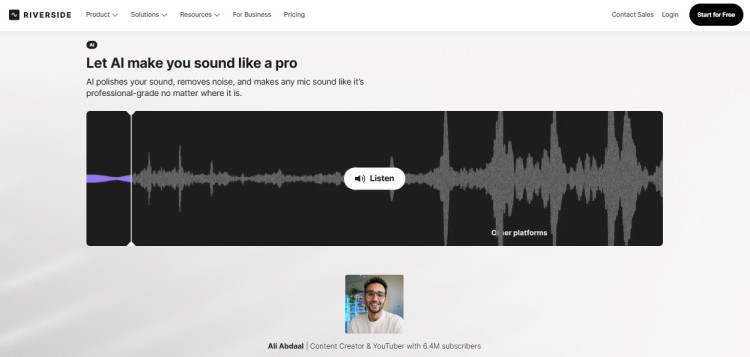
Riverside is a powerhouse remote podcast recording platform that records locally on each participant’s device, making sure that bad internet doesn’t ruin your quality. It uploads these files to the cloud automatically, giving you pristine audio and video tracks to edit later.
- Key features: Local 4K video and 48kHz audio recording, separate tracks for every guest, and AI-powered editing tools like Magic Clips.
- System requirements: Web-based, iOS, and Android mobile apps
- Price: Free plan available, paid plans start from $24/month
2. Alitu
Best for: Solo hosts and beginners who want to automate the technical side of production with a single audio editing software.
Alitu is designed to be the easiest way to record video and edit a podcast, handling everything from call recording to polishing the final audio.
It acts as a podcast maker that automates noise reduction and leveling, so you don’t have to learn complex engineering.
- Key features: Built-in call recording, automated audio cleanup, drag-and-drop episode builder, and Alitu even offers hosting.
- System requirements: Web-based
- Price: $38/month
3. HubSpot
Best for: Marketers and businesses using the HubSpot ecosystem for content creation.
HubSpot’s podcasting tools allow you to create and host your podcast directly within their platform, leveraging AI to help with scripts and show notes.
It integrates seamlessly with your marketing data, making it a unique audio recording and editing software for business growth.
- Key features: AI content agent for scripts, integrated hosting, and analytics to track how your podcast drives leads.
- System requirements: Web-based
- Price: Part of Content Hub (Free tools available, premium tiers vary)
4. SquadCast
Best for: Professional podcasters and remote teams who can’t afford to lose remote podcast interviews and recordings.
Now part of Descript, SquadCast is famous for its reliability and “Green Room” experience that makes guests feel comfortable before they hit record. It records high-quality local files and uploads them progressively, so if your computer crashes, your audio is safe.
- Key features: Progressive uploads for safety, high-quality local recording, and seamless integration with Descript for editing software.
- System requirements: Web-based
- Price: Free plan available, paid plans start from $16/month
5. Zencastr: Podcast interview online
Best for: Creators who want an all-in-one solution for recording, editing, and monetization.
Zencastr offers a suite of tools that allow you to record studio-quality interviews right from your browser without asking guests to install anything. It also provides features for post-production and even ad marketplace connections to help you earn money.
- Key features: 4K video recording, high-quality audio recording, built-in post-production, and “footprint” analytics.
- System requirements: Web-based
- Price: Free plan available, paid plans start from $30/month
6. Spreaker
Best for: Podcasters who want to broadcast live and manage distribution from one place.
Spreaker is a comprehensive podcast platform that combines recording, hosting, and distribution into a single interface. Great choice for those who want to do live shows and interact with listeners in real-time.
- Key features: Live broadcasting capabilities, monetization via dynamic ad insertion, and a mobile app for recording podcasts remotely.
- System requirements: Web-based, iOS, and Android apps
- Price: Free plan available, paid plans start from $20/month
7. Iris
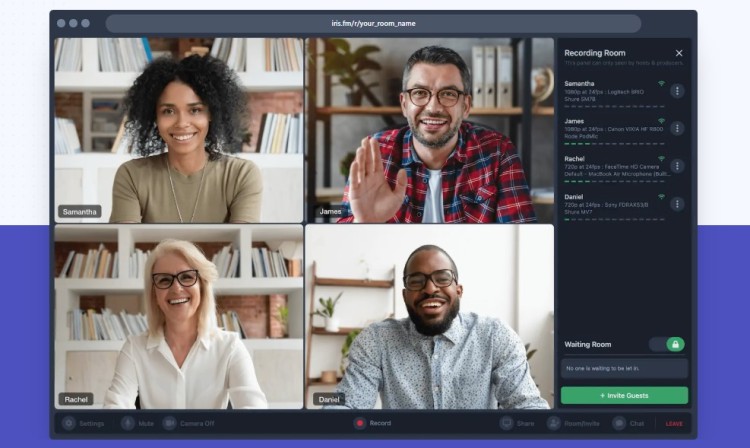
Best for: Users who want high-fidelity recording without a complicated interface.
Iris focuses purely on providing the highest quality remote recording experience with encrypted, local audio and video files. It’s a straightforward tool that gets out of your way so you can focus on the conversation.
- Key features: High-fidelity local recording, encrypted sessions for security, and a simple “guest link” system.
- System requirements: Web-based
- Price: Free plan available, paid plans start from $9/month
8. Cleanfeed
Best for: Audio professionals and radio broadcasters needing clean and quality sound.
Cleanfeed is a reliable audio recording tool that uses advanced technology to deliver live audio with virtually no delay. It’s widely used in the radio industry because it allows you to record remote guests with exceptional clarity.
- Key features: Multitrack recording, live audio repair tools, and granular control over audio routing.
- System requirements: Web-based
- Price: Free unlimited use (for two guests), Pro plans start from $36/month
9. Soundtrap
Best for: Hosts conducting guest interviews and panel discussions for collaborative podcast production.
Soundtrap enables real-time remote collaboration where co-hosts or guests join sessions from any device to record high-quality audio on separate tracks. The interactive transcript feature lets you edit podcast recordings like a text document, making remote interview post-production fast and intuitive.
- Key features: Direct upload to Spotify, signature jingle creation with sound effects library, and cloud storage.
- System requirements: Windows, Mac, iOS, and Android
- Price: Starts at $19.99/month
10. Cast
Best for: Hobbyists looking for a simple, integrated recording and editing environment.
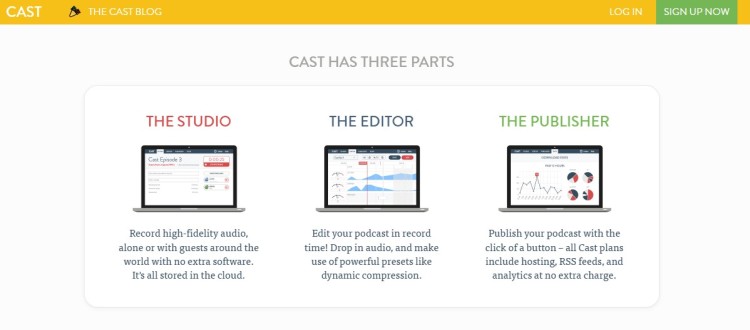
Cast offers a clean, browser-based recording studio that includes basic editing tools to cut and mix your podcast episode. It simplifies the workflow for those who don’t want to buy separate editing software.
- Key features: “Studio” for recording, “Editor” for mixing, and “Publisher” for hosting your RSS feed.
- System requirements: Web-based
- Price: Starts at $10/month
11. Boomcaster
Best for: Hosts who want a branded studio experience for their guests.
Boomcaster offers high-quality local recording for both audio and video, with a focus on a polished interface. It provides separate tracks and self-healing technology that recovers files even if the internet dips.
- Key features: Branded studio rooms, local 4K video, and automatic file recovery.
- System requirements: Web-based
- Price: Starts at $20/month
12. Zoom
Best for: Guests who are intimidated by new technology and just want to click a link.
While not designed specifically for podcasting, Zoom is the video conferencing tool everyone knows how to use (and still a tool I use today). It allows you to record audio on separate tracks, though the quality is compressed compared to specialized tools.
- Key features: Screen sharing, familiar interface, and the option to record separate audio tracks.
- System requirements: Desktop and mobile apps for all major OS
- Price: Free for 40 mins, but Pro starts at $15.99/month
13. Google Meet
Best for: Podcasters looking for basic video podcast recording through conferencing.
Google Meet provides familiar video calls where premium users can record sessions with audio and video. Guests join easily via links without accounts, making it suitable for quick remote interviews when podcast-specific software isn’t available.
- Key features: Up to 1080p video quality with noise cancellation and features like screen sharing, chat, and polls.
- System requirements: Windows, Mac, Linux, iOS, Android
- Price: Free basic use, Google Workspace Business Standard $12/month per user
14. Podcastle
Best for: Creators who want AI to handle the heavy lifting of audio engineering.
Podcastle is an AI-powered platform that converts your laptop mic into studio-quality sound using “Magic Dust.” It’s an intuitive recording and editing software suite that includes text-to-speech and transcription.
- Key features: Magic Dust audio enhancement, multi-track recording, and an easy text-based editor.
- System requirements: Web-based and iOS app
- Price: Free plan available, paid plans start at $11.99/month
15. Streamyard
Best for: Podcasters who want to stream live video while recording their audio.
Streamyard is a browser-based studio that lets you record and stream to platforms like YouTube and Facebook simultaneously. Perfect for video podcast creators who want to engage a live audience.
- Key features: Live streaming to multiple destinations, on-screen comments, and local recording backups.
- System requirements: Web-based
- Price: Free plan available, paid plans start from $25/month
16. Waveroom
Best for: Podcasters who want a simplified, no-nonsense recording interface.
Waveroom is a remote recording tool designed to do one thing perfectly: capture high-quality interviews. It strips away distractions to make sure you get clean, uncompressed audio and video files.
- Key features: 2K video recording, uncompressed WAV audio, and a simplified guest invitation process.
- System requirements: Web-based
- Price: Free trial available
17. Ecamm Call Recorder
Best for: Mac users who prefer using Skype for their interviews.
If you still rely on Skype, Ecamm Call Recorder is the industry-standard plugin to record calls directly to your Mac. It splits the audio and video into separate tracks, making it easier to edit later.
- Key features: Split-screen video recording, multi-track audio, and file conversion tools.
- System requirements: macOS
- Price: 14-day trial, paid plans start at 16/month
BONUS: Talks.co (Best podcast matching platform)
Best for: Podcast hosts looking for the perfect guests to interview or wanting to get booked on other shows.
Got your recording software ready, but no interviews lined up? Talks helps you with that. It connects you with the people who align with your expertise with its AI tools and advanced search features.
- Key features: Guest and host matching, professional speaker profile, and direct booking tools.
- System requirements: Web-based
- Price: Free profile creation, paid plans to upgrade
What’s the Best Remote Podcast Software?
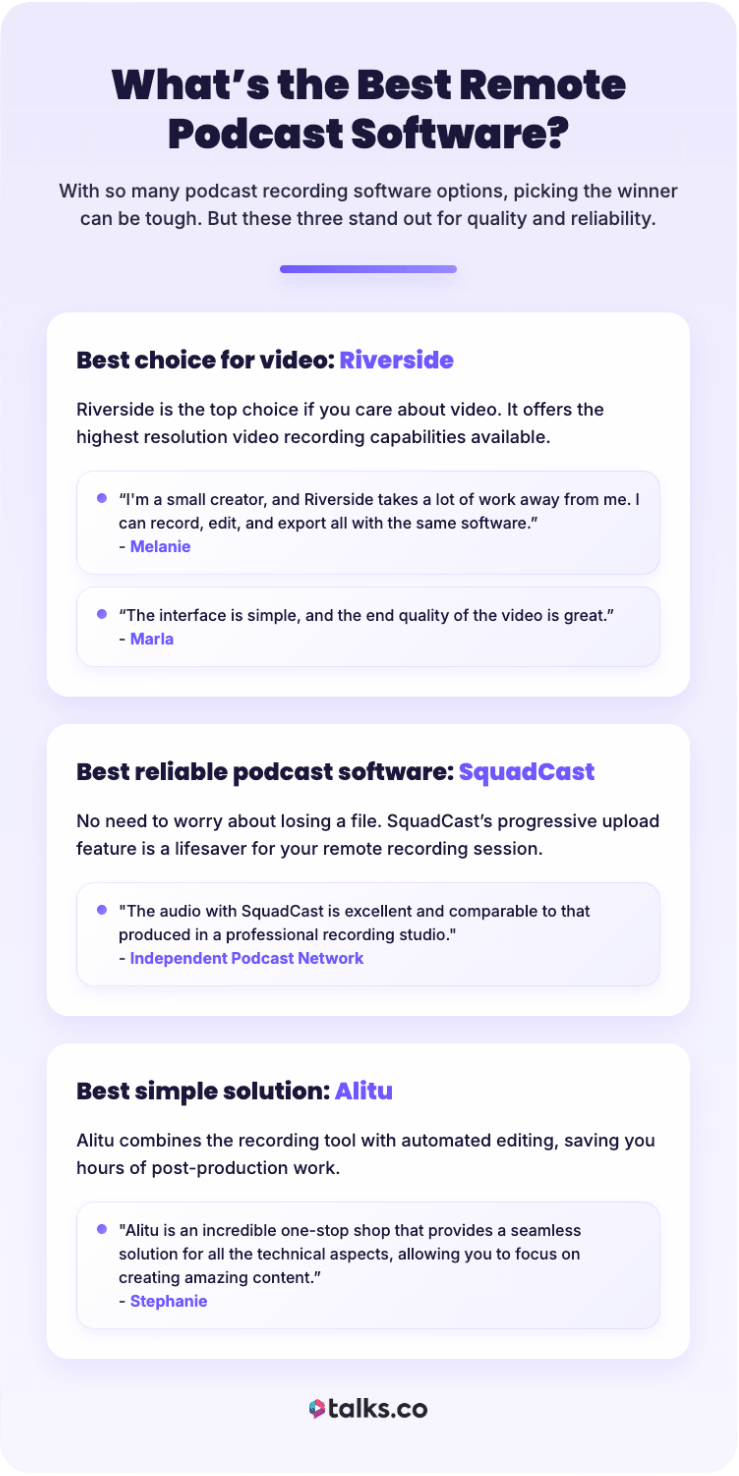
With so many podcast recording software options, picking the winner can be tough. But when you consider quality and reliability, these three best podcast software for interviews stand out:
Best choice for video podcast recording: Riverside
Riverside is the top choice if you care about video. It offers the highest resolution video recording capabilities available.
- “I’m a small creator, and Riverside takes a lot of work away from me. I can record, edit, and export all with the same software.” – Melanie
- “The interface is simple, and the end quality of the video is great.” – Marla
Best reliable podcast software: SquadCast
No need to worry about losing a file. SquadCast’s progressive upload feature is a lifesaver for your remote recording session.
- “The audio with SquadCast is excellent and comparable to that produced in a professional recording studio.” – Independent Podcast Network.
Best simple solution for remote interviews: Alitu
Alitu is the best for simplicity. It combines the recording tool with automated editing, saving you hours of post-production work.
- “Alitu is an incredible one-stop shop that provides a seamless solution for all the technical aspects of podcasting, allowing you to focus on creating amazing content.” – Stephanie
What to look for in remote podcast recording software
When choosing your tool, don’t just look at the price tag. The best remote podcast software should include these vital features.
- Local recording: The software should record on the device, not just over the internet, to avoid glitches.
- Separate tracks: You need to record every speaker on a different track for proper editing.
- Video capability: Even if you’re audio-first, having video and audio gives you clips for social media.
- Ease of use: Your guest shouldn’t have to be a tech expert to join the call. Browser-based access is usually best.
- Backups: Look for cloud backups or progressive uploads so your recording time isn’t wasted by sudden software and connection crashes.
You can also check out virtual podcast recording software, podcast editing software, or podcast hosting platforms like RedCircle to further streamline your process.
How to Do a Podcast Interview
Having the right software to record is only half the battle. You also need to know how to manage a remote podcast recording when you’re starting your own podcast.
This means preparation, proper setup, and genuine engagement during the recording. Most of the time, the difference between a mediocre interview and a memorable one comes down to how present you are during the discussion.
How to prepare for a podcast interview
Preparation is what separates a random chat from a professional podcast. Here are things you need to do before the recording session:
- Research your guest: Knowing something about your guest helps you ask unique questions they haven’t answered a million times.
- Send your guest a prep sheet: Include a basic guide, the link to your recording platform, and tips on lighting and audio.
- Create an episode outline: Develop a loose structure with key discussion points (five to seven open-ended questions).
- Help with equipment setup: Recommend a quality budget microphone and headphones. Suggest they record from a quiet space with soft furnishings
- Do a test recording: Do a test call two to three days before the interview. Check their internet connection speed and equipment to catch technical issues early.
How to start a podcast interview
It’s recording day! Here are some things to keep in mind when conducting podcast interviews:
- Arrive early: Log in 15 minutes before the scheduled time to do your pre-interview checks.
- Greet your guest warmly: Don’t jump right in. Ask your guest how their day is going, comment on something you learned about them, and help them feel at ease.
- Test recording: Start a test recording for a few seconds to make sure audio levels are appropriate for both you and your guest.
- Explain the format: Give your guest a quick rundown of how the interview will flow, approximately how long it will last, and what to expect.
- Set expectations: Let them know you’ll be taking notes, that it’s okay if they need to pause to gather their thoughts, and that you can do retakes if needed.
- Hit record: Once everyone is comfortable, officially start the recording and begin with your opening intro or question.
How to interview someone for a podcast remotely
The actual interview is where your preparation pays off. Here are the best practices for conducting engaging remote interviews:
- Minimize distractions: Close unnecessary browser tabs, silence your phone, and keep your desk clear of anything that might steal your attention.
- Balance structure with spontaneity: Allow the discussion to flow, follow interesting topics when they come up, and ask meaningful follow-up questions.
- Practice active listening: Pay attention not just to the words but to how your guest says them, their tone, emotion, and energy.
- Manage time thoughtfully: Monitor how much time you have remaining and gently guide the conversation back to your outline if you’re drifting, but don’t feel robotic about it.
- Handle technical issues gracefully: If audio cuts out or something goes wrong, stay calm and reassuring. If you have good recording software to back you up, you can retrieve your files.
Hosts Interviews Wherever You Are
Remote recording is no longer an option. If you want to collaborate, it’s the standard for creating a global show with high-impact guests.
You’ve got the masterlist to help you choose the best podcast software remote interviews tool. Now it’s time to find the perfect interview guest and hit the studio.
That’s where the Talks platform comes in. This top-tier podcast guest matching tool is a game-changer for your visibility.
With AI-powered tools and advanced search features, getting in front of new audiences takes just a few clicks.
- Auto-Match: You quickly connect with guests or shows that meet your criteria.
- Auto-Message: Send personalized messages instantly to let them know you’re available.
Create a free Talks Creator Profile and start recording amazing interviews with top guests and hosts today!