

Going live should feel exciting, not like you’re one browser tab away from a technical meltdown.
If you’re weighing up StreamYard vs Zoom, chances are you’ve reached the point where “good enough” isn’t good enough… anymore.
You’re hosting interviews, webinars, podcasts, or live streams that represent your brand, and every glitch, awkward transition, or dropped guest chips away at the experience.
The right platform makes creating content feel simple. The wrong one costs you viewers, opportunities, and confidence.
Before you commit, it’s worth knowing exactly where StreamYard vs Zoom shines, where it falls short, and which one fits the way you actually create.
What Is StreamYard?
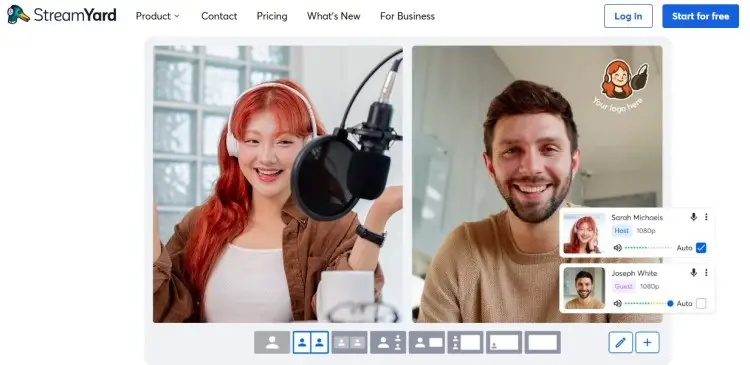
StreamYard is a browser-based live streaming and recording platform built for creators who want to produce professional-looking content without a complicated setup.
You can host podcasts, interviews, webinars, live streams, and virtual events, then broadcast them to platforms like YouTube, LinkedIn, Facebook, Twitch, and X at the same time.
Because everything runs in your web browser, there’s no software to install or update.
That makes StreamYard a popular choice for coaches, speakers, authors, entrepreneurs, and businesses that want a simple way to create polished video content.
How does StreamYard work?
StreamYard works entirely in your browser. After creating a studio, you invite guests with a shareable link, choose where you want to stream or record, and go live with a few clicks.
Along the way, you can:
- Record audio and video in high quality.
- Stream to multiple platforms simultaneously.
- Display your logo, overlays, banners, and branded backgrounds.
- Share your screen, presentations, or videos.
- Show viewer comments on screen during live broadcasts.
- Download recordings for editing or repurposing into clips, podcasts, or social media content.
Because StreamYard allows you to stream runs in your browser and handles much of the production in the cloud, it generally requires less setup than traditional desktop broadcasting software.
If your goal is producing interviews or to host meetings and live shows with minimal technical setup, that’s one of StreamYard’s biggest advantages.
Is StreamYard worth it?
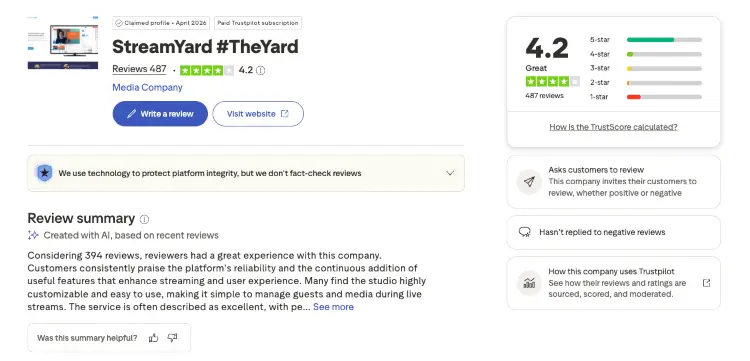
User reviews consistently praise how quickly people can start recording and broadcasting without a complicated setup.
- Easy to learn: The browser-based studio is simple to navigate, even for beginners.
- Professional-looking broadcasts: Built-in branding tools help creators produce polished content without extra software.
- Guest-friendly: Guests can join through a browser link, making remote interviews straightforward.
- Strong for live content: Multistreaming, overlays, and layouts are frequently highlighted as standout features.
- Worth the price for regular creators: Many users say the paid plans make sense if you’re consistently creating video content, though casual users may find the subscription harder to justify.
What Is Zoom?
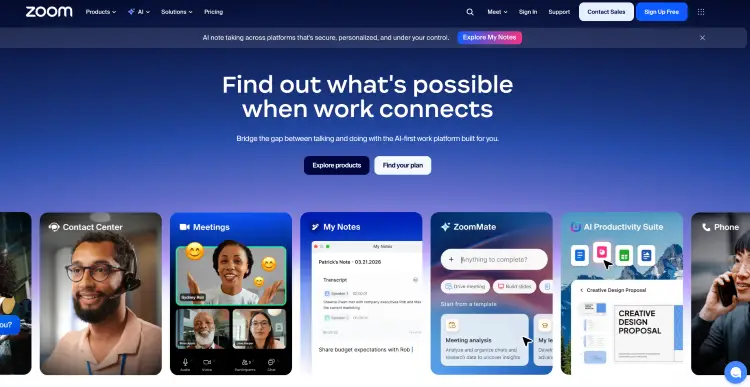
Zoom is a video conferencing platform designed for virtual meetings, team collaboration, webinars, and online events.
While it’s best known for business meetings, many creators also use Zoom to record podcast interviews, host coaching sessions, run webinars, and connect with clients around the world.
Unlike StreamYard, Zoom is built around communication first and content creation second. It’s actually what I used for many of my first podcast interviews back in 2015. It worked well then, and it’s still a solid option today.
It includes features like breakout rooms, meeting chat, screen sharing, whiteboards, meeting scheduling, and webinar tools, making it a strong fit for education, training, coaching, and remote teams.
How does Zoom work?
Zoom works through its desktop app, mobile app, or web browser, though the desktop app offers the most complete feature set and is generally the preferred option for frequent hosts.
You create a meeting, webinar, or event, invite participants with a meeting link, and host everything from a single interface.
During a session, you can:
- Record meetings locally or to the cloud, depending on your plan.
- Share your screen, presentations, documents, or applications.
- Use breakout rooms for workshops or small-group discussions.
- Chat with participants publicly or privately.
- Schedule recurring meetings and send calendar invitations.
- Host webinars and virtual events with registration and attendee management on eligible plans.
Zoom also processes video and audio in real time through its apps, so performance depends more heavily on your computer and internet connection than browser-based platforms like StreamYard.
For meetings, coaching calls, and interactive workshops, that’s rarely a problem. For polished live broadcasts, creators often pair Zoom with additional streaming software.
These days, though, when I’m invited onto podcasts, I notice most professional hosts are recording with platforms like Riverside instead. Better local recording has become the standard.
Is Zoom worth it?
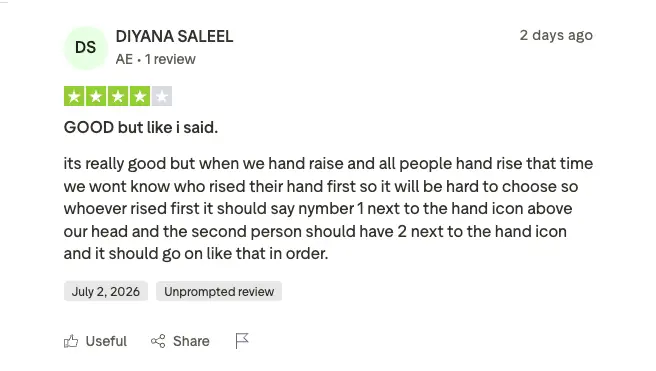
Zoom remains one of the most widely used video meeting platforms, and many users value its reliability and familiar interface.
At the same time, recent reviews suggest it’s worth paying close attention to billing settings and subscription management before signing up.
- Reliable for meetings: Users consistently praise Zoom for virtual meetings, coaching calls, and team collaboration.
- Easy for participants: Most guests and clients already know how to join a Zoom meeting, reducing setup time.
- Strong collaboration tools: Breakout rooms, chat, screen sharing, and scheduling continue to make Zoom a popular business choice.
- Billing receives mixed feedback: Several recent reviewers reported frustration with automatic renewals, refunds, and subscription management.
- Customer support is inconsistent: While many users have positive experiences with the platform itself, recent reviews show customer service can vary when billing issues arise.
Personally, I’d still happily use Zoom for coaching calls, team meetings, and webinars. For podcast interviews where audio and video quality really matter, I’d usually lean toward dedicated recording software instead.
StreamYard vs Zoom Similarities and Differences
At first glance, StreamYard and Zoom look like they solve the same problem. Both let you host video calls, invite guests, record conversations, share your screen, and run webinars.
But once you start creating content consistently, the differences become much harder to ignore.
StreamYard is built around broadcasting polished content to an audience. Zoom is built around helping people communicate with each other.
Neither approach is better across the board. It depends on what you’re creating and how you plan to use the best podcast software for interviews.
StreamYard vs Zoom for podcast
Both platforms can record remote podcast interviews, but they’re designed with different goals in mind. StreamYard focuses on creating polished content, while Zoom prioritizes reliable conversations.
| Podcast feature | StreamYard | Zoom |
|---|---|---|
| Best for | Video podcasts and live shows | Remote interviews and audio-first podcasts |
| Guest joining | Browser link | Meeting link |
| Live streaming | Yes | Available on eligible plans |
| Branding | Logos, overlays, banners, and backgrounds | Limited |
| Multistreaming | Yes | Limited |
| Local recording | Yes | Yes |
| Cloud recording | Yes | Paid plans |
| Editing after recording | Usually less | Usually more |
Choose StreamYard if you:
- Produce video podcasts.
- Stream interviews live.
- Want branded layouts with minimal setup.
- Regularly repurpose content for social media.
Choose Zoom if you:
- Record audio-first interviews.
- Already use Zoom for coaching or client meetings.
- Need a familiar platform that almost every guest already has installed.
Starting out? Here’s everything you need to know about how to start a podcast and the best podcast hosting platforms you can choose from.
StreamYard vs Zoom webinar
The right webinar platform depends on the experience you want your audience to have. One feels like a live broadcast, while the other feels like a virtual event.
| Webinar feature | StreamYard | Zoom |
|---|---|---|
| Best for | Marketing webinars and live presentations | Training, workshops, and team events |
| Registration | Available | Advanced registration tools |
| Breakout rooms | No | Yes |
| Polls and Q&A | Basic | Advanced |
| Waiting rooms | No | Yes |
| Branding | Extensive | Basic |
| Multi-platform streaming | Yes | Limited |
| Audience interaction | Live comments | Chat, polls, breakout rooms, Q&A |
Choose StreamYard if your webinar is designed to:
- Build your personal brand.
- Promote an offer or event.
- Broadcast to multiple platforms.
- Deliver a polished viewing experience.
Choose Zoom if your webinar is designed to:
- Train employees or clients.
- Run interactive workshops.
- Deliver coaching sessions.
- Manage large groups with advanced attendee controls.
StreamYard vs Zoom pricing, features & pros/cons
Pricing only tells part of the story. The bigger difference is what each platform helps you create and how much work it takes to get there.
StreamYard vs Zoom pricing
Both platforms offer free plans, but their paid tiers target different audiences. StreamYard focuses on creators, while Zoom’s plans are designed around meetings and collaboration.
| Pricing | StreamYard | Zoom |
|---|---|---|
| Free plan | Yes | Yes |
| Entry paid plan | Core: $44.99/month | Workplace Pro: $16.99/user/month* |
| Business plans | Yes | Yes |
StreamYard vs Zoom features
Although they share several core features, each platform prioritizes a different workflow. StreamYard emphasizes broadcasting and content creation, while Zoom focuses on communication and collaboration.
| Feature | StreamYard | Zoom |
|---|---|---|
| Browser-based | Yes | Limited functionality in browser |
| Desktop app required | No | Recommended |
| Live streaming | Excellent | Available on eligible plans |
| Multistreaming | Yes | Limited |
| Branding tools | Extensive | Basic |
| Screen sharing | Yes | Yes |
| Breakout rooms | No | Yes |
| Whiteboards | No | Yes |
| Recording | Local and cloud | Local and cloud |
| Best suited for | Live content creation | Meetings and collaboration |
StreamYard vs Zoom pros and cons
Every platform has strengths and trade-offs. Here’s where each one stands out.
StreamYard pros
- Browser-based with no software installation required.
- Excellent branding and live production tools.
- Built-in multistreaming to multiple destinations.
- Easy for guests to join.
StreamYard cons
- Fewer collaboration features than Zoom.
- Webinar management tools aren’t as extensive.
Zoom pros
- Excellent for meetings, coaching, and workshops.
- Strong attendee management features.
- Familiar platform for most guests, clients, and emcees.
- Breakout rooms and collaboration tools are built in.
Zoom cons
- Fewer creator-focused branding features.
- Live productions often require additional software for a polished broadcast.
StreamYard vs Zoom: Which Is Better?
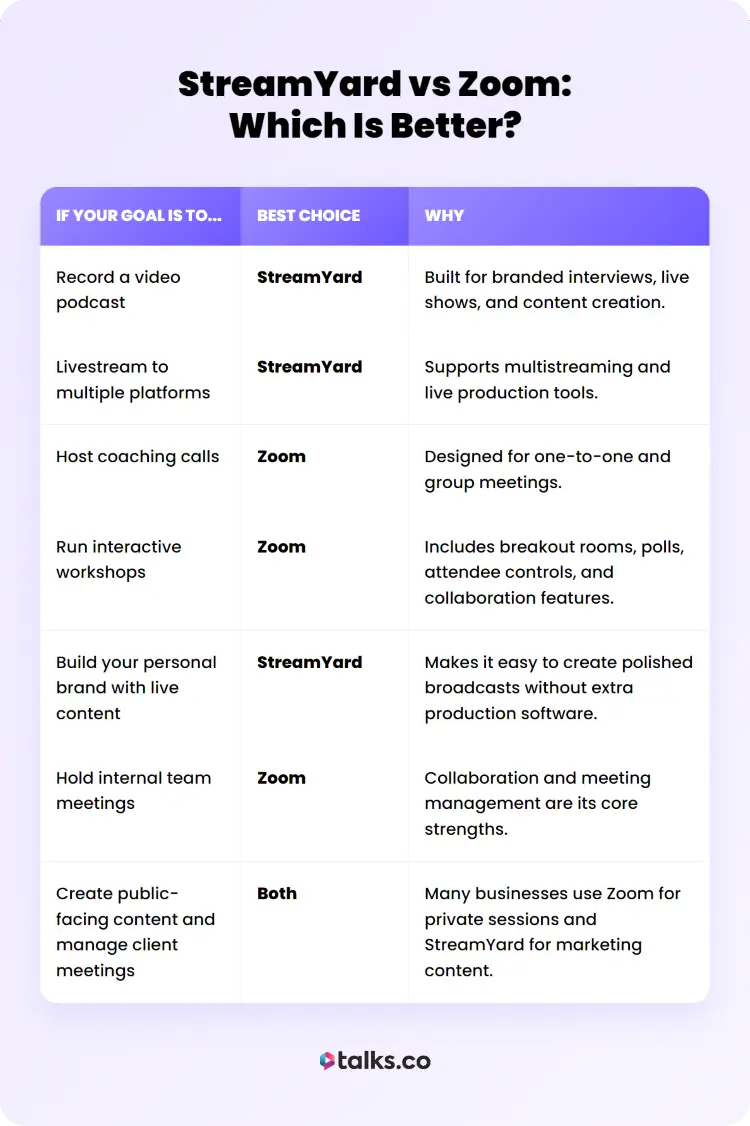
Choosing between StreamYard and Zoom comes down to what you’re creating and who you’re creating it for. Both platforms can record video, host guests, and support webinars, but they excel in different situations.
| If your goal is to… | Best choice | Why |
|---|---|---|
| Record a video podcast | StreamYard | Built for branded interviews, live shows, and content creation. |
| Livestream to multiple platforms | StreamYard | Supports multistreaming and live production tools. |
| Host coaching calls | Zoom | Designed for one-to-one and group meetings. |
| Run interactive workshops | Zoom | Includes breakout rooms, polls, attendee controls, and collaboration features. |
| Build your personal brand with live content | StreamYard | Makes it easy to create polished broadcasts without extra production software. |
| Hold internal team meetings | Zoom | Collaboration and meeting management are its core strengths. |
| Create public-facing content and manage client meetings | Both | Many businesses use Zoom for private sessions and StreamYard for marketing content. |
For many coaches, consultants, authors, and speakers, using both third-party apps makes the most sense.
Your Zoom plan keeps client communication organized, while StreamYard helps create the interviews, podcasts, webinars, and livestreams that attract new opportunities for you to interact with your audience.
How to choose the best StreamYard vs Zoom alternatives (Checklist)
Before switching to another platform, get clear on what you actually need. The right alternative depends on how you create content, who you’re creating it for, and which features you’ll use every week.
Use this checklist to narrow down your options:
☐ Do you need local audio and video recordings? Better podcast quality.
☐ Do you regularly livestream to multiple platforms? Reach more viewers at once.
☐ Do you want built-in branding tools? Add logos, overlays, and backgrounds.
☐ Will you host webinars, workshops, or large virtual events? Choose a platform that can scale.
☐ Do you need breakout rooms, polls, or attendee controls? Prioritize interactive meeting features.
☐ Is a browser-based platform important? Skip desktop installs.
☐ Will guests need to join without downloading an app? Keep access simple.
☐ Do you want a free plan? Check whether the free version Zoom and StreamYard offers covers your current needs.
☐ Will you record solo, interview guests, or collaborate with a team? Match the best live streaming tool to your workflow.
☐ Do you plan to repurpose recordings? Look for easy clip creation and editing.
Once you’ve answered those questions, comparing user-friendly alternatives becomes much easier because you’ll be choosing based on your workflow instead of chasing features for meetings and webinars you may never use.
6 StreamYard vs Zoom alternatives
If neither platform checks every box, there are several strong alternatives worth considering.
- Riverside: Best for creators who prioritize high-quality local audio and video recordings for podcasts and multiple social media platforms.
- Ecamm Live: A powerful live multistream studio for Mac users who want greater production control.
- OBS Studio: A free broadcasting tool with extensive customization for experienced streamers.
- Restream: Ideal if your priority as a content creator is broadcasting live to multiple streaming platforms from one place.
- SquadCast: Designed for remote podcast recording with separate audio and video tracks for each guest during live sessions.
The best platform is the one you’ll actually use consistently because of its ease of use.
Your audience won’t remember which software you recorded with or how long you weighed the pros and cons between a platform that lets you customize virtual backgrounds.
What they’ll remember is whether you showed up with valuable content. Pick the platform that matches your workflow and makes it easy to start a podcast for free, then focus on getting in front of more people.
And if podcast guesting is part of that plan, the next step isn’t choosing another recording tool. It’s getting booked on the right shows.
That’s where Talks helps, connecting experts, coaches, speakers, authors, and entrepreneurs with podcast hosts looking for their next guest.
Take Your Pick and Run With It
Choosing between StreamYard vs Zoom matters. Staying invisible costs far more.
You can record the sharpest podcast interview or host the best webinar in your niche, but none of it creates clients, speaking invitations, or partnerships if the right people never see it.
While others are still hunting for podcasts one by one, Talks can automatically match you with relevant hosts and send personalized outreach in the background. Every day you wait is another interview, audience, and opportunity that goes to someone else.
Create your free Talks profile today and start booking podcast interviews while you focus on running your business.


