

Do you really need expensive gear or the best quality studio to record amazing remote interviews?
When you look at the journey of successful podcast interviewers, a lot of them started simple. It’s a matter of how they planned their interviews and how they used what they had.
I remember my most memorable interview using a Blue Yeti mic I bought back in 2015 and a webcam.
It was really less about how “good” my gear was.
What mattered most was how we drove the conversation. Lots of examples and stories to share, and building a genuine connection where we stayed friends after recording.
That’s the power of a well-executed podcast interview setup. You set the stage so the interview itself just shines naturally.
This guide on the best podcast interview setup will walk you through everything you need for your podcast interview, from equipment, setting up advice and what to do before, during, and after the interview.
What Is a Podcast Interview Setup?
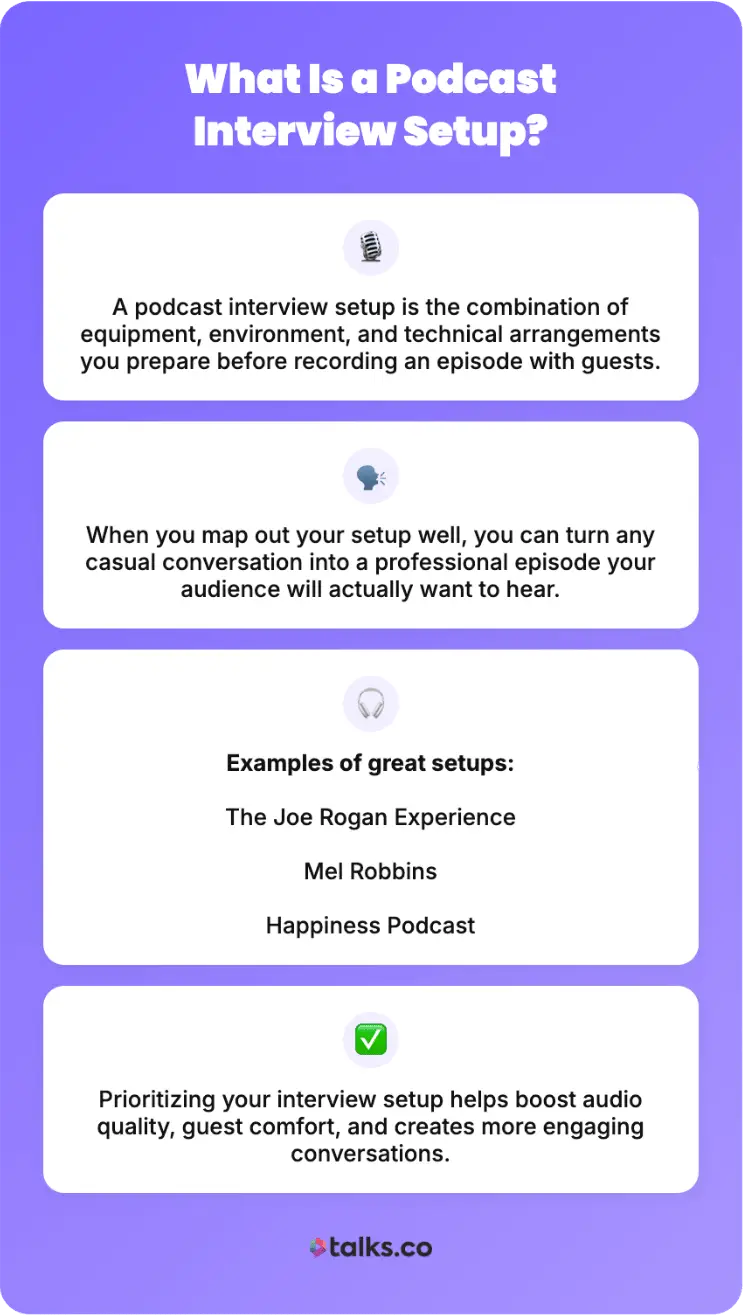
A podcast interview setup is the combination of equipment, environment, and technical arrangements you prepare before recording an episode with podcast guests.
When you map out your podcast interview well, you can turn any casual conversation into a professional podcast episode that listeners will actually want to hear.
Examples of standout podcast recording setups include:
- The Joe Rogan Experience: Has clean audio and conversational flow, even if it’s recorded in a relatively simple studio setup for a long time.
- Mel Robbins: Built her podcast empire by focusing on sound quality and genuine conversations.
- Happiness Podcast: Good microphone placements and room treatments that achieve a professional result.
These successful shows just demonstrate how prioritizing your setup can up your quality, make guests comfortable, and naturally lead to better connections.
Importance of planning your podcasting setup
Planning your podcast setup isn’t just about sounding good. It’s about creating the right conditions for authentic talks and discussions.
Thinking about your setup matters for several key reasons:
- Improves listener retention: Poor audio quality is the number-one reason people abandon video podcasts or audio shows.
- Entices better guests: When your interview podcast is professional-sounding, you become more attractive to premium guests, which helps you build momentum and credibility.
- Reduces technical stress during recording: When you know your equipment works and your space is in order, you can focus entirely on asking great questions and actively listening.
- Makes sure your podcast content is usable: Proper setup prevents wasted recording sessions that have to be redone due to technical failures.
- Builds authenticity: Listeners can sense when a show is rushed or poorly produced, unlike a polished setup that creates a genuine and engaging atmosphere.
- Increases your visibility: Better podcasting quality means higher production value, which makes your show more likely to be recommended and shared.
Podcast Interview Setup Essentials
Creating a great podcast setup starts with understanding which pieces of equipment actually matter and which are nice-to-haves.
Whether you’re recording audio or video, the fundamentals remain the same: Good sound starts with good equipment that’s properly configured.
Let’s get into the essential equipment you need to start a podcast interview.
1. Microphone
There are many types of microphones you can explore depending on your budget and needs.
For example, beginners can buy affordable USB mics that require minimal setup. But for shows with multiple co-hosts, you need XLR microphones that connect through an audio interface.
Here are specific recommendations you can check out:
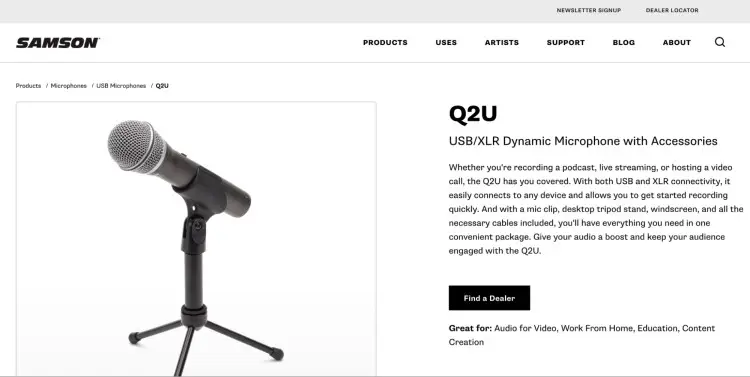
- Samson Q2U: Hybrid USB and XLR connection with built-in noise reduction.
- Audio-Technica AT2040USB: USB condenser microphone that’s excellent for solo podcasting.
- Shure MV7+: Hybrid USB/XLR dynamic mic with customizable LED.
- RODE Podcaster: Broadcast-quality dynamic USB mic that’s great for podcasters starting out.
- Audio-Technica AT2035: Large-diaphragm condenser with professional sound.
- Shure SM58: Legendary workhorse dynamic XLR mic that’s built to last.
- Shure SM7B: Industry-standard dynamic XLR microphone, but requires a preamp.
If you’re just starting out, check this guide for the best budget mics available.
2. Audio interface
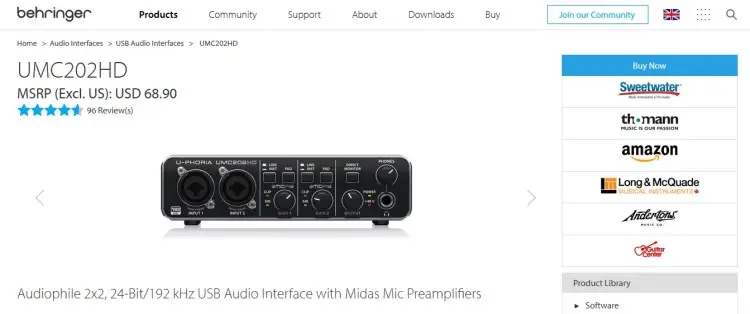
If you’re using XLR microphones, you’ll need an audio interface to connect them to your computer. This device converts analog audio into digital data that your recording software can capture.
Here are some top choices for podcasters:
- Focusrite Scarlett Series (e.g., Scarlet Solo, Scarlet 2i2, Scarlet 4i4): Varying microphone inputs depending on your needs.
- Focusrite Vocaster Two: Designed specifically for podcasters with two mic inputs.
- Behringer U-Phoria UMC202HD: A budget-friendly two-input option.
- Universal Audio Volt 2: Two inputs, and includes a software bundle.
Learn more about the role of interfaces and mixers in a 4-person setup with this guide.
3. Headphones
Headphones are absolutely important for podcast recording. They help you monitor your audio in real-time, catch problems like background noise or audio dropouts, and prevent feedback loops during remote podcast recording sessions.
When choosing headphones, consider these tips:
- Choose a closed-back design: Prevent sound from bleeding into your microphone.
- Select over-ear fit: Prioritize comfort for long recording sessions.
- Use wired connection only: Wireless headphones with Bluetooth connection cause lag and audio loss.
- Ensure proper volume control: Verify impedance and sensitivity match your audio interface output.
Look into these closed-back wired headphones that are best for podcasting:
- Audio-Technica ATH-M20x: Budget pick with excellent sound isolation.
- Sony MDR-7506: Professional monitoring, lightweight, and with three detachable cables.
- Sennheiser HD 280 PRO: Good for professional monitoring with excellent noise isolation.
- Audio-Technica ATH-M50x: Studio-quality standard with excellent closed-back isolation.
- Shure SRH1540: Premium closed-back with optional wireless capability.
4. Recording software
Your recording software captures the audio and video. Whether you’re recording locally or online, you need to choose the right podcast recording software that best matches your needs.
Here are some go-to tools for different types of podcast interviews:
- Riverside: Records each participant on separate tracks. Captures exceptional audio quality even with poor internet.
- Zoom: Accessible and reliable for basic recording, with built-in backup recording options.
- SquadCast: Designed for podcast recording, high-quality remote recording.
- Zencastr: Offers multi-track remote recording with automatic backup.
- Audacity: Free and reliable open-source audio recording software.
- Adobe Audition: Professional recording and audio editing combined.
- GarageBand: Simple, built-in recording software for Mac users.
- Reaper: Affordable DAW with professional recording capabilities.
5. Video equipment (for video podcasts)
People into video podcasts are increasing, and if you want to try it out for yourself, you need to stock up on additional equipment for visual elements.
Consider these recommendations for the different types of cameras:
- Smartphone camera: Modern phones record in high quality and are a reliable option for beginners.
- Webcam: Logitech C920 and C922 offer excellent video quality for stationary setups
- GoPro: HERO 11 and 12 provide high-quality video recording with excellent stabilization features.
- Mirrorless camera: Go for Sony A6700 or Canon R6 for premium video quality.
- Action camera: Check out DJI Osmo Action 4 for compact video content recording.
To enhance your video quality, explore these lighting options:
- Softbox lighting kits: Affordable lighting that reduces harsh shadows and creates a professional look.
- Ring lights: Great for face-on recording with even light distribution.
- LED panel lights: Provide flexible color temperature options.
Tips for Setting Up Your Podcast Equipment
Having the right equipment is just step one. You should also strategically prepare your podcast room setup. That means knowing how everything works together and seeing the big picture.
When you’re prepared, practiced, and comfortable with your setup, it shows in your delivery. Good lighting matters more than ever especially if you’re publishing on YouTube or social platforms.
Let’s dive into the best practices of setting up your podcast equipment, from key gear to helpful accessories.
Microphone setup tips
Follow these tips when setting up your mic:
- Dynamic vs. condenser mics: If you’re recording multiple people in the same room, use dynamic microphones rather than condensers to reduce background noise pickup.
- Consider mobility: If you’re conducting on-the-street or in-person podcast interviews, use lavalier microphones or wireless options instead.
- Avoid the proximity effect: Position your mic about six to eight inches from your mouth to prevent an unnatural bass response.
- Stabilize your microphones: Use a mic stand or boom arm to keep your equipment in place.
- Use a pop filter: This reduces harsh plosive sounds (e.g., p, b, t sounds) that can distort audio recording.
- Always test microphone placement: Before you start recording, make sure the arrangement works and you have consistent levels throughout your session.
Audio interface setup tips
Using an audio interface is an extra but meaningful step that needs additional setup.
- Plan ahead: Choose an interface with one to two more inputs than you think you’ll need for future growth.
- Look for zero-latency direct monitoring: This makes sure you can monitor your audio in real-time without delay.
- Install the accompanying control software: These allow you to fine-tune input levels and routing.
- Test your audio interface connection: Make sure your computer or laptop recognizes this device properly before you start recording.
Recording software setup tips
Check that your recording software is ready to go before your interview starts.
- Consider the whole setup: Choose something that integrates with your overall workflow.
- Use multi-track audio recording: You can edit tracks individually and have more control over edits.
- Test your software: Make sure you’ve selected the correct input and output devices and that audio levels are correct.
- Verify backup recording options: Enable local and cloud recording so you don’t lose files.
- Toggle on features: Enable automatic gain control if available, but monitor levels manually as well.
Video setup tips
How you arrange your lights and your camera affects your overall video podcast setup.
- Avoid harsh shadows: Position your lighting in front of you, not behind.
- Use three-point lighting: Set up a key light, fill light, and back light.
- Get sample footage: Test video quality in your actual recording space before scheduling guests.
- Prepare your podcast studio: Make sure your background is clean and distraction-free.
- Stabilize your video: Mount your camera at eye level on a tripod.
How to Start a Podcast Interview
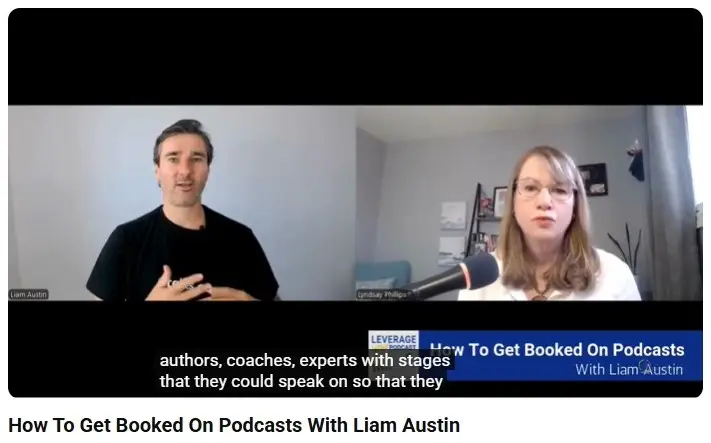
Preparation is everything if you want to start your own podcast. The best interview podcasts prepare days or weeks before they even hit record.
Here’s a simple roadmap for preparing for a podcast interview:
- Research about your guest: Listen to previous podcast appearances and follow their social media to find angles that haven’t been explored yet.
- Develop a conversation framework: Create a flexible outline rather than a rigid script with a list of your main topics and open-ended questions.
- Set clear expectations: Send your guest information about the interview format, your audience, how long you’ll record, and what topics you’ll cover.
- Inform guests about technical requirements: If recording remotely, instruct guests about what gear they need to prep on their end.
- Confirm schedules: A few days before the event, message your guest about the interview details and their availability.
- Test your equipment in advance: From mics to recording software, make sure everything’s ready and working well. Do a technical run if needed.
How to Do a Podcast Interview
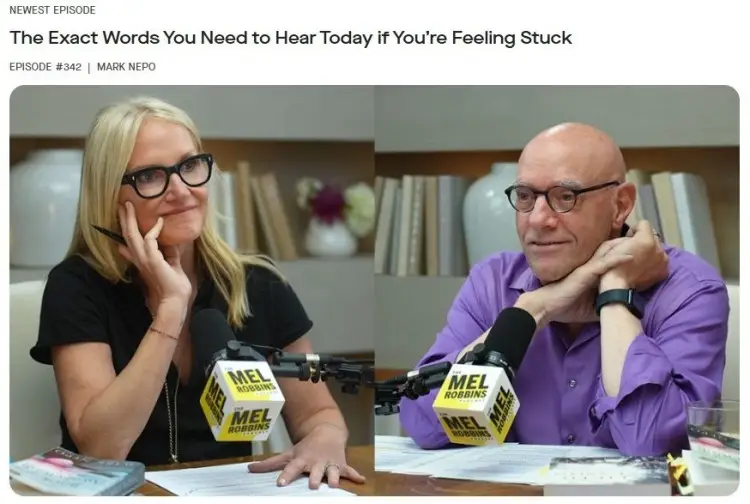
Once you’re recording, you need to be present and curious about what your guest has to say. Your podcast interview should feel like a natural conversation, not an interrogation.
Here’s how to do a podcast interview:
- Ask open-ended questions: Instead of “Did you enjoy working on that project?” ask “What was most challenging about that project?”
- Listen more than you talk: After your guest finishes answering, pause for a bit before responding. This prompts them to elaborate with deeper insights.
- Explore unexpected moments: When your guest says something surprising, dig deeper rather than jumping back to your prepared questions.
- Make your guest feel comfortable: Build rapport early and maintain eye contact. Assure them that sections can be re-recorded and mistakes can be edited out.
- Watch your pacing: Vary the tempo between questions and topics. Break up heavy topics with lighter ones.
- Monitor technical elements: Check your audio levels and clarity. Watch out for issues with unwanted background noise.
How to do a podcast interview online
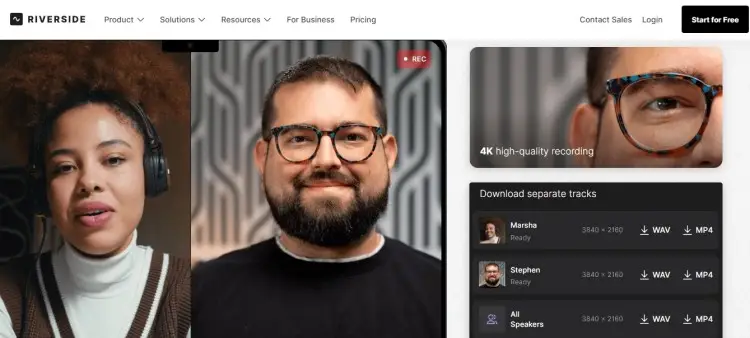
Remote recording has become standard practice, and platforms like Riverside and Zoom have improved dramatically.
When you’re recording remotely, these podcast interview tips matter to help your guests feel equally prepared.
- Suggest technical gear: Ask them to use wired headphones and an external microphone instead of using built-in speakers or built-in mics.
- Confirm their location: Request that they position themselves in a quiet room with soft furnishings, if possible.
- Free up bandwidth: Suggest they close background applications and browser tabs before the interview.
- Have a speed test: Confirm that the internet quality is at least 1.5 Mbps.
- Have backup communication ready: Get their phone number in case the connection drops.
- Plan for technical issues: If the connection drops, reconnect immediately using the same link. Reschedule if the problem persists.
8 Podcast interview tips
Once you’ve finished recording, your work continues. How you handle the post-production phase determines whether your episode becomes a standout piece that drives engagement or not.
Here are some best practices to stand out, from editing to promotions:
- Edit for clarity and quality: Remove long pauses, pops, and obvious audio problems. Balance volume levels between podcast hosts and guests.
- Improve sound quality: Add compression to even out volume inconsistencies. Boost clarity using EQ if needed.
- Include background music: Add intro, outro, and transitions using sound effects or instrumentals. Having a signature sound makes you recognizable.
- Repurpose full episodes: Extract 30-90 second segments with your best content and turn them into highlights or podcast trailers.
- Have consistent branding: Create a memorable podcast cover and other branding materials.
- Optimize for discoverability: Write detailed show notes with guest credentials and include relevant keywords in your title.
- Engage your audience post-episode: Create discussion prompts for your audience and respond to their comments.
- Share guest quotes on social media: Tease a talking point in the episode. Tag your guest and encourage them to share.
10 Common mistakes to avoid in podcast interviews
A great podcast interview takes a mix of preparation and communication skills. Be wary of these common mistakes that podcasters commit before recording:
- Not doing your homework: Minimal prep leads to generic and forgettable conversations.
- Not testing equipment: Technical failures waste everyone’s time and kill momentum.
- Poor microphone placement: You’ll end up with inconsistent voice levels throughout the recording.
- Recording without headphones at all: You can’t catch problems in real-time.
- Lack of briefing: Surprises mid-session make guests feel anxious and uncomfortable.
- Recording in noisy environments: There are limits on how much noise can be removed during editing.
- Talking more than your guest: Hosts should facilitate, not dominate.
- Not actively listening: When you plan your next question while they speak, you miss authentic moments.
- Reading from a script: Makes you sound robotic and disconnected from your guest.
- Asking leading questions: “Don’t you think…?” limits what your guests can share.
Explore other podcast setup ideas with this guide.
Make Authentic Connections
The best podcast interview setup comes down to three elements: reliable equipment and space, strategic preparation, and genuine connections.
If you plan your interviews well and engage your guests, the stories and discussions will flow naturally.
Ready to record your first interview? Find guests who add value and match your vibe, without the struggle of cold outreach.
With Talks AI features, matching up with guests is as simple as a few clicks:
- Auto-Match: Connect with profiles that match your interests and criteria.
- Auto-Message: Quickly send personalized messages to your matches.
That’s podcasting made simple and more effective.
Build your FREE Talks Profile Today and Record Your Dream Interview.


