

Want to try video podcasting?
Maybe you’re looking at cameras for your podcast studio, but it’s all a little too vague in your head… You don’t know what to actually buy and how to put things together for your video podcast setup.
I get it.
That’s why I listed down video podcast setup options you can try. Plus, get podcast gear and software recommendations, and a step-by-step setup guide to fully equip your podcast studio.
What Is a Podcast with Video?
Video podcasts are just like a traditional podcast, but with a video component. Listeners see the conversation happening, instead of just hearing your voice.
There’s a sense of closeness. They see your facial expressions and how you react, which helps them get to know you better.
These days, video podcasting is gaining popularity because it’s:
- More engaging using visual elements that grab attention.
- Expanding options for podcast storytelling and styles.
- Increasing visibility by uploading shows to YouTube and social media.
Audio podcast vs video podcast meaning
Originally, podcasts started in a purely audio format. But with new trends in media, more and more creators are exploring video podcasting. Here’s the difference between the two:
- An audio podcast is purely sound-based content, making how you say things very important. It’s designed for people to listen on the go, like during commutes.
- A video podcast includes both audio and video elements. Viewers can watch the hosts, guests, and other visual presentations included.
Why you should try the podcast video format
Here are some reasons to give the video podcast format a try:
- Deeper rapport: Viewers connect better when they see you. It helps them connect your brand values to who you are as a host.
- Wider reach: Video content is more shareable on social platforms like YouTube, Instagram, and LinkedIn.
- Crossposting content: You can repurpose video clips to create trailers, promos, and social posts.
- Get noticed: Podcasts with video tend to attract higher sponsorship and collaboration offers.
- Establish credibility: It’s easier to build trust as your audience can see your personality and body language.
Video podcast example shows
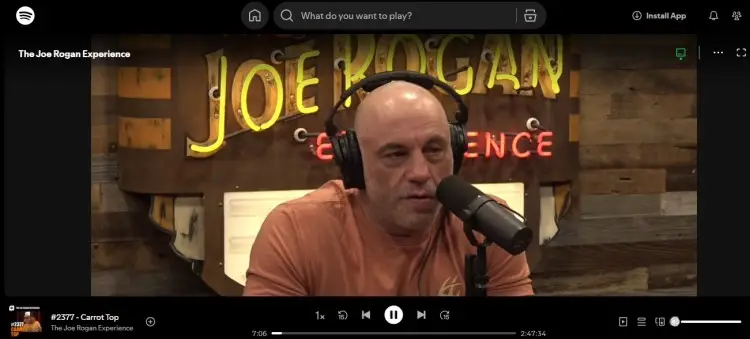
If you’re curious about what great video podcasts look like, here are three popular ones to check out for inspiration:
- The Joe Rogan Experience: Known for long-form, in-depth video interviews.
- The Tim Ferriss Show: Focuses on expert guests with visually engaging conversations.
- How I Built This with Guy Raz: Mixes storytelling with on-camera interviews.
11 Best Video Podcast Setup Options
There are many ways to set up a video podcast studio, depending on your needs and budget. The setups below range from the simplest beginner gear to more advanced multi-person arrangements.
Each setup focuses on essential video podcast equipment that makes recording smooth and professional, without overwhelming you.
1. Video podcast setup for beginners
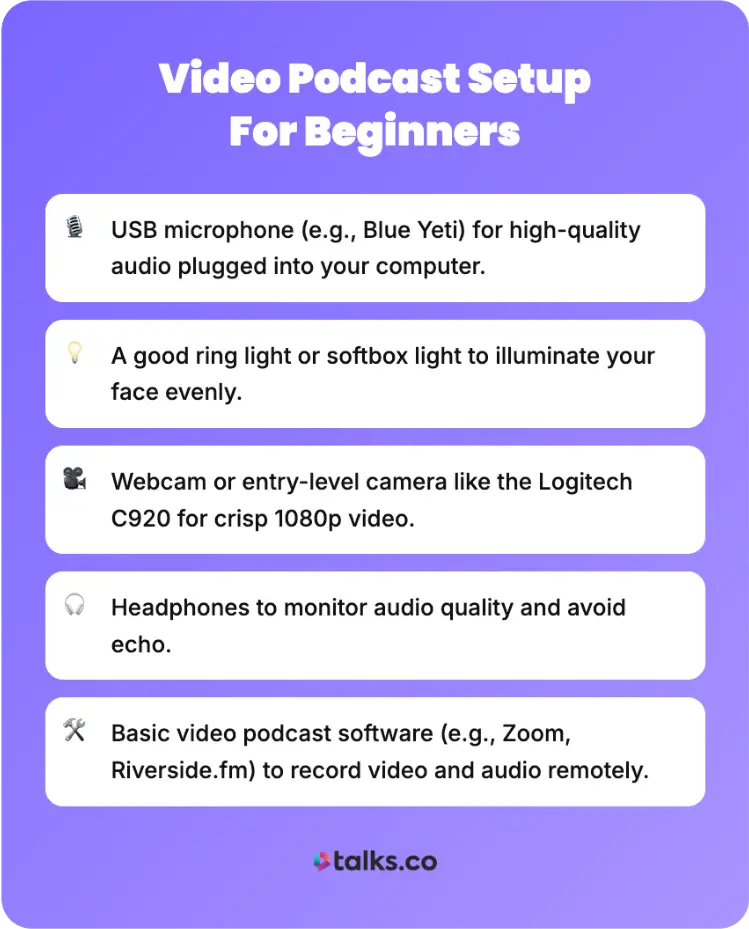
Starting with a beginner setup means keeping it simple and affordable while still getting clear audio and sharp video. Here’s what you need:
- Audio recording: USB microphone (e.g., Blue Yeti) for high-quality audio plugged into your computer.
- Lighting: A good ring light or softbox light to illuminate your face evenly.
- Video recording: Webcam or entry-level camera like the Logitech C920 for crisp 1080p video.
- Sound monitoring: Headphones to monitor audio quality and avoid echo.
- Recording software: Basic video podcast software (e.g., Zoom, Riverside.fm) to record both video and audio remotely if needed.
Try this for your setup: Position your light in front, your microphone slightly off-center, and keep the background tidy.
2. Simple video podcast setup
A simple setup is great if you want something easy to manage but slightly more polished. Prepare the following:
- Audio recording: A USB or XLR podcast microphone with an audio interface for better sound control.
- Lighting: Softbox lights or LED panels for balanced, natural-looking lighting.
- Video recording: DSLR or mirrorless camera (e.g., Canon M50 or Sony A6400) connected to your computer with a capture card.
- Equipment: Tripod or stable stand to keep your camera stable.
- Room setup: Basic sound treatment in your recording space (e.g., foam panels or blankets) to reduce echo.
Make sure to position your mic close to your mouth and use headphones to monitor audio. Also, keep your camera eye-level and focus on maintaining consistent lighting.
3. Video podcast setup for two (in-person)
For in-person conversations with two people, you’ll need a setup that captures both you and your guest clearly. Here are some equipment essentials for this in-person podcast setup:
- Audio recording: Two XLR microphones with boom arms, connected to an audio mixer or interface.
- Lighting: Lighting setup with softboxes on each side to avoid shadows.
- Video recording: Two camera angles, with one capturing both people and another for close-ups.
- Sound monitoring: Headphones for each participant to hear themselves without feedback. Add a mixer with headphone outputs so both speakers can monitor.
- Room setup: Good studio space that’s clean and well-designed as a set for your show. Arrange the microphones so they don’t pick up too much background noise.
4. 2 person video podcast setup (remote)
If you and your guest are not in the same location, the setup depends largely on software and individual gear. Here’s what you need for this remote podcasting setup:
- Recording: Each person should have their own microphone and a good camera (webcam or phone camera).
- Video software: Use reliable video podcast software like Riverside.fm, Zencastr, or StreamYard that records local video and audio for each participant.
- Sound monitoring: Headphones to avoid audio feedback.
- Connection: Stable internet connections so that the video call would be smooth.
5. 4 person video podcast setup
A four-person podcast setup is more complex but good for panel discussions or group interviews. Gear up with these equipment recos:
- Audio recording: Four individual XLR microphones with a multi-channel audio mixer or interface.
- Lighting: Professional lighting with multiple key and fill lights to evenly illuminate everyone.
- Video recording: Multiple cameras, including one wide shot capturing everyone, plus individual cameras for close-ups.
- Sound monitoring: Headphone mixing for each participant.
- Software: Quick-switch recording software or hardware for live multi-cam editing
- Room setup: Group set design, with couches and chairs like a talk show.
6. Budget video podcast setup
If you’re on a budget but you still want solid quality, build your setup around essentials:
- Audio recording: USB microphone with noise reduction features.
- Lighting: Affordable ring light or desk lamp as lighting.
- Video recording: Smartphone camera or basic webcam for video.
- Software: Free or low-cost software (OBS Studio, Audacity) for recording and editing.
- Room setup: Use blankets or foam to improve room acoustics.
7. Cheap video podcast setup
You need to be resourceful to pull off a cheap podcast setup. Use what you already have or find alternatives.
- Video recording: Smartphone with built-in camera and mic.
- Lighting: Natural light from a window plus a cheap clip-on ring light.
- Software: Free recording app or software.
- Audio recording: Use earbuds with an inline mic as a makeshift podcast microphone.
- Room setup: DIY soundproofing with pillows, blankets, or rugs.
8. Home video podcast setup
Setting up your podcast at home means creating a consistent, quiet space with controlled lighting and background. Here’s what you need to set up your home podcast studio:
- Audio recording: A better podcast microphone, like a Shure SM7B, with an audio interface.
- Lighting: Use LED panels or diffused softboxes for flattering light.
- Video recording: Stable DSLR or mirrorless camera on a tripod.
- Equipment: Acoustic panels or foam for sound control.
- Room setup: Dedicate a room or corner away from distractions.
Based on my experience, the more I got into recording, the more I kept saying YES to guesting invites. That’s why a home setup that’s easy and requires no setup time is really important for me.
9. Multi camera video podcast setup
Using more cameras for more angles raises your podcast production value. A professional video podcast typically includes more pov’s.
Here’s a multi-camera setup for both live and pre-recorded shows:
- Audio recording: XLR dynamic microphones that offer professional audio quality (e.g., Shure SM7B, Electro-Voice RE20 and RODE Procaster).
- Lighting: Proper lighting to maintain consistent exposure across cameras.
- Video recording: Two or more cameras with HDMI output, connected via capture cards or a switcher.
- Equipment: Cables, tripods, and power supplies organized and tested thoroughly.
- Software: Video switcher software (vMix, OBS, Wirecast) to live switch angles during recording.
10. Portable video podcast setup
For creators on the go, you need to be able to set up wherever you are. These are some essentials for a portable podcast setup:
- Audio recording: Compact USB microphone or shotgun mic with windscreen.
- Lighting: Portable LED lighting panels with rechargeable batteries.
- Video recording: Lightweight camera or smartphone with 4K video capability.
- Equipment: Smartphone gimbal or small tripod.
- Software: Mobile editing apps or cloud software for post-production.
11. Video podcast setup with iPhone
iPhones today can be powerful video podcast cameras with the right gear supporting them. Here’s how to get started:
- Audio recording: External mic like RODE VideoMic Me or Shure MV88 connected via lightning port for high-quality audio.
- Lighting: Portable ring light or clip-on LED light for even lighting.
- Video recording: Use the iPhone camera with a lens attachment for wider shots.
- Equipment: Tripod or phone stabilizer to avoid shake.
- Software: Recording apps like FiLMiC Pro add manual controls for a polished look.
How to Make a Podcast Video
Making your first video podcast doesn’t have to be overwhelming. Follow these simple steps to get started on the right foot:
- Assess your resources: Choose your video podcast equipment kit based on skill level and budget.
- Curate your podcast studio: Set up your recording space with controlled lighting and sound.
- Brainstorm: Plan your podcast episode format and write a script of key talking points.
- Check your equipment: Test your microphone and camera settings in advance.
- Record your episode: Record your video podcast using reliable software or hardware.
- Polish your recording: Edit audio and video tracks separately to balance sound and visuals.
- Save your file: Export with high-quality settings optimized for YouTube and video podcast platforms.
Video podcast equipment kit
A great podcast won’t be complete without your trusty equipment kit. A typical video podcast kit contains the following:
- Microphone: For capturing audio (e.g., USB or XLR microphone).
- Camera: For recording videos (e.g., Webcam, DSLR camera, or smartphone with good video quality).
- Lighting: Improves the video quality and overall look of the show. Think ring light, softboxes, or LED panels.
- Stand: Make sure that you get steady shots. For example, you can attach your camera to a tripod.
- Headphones: For monitoring audio live and preventing feedback.
- Audio interface: For connecting professional mics to your computer.
- Recording device or software: To capture and sync audio and video.
Video podcast equipment bundle
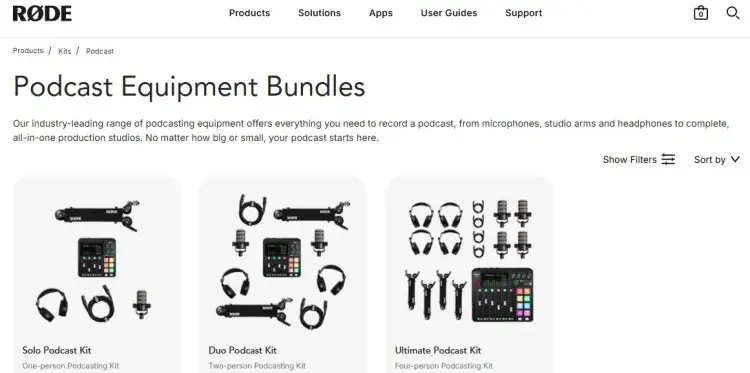
Many brands offer video podcast equipment bundles combining microphones, lighting, and tripods at a discount. Some popular combos include:
- RODE Podcast Bundle: Provides a quality mic, boom arm, and headphones.
- Logitech Content Creator Streaming Bundle: Camera and microphone options plus add-ons to complete live and recorded show equipment.
These bundles simplify setup and often offer better value than buying pieces individually.
Video podcast equipment for beginners
When starting out, you don’t need expensive cameras or multiple mics. Just prioritize the essentials.
Easily set up your beginner podcast equipment with these steps:
- Choose your tools: Start with a good webcam and a plug-and-play USB mic.
- Grab your headphones: Avoid feedback by wearing headphones to monitor sound.
- Prepare your studio: Make sure you have adequate lighting and a stand to keep equipment in place.
- Install a recording software: Use beginner-friendly apps to capture sound and video.
- Test everything: Check sound levels, video framing, and lighting before recording.
Video podcast equipment for pros
With more experience and knowledge of podcasting, pros have a clear idea about what type of podcast they want to produce. Follow these steps when setting up more advanced equipment:
- Invest in professional tools: Go for dynamic mics and cameras with 4K capability to produce broadcast-quality content.
- Add an audio interface: Connect several mics with multi-channel interfaces.
- Prepare a professional studio: Get boom arms, stands, and multi-point lighting equipment to make things organized and dynamic.
- Employ a video switcher: Manage multiple camera feeds live or for editing.
- Soundproof your room: Use acoustic treatment to reduce echo.
- Use advanced editing software: Apply video effects and color grading with studio-level video editing apps.
How to Set Up a Video Podcast Studio
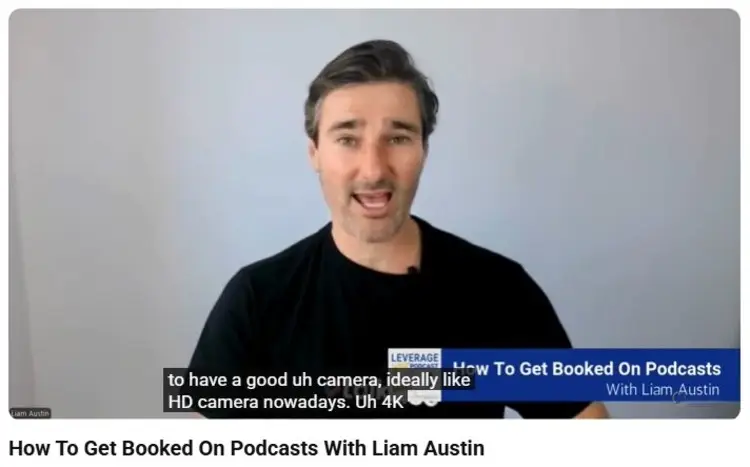
A video podcast studio is a dedicated space for recording broadcast-quality audio and video. It’s a combination of good lighting, acoustics, and set design.
If you want to create consistent and high-quality video episodes, consider setting up your own studio. Here are five steps to transform any space into a dream podcast workspace.
1. Prepare your video podcast studio setup.
Start with an inventory of your video podcast equipment.
- Test for which still works and which are due for an upgrade.
- Complete your equipment kit little by little, starting with the essentials.
Other than a tech check, think about the podcast room layout. Designate spaces for where things will go. Assign areas for storage, filming, and editing.
2. Design your video podcast room setup.
Set up a corner of the room that will be seen on camera. Plan your background, furniture, and accessories, keeping in mind your branding and the vibe you want to show off.
Think about:
- Aesthetics: Clean, branded, or creative backdrops.
- Seating: Number of seats and how they are arranged in the frame.
- Visual elements: Decor, plants, banners, or logos that add personality and blend in well.
3. Organize your video podcast equipment setup.
Have a system for how things work in your studio. Keep things organized so you can focus on podcasting.
Make sure that:
- All microphones and cameras are properly mounted and connected.
- Audio cables are organized to avoid tangling.
- You have easy access to the mixer if you need to adjust the volume.
- There are backup batteries and memory cards ready for use.
4. Prepare your video podcast lighting setup.
Good lighting makes a world of difference in boosting video quality. If you can, use a three-point lighting setup using key light, fill light, and backlight:
- Key light is your main light source. Typically bright and soft, and placed to one side.
- Fill light reduces shadows from the opposite side.
- Backlight creates depth by separating the subject from the background.
You can also add diffusers or softboxes to avoid harsh shadows.
3. Decide on your video podcast camera setup.
If you’re just starting out, you can go for a single-camera setup.
But to capture more angles, try a multi-camera setup and:
- Choose cameras with matching video resolution.
- Connect all cameras to a switcher device or software.
- Position cameras to cover wide shots, mid-shots, and close-ups.
- Use HDMI or SDI cables for steady signals.
- Test camera angles to control what’s within frame.
How Do You Start a Video Podcast?
Starting a video podcast can feel like a big project, but breaking it down into small tasks makes it manageable and fun.
- Plan your podcast: Pick an interesting theme or topic and a format that suits your audience.
- Gather the right gear: Invest in the trio of essentials (microphone, camera, and recording software).
- Test your setup: Check your lights and sounds. If recording remotely, check your video-casting or conferencing app.
- Curate your studio: If you’re filming at a location, prepare your studio to be camera-ready.
- Prepare a script: Some podcasters write scripts for the whole episode, complete with research notes. Others just come up with an outline.
- Invite guests: Interview interesting personalities. Experts make your show more credible and valuable to people looking for guidance. Meanwhile, popular figures add to the entertainment value.
Setting up video podcast
Done with the preparations? Confidently hit the record button when you follow these best practices for setting up a video podcast:
- Designate a space: Choose a quiet, well-lit recording room free from interruptions.
- Hold mics properly: Keep a good distance when speaking into microphones. Note the type of mic you’re using and how it picks up audio (e.g., unidirectional, omnidirectional).
- Position cameras at eye-level: It’s a good angle for natural framing.
- Have individual tracks: Record separate audio and video for easier editing.
- Backup recordings: After a session, save backup copies immediately.
Video podcast setup diagram
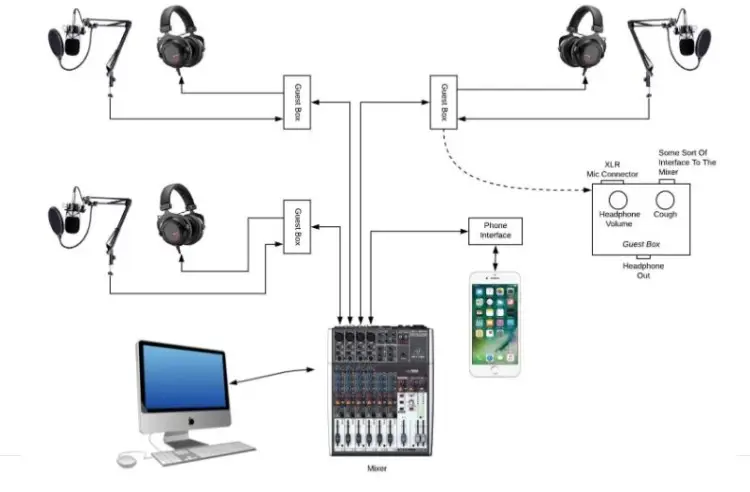
It’s easier to visualize your video podcast setup when you create a diagram. Here’s how to create your own:
- Account for your equipment: List down all podcasting tools and put them in your diagram.
- Make connections: Use lines and arrows to show which equipment should work together.
- Determine input and output: Be clear on which tools are for recording and feedback.
- Label properly: Add the names of each equipment and other notes you need.
Creative video podcast setup ideas
Get creative with your podcast setup ideas:
- Branded backgrounds or green screens to keep visuals fresh.
- Split-screen remote interviews to showcase your guests.
- Slides, graphics, or audience questions added in post-production.
- Props or thematic decor specific to your niche on set.
- Audience-submitted clips to encourage engagement.
How to Edit a Video Podcast
Editing transforms your recording into a polished show. Create publication-ready content following these steps:
- Import your files: Upload your audio and video recordings into your editing software.
- Clean up audio: Remove background noise and enhance sound quality with an equalizer and compressor.
- Trim mistakes and pauses: Tighten your pacing by removing unnecessary clips.
- Sync audio and video: Match your improved audio with your movements.
- Add music: Insert theme music, segment transitions, and credit track.
- Add captions and overlays: Keep it visually interesting with texts and subtitles.
- Export final episode: Save your file following the format of the platform you’ll upload to.
Podcast video editing tutorial and software
Done recording your podcast? Try to edit it on your own with podcast editing software (that have a lot of tutorials online):
- Descript: Easy interface with automatic transcription and video editing.
- Adobe Premiere Pro: An industry-standard for advanced editing and video effects.
- Final Cut Pro: Favorite for Mac users looking for powerful video tools.
- DaVinci Resolve: A professional-grade free software with color correction options.
- Camtasia: Beginner-friendly, combining screen recording and editing.
Podcast video presentation formats
Edit your video podcast with a format in mind. These are the most common ones:
- Interview style: Host talks to guests, either remote or in-person.
- Solo episodes: You share insights or stories on your own.
- Panel discussions: Multiple people discuss a topic.
- Storytelling: Narratives, told through visuals, music, and effects.
- Live streaming: Real-time broadcast where you engage with viewers.
Lights, Camera, Action!
A good video podcast setup is a must to launch your own podcast show.
Whether you’re new to podcasting or you’re planning to level up, the right combination of equipment, software, and studio layout shows professionalism and dedication to your podcasting career.
Ready to launch your first episode? Turn heads and boost your visibility by inviting a guest.
Join the Talks community and connect with experts and big personalities you can interview. All you have to do is create a free Talks Creators profile and get matched.
We’ve got top podcasters like Elaine, Sreelatha and Marie who have already booked interviews and recorded with guests.
It’s your turn.
Create your free Talks Creators profile and start collaborating.


