
Picking the right streaming software can feel intimidating.
You just want to go live and connect with your audiences. But there are too many features to be mindful of. You have to learn too much all at once.
With this StreamYard vs OBS Studio comparison guide, you don’t have to think about all that. I did the analysis for you. No complicated tech jargon.
All you have to keep in mind is finding the solution that best fits your unique situation.
That said, let’s look at the key features, pricing, and pros and cons of StreamYard and OBS, so you can make a decision today.
Comparison of StreamYard vs OBS Studio (Overview)
StreamYard and OBS Studio serve the same purpose as a live streaming tool, but approach it from completely different angles. One is a web-based solution that runs in your browser. The other is a downloadable open-source powerhouse that lives on your computer.
Here’s a detailed comparison table to help you see the differences at a glance:
| Category | StreamYard | OBS Studio |
| Type | Web-based tool | Desktop software |
| Price | Free plan available, premium plans start at $44.99/month | Free |
| Ease of use | Extremely easy, no install needed | Steep learning curve, must configure settings manually |
| CPU usage | Low, cloud-powered | High usage, runs locally |
| Performance | Stable for most users | Depends on your computer specs |
| Multistreaming | Yes, you can stream on YouTube, Facebook, Twitch, and LinkedIn simultaneously | Requires a third-party plugin or service |
| Guests | Up to ten guests on paid plans | Unlimited with RTMP integration |
| Customization | Limited templates | Unlimited custom overlay, banner, logo, background |
| Recording | Limited hours on the free plan | Unlimited local recording |
| Video Quality | Up to HD 720p on the free plan | Up to 4K high-quality |
| Chat | Built-in viewer interaction | Requires a separate window setup |
| Source | Cloud servers | Local computer |
So, some quick picks:
- If you run a solo show or interview-style podcast with guest speakers, StreamYard makes sense for quick setups.
- If you need advanced scene switching or game stream capabilities, OBS provides the flexibility you need.
The good news? Both tools work seamlessly with Talks when you’re looking to produce podcast interviews. Find expert guests to interview on the platform and set up a recording session.
Many creators use StreamYard for the interview itself while using OBS for the technical backend production.
StreamYard vs OBS feature comparison
Let’s take a closer look at the two platforms and see which one best fits your needs.
StreamYard
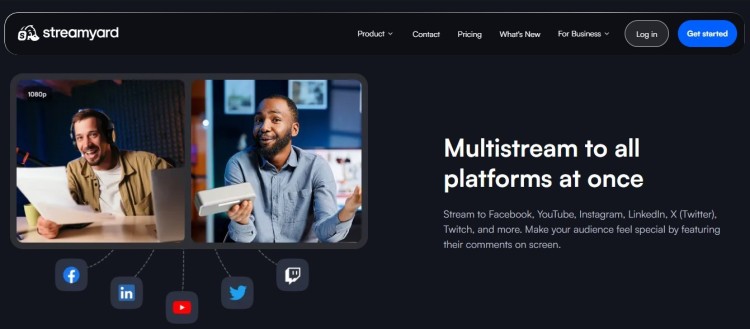
This web-based broadcasting tool lets you go live directly from your browser. No need to install anything on your Mac or PC. It focuses on simplicity and speed for content creators who want to stream without technical headaches.
Key features:
- Built-in multistreaming so you can stream on YouTube, Facebook, LinkedIn, and Twitch at once.
- The software includes built-in chat functionality for viewer interaction.
- You can add banners, overlay graphics, and brand your live stream with your logo.
- The platform’s interface lets you share screens easily with participant approval.
OBS Studio
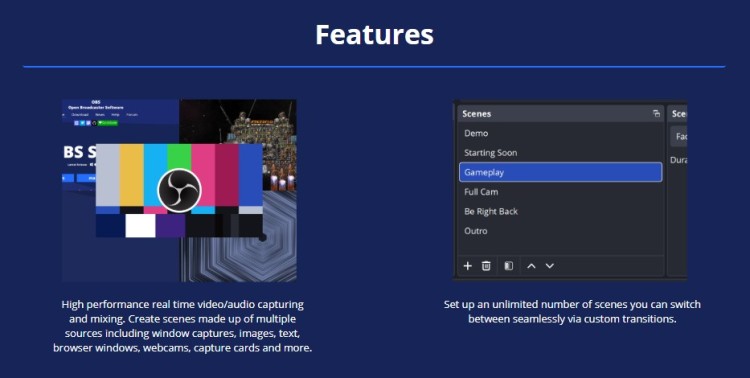
This open-source software and encoder give you complete control over every aspect of your live stream. It’s a desktop application that acts as a virtual production studio on your computer.
Key features:
- You can create unlimited custom scenes with virtual background support.
- Endless customization options for advanced users.
- It accepts third-party plugin extensions for added capabilities.
- You can stream video to any RTMP server.
- It offers professional audio mixing and source management.
- You can record and upload later or broadcast live.
StreamYard vs OBS pricing comparison
Streamyard offers several tiers, while OBS is free forever. This difference fundamentally changes how you budget for your show.
StreamYard pricing:
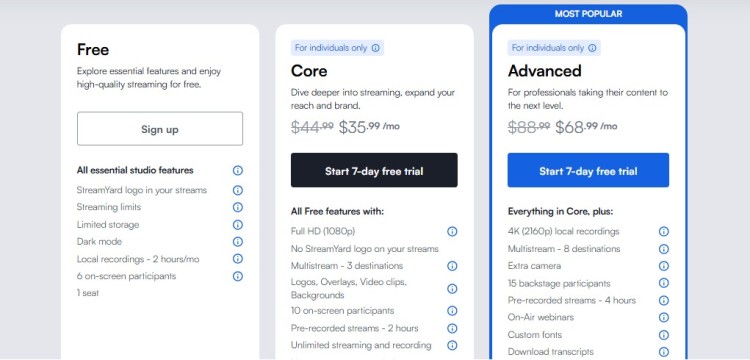
- Free: One seat, six guests, and two hours of recording
- Core ($44.99/month): Better video quality and studio capabilities, longer recording, and streaming pre-recorded streams
- Advanced ($88.99/month): Backstage access, multi-streaming platforms, extra camera, transcripts, and 4K video quality
OBS Studio pricing:
- Free: Completely open-source with zero cost
- Optional: Donations to support development
Given that difference, when does StreamYard become worth the upgrade?
- If you host a multi-guest podcast and need a shareable studio to direct guests to, StreamYard is the better choice. The more complex your interview setup, the more you should consider upgrading.
- If you stream on your own and have a custom technical setup, OBS remains the economical choice.
The podcast recording program you choose affects your overall production budget. Remember to budget for other podcast expenses too:
- Equipment like microphones and webcams
- Audio interface equipment
- Podcast hosting platform fees
- Editing software (for pre-recorded videos)
- Graphic design for banner art, podcast episode cover, and logo
Whichever tool you select, you can integrate Talks into your workflow at no cost. It’s the best partner for podcast interview software to complete your tech stack.
StreamYard vs OBS pros and cons
Every software has trade-offs. Here’s how these platform options stack up:
| Software | Pros | Cons |
| StreamYard | – Easy browser access with no install – Built-in multistreaming capabilities – Simple guest management for webinars and interviews – Professional templates for quick go-live moments – Seamless chat integration | – Limited custom scene flexibility – Monthly subscription cost adds up – Watermark on free plan – Dependent on the internet – Less control over audio settings |
| OBS | – Completely open source and free – Unlimited plugin extensions – High-quality recording capabilities – Complete overlay and background control – Works offline (for recording) once downloaded | – Steep learning curve to configure – High CPU usage on older computers – Must manually set up stream destinations – No native support team (community-based help) – Complex RTMP setup for beginners |
Both software have their strengths.
- StreamYard best fits interview shows, coaching calls, and quick live-streamed content where you need to look professional fast.
- OBS Studio serves gamers, technical broadcast professionals, and creators who need specific production workflows.
Once you’ve made your choice between StreamYard or OBS, head to Talks to book your next guest appearance or find experts to interview. Take this as a sign to start your own podcast and establish yourself as a go-to expert.
What Is StreamYard?
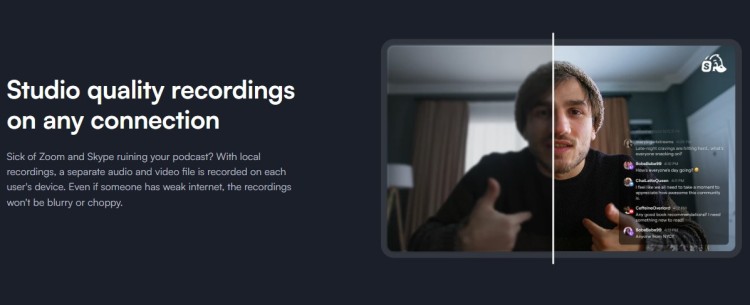
StreamYard is a web-based tool designed for creators who want to stream without getting too technical. It operates entirely within your browser, meaning you never need to download or install software on your Mac or Windows computer.
The platform works best for podcast hosts, coaches, and entrepreneurs who prioritize speed and polish over deep customization.
You log in, create a session, and go live within minutes. It handles the heavy lifting on cloud servers, so your local computer does not strain under heavy CPU usage.
StreamYard data usage
Streaming consumes internet bandwidth based on your video resolution quality. Understanding this helps prevent lag during your live stream session.
- 720p (HD) streaming: Around 2.5-4 Mbps upload speed
- 1080p (Full HD): 5-8 Mbps upload speed
- Multistreaming: Data usage increases slightly with each added platform
- 4K recording in the Advanced plan: At least 10-15 Mbps upload speed for a smooth experience
Streamyard’s cloud processing actually reduces your local data burden compared to software that processes everything on your machine.
What Is OBS?
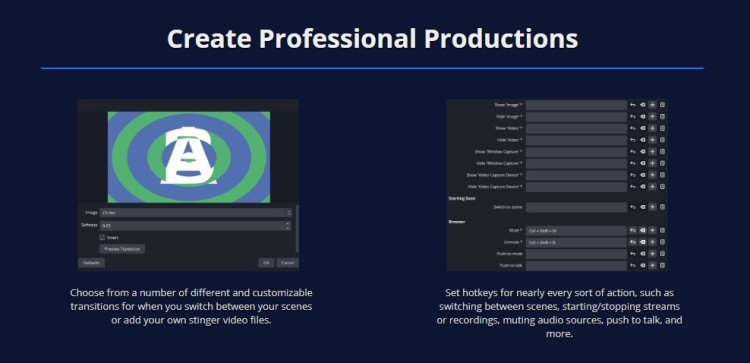
OBS Studio stands for Open Broadcaster Software. It’s an open-source studio application that gives you complete flexibility over your production design.
Unlike StreamYard, which runs in the cloud, OBS processes everything locally using your computer’s hardware. This makes it incredibly powerful for high-quality game streaming or complex virtual events with multiple source inputs.
You can add webcams, capture cards, pre-recorded video, and audio sources, then switch between them instantly.
How to Choose Between StreamYard or OBS
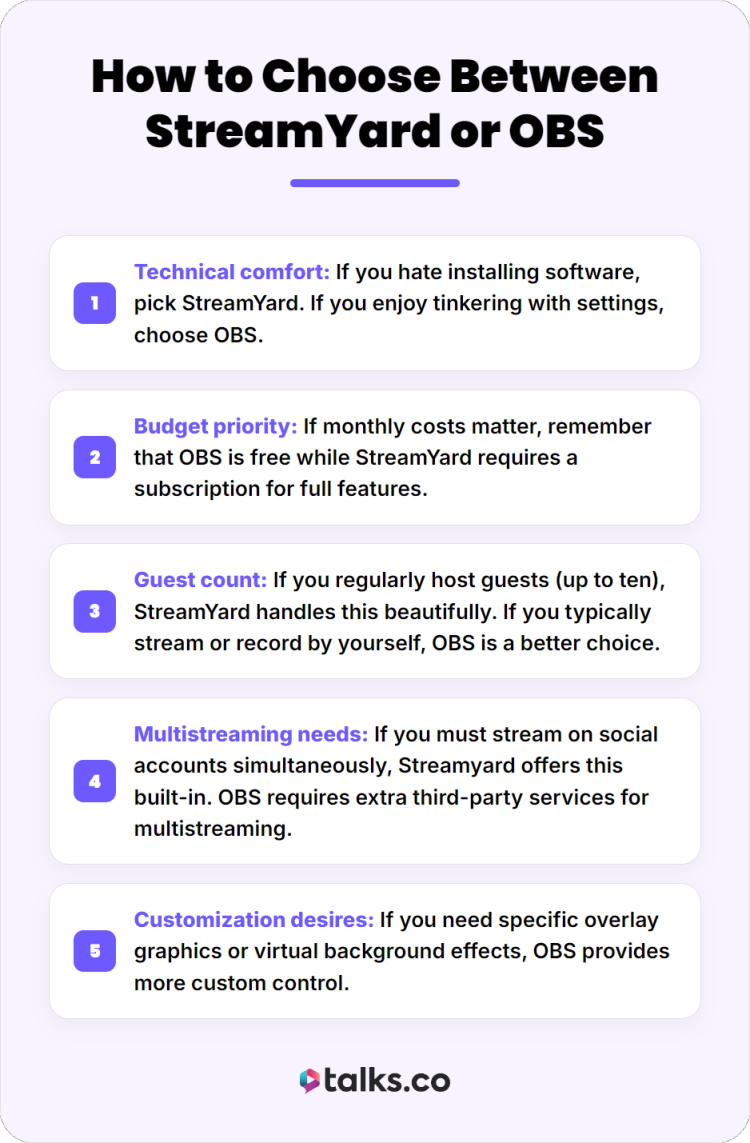
Deciding between these tools comes down to your technical comfort level and production needs. Follow this guide to pick your best option:
- Technical comfort: If you hate installing software, pick StreamYard. If you enjoy tinkering with settings, choose OBS.
- Budget priority: If monthly costs matter, remember that OBS is free while StreamYard requires a subscription for full features.
- Guest count: If you regularly host guests (up to ten), StreamYard handles this beautifully. If you typically stream or record by yourself, OBS is a better choice.
- Multistreaming needs: If you must stream on social accounts simultaneously, Streamyard offers this built-in. OBS requires extra third-party services for multistreaming.
- Customization desires: If you need specific overlay graphics or virtual background effects, OBS provides more custom control.
You can learn more about platform comparisons in this Zencastr vs Riverside guide or explore podcast hosting platforms for distribution options.
Is StreamYard better than OBS?
The answer depends on your specific podcast format and goals. Here’s how to decide on the best podcast recording software based on specific scenarios:
- Interview shows: StreamYard wins for ease of use. You can invite a guest with a simple link, and they join from their browser without any download.
- Solo recording: OBS works great if you want high-quality local files. StreamYard is fine if you prioritize quick upload to the cloud.
- Live streaming with graphics: OBS wins when you need specific banner animations or logo transitions. StreamYard only offers basic templates.
- Quick coaching calls: StreamYard lets you go live in seconds. Perfect for quick viewer engagement and spontaneous streams.
- Professional webinars: Either works, but OBS gives you more flexibility for branded production value.
You can explore specific comparisons like StreamYard vs Riverside or Riverside vs OBS Studio to see how these tools stack against other options.
3 StreamYard and Restream Alternative Options
Sometimes neither tool fits perfectly. Consider these alternatives:
- Restream: A cloud-based multistreaming service that lets you broadcast to multiple platform sites simultaneously. Includes built-in analytics and chat aggregation.
- Castr: Offers live stream hosting with HD quality and recording capabilities alongside video hosting functionality.
- Riverside: Focuses on high-quality local recording with separate audio and video tracks for each participant. Ideal for podcast creators prioritizing post-production.
For all these alternatives, Talks serves as an excellent partner to complete your podcast toolkit. Explore how Talks can do so much for your podcasting business:
- Speaker profile: Create a dynamic and shareable digital speaker-one sheet that has all your previous engagements.
- Direct connections: Connect directly with other podcast hosts and expert guests through the platform.
- Smart suggestions: AI matching and advanced filter help you get matched in minutes.
- Automation: Make relevant connections quickly using Auto-Message and Auto-Accept functions.
- Workflow: Inbox and scheduling tools are designed to get you responses and recording schedules.
- Platform integration: Works with any podcast recording program you choose.
Set the Stage
StreamYard vs OBS Studio is a matter of priority. Whether you want to achieve a specific visual design or to host a big interview, the right podcasting platform meets you where your dreams are.
Ready to put your streaming tool to work? Create your free Talks profile today and start booking interviews with experts who can expand your reach.
With Talks as part of your team, your calendar fills up with relevant connections that can grow your podcasting career.
Dinesh already has 50 guests lined up to be interviewed. Laura connected with a top 1.5% podcast on her very first click.
Register for a free Talks profile today and get matched in less than five minutes!