

You’ve got something to say.
The question isn’t whether people want to hear it. They do. The question is whether your setup is killing your momentum before you even hit record.
StreamYard vs Restream are the two names everyone throws around. Both look good on paper. Both have features lists long enough to make your eyes glaze over.
But you don’t need a features and pricing list. You need to know which one gets out of your way and lets you show up, stream, and build an audience without fighting your tools every single session.
One of them does that better than the other.
I’ll help you choose the best live streaming platform and make sure it meets your streaming needs and is worth your time.
Comparison of StreamYard vs Restream (Overview)
Only got a few minutes to research? Here’s everything you need to know when comparing StreamYard and comparing Restream to find the best live streaming studio:
| Feature | StreamYard | Restream |
|---|---|---|
| Multistreaming | 3 platforms (Core) 8 platform (Advanced) | 2 platforms (Free) 3 platforms (Standard) 5 platforms (Professional) 8 platforms (Business) |
| Video quality | 1080p (Core) 4K local recording (Advanced) for streaming, recording, and screen sharing | 720p (HD) to 1080p (Full HD) on Restream Studio 2160p, 4K for multi-streaming |
| Guests or participants | 6 on-screen (free) 10 on-screen (Core/Advanced) Plus 15 backstage (Advanced) | Up to 6 guests on-screen (free) Paid plans allow up to 10 |
| Local recording | Up to two hours on the free plan, unlimited on paid plans | Up to ten hours per stream (available only in the Professional plan) |
| Analytics | Basic | Detailed audience insights |
| Ease of use | Beginner-friendly | Intuitive, slightly more advanced |
Choosing the right live video streaming platform means looking at pricing and features that matter. Restream and StreamYard offer solid multistreaming capabilities, but they cater to different needs for live streams for different brands.
- Restream allows you to broadcast professional live content to a big audience across multiple platforms simultaneously.
- StreamYard offers you high-quality live streaming and recording while keeping it simple and seamless.
Aside from podcast recording and streaming, you also need to consider the bigger picture.
While you’re figuring out your streaming setup and solving the Restream debate, don’t forget what actually makes great content: a captivating interview.
That’s where Talks comes in. It’s your backstage pass to connecting with the right people for your show or landing guest spots that boost your visibility.
Restream.io vs. Streamyard features comparison
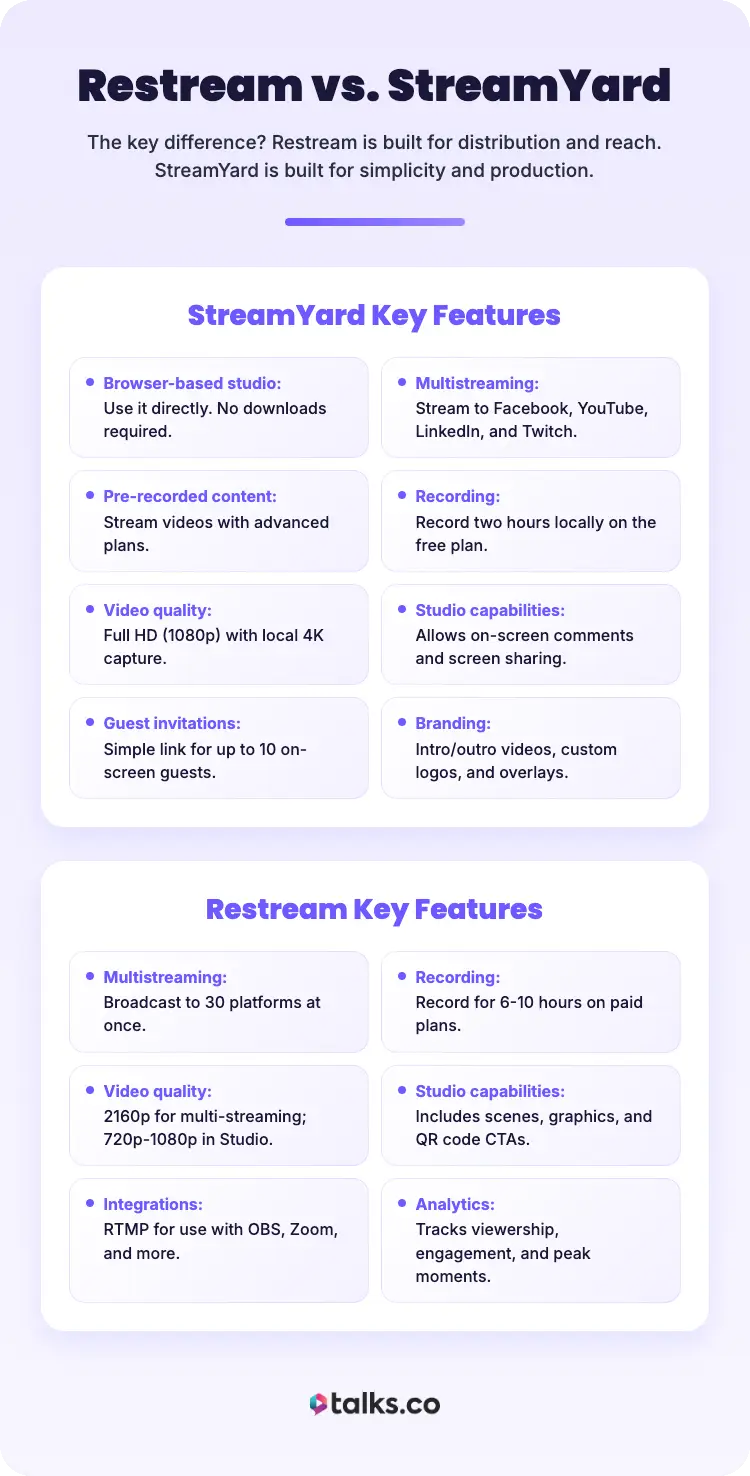
Let’s break down what each platform brings to the table.
StreamYard is a live streaming software that’s super beginner-friendly, browser-based, and perfect for podcasts and interviews.
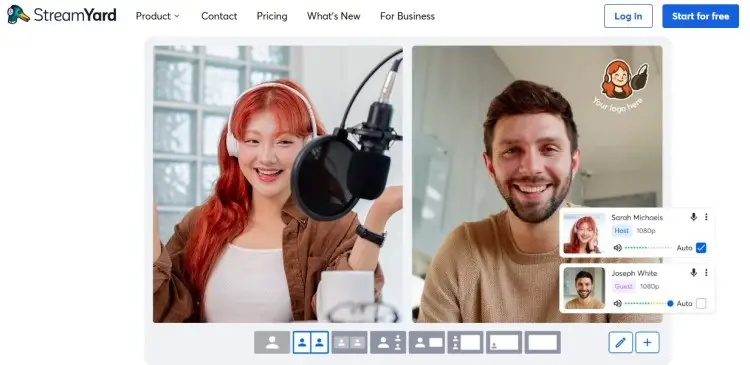
Key features:
- Browser-based studio: Use it directly. No downloads required.
- Multistreaming: Streamyard allows streaming to popular platforms like Facebook, YouTube, LinkedIn, and Twitch.
- Pre-recorded content: With advanced plans, Streamyard also enables users to stream pre-recorded videos.
- Recording: Record two hours locally on the free plan.
- Video quality: Full HD (1080p) with local 4K option video and audio capture.
- Studio capabilities: Allows on-screen comments and screen sharing.
- Guest invitations: Just send a simple link for interviews (up to 10 on-screen).
- Branding: Includes intro and outro videos, custom logos, overlays, and backgrounds.
Restream supports streaming for creators owning multiple platforms. It is an intuitive live streaming solution that beams your content to multiple platforms at once.
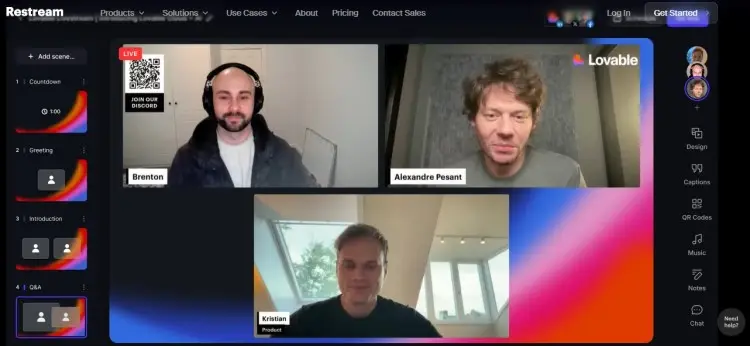
Key features:
- Multistreaming: Broadcast to 30 platforms.
- Recording: You can record for 6-10 hours on paid plans.
- Video quality: Stays at 2160p for multi-streaming. Ranges from 720p to 1080p in the Studio, depending on your plan.
- Studio capabilities: Includes scenes, graphics, live chat overlay, and QR codes as CTAs.
- Integrations: RTMP streaming for integration with OBS, Zoom, and more.
- Analytics: Tracks viewership, engagement, and peak moments.
The key difference? Restream is built for distribution and reach. StreamYard is built for simplicity and production.
The good news is that whichever platform you choose is compatible with Talks’ workflow. Right after booking a podcast guest or a guest spot yourself, you can schedule an interview and record via either StreamYard or Restream.
StreamYard or Restream pricing comparison
Pricing and features you’re paying for can make or break your decision. Let’s talk dollars and sense.
StreamYard pricing:
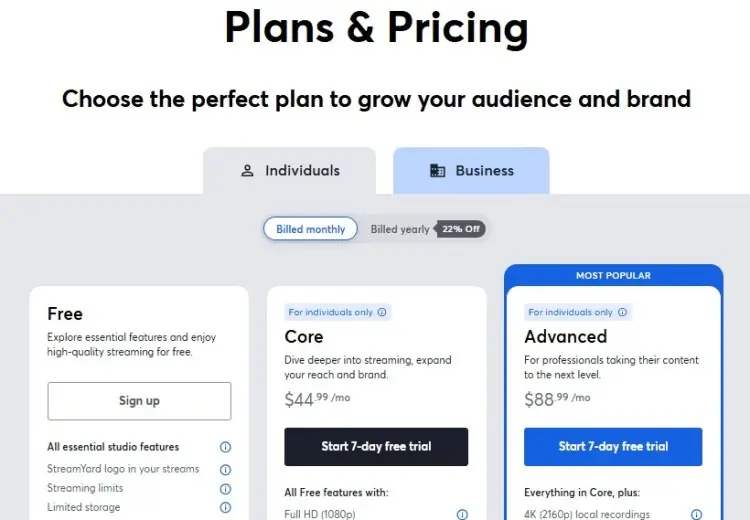
- Free: For a seven-day trial, you can test out its capabilities with limitations (one seat, six guests, two hours of recording).
- Core ($44.99/month): With this plan, you unlock more professional features (better video quality and studio capabilities, longer recording, and streaming pre-recorded streams).
- Advanced ($88.99/month): You have backstage access and more premium tools available (8 multi-streaming platforms, extra camera, transcripts, and 4K video quality).
Restream pricing:
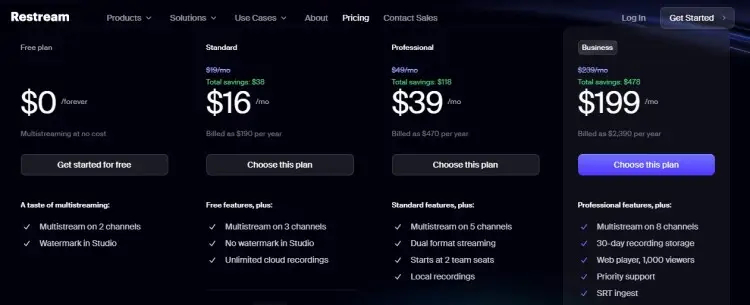
- Free: Restream’s free forever with limited access to tools (one seat, six guests, two channels, and HD quality only).
- Standard ($16/month): Best for slightly bigger creators looking for recording capabilities (three channels, ten guests, unlimited cloud recording, and six hours of local recording).
- Professional ($39/month): Works better if you have a co-producer behind the camera and a more advanced broadcasting setup (two seats, five channels, workspaces, and split-feed downloads).
- Business ($199/month): At this level, Restream also offers you better workspaces with more access and control functions. You can also use RTMP as a source and stream directly on your website.
Compared to StreamYard, Restream provides more at lower price points if you need multistreaming and analytics. You get online podcast recordings on the cloud and better pricing tiers overall.
But if you want a little more polish, StreamYard is a close contender. If you have a large lineup of guests or want to conduct on-air webinars, its infrastructure can better accommodate that.
And remember… other factors will eat away at your budget, like equipment and finding podcast guests. Thankfully, Talks already takes care of one of them for you.
If you’re looking for podcast matching services, it costs you nothing to create a Talks profile and book a guest.
StreamYard vs Restream pros and cons
Let’s get real about the strengths and weaknesses of Restream vs StreamYard:
| Platform | Pros | Cons |
|---|---|---|
| StreamYard | Super intuitive 4K local recordings Longer pre-recorded streams (four hours) Reusable studios No software install | Multistream to 30+ platforms Detailed analytics More affordable pricing QR codes and tickers for engagement RTMP streaming support |
| Restream | More expensive Basic analytics Fewer platforms supported | Pre-recorded video limits Slightly steeper learning curve Browser can slow down during heavy use |
So, what’s the best fit for each platform?
- Choose StreamYard if you’re a podcaster, interviewer, or coach who values simplicity and ease of use. It’s a good podcast interview software and tool for high-quality webinars and interviews without technical headaches.
- Choose Restream if you’re a marketer, entrepreneur, or speaker who wants maximum reach across multiple platforms simultaneously. It’s ideal for broadcasting live events, Q&As, and content that needs wide distribution and tracking.
Restream and StreamYard provide different solutions.
No matter which one you choose, it fits perfectly with the Talks.co workflow. Book your guest, prep your content, hit “Go Live,” and watch your visibility grow.
What Is StreamYard?
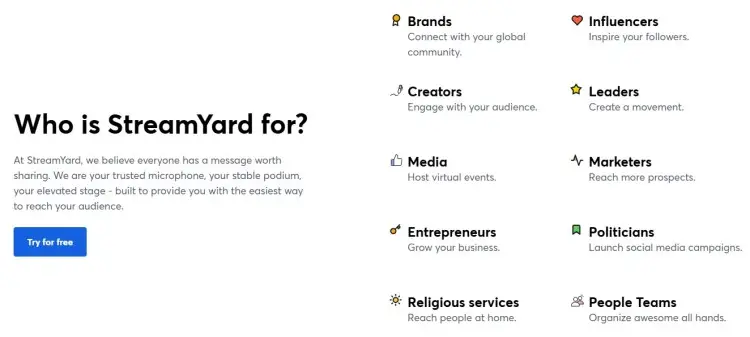
StreamYard is a browser-based live streaming tool that makes it easy to create professional-looking broadcasts. No downloads, no complex setup. Just open your browser and start streaming.
Launched in 2018, this platform offers features that allow streaming, recording, and live engagement. It’s perfect for solo coaches, consultants, and entrepreneurs who want a professional look without hiring a production team.
StreamYard data usage
StreamYard is designed for online conversations. It uses your internet bandwidth to send your stream to platforms like Facebook, YouTube, and LinkedIn. The data usage depends on your streaming quality.
- 720p (HD) streaming: Around 2.5-4 Mbps upload speed
- 1080p (Full HD): 5-8 Mbps upload speed
- Multistreaming: Data usage increases slightly with each added platform
- 4K recording in the Advanced plan: At least 10-15 Mbps upload speed for a smooth experience
- Local recording: No additional bandwidth (files are saved directly to your device)
StreamYard premium APK
StreamYard does not offer a premium APK for Android. It’s a web-based platform, so you access it through your browser on any device (desktop, laptop, tablet, or smartphone).
You can stream directly from your Android phone using Chrome or another browser.
- Visit StreamYard.com.
- Log in to your StreamYard account.
- Set up your studio and wait for your guest to join.
- Start streaming or recording.
Without anything to download and install, StreamYard remains incredibly flexible. Whether you’re at home, in a coffee shop, or on the road, you can broadcast from anywhere with an internet connection.
Can StreamYard stream to multiple platforms?
Yes, StreamYard currently supports streaming to up to eight platforms, depending on your plan.
StreamYard’s studio can be used for:
- Podcast interviews: Stream your conversation live on YouTube, Facebook, and LinkedIn simultaneously to reach different audience segments.
- Product launches: Broadcast your launch event across multiple platforms to maximize visibility and engagement.
- Webinars: Host a webinar on your website while streaming to social media platforms, including Facebook, to capture a wider audience.
- Live Q&As: Engage with your community across multiple platforms in real time, answering questions from all channels.
- Virtual events: Run conferences or workshops that stream to multiple destinations, ensuring no one misses out.
Once you’ve decided on StreamYard as your streaming partner, it’s time to pair up with a podcast guest.
If you’re looking for experts who’ll add value to your show, explore Talks.co. It makes finding your dream interviewee easy through AI-matching tech.
Is StreamYard better than OBS?
When you hear StreamYard, OBS is typically mentioned next. But they’re different tools with different purposes.
- OBS (Open Broadcast Software): A free, customizable desktop application that gives you total control over your stream (scenes, transitions, overlays, audio mixing). But using OBS comes with a learning curve since you need to understand settings, bitrates, and encoding to get it right.
- StreamYard: It’s browser-based, requires zero setup, and lets you go live in minutes. You don’t need to mess with settings or download software. It’s ideal for creators who want professional results without the technical headaches.
If you’re a seasoned streamer who wants to achieve particular looks and effects, OBS is your jam. If you’re a podcast host who wants to stream quickly and easily, StreamYard is the better choice.
Is StreamYard safe?
Yes, StreamYard uses industry-standard encryption to protect your data and streams. Your login credentials, stream keys, and personal information are secure.
- Your broadcasts are sent directly to platforms like YouTube and Facebook.
- StreamYard doesn’t store your live streaming content.
- Local recordings are saved to your device, giving you full control over your files.
StreamYard is trusted by thousands of creators, businesses, and educators worldwide. It’s a reliable, secure platform for live streaming and recording.
Exploring more tools? Check out this guide on Zencastr and Revierside.
What is Restream?
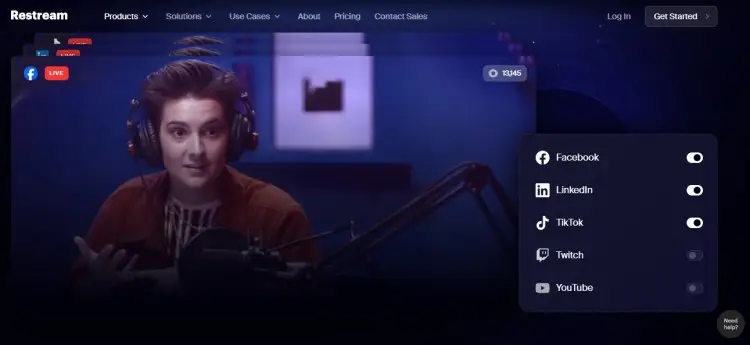
Restream makes it possible to broadcast your content on multiple platforms simultaneously. Founded in 2015, it’s designed for creators who want maximum reach without juggling multiple streaming setups.
Restream is perfect for marketers, entrepreneurs, and speakers who need to connect with audiences wherever they are: on Facebook, YouTube, LinkedIn, Twitch, TikTok, and beyond.
Is Restream good?
Yes, Restream is a reliable streaming and podcast recording platform for anyone serious about visibility and authority.
You can use Restream for:
- Live events: Stream your conference or workshop to multiple platforms at once, making sure every audience member can tune in on their preferred channel.
- Product demos: Broadcast your demo across channels to maximize visibility and drive conversions.
- Thought leadership: Share your insights on LinkedIn, YouTube, and Facebook simultaneously to establish authority and grow your following.
- Community engagement: Host live Q&As that reach your entire community, no matter where they hang out online.
- Podcasting: Stream your podcast live on multiple channels or use it as virtual podcast recording software to create pre-recorded shows.
Restream gives you the tools to engage with audiences at scale. Pair it with Talks.co to book guests who bring value, and you’ve got a content creation machine.
What Is Better than StreamYard and Restream?
Looking beyond StreamYard and Restream? If you need a slightly different approach to podcast recording and live streaming, there are more options to choose from.
Let’s compare it with Castr, a popular alternative, to see what works best for your visibility goals. You can choose based on your priorities: simplicity (StreamYard), reach (Restream), or value (Castr).
StreamYard vs Restream vs Castr
Castr is another multistreaming platform that’s worth considering if you’re starting a podcast or streaming. Here’s how it stacks up:
- Castr offers multistreaming to 30+ platforms, 4K streaming, and white-label options for branding. It’s competitively priced and includes features like scheduled streams, analytics, and cloud recording.
- StreamYard is easier to use and better for polished interviews and webinars.
- Restream offers more producer-friendly features and engagement tools like QR codes and tickers.
Castr sits somewhere in between: Solid features at a good price, but less user-friendly than StreamYard and less feature-rich than Restream.
All three platforms work seamlessly with Talks.co. Whether you’re using StreamYard, Restream, or Castr, your interview process is streamlined, thanks to Talks. Get booked quickly and be ready to record or go live with the right guests.
If you need help completing your podcasting toolkit, check this list of podcast hosting platforms.
For the Record
Here’s the bottom line with StreamYard vs Restream: Restream wins if you want a wider reach, detailed analytics, and affordable pricing. StreamYard wins if you prioritize ease of use, webinar functions, and longer pre-recorded sessions.
Both platforms are excellent. Your choice depends on your goals.
Ready to take the next step? Create your free Talks.co profile today and start connecting with the guests who bring great conversations.
Whether you’re streaming with Restream or StreamYard, Talks makes sure you’ve always got the right people behind the mic.
Create a FREE Talks Profile now and start recording!


