

These days, it’s not enough to have a video podcast. With more audiences craving interactions, many podcasters are exploring live-streaming their shows.
Live podcasts mean answering questions from viewers in real-time. They become active participants, instead of passive enjoyers of the show.
But the live stage is different from a recorded episode that you can edit and publish after polishing. To host a successful live stream, you need powerful software.
Streamlabs vs OBS is a common comparison creators make. These two reliable programs offer streaming and recording capabilities that meet the demand modern needs.
Let’s look at their key features, pros, and cons, so you can choose which suits your needs best.
Streamlabs vs OBS: Which Is Better?
Deciding on the better choice between Streamlabs and OBS often comes down to your specific needs and technical comfort level.
This table gives you a quick snapshot of how they match up against each other in critical categories.
| Feature | Streamlabs Desktop | OBS Studio |
|---|---|---|
| Price | $9/month (Standard), $17/month (Pro) | Free (open source) |
| CPU usage | High | Low |
| Ease of use | Easier (User-friendly interface) | Moderate (Steeper learning curve) |
| Customization | Moderate (Built-in themes and widgets) | High (plugins and scripts available) |
| Multistreaming | Built-in (paid) | Requires plugins and extra setup |
| Support | Dedicated support (Ticket, Discord) | Community forums |
| Platform | Windows, Mac | Windows, Mac, Linux |
What are Streamlabs and OBS?
Streamlabs and OBS are two big names in the live streaming software arena. Let’s look at exactly what each streaming tool brings to the table for your podcast or show.
Streamlabs Desktop
Best for: Coaches and entrepreneurs who want a “plug and play” experience with built-in alerts.
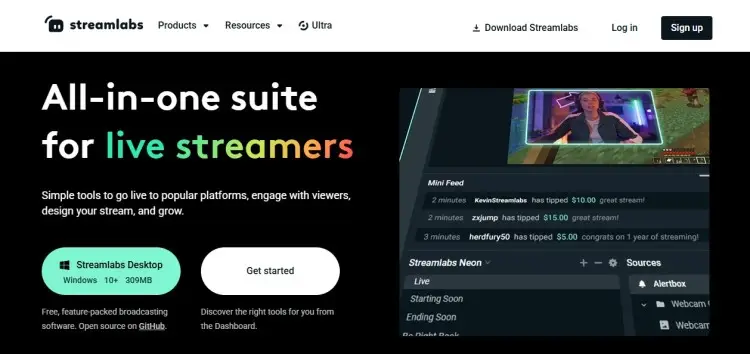
Streamlabs is an excellent all-in-one solution that combines broadcasting tools with audience engagement features. If you booked guests via Talks, you can easily invite them to Streamlabs and record a multi-person interview together.
- Key features: Branding, adding guests, and multi-streaming to social platforms.
- Plugins: Streamlabs internal app store
- Price: $9/month (Standard), $17/month (Pro)
OBS Studio
Best for: Tech-savvy creators who want total control and a huge support base.
OBS Studio is entirely free. This open-source program allows granular control over every aspect of your production.
- Key features: Unlimited scenes, audio mixing, chroma keying, and high-performance video encoding.
- Plugins: Big library of community-created plugins (e.g., VSTs, NDI)
- Price: Free
Are Streamlabs and OBS the same?
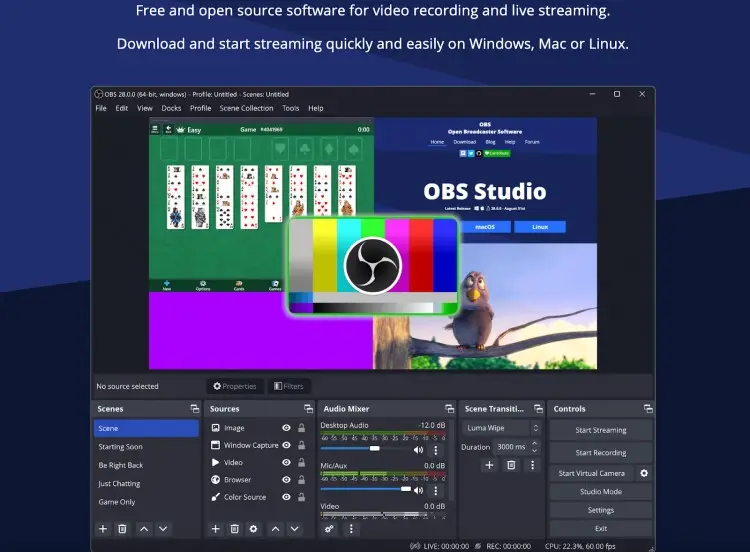
It’s easy to get confused because these two programs share a lot of similar coding and functions. At their core, both Streamlabs and OBS Studio allow you to capture your screen, webcam, and audio to broadcast live.
- Coding: Streamlabs Desktop is built on top of the OBS Studio open-source code, which is why the core encoding technology feels very similar.
- Key features: Both platforms allow you to create scenes, add sources, and manage your audio mixer.
- Core functions: They both support essential features like green screens and noise suppression for your microphone.
- Social broadcasting: You can use either one to broadcast to a popular streaming platform like YouTube, Facebook, or Twitch.
What is the difference between Streamlabs and OBS?
The main difference between OBS and Streamlabs lies in their approach to user interface and resource management.
- User experience: Streamlabs provides a polished, user-friendly dashboard that includes alerts and chat right out of the box. Meanwhile, OBS Studio offers a blank canvas for you to build your setup from scratch using plugins and dockable windows.
- Goals: Unlike OBS Studio, Streamlabs is designed to help you monetize and engage viewers immediately without installing extra add-ons.
- Impact on your workflow: OBS Studio is known for being lean and efficient, while Streamlabs takes more processing power to run its convenient features.
Is Streamlabs or OBS Better for Streaming?
When you’re ready to start a podcast or get into streaming, the “better” software depends entirely on your workflow and how much friction you can tolerate.
This’ll show you how each one handles the pressure of a live environment.
| Feature | Streamlabs Desktop | OBS Studio |
|---|---|---|
| Ease of use | Easier to set up and configure, making it a great option for beginners. | OBS Studio’s simplicity can be a benefit or a disadvantage depending on your technical proficiency. |
| Customization | Limited customization options that can frustrate advanced users. Has built-in user-friendly features that can lack depth. | Greater customization, but hard to set up for new streamers. Has a vast library of plugins and the ability to create custom layouts. |
Streamlabs vs OBS for streaming
When streaming, the choice between OBS Studio and Streamlabs comes down to stability vs. convenience.
- Enhanced experience for minimal effort: Streamlabs takes the cake if you just want to toggle a switch and go live with professional overlays immediately.
- Reliable performance: Your OBS stream remains stable even with a complex setup. It rarely crashes.
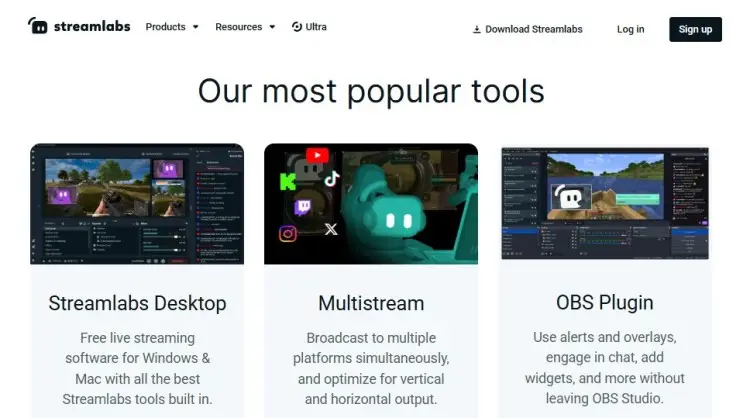
If you want the best of both worlds, you can install a Streamlabs plugin into OBS to access the desktop functions in your OBS workspace.
Streamlabs or OBS for Twitch
If your primary goal is streaming on Twitch, both software have distinct advantages.
- Streaming features: Streamlabs is the better choice if you care deeply about on-screen alerts for bits and subscriptions. It also offers a built-in chatbot that simplifies moderation.
- Integrations: OBS Studio lets you integrate Twitch panels, but it takes more work.
Streamlabs vs OBS vs Twitch Studio
Twitch Studio was also a good option for streaming on Twitch, but it was discontinued in 2024. Instead, Twitch has released a list of recommended streaming software which includes both Streamlabs and OBS.
- Streamlabs is better than Twitch Studio because it offers multi-platform support, while Twitch Studio is locked to one platform.
- OBS Studio is a free tool that scales with you, unlike Twitch Studio, which is very limited in features.
Streamlabs vs OBS for recording
Sometimes you just want to stream and record content for later use, like a course or a YouTube video. That’s where the question of Streamlabs vs OBS for recording comes in.
- More control for editing: OBS Studio is an ideal recording program because it allows you to separate audio tracks easily, which makes post-production easier.
- File formats: OBS gives you high-quality MKV or MP4 files without bloat when recording for your podcast.
- Straightforward screen recording: If you need a pure screen record, use OBS. Streamlabs also records well, but you have to be careful your animated overlays don’t clutter the recording.
Check out other podcast software for recording and podcast editing software to complete your toolkit.
Is Streamlabs Better than OBS?
It’s not a simple “yes” or “no” because Streamlabs and OBS serve different masters in the creator economy.
Let’s weigh the pros and cons to see which streaming solution fits your business model.
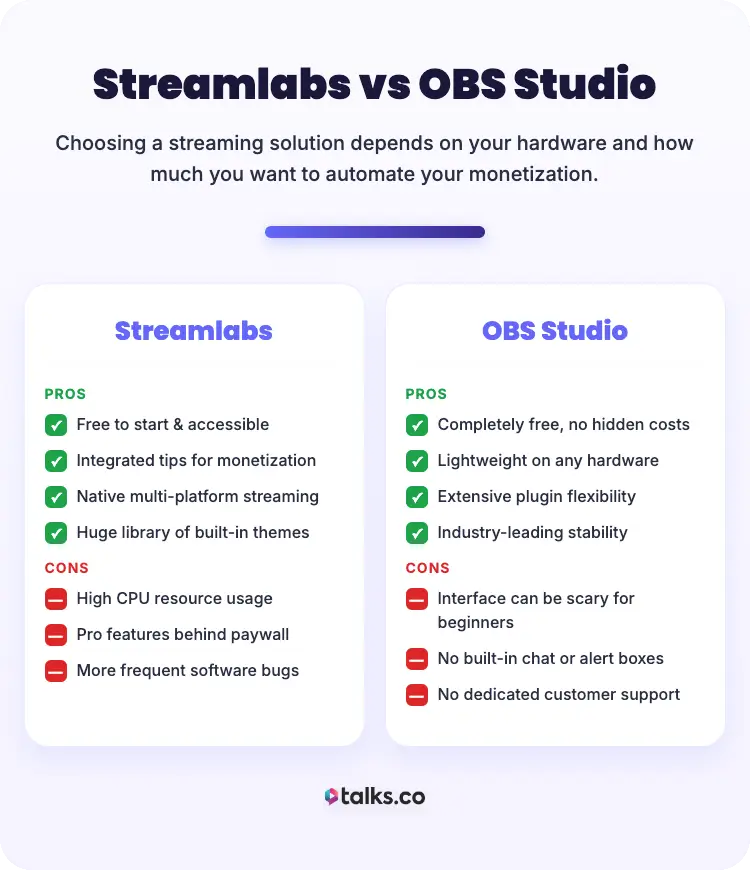
Streamlabs
Pros:
- Streamlabs is free to start, making it accessible.
- Streamlabs is an excellent tool for monetization via integrated tips.
- Streamlabs supports streaming to multiple platforms natively.
- Streamlabs provides a vast library of themes.
Cons:
- Streamlabs uses more CPU resources, which can slow down older computers.
- Many of the best features are locked behind the Streamlabs Pro paywall.
- Bugs can occur more frequently than in OBS.
OBS Studio
Pros:
- OBS Studio is completely free with no hidden costs.
- OBS Studio is lightweight and runs on almost any hardware.
- OBS Studio offers incredible flexibility through plugins.
- OBS Studio wins on stability.
Cons:
- The interface can be scary for beginners or those who want simplicity.
- No built-in chat or alert box (you must add them as browser sources).
- No dedicated customer support team.
Does Streamlabs or OBS use more CPU resources?
This is the most critical technical difference between OBS and Streamlabs. Your CPU is the brain of your computer, and you want to save its power for your other tasks.
- Streamlabs uses more CPU resources than OBS Studio, since it’s also running web browser processes in the background to power its widgets and dashboard.
- OBS Studio is known for its bare-bones efficiency. If you’re running podcast hosting platforms or heavy software alongside your stream, this matters.
Streamlabs vs OBS CPU usage
If you have a high-end PC, the Streamlabs vs OBS CPU usage debate likely won’t affect you much. But, for laptop users, OBS Studio is the better option to prevent overheating and dropped frames.
- Streamlabs takes a toll on your RAM and processor because it is an “all-in-one” suite.
- OBS Studio vs Streamlabs in performance tests consistently shows OBS using 20-30% less CPU.
Streamlabs vs OBS performance
Performance isn’t just about computers. For podcasters looking to make money online, it’s about your business revenue and productivity.
- Revenue model: Streamlabs is the better choice if your immediate goal is generating revenue from live viewers. But if your revenue comes from high-quality post-production content, OBS Studio keeps your workflow smooth and stable.
- Monetization functions: Streamlabs offers built-in donation bars and merch alerts that can directly increase your income during a live show. OBS Studio offers no native monetization tools, so you have to set them up manually.
Look into the best software for podcast interviews to pair with both programs for a more pro setup.
Is Streamlabs or OBS Better?
The choice between Streamlabs vs OBS comes down to where you are in your journey. Let’s look at which one is the best fit based on your goals and technical patience.
- Best for beginners: Streamlabs provides you with the guidance and essential functions to get started quickly.
- Best for advanced streamers: If you have the technical skill, OBS is the best streaming software for your long-term growth.
- Best for looking professional instantly: Streamlabs Desktop is ideal for podcasters and content creators who want a captivating stream setup without tinkering with the settings.
- Best for a bespoke setup: OBS Studio is the king of customization, where you have complete control of your workflow.
- Best for podcast interviews: So you found a podcast guest on Talks, and you want to record? Streamlabs has a better interface for adding your guests onscreen when streaming or recording.
Streamlabs vs OBS controversy
Instead of controversy, confusion used to surround these two platforms.
- The problem: You should be aware that Streamlabs was originally named “Streamlabs OBS,” which raised user concerns. Streamlabs OBS vs OBS Studio became a heated topic because people thought they were the same company.
- The resolution: OBS Studio’s open-source developers called out Streamlabs for using their name without permission. Streamlabs has since removed “OBS” from their name to respect the open broadcaster software community.
This Streamlabs vs OBS controversy left a bad taste for some, but Streamlabs also complied with the request. Streamlabs and OBS are now clearly two distinct brands.
How to Choose Between Streamlabs and OBS
If you’re still on the fence about Streamlabs or OBS, follow this simple guide.
- Check hardware: If your computer is older, use OBS.
- Define your goal: If you need instant alerts, use Streamlabs.
- Assess your budget: If you have zero budget, launch through OBS for free.
- Streaming goals: If you’re streaming to multiple platforms, Streamlabs Pro is easier.
- Tech skills: If you hate troubleshooting, Streamlabs provides better support.
- Test both: Download the Streamlabs Desktop and the version of OBS Studio to compare.
Once you’re ready with your podcast software, it’s time to focus on content. Invite podcast guests using Talks and explore how your new tools work for remote recording.
Streamlabs and OBS alternatives
If neither Streamlabs nor OBS Studio feels right, there are other ways to get in front of an audience.
- Crowdcast: This is a browser-based tool perfect for virtual webinars and workshops. It handles registration and emails, unlike OBS and Streamlabs.
- Be.Live: Be.Live is a cloud-based streaming tool that’s incredibly simple for interviews. Great if you want to start streaming quickly without installing anything.
- Vimeo Livestreaming: This is a premium streaming platform for high-stakes corporate events. It offers reliable privacy controls that OBS and Streamlabs generally lack.
You can also look into comparison guides like Zencastr vs Riverside or Streamyard vs Riverside for remote interview options.
Step Into Modern Podcasting
Streamlabs vs OBS comes down to which is better for you. The most important part is to scale your podcasting now, so you don’t miss out on opportunities.
Speaking of chances you absolutely can’t miss, find your dream podcast guest with Talks.
With Talks’ modern platform, all it takes is a FREE Creators profile to start matching. No old-school directories and long back-and-forths.
Once you’re in, you can match with experts from different niches worldwide. AI-suggested matches and advanced search filters make this quick and easy, so you can record immediately.
Create Your Forever Free Talks Creators Profile Today!


