
Choosing the right DAW can feel like picking the perfect teammate for your creative journey.
Whether you’re getting started with your first podcast or leveling up your music production setup, the software you pick matters.
Both Reaper and Logic Pro X have earned loyal followings among producer circles.
This guide breaks down everything you need to know to make a smart choice between Reaper vs Logic Pro.
Let’s look at key features, pricing, and pros and cons, so you make the best decision for your podcasting business.
Comparison of Reaper vs Logic Pro (Overview)
Let’s look at the big picture of how these two workstation options stack up. Here’s a detailed comparison table of Reaper and Logic Pro, so you can quickly see how they fare:
| Feature | Reaper | Logic Pro |
| Price | Discounted license available, affordable commercial license | One-time purchase with free updates |
| OS Support | Windows, Mac, Linux | Mac only |
| CPU Usage | Lightweight, low RAM usage | Moderate RAM usage, optimized for Apple silicon |
| Interface | Highly customizable, dense | User-friendly, intuitive Apple design |
| Stock plugins | Extensive but basic visuals | Premium suite included |
| MIDI Editing | Deep routing options | Advanced MIDI with chord triggers |
| Audio editing | Non-destructive, scriptable | Smart Tempo, Flex Time |
| Virtual instruments | Limited built-in | Rich software instruments library |
| Learning curve | Steep for beginners | Moderate for Mac users |
| Workflow | Flexible, customizable layouts | Streamlined, all-in-one ecosystem |
| Updates and support | Constant community-driven, active forums | Official Apple support |
Once you pick your software, you’ll need guests for your show. Both Reaper and Logic Pro work seamlessly with Talks when you’re looking for podcast guests to interview.
Simply create a free profile, match with experts, and set a recording session using your chosen podcast software.
Reaper vs Logic Pro X features
Understanding what each workstation offers helps you match tools to your creative needs.
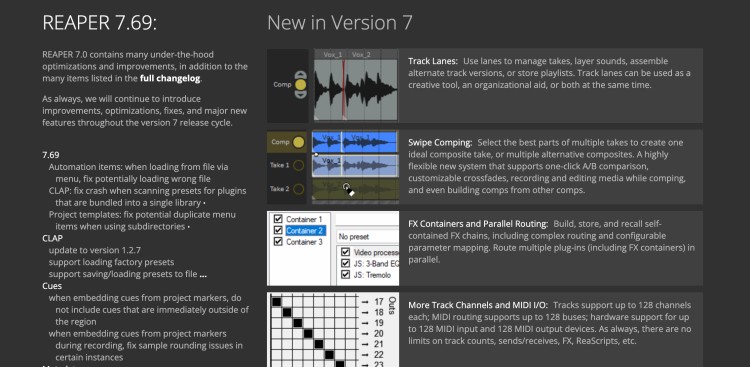
Reaper is a lightweight, customizable audio workstation built for flexibility across any OS. It handles recording audio, mixing, and mastering tasks well.
Key features:
- Deep routing capabilities for complex sessions.
- Extensive plugin support including VST, AU, and JS effects.
- Powerful MIDI sequencing and beat programming tools.
- Scripting options to customize the interface to your exact workflow.
- Non-destructive audio editing with ripple editing modes.
- Low CPU footprint allows you to run many features on modest hardware.
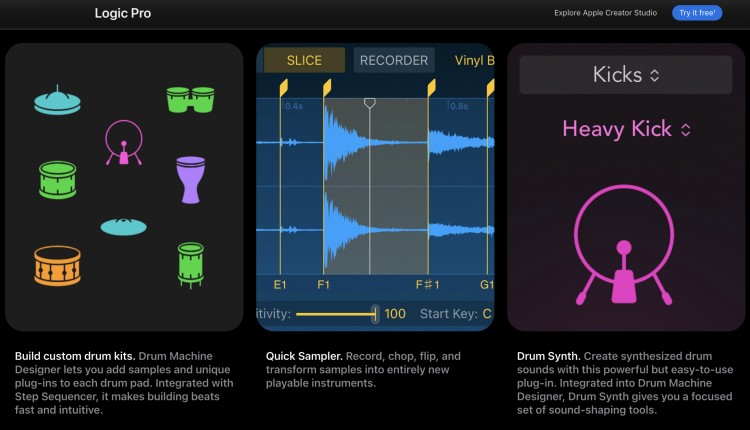
Logic Pro X is Apple’s flagship music creation app that evolved from GarageBand into a full professional studio tool. It offers an intuitive, user-friendly environment specifically designed for the Mac ecosystem.
Key features:
- Comprehensive bundle of stock plugins including EQ, compressors, and amp simulators.
- Huge library of virtual instruments and synths for electronic music production.
- Smart Tempo and Flex Pitch for automatic timing and tuning correction.
- Seamless integration with iPhone or iPad for mobile recording.
- Drummer track with virtual drummer performances across multiple genre styles.
- Loop library with thousands of royalty-free audio snippets.
Reaper or Logic Pro X pricing options
Budget matters when you’re building your audio production setup. Comparing costs helps you plan for long-term podcast and music creation without breaking the bank.
Reaper pricing:
- Free trial: 60 days free (no payment info needed)
- Licensing costs: $60 (personal), $225 (commercial)
- Long-term costs: One-time purchase fee only for perpetual license.
Logic Pro pricing:
- One-time purchase cost: $199.99 (as a standalone app)
- Apple Creator Studio: Logic Pro is part of a suite of creative apps that you can subscribe to for $12.99/month. Includes a 30-day free trial.
- Long-term costs: Better as a one-time purchase. More expensive in the long run if you choose to subscribe.
Whichever you choose, you can integrate Talks in your workflow and start out for free. That gives you more room to choose the best budget microphones or upgrade your gear.
Reaper vs Logic Pro similarities and differences
Both Reaper and Logic Pro are part of the best software for podcast interviews and music production. But they approach each task differently.
Similarities:
- Both support professional recording, mix, and master workflows.
- Both offer non-destructive audio editing and automation capabilities.
- Both are used in professional studio environments worldwide.
Differences:
- Reaper runs on any OS while Logic Pro supports Mac only.
- You need to spend time customizing your Reaper interface while Logic’s workspace is already set up intuitively.
- Reaper uses fewer GB of disk space and RAM while Logic requires more to install a massive bundle of samples.
- Reaper relies on third-party plugin developers for synth content while Logic includes extensive virtual instruments out of the box.
Once you have made your choice, time to head to Talks to find podcast guests or book interviews. With quality AI-powered matches, your podcast recording programs would be just as busy as your calendar.
What Is Reaper?
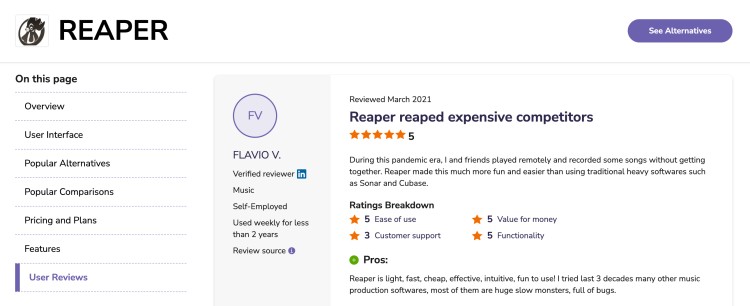
Reaper is a customizable, lightweight audio production workstation developed by Cockos.
Users appreciate the customizable interface, the community and developer support.
- Jon G. shares, “Reaper is so easy to use and learn with lots of customizability for how you want your layout to look.”
- Flavio V. comments, “Reaper is light, fast, cheap, effective, intuitive, fun to use! I have tried for the last three decades many other music production software, most of them are huge, slow monsters, full of bugs.”
- Maciej N. says, “Reaper fits my needs the best. I love that the developers are constantly updating it and adding new features.”
Reaper DAW pros and cons
Reaper suits creators who want control over their production and don’t mind setting up.
Pros:
- The CPU usage remains lower compared to other major DAW software.
- You can customize every aspect of the interface to match your specific workflow.
- The discounted license makes it accessible to hobbyists and students.
- It runs on Windows, Mac, and Linux equally well.
- The MIDI editing capabilities rival expensive competitors.
Cons:
- The default layout feels clunky and sparse to new users.
- You must install third-party synths and virtual instruments as it includes minimal built-in sounds.
- The learning curve requires patience compared to more intuitive alternatives.
Do professionals use Reaper?

Many film scorers, game audio designers, and podcast engineers use Reaper daily. The software handles guitar recording, vocal comping, and master sessions with professional-grade precision.
Home Music Creator recommends Reaper, which he’s been using for over eight years. He confirms that the software is good for beginners and experienced home recordists.
Why Reaper is the best DAW
Reaper excels in specific areas that appeal to technical creators.
- Customization depth: You can personalize menus, toolbars, and shortcuts to match exactly how you think and work.
- Resource efficiency: It uses minimal GB of storage and RAM, leaving your computer free to run many features simultaneously.
- Scripting power: You can automate repetitive editing tasks through coding, perfect for electronic music producers who work with loop libraries.
Is Reaper better than Pro Tools?
Pro Tools is one of the standard audio production software for film post-production and commercial projects. Comparing Reaper vs Pro Tools comes down to how you want your professional studio to work for you.
- Pro Tools is known for structured studio workflows and collaboration. If you want to remain competitive for big projects, choose Pro Tools.
- Reaper offers more flexibility and lower cost. For independent creators and podcasters, Reaper is the better choice.
Is Reaper better than GarageBand?
GarageBand is Apple’s free entry-level app that introduces millions to music creation. It offers a simple interface and basic instrument sounds, perfect for beginners.
It’s not much of a match against Reaper if you’re looking at professional-grade audio editing, unlimited track counts, and plugin chains.
If you need to master tracks for commercial release or handle complex MIDI programming, Reaper is the clear winner. GarageBand can be your playground, but Reaper serves as a professional studio tool.
What Is Logic Pro?
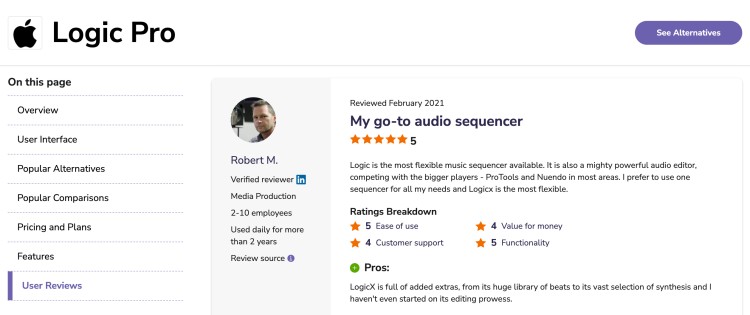
Logic Pro is Apple’s professional music creation and audio editing workstation. It transforms your Mac device into a complete studio capable of handling everything from voiceovers to full orchestral composition sessions.
Users consistently praise Logic’s stability and sound quality. They also appreciate the user-friendly design that helps bring out their creativity.
- Robert M. says, “Logic is the most flexible music sequencer available. It is also a mighty powerful audio editor, competing with the bigger players, ProTools and Nuendo in most areas.”
- A user from a non-profit comments, “This software comes with a wide range of tools and features for creative and experimental sound designing. My favorite tool is the audio editor, which I use to edit and manipulate dialogue, music, and other background audio elements.”
- A self-employed designer shares, “The ease and interface simplicity of Logic Pro hides how amazingly well it handles complex and detailed recording, editing, and mixing scenarios.”
Logic Pro DAW pros and cons
Logic Pro offers an intuitive, high-quality workstation perfect for Apple users who want professional results.
Pros:
- The stock plugins sound professional without extra purchases.
- The Drummer feature provides realistic beat performances instantly.
- It handles guitar and bass recording with excellent amp simulations.
- The learning curve is gentle for anyone familiar with Apple interface design.
- It updates regularly without subscription fees.
- It supports remote collaboration through iCloud.
Cons:
- It only runs on Mac, leaving Windows users looking for better options.
- The big sample library consumes many GB of storage space.
- Some advanced routing options feel clunky compared to Reaper.
- It lacks the deep customization that some genre specialists need.
Do professionals use Logic Pro?

Yes, many established producers’ credits list Logic as their primary DAW.
PLV Music specifically recommends switching to Logic Pro for producers ready to move beyond entry-level tools. She emphasizes how the MIDI environment and software instruments meet professional studio demands.
Is Logic Pro worth it?

Yes, especially if you value your time and workflow efficiency.
Bola Da Producer explains on YouTube what makes Logic Pro special for modern creators. He specifically highlights Logic’s recording capabilities. “You can record track for track. Everything shows up in the mixer. You can add in your inserts. […] You have all of that stuff right there.”
For anyone serious about music production, the one-time cost also removes any stress about paying monthly subscription fees.
Is Logic Pro the best DAW?
This depends on what you need. It’s a great podcast editing tool or music production solution if you need these key characteristics:
- Smart Tempo and Flex Time: These features automatically handle timing corrections across audio and MIDI tracks.
- Comprehensive plugin suite: You get professional EQ, compression, and spatial effects without purchasing anything additional.
- Ecosystem integration: The ability to collaborate between Mac, iPhone, and iPad creates a seamless mobile-to-studio workflow.
Is Logic better than Pro Tools?
Pro Tools has long been the industry standard in Hollywood recording facilities. It excels at audio editing for film and offers locked-in workflows for large studio teams.
But Logic Pro provides many features that Pro Tools charges extra for, like MIDI composition tools and virtual instruments.
Logic’s user-friendly interface and lack of subscription fees also make it more attractive for independent producer professionals.
Which Is Better: Reaper or Logic Pro?
Your choice depends on your skill level and project type.
- For beginners, Logic Pro offers an intuitive path if you own a Mac device. Its user-friendly design and sound effects library help you start a podcast immediately.
- For podcasters and voiceover artists, Logic provides excellent stock plugins for voice processing right away. But Reaper offers more routing flexibility if you run complex live shows with multiple audio sources.
- For music producers, Logic excels at electronic music production with its synth collection and Drummer beat maker.
- For collaborations, Logic works best if you’re working within the Apple ecosystem. Meanwhile, Reaper’s cross-platform nature lets you collaborate with anyone regardless of their OS.
Logic Pro and Reaper Alternative Options
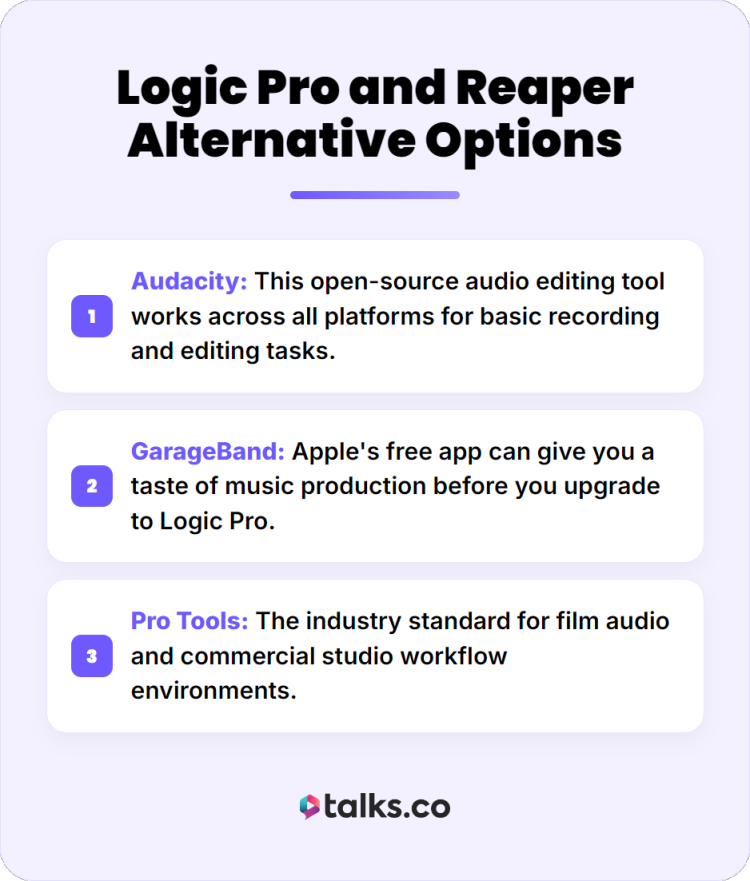
If Logic Pro or Reaper doesn’t suit your needs, you can explore these other podcast editing software programs that many popular podcasts use.
- Audacity: This open-source audio editing tool works across all platforms for basic recording and editing tasks.
- GarageBand: Apple’s free app can give you a taste of music production before you upgrade to Logic Pro.
- Pro Tools: The industry standard for film audio and commercial studio workflow environments.
Alternatives to Logic Pro for Windows
If you’re a Windows user who’s looking for something like Logic Pro, consider these options:
- Cubase: Steinberg’s workstation offers advanced MIDI composition and virtual instruments with cross-platform support.
- Ableton Live: This platform excels at live show performance and electronic music beat creation with a unique session view.
The Only Logical Choice
Picking between Reaper vs Logic Pro comes down to how you want to work. Both offer professional paths to high-quality audio production, whether you’re a podcaster, musician, or voiceover artist.
Ready to put your new software to work? Create a free Talks profile today and start booking interviews that expand your reach.
If you want sustainable success for your podcast, visibility is the only way to go.
- Direct connections: Match directly with podcast hosts and industry experts.
- Efficient workflows: Smart suggestions and automations connect you quickly.
- Results-driven: Mutual matches are as good as confirmed leads. You get responses and actual recording episodes.
Yes! Set me up for a free Talks Creator Profile!